The Samsung T9 is a fast, well-built external SSD aimed at creators and PC users who regularly move large files, but its headline speed comes with an important condition: Your computer needs a 20Gbps USB 3.2 Gen 2×2 connection to use it fully. This samsung t9 portable ssd review evaluates the 1TB, 2TB, and 4TB versions as one product family, weighing independent benchmark results, durability, security, compatibility, and value rather than treating Samsung’s maximum speed as a guarantee.
- Samsung T9 portable SSD review: verdict at a glance
- Specifications and model options
- Design, build quality, and portability
- USB 3.2 Gen 2×2 is the deciding compatibility factor
- Samsung T9 portable SSD review: benchmark performance
- Everyday use for editing, backups, and gaming
- Software, encryption, and warranty
- Alternatives and buying advice
- Who should buy the Samsung T9?
- Final verdict
Samsung T9 portable SSD review: verdict at a glance
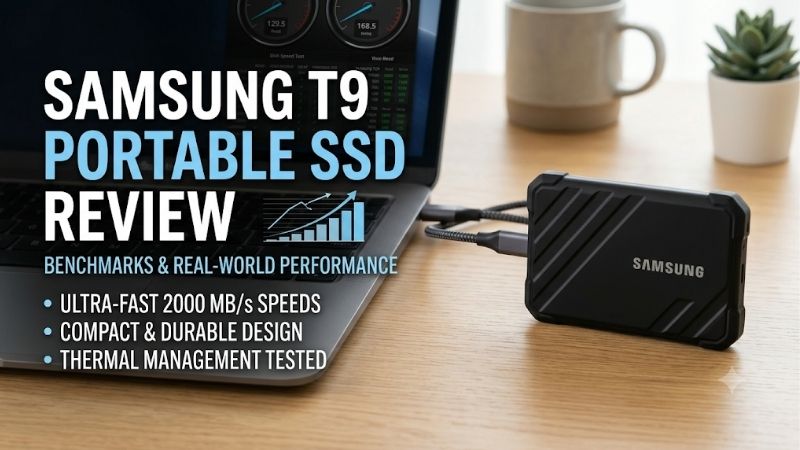
The Samsung Portable SSD T9 is worth considering when you have a USB 3.2 Gen 2×2 port and routinely transfer large video projects, photo libraries, virtual-machine images, or other heavy files. Independent testing shows that it can approach the practical limits of a 20Gbps USB connection in sequential workloads. Its rubberized exterior, hardware encryption, up-to-4TB capacity, included USB-C and USB-A cables, and five-year limited warranty round out a capable portable storage package.
It is not the right default choice for everyone. Many desktops and laptops have USB-C ports that stop at 10Gbps, and a reversible USB-C connector does not tell you which USB speed the port supports. On a 10Gbps connection, the T9 behaves much more like a good USB 3.2 Gen 2 drive such as Samsung’s T7 family. Buyers who mainly store documents, carry media, or install a few games may get similar practical results from a less expensive external SSD.
Our verdict is conditional: The T9 is a strong high-speed portable SSD for a compatible workstation, especially in 4TB form for large sustained transfers. For a typical laptop with only 10Gbps USB, a less expensive 1,000MB/s-class drive is usually the more rational purchase.
Review scope and testing basis
This is a research-based review, not a hands-on retest. It covers the Samsung T9 family in 1TB, 2TB, and 4TB capacities. Independent results below are attributed to the publications that ran them; they are not presented as measurements from our own lab.
PCGamesN tested the 4TB T9 and published CrystalDiskMark results, encryption comparisons, and a game-loading test. TechRadar also identified its review sample as the 4TB capacity and ran AJA System Test, CrystalDiskMark, ATTO, and AS SSD workloads. StorageReview used a USB 3.2 Gen 2×2 test setup for Blackmagic Disk Speed Test and IOMeter. Different benchmarks, host platforms, sample capacities, and workloads explain why their numbers do not match exactly. The useful conclusion is the pattern across tests, not a single universal speed figure.
Specifications and model options
Samsung sells the T9 in three capacities. The drive uses a USB 3.2 Gen 2×2 interface, has a compact metal body covered by a patterned rubber exterior, and weighs approximately 4.3 ounces. Its footprint is 3.46 x 2.36 x 0.55 inches, which is pocketable but not as small as some competing portable SSDs.
| Specification | 1TB T9 | 2TB T9 | 4TB T9 |
|---|---|---|---|
| Sequential read, rated maximum | 2,000MB/s | 2,000MB/s | 2,000MB/s |
| Sequential write, rated maximum | 1,950MB/s | 1,950MB/s | 2,000MB/s |
| Interface | USB 3.2 Gen 2×2, 20Gbps | USB 3.2 Gen 2×2, 20Gbps | USB 3.2 Gen 2×2, 20Gbps |
| Hardware encryption | AES 256-bit | AES 256-bit | AES 256-bit |
| Drop-resistance claim | Up to 3m | Up to 3m | Up to 3m |
| Dimensions | 3.46 x 2.36 x 0.55in | 3.46 x 2.36 x 0.55in | 3.46 x 2.36 x 0.55in |
| Weight | About 4.3oz | About 4.3oz | About 4.3oz |
These are manufacturer’s maximum sequential specifications, not guaranteed everyday speeds. Samsung requires a USB 3.2 Gen 2×2 host, compatible cable, and UASP mode for maximum performance. The 1TB and 2TB versions have a slightly lower rated write ceiling than the 4TB model. Capacity is quoted in decimal units, so an operating system may show a smaller available figure after conversion and formatting.
Design, build quality, and portability
The T9 combines an aluminum internal structure with a thick, textured rubberized exterior. Diagonal ridges improve grip, and the 3.46 x 2.36 x 0.55-inch body is pocketable. At 4.3 ounces and 14mm thick, however, it is heavier and thicker than compact rivals such as the Kingston XS2000.
Samsung includes USB-C-to-C and USB-C-to-A cables, so owners of newer laptops and older USB-A computers can connect without buying a separate adapter. The drive has one USB port and no built-in cable storage or pass-through connection.
Is the rubberized exterior genuinely durable?
The rubber coating is meaningful protection against everyday knocks and helps keep the drive from sliding around on a desk. Samsung’s 3-meter drop statement comes from an internal free-fall test onto a metal plate. That is a controlled test, not a promise that every drop onto concrete, a corner, or a hard floor will leave the drive intact. More importantly, Samsung explicitly says physical damage caused by drops is not covered by warranty.
There is no IP rating. The exposed USB-C port is not certified against water or dust ingress, so do not use the T9 as though it were a sealed outdoor drive. Keep it away from rain, wet bags, sand, and dusty work areas. If water resistance is a priority, compare it with an IP-rated option such as the Crucial X10 Pro or Kingston XS2000 rather than assuming a rubber jacket provides the same protection.
USB 3.2 Gen 2×2 is the deciding compatibility factor
The T9’s defining feature is its 20Gbps USB 3.2 Gen 2×2 connection. Gen 2×2 uses two 10Gbps lanes, while ordinary USB 3.2 Gen 2 uses one 10Gbps lane. The theoretical interface bandwidth is therefore doubled, but the gain only appears when the host computer, cable, and drive all support the faster mode.
This is the biggest buying check. USB-C describes the connector, not its data rate. A port may support 5Gbps, 10Gbps, 20Gbps, USB4, or Thunderbolt. Check your motherboard or laptop specifications for an explicit USB 3.2 Gen 2×2 20Gbps port; some systems have only one such port.
Start with Samsung’s included cable. A replacement should explicitly support USB 3.2 Gen 2×2 data, not just charging or ordinary USB-C. The T9 remains backward-compatible with USB 3.2, USB 3.1, USB 3.0, and USB 2.0, but the host connection sets the speed ceiling. On a 10Gbps port, it performs more like a T7 or T7 Shield. A 5Gbps or USB 2.0 port is a poor match for the large transfers that justify this drive. A desktop expansion card may add Gen 2×2 on some systems, but it adds cost and requires a compatible PCIe slot.
A practical compatibility check should happen before purchasing:
-
Find the exact USB specifications in your computer or motherboard manual.
-
Confirm that at least one port explicitly supports USB 3.2 Gen 2×2 at 20Gbps.
-
Check that the supplied cable is available and undamaged.
-
Consider whether your normal workload can benefit from the extra bandwidth.
-
Do not confuse Thunderbolt or USB4 compatibility with guaranteed USB 3.2 Gen 2×2 operation; verify the actual supported protocols.
This last distinction matters because faster-looking port labels do not automatically guarantee compatibility with every USB mode. Manufacturer specifications are more reliable than assumptions based on connector appearance.
Samsung T9 portable SSD review: benchmark performance
Independent testing supports Samsung’s claim that the T9 is a genuinely fast USB 3.2 Gen 2×2 drive. In TechRadar’s tests of its 4TB sample, CrystalDiskMark reported 2,008MB/s sequential read and 1,914MB/s write in the default workload. Its real-world CrystalDiskMark profile returned 1,277MB/s read and 1,354MB/s write. AJA System Test measured 1,814MB/s read and 1,829MB/s write with a 1GB file, then 1,811MB/s read and 1,714MB/s write with a 64GB file. These results show why the maximum rating is attainable in some synthetic tests but not every workload.
PCGamesN tested a 4TB model using CrystalDiskMark and measured 2,030MB/s sequential read and 1,868MB/s write. With hardware encryption enabled, it recorded 2,029MB/s read and 1,822MB/s write. The small difference suggests encryption did not materially change the result in that test. The figures should not be compared directly with TechRadar’s AJA or real-world profile because the software and test conditions differ.
StorageReview’s Blackmagic Disk Speed Test ran for about 20 minutes and produced 1,566MB/s read and 1,581.6MB/s write. In its four-thread IOMeter run, the T9 reached 1,944MB/s sequential read and 1,766MB/s sequential write. That is a useful reminder that longer or more demanding workloads may produce lower numbers than a short synthetic peak test.
| Publication and workload | Reported T9 result | What it tells you |
|---|---|---|
| TechRadar, CrystalDiskMark default | 2,008MB/s read, 1,914MB/s write | Near-maximum sequential performance is possible |
| TechRadar, CrystalDiskMark real-world profile | 1,277MB/s read, 1,354MB/s write | Mixed workload results are lower than headline peaks |
| TechRadar, AJA 64GB test | 1,811MB/s read, 1,714MB/s write | The 4TB sample maintained strong speed across this test |
| PCGamesN, CrystalDiskMark, 4TB | 2,030MB/s read, 1,868MB/s write | Strong peak performance on a Gen 2×2 system |
| StorageReview, 20-minute Blackmagic test | 1,566MB/s read, 1,581.6MB/s write | Extended testing reports a lower, still fast result |
The T9 is not the outright winner in every comparison. StorageReview found the SanDisk Extreme Pro V2 ahead in its IOMeter comparisons and the Crucial X10 Pro close in some four-thread results. The T9 is competitive, not an automatic performance leader.
Sustained writes and the capacity difference
Large file transfers are where capacity matters more than the top-line table suggests. TechRadar reported TurboWrite buffer sizes of 22GB for the 1TB T9, 88GB for the 2TB model, and 180GB for the 4TB model. Its 4TB review sample showed only a small difference between the 1GB and 64GB AJA tests. The publication cautioned that the smaller 1TB model could show a more noticeable drop once a transfer exceeds its smaller buffer.
This is a reason to consider the 4TB version for repeated large video transfers, not proof that every 4TB owner will see a constant 2,000MB/s write rate. Once a drive’s fast write cache is exhausted, sustained performance depends on the underlying NAND and workload. File type, free space, host behavior, and thermal conditions also matter. The 4TB model costs more upfront, so it makes sense only if you need the capacity or regularly write files large enough to benefit from its larger buffer.
Samsung’s Dynamic Thermal Guard is intended to manage heat and limit performance loss under demanding use. Samsung specifies an operating temperature range of 0°C to 60°C measured at the hottest point on the case and recommends sufficient airflow during heavier workloads. The T9 is passively cooled; do not cover it with fabric or leave it buried under papers while transferring large files. No measured thermal throttling claim is made here because the cited reviews do not provide a directly comparable, standardized thermal result across all three capacities.
Everyday use for editing, backups, and gaming
For photographers and video editors, the T9 works well as a fast transfer target, working-media drive, or portable project handoff device. Its advantage over a typical 10Gbps SSD is greatest when connected to a full-speed host. Whether it can serve as an active editing drive depends on codec, footage bitrate, software, scratch-disk behavior, and the workstation; a sequential rating alone cannot guarantee smooth playback of every multi-stream 4K or 8K project.
The T9 is also convenient for backups, but it should not be the only copy of important files. Keep another copy on a separate drive or cloud service, and periodically open files from the backup to verify them. Magician is a management tool, not a substitute for a complete backup strategy.
Using the T9 as an external gaming drive
The T9 can store game libraries and move installations between systems. It is not a substitute for an internal NVMe SSD in every situation, and paying extra for Gen 2×2 does not necessarily improve game loading in proportion to synthetic transfer speeds.
PCGamesN compared Apex Legends loading from a 4TB WD Black SN850X internal SSD and the T9. Its reported averages were 41.9 seconds on the internal drive and 42.9 seconds on the T9; on a slower 10Gbps USB port, the T9 averaged 42.0 seconds. That is one test in one game, not a universal game benchmark, but it illustrates why external-drive bandwidth and game load time are not interchangeable measures.
The T9 also works with supported Android phones and tablets, but actual support depends on USB host mode, power, file system, and software. Cameras and consoles may impose their own format or capacity requirements, so verify the host’s documentation before relying on it.
Software, encryption, and warranty
The T9 supports AES 256-bit hardware encryption. Samsung Magician offers security settings, firmware updates, benchmarking, and drive-health information on supported Windows, macOS, and Android versions. It is not required for ordinary file copying. PCGamesN reports that the drive ships in exFAT, a practical choice for Windows-and-Mac transfers. Reformatting for a specialist host erases existing data.
Is Samsung Magician necessary?
No. You can use the drive for everyday storage without installing Samsung software. Magician becomes more useful when you want to manage security settings, check drive health, or install supported firmware updates.
Password protection helps protect client files or personal documents if the drive is lost, but each host needs compatible software to unlock it. Check that your devices support the unlock workflow before enabling it. Store the password in a password manager and keep another copy of critical files; forgotten-password recovery should not be assumed.
Samsung’s current portable SSD warranty listing specifies five years for the T9’s 1TB, 2TB, and 4TB capacities. The warranty covers qualifying defects under its stated conditions, not every failure scenario. Samsung’s launch documentation explicitly excludes physical damage from drops, and the warranty terms also exclude physical damage, misuse, and certain external causes. The warranty does not cover data recovery, so it cannot replace a backup plan.
Alternatives and buying advice
The Samsung T7 Shield is the more sensible Samsung option if your computer has only a 10Gbps port. Samsung rates it up to 1,050MB/s read and 1,000MB/s write, and it has a more protective exterior aimed at mobile use. The T9 is faster on a compatible Gen 2×2 connection, but the Shield can deliver the performance a 10Gbps host can use without charging for an interface that the computer cannot exploit.
The standard Samsung T7 is another option for general backups and portable files. Its 10Gbps interface is rated up to 1,050MB/s read and 1,000MB/s write, and it has a thinner, less rugged enclosure than the T9. If you rarely move large files, the T7’s lower performance ceiling may not matter in everyday use.
The Crucial X10 Pro is a direct 20Gbps competitor with hardware encryption and an IP rating, making its environmental protection a point of difference. The Kingston XS2000 is much smaller and lighter, supports Gen 2×2, and carries an IP55 rating when used as specified. Compare exact capacities and current US prices rather than relying on old launch prices.
The T9’s value depends on your port and workload. Paying for Gen 2×2 without a Gen 2×2 host is avoidable. If your system is compatible and you often transfer files beyond the write cache, consider 2TB or 4TB. For documents, music, occasional photos, and game storage, prioritize capacity and protection over the 2,000MB/s headline.
Who should buy the Samsung T9?
Buy the T9 if you have a verified USB 3.2 Gen 2×2 connection, routinely move large project files, want hardware encryption, and value Samsung’s five-year limited warranty. The 4TB version is the strongest fit for high-volume transfers because it has the largest reported write buffer, while the 1TB version is easier to justify for a lighter workload if its price is competitive.
Skip the T9 if your PC or laptop tops out at 10Gbps USB, you mainly need a backup destination for small files, or you work in wet or dusty environments. In those situations, a less expensive 10Gbps SSD or an IP-rated competitor may be a better match. Do not pay for performance your host cannot use, and do not choose this drive as your only backup.
Final verdict
The Samsung Portable SSD T9 earns a recommendation for users who can take advantage of USB 3.2 Gen 2×2 and need fast, high-capacity external storage. Its independent benchmark results are strong, its rubberized design adds practical drop resistance, and its encryption and five-year limited warranty improve the package. The T9 is not waterproof, its warranty does not cover physical damage, and the smaller capacities have smaller write buffers.
The deciding question is whether your computer supports 20Gbps USB and whether your transfers are large enough to benefit. For creators who can answer yes to both, the T9 is a capable premium SSD. For everyone else, a cheaper 10Gbps drive is likely better value.