
The best gaming monitor for Minecraft depends on what you value most: smooth motion for PvP, crisp block edges for elaborate builds, or contrast that makes shader-lit caves and sunsets more convincing. For most PC players, a 27-inch 1440p monitor refreshing at 165Hz to 200Hz is the most balanced choice. A smaller 1080p panel is still sensible for a compact setup or a PC with limited graphics power, while 4K is worth considering when sharp detail matters more than maximizing frame rate. A monitor cannot create extra game FPS, so match the display to your hardware and the way you actually play.
- Best gaming monitor for Minecraft: quick verdict
- Quick comparison table
- How we selected these monitors
- ASUS TUF Gaming VG27AQ3A: best overall balance
- MSI G255F: a compact 1080p pick
- LG UltraGear 27GS75Q-B: a flexible 1440p screen
- AOC Q27G3XMN: stronger contrast for shaders
- MSI MAG 274QRF QD E2: vivid color and USB-C
- Gigabyte M27U: a 4K option for fine detail
- Gigabyte M27Q X Rev. 2.0: high refresh for PvP
- How to choose the best gaming monitor for Minecraft
- Common mistakes to avoid
- Frequently asked questions
- Final verdict
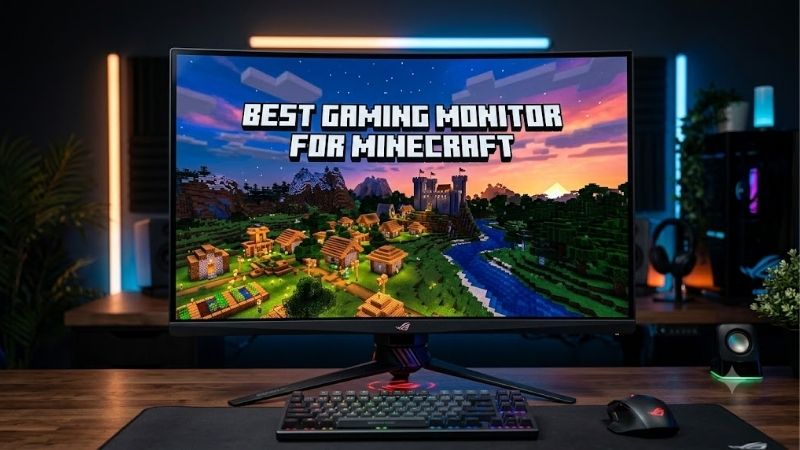
Quick answer: For most people in 2026, the best gaming monitor for minecraft is the Monitor — our #1 rated choice. See the full ranked comparison, alternatives and buying advice below.
Best gaming monitor for Minecraft: quick verdict
For a single screen that handles survival, creative building, multiplayer, and everyday desktop use, start with the ASUS TUF Gaming VG27AQ3A. Its 27-inch 1440p Fast IPS panel and 180Hz refresh rate balance visual detail and responsiveness. Players with a smaller desk can save space with the MSI G255F, while the AOC Q27G3XMN is the standout option for dark-room shader visuals because of its Mini LED dimming. Choose the Gigabyte M27U for 4K detail if your GPU can cope, or the Gigabyte M27Q X Rev. 2.0 if competitive play and very high refresh take priority.
These recommendations are based on manufacturer specifications and available independent reviews, not hands-on Minecraft testing. No product is universally best: shader packs, mods, view distance, Java versus Bedrock Edition, and the power of your PC can change what makes sense.
Quick comparison table
| Monitor | Best fit | Main specifications | Important trade-off |
|---|---|---|---|
| ASUS TUF Gaming VG27AQ3A | Best all-round choice | 27-inch, 2560 × 1440, Fast IPS, 180Hz | Stand has tilt and swivel but no height adjustment; HDR is basic |
| MSI G255F | Compact Full HD setup | 24.5-inch, 1920 × 1080, Rapid IPS, 180Hz | Less detail and desktop space than 1440p at 27 inches |
| LG UltraGear 27GS75Q-B | Flexible everyday gaming | 27-inch, 2560 × 1440, IPS, 180Hz native / 200Hz overclock | 200Hz is an overclocked mode, not the native default |
| AOC Q27G3XMN | Shader scenes and contrast | 27-inch, 2560 × 1440, VA Mini LED, 180Hz, 336 dimming zones | Some dark smearing and variable-refresh flicker are reported |
| MSI MAG 274QRF QD E2 | Wide-gamut color and laptop desk | 27-inch, 2560 × 1440, Rapid IPS, 180Hz, USB-C with up to 65W power delivery | Wide-gamut output may look oversaturated without adjustment |
| Gigabyte M27U | Sharp 4K detail | 27-inch, 3840 × 2160, IPS, up to 160Hz | More demanding resolution; limited native contrast for HDR |
| Gigabyte M27Q X Rev. 2.0 | Competitive PvP | 27-inch, 2560 × 1440, SS IPS, 240Hz | High refresh is harder to justify for casual play |
How we selected these monitors
The shortlist covers different Minecraft use cases rather than pretending every player needs the same display. Manufacturer pages establish the main resolution, panel, refresh rate, connectivity, and stand features. Independent testing is used where available to qualify image quality or motion-related drawbacks. Gaming monitors may advertise very short response times, but results depend on the measurement method and overdrive setting; a spec-sheet “1ms” claim does not guarantee clean motion in every mode. Prices and stock move frequently, so the article does not call a model the cheapest or best value without a consistently verified comparison. Exact model suffixes matter, particularly for Gigabyte’s M27Q family and any regional SKU.
ASUS TUF Gaming VG27AQ3A: best overall balance
The ASUS TUF Gaming VG27AQ3A is the most balanced starting point for players who mix Minecraft with other games. Its 27-inch 2560 × 1440 Fast IPS panel runs at up to 180Hz and supports Adaptive-Sync, AMD FreeSync Premium, and G-SYNC compatibility. QHD is noticeably sharper than 1080p at this size, helping block edges, inventory text, coordinates, and desktop windows look cleaner without demanding as many pixels as 4K.
The compromise is ergonomics and HDR. ASUS specifies tilt and swivel adjustment, but not height adjustment on the supplied stand, so check your sitting position or consider a compatible VESA arm. Its HDR10 support should not be mistaken for premium HDR contrast; the display does not have Mini LED local dimming. The manufacturer lists DisplayPort 1.4 and two HDMI 2.0 ports, so check which input supports the refresh rate you intend to use.
Buy it for a general-purpose 1440p monitor with a high refresh rate. Skip it if deep blacks for shader scenes are your priority or if you need 4K. The LG UltraGear is a useful alternative if the adjustable stand matters, while the AOC is better suited to buyers prioritizing local-dimming contrast.
MSI G255F: a compact 1080p pick
The MSI G255F uses a 24.5-inch Rapid IPS panel at 1920 × 1080 with a maximum refresh rate of 180Hz. The smaller screen can fit a narrow desk and keeps more of the play area within a short viewing distance. DisplayPort 1.2a and two HDMI 2.0b inputs support up to 180Hz at the native resolution, according to MSI’s specifications.
For PvP, the 180Hz ceiling gives the PC room to display more frames than a standard 60Hz monitor. It does not guarantee 180 FPS, however: Minecraft performance can be limited by CPU single-thread performance, chunk loading, shaders, mods, or the graphics card. The trade-off is lower pixel density and less room for side-by-side desktop windows than a 27-inch QHD display.
Buy it if you want a compact Full HD screen for fast play or have a modest graphics card. Skip it if fine resource-pack detail and workspace matter more than cost or desk footprint. If your PC comfortably runs Minecraft at QHD, a 27-inch 1440p monitor is the more flexible long-term choice.
LG UltraGear 27GS75Q-B: a flexible 1440p screen
The LG UltraGear 27GS75Q-B has a 27-inch 2560 × 1440 IPS display with a native 180Hz refresh rate and an optional overclock to 200Hz. LG lists HDR10, 99% sRGB coverage, NVIDIA G-SYNC compatibility, AMD FreeSync, and a stand that adjusts for height, tilt, and pivot. The stand is useful if you switch between gaming, browsing guides, managing a server, and school or work tasks.
Its central advantage is balance. QHD provides plenty of detail for elaborate builds and UI elements while 180Hz is already smooth for most players. Do not pay a large premium solely for the overclocked 200Hz mode; the practical difference from 180Hz is much smaller than the jump from 60Hz to a high-refresh display. HDR10 support also does not mean it can match the AOC’s local-dimming contrast.
Buy it for an ergonomic 1440p setup. Skip it if you mainly want convincing HDR or if the price is close to a better-equipped alternative. Compare the exact model and local listing before ordering, because refresh-rate behavior can depend on the source, cable, and system configuration.
AOC Q27G3XMN: stronger contrast for shaders
The AOC Q27G3XMN combines a 27-inch QHD VA panel, 180Hz refresh, and Mini LED backlighting with 336 local-dimming zones. AOC lists DisplayHDR 1000 certification and a 4000:1 static contrast ratio. In Minecraft, the extra contrast can make a dark cave, a torch-lit base, or a bright sunrise against a night sky feel more dramatic when the chosen shader pack supports a compatible HDR workflow.
Independent testing from RTINGS reports strong local dimming and HDR brightness, but also identifies visible black smearing and distracting variable-refresh-rate flicker when frame rates change. That makes this monitor a more specialized recommendation than a no-compromise pick for everyone. The VA panel’s high native contrast is helpful in a dark room, but motion artifacts can be more noticeable against dark backgrounds.
Buy it if you prioritize shader atmosphere and contrast over perfectly clean dark motion. Skip it if you play fast PvP, are sensitive to flicker, or mostly play vanilla Minecraft in SDR. The ASUS or LG IPS displays are more conventional all-round choices, although they cannot match the AOC’s Mini LED dimming system.
MSI MAG 274QRF QD E2: vivid color and USB-C
The MSI MAG 274QRF QD E2 is a 27-inch QHD Rapid IPS display with a 180Hz refresh rate, DisplayHDR 400, a USB hub, and USB-C DisplayPort Alt Mode with up to 65W power delivery. Its wide color gamut can make grass, water, sunsets, and custom textures look vivid, and the USB-C connection is convenient on a desk shared by a desktop PC and a compatible laptop.
Wide gamut is not the same thing as color accuracy. Some content can look oversaturated in a wide-gamut mode if the application or monitor setting is not managing color as intended. DisplayHDR 400 also does not imply the same dark-scene performance as a Mini LED monitor with effective local dimming. Check your laptop’s power needs before expecting the USB-C port to replace its original charger; 65W may not be enough for some performance laptops under load.
Buy it if the USB-C port and vivid color are useful beyond Minecraft. Skip it if you only connect a desktop and would not use the extra connectivity. For a simpler gaming-focused choice, compare the ASUS or LG; for HDR contrast, look at the AOC instead.
Gigabyte M27U: a 4K option for fine detail
The Gigabyte M27U pairs a 27-inch 3840 × 2160 IPS panel with a refresh rate up to 160Hz, HDMI 2.1 inputs, a KVM switch, a USB hub, and USB-C DisplayPort Alt Mode. The 4K resolution offers four times as many pixels as 1080p, making block boundaries, fine textures, UI text, and the desktop look particularly crisp. That is attractive for creative builds, screenshots, high-resolution resource packs, and work that benefits from a dense display.
The cost is graphics load. Rendering Minecraft at 4K takes substantially more GPU work than 1440p, and shaders can widen that gap. You can reduce render distance or shader effects to regain performance, but that changes the image quality you bought the monitor to enjoy. RTINGS’ review found good motion response and low input lag, but low native contrast and poor local dimming that fails to improve dark-scene HDR. USB-C power delivery is also limited, so this is not the best monitor for charging a demanding laptop.
Buy it for sharp 4K detail if your system has enough graphics headroom. Skip it if your priority is maximizing FPS or enjoying dark-room HDR. A 1440p model may be a better use of your budget if it lets you keep higher settings and a steadier frame rate.
Gigabyte M27Q X Rev. 2.0: high refresh for PvP
The Gigabyte M27Q X Rev. 2.0 is a 27-inch QHD Super Speed IPS monitor with a maximum 240Hz refresh rate. Gigabyte also lists a KVM, Adaptive-Sync, HDR400, and USB-C connectivity. It makes the most sense for players who spend serious time in competitive multiplayer and whose PC consistently delivers high frame rates. Keeping the resolution at 1440p avoids the full pixel load of 4K while preserving a sharp image at 27 inches.
The limitation is diminishing returns. A 240Hz display can show more updates than a 180Hz monitor, but the visible difference matters most when frame rates are high and consistent. It will not improve chunk loading, fix stutter caused by mods, or compensate for unstable performance. Make sure the listing says M27Q X Rev. 2.0; the M27Q, M27Q X, and their revisions are not interchangeable model names.
Buy it if competitive PvP is central and your PC can make use of 240Hz. Skip it for casual survival or building, when a more affordable 1440p 180Hz screen may offer a better mix of clarity and features. If HDR or shader ambience is the main goal, the AOC Q27G3XMN is a more relevant alternative.
How to choose the best gaming monitor for Minecraft
Match resolution to your graphics hardware
For a compact desk or an entry-level gaming PC, 24- to 24.5-inch 1080p is sensible. At 27 inches, 1440p is a strong middle ground between sharpness and graphics demand. Pick 4K when you specifically want pixel density and can sustain good performance at that resolution. Performance depends on the edition, CPU, GPU, render distance, entity count, mods, and shader pack. Java Edition with a heavily modded world can behave very differently from a vanilla Bedrock session, so do not treat a single benchmark as a promise for your build.
Buy enough refresh rate, not the biggest number
A 144Hz to 180Hz monitor already feels much smoother than 60Hz when the PC supplies enough frames. A 240Hz panel is most relevant for dedicated PvP and a high-FPS system. Adaptive-Sync can reduce tearing by matching the display’s refresh to the game’s frame rate within its supported range. Confirm the monitor’s input limits, use a suitable cable, and select the advertised refresh rate in your operating system after setup.
Know the difference between IPS, VA, and Mini LED
IPS panels typically offer broad viewing angles and consistent color, making them versatile for mixed work and gaming. VA panels generally provide stronger native contrast, but dark transitions can smear on some models. Mini LED describes a backlight system with many dimming zones; it can improve black levels and bright highlights, but halos and flicker can still occur. Choose the panel based on what you notice most: motion, color, or dark-scene contrast.
Look beyond response-time marketing
A “1ms” response-time claim is not a guarantee that every transition completes cleanly in one millisecond. Manufacturers and reviewers may use different methods, and aggressive overdrive can create bright inverse trails. Response time and input lag are different measurements. Independent testing is more useful than comparing the smallest printed number on two boxes. For Minecraft, a clear and consistent image often matters more than chasing an extreme response-time claim.
Check the connections and the physical fit
DisplayPort may be needed for a monitor’s full PC refresh rate, while HDMI limits vary by model and version. A USB-C port can carry video without providing enough power to charge a laptop at full load. Measure desk depth and monitor width, check stand height and adjustment, and confirm VESA support if you plan to use an arm. If you alternate between console and PC, look at the input bandwidth and the resolution/refresh combinations supported on each input rather than assuming every port reaches the maximum listed refresh rate.
Common mistakes to avoid
Do not spend all your budget on refresh rate while overlooking resolution, ergonomics, or contrast. A well-balanced 1440p screen can be a more noticeable upgrade than moving from 180Hz to 240Hz, especially for creative building. Do not assume HDR10, DisplayHDR 400, and DisplayHDR 1000 deliver the same visual impact. And do not assume a new monitor will increase Minecraft FPS: it displays the frames the PC renders, while a higher resolution can increase the GPU’s workload. After connecting the display, verify refresh rate and Adaptive-Sync settings before deciding the monitor is performing poorly.
Frequently asked questions
Is 144Hz enough for Minecraft?
Yes. A 144Hz display is a strong upgrade from 60Hz and is enough for casual play and many competitive sessions. Higher refresh is helpful when the PC consistently renders more frames and the player values faster motion feedback.
Is 1440p better than 1080p for Minecraft?
At 27 inches, 1440p typically looks sharper and gives more desktop space. A 24.5-inch 1080p screen remains a good choice for a smaller desk or a PC that cannot comfortably render at QHD.
Do shaders require an HDR monitor?
No. Shader packs can run on an SDR monitor. A good HDR display can add impact with a compatible setup, but local contrast, the shader’s tone mapping, and the monitor’s actual dimming performance matter more than the HDR label alone.
Will a 240Hz monitor make me better at PvP?
It can make motion clearer when your PC supplies enough frames, but it does not replace game sense or fix stutter. If your frame rate stays far below 240 FPS, a high-refresh panel may not be worth a premium over a good 1440p 180Hz display.
Can a monitor improve Minecraft FPS?
No. FPS is determined by the PC and the game workload. A monitor with a higher refresh rate can display more of the frames the system produces; switching to a higher resolution can increase graphics load and lower frame rates.
Final verdict
For most players, the ASUS TUF Gaming VG27AQ3A is the best starting point because 27-inch 1440p and 180Hz balance sharpness with smooth motion. The MSI G255F makes sense for a compact Full HD setup, the LG UltraGear 27GS75Q-B adds a more flexible stand, and the AOC Q27G3XMN is the specialist option for contrast-heavy shader visuals. Pick the MSI MAG 274QRF QD E2 for its color and USB-C flexibility, the Gigabyte M27U for 4K detail, or the Gigabyte M27Q X Rev. 2.0 for dedicated PvP.
Before buying, match the resolution to your GPU and decide whether you care most about competitive motion, detailed builds, or dramatic lighting. For a typical mixed-use Minecraft PC, 1440p at 180Hz is a sensible balance; choose 4K, Mini LED, or 240Hz when you have a clear reason to value that specific upgrade.
Ready to decide? Our #1 pick for 2026 is the Monitor.
Live price & availability on Amazon.









