
A best cheap touch screen monitor should give you useful touch controls without forcing you to pay for premium features you will rarely use. For most buyers, the ASUS VT169HE is a sensible starting point because it combines a 15.6-inch Full HD IPS display, 10-point touch, and VESA mounting compatibility. The ASUS VT229H is better for a permanent workstation that needs a larger screen, while the UPERFECT BE156PF offers a portable Full HD touchscreen at a lower price than some established alternatives. If you travel regularly, consider the ASUS ZenScreen Touch MB16AMTR for its built-in battery. The best choice depends on whether you need a desk-mounted monitor, a portable companion for a laptop, or a specialized screen for creative applications.
- Best cheap touch screen monitor: quick verdict
- How we selected these touch screen monitors
- ASUS VT169HE: best affordable desktop touchscreen
- ASUS VT229H: best for a permanent desktop workstation
- UPERFECT BE156PF: best affordable portable touchscreen
- ViewSonic TD1655: best portable package for everyday work
- ASUS ZenScreen Touch MB16AMTR: best portable pick with a built-in battery
- ASUS ProArt PA148CTV: best for creative touch workflows
- How to choose the best cheap touch screen monitor
- Common buying mistakes to avoid
- Frequently asked questions
- Final verdict
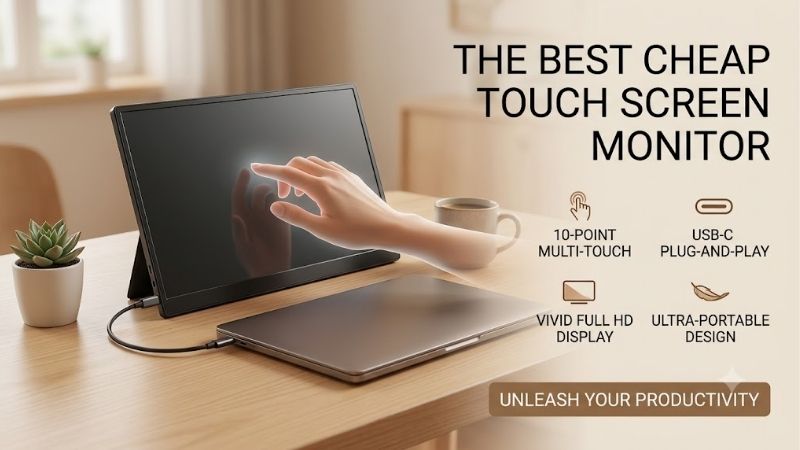
Quick answer: For most people in 2026, the best cheap touch screen monitor is the Monitor — our #1 rated choice. See the full ranked comparison, alternatives and buying advice below.
Best cheap touch screen monitor: quick verdict
For a practical budget shortlist, I would start with these six monitors. The prices below are US manufacturer-listed prices observed on October 14, 2026, before taxes and shipping. Actual checkout prices, availability, and retailer offers can change.
| Monitor | Best use | Key specifications | Main limitation |
|---|---|---|---|
| ASUS VT169HE | Best affordable desktop touchscreen | 15.6-inch, 1920 × 1080 IPS, 10-point touch | Small for a primary workstation |
| ASUS VT229H | Best larger desktop touchscreen | 21.5-inch, 1920 × 1080 IPS, 10-point touch | 60Hz display and basic stand |
| UPERFECT BE156PF | Best affordable portable touchscreen | 15.6-inch, 1920 × 1080 IPS, 10-point touch | No battery; glossy panel |
| ViewSonic TD1655 | Best portable package | 15.6-inch, Full HD IPS, 10-point touch | $299.99 manufacturer-listed price |
| ASUS ZenScreen Touch MB16AMTR | Best portable option with a battery | 15.6-inch, Full HD IPS, 10-point touch | $319 manufacturer-listed price |
| ASUS ProArt PA148CTV | Best for creative touch workflows | 14-inch, Full HD IPS, 10-point touch | Current US purchase price not independently confirmed |
The ASUS VT169HE and VT229H are the most straightforward options for a conventional Windows workstation. The UPERFECT is a more portable alternative, while ViewSonic and ASUS ZenScreen models make more sense for frequent travel. The ProArt display is a specialist option rather than an automatic budget recommendation because its value depends on the price available from an authorized seller.
How we selected these touch screen monitors
This roundup prioritizes models with identifiable manufacturer documentation, genuine touchscreen functionality, and specifications that make sense for everyday use. We considered native resolution, panel type, multitouch support, connectivity, portability, mounting, and the accessories included in the package.
The list deliberately separates desktop monitors from portable displays. A desktop touchscreen is generally more suitable for repeated interaction at a workstation, while a portable model prioritizes low weight and a compact stand. The most expensive model is not necessarily better for a buyer who only needs touch navigation.
The recommendations are based on specifications and manufacturer information, not detailed research. Where current prices were visible on official US stores, they are identified as observed listings rather than guaranteed long-term prices. Direct Amazon US listings and ASINs were not independently validated for every product.
ASUS VT169HE: best affordable desktop touchscreen
The ASUS VT169HE is a practical entry point for users who want touch input without committing to a large workstation display. It has a 15.6-inch IPS panel with a native resolution of 1920 × 1080 and support for 10-point capacitive touch. That means compatible applications can respond to multiple simultaneous finger contacts, making basic gestures, scrolling, and direct on-screen interaction more natural than using a mouse for every task.
ASUS lists Windows 11 compliance, flicker-free technology, a low-blue-light feature, HDMI and VGA inputs, and VESA mounting compatibility. The 75 × 75 mm mounting pattern allows the monitor to work with compatible arms, brackets, or mini-PC mounting arrangements. The stand tilts from approximately -5 to 30 degrees, which is useful when you need to reach the panel comfortably.
ASUS listed the VT169HE at $159 in its US product catalog during research. That is a straightforward price point for a branded Full HD touchscreen, particularly if you want to use it for a point-of-sale interface, a control panel, basic office work, or a compact secondary screen.
The limitation is its physical size. A 15.6-inch screen provides less room for spreadsheets, multiple windows, and lengthy documents than a regular desktop monitor. Its simple stand also lacks the adjustment range of a more ergonomic workstation display.
Buy it if you want a relatively inexpensive touch-enabled monitor for a compact desk or fixed installation. Skip it if you need a large primary display or regularly multitask across several applications. The ASUS VT229H is the more suitable alternative when additional screen area matters.
ASUS VT229H: best for a permanent desktop workstation
The ASUS VT229H uses a 21.5-inch Full HD IPS panel with 10-point capacitive touch. At 1920 × 1080, it has sufficient resolution for ordinary office applications, browser-based tools, presentations, and touch-friendly desktop interfaces. Its larger physical area gives on-screen controls more room and reduces the cramped feeling associated with small portable displays.
The manufacturer specifies a 60Hz maximum refresh rate, 250-nit typical brightness, a 1000:1 typical contrast ratio, and 178-degree horizontal and vertical viewing angles. Connectivity consists of HDMI 1.4, VGA, and a headphone jack. ASUS also lists two 1.5W speakers and a 7H hardness rating for the protective glass. Its frameless styling makes it look more like a conventional modern desktop monitor than an industrial touch panel.
ASUS’s US store listed the VT229H at $219 during research, and its US retailer page showed Amazon and other retailers as in-stock options. However, the exact Amazon checkout price and seller conditions were not independently confirmed.
The main compromise is ergonomics. The standard stand offers tilt adjustment rather than a comprehensive height-adjustment system. At 60Hz, it is also a general-purpose monitor rather than a high-refresh gaming display.
Buy it if you want a permanent touchscreen for work, interactive applications, or a mini-PC workstation. Skip it if portability is important or if you want a display with more modern connectivity. The VT169HE costs less and takes up less desk space, while the ViewSonic TD1655 is better suited to a mobile setup.
UPERFECT BE156PF: best affordable portable touchscreen
The UPERFECT BE156PF, also identified as the UTouch E7 in the manufacturer’s product comparison, is a 15.6-inch Full HD IPS portable touchscreen. Its official product page displayed a starting sale price of $219.99, compared with a listed regular price of $319.99, during research. The manufacturer presents it as a portable business display rather than a specialist drawing monitor.
The panel has a native resolution of 1920 × 1080, a 60Hz refresh rate, 10-point touch, and a rated brightness of 250 cd/m². Connectivity includes two full-featured USB-C ports, mini HDMI, USB-C OTG, and a 3.5mm audio output. The monitor also includes two 1W speakers and a smart cover. Its listed weight is approximately 1.42 pounds, making it reasonably easy to transport alongside a laptop.
These features make it useful for presentations, touch-enabled Windows apps, secondary-screen productivity, and travel. USB-C can simplify the connection, but the computer must support video output through its USB-C port. Otherwise, HDMI may carry the picture while a separate USB connection handles touch functionality.
There are also compromises. The display has a glossy surface, rated brightness of 250 nits, and no built-in battery. The protective cover serves as a basic support, but it does not provide the same flexibility as a full adjustable monitor stand. UPERFECT also notes that delivery times depend on the shipping method and warehouse.
Buy it if you want a portable Full HD touchscreen at a lower price than some premium portable options. Skip it if you need a built-in battery, a matte display, or a large permanent workstation screen. The ViewSonic TD1655 offers a more complete accessory package, while the ASUS VT169HE is worth comparing for a fixed desk installation.
ViewSonic TD1655: best portable package for everyday work
The ViewSonic TD1655 is a 15.6-inch Full HD IPS portable touchscreen with a 60Hz refresh rate and 10-point capacitive touch. ViewSonic listed it at $299.99 and marked it in stock on its US product page during research. That is near the upper edge of a typical budget touchscreen purchase, but the package includes several accessories that can make a difference when you work in multiple locations.
The monitor weighs approximately 2 pounds and measures about 0.6 inches thick. ViewSonic includes a protective cover, a built-in stand that supports portrait and landscape orientations, a passive touch stylus, USB-C cables, a mini HDMI cable, and a power adapter. The display has two USB-C ports and a mini HDMI input, allowing it to connect to compatible laptops and PCs.
One of its useful features is USB-C power delivery. ViewSonic describes up to 60W of bidirectional power delivery, allowing a compatible setup to reduce cable clutter and potentially pass power between the monitor and a connected device. Actual charging behavior depends on the laptop, power supply, cable, and connection arrangement. The monitor should not be assumed to replace the charger for every performance laptop.
ViewSonic also documents its vTouch driver for touch and gesture controls on compatible Mac systems. Its product page specifically excludes iPhone and iPad from that support statement, so Apple users should check compatibility carefully before purchasing.
Buy it if you want a travel-friendly touchscreen with a cover, stylus, and flexible stand. Skip it if your main goal is to spend as little as possible on a basic portable second display. The UPERFECT BE156PF is the lower-priced alternative, while the ASUS ZenScreen Touch MB16AMTR adds a built-in battery.
ASUS ZenScreen Touch MB16AMTR: best portable pick with a built-in battery
The ASUS ZenScreen Touch MB16AMTR combines a 15.6-inch Full HD IPS panel with 10-point touch and a built-in battery. ASUS listed the monitor at $319 in its US product catalog during research, so it is a stretch purchase rather than the cheapest option. Its strongest justification is portability for users who do not want their touchscreen experience to depend entirely on power from a laptop or a nearby wall outlet.
ASUS lists a hybrid signal solution, mini HDMI, an ergonomic kickstand, and a tripod socket. The 1920 × 1080 resolution provides enough space for common productivity applications, browser windows, remote-desktop tools, and presentations. The 15.6-inch size also matches the screen size of many laptop displays, making it a manageable second screen for travel.
A built-in battery can make setup more flexible, but it does not eliminate the need to verify connections. The display still needs a compatible video signal, and touch functionality depends on the host device and supported connection. If you connect over HDMI, you may also need a separate USB path for touch data.
The price is the main concern. The ZenScreen Touch costs more than the ASUS VT169HE and the UPERFECT BE156PF, while its Full HD resolution and 60Hz-class experience do not represent a dramatic picture-quality upgrade over cheaper portable displays. Its value comes from the battery and travel-focused design.
Buy it if you frequently work away from an outlet and specifically need a portable touchscreen with an integrated battery. Skip it if you mostly use the monitor at a desk, where a lower-priced model and suitable power connection may work just as well.
ASUS ProArt PA148CTV: best for creative touch workflows
The ASUS ProArt PA148CTV is a 14-inch Full HD IPS portable touchscreen built for creators who want direct interaction with editing software and more predictable color reproduction. It supports 10-point capacitive touch, and ASUS specifies 100% sRGB and 100% Rec. 709 coverage. The panel is Calman Verified and factory pre-calibrated to a stated Delta E below 2.
Those specifications make it different from a basic portable touchscreen. Color coverage and calibration are useful when working with photos, video, illustrations, and other content where color consistency matters. The monitor also includes an adjustable metal kickstand, a tripod socket, two USB-C ports supporting DisplayPort Alt Mode, and a micro HDMI input.
ASUS’s Control Panel and Dial features can provide touch-based controls and shortcuts in supported creative applications. That can be helpful when the ProArt screen acts as a secondary panel for tool palettes, sliders, or editing controls while the primary display shows the main canvas or timeline. However, ASUS notes that the 10-point touch function depends on the operating system, and its ProArt Creator Hub features are restricted to Windows.
The main limitation is price uncertainty. The manufacturer’s current product page verifies the model’s specifications, but a current US checkout price was not independently confirmed during this research. It should be treated as a conditional recommendation: only consider it a budget pick when an authorized seller offers it within your spending limit.
Buy it if touch controls, calibrated color, and portability are all important to your creative work. Skip it if you only need simple office navigation or basic touch input. The ASUS VT169HE or UPERFECT BE156PF is easier to justify for everyday tasks that do not need the ProArt features.
How to choose the best cheap touch screen monitor
Choose a desktop or portable format first
The first decision is where the monitor will live. A desktop touchscreen such as the ASUS VT229H is designed for a permanent workstation, where screen size and mounting can matter more than weight. It provides more room for documents and on-screen controls and can be connected to a mini PC or desktop system.
Portable monitors such as the UPERFECT BE156PF, ViewSonic TD1655, and ZenScreen Touch are designed to travel alongside a laptop. Their covers and kickstands help save space, but they are less adjustable than some desktop stands. If you will use a portable monitor as your primary display for several hours per day, consider whether its viewing angle and physical stability will remain comfortable.
A small portable model is also not automatically the best option for a small desk. It can save space, but a 15.6-inch display may be too small for multitasking. Choose based on how often you use touch input, the applications you run, and the distance from your eyes to the screen.
Confirm video and touch connectivity
Touch functionality depends on more than the video connection. HDMI carries video but ordinarily does not carry the USB touch data needed for the operating system to recognize finger input. A monitor may therefore require both an HDMI cable and a USB cable.
USB-C can simplify the setup when the computer and monitor support the appropriate functions. However, a USB-C connector by itself does not guarantee DisplayPort Alt Mode or sufficient power output. Check the host computer’s technical specifications before relying on a single-cable connection.
You should also confirm that the touchscreen works with your intended operating system. Windows generally supports common multitouch functions on compatible displays, but some Mac setups rely on vendor-specific software, and Linux support can differ by device. Confirm the manufacturer’s compatibility notes rather than assuming that any screen with a USB-C port will provide identical functionality.
Understand multitouch and stylus support
A 10-point touchscreen can recognize as many as ten simultaneous touch points under supported conditions. That enables gestures such as pinch-to-zoom, scrolling, and multi-finger interaction in compatible software. It does not mean every application supports the same gesture set.
Stylus support is another consideration. A passive stylus works more like a substitute fingertip, while an active pen may provide pressure sensitivity and more precise input. These technologies are not interchangeable. The ViewSonic TD1655 includes a passive touch stylus, while the ProArt PA148CTV emphasizes creative controls rather than claiming that every third-party pen will work.
For drawing or handwritten notes, confirm the supported pen protocol and whether the pen is included. For simple navigation, inventory screens, point-of-sale tasks, and touch-friendly applications, finger input may be enough.
Balance image quality with the price
Full HD resolution is a reasonable baseline for most 14- to 15.6-inch touchscreen monitors. It provides adequate detail for productivity work without increasing the cost as much as higher-resolution panels can. A 21.5-inch desktop display gives you more physical space, although Full HD text is less dense than on a smaller screen.
Brightness is also important. A monitor rated at 250 nits can work well in many indoor settings, but direct sunlight or strong lighting may make reflections harder to manage. Glossy panels can be especially reflective. If you work near a window, look for a suitable anti-glare finish and enough brightness for your environment.
For creative work, check color coverage and calibration information. For routine browsing and office tasks, those features may be less important than the right size, stable stand, touch compatibility, and affordable price.
Check power, mounting, and included accessories
The total cost of ownership can be higher than the monitor’s listing price. A portable monitor may need its own power adapter, a compatible cable, or a stand that is more stable than the supplied cover. Desktop displays can require a separate VESA arm if their standard stands do not position them correctly.
Check the exact mounting pattern, power requirements, and the function of each USB-C port. A monitor with bidirectional power delivery may be able to pass power to a laptop in a compatible configuration, but it should not be assumed to charge every device at the advertised maximum rate. If you are buying for a fixed desk, the ASUS VT169HE’s VESA mounting support may be more useful than the built-in battery found in the ZenScreen.
Common buying mistakes to avoid
Do not assume the cheapest touchscreen is the best choice. A small panel can become frustrating if you need multiple windows open, while a portable model can be inconvenient if it needs several cables to provide both video and touch input.
Do not pay extra for creative features unless you will use them. Color calibration and touch-based editing controls have clear value for some creators but are less important for basic web browsing and office work. Likewise, a built-in battery makes sense for mobile users but adds little value to a monitor that remains on a desk.
Finally, check the exact model name, current price, included cables, warranty conditions, and return policy. Touch support varies by operating system and application, so compatibility should be confirmed before the return window expires.
Frequently asked questions
Are cheap touchscreen monitors worth buying?
Yes, when touch input improves the way you work. They can be useful for presentations, point-of-sale systems, dashboards, note-taking, and portable laptop setups. If you rarely touch the display, a conventional monitor may provide a larger screen or better specifications for the same money.
Can I use a touchscreen monitor with a laptop?
Yes, provided the laptop supports the display’s video and touch connections. A compatible USB-C connection may carry video, power, and touch data through one cable. With HDMI, you may need a separate USB connection for touch input.
Will a touchscreen monitor work with macOS?
Video output can work when the ports are compatible, but touch input depends on the monitor and any required software. ViewSonic offers its vTouch driver for supported Mac systems, while other models may have different restrictions. Check the manufacturer’s documentation for your specific Mac and application.
Do I need a stylus for a touchscreen monitor?
No. Finger input is sufficient for many navigation and productivity tasks. A stylus becomes more useful for annotation, handwriting, and drawing. If you need pressure sensitivity or precision, verify the supported active-pen technology instead of assuming any stylus will work.
Is a built-in battery worth paying extra for?
It can be worthwhile if you use the monitor away from outlets or travel regularly. For a permanent workstation, a model powered by USB-C or an adapter will usually be more economical. Decide whether battery operation solves a real problem before paying more.
Final verdict
The ASUS VT169HE is the most straightforward starting point for buyers who want inexpensive desktop touch input, while the ASUS VT229H is better for a permanent workstation that needs more screen area. The UPERFECT BE156PF is a practical low-cost portable alternative, and the ViewSonic TD1655 offers a more complete mobile package. The ASUS ZenScreen Touch MB16AMTR is worth the stretch for a built-in battery, while the ProArt PA148CTV is best reserved for creative work when its current purchase price fits the budget.
The right purchase is the least expensive model that satisfies your actual workflow. Check connection requirements, touch compatibility, included accessories, and current seller pricing before ordering.
Ready to decide? Our #1 pick for 2026 is the Monitor.
Live price & availability on Amazon.









