
Choosing a BenQ vs ASUS gaming monitor comes down to the exact models and how you use your PC. BenQ ZOWIE deserves consideration for a dedicated competitive FPS setup, while BenQ MOBIUZ offers a different balance of gaming and everyday convenience. ASUS TUF provides mainstream gaming options, and ASUS ROG includes high-refresh OLED displays. Neither brand wins every category: your preferred resolution, motion settings, desk arrangement, and actual gaming performance should determine the purchase.
- BenQ vs ASUS gaming monitor: Quick verdict
- The exact models behind the comparison
- Mainstream 1440p gaming: MOBIUZ versus TUF
- BenQ vs ASUS gaming monitor for competitive FPS
- Refresh rate, response time, and input lag
- Image quality: IPS, TN, and OLED
- HDR: Look beyond the label
- Adaptive sync and motion blur reduction
- Ports, cables, and GPU compatibility
- Desk comfort, speakers, and everyday features
- Price, warranty, and ownership costs
- Match the monitor to your PC and games
- Frequently asked questions
- BenQ vs ASUS gaming monitor: Final decision
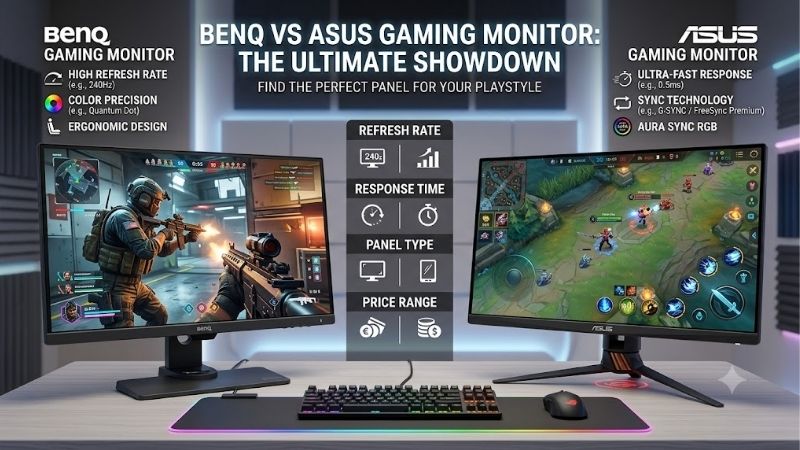
Quick answer: For most people in 2026, the best benq vs asus gaming monitor is the BenQ MOBIUZ EX2710Q — our #1 rated choice. See the full ranked comparison, alternatives and buying advice below.
BenQ vs ASUS gaming monitor: Quick verdict
Choose BenQ ZOWIE when you specifically want a compact, competitive gaming display with DyAc motion blur reduction. Choose BenQ MOBIUZ when you want a more conventional gaming monitor and features such as integrated audio or an adjustable stand matter.
Choose ASUS TUF when its exact combination of resolution, refresh rate, adaptive sync, and current price fits your requirements. Consider ASUS ROG OLED when you want OLED contrast alongside high refresh rates and are comfortable with OLED maintenance.
These recommendations describe different buying priorities, rather than a universal brand ranking. An ASUS OLED monitor and a BenQ ZOWIE TN monitor can both suit competitive gaming, but they make different compromises.
For a broadly useful desktop setup, start by comparing similar 27-inch 1440p IPS models. For a dedicated esports station, compare motion behavior and screen size. For gaming where dark-scene contrast matters, investigate OLED.
This comparison uses manufacturer specifications and documentation. It does not claim detailed research or a measured head-to-head performance winner.
The exact models behind the comparison
Four models illustrate why comparing only brand names produces an incomplete answer.
| Model | Screen and panel | Resolution | Maximum refresh rate | Defining feature | Main compromise |
|---|---|---|---|---|---|
| BenQ MOBIUZ EX2710Q | 27-inch IPS | 2560 × 1440 | 165Hz | Integrated 2.1-channel audio and height adjustment | Lower refresh ceiling than the ASUS IPS example |
| ASUS TUF Gaming VG27AQ3A | 27-inch Fast IPS | 2560 × 1440 | 180Hz | ELMB Sync and adaptive sync | Included stand lacks height adjustment |
| BenQ ZOWIE XL2566X+ | 24.1-inch Fast TN | 1920 × 1080 | 400Hz through DisplayPort | DyAc 2 motion blur reduction | Lower resolution; DyAc 2 and VRR cannot operate together |
| ASUS ROG Swift OLED PG27AQDP | 26.5-inch viewable WOLED | 2560 × 1440 | Native 480Hz | OLED contrast and high refresh rate | Requires consideration of burn-in and panel care |
The specifications above come from the manufacturers’ product pages. These examples represent different categories, rather than four interchangeable products at an assumed common price. BenQ US
The EX2710Q and VG27AQ3A form the more closely matched comparison: both are 27-inch 1440p IPS monitors. The XL2566X+ and PG27AQDP illustrate two different approaches to a demanding gaming setup.
Preserve every model suffix when shopping. EX2710Q is not EX271Q, and XL2566X+ is not XL2566K. Likewise, features documented for VG27AQ3A should not be transferred to another VG27AQ variant.
Mainstream 1440p gaming: MOBIUZ versus TUF
A 27-inch 1440p monitor is a useful starting point for someone who plays several genres and also uses the computer for browsing, work, or video.
At this size, 1440p offers more desktop space and finer detail than 1080p. Whether your system can deliver your preferred frame rate depends on the game, graphics settings, and hardware.
Where the BenQ EX2710Q makes sense
The EX2710Q combines 1440p IPS, 165Hz, integrated audio, and a height-adjustable stand. Its appeal is the complete desk setup rather than the highest refresh specification.
Height adjustment matters if you frequently change posture or share the monitor. Integrated speakers are useful for casual listening when you do not want headphones or separate desktop speakers.
Those conveniences deserve a place in the purchase decision. A monitor that fits your desk comfortably can be more useful than one with a slightly higher refresh ceiling.
Where the ASUS VG27AQ3A makes sense
The VG27AQ3A offers 180Hz, ELMB Sync, and listed G-SYNC Compatible and FreeSync Premium certifications. Its included stand supports tilt and swivel but not height adjustment.
It is worth considering when those gaming features match your needs, particularly if you already own a suitable monitor arm.
The refresh difference alone is modest. One refresh interval is approximately 6.06 milliseconds at 165Hz and 5.56 milliseconds at 180Hz. That calculated difference does not establish a measured input-lag advantage.
Compare the final purchase cost, stand requirements, and motion settings before choosing between these two models.
BenQ vs ASUS gaming monitor for competitive FPS
Competitive shooters create a specific set of priorities: readable movement, predictable presentation, comfortable screen positioning, and a system capable of producing consistently high frame rates.
A monitor cannot fix unstable game performance. If your PC frequently experiences frame-time spikes, investigate that problem before assuming a faster display will solve it.
Why consider ZOWIE and DyAc 2?
The XL2566X+ targets a focused esports setup. Its smaller screen and native 1080p resolution may suit players who prefer that arrangement for competitive shooters.
DyAc 2 is a motion blur reduction feature. It should be evaluated according to whether moving targets look clearer and whether you find the resulting presentation comfortable.
There is an important operating restriction: the XL2566X+ lists variable refresh rate support with DyAc 2 off. You must choose between these modes rather than assume both can remain enabled. ZOWIE US
That distinction can change the recommendation. A player with steady frame delivery may prioritize blur reduction, while someone experiencing substantial frame-rate variation may prefer adaptive sync.
Why consider the ASUS OLED alternative?
The PG27AQDP combines 1440p resolution with a native 480Hz WOLED panel. It provides an alternative for players who want high refresh rates without choosing a 1080p TN display.
However, the higher refresh specification does not prove that it beats a strobed ZOWIE monitor in every motion-clarity scenario. Pixel transitions, image persistence, refresh rate, and operating mode all affect what you see.
Without comparable measurements under matched conditions, a universal motion winner would be unsupported. Choose according to the presentation you prefer, your system’s performance, and whether the monitor must also handle other tasks.
Refresh rate, response time, and input lag
These specifications describe different aspects of a monitor. Treating them as interchangeable is one of the easiest ways to make a poor comparison.
Refresh rate describes how frequently the display updates. Pixel response time describes transitions between pixel states. Input lag concerns the delay between an input or signal and the visible result.
A high refresh rate creates more opportunities to display new frames. It does not make the computer render those frames faster, and it does not guarantee consistently fast pixel transitions.
Manufacturer response-time claims also need context. Gray-to-gray measurements and moving picture response time are different metrics. An advertised figure may depend on a particular operating mode.
Aggressive LCD overdrive can introduce inverse ghosting, visible as bright or dark trails around moving objects. Therefore, selecting the fastest available overdrive setting is not automatically the best choice.
For either brand, assess motion at the frame rates you actually use. A setting that works well near the refresh ceiling may look worse when performance drops.
Keep specification comparisons separate from measured conclusions. Neither a refresh number nor an advertised response time supports a precise claim about competitive advantage.
Image quality: IPS, TN, and OLED
Panel technology often explains more about the viewing experience than the logo on the bezel.
IPS is a sensible category to investigate for mixed gaming and desktop use. TN esports displays prioritize a particular competitive presentation. OLED offers a different approach because its pixels emit their own light.
IPS for an everyday desktop
The two IPS examples provide the same resolution and screen size, making them easier to compare for ordinary desktop use.
Consider text appearance, reflections, brightness settings, and viewing position alongside gaming specifications. A monitor used for spreadsheets all afternoon has different demands from one used only for evening matches.
Color gamut also needs careful interpretation. A larger advertised gamut does not automatically mean more accurate colors. Appropriate picture modes and calibration matter when editing images or viewing standard content.
TN for a specialized setup
A TN gaming monitor can be a deliberate choice when competitive gaming dominates your use.
However, assess image consistency from your normal seating position before buying. If you frequently move around, share the screen, or use it for visual work, those tasks should influence the decision.
Do not infer that a monitor preferred for esports is automatically the best display for movies or productivity.
OLED for contrast-focused gaming
OLED can display black areas by switching pixels off, which is valuable in dark scenes and content with bright highlights against dark backgrounds.
Its trade-offs deserve equal attention. Consider room lighting, brightness behavior, text rendering, and extended exposure to static interface elements.
Someone alternating between varied games and video has a different usage pattern from someone leaving the same dashboard visible throughout the workday. Your routine matters more than a generic recommendation for OLED.
HDR: Look beyond the label
HDR support alone tells you little about the quality of the HDR experience.
A display needs more than the ability to accept an HDR signal. Contrast, brightness behavior, color performance, and the ability to show bright and dark areas together all matter.
The EX2710Q lists VESA DisplayHDR 400, the VG27AQ3A lists HDR10 support, and the PG27AQDP lists VESA DisplayHDR 400 True Black. These are different specifications and should not be treated as equivalent. BenQ US
BenQ’s HDRi branding should not be interpreted as proof that every MOBIUZ monitor delivers the same HDR performance. Similarly, an ASUS HDR badge does not establish parity across TUF and ROG products.
For competitive play, judge whether HDR helps you see the game clearly rather than enabling it automatically. A predictable SDR configuration may suit your preferences better.
For cinematic games, examine the exact display’s HDR behavior. Peak brightness claims need context because small highlights and large bright scenes can behave differently.
Adaptive sync and motion blur reduction
Adaptive sync and blur reduction address different visual problems.
Variable refresh rate adjusts display timing to follow frame delivery within the supported operating range. Blur reduction targets perceived motion blur, often through changes to light emission timing.
These functions are not interchangeable, and their compatibility varies by model.
ASUS lists ELMB Sync on the VG27AQ3A. That feature is relevant if you want to explore blur reduction alongside adaptive sync, but the name alone does not establish flawless motion at every frame rate.
For the ZOWIE example, the documented choice is explicit: VRR operates with DyAc 2 disabled. Decide which behavior matters most in your games.
When setting up either monitor, compare modes using a repeatable scene. Look for distracting trails, doubled edges, brightness changes, tearing, and personal discomfort.
Save separate profiles if your needs differ between games. A setting suitable for a steady competitive shooter may be less appealing in a demanding open-world title.
Ports, cables, and GPU compatibility
Check the complete connection path before paying for a refresh rate your setup cannot access.
That path includes the graphics card output, monitor input, cable, and any adapter or dock between them. A connector’s physical shape does not guarantee the required operating mode.
The XL2566X+ requires DisplayPort for its 400Hz mode; ZOWIE lists a maximum of 240Hz through HDMI. The VG27AQ3A lists DisplayPort operation up to 180Hz and HDMI signal frequency up to 144Hz. ZOWIE US
The PG27AQDP lists DisplayPort 1.4 with Display Stream Compression and HDMI 2.1 inputs. Verify the desired mode against your graphics hardware and the monitor documentation rather than relying on a port-version label.
Laptop users should be particularly careful. Confirm whether the relevant output supports the required resolution and refresh rate. Do not assume a USB-C dock can reproduce the capabilities of a direct desktop connection.
After connecting the monitor, select the intended refresh rate in the operating system. Then check the monitor menu and graphics driver settings to confirm the expected configuration.
Desk comfort, speakers, and everyday features
Features that seem secondary during shopping can become important after several months of daily use.
Start with screen position. Measure where the display will sit, how much space the base occupies, and whether you can place the keyboard and mouse comfortably.
Among these examples, the EX2710Q, XL2566X+, and PG27AQDP offer height adjustment. The VG27AQ3A does not. An arm can address that limitation, but it adds cost and installation requirements.
Verify mounting compatibility and the arm’s supported weight before purchasing. Desk construction and clamp clearance matter too, especially on a shallow desk.
Audio is another model-specific difference. The EX2710Q includes a 2.1-channel speaker system, while the VG27AQ3A lists stereo speakers. The PG27AQDP has no built-in speakers.
Speaker specifications do not establish sound quality. Still, integrated audio can be convenient for calls, video, or casual use.
Finally, consider access to controls. Frequently changing brightness or switching profiles is easier when the monitor’s interface fits your workflow. Give that practical convenience appropriate weight instead of focusing entirely on headline specifications.
Price, warranty, and ownership costs
Neither manufacturer should receive an automatic “better value” label without comparable current offers.
Compare the exact models in USD on the same day, with equivalent condition and seller support. Include sales tax, shipping, any required arm, and audio equipment you still need.
A less expensive display may remain the better purchase. Alternatively, a monitor with useful integrated features may reduce the total cost of completing your setup.
No verified live US prices are used here, so these recommendations do not identify a current cheapest model or guaranteed price winner.
For OLED, review panel care requirements and applicable warranty terms before purchase. ASUS’s PG27AQDP specification page lists three years including panel burn-in, but confirm the US policy, purchase eligibility, and claim conditions for your unit. Republic of Gamers|ROG Global
Coverage does not eliminate inconvenience if a problem develops. Consider whether your work depends on the monitor and how you would handle a repair period.
For all panel types, inspect the retailer’s return policy. It provides a practical opportunity to assess text, motion settings, reflections, and desk fit in your own environment.
Match the monitor to your PC and games
Start with your existing performance rather than an idealized future upgrade.
Check frame rates and frame-time consistency in the games you actually play, using the resolution and settings you intend to keep. Average performance alone can conceal frequent dips.
For mixed gaming on a moderately capable system, compare mainstream 1440p displays first. A higher refresh ceiling has limited practical value if achieving it requires visual compromises you dislike.
For competitive gaming, investigate both the monitor and the system. CPU limitations, game settings, and background workloads can affect frame delivery, even when the graphics card is powerful.
For visually demanding games, prioritize the image characteristics you notice most. Resolution, contrast, and reflections may matter more to you than moving from an already fast display to an extreme refresh rate.
You can also keep an existing monitor. If it already meets your needs, spend only when you can identify a meaningful improvement: clearer movement, a better workspace, a preferred screen size, or stronger dark-scene presentation.
Frequently asked questions
Is BenQ better than ASUS for esports?
BenQ ZOWIE is worth considering when you want its specific screen format, controls, and DyAc presentation. ASUS also offers high-refresh gaming monitors. Compare exact models and operating modes; brand reputation alone cannot establish a motion-clarity or input-lag winner.
Is ASUS better for gaming and office work?
It depends on the model. An ASUS IPS monitor may suit both tasks, but a BenQ MOBIUZ IPS display may also fit well. Evaluate text, screen size, stand adjustment, and connectivity. OLED requires additional consideration when static work interfaces dominate your day.
Should I choose 165Hz or 180Hz?
Prefer the better complete monitor when other differences matter. The refresh interval difference is small, and it does not establish the total latency difference. Price, motion behavior, ergonomics, and adaptive sync support can be more decisive.
Can these monitors be compared for console gaming?
Yes, but verify console-specific timings and VRR support separately. A high PC refresh ceiling does not mean a console can use it. ZOWIE lists the XL2566X+ for 1080p at 120Hz with PS5 and Xbox Series X/S; other models require their own checks.
BenQ vs ASUS gaming monitor: Final decision
Choose the display that solves your most important problem.
For mainstream 1440p gaming, compare the EX2710Q and VG27AQ3A as complete purchases, including stand needs and everyday features. For a dedicated competitive setup, consider the XL2566X+ if you specifically want its compact format and DyAc 2. Consider the PG27AQDP when you want high-refresh OLED and accept its ownership considerations.
Neither logo guarantees the right result. Match the exact panel, operating mode, connection requirements, and total cost to your games and daily routine.
Editorial Source Log
Research date: October 13, 2026.
- BenQ MOBIUZ EX2710Q: Official US specifications. Verified panel, resolution, refresh rate, audio, height adjustment, ports, and HDR certification. Accessed October 13, 2026.
- ASUS TUF Gaming VG27AQ3A: Official US specifications. Verified panel, resolution, refresh rate, ELMB Sync, certifications, stand limitations, speakers, and input-specific signal ranges. Accessed October 13, 2026.
- BenQ ZOWIE XL2566X+: Official US product page. Verified 24.1-inch Fast TN, 1080p, 400Hz through DisplayPort, HDMI limitation, DyAc 2, VRR restriction, and documented console mode. Accessed October 13, 2026.
- ASUS ROG Swift OLED PG27AQDP: Official US product page and official technical specifications. Verified WOLED panel, viewable size, resolution, native refresh rate, connectivity, speaker absence, HDR certification, and published warranty statement. US purchase-specific warranty eligibility requires confirmation. Accessed October 13, 2026.
- Comparison method: Manufacturer-documented features support the model descriptions. Recommendations are editorial judgments based on those features and stated use cases. No matched laboratory benchmarks, measured input-lag claims, or detailed research are asserted.
- Refresh calculations: Refresh interval equals 1,000 divided by refresh rate in Hz. These calculations describe update intervals, not measured end-to-end latency.
- Pricing and Amazon: Live comparable US offers and exact Amazon listings were not verified. No prices, ASINs, stock claims, or confirmed Amazon availability are stated.
- Duplication check: Existing ASUS vs BenQ comparison was inspected. It targets substantially the same reader task. Use this draft to update or consolidate the existing article rather than publish a separate reversed-keyword URL. This was a targeted overlap check, not a complete sitewide audit. build-pc-guide.com
Ready to decide? Our #1 pick for 2026 is the BenQ MOBIUZ EX2710Q.
Live price & availability on Amazon.









