
Choosing the best monitor for escape from tarkov requires more than chasing the highest refresh rate. Tarkov rewards careful observation, making image clarity, shadow visibility, motion handling, and consistent frame delivery especially important. A monitor should help you distinguish movement in wooded environments, recognize details in dark interiors, and track targets without excessive blur. For most players, a 27-inch 1440p display with a refresh rate between 180Hz and 280Hz offers an excellent balance. This guide compares six gaming monitors, from premium OLED models to practical IPS and Mini LED alternatives, to help you choose a display that matches your PC and playstyle.
- Quick verdict: Which monitor is best for Escape from Tarkov?
- Quick comparison of the best Escape from Tarkov monitors
- How we selected these monitors
- LG UltraGear 27GX700A-B – Best overall monitor for Escape from Tarkov
- ASUS ROG Swift OLED PG27AQWP-W – Best for competitive enthusiasts
- Alienware AW2725DF – Best high-refresh QD-OLED monitor
- HyperX OMEN OLED 27q – Best accessible OLED alternative
- LG UltraGear 27GR83Q-B – Best IPS monitor for Tarkov
- AOC Q27G3XMN – Best Mini LED option for dark environments
- How to choose the right monitor for Escape from Tarkov
- Frequently asked questions
- Final verdict
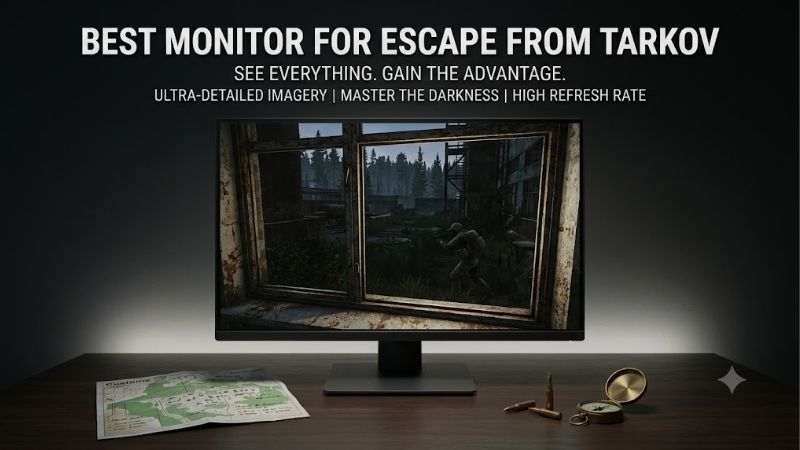
Quick answer: For most people in 2026, the best monitor for escape from tarkov is the Monitor — our #1 rated choice. See the full ranked comparison, alternatives and buying advice below.
Quick verdict: Which monitor is best for Escape from Tarkov?
The LG UltraGear 27GX700A-B is our overall recommendation for players who want excellent motion clarity, strong contrast, and a practical 1440p resolution. Its 280Hz Tandem OLED panel is particularly attractive for gamers who appreciate fast response behavior but do not need an extreme esports-focused refresh rate.
However, different Tarkov players should consider different monitors.
-
Best overall: LG UltraGear 27GX700A-B
-
Best for competitive enthusiasts: ASUS ROG Swift OLED PG27AQWP-W
-
Best for high-refresh QD-OLED gaming: Alienware AW2725DF
-
Best accessible OLED alternative: HyperX OMEN OLED 27q
-
Best IPS monitor: LG UltraGear 27GR83Q-B
-
Best Mini LED alternative: AOC Q27G3XMN
The key purchasing decision is whether to prioritize OLED response times, LCD practicality, or stronger HDR contrast from an affordable Mini LED design.
A higher refresh rate alone will not guarantee better Tarkov performance. CPU limitations, inconsistent frame times, and display settings can have a greater impact on the actual experience than an impressive maximum-Hz specification.
Quick comparison of the best Escape from Tarkov monitors
| Monitor | Resolution | Maximum refresh rate | Panel technology | Main advantage | Main drawback |
|---|---|---|---|---|---|
| LG 27GX700A-B | 2560 × 1440 | 280Hz | Tandem WOLED | Excellent overall balance | OLED aging considerations |
| ASUS PG27AQWP-W | 2560 × 1440 | 540Hz | Tandem WOLED | Extreme refresh headroom | Difficult to fully utilize |
| Alienware AW2725DF | 2560 × 1440 | 360Hz | QD-OLED | Fast, sharp motion | HDMI refresh-rate limitation |
| HyperX OMEN OLED 27q | 2560 × 1440 | 240Hz | QD-OLED | Accessible OLED performance | Modest brightness |
| LG 27GR83Q-B | 2560 × 1440 | 240Hz | IPS | Versatile LCD performance | Weaker dark-scene contrast |
| AOC Q27G3XMN | 2560 × 1440 | 180Hz | Mini LED VA | Strong contrast and HDR | Slower dark pixel transitions |
All six models use 1440p resolution, a deliberate choice for Tarkov rather than an attempt to cover every available resolution.
At 27 inches, 1440p offers useful detail for environmental observation while generally demanding less GPU processing than 4K. That balance is especially relevant to a game where performance can vary substantially between locations and encounters.
How we selected these monitors
Our recommendations prioritize characteristics that matter to Escape from Tarkov players rather than simply ranking monitors by advertised speed.
We considered native resolution, pixel response performance, refresh rate, contrast, dark-scene presentation, variable refresh rate support, and connection limitations.
Manufacturer specifications establish each model’s capabilities, while independent evaluations from RTINGS provide additional context about motion handling, image quality, and practical weaknesses.
We also considered the limitations of Tarkov itself. A display capable of 360Hz or 540Hz does not automatically produce corresponding game performance, particularly in demanding scenarios.
These recommendations are based on published technical information and independent monitor evaluations. They are not presented as results from controlled Escape from Tarkov testing.
LG UltraGear 27GX700A-B – Best overall monitor for Escape from Tarkov
The LG UltraGear 27GX700A-B is a strong starting point for enthusiasts seeking a balanced monitor for Tarkov.
Its 27-inch-class Tandem OLED display offers 2560 × 1440 resolution and a maximum 280Hz refresh rate. LG specifies a 0.03ms gray-to-gray response time, although that figure describes a manufacturer-rated pixel transition rather than the entire input-to-display delay.
Why it suits Tarkov gameplay
Escape from Tarkov frequently combines slow, deliberate movement with sudden engagements.
A good monitor must therefore handle static details and moving objects effectively.
The LG’s 1440p resolution delivers substantially more pixel detail than 1080p, which can make fine environmental features easier to examine under appropriate viewing conditions.
Its OLED panel also offers very fast pixel transitions. During quick camera movements, this can reduce visible smearing compared with slower LCD implementations.
The 280Hz refresh rate adds responsiveness when the system produces sufficiently high frame rates. Even at lower frame rates, the OLED panel’s rapid response behavior remains beneficial.
Contrast, reflections, and visibility
The 27GX700A-B uses Primary RGB Tandem OLED technology and carries VESA DisplayHDR True Black 500 certification.
Its self-emissive pixels can produce deep blacks without the backlight blooming associated with some LCD monitors.
However, deep blacks do not automatically make hidden targets easier to spot. Visibility also depends on the game’s lighting, monitor gamma, brightness settings, and environmental contrast.
The matte surface helps reduce mirror-like reflections, making this model worth considering for players who cannot completely control room lighting.
Compatibility and limitations
LG provides DisplayPort 1.4 and HDMI 2.1 connectivity, along with AMD FreeSync Premium Pro and NVIDIA G-SYNC compatibility.
To access the maximum refresh rate, the connected graphics card, cable, and selected display mode must support the required signal.
The most significant long-term consideration is OLED panel aging, particularly for users who leave static desktop elements or game interfaces visible for extended periods.
Buy if: You want a versatile 1440p Tarkov monitor with fast response behavior and excellent contrast.
Skip if: You primarily use your monitor for static productivity work or prefer avoiding OLED-specific maintenance considerations.
ASUS ROG Swift OLED PG27AQWP-W – Best for competitive enthusiasts
The ASUS ROG Swift OLED PG27AQWP-W represents a considerably more specialized approach to high-performance gaming.
It combines a 2560 × 1440 Tandem WOLED panel with a maximum native-resolution refresh rate of 540Hz.
A secondary display mode supports 720Hz at a reduced 720p resolution.
What makes its refresh rate exceptional?
At 540Hz, the interval between display refreshes is approximately 1.85 milliseconds.
For comparison, a 240Hz display updates approximately every 4.17 milliseconds.
These figures illustrate the theoretical timing advantage but should not be confused with total system latency or guaranteed improvements in player reaction time.
In Escape from Tarkov, achieving frame rates high enough to fully exploit this monitor can be extremely challenging.
The model therefore makes more sense for players who also participate in esports titles with very high frame rates.
Motion clarity and display quality
The PG27AQWP-W benefits from the extremely fast pixel transitions associated with OLED technology.
Its glossy TrueBlack surface produces a crisp image under suitable lighting conditions, while the Tandem OLED panel delivers strong contrast and vivid colors.
ASUS includes DisplayPort 2.1 and HDMI 2.1 connections, along with adaptive synchronization support.
The company also specifies a three-year warranty including panel burn-in, subject to applicable terms.
The glossy coating can produce distracting reflections in bright rooms, and the highest refresh-rate mode requires more display bandwidth and graphics capability than mainstream setups.
Buy if: You want a premium 1440p monitor for Tarkov and other extremely high-frame-rate competitive games.
Skip if: Tarkov is your only game or your system typically operates far below 240 FPS.
Alienware AW2725DF – Best high-refresh QD-OLED monitor
The Alienware AW2725DF is an appealing choice for players seeking extremely sharp motion at 1440p without moving into the most specialized 500Hz-plus monitor category.
Its 26.7-inch QD-OLED panel supports 2560 × 1440 resolution at up to 360Hz over DisplayPort.
Dell also specifies VESA DisplayHDR True Black 400 certification and AMD FreeSync Premium Pro support.
Where the 360Hz display helps
The AW2725DF combines rapid OLED pixel transitions with a high refresh rate.
This combination can make moving objects appear clear during fast camera movements and sudden close-range encounters.
However, Escape from Tarkov does not consistently reward maximum refresh-rate specifications in the same way as less demanding esports games.
If your PC typically delivers between 90 and 160 FPS, the difference between 280Hz and 360Hz will be limited by the actual frame output.
The Alienware becomes more attractive if you regularly play other competitive games capable of substantially higher frame rates.
DisplayPort is particularly important
A notable limitation of the AW2725DF is its connection-specific refresh-rate support.
Dell specifies up to 360Hz at 1440p through DisplayPort, while its HDMI connection is limited to 144Hz at the same resolution.
This distinction matters because the presence of an HDMI 2.1 port does not guarantee the maximum refresh rate through HDMI on every monitor.
For a compatible gaming PC, DisplayPort is the preferred connection.
The glossy QD-OLED panel delivers impressive dark-room contrast and vivid colors, although black levels can appear raised under substantial ambient lighting.
Buy if: You want a fast 1440p QD-OLED monitor for Tarkov and other competitive PC games.
Skip if: You require maximum refresh rate through HDMI or primarily play in a strongly illuminated room.
HyperX OMEN OLED 27q – Best accessible OLED alternative
The HyperX OMEN OLED 27q offers a more approachable entry into high-refresh OLED gaming.
Its 1440p QD-OLED panel operates at up to 240Hz, making it suitable for players upgrading from older 1080p displays or conventional mid-refresh LCD monitors.
Why 240Hz remains a sensible target
A 240Hz monitor is already considerably faster than traditional 60Hz and 75Hz displays.
For Tarkov players, the combination of 1440p resolution and OLED response performance is arguably more useful than prioritizing extremely high refresh rates alone.
Its QD-OLED panel produces deep blacks in a dark environment and excellent pixel response behavior.
That can contribute to clear motion during rapid movements, although monitor quality cannot compensate for low game frame rates or poor frame pacing.
Trade-offs for Tarkov players
Independent RTINGS evaluations identify brightness and performance in illuminated rooms as meaningful limitations of this monitor.
QD-OLED panels can lose their characteristic deep-black appearance when exposed to substantial ambient light.
Players with windows directly facing their desks should consider whether a brighter matte OLED or an LCD monitor would be more practical.
The OMEN OLED 27q also requires normal OLED care, including using its available panel-protection functions.
It is worth comparing its actual selling price with the LG 27GX700A-B before purchasing. If the difference is relatively small, the LG’s additional refresh-rate headroom and brighter presentation may justify the upgrade.
Buy if: You want excellent OLED motion clarity and 1440p detail without purchasing a flagship gaming display.
Skip if: Bright-room visibility or extensive static desktop use is more important than OLED image quality.
LG UltraGear 27GR83Q-B – Best IPS monitor for Tarkov
The LG UltraGear 27GR83Q-B offers a strong alternative for players who prefer LCD technology.
Its 27-inch IPS panel combines native 2560 × 1440 resolution with a maximum 240Hz refresh rate.
It also supports AMD FreeSync Premium and NVIDIA G-SYNC compatibility.
Advantages of IPS technology
The most obvious benefit is freedom from OLED-specific burn-in concerns.
Tarkov players who spend long periods using browsers, inventory-planning tools, maps, or static desktop applications may appreciate this distinction.
The 27GR83Q-B provides sharp 1440p imagery and high-refresh gaming capability without the panel-aging considerations associated with OLED.
Its adjustable stand supports height, tilt, and pivot positioning, helping users create a comfortable viewing setup.
Where OLED remains better
The LG’s conventional IPS contrast cannot reproduce the same deep blacks as OLED.
Dark locations may therefore appear more gray than black, particularly in a dim room.
Its advertised 1ms gray-to-gray response specification should also be interpreted carefully. Real response performance varies by transition and overdrive setting.
Aggressive overdrive may introduce visible artifacts rather than improving clarity.
Nevertheless, its combination of 1440p, 240Hz, adaptive synchronization, and everyday versatility makes it a worthwhile Tarkov monitor.
Buy if: You want fast 1440p gaming without OLED maintenance concerns.
Skip if: Deep-black contrast and exceptionally fast pixel transitions are your highest priorities.
AOC Q27G3XMN – Best Mini LED option for dark environments
The AOC Q27G3XMN offers a different approach to image quality.
It combines a 27-inch 2560 × 1440 VA panel with Mini LED backlighting and a maximum refresh rate of 180Hz.
Rather than competing directly with the fastest OLED monitors, it emphasizes strong contrast and an enhanced HDR experience at a more accessible product tier.
Why Mini LED is relevant to Tarkov
Tarkov contains numerous environments with challenging lighting, including shadowed interiors and transitions between bright outdoor areas and darker spaces.
Mini LED local dimming can improve contrast by adjusting illumination in different screen regions.
Compared with conventional IPS displays, the AOC’s VA panel also offers higher native contrast.
The result can be a more convincing dark-scene presentation, particularly when properly configured.
However, greater contrast does not guarantee that every shadowed target becomes easier to identify.
Local dimming can sometimes reduce visibility of small dark details, while inappropriate gamma adjustments can crush shadow information.
Motion performance and limitations
At 180Hz, the Q27G3XMN provides enough refresh-rate capability for many Tarkov systems.
Its principal disadvantage compared with OLED is pixel response behavior.
VA panels can exhibit slower dark-level transitions, potentially producing visible smearing during movement.
The Mini LED backlight may also introduce blooming around bright objects in dark areas.
This model is therefore better suited to players who prioritize contrast and HDR capabilities than those demanding the cleanest possible high-speed motion.
Buy if: You want strong LCD contrast, 1440p resolution, and Mini LED HDR functionality.
Skip if: You prioritize competitive motion clarity or want OLED-like response performance.
How to choose the right monitor for Escape from Tarkov
The most important consideration is how the display works with your actual PC and gameplay preferences.
Why 1440p is a practical resolution
A 1440p monitor displays approximately 3.69 million pixels, compared with 2.07 million at 1080p and 8.29 million at 4K.
This additional detail may help players examine environmental textures, distant objects, and movement more comfortably.
However, target detection is affected by more than pixel count.
Rendering resolution, antialiasing, sharpening, viewing distance, in-game visibility, and frame stability all contribute.
A 1440p display can also be easier to drive than native 4K, leaving more GPU resources available for maintaining frame rates.
For most Tarkov-focused systems, 1440p is an appropriate starting point rather than a universal requirement.
Refresh rate versus actual frame rate
The monitor’s refresh rate determines how frequently it can present new information.
It does not control how quickly the game engine produces frames.
A 240Hz monitor cannot display 240 unique game frames each second if the PC generates only 100 FPS.
In demanding games, frame-time consistency deserves particular attention.
Sudden frame-time spikes can create noticeable interruptions even when the average FPS appears respectable.
Before spending heavily on a 360Hz or 540Hz monitor, measure performance in your most frequently played Tarkov environments.
OLED versus IPS versus Mini LED
Each display technology has specific strengths.
| Technology | Main strength | Main limitation |
|---|---|---|
| OLED | Excellent pixel response and deep blacks | Burn-in considerations |
| IPS LCD | Practical everyday use and good viewing angles | Relatively low native contrast |
| Mini LED VA | Strong contrast and enhanced HDR | Blooming and possible dark smearing |
OLED is attractive for motion clarity and immersive dark-room gaming.
IPS remains practical for players who alternate between games and productivity applications.
Mini LED VA can provide stronger LCD contrast, but local dimming quality and pixel response behavior require careful evaluation.
Shadow visibility and monitor calibration
A common misconception is that maximizing brightness automatically makes enemies easier to spot.
Excessive brightness can wash out parts of an image, while overly aggressive contrast settings may conceal useful shadow detail.
Begin with the monitor’s accurate SDR picture mode, a reasonable brightness level, and a suitable gamma setting.
Then evaluate dark locations and bright outdoor environments separately.
Some monitors offer shadow-enhancement controls. These may reveal darker information by lifting near-black tones, but can also reduce contrast and produce an unnatural image.
Avoid assuming that HDR always improves competitive visibility. Tarkov’s actual HDR behavior, monitor capabilities, and Windows settings must be considered together.
Connections and variable refresh rate
Check the exact refresh rates supported over each physical input.
DisplayPort and HDMI ports with similar names can have different bandwidth capabilities depending on the monitor implementation.
For example, the Alienware AW2725DF supports its maximum 360Hz refresh rate through DisplayPort but not HDMI.
Variable refresh rate can reduce tearing and improve perceived smoothness when frame output varies.
After connecting a monitor, verify its selected refresh rate in Windows and the graphics driver’s control panel.
Frequently asked questions
Is 1440p better than 1080p for Escape from Tarkov?
1440p generally provides more image detail at comparable screen sizes, making it attractive for environmental observation.
However, 1080p requires less GPU processing and may provide higher frame rates on less powerful systems.
Choose based on your PC’s capabilities rather than resolution alone.
Is 240Hz worth it for Tarkov?
A 240Hz monitor can be worthwhile, especially when it also offers excellent response behavior and useful adaptive synchronization.
However, Tarkov players who rarely exceed 120 FPS should not expect a dramatic improvement simply from purchasing a 240Hz display.
Does OLED make enemies easier to see?
Not automatically.
OLED provides excellent black levels and rapid pixel transitions, but target visibility depends on the game’s rendering, contrast, lighting, and display configuration.
A properly configured IPS or Mini LED monitor can also deliver effective visibility.
Is a curved monitor better for Escape from Tarkov?
Curvature is primarily a viewing preference rather than a competitive advantage.
A flat 27-inch monitor is a practical choice for most desks, while a larger curved display may feel more immersive.
Refresh rate, response performance, and image clarity should take priority over curvature alone.
Should I buy a 4K monitor for Tarkov?
A 4K monitor can deliver excellent sharpness, but its substantially greater rendering workload may lower frame rates.
For most players seeking a balance between responsiveness and detail, a capable 1440p monitor is a more practical choice.
Final verdict
The LG UltraGear 27GX700A-B is the strongest overall choice for most Escape from Tarkov enthusiasts. Its combination of 1440p resolution, 280Hz refresh rate, excellent OLED response behavior, and strong contrast makes it well suited to varied gameplay.
The ASUS ROG Swift OLED PG27AQWP-W is a premium alternative for competitive enthusiasts who also play extremely high-frame-rate games. The Alienware AW2725DF offers 360Hz QD-OLED gaming, while the HyperX OMEN OLED 27q provides a more accessible entry into OLED technology.
For players preferring LCD monitors, the LG 27GR83Q-B supplies fast IPS performance, while the AOC Q27G3XMN offers strong contrast through its Mini LED VA design.
The best purchase ultimately depends on your actual frame rates, room lighting, preferred panel technology, and spending priorities. A well-configured 1440p monitor that complements your PC will usually provide more practical benefit than buying an extreme refresh-rate display your system cannot fully exploit.
Editorial Source Log — Editor only, not part of the published article
Research and verification date: October 12, 2026.
| Product | Manufacturer and independent evidence |
|---|---|
| LG UltraGear 27GX700A-B | LG USA confirms 1440p, 280Hz OLED, VRR and connectivity. RTINGS evaluates its motion and brightness characteristics.
LG USA
+1
|
| ASUS ROG Swift OLED PG27AQWP-W | ASUS USA confirms native 540Hz, 720Hz dual mode, Tandem WOLED, DisplayPort 2.1 and warranty terms.
ROG USA
+1
|
| Alienware AW2725DF | Dell USA confirms 1440p QD-OLED, 360Hz over DisplayPort and 144Hz over HDMI.
Dell USA
+1
|
| HyperX OMEN OLED 27q | HyperX confirms 1440p, 240Hz, exact model and specifications. RTINGS supplies independent comparative assessment.
OMEN OLED 27q – HyperX US
+1
|
| LG UltraGear 27GR83Q-B | LG USA confirms 1440p, 240Hz IPS, HDMI 2.1 and adaptive synchronization.
LG USA
|
| AOC Q27G3XMN | AOC confirms 1440p, 180Hz, VA panel and connectivity specifications.
AOC
|
Editorial verification limitations: No original Tarkov-specific monitor benchmarks were supplied or performed. Product recommendations reflect verified display specifications and independent monitor evaluations, not controlled game-specific comparisons. Comparable current US prices and exact Amazon listings were not verified across all six monitors; therefore, no fixed budget thresholds or Amazon availability claims are included. A complete sitewide duplicate-content audit of Build-PC-Guide.com was not established.
Ready to decide? Our #1 pick for 2026 is the Monitor.
Live price & availability on Amazon.









