
Finding the best tarkov monitor means balancing sharp image quality, motion clarity, dark-scene visibility, and refresh rate rather than simply buying the fastest display. Escape from Tarkov combines detailed environments, difficult lighting, and demanding PC performance, making a 27-inch 1440p monitor with a 165Hz–240Hz refresh rate an excellent starting point. Competitive players may prefer higher refresh rates, while others benefit more from strong contrast and accurate shadow detail. This guide compares seven gaming monitors for different Tarkov setups, from practical IPS displays to premium OLED alternatives.
- Quick verdict: Which monitor is best for Tarkov?
- Quick comparison of the best Tarkov monitors
- How we selected these Tarkov monitors
- The 7 best monitors for Escape from Tarkov
- How to choose the best monitor for Tarkov
- Recommended monitor settings for Escape from Tarkov
- Frequently asked questions
- Final verdict
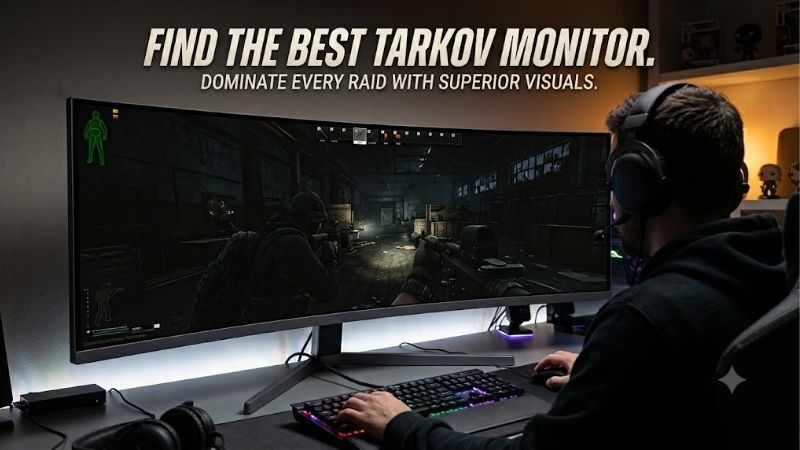
Quick answer: For most people in 2026, the best tarkov monitor is the Monitor — our #1 rated choice. See the full ranked comparison, alternatives and buying advice below.
Quick verdict: Which monitor is best for Tarkov?
For most Tarkov players, the ASUS ROG Strix XG27ACS is a sensible starting recommendation. Its 27-inch 1440p Fast IPS panel and 180Hz maximum refresh rate provide a useful balance of resolution, responsiveness, and everyday versatility without requiring a premium OLED display.
Players seeking faster motion clarity should consider the GIGABYTE M27Q X Rev. 2.0, which increases the refresh rate to 240Hz while retaining 1440p resolution. The Dell Alienware AW2725DF is a more ambitious option for enthusiasts who want QD-OLED contrast and a 360Hz refresh rate.
However, a monitor cannot compensate for inconsistent game performance. A stable 100–140 FPS experience on a good 1440p display can be more useful than chasing 360Hz while your computer frequently drops below 100 FPS.
Quick comparison of the best Tarkov monitors
| Monitor | Resolution | Refresh rate | Panel | Best for |
|---|---|---|---|---|
| ASUS ROG Strix XG27ACS | 2560 × 1440 | 180Hz | Fast IPS | Best overall balance |
| GIGABYTE M27Q X Rev. 2.0 | 2560 × 1440 | 240Hz | SS IPS | High-refresh IPS gaming |
| Dell Alienware AW2725DF | 2560 × 1440 | 360Hz | QD-OLED | Premium competitive gaming |
| LG UltraGear 27GS95QE-B | 2560 × 1440 | 240Hz | OLED | Dark-scene contrast |
| Samsung Odyssey OLED G6 G60SD | 2560 × 1440 | 360Hz | OLED | Premium matte OLED |
| MSI MAG 274QRF QD E2 | 2560 × 1440 | 180Hz | Rapid IPS | Gaming and productivity |
| BenQ ZOWIE XL2566K | 1920 × 1080 | 360Hz | TN | Dedicated 1080p competition |
All seven are gaming-monitor candidates rather than Tarkov-specific products. Their actual usefulness depends on frame-rate consistency, viewing conditions, connection bandwidth, and individual sensitivity to motion blur.
How we selected these Tarkov monitors
The shortlist prioritizes native resolution, supported refresh rates, panel technology, practical connectivity, and features relevant to competitive first-person shooters.
Manufacturer documentation establishes the listed hardware specifications. Independent monitor analysis provides additional context where available. The recommendations are research-based, not the results of original detailed research or Tarkov-specific monitor benchmarks.
We favored conventional 16:9 monitors because they offer a straightforward viewing experience and avoid the extra GPU workload associated with higher-resolution ultrawide displays. Most choices use 1440p because it improves fine environmental detail compared with 1080p at similar screen sizes.
We did not assign fixed budget or value rankings because comparable live US purchase prices were not established for every model. Before buying, compare the exact model revision, retailer availability, and current price rather than relying on a historical MSRP.
The 7 best monitors for Escape from Tarkov
ASUS ROG Strix XG27ACS – Best overall balance
The ASUS ROG Strix XG27ACS combines a 27-inch Fast IPS panel, native 2560 × 1440 resolution, and a maximum 180Hz refresh rate. That combination suits players who want improved environmental detail without paying primarily for extreme refresh-rate specifications.
Its anti-glare surface is useful in rooms with ambient light. The monitor also supports Adaptive-Sync, helping reduce visible tearing when frame delivery fluctuates.
For Tarkov, the major advantage is practicality. A 1440p image can make distant objects and environmental outlines more distinct than 1080p, assuming appropriate in-game settings. Meanwhile, 180Hz provides considerably smoother display updates than traditional 60Hz hardware.
ASUS includes Shadow Boost, which can adjust the appearance of darker areas. This feature is worth experimenting with, but excessive shadow enhancement can flatten contrast and make the image look washed out.
The XG27ACS reaches its advertised 180Hz through DisplayPort or its supported USB-C video connection. ASUS specifies a lower maximum of 144Hz over HDMI, making cable selection important.
The principal limitation is IPS contrast. Deep blacks generally appear less convincing than on OLED, particularly in a dark room. However, IPS avoids OLED’s characteristic image-retention concerns.
Buy If: You want a well-rounded 1440p Tarkov monitor for gaming, browsing, and everyday work.
Skip If: You prioritize OLED black levels or want a 240Hz-or-higher display.
GIGABYTE M27Q X Rev. 2.0 – Best high-refresh IPS option
The GIGABYTE M27Q X Rev. 2.0 offers a 27-inch 1440p SS IPS display with a 240Hz maximum refresh rate. It is a logical upgrade path for players already comfortable with 1440p who want faster screen updates without transitioning to OLED.
At 240Hz, the screen can refresh approximately every 4.17 milliseconds. This does not guarantee that Tarkov will deliver a new frame for every refresh, but it establishes the display’s potential responsiveness when the PC is sufficiently fast.
GIGABYTE includes Black Equalizer, which provides another approach to improving visibility in dark environments. As with similar gaming features, careful adjustment matters more than maximizing the setting.
The monitor also includes KVM functionality, allowing supported connected devices to share peripherals. This can be helpful for players who switch between a gaming PC and a second computer.
Its DisplayPort 1.4 connection is the appropriate starting point for configuring the highest supported PC refresh rate. The precise revision matters: GIGABYTE publishes separate documentation for Rev. 1.0 and Rev. 2.0, so buyers should confirm the model rather than assuming every M27Q X listing has identical specifications.
Although 240Hz is attractive, Tarkov can become CPU-limited. When average performance remains substantially below the monitor’s refresh ceiling, the advantage over a capable 180Hz monitor becomes less pronounced.
Buy If: You want 1440p, 240Hz, IPS panel characteristics, and useful desktop connectivity.
Skip If: Your PC cannot sustain high frame rates or OLED contrast matters more than IPS practicality.
Dell Alienware AW2725DF – Best premium competitive OLED
The Dell Alienware AW2725DF brings together a 26.7-inch-class QD-OLED panel, 2560 × 1440 resolution, and a maximum 360Hz refresh rate through DisplayPort.
Its defining strength is the combination of extremely fast pixel transitions and OLED’s individually controlled pixels. Fast pixel response helps minimize trailing during camera movements, while the panel’s deep blacks support strong perceived contrast.
This can make fast gameplay feel particularly crisp. However, improved panel contrast does not automatically reveal opponents hidden by Tarkov’s lighting, foliage, or rendering decisions.
The AW2725DF is most compelling for enthusiasts who also play faster competitive shooters capable of operating at very high frame rates. In Tarkov alone, achieving consistent performance near 360 FPS is not a realistic assumption for every map or system.
One important connectivity detail is the HDMI limit. Dell lists 1440p at 144Hz through HDMI for this model, while DisplayPort supports the advertised 360Hz mode. Buyers should not assume every HDMI 2.1-labeled connection delivers the same capabilities.
OLED ownership also involves additional considerations. Static interface elements, prolonged desktop use, and accumulated display wear make panel-care features and warranty conditions worth checking.
Independent RTINGS comparison testing also identifies meaningful differences between the Dell and LG OLED alternatives in bright-room performance.
Buy If: You want exceptionally fast OLED pixel response and a premium 1440p gaming experience.
Skip If: You mainly play at modest frame rates, work with static windows for extended periods, or prefer inexpensive IPS hardware.
LG UltraGear 27GS95QE-B – Best for dark-room OLED gaming
The LG UltraGear 27GS95QE-B uses a 27-inch-class OLED panel with 1440p resolution and a 240Hz refresh rate. It offers many of the visual strengths that make OLED attractive without requiring a 360Hz display.
Its high contrast is especially noticeable in dark environments. Blacks can appear genuinely black rather than dark gray, while bright highlights remain visually distinct.
Tarkov frequently moves between bright outdoor areas, interiors, and underground spaces. OLED contrast makes those transitions visually engaging, although accurately calibrated brightness and gamma remain essential.
Compared with the Alienware AW2725DF, the LG uses a different OLED panel approach. RTINGS’ independent comparison favors the LG for bright-room conditions, including its ability to maintain darker-looking blacks under ambient lighting.
The 240Hz refresh rate is already substantial for a demanding extraction shooter. Players who regularly achieve 100–180 FPS may see more practical benefit from the panel’s response characteristics than from paying for an even higher refresh ceiling.
LG lists G-SYNC Compatible support and AMD FreeSync Premium Pro, alongside adjustable ergonomic positioning.
Potential drawbacks include OLED image-retention risk, automatic brightness behavior, and the need to use appropriate panel-care settings. Buyers should verify their exact US warranty coverage rather than assume all OLED warranties are identical.
Buy If: You want rich contrast, excellent pixel response, and a 240Hz OLED display.
Skip If: Your monitor displays static productivity content throughout most of the day or you prefer IPS ownership characteristics.
Samsung Odyssey OLED G6 G60SD – Best matte OLED alternative
The Samsung Odyssey OLED G6 G60SD is a 27-inch 1440p OLED monitor with a 360Hz maximum refresh rate. Its combination of OLED response characteristics and a matte, glare-reducing surface makes it an interesting alternative to glossy or semi-gloss OLED gaming displays.
Samsung’s Glare Free treatment is particularly relevant to players using monitors near windows or artificial lighting. Reflections can interfere with visibility, especially when searching for movement in darker areas of a map.
The monitor also supports AMD FreeSync Premium Pro and offers DisplayPort 1.4 alongside HDMI 2.1 connections. These specifications provide flexibility for modern gaming setups, although actual refresh-rate support should always be checked for the selected connection.
Samsung includes a Black Equalizer feature. This can help adjust shadow visibility, but users should avoid settings that make dark scenes excessively bright. Raising shadow levels may reveal some dark details while reducing the contrast needed to distinguish objects from their surroundings.
The G60SD competes directly with the Dell AW2725DF in the 1440p 360Hz OLED category. Samsung’s matte treatment is a meaningful differentiator, although whether it looks better depends on room lighting and personal preference.
The trade-offs are familiar: premium OLED pricing, possible image retention, and limited benefits from 360Hz when the game cannot produce enough frames.
Buy If: You want premium OLED motion performance and a matte screen for a room with noticeable reflections.
Skip If: You prefer conventional IPS, have a restricted budget, or rarely achieve frame rates above 144 FPS.
MSI MAG 274QRF QD E2 – Best for gaming and productivity
The MSI MAG 274QRF QD E2 provides a versatile alternative for players who use the same computer for gaming, work, and entertainment.
Its 27-inch Rapid IPS panel delivers 2560 × 1440 resolution at up to 180Hz. MSI also specifies wide color-gamut coverage, making the monitor suitable for visually rich games and general media consumption.
For Tarkov, the monitor offers a sensible middle ground. The 1440p resolution provides enough detail for demanding environments, while the 180Hz refresh rate supports smooth motion when the computer can deliver compatible frame rates.
One of its more useful features is USB-C connectivity with DisplayPort Alternate Mode and up to 65W Power Delivery. That makes it convenient for users who occasionally connect a compatible laptop.
The monitor also includes a USB hub and an adjustable stand. These features do not improve Tarkov performance directly, but they increase everyday usability.
MSI specifies 180Hz through DisplayPort and USB-C, while HDMI supports up to 144Hz at the native resolution. This distinction is important for users who expect maximum refresh rates from every input.
Like other IPS monitors, its contrast is limited compared with OLED. Buyers should also distinguish the manufacturer’s advertised response-time figure from independent measurements of actual pixel transitions.
Buy If: You need one 1440p monitor for Tarkov, office tasks, and laptop connectivity.
Skip If: You specifically want 240Hz or 360Hz gaming, or prioritize OLED contrast.
7. BenQ ZOWIE XL2566K – Best dedicated 1080p esports option
The BenQ ZOWIE XL2566K takes a different approach from the other monitors in this roundup. Instead of prioritizing 1440p resolution, it uses a 24.5-inch 1080p TN panel with a 360Hz refresh rate.
This configuration targets competitive players who prioritize motion presentation and a compact field of view.
Its smaller screen allows players to keep more of the image within their central vision at a typical desk distance. The 1080p resolution also places a lower pixel-rendering workload on the GPU than 1440p.
However, lower resolution does not guarantee proportionally higher frame rates in Tarkov. CPU limitations, memory behavior, map complexity, and game optimization can restrict performance independently of GPU rendering load.
The XL2566K includes BenQ’s DyAc+ motion-blur reduction technology, Black eQualizer, and Color Vibrance adjustments. These features are intended for competitive gaming, although their usefulness depends on settings and individual preference.
A notable limitation is that DyAc+ and variable refresh rate cannot operate together on this model. Users must decide which behavior better matches their frame-rate consistency.
Its TN panel also generally offers weaker viewing angles and image quality than contemporary IPS and OLED alternatives.
Buy If: You primarily play competitive shooters, prefer 24.5-inch displays, and prioritize 1080p high-refresh gaming.
Skip If: You want sharper 1440p environmental detail, stronger contrast, or better all-around visual quality.
How to choose the best monitor for Tarkov
1080p vs. 1440p: Which resolution is better?
For most modern Tarkov gaming PCs, 1440p represents the more balanced choice.
A 2560 × 1440 display contains approximately 3.69 million pixels, compared with 2.07 million pixels at 1920 × 1080. That means 1440p provides roughly 78% more pixels.
The extra resolution can improve the presentation of distant structures, objects, and fine edges. This matters in a game where identifying small visual details can influence decisions.
However, additional pixels increase GPU workload. A lower-performance graphics card may deliver more consistent results at 1080p, particularly when graphics settings are demanding.
Choose 1080p when maintaining frame rate is the priority and your hardware is relatively limited. Choose 1440p when your GPU can support acceptable performance and you want improved environmental detail.
Is 144Hz, 180Hz, 240Hz, or 360Hz better?
Refresh rate determines how frequently a monitor can display a new image.
| Refresh rate | Time per refresh |
|---|---|
| 60Hz | 16.67 ms |
| 144Hz | 6.94 ms |
| 180Hz | 5.56 ms |
| 240Hz | 4.17 ms |
| 360Hz | 2.78 ms |
Higher refresh rates create opportunities for smoother movement and lower display-related delay, but the improvement between successive refresh-rate tiers becomes progressively smaller.
Moving from 60Hz to 144Hz is a substantial improvement. Moving from 240Hz to 360Hz is more subtle.
For Tarkov, a quality 165Hz–180Hz monitor is often sufficient for a balanced gaming build. A 240Hz monitor provides additional headroom, particularly for players who enjoy other competitive shooters.
A 360Hz monitor is most attractive when extremely fast response is a priority across multiple games. It should not be treated as a requirement for competitive Tarkov gameplay.
IPS vs. OLED vs. TN panels
Panel technology affects motion clarity, contrast, viewing angles, and everyday usability.
IPS monitors generally deliver a practical balance of brightness, color consistency, and gaming responsiveness. Their main weakness is limited native contrast.
OLED monitors can provide extremely fast pixel transitions and deep blacks. These qualities can improve perceived clarity, especially during rapid movement and dark-scene transitions. However, OLED panels require additional attention to image retention and panel-care behavior.
TN monitors remain relevant for specialized esports displays. They can support high refresh rates and competitive motion presentation, but typically sacrifice viewing angles and image quality.
For mixed gaming and work, IPS remains a sensible choice. For premium visual performance, OLED deserves consideration. TN is best reserved for buyers who specifically value its competitive characteristics.
Why response time matters more than marketing numbers
Manufacturers frequently advertise response times such as 1ms or 0.03ms. These figures are not necessarily representative of every pixel transition at every refresh rate.
Pixel response time describes how quickly pixels change between specified states. Input lag describes delay between receiving a signal and displaying its effect. They are related to responsiveness but are not interchangeable.
A monitor can advertise a fast response-time figure while exhibiting overshoot or inverse ghosting under aggressive overdrive settings.
For Tarkov, seek a monitor with clean motion across a range of refresh rates, not merely the lowest advertised number.
Independent testing of response behavior, overshoot, input lag, and variable-refresh operation is more informative than specifications alone.
Why variable refresh rate is important
Escape from Tarkov does not necessarily produce consistent frame times, particularly across different maps and gameplay situations.
Variable refresh rate allows a compatible display to adapt its refresh timing to incoming frames within its supported operating range. This helps reduce tearing and can improve perceived smoothness.
AMD FreeSync and NVIDIA G-SYNC Compatible features are relevant here, but compatibility depends on the monitor, graphics card, connection, and settings.
Players should verify that VRR is enabled in the monitor’s menu and graphics driver. They should also check that the chosen motion-blur reduction mode does not disable it.
Brightness, contrast, and shadow visibility
Dark-scene visibility is particularly relevant in Tarkov, but maximum brightness is not always the correct solution.
Increasing brightness excessively can turn dark gray regions into washed-out images and reduce the visual separation between objects.
Instead, begin with an accurate SDR picture mode, appropriate brightness for the room, and sensible gamma settings.
Shadow-enhancement options can then be adjusted conservatively. Compare their appearance across interiors, outdoor shadows, and bright areas rather than relying on one screenshot.
OLED provides superior black levels, but high contrast alone does not guarantee easier enemy detection. Game rendering, camouflage, environmental effects, and individual visual perception still matter.
Recommended monitor settings for Escape from Tarkov
A good monitor deserves careful configuration. Incorrect settings can prevent expensive hardware from delivering its intended advantages.
-
Set Windows to the monitor’s native resolution.
-
Select the highest supported refresh rate in Windows display settings.
-
Use the appropriate DisplayPort or HDMI connection for the desired mode.
-
Enable variable refresh rate when supported by the monitor and graphics card.
-
Start with a standard or accurate SDR picture preset.
-
Adjust brightness to match room lighting rather than maximizing it.
-
Experiment with shadow enhancement without crushing blacks or washing out the image.
-
Use a moderate overdrive setting and watch for visible ghosting or bright inverse trails.
For OLED monitors, follow the manufacturer’s panel-care recommendations. Automatic pixel maintenance and other protective features should not be disabled merely to avoid interruptions.
HDR is worth testing separately. It is not automatically superior for competitive visibility, and the ideal configuration depends on how the game, operating system, and display handle HDR signals.
Frequently asked questions
What is the best monitor size for Tarkov?
A 27-inch monitor is an excellent choice for most players using 1440p resolution. It provides useful screen space and good pixel density at typical desktop viewing distances.
A 24.5-inch display remains attractive for players who prefer 1080p esports configurations and a compact field of view.
Is a 240Hz monitor worth it for Escape from Tarkov?
A 240Hz monitor can be worthwhile if you want additional refresh-rate headroom and also play other fast competitive games.
However, Tarkov performance may fall well below 240 FPS, especially in demanding scenarios. A quality 180Hz monitor may therefore deliver a very similar practical experience on some systems.
Is OLED good for Tarkov?
Yes. OLED offers excellent pixel response and strong contrast, making it attractive for detailed environments and fast camera movement.
The main disadvantages are cost, image-retention considerations, and varying performance under ambient lighting. OLED is a premium option rather than a necessity.
Can a better monitor increase Tarkov FPS?
A monitor does not directly increase the number of frames rendered by your PC.
Changing resolution can affect GPU workload, and selecting an appropriate refresh rate can improve how rendered frames are displayed. Actual FPS depends primarily on the computer hardware, game settings, and workload.
Should I buy a 4K monitor for Tarkov?
A 4K monitor can offer excellent image detail, especially on larger screens, but it significantly increases GPU rendering requirements.
For players prioritizing competitive responsiveness and balanced PC performance, 1440p is generally a more practical choice. A 4K display makes greater sense for users with powerful hardware who prioritize image sharpness across multiple games.
Final verdict
The best monitor for Escape from Tarkov depends on the balance between visual detail, frame-rate consistency, and intended use.
The ASUS ROG Strix XG27ACS is the strongest general-purpose starting point for players seeking 1440p clarity and responsive gaming without moving into premium OLED territory.
The GIGABYTE M27Q X Rev. 2.0 is an appealing alternative for players who want a higher-refresh IPS monitor. The Dell Alienware AW2725DF and Samsung Odyssey OLED G6 G60SD cater to enthusiasts prioritizing OLED motion performance at 360Hz.
The LG UltraGear 27GS95QE-B deserves attention for its 240Hz OLED experience, while MSI’s MAG 274QRF QD E2 offers practical versatility. The BenQ ZOWIE XL2566K remains a specialized choice for 1080p competitive gaming.
For most Tarkov setups, prioritize a good 27-inch 1440p display, clean motion handling, appropriate contrast, and stable PC performance before spending extra on the highest available refresh rate.
Editorial Source Log — Editor only
Research date: October 12, 2026. Manufacturer specifications were checked using publicly accessible product pages. The evaluations are editorial judgments rather than original hands-on benchmark results.
| Product | Primary verification source |
|---|---|
| ASUS ROG Strix XG27ACS | ASUS official specifications |
| GIGABYTE M27Q X Rev. 2.0 | GIGABYTE official specifications |
| Dell Alienware AW2725DF | Dell official specifications |
| LG UltraGear 27GS95QE-B | LG official product page |
| Samsung Odyssey OLED G6 G60SD | Samsung official product page |
| MSI MAG 274QRF QD E2 | MSI official specifications |
| BenQ ZOWIE XL2566K | BenQ official specifications |
Verification limitations: Amazon.com listings, exact US stock status, and comparable same-day prices were not confirmed for all seven products. No Tarkov-specific matched-system FPS or latency testing was obtained, so no quantified gaming-performance advantage is claimed. US warranty details should be reviewed at purchase, particularly for OLED displays. A complete Build-PC-Guide.com content-duplication audit was not established.
For further editorial verification, independently test frame delivery on the intended CPU/GPU configuration and confirm every monitor’s supported refresh rate over the planned video connection.
Ready to decide? Our #1 pick for 2026 is the Monitor.
Live price & availability on Amazon.









