
The best monitor for Tarkov should help you distinguish distant movement, track targets during firefights, and navigate dark environments without sacrificing smooth gameplay. Escape from Tarkov places unusual demands on a display because visual information can be subtle, lighting varies dramatically, and frame rates may fluctuate between locations.
- Quick Comparison: Best Monitors for Escape from Tarkov
- How We Selected These Tarkov Gaming Monitors
- 6 Best Monitors for Tarkov
- What Makes a Monitor Good for Escape from Tarkov?
- Best Monitor Settings for Tarkov Visibility
- Common Mistakes When Buying a Tarkov Monitor
- Frequently Asked Questions
- Final Verdict: Which Monitor Should You Choose for Tarkov?
- Editorial Source Log
For most players, a 27-inch 1440p monitor with a refresh rate of 165Hz to 240Hz offers an excellent balance. The resolution provides useful detail for inspecting distant scenery, while the high refresh rate improves motion presentation when your PC delivers enough frames.
The LG UltraGear 27GR83Q-B is our best overall recommendation for players who want a practical 1440p IPS monitor without OLED-specific maintenance concerns. Its 240Hz refresh rate, variable refresh rate support, and HDMI 2.1 connectivity make it a versatile choice.
Players who prioritize contrast and rapid pixel response should consider the ASUS ROG Strix OLED XG27AQDMG. Its 240Hz WOLED panel delivers deep blacks and particularly clean motion. However, OLED introduces burn-in considerations, and its glossy finish may be distracting in brightly lit rooms.
For an alternative OLED experience, the Alienware AW2726DM offers 1440p resolution and 240Hz refresh on a QD-OLED panel. Competitive players who also play exceptionally high-frame-rate shooters may prefer the 360Hz Alienware AW2725DF.
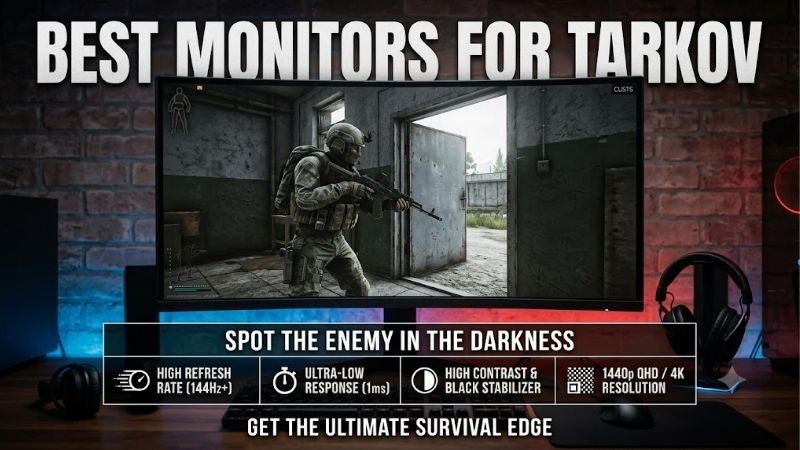
Quick answer: For most people in 2026, the best monitor for tarkov is the Monitor — our #1 rated choice. See the full ranked comparison, alternatives and buying advice below.
Quick Comparison: Best Monitors for Escape from Tarkov
| Monitor | Panel | Resolution | Refresh Rate | Best For |
|---|---|---|---|---|
| LG UltraGear 27GR83Q-B | IPS | 2560 × 1440 | 240Hz | Best overall IPS choice |
| ASUS ROG Strix OLED XG27AQDMG | WOLED | 2560 × 1440 | 240Hz | Dark-room immersion |
| Alienware AW2726DM | QD-OLED | 2560 × 1440 | 240Hz | OLED competitive gaming |
| MSI G274QPX | Rapid IPS | 2560 × 1440 | 240Hz | IPS with USB-C connectivity |
| Gigabyte M27Q X Rev. 2.0 | SS IPS | 2560 × 1440 | 240Hz | Multi-device gaming setups |
| Alienware AW2725DF | QD-OLED | 2560 × 1440 | 360Hz | High-refresh competitive gaming |
Every model uses a 16:9 aspect ratio and 1440p resolution. This provides a consistent basis for comparing practical Tarkov suitability without introducing the additional GPU demands of 4K gaming.
How We Selected These Tarkov Gaming Monitors
Our selections emphasize specifications that materially affect the experience of playing Escape from Tarkov rather than relying on gaming-oriented branding.
Resolution matters because distant players may occupy relatively small areas of the image. Pixel response matters because smearing during rapid movement makes identifying objects more difficult. Refresh rate matters because a display cannot present new full frames more frequently than its operating refresh rate.
Panel contrast also deserves attention. Tarkov contains dim interiors, dark outdoor scenes, and complex lighting conditions. A display with strong contrast can preserve distinctions between dark objects, although visibility also depends on gamma, brightness settings, the game engine, and ambient lighting.
The selection criteria include:
-
Native 2560 × 1440 resolution for detailed 27-inch gameplay.
-
Refresh rates of at least 240Hz across the selected models.
-
IPS or OLED panel technologies with competitive-gaming suitability.
-
Variable refresh rate support where documented.
-
Practical connectivity, ergonomics, and relevant gaming features.
-
Meaningful limitations that could affect a purchasing decision.
This guide is based on published manufacturer specifications and identified independent monitor evaluations, not original hands-on or Tarkov-specific benchmark testing. Manufacturer response-time claims are not treated as measured real-world performance.
6 Best Monitors for Tarkov
1. LG UltraGear 27GR83Q-B – Best Overall IPS Monitor for Tarkov
The LG UltraGear 27GR83Q-B is an excellent starting point for players who want a responsive 1440p display without paying specifically for OLED image quality.
Its 27-inch IPS panel combines 2560 × 1440 resolution with a 240Hz refresh rate. That combination provides enough pixel density to render detailed environments while offering substantial refresh headroom for powerful gaming PCs.
The LG supports AMD FreeSync Premium and NVIDIA G-SYNC Compatible operation. These technologies can reduce tearing when frame rates change, making them relevant to Tarkov, where performance may vary between maps and situations.
Connectivity is another advantage. HDMI 2.1 and DisplayPort connectivity provide flexibility for modern GPUs, and LG documents support for up to 240Hz with appropriate graphics hardware and connections.
Compared with an OLED display, the LG has more limited native contrast. Dark environments may look grayish rather than truly black, particularly in an unlit room. However, IPS technology avoids the OLED burn-in concerns associated with persistent static interface elements.
The adjustable stand supports height, tilt, and pivot positioning, making it easier to achieve a comfortable viewing arrangement during lengthy gaming sessions.
| Specification | Detail |
|---|---|
| Screen size | 27 inches |
| Panel | IPS |
| Resolution | 2560 × 1440 |
| Refresh rate | 240Hz |
| Advertised response time | 1ms GtG |
| Adaptive sync | FreeSync Premium, G-SYNC Compatible |
| Connectivity | HDMI 2.1, DisplayPort, USB hub |
Advantages:
-
Excellent resolution and refresh-rate combination.
-
IPS panel suited to mixed gaming and desktop use.
-
HDMI 2.1 connectivity.
-
Adjustable stand.
-
No OLED-specific burn-in maintenance.
Limitations:
-
Native contrast is weaker than OLED.
-
HDR400 certification does not guarantee strong HDR performance.
-
Reaching 240 FPS in Tarkov is not realistic for every system or map.
Buy if: You want a well-rounded, high-refresh 1440p gaming monitor for Tarkov and other PC games.
Skip if: Deep blacks and OLED-level motion clarity are more important than LCD practicality.
2. ASUS ROG Strix OLED XG27AQDMG – Best for Dark-Room Tarkov Gaming
The ASUS ROG Strix OLED XG27AQDMG is particularly appealing for players who spend much of their gaming time in a controlled, dimly lit environment.
This monitor uses a glossy WOLED panel with 2560 × 1440 resolution and a 240Hz refresh rate. Because OLED pixels generate their own light, the panel can display black pixels without relying on a continuously illuminated LCD backlight.
That gives the ASUS a considerable advantage in black depth and local contrast. Dark interiors can look more convincing, and bright objects can stand out clearly against black backgrounds.
However, deeper blacks do not automatically make concealed enemies easier to identify. Incorrect gamma settings can crush shadow detail, and a dark object rendered against another dark object may remain difficult to distinguish. Accurate adjustment matters more than maximizing contrast alone.
ASUS includes Shadow Boost, which can help lift visibility in darker portions of the image. It should be adjusted conservatively to avoid flattening the scene and reducing useful visual separation.
The monitor also benefits from OLED’s extremely rapid pixel transitions. Independent testing by RTINGS supports its strong motion-clarity performance, although some OLED monitors can exhibit visible VRR brightness flicker when frame rates fluctuate.
The glossy display surface is another important consideration. It can make images appear clearer in suitable lighting, but reflections from windows or overhead lighting may become distracting.
| Specification | Detail |
|---|---|
| Screen size | 26.5 inches viewable |
| Panel | Glossy WOLED |
| Resolution | 2560 × 1440 |
| Refresh rate | 240Hz |
| Advertised response time | 0.03ms GtG |
| Adaptive sync | FreeSync Premium, G-SYNC Compatible |
| Gaming feature | Shadow Boost |
Advantages:
-
Excellent black levels.
-
Rapid pixel response.
-
Sharp motion presentation.
-
Strong image contrast.
-
Shadow adjustment features.
Limitations:
-
Glossy surface can reflect room lighting.
-
OLED burn-in remains a consideration.
-
VRR flicker can occur under certain fluctuating-frame-rate conditions.
-
HDMI inputs are limited to 1440p at 144Hz on this model; DisplayPort is needed for 240Hz.
Buy if: You frequently play Tarkov in a dark room and prioritize contrast, image quality, and motion clarity.
Skip if: Your desk faces a bright window or you want to avoid OLED maintenance.
3. Alienware AW2726DM – Best QD-OLED Alternative for Competitive Tarkov
The Alienware AW2726DM is a compelling alternative for players seeking OLED performance at 1440p without prioritizing refresh rates beyond 240Hz.
It uses a 26.5-inch-viewable QD-OLED panel with a native 2560 × 1440 resolution and a 240Hz refresh rate.
QD-OLED technology combines OLED’s self-emissive pixels with quantum-dot color conversion. The resulting display offers deep blacks in dark environments, wide color reproduction, and rapid pixel transitions.
For Tarkov, its biggest benefits are motion clarity and strong contrast. These properties can make quick changes in an image easier to follow and create a more visually distinct presentation of light and dark scenes.
Its limitations are important, though. In bright environments, QD-OLED black levels can appear raised because of ambient light. This can reduce the perceived contrast advantage that makes OLED attractive in the first place.
The AW2726DM also has relatively limited connectivity compared with certain more expensive gaming monitors. Dell specifies DisplayPort 1.4 for operation at 1440p and 240Hz, while the HDMI inputs are limited to 1440p at 120Hz despite their HDMI 2.1 designation.
An independent RTINGS comparison with the AOC AGON PRO AG276QZD2 found that the Alienware offered lower input lag and more vivid HDR colors, while the AOC provided better pre-calibration color accuracy.
| Specification | Detail |
|---|---|
| Screen size | 26.5 inches viewable |
| Panel | QD-OLED |
| Resolution | 2560 × 1440 |
| Refresh rate | 240Hz |
| Advertised response time | 0.03ms GtG |
| Adaptive sync | FreeSync Premium, VESA AdaptiveSync |
| Connectivity | DisplayPort 1.4, HDMI |
Advantages:
-
OLED motion clarity.
-
Deep blacks in dark rooms.
-
High refresh rate.
-
Strong color reproduction.
-
Suitable screen size for desktop gaming.
Limitations:
-
Raised blacks in bright environments.
-
HDMI operation limited to 120Hz at 1440p.
-
OLED burn-in considerations.
-
Limited additional connectivity.
Buy if: You want 240Hz QD-OLED gaming with a conventional 16:9 desktop layout.
Skip if: Your gaming environment is brightly lit or you require 240Hz operation through HDMI.
4. MSI G274QPX – Best IPS Option With USB-C Connectivity
The MSI G274QPX provides a practical combination of competitive-gaming specifications and everyday productivity features.
Its 27-inch Rapid IPS panel operates at 2560 × 1440 with a maximum refresh rate of 240Hz. MSI also advertises a 1ms gray-to-gray response time, although actual response behavior depends on the selected overdrive mode and refresh rate.
For Tarkov, the key attraction is the balance between image detail, high refresh rate, and a conventional LCD panel.
The G274QPX includes MSI’s Night Vision feature, which adjusts dark portions of the image. This can be useful when experimenting with visibility in poorly lit game environments.
Still, shadow enhancement should never be confused with improving the underlying detail produced by the game. Excessive adjustment may brighten gray backgrounds, wash out colors, or make dark scenes harder to interpret naturally.
The monitor also includes USB-C connectivity with DisplayPort Alt Mode and power delivery of up to 65W. This feature may be useful if you connect a compatible laptop to the same display for work or occasional gaming.
One important limitation concerns refresh-rate support by connection type. MSI specifies 240Hz at 1440p through DisplayPort but only 144Hz at that resolution through HDMI.
| Specification | Detail |
|---|---|
| Screen size | 27 inches |
| Panel | Rapid IPS |
| Resolution | 2560 × 1440 |
| Refresh rate | 240Hz |
| Advertised response time | 1ms GtG |
| Adaptive sync | G-SYNC Compatible |
| USB-C power delivery | Up to 65W |
Advantages:
-
240Hz QHD IPS display.
-
Night Vision adjustment.
-
Useful USB-C connectivity.
-
Height-adjustable stand.
-
Suitable for mixed work and gaming.
Limitations:
-
HDMI refresh rate limited to 144Hz at 1440p.
-
IPS contrast is weaker than OLED.
-
Advertised response-time specifications do not establish real-world blur performance.
-
HDR400 support is not a substitute for OLED-level contrast.
Buy if: You want a high-refresh gaming monitor that can also connect conveniently to a USB-C laptop.
Skip if: Strong HDR contrast is your main priority or you need 240Hz over HDMI.
5. Gigabyte M27Q X Rev. 2.0 – Best for Multi-Device Tarkov Setups
The Gigabyte M27Q X Rev. 2.0 is an interesting option for players who use a single display with multiple computers.
Its 27-inch SuperSpeed IPS panel offers 2560 × 1440 resolution and a 240Hz refresh rate. That places its core specifications firmly within the range suitable for fast-paced PC gaming.
Gigabyte includes a built-in KVM switch, which allows compatible devices to share a keyboard, mouse, and monitor through the display’s connectivity system.
This feature has little direct influence on Tarkov visibility or motion clarity, but it can make a meaningful difference for someone who regularly switches between a gaming PC and a work computer.
The monitor also includes Black Equalizer, a setting designed to adjust dark-scene visibility, and Aim Stabilizer Sync, a motion-focused display feature.
Aim Stabilizer functions should be evaluated carefully because strobing-based motion features can introduce flicker or brightness compromises. They are not automatically preferable to normal VRR operation.
The exact hardware revision matters. Gigabyte lists both Rev. 1.0 and Rev. 2.0 versions of the M27Q X, and some specifications and connectivity details differ between them. Buyers should confirm the revision before relying on any feature.
| Specification | Detail |
|---|---|
| Screen size | 27 inches |
| Panel | SuperSpeed IPS |
| Resolution | 2560 × 1440 |
| Refresh rate | 240Hz |
| Adaptive sync | Supported |
| Gaming features | Black Equalizer, Aim Stabilizer Sync |
| Additional feature | Built-in KVM |
Advantages:
-
High-refresh 1440p gaming.
-
Built-in KVM functionality.
-
Black Equalizer adjustment.
-
Useful productivity features.
-
IPS panel avoids OLED burn-in concerns.
Limitations:
-
IPS contrast limitations.
-
Model revisions require careful verification.
-
Motion-strobing features may involve compromises.
-
KVM functionality adds little value to single-PC users.
Buy if: You play Tarkov on a desktop PC but regularly switch to another computer using the same monitor.
Skip if: You only use one PC and would rather prioritize OLED contrast or a simpler feature set.
6. Alienware AW2725DF – Best 360Hz Monitor for Competitive Players
The Alienware AW2725DF is designed for players who want extremely high refresh rates without dropping to 1080p resolution.
Its 26.7-inch QD-OLED display supports 2560 × 1440 resolution at up to 360Hz through DisplayPort.
A 360Hz monitor can present a new refresh opportunity approximately every 2.78 milliseconds, compared with approximately 4.17 milliseconds at 240Hz.
That is a meaningful technical difference, but it does not mean every game will feel proportionally faster.
Escape from Tarkov frequently places significant demands on the CPU and surrounding system. In locations where frame rates fall far below the panel’s maximum refresh rate, the advantage of 360Hz over a good 240Hz monitor becomes less pronounced.
The AW2725DF therefore makes the most sense for players who also spend substantial time in highly optimized competitive shooters, or who specifically want its high-end OLED panel characteristics.
It also offers the benefits of QD-OLED technology: deep blacks in controlled lighting and extremely rapid pixel response.
Dell specifies 360Hz operation through DisplayPort but only up to 144Hz at 1440p over HDMI. The connection type is therefore essential to achieving the monitor’s advertised maximum refresh rate.
| Specification | Detail |
|---|---|
| Screen size | 26.7 inches |
| Panel | QD-OLED |
| Resolution | 2560 × 1440 |
| Refresh rate | 360Hz |
| Advertised response time | 0.03ms GtG |
| DisplayPort support | 1440p at 360Hz |
| HDMI support | 1440p at up to 144Hz |
Advantages:
-
Extremely high refresh rate.
-
Excellent OLED motion clarity.
-
Strong contrast.
-
Suitable for multiple competitive FPS games.
-
High pixel density compared with 1080p esports monitors.
Limitations:
-
Tarkov may not consistently benefit from 360Hz.
-
Higher-refresh capability does not increase the game’s actual FPS.
-
OLED maintenance considerations remain.
-
Full refresh-rate operation requires DisplayPort.
Buy if: You regularly play Tarkov alongside competitive shooters that can run at exceptionally high frame rates.
Skip if: Tarkov is your only demanding game and your PC typically operates well below 240 FPS.
What Makes a Monitor Good for Escape from Tarkov?
Choosing the best Tarkov gaming monitor requires more than looking for the largest refresh-rate number on the product box.
1440p vs. 1080p vs. 4K
Resolution influences how much image detail a monitor can display.
A 1920 × 1080 display contains approximately 2.07 million pixels, while a 2560 × 1440 display contains approximately 3.69 million pixels. A 4K display contains approximately 8.29 million pixels.
At similar screen sizes, 1440p provides greater pixel density than 1080p. That can help render smaller scene elements more distinctly, although it does not create detail that the game engine has not produced.
For Tarkov, 1440p is often the most practical choice because it improves desktop and gaming image detail without imposing the full rendering burden of 4K.
| Resolution | Main Advantage | Main Limitation |
|---|---|---|
| 1080p | Lower GPU rendering demand | Less detail at similar sizes |
| 1440p | Balanced sharpness and performance | More demanding than 1080p |
| 4K | Highest detail of these options | Substantial GPU demand |
Players with midrange systems should prioritize stable performance rather than assuming that higher resolution will always improve their results.
Is 240Hz Worth It for Tarkov?
A 240Hz monitor is worthwhile when it also offers strong pixel response, low input lag, and suitable image quality.
However, refresh rate and frame rate are different.
Refresh rate describes how frequently the display can update. Frame rate describes how many frames the PC actually renders.
A 240Hz monitor does not force Tarkov to operate at 240 FPS.
The distinction is particularly important in Tarkov because CPU performance, memory configuration, map complexity, and graphics settings can all affect rendering performance.
A simplified comparison illustrates the potential refresh intervals:
| Refresh Rate | Time Between Refreshes |
|---|---|
| 144Hz | 6.94ms |
| 165Hz | 6.06ms |
| 180Hz | 5.56ms |
| 240Hz | 4.17ms |
| 360Hz | 2.78ms |
These values describe display refresh intervals, not complete system latency or guaranteed pixel response times.
If your PC usually produces around 90–120 FPS in demanding Tarkov scenarios, a good 165Hz or 180Hz monitor may already provide an excellent experience.
A 240Hz display can still be a sensible purchase for other games, lower-demand Tarkov situations, or later PC upgrades.
IPS vs. OLED for Tarkov
IPS and OLED both have strengths, but they solve different problems.
IPS panels use an LCD structure with a backlight. They generally offer good viewing angles, practical brightness, and freedom from OLED’s particular burn-in concerns.
OLED panels produce their own light at the pixel level. This enables much deeper blacks, high contrast, and very rapid pixel transitions.
For Tarkov, OLED is especially attractive if you value dark-scene presentation and motion clarity. However, its darkest blacks do not guarantee better target visibility in every lighting condition.
IPS can be the more practical option for gamers who leave static content on their screens, use bright rooms, or work at the same display throughout the day.
| Characteristic | IPS | OLED |
|---|---|---|
| Black levels | Limited by backlight | Very deep |
| Pixel response | Model-dependent | Typically extremely fast |
| Static-image burn-in concern | No OLED-specific burn-in | Relevant |
| Bright-room suitability | Often practical | Depends on panel and finish |
| Dark-room contrast | Generally lower | Generally excellent |
| Maintenance | Conventional LCD care | OLED care features recommended |
Why Response Time Matters More Than Marketing Claims
Monitor manufacturers frequently advertise response times such as 1ms or 0.03ms.
These numbers cannot be compared directly without understanding the measurement method.
Gray-to-gray response time measures pixel transitions between certain shades. The advertised minimum may reflect the fastest transition or a particular overdrive setting rather than typical behavior.
A monitor can advertise 1ms response time yet still exhibit noticeable blur, ghosting, or overshoot.
OLED technology generally has an advantage in pixel transition speed, but motion clarity also depends on refresh rate, frame persistence, and other factors.
When comparing monitors for Tarkov, independent measurements of response times across multiple refresh rates are more useful than a single manufacturer number.
Best Monitor Settings for Tarkov Visibility
Buying a capable display is only part of the process. Incorrect settings can reduce the benefit of an otherwise excellent monitor.
1. Use the Monitor’s Native Resolution
Set the desktop and game resolution to the monitor’s native 2560 × 1440 wherever your system can deliver acceptable performance.
Running a lower non-native resolution can introduce scaling softness and make distant visual details less distinct.
If the game performs poorly, consider graphics-setting adjustments and supported upscaling options before permanently lowering the output resolution.
2. Enable the Appropriate Refresh Rate
Check Windows display settings and the GPU control panel to confirm the display is operating at its intended refresh rate.
Some monitors default to lower refresh rates after first connection or when an incompatible cable or port is used.
For example, several monitors in this guide require DisplayPort to operate at their full advertised refresh rates.
3. Adjust Brightness and Gamma Carefully
A common mistake is maximizing brightness or shadow enhancement in an attempt to see every object in dark environments.
Excessive brightness can reduce perceived contrast, while aggressive gamma adjustments may make the picture appear washed out.
Begin with a neutral picture preset, then adjust brightness to suit the room.
Use Tarkov’s in-game visual settings and the monitor’s controls conservatively, checking whether dark details remain distinguishable without destroying the appearance of daylight scenes.
4. Use VRR When Appropriate
Variable refresh rate can reduce tearing when the rendered frame rate changes.
This is particularly relevant when moving between more demanding and less demanding situations.
However, some OLED displays exhibit brightness flicker during large or rapid frame-rate fluctuations. If this becomes distracting, test the available VRR settings and frame-rate limits to identify a comfortable configuration.
5. Avoid Excessive Sharpness
Maximum sharpness rarely creates genuine additional detail.
Instead, aggressive sharpening can emphasize edges, introduce halos, and increase visual noise around foliage, buildings, and distant objects.
A moderate sharpening setting usually produces a more natural picture.
6. Check Game-Specific Display Rules
Some gaming monitors offer hardware-generated crosshairs or special image-processing modes.
Before enabling competitive-assistance features, review the applicable game rules and current anti-cheat guidance. A feature being integrated into a monitor does not automatically establish that every use is permitted.
Common Mistakes When Buying a Tarkov Monitor
Buying 360Hz Without Considering System Performance
A 360Hz display can be excellent hardware, but its maximum refresh rate alone does not establish that it is the best purchase for Tarkov.
If the PC is strongly CPU-limited, upgrading the monitor may not noticeably improve the underlying frame rate.
Choosing 4K When Stable Performance Is the Priority
A 4K monitor may produce exceptionally sharp images, but rendering at 4K substantially increases pixel workload compared with 1440p.
If the extra GPU demand results in unacceptable performance, the additional resolution may not justify the trade-off.
Assuming OLED Automatically Reveals Hidden Players
OLED produces strong contrast, but low-light target visibility depends on game rendering, display calibration, and scene composition.
Very deep blacks can coexist with crushed shadow detail when settings are incorrect.
Ignoring the Monitor’s Connection Limits
A monitor advertised as 240Hz may not support that mode through every physical port.
The MSI G274QPX, ASUS XG27AQDMG, and Alienware AW2726DM are examples where DisplayPort is important for reaching the maximum refresh rate.
Overlooking Room Lighting
Glossy OLED displays may look excellent in controlled lighting but can produce distracting reflections near windows.
Likewise, some QD-OLED displays exhibit elevated black levels under strong ambient light.
Consider where the monitor will physically sit before deciding that a particular panel technology is best.
Frequently Asked Questions
What Is the Best Monitor Size for Tarkov?
A 27-inch monitor is an excellent choice for many Tarkov players.
At 1440p, this size provides a useful combination of pixel density, desktop space, and manageable viewing distance.
A larger 32-inch display can also work well, particularly if positioned farther away. The ideal size depends on desk depth, eyesight, and personal preference.
Is 1440p Better Than 1080p for Tarkov?
1440p can provide sharper image detail than 1080p at similar physical screen sizes.
This can make distant objects easier to distinguish under suitable conditions. However, rendering more pixels increases GPU workload, so the benefit depends on maintaining acceptable frame rates.
Should I Buy an OLED Monitor for Tarkov?
OLED is worth considering if you value contrast, dark-room image quality, and fast pixel response.
It is less compelling if you primarily game in a very bright room, regularly leave static content displayed for long periods, or want to avoid OLED-specific care requirements.
Does a 240Hz Monitor Improve Tarkov FPS?
No. A monitor does not increase the number of frames generated by your CPU and GPU.
A 240Hz display allows more frequent screen updates when new frames are available, but the actual game frame rate depends on system performance.
Is a Curved Monitor Good for Tarkov?
A curved display can be comfortable for some users, especially at larger screen sizes.
However, curvature alone does not improve refresh rate, pixel response, or target visibility.
A flat 27-inch 1440p monitor remains a strong choice for competitive Tarkov gaming.
Is 360Hz Overkill for Escape from Tarkov?
For many Tarkov-focused players, 360Hz provides more refresh headroom than they can consistently utilize.
It makes more sense for players who also enjoy competitive games capable of exceptionally high frame rates.
A responsive 240Hz display may offer a better allocation of money when Tarkov is the primary game.
Final Verdict: Which Monitor Should You Choose for Tarkov?
The LG UltraGear 27GR83Q-B is our overall IPS recommendation for Tarkov players seeking a balanced 27-inch 1440p display. Its 240Hz refresh rate, variable refresh rate support, and practical connectivity make it a strong option for competitive gaming and everyday PC use.
Choose the ASUS ROG Strix OLED XG27AQDMG if you primarily play in darker rooms and want exceptional contrast with extremely rapid pixel response. Its glossy WOLED panel is especially attractive when lighting is controlled.
The Alienware AW2726DM is a suitable QD-OLED alternative with 240Hz performance, while the MSI G274QPX and Gigabyte M27Q X offer useful IPS-based features for mixed gaming and productivity setups.
For players who also compete in other high-frame-rate FPS titles, the Alienware AW2725DF provides a 360Hz OLED option.
Ultimately, the best monitor for Tarkov is not necessarily the one with the highest refresh rate. It is the display that provides clear image detail, predictable motion, suitable dark-scene visibility, and stable operation alongside the performance your PC can actually deliver.
Editorial Source Log
Editor-only research record. Not intended for the published article body. Research checked October 12, 2026. Specifications below originate from manufacturer documentation; independent assessments are identified separately. No original physical testing was performed. Exact Amazon US listings and sellers were not verified for these six models, so Amazon availability is not claimed.
| Product / Claim | Supporting Source | Verification Notes |
|---|---|---|
| LG 27GR83Q-B | LG USA specifications | Verified 27-inch QHD IPS, 240Hz, HDMI 2.1, adaptive sync |
| ASUS XG27AQDMG | ASUS USA specifications | Verified WOLED, 240Hz, glossy finish, VRR, DisplayPort and HDMI mode limits |
| ASUS XG27AQDMG independent review | RTINGS review | Independent image-quality and gaming-performance assessment; not a Tarkov-specific test |
| Alienware AW2726DM | Dell USA specifications | Verified QD-OLED, 1440p, 240Hz DisplayPort, 120Hz HDMI limitation |
| Alienware AW2726DM independent comparison | RTINGS comparison | Independent comparison of color and input lag; no Tarkov-specific benchmark |
| MSI G274QPX | MSI specifications | Verified Rapid IPS, 240Hz DisplayPort, 144Hz HDMI limit, USB-C PD 65W |
| Gigabyte M27Q X Rev. 2.0 | Gigabyte Rev. 2.0 specifications | Verified model revision, QHD IPS, 240Hz and gaming features; distinguish from Rev. 1.0 |
| Alienware AW2725DF | Dell USA specifications | Verified 1440p QD-OLED, 360Hz DisplayPort, 144Hz HDMI limit |
| Broader 240Hz performance context | RTINGS 240Hz monitor recommendations | Comparative context; rankings in the article are editorial and Tarkov-use-case-specific |
Outstanding editorial checks: Verify matching Amazon.com US listings, exact SKUs, seller conditions, current prices, availability, and manufacturer warranty coverage before publishing affiliate buying controls. The article intentionally does not assign Best Budget or Best Value labels without comparable current US selling prices. No Tarkov-specific measured FPS, target-acquisition advantage, or monitor-generated competitive benefit is asserted.
Ready to decide? Our #1 pick for 2026 is the Monitor.
Live price & availability on Amazon.









