If you’re sitting on a first-generation RTX 3080, you’ve likely been watching the performance conversation around the RTX 5080 with a mix of excitement and hesitation. The 3080 was a landmark card, but its 10GB VRAM buffer has started showing cracks in demanding AAA titles at high resolutions, and three-plus generations of architectural progress mean the performance gap is now substantial. The question “should I upgrade RTX 3080 to RTX 5080?” is one of the most common search queries among PC gamers in 2026, and the answer depends heavily on your resolution, your platform, and your wallet.
This guide focuses specifically on the GIGABYTE GeForce RTX 5080 Gaming OC 16G (GV-N5080GAMING OC-16GD), a factory-overclocked triple-fan model currently listed at around $1,600, though reference-design cards sit closer to $999 MSRP.
As an Amazon Associate we earn from qualifying purchases at no extra cost to you.

Quick Verdict
For 4K gamers and anyone still stuck on 10GB VRAM, the jump from RTX 3080 to RTX 5080 is transformative — roughly 60 to 80 percent faster in rasterization and significantly more in ray-traced titles. At 1440p, gains are strong but you need a modern CPU to avoid bottlenecking. At 1080p, the upgrade is mostly about future-proofing rather than immediate fps gains. If your platform is aging, budget for a CPU or PSU change alongside the GPU, which can push total spend well past $1,000 over and above the card itself.
Specs: Old vs New
| Specification | RTX 3080 | RTX 5080 |
|---|---|---|
| GPU Architecture | Ampere (GA102) | Blackwell (GB203) |
| CUDA Cores | 8,704 | 10,752 |
| VRAM | 10GB GDDR6X | 16GB GDDR7 |
| Memory Bus | 320-bit | 256-bit |
| Memory Bandwidth | ~760 GB/s | ~960 GB/s |
| Boost Clock | ~1,710 MHz | ~2,617 MHz |
| TDP | 320W | 360W |
| DLSS Version | DLSS 2 (Super Resolution) | DLSS 4 (Multi Frame Generation) |
| Launch MSRP | $699 | $999 (reference) |
Performance Gain
1080p
At 1080p, the RTX 5080’s extra compute horsepower is partially throttled by CPU limitations and the lower pixel workload. Aggregate reviews from Hardware Unboxed and TechSpot suggest a rasterization gain in the range of 30 to 50 percent over the RTX 3080, depending on the title and the CPU paired with it. In esports and older titles, you may see less because the 3080 is already well above 200 fps. The real story at 1080p is VRAM headroom — the 16GB GDDR7 buffer eliminates the texture-asset warnings that began appearing on 3080 owners in titles like Hogwarts Legacy and Star Wars Outlaws.
1440p
This is the sweet spot for most RTX 3080 owners. Launch coverage from Tom’s Hardware and TechPowerUp placed the RTX 5080 at roughly 50 to 70 percent faster than the 3080 in native rasterization at 1440p. Ray-traced titles widen the gap further; Hardware Unboxed reported improvements pushing toward 80 to 100 percent in heavy path-traced workloads where the 3080 simply falls off a cliff.
4K
At 4K, the generational leap is most visible. Gamers Nexus and TechPowerUp both landed on approximately 60 to 80 percent higher average frame rates in rasterization benchmarks across a slate of modern AAA titles. Ray tracing at 4K is a different conversation entirely: the 3080 often struggles below 40 fps in titles like Cyberpunk 2077 with full path tracing, while the 5080 with DLSS 4 and Multi Frame Generation can push well past 100 fps. The effective uplift in those scenarios is two- to three-fold, though much of that depends on frame generation rather than raw raster throughput.
Hidden Costs
The sticker price of the GIGABYTE RTX 5080 Gaming OC is only part of the equation. Before you pull the trigger, factor in the following:
Power supply: NVIDIA recommends 850W for the RTX 5080, up from the 750W recommendation on the 3080. If your current PSU is a quality 750W unit with an 8-pin EPS and no other major peripherals, it may technically work, but headroom will be tight under transient spikes. Budget $100 to $150 for a new 850W or 1000W ATX 3.1 unit with native 12V-2×6 if your current supply predates that connector.
CPU bottleneck: If you’re still on an Ryzen 5600X, Core i5-11600K, or any pre-2020 processor, you will bottleneck the 5080 at 1080p and even 1440p in many titles. A platform upgrade (CPU plus motherboard plus DDR5 RAM) can add $400 to $700 to your total spend. At 4K this concern largely evaporates because the GPU is saturated regardless of the CPU.
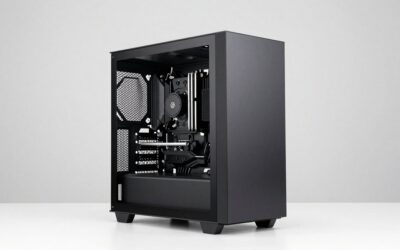
Case clearance: The GIGABYTE Gaming OC cooler is a triple-fan design measuring approximately 340mm in length. Verify your case supports cards of that length before ordering. Mid-tower cases from 2020 or earlier may require you to remove front fans or drive cages.
Resale value of the 3080: A well-maintained RTX 3080 can still command $400 to $550 on the used market depending on condition and region. Factor that into your net upgrade cost, but don’t bank on top-of-range pricing; the 3080’s resale value is steadily declining as 40-series and 50-series cards flood the secondary market.
Worth It For
- 4K gamers who currently run the 3080 at high settings and want to eliminate stutter and VRAM warnings.
- Players who care about ray tracing and path tracing in titles like Cyberpunk 2077, Alan Wake 2, and Black Myth: Wukong.
- Content creators who need the 16GB buffer for 3D rendering, video editing, or AI workloads that were painful on 10GB.
- Anyone planning to game at 1440p with DLSS 4 Multi Frame Generation enabled for high-refresh competitive and single-player experiences.
Not Worth It For
- 1080p competitive gamers on older platforms — the fps gain will be modest and you will bottleneck the card.
- RTX 3090 owners or anyone with 20GB+ VRAM already; the jump to 16GB is not a memory upgrade and performance gains are smaller relative to the 3090.
- Budget-conscious buyers unwilling to upgrade PSU or CPU simultaneously — a poorly matched system wastes the 5080’s potential.
- Users who primarily play esports titles (Valorant, CS2, League of Legends) where the 3080 already exceeds 240 fps at any reasonable setting.
Alternatives
If the GIGABYTE Gaming OC at around $1,600 is too steep, consider a reference-design RTX 5080 at $999 MSRP if you can find stock at that price. Alternatively, an RTX 4080 Super at $999 offers roughly 50 to 60 percent of the 5080’s generational uplift and includes 16GB VRAM, making it a strong value play for 4K. For pure ray tracing at 4K without frame generation, the RTX 5080 is the clear pick, but the 4080 Super remains a viable option if you can tolerate slightly lower raster throughput and want to save a few hundred dollars for a CPU or PSU upgrade.
FAQ
Do I need a new power supply for the RTX 5080?
NVIDIA officially recommends 850W. If your current unit is a high-quality 750W from a reputable brand (Corsair RM, Seasonic Focus, EVGA SuperNOVA), it may function under moderate loads, but transient power spikes on the 5080 can trip over-current protection. A new ATX 3.1 850W or 1000W unit is the safe bet.
Will my RTX 3080 still sell for a good price?
Used 3080s are currently moving in the $400 to $550 range on local marketplaces and forums. Expect prices to dip further as more 50-series cards become widely available, so selling sooner rather than later is advisable.
Is 16GB of VRAM enough in 2026?
For current AAA titles at 4K with high-resolution texture packs enabled, 16GB is comfortable. Some extremely modded titles (Skyrim with 8K texture replacers, for example) can still push past 16GB, but for the vast majority of games the RTX 5080 has meaningful headroom that the 3080 lacks.
Does the GIGABYTE Gaming OC run louder than the reference card?
The WINDFORCE triple-fan cooler on the Gaming OC is tuned for quiet operation at stock clocks. Reviews from Hardware Unboxed noted that GIGABYTE’s implementation maintains temperatures in the mid-60s Celsius with fan noise typically below 36 dBA during gaming load, which is competitive with or slightly better than the blower-style reference cooler in acoustics.
Sources and Methodology
Performance ranges cited in this guide are synthesized from launch-period reviews published by TechPowerUp, Tom’s Hardware, Gamers Nexus, Hardware Unboxed, and TechSpot. No benchmarks were run by this site. Figures represent the approximate middle of the ranges those outlets reported across their respective test suites and should be treated as directional estimates rather than absolute values. Real-world results will vary based on drivers, in-game settings, ambient temperature, and individual silicon characteristics.