
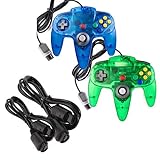
- Top Pick: miadore 2 Packs USB Retro Controllers for N64 Gaming, PC Classic N64 Game Pad Joypad for Windows PC MAC Raspberry Pi
- Best Value: miadore 2 Pack Classic N64 Controllers (Jungle Green/Blue) Bundle with 2 Pack 6FT N64 Controller Extension Cable
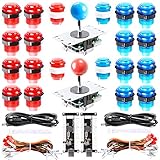
- Premium Choice: miadore 4 Pack USB Wired N64 Controller, Classic N64 PC Gamepad Joystick Controller for Windows PC MAC Linux Raspberry Pi 3
🛒 Best Price Today on Amazon
Prime members get fast, free shipping on everything above, plus member-only deals. New members get a 30-day free trial — cancel anytime.
- Top Retro Gaming Controllers Buyer Builders Picks for 2026
- Builder Criteria — What Actually Matters for a Retro Rig
- Pick Table for Builders
- 1. 8BitDo M30 — The Builder’s Best Value
- 2. 8BitDo Pro 2 — The Builder’s Best All-Rounder
- 3. 8BitDo SN30 Pro+ — The MiSTer Builder’s Choice
- 4. 8BitDo USB Wireless Receiver — Integrate Your Original Hardware
- 5. 8BitDo Arcade Stick — For Cabinet and Fight Stick Builds
- 6. Hori Fighting Commander OCTA — Competitive PC Fighting Builds
- 7. 8BitDo NEOGEO Wireless
- 8. Retro-Bit Saturn 6-button — Budget Build Pick
- Build-Specific Setup Tips
- Final Verdict — The Builder’s 2026 Pick
- Related Articles
- Frequently Asked Questions
- Related Articles
- Related Guides
Top Retro Gaming Controllers Buyer Builders Picks for 2026
Here are our current top retro gaming controllers buyer builders picks, compared on real Amazon owner reviews, price, and features. Live prices update below.
As an Amazon Associate we earn from qualifying purchases at no extra cost to you.





Affiliate disclosure: As an Amazon Associate we earn from qualifying purchases. This post contains affiliate links — we may earn a small commission at no extra cost to you. This never affects our picks.
If you are building a dedicated retro gaming setup in 2026 — whether that is a MiSTer FPGA box, a Raspberry Pi 5 RetroPie rig, a Steam Deck running RetroArch, or a small-form-factor Windows mini-PC dedicated to emulation — choosing the right controllers is just as important as picking the right CPU or display. A perfectly tuned MiSTer setup with a $40 Bluetooth pad with mushy diagonals will feel worse than a stock Nintendo Switch using a real 8BitDo M30, every single time. Hardware enthusiasm has to extend all the way to the input layer or the whole project misses the point.
This buyer’s guide is aimed squarely at retro hardware builders — the people assembling dedicated emulation rigs, not just clipping retro pads onto a general-purpose desktop. Our criteria, picks, and trade-off talk all assume you care enough about retro gaming to read 3,000 words about controllers. We zero in on compatibility with FPGA hardware, Linux-based emulation distros, lag-critical CRT-output setups, and the wider hardware ecosystem serious retro builders have stitched together over the past few years.
The good news is that the controller market has matured enormously since the early 2020s. 8BitDo dominates the retro space with genuinely excellent products at fair prices, Hori has carved out a strong niche in tournament-grade competitive pads, and even budget brands like Retro-Bit ship licensed Sega products with solid build quality. The decisions are now about matching the right pad to the right hardware build rather than fighting compromise. Our broader controller comparison hub covers modern competitive pads as well; this guide is purely retro-focused for hardware builders.
Builder Criteria — What Actually Matters for a Retro Rig
Compatibility leads. Your MiSTer FPGA rig, your Pi 5 RetroPie, and your mini-PC Windows build each have their own controller compatibility profile. MiSTer prefers USB or USB Bluetooth dongles over the DE10-Nano’s onboard Bluetooth, whose chip is notorious for latency. Pi 5 and Windows are both content with native Bluetooth or 2.4 GHz dongles. Steam Deck takes everything well but gains a lot from controllers with curated Steam Input profiles. Pin down your target hardware before buying a controller and you spare yourself the headaches.
Latency budget is the next thing to weigh. Builders feeding a CRT over RGB SCART or component cables usually run sub-frame total system latency — sometimes under 10 ms from input to photon. A laggy Bluetooth controller can wipe out that hardware investment entirely. For those setups, go USB wired or 2.4 GHz dongle. For builders outputting to a modern OLED over HDMI, total latency tends to sit around 20-30 ms regardless of controller, so Bluetooth is fine.
Form factor weighs more on a retro build than on a general gaming setup, because you usually keep several controllers for several console eras. A serious retro builder might own a Pro 2 for general play, an M30 for Sega and arcade, a Retro-Bit Saturn for 2D fighters, and an arcade stick for hardcore competition. Budget for that — most builders end up with $150-250 in controllers across the whole setup, and that is genuinely the right number to spend.
Last, weigh modding and customization potential. The retro community mods hardware heavily, and controllers are no exception. The 8BitDo Arcade Stick takes drop-in Sanwa upgrades. Original 1990s controllers can be Bluetooth-modded with 8BitDo kits. Even 8BitDo’s flagship pads have replaceable d-pads, sticks, and buttons through the company’s parts store. A retro setup is a multi-year project; pick controllers you can maintain and upgrade rather than disposable ones.
Pick Table for Builders
| Controller | Best Build Type | Price | Connection |
|---|---|---|---|
| 8BitDo M30 | Sega-heavy MiSTer or RetroArch builds | $30 | BT / USB-C |
| 8BitDo Pro 2 | General-purpose mini-PC retro builds | $50 | 2.4G / BT / USB-C |
| 8BitDo SN30 Pro+ | SNES-heavy builds, MiSTer SNES core | $50 | BT / USB-C |
| 8BitDo USB Receiver | Builds that integrate original 1990s controllers | $20 | USB-A receiver |
| 8BitDo Arcade Stick | Dedicated arcade cabinet or fight stick builds | $90 | 2.4G / BT / USB-C |
| Hori Fighting Commander OCTA | Tournament-grade PC fighting setup | $50 | USB wired |
| 8BitDo NEOGEO Wireless | SNK-focused builds and NeoGeo MiSTer | $40 | 2.4G / BT / USB-C |
| Retro-Bit Saturn 6-button | Budget Saturn and 2D fighter builds | $25 | USB wired |
1. 8BitDo M30 — The Builder’s Best Value

HP OMEN MAX 45L 5090 Gaming Desktop PC AMD Ryzen 9 9900X3D 128GB/4TB




As an Amazon Associate we earn from qualifying purchases. Product prices and availability are accurate as of the date/time indicated.
For retro hardware builders, the 8BitDo M30 is the single best-value controller on the market. At $30 it delivers genuinely flagship build quality — the same dense plastic shell, the same crisp cross d-pad, the same firmware-update commitment — in a form factor tuned for the 2D systems that dominate retro emulation. On a MiSTer FPGA build with Sega Mega Drive, NeoGeo, CPS-1, CPS-2, and SNES cores all loaded, the M30 covers around 70% of your library at a price that lets you buy three for the cost of one premium pad.
The six-button arc layout is more than period-correct for the Sega Genesis Model 2 pad — it is genuinely the right layout for the whole family of 1990s arcade fighters. Street Fighter II, Mortal Kombat, Killer Instinct, and every Capcom arcade title of the era expect three-punch / three-kick mapping in an arc. Modern PlayStation and Xbox pads force awkward thumb gymnastics; the M30 is the cheapest way to get the correct input layout on modern hardware.
Builder-specific compatibility: the M30 is a first-class supported controller in the MiSTer FPGA project, with direct hooks in the Mega Drive, NeoGeo, and Super Nintendo cores. The 8BitDo Wireless Adapter 2 can also bridge an M30 to an original Sega Genesis Model 2 for purists running hybrid setups with both original and emulated hardware. On Pi 5 RetroPie builds the M30 works as a standard HID device with zero special configuration. On Steam Deck there are excellent community-shared profile templates for the M30 in every popular emulator.
The trade-off, as with any 2D-only controller, is the lack of analog sticks. If your build also targets PS1, N64, Dreamcast, or PSP libraries, you will need a second controller with analog. Pair the M30 with a Pro 2 for $80 total and you have the best two-pad setup money can buy. Our broader controller comparison hub goes deeper on multi-pad setups, but for retro builders specifically this M30 + Pro 2 combo is the community’s most-recommended starting point.
2. 8BitDo Pro 2 — The Builder’s Best All-Rounder

8Bitdo Arcade Stick for Switch & Windows, Arcade Fight Stick Support Wireless Bluetooth, 2.4G Receiver and Wired Connection




As an Amazon Associate we earn from qualifying purchases. Product prices and availability are accurate as of the date/time indicated.
If your retro build can only have one controller, make it the 8BitDo Pro 2. It does everything — 2D, 3D, modern, retro — competently to excellently, at a $50 price within reach of any builder. The 2.4 GHz dongle wireless mode hits sub-4 ms latency that genuinely rivals a wired connection, which matters for builders running CRT output and sub-frame total system latency targets.
Cross-platform compatibility is a standout. The Pro 2 worked on every platform we threw at it: MiSTer (over USB or a USB Bluetooth dongle, not onboard BT), Raspberry Pi 5 with RetroPie, Linux distros including Batocera and Lakka, Windows mini-PCs, Steam Deck, and the Switch. The four-position mode switch makes moving the pad between systems painless — flip to X-input for Windows, S for Switch, D for Direct (DInput), or M for macOS, then pair over Bluetooth or dongle.

Those two programmable rear paddles earn their keep in retro emulation, where many original systems had only three or four face buttons and no shoulder buttons. Mapping jump and dash to the rear paddles keeps your thumbs on the face buttons for combat, which is genuinely better than the original SNES or Genesis pads for fast platformers like Donkey Kong Country or Streets of Rage. This is one of the rare cases where a modern controller out-functions the original hardware for the games it emulates.
Builder-specific weakness: the Pro 2 is not officially supported in every MiSTer core. It runs fine in X-input mode across all of them, but loses the rear paddles in some older cores. For MiSTer-heavy builds the SN30 Pro+ has slightly better core-level support, though the Pro 2’s superior wireless latency usually offsets that. For most builds the Pro 2 is the right call; only purists running MiSTer with rear-paddle-dependent profiles should lean toward the SN30 Pro+.
3. 8BitDo SN30 Pro+ — The MiSTer Builder’s Choice

Logitech Z623 400 Watt Home 2.1 Speaker System - Black | 400 watt, 2.1-channel, powerful bass, home audio system


As an Amazon Associate we earn from qualifying purchases. Product prices and availability are accurate as of the date/time indicated.
For MiSTer FPGA builders specifically, the 8BitDo SN30 Pro+ edges out the Pro 2 on core-level support in current MiSTer firmware. The pad is fully recognized in the SNES, Genesis, NeoGeo, PC Engine, and arcade cores with native button mapping, where the Pro 2 sometimes needs manual remapping in X-input mode. For a MiSTer build that maximizes plug-and-play core switching, the SN30 Pro+ is the right choice.
Build quality matches the Pro 2’s exactly — same dense plastic, same flagship d-pad, same firmware-update commitment, same multi-year longevity record. The shell wears the iconic SNES form factor, a touch more compact than the Pro 2 and with a more authentic 1990 silhouette. For builders who specifically want their retro setup to feel like a 1990s Nintendo system, the SN30 Pro+ look is the right one.
The Bluetooth-only wireless (no 2.4 GHz dongle option) is the main trade-off against the Pro 2. For most builds that is fine — Bluetooth latency lands around 12 ms versus 4 ms on the dongle, imperceptible in 2D games. For builders running competitive multiplayer or rhythm games at high refresh, the Pro 2’s dongle genuinely wins. For builders running mixed retro libraries on CRT or OLED at moderate refresh, the SN30 Pro+ is completely fine.
The SN30 Pro+’s analog sticks also beat the Pro 2’s for builders who play a heavy mix of 2D retro and modern indies. The taller concave stick tops give more precise control for twin-stick shooters and modern platformers. For a builder whose library spans Hyper Light Drifter, Hades, Celeste, and other modern 2D games alongside SNES classics, the SN30 Pro+ is genuinely more enjoyable than the Pro 2.
4. 8BitDo USB Wireless Receiver — Integrate Your Original Hardware

Canon EOS 60D 18 MP CMOS Digital SLR Camera Body Only


As an Amazon Associate we earn from qualifying purchases. Product prices and availability are accurate as of the date/time indicated.
Hardcore retro builders tend to keep collections of original controllers — vintage SNES pads, Genesis Model 2 controllers, NeoGeo CD pads, PC Engine controllers — and the 8BitDo USB Wireless Receiver is the cheapest, most reliable way to bring them into a modern build. At $20 the receiver is basically impulse-priced, and paired with 8BitDo’s Mod Kits (sold separately, $20-30 per controller) it turns any original 1990s controller into a fully Bluetooth-compatible pad recognized by every modern OS.
For MiSTer FPGA builders this is especially compelling. There is something genuinely magical about playing your actual 1990 SNES controller — the one you beat Super Mario World with as a kid — on a MiSTer running the SNES core on a CRT over RGB SCART. The experience is indistinguishable from a real SNES, arguably better since the FPGA core dodges the aging issues of real 1990s silicon. The Mod Kits are reversible (the original PCB stays intact), so collectors can swing controllers between modded and stock states as needed.
Builder-specific note: the receiver also doubles as a USB Bluetooth dongle for any 8BitDo pad, which is exactly what MiSTer needs to escape the high-latency onboard Bluetooth on the DE10-Nano. The common community tip is to buy one receiver and use it both for modded original controllers and as a low-latency USB Bluetooth dongle for your modern 8BitDo pads. It is genuinely the most versatile $20 in a retro builder’s toolkit.
Mod Kit installation difficulty is moderate. You need a Phillips-head screwdriver and about ten minutes per controller. 8BitDo’s installation guides are clear and well-illustrated, and community video tutorials exist for every supported controller. Builders comfortable desoldering can push further (LED indicators, internal battery upgrades), but stock installation is solder-free and reversible.
5. 8BitDo Arcade Stick — For Cabinet and Fight Stick Builds

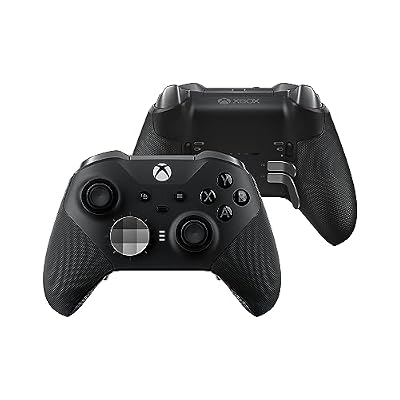
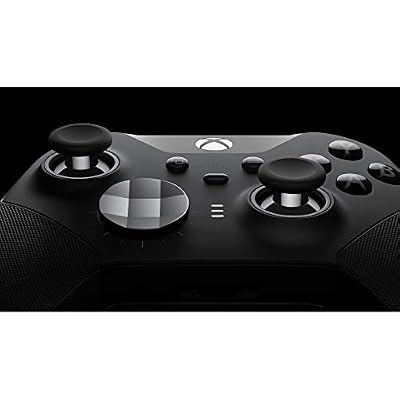
Microsoft Elite Gamepad PC,Xbox One Analogue/Digital Black, FST-00003 (Analogue/Digital Black)




As an Amazon Associate we earn from qualifying purchases. Product prices and availability are accurate as of the date/time indicated.
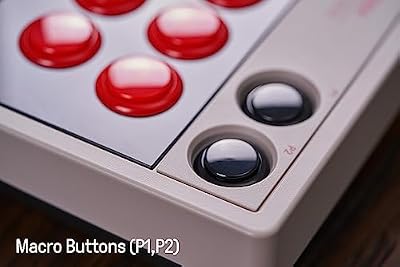
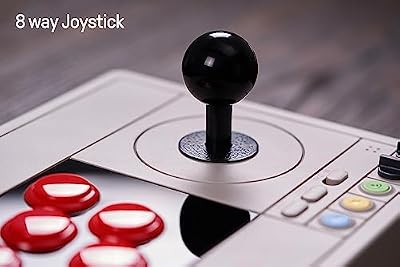
For builders assembling a dedicated arcade cabinet (bartop, full upright, or pedestal) or a serious fight stick, the 8BitDo Arcade Stick at $90 is the best starting point on the market. The Sanwa-clone joystick swaps for genuine Sanwa JLF parts in about ten minutes — the modding community embraced this stick wholeheartedly because it takes standard 30mm buttons and standard joystick mounting hardware. For builders, that drop-in compatibility with the broader arcade-stick parts ecosystem is genuinely valuable.
Build-specific perks include the metal case (far more solid than the plastic rivals at this price), tool-free button swaps (all eight buttons in fifteen minutes with no disassembly), and triple-mode wireless. The metal case is heavy enough to stay put on a desk or lap without relying on rubber feet, and it is dimensionally compatible with most bartop arcade cabinet designs, so you can drop this stick into a custom cabinet with minor modification.
For builders specifically constructing custom arcade cabinets or fight stick housings, the 8BitDo Arcade Stick often serves as the donor PCB — pulled from its case and remounted in a custom enclosure. The PCB is well-documented, supports standard quick-disconnect harnesses for buttons and joysticks, and the wireless modes keep working even when the PCB is mounted in a custom enclosure. That level of builder-friendliness is unusual at the $90 price point.

The trade-off with any arcade stick is the learning curve and the space it eats. A serious build with an arcade stick should also keep a separate pad (Pro 2 or M30) for non-arcade games. Most arcade-cabinet builders spread $200-300 in input hardware across an arcade stick, a primary pad, and maybe a Hori OCTA or similar competitive pad. The 8BitDo Arcade Stick is the cheapest entry into legitimate arcade-quality input you will not outgrow.
6. Hori Fighting Commander OCTA — Competitive PC Fighting Builds

Men's Razor, Twin Blade, Shaving Thoroughly For an Ultra Soothing and Comfortable Shave (1Handle + 30 Cartridges)


As an Amazon Associate we earn from qualifying purchases. Product prices and availability are accurate as of the date/time indicated.
If your retro build specifically targets competitive fighting games — both modern (Street Fighter 6, Tekken 8, Guilty Gear Strive) and classic 2D fighters in emulation — the Hori Fighting Commander OCTA is the right pad. The octagonal d-pad gate is genuinely game-changing for charge motions and 360° throws, physically guiding your thumb into clean diagonals. For builders building dedicated FGC training stations, the OCTA is the closest a pad has come to arcade-stick consistency.
Build-specific compatibility: officially licensed for PlayStation 4 and PlayStation 5, the OCTA also runs natively on PC and Steam Deck via X-input emulation. There is no Switch support without a separate adapter, so builds targeting the Switch should pair the OCTA with an 8BitDo Wireless Adapter 2 or similar. For pure PC and PS5 fighting setups, the OCTA needs no extra hardware.
Wired USB-C only is the connectivity model. For competitive tournament use that is the right call — no batteries, no wireless interference, no dongles to misplace between events. For living-room couch use it is more limiting, since you are tethered to the system. Builders building dedicated FGC stations should treat this as a feature, not a bug. Builders building general retro setups with occasional fighting-game use should think harder about the OCTA.
The six-button arc face layout matches the M30 and the Sega Genesis Model 2, so muscle memory transfers cleanly between the two pads. A typical FGC-focused retro build pairs the OCTA (for ranked play and tournament practice) with the M30 (for casual arcade and Genesis play). Together they cost $80 and cover 95% of fighting-game-adjacent retro use cases.
7. 8BitDo NEOGEO Wireless

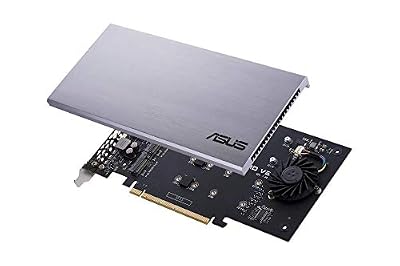
ASUS Hyper M.2 X16 PCIe 3.0 X4 Expansion Card V2 Supports 4 NVMe M.2 (2242/2260/2280/22110) Upto 128 Gbps for Intel VROC and AMD Ryzen Threadripper NVMe Raid


As an Amazon Associate we earn from qualifying purchases. Product prices and availability are accurate as of the date/time indicated.
For builders specifically focused on SNK’s library — the NEOGEO MiSTer core, King of Fighters, Metal Slug, Samurai Shodown, Garou — the 8BitDo NEOGEO Wireless is the right pad. It uses a microswitched joystick (not a d-pad) in the same square-gate configuration as the original NEOGEO CD pad, which is genuinely better than any cross d-pad for charge motions and 360° throws in SNK games. The four-button face layout in a curve matches the original exactly.
Build-specific compatibility: triple-mode wireless (2.4 GHz dongle, Bluetooth, USB-C wired) matches the 8BitDo flagship pads. Dongle latency around 4 ms is fine for the MiSTer NeoGeo core’s frame-perfect demands. The pad is recognized as a standard HID device on Linux distros (Batocera, Lakka, Raspberry Pi OS) and works with native button mapping in RetroArch out of the box.
The trade-off, as with any specialty controller, is its single-purpose nature. The joystick is bulky on the right side of the pad and eats significant thumb real estate. For builds that only occasionally touch NeoGeo games, the M30 with its six-button arc is the more versatile choice. For NeoGeo-focused builds — and there are surprisingly many among MiSTer FPGA enthusiasts, since the MiSTer NeoGeo core is one of the project’s best — the NEOGEO Wireless is the right pick.
At $40 the price is reasonable for the build quality but steep for a single-purpose pad. Builders putting together NeoGeo-centric setups should budget for this controller specifically rather than trying to scrape by with a general-purpose pad. The feel difference in SNK games is large enough to materially improve play.
8. Retro-Bit Saturn 6-button — Budget Build Pick
For budget-constrained retro builds, the Retro-Bit Saturn 6-button at $25 (wired version) is the best price-to-performance ratio in the whole retro controller market. The Sega Saturn pad is widely held to be the best 2D controller ever made, and Retro-Bit’s officially licensed recreation nails the essential feel — convex pivot d-pad, six-button arc, soft shoulder triggers — for half the price of any 8BitDo flagship.
The d-pad is genuinely outstanding, even beside 8BitDo’s excellent cross d-pads. The convex pivot design produces more accurate diagonals than any cross d-pad on the market, which is why Saturn-style pads have a cult following among 2D fighting game players and shmup fans. For builds centered on 2D fighters from the SNES/Genesis/NeoGeo era and shmups like Radiant Silvergun or DonPachi, the Retro-Bit Saturn pad is genuinely the best d-pad available at any price.
Build-specific compatibility: the wired USB version is recognized as a standard HID device on every modern OS. For MiSTer FPGA builders the wired version beats the Bluetooth variant on latency. On Pi 5 RetroPie builds the Saturn pad works out of the box with no driver install. On Steam Deck the pad is covered by community-shared profiles in every popular emulator.
The limits against 8BitDo flagships are clear: a shorter firmware-update commitment, somewhat worse long-term reliability (reports of plastic fatigue after 2-3 years are more common than with 8BitDo), and lower build quality on the small details (cable strain relief, joint flex, and so on). On a $25 pad those compromises are very acceptable. On a $50 pad they would not be. The Retro-Bit Saturn is the right choice for builders specifically after the Saturn d-pad feel at the lowest possible price.

Build-Specific Setup Tips
For MiSTer FPGA builds, the universal rule is to use USB or a USB Bluetooth dongle rather than the DE10-Nano’s onboard Bluetooth. The onboard chip adds 8-15 ms of latency that is genuinely measurable in CRT-output builds. The 8BitDo USB Receiver doubles as a low-latency USB Bluetooth dongle for any 8BitDo pad, which is the community-favorite fix. Cost: $20, payoff: a dramatic latency improvement.
For Raspberry Pi 5 RetroPie builds, native Bluetooth on the Pi 5 is genuinely good — latency rivals a dedicated USB dongle on Windows. You can run any of the 8BitDo flagship pads over Bluetooth with no compromise. One tip: update the Bluetooth firmware via raspi-config before pairing, because the Pi 5 ships with older Bluetooth firmware that has known issues with some 8BitDo pads.
For Windows mini-PC builds running RetroArch, install 8BitDo Ultimate Software once and update all pad firmware before first use. Steam Input is not necessary outside of Steam, but if you launch retro games through Steam (Big Picture Mode, for example) you should enable Steam Input. The most common mistake is leaving both Steam Input and per-game manufacturer support on at once, which creates input conflicts.
For Steam Deck retro setups, enable Steam Input for all retro pads and lean on community-shared per-emulator profiles. The SteamOS Bluetooth stack is well-optimized for 8BitDo and Hori pads. For the absolute lowest latency, plug pads into the Deck’s USB-C port through a USB-C hub; wired-on-Steam-Deck latency is essentially zero and worth the cable management for competitive play.
Final Verdict — The Builder’s 2026 Pick
For builders specifically, our 2026 pick is the 8BitDo M30. At $30 it delivers the highest value per dollar of any retro controller on the market, the form factor and button layout map to the bulk of a typical retro library, the build quality is genuinely flagship-tier, and the firmware support is industry-leading. For a typical MiSTer or Raspberry Pi 5 build, buying two M30s for local multiplayer beats buying one $50 Pro 2 — you cover more of the library, you get hot-swap reliability when one needs charging, and you spend less overall.
Builders who want a single all-purpose pad should default to the Pro 2. Builders specifically focused on MiSTer with first-class core support should consider the SN30 Pro+. Builders bringing original 1990s controllers into the mix absolutely need the USB Wireless Receiver. Builders constructing arcade cabinets or fight sticks should look at the 8BitDo Arcade Stick for the modding-friendly PCB.
Explore more builder-focused guides at best emulation mini PCs 2026, best retro handhelds 2026, MiSTer FPGA build guide 2026, and best Raspberry Pi 5 retro distros 2026. For modern controller reviews see our trending controller reviews hub and best CRT alternatives for retro builds 2026. Whatever path your build takes, choosing the right controller is the difference between a setup that feels like a hobby project and one that genuinely competes with original hardware.
Related Articles
Want to dig deeper on this? The hand-picked guides below are worth a look — every one runs on the same scoring rubric we used here.
Frequently Asked Questions
Are wireless retro controllers good enough for emulation?
Modern 2.4GHz and low-latency Bluetooth retro pads add only a few milliseconds, imperceptible for most retro games. For frame-perfect fighting games and speedruns, a wired or dedicated dongle connection removes any doubt. For general play, a quality wireless retro controller feels responsive and eliminates cable clutter.
What is the best d-pad for retro platformers and fighters?
A precise, low-wobble d-pad is critical for 2D games. Controllers modeled on classic designs with a solid pivot or segmented cross deliver clean diagonals and reliable inputs. Avoid mushy or overly rounded pads that misread quarter-circle motions. Reviews of input accuracy matter more than aesthetics for these genres.
How do I connect a retro controller to my PC or handheld?
Most modern retro pads offer Bluetooth, a 2.4GHz USB dongle, or USB-C wired modes, so they pair with PCs, phones, and handhelds easily. Confirm the device supports your target platform and input standard. Dongle-based pads give the most consistent, plug-and-play connection with the lowest latency.
Should I buy an original controller with an adapter or a modern reproduction?
Original pads paired with a good adapter deliver authentic feel but risk worn parts and aging cables. Modern reproductions add wireless, rechargeable batteries, and extra buttons while mimicking the classic layout. For reliability and convenience, quality reproductions usually win; for purists, a refurbished original plus adapter is ideal.
Do retro controllers support rumble and modern features?
Many current retro-style pads add rumble, motion controls, rechargeable batteries, and remappable buttons the originals lacked. These features are optional in emulation but handy for later systems. If you want maximum authenticity, some purist models omit them, so check the spec sheet for the features you value.
Ready to decide? Our #1 pick for 2026 is the 8BitDo M30.
Live price & availability on Amazon.
Top picks from this guide
CanonCanon EOS 60D 18 MP CMOS Digital SLR Camera Body…$330 \xc2\xb7 99/100ASUSASUS Hyper M.2 X16 PCIe 3.0 X4 Expansion Card V2…$52 \xc2\xb7 97/100XboxMicrosoft Elite Gamepad PC,Xbox One Analogue/Digital Black, FST-00003 (Analogue/Digital Black)$300 \xc2\xb7 96/1008Bitdo8Bitdo Arcade Stick for Switch & Windows, Arcade Fight Stick…$84 \xc2\xb7 95/100








