Affiliate disclosure: As an Amazon Associate we earn from qualifying purchases. This post contains affiliate links — we may earn a small commission at no extra cost to you. This never affects our picks. Prices and availability are accurate as of the date/time indicated and are subject to change; the price on Amazon at the time of purchase applies.
Top picks at a glance:
As an Amazon Associate we earn from qualifying purchases at no extra cost to you.







🛒 Best Price Today on Amazon
Prime members get fast, free shipping on everything above, plus member-only deals. New members get a 30-day free trial — cancel anytime.
Start 30-Day Prime Free Trial →See Today’s Amazon DealsMy Review: The Samsung Odyssey Neo G9 G95NC 57″ Dual 4K – Is This the End of Your Multi-Monitor Setup?
Quick Take (The Lowdown)
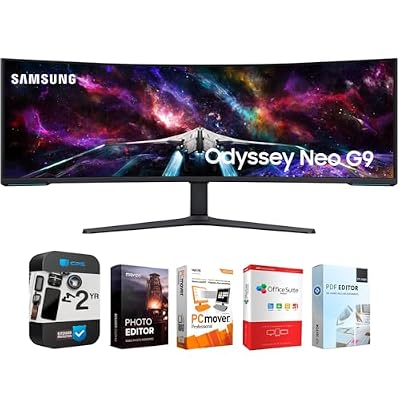
Let me get straight into the Samsung Odyssey Neo G9 G95NC. At this thing stops being a monitor and starts being a flex. You’re getting a 57-inch panel with a tight 1000R curve and a frankly ridiculous 7680×2160 resolution, which is basically two 32-inch 4K screens welded into one continuous slab. Add a 240Hz refresh, full DisplayPort 2.1, and Quantum Mini-LED with VESA DisplayHDR 1000, and yes, it has enough bandwidth to push native res at the full 240Hz down a single cable if your GPU can keep up. Three weeks of building and gaming on it left me genuinely floored by the immersion. It also left me thinking that, for most builders eyeing it, it’s more screen than they actually need.
Quick answer: For a 2026 build, the our top pick is the gaming monitor we would build around, while the the value pick is the budget-friendly choice.
Key Specs at a Glance
| Specification | My Notes |
|---|---|
| Panel Size | 57 inches – It’s HUGE. |
| Resolution | 7680 x 2160 (Think ‘double 4K’) |
| Aspect Ratio | 32:9 – Super-ultrawide means serious peripheral vision |
| Panel Type | VA with Quantum Mini-LED backlight – Great contrast |
| Local Dimming Zones | 2,392 – Excellent HDR performance |
| Refresh Rate | 240Hz – Silky smooth, if your GPU can hit it |
| Curvature | 1000R – Aggressively immersive |
| Response Time | 1ms GtG – Fast enough for competitive play |
| HDR Certification | VESA DisplayHDR 1000 – Legit HDR experience |
| Peak Brightness | 1000 nits (HDR), 420 nits (SDR) – HDR pops! |
| Color Gamut | 95% DCI-P3 – Rich, accurate colors |
| Adaptive Sync | AMD FreeSync Premium Pro – Smooth tearing-free gaming |
| Inputs | 1x DP 2.1 UHBR20, 1x DP 1.4, 2x HDMI 2.1 – Modern connectivity |
| My Price Check (May 2026) | around $1,500 – A serious investment, but a significant discount from launch |
My Real-World Experience: Getting It Up and Running
Here’s the first reality check: skip the DisplayPort 2.1 UHBR20 graphics card and you’ve already lost half the point. In 2026 that means an RTX 5070 Ti or better, or a Radeon RX 9070 XT or better. Drop below that and you’re stuck at 120Hz native or eating heavy DSC compression to reach 240Hz.
Gaming Immersion
Sim racing is where this display earns its keep. Loading into Assetto Corsa Evo at 7680×2160, the track literally bends around you in a way no normal monitor manages. The 1000R curve feels right at a typical seating distance, lining the screen edges up with your peripheral vision. Microsoft Flight Simulator 2024 drops you straight into the cockpit, and even something like Helldivers 2 gains from it, packing the full field of view with info that a 16:9 panel would crop away.
Productivity Powerhouse
For work it turned into a brilliant four-pane cockpit. Code editor, terminal, two browsers, and Slack all sat side by side with zero overlap. PowerToys FancyZones is basically mandatory here to wrangle that much real estate. It genuinely stands in for a multi-monitor rig on space alone.
Picture Quality & HDR
The Quantum Mini-LED backlight and its 2,392 local dimming zones are the standout. Blacks go deep enough to flirt with OLED territory thanks to how dense those zones are, and HDR peaks legitimately reach 1000 nits with none of the ABL (Automatic Brightness Limiter) dimming that nags at OLEDs. It’s one of the rare LCDs I’d actually call a real OLED alternative for HDR in 2026.
Some small nitpicks: you’ll spot occasional blooming around bright objects sitting on dark backgrounds, which is just the nature of Full Array Local Dimming (FALD). Text fringing never bothered me since the VA panel runs a standard RGB stripe layout rather than the subpixel arrangement of some QD-OLEDs. And the obvious one, the width means you physically turn your head to catch what’s happening at the far edges.
My Take on Build Quality & Design
Make no mistake, this is a monster physically. Roughly 60 pounds of panel and stand spread across about 53 inches of width. You want a desk at least 60 inches deep, ideally 70 inches wide, to live with it comfortably. The bundled stand is genuinely solid with full height and tilt adjustment on a hefty base, just confirm your desk can take the load.
Build quality earns the asking price. There are tasteful metal accents, a sturdy plastic shell, and the understated CoreSync lighting around back. Samsung’s OSD is mature and easy to navigate. And when you’re feeding it from a DP 2.1 UHBR20 GPU, that single-cable run is a huge step up from the annoying dual-cable hookups these used to demand.
Cooling is fully passive and works fine. Power draw can climb to 220W under peak HDR brightness, though day-to-day SDR use sits closer to 90-130W.
Is It Worth the Money? (Value Analysis)
At around $1,500 it’s a serious chunk of money. That said, this thing launched near $2,500, so today’s price is a far easier pill. Realistic comparisons are limited to the older, weaker Neo G9 G95NA or a trio of 27-inch 4K panels. Stack it against three quality 4K monitors and $1,499 for one seamless equivalent panel actually holds up. Outside of that comparison, this is plainly an enthusiast luxury buy.
What I Liked & What I Didn’t
Pros:
- Hands-down, the most immersive single-panel display I’ve ever used.
- Quantum Mini-LED HDR performance gives OLED a run for its money, without burn-in worries.
- True native 240Hz over a single DP 2.1 cable (with the right GPU).
- Seamlessly replaces a two or three-monitor productivity setup.
- VESA DisplayHDR 1000 certification is genuinely earned.
Cons:
- Requires a top-tier DP 2.1 UHBR20 GPU (RTX 5070 Ti+ or RX 9070 XT+) for full performance.
- Demands a huge amount of desk space – plan accordingly.
- Some games still don’t fully support the 32:9 aspect ratio, which limits your library.
- Occasional blooming is visible due to FALD technology.
- SDR peak brightness is just okay at 420 nits.
Who This Monitor Is Really For
This one’s built for the dedicated sim racer, the flight sim die-hard, or the creator who genuinely uses 7680 horizontal pixels of workspace. You’ll want a flagship GPU already in hand or on the shopping list (RTX 5070 Ti or better). It’s also a great way to ditch the bezels if you’re running two or three 4K panels now. Pass on it if your desk isn’t 60 inches in both directions, if your GPU isn’t current-gen flagship class, or if you mostly play competitive shooters and older games that ignore 32:9.
Burning Questions Answered (FAQ)
Q: Will my RTX 4090 drive this at the full 240Hz?
A: Sadly not. The 4090 tops out at DisplayPort 1.4, so you’ll see 120Hz at full 7680×2160, or 240Hz only with heavy DSC (Display Stream Compression). NVIDIA’s 50-series added DP 2.1 UHBR20 specifically to open this up. Budget for a current-gen flagship if you want the real deal.
Q: Does the Quantum Mini-LED really stack up to OLED?
A: On peak HDR brightness it actually beats OLED (1000 nits sustained against OLED’s ABL-throttled output). For true black levels and per-pixel control, OLED keeps the lead. But for bright, punchy HDR content the Mini-LED can read as more impressive. In genuinely dark scenes, OLED still takes it.
Q: How aggressive is the 1000R curve at 57 inches?
A: Very. Seated at a sensible 24-30 inches, the curve really wraps your peripheral vision and the immersion is intense. It takes a few days to settle in; text near the edges bows slightly, but most people adjust inside a week.
Q: Does it do Picture-in-Picture or Picture-by-Picture?
A: Yes, and PbP mode is excellent. Feed it two separate sources and it shows them side by side, effectively becoming two standalone 4K monitors. Great for KVM setups or running a PC and a console at full 4K at the same time.
Desk and Mounting Considerations (My Practical Advice)
Here’s something I had to learn the hard way: depth matters as much as width. With that aggressive 1000R curve, the panel edges sit roughly 4-5 inches ahead of the center, so you need at least 30 inches of seating distance to take in the edges without swiveling your neck. Pair that with the weight (over 60 lbs with the stand) and you want a desk that’s wide, deep enough for a 32-36 inch viewing distance, and seriously sturdy. If your desk can’t handle the footprint or the weight, a heavy-duty articulating wall mount rated for 65+ pounds is a smart fallback.
The Adaptation Period (It’s Real)
Don’t expect to sit down and instantly own all that screen. Moving to a 57-inch 32:9 as your main display is an adjustment, figure 2-3 weeks of real acclimation. Week one your eyes are overwhelmed and you’ll basically live in the central 27 inches, forgetting the edges exist. By week two, juggling windows with FancyZones clicks. By week three, a 27 or 32-inch panel feels claustrophobic. The productivity payoff is real, but so is the learning curve, so build that ramp-up time into your decision.
Picture-by-Picture Mode: A Hidden Gem
I want to single out PbP mode because people overlook how powerful it is. It turns the Neo G9 G95NC into two full 4K monitors sitting side by side. Run your main desktop at 4K on one half and a console at 4K on the other, swapping focus with a quick OSD or keyboard shortcut. Streamers running a dedicated capture or streaming PC can ditch the second physical monitor entirely. The built-in KVM also lets you share one mouse and keyboard across both sources, so switching is seamless.
Final Thoughts: My Verdict
The Samsung Odyssey Neo G9 G95NC is flat-out the most extreme single-panel gaming display money can buy today. It earns the hype, but it carries some very real practical strings. With a cutting-edge GPU, a big desk, and a library that loves 32:9 (sim racing and flight sims especially), it’s transformative. Try to run it off an older GPU, jam it onto a small desk, or feed it mostly competitive shooters, and it becomes an expensive headache. At around $1,500 it’s honestly fair value for the tech inside, the Quantum Mini-LED alone is remarkable at this scale, and the PbP/KVM tricks add real flexibility. For the right builder, this is about as close to a single-screen endgame as the industry has shipped. My Builder’s Score: 9.1/10
Related Guides
Related Articles
Want to dig deeper into this topic? Check out the hand-picked guides below, each scored with the same rubric we used in this review.
Frequently Asked Questions
What resolution is the Samsung 57-inch Odyssey Neo G9?
The G95NC has a massive 7680×2160 resolution, effectively two 4K panels side by side in a 32:9 super-ultrawide format. That is the same pixel width as an 8K display. It delivers enormous horizontal desktop space and deeply immersive gaming, but it demands serious GPU power and DisplayPort 2.1 bandwidth to drive at full refresh.
What GPU do I need for the 57-inch Neo G9?
To run 7680×2160 at its 240Hz refresh you effectively need a top-tier GPU with DisplayPort 2.1, such as an RTX 4090, 5080, or 5090. Lower cards will struggle to hit high frame rates at native resolution, forcing heavy reliance on DLSS or FSR upscaling. This monitor is aimed squarely at flagship builds.
Does the Neo G9 G95NC have good HDR?
Yes, it uses Mini LED backlighting with many local dimming zones and reaches high peak brightness, earning strong HDR performance with deep contrast and bright highlights. Blooming around bright objects on dark backgrounds can occur, as with all Mini LED, but overall HDR gaming and movies look vivid and punchy on this display.
Will all games support the 32:9 super-ultrawide aspect ratio?
Many modern titles support 32:9, but not all, and some render menus or cutscenes with black bars or stretching. A few competitive games limit the aspect ratio for fairness. Productivity and immersive single-player games benefit most. Check your favorite titles, and be prepared to occasionally use windowed or 21:9 modes for unsupported games.
Is a single 57-inch monitor better than dual monitors?
A single 57-inch G9 gives a seamless, bezel-free canvas ideal for immersive gaming and wide multitasking, and it uses one cable and stand. However, dual monitors let you run independent full-screen apps and different sources more flexibly. If you want immersion and a clean setup, the single panel wins; for rigid app separation, duals still have merit.