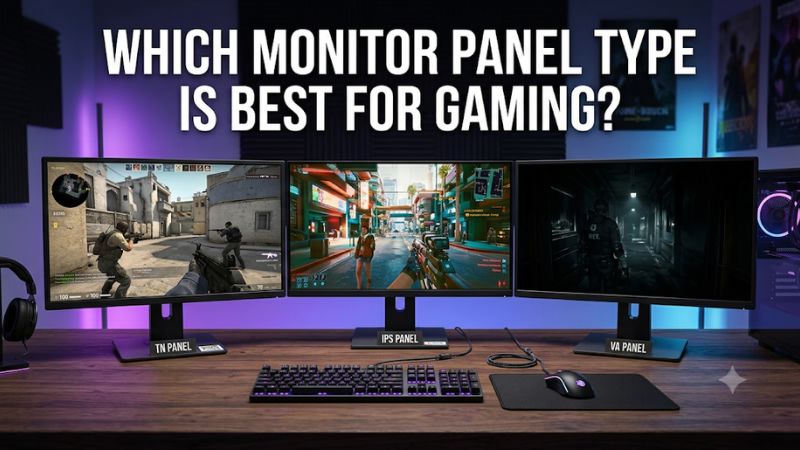
Choosing a gaming monitor involves more than comparing resolution and refresh rates. The panel technology determines how deep blacks look, how accurately colors appear, how quickly pixels transition and how well the screen handles bright environments. If you are researching which monitor panel type is best for gaming, OLED is generally the winner for image quality and motion, while IPS offers a more versatile experience, VA delivers stronger native LCD contrast, and Mini LED improves HDR performance through advanced backlighting. The right choice depends on your games, graphics card, room lighting and budget.
- Which monitor panel type is best for gaming?
- How we selected the best gaming panel types
- Best OLED gaming monitors
- Best IPS gaming monitors
- Best Mini LED gaming monitors
- How to compare different gaming panel technologies
- How to choose which monitor panel type is best for gaming
- FAQs about gaming monitor panel types
- Final verdict: Which gaming panel type should you choose?
Which monitor panel type is best for gaming?
OLED is the best overall panel technology for gamers who prioritize contrast, HDR image quality and fast pixel transitions. Because every OLED pixel produces its own light, the display can turn individual pixels completely off to create genuine black. This produces an image that conventional LCD monitors cannot fully reproduce.
However, OLED is not the automatic winner for every gaming setup. IPS is a safer all-round option for bright rooms, mixed productivity and users who prefer not to manage OLED image-retention precautions. VA is attractive for darker environments because it typically has stronger native contrast than conventional IPS. Mini LED can improve either IPS or VA displays through more precise backlight control.
For competitive shooters, refresh rate and actual pixel response matter alongside panel technology. A 540Hz IPS screen can make more sense than an expensive 4K OLED if you mainly play esports and your PC can generate very high frame rates.
Here is the practical breakdown:
| Technology | Best gaming application | Main advantage | Main limitation |
|---|---|---|---|
| QD-OLED | Premium HDR gaming | Deep blacks and vivid colors | Raised blacks in bright rooms |
| WOLED | Immersive and competitive gaming | Excellent contrast and motion | Burn-in considerations |
| Fast IPS | General and competitive gaming | Versatile performance | Lower native contrast |
| VA | Dark-room and cinematic gaming | Strong native LCD contrast | Potential dark smearing |
| IPS Mini LED | Bright HDR and mixed gaming | High brightness and local dimming | Blooming and black crush |
| VA Mini LED | Contrast-focused HDR gaming | Native contrast plus local dimming | Motion and VRR limitations |
An important distinction is that Mini LED is a backlighting technology, not a completely separate LCD panel type. A Mini LED monitor can use an IPS or VA liquid-crystal panel. Understanding this difference prevents buyers from comparing fundamentally different specifications as though they describe the same technology.
How we selected the best gaming panel types
The recommendations cover different display technologies and gaming requirements rather than ranking every monitor by maximum refresh rate.
We considered native resolution, maximum refresh rate, underlying panel technology, actual operating modes, VRR support, connectivity and independent test findings. We also examined limitations that can affect daily ownership, including OLED burn-in risk, VA smearing, IPS contrast and Mini LED blooming.
RTINGS is particularly useful for this comparison because its reviewers purchase monitors and measure image quality, response behavior, input lag, brightness and contrast using documented testing methods. Tom’s Hardware provides additional high-refresh LCD testing, while manufacturer specification pages help confirm exact models and supported signal modes.
The six products below represent distinct buying situations: premium OLED, extreme-refresh WOLED, versatile Fast IPS, high-refresh IPS, IPS Mini LED and VA Mini LED. The recommendations are based on published specifications and independent reviews, not original detailed research.
Best OLED gaming monitors
ASUS ROG Swift OLED PG32UCDM Gen3 – Best overall OLED
32-inch | 3840 × 2160 | Fourth-generation Tandem QD-OLED | 240Hz
The ASUS ROG Swift OLED PG32UCDM Gen3 is an excellent example of why OLED is considered the leading technology for premium gaming. Its 32-inch 4K panel combines extremely deep blacks, vivid color reproduction and a 240Hz refresh rate. This makes it suitable for visually demanding single-player games while retaining the responsiveness needed for competitive titles.
The fourth-generation Tandem QD-OLED panel is designed to improve brightness compared with previous generations. Its individual pixels can switch off independently, eliminating conventional LCD backlight blooming. Dark environments therefore look particularly convincing, while bright HDR effects stand out against black backgrounds.
Connectivity is another reason to consider this monitor. ASUS includes DisplayPort 2.1, HDMI 2.1 and USB-C connectivity with power delivery. The monitor also supports variable refresh rate technologies, helping reduce tearing when the graphics card cannot maintain a perfectly consistent frame rate.
RTINGS reviewed the exact PG32UCDM Gen3 model using its updated monitor testing methodology. The publication identifies sharp motion, strong HDR presentation, excellent dark-room contrast and low input lag as its principal strengths. However, the review also notes that black levels can rise in brightly lit environments.
The main disadvantage is the hardware requirement. Rendering games at 3840 × 2160 and approaching 240 FPS requires a powerful graphics card. Many players will need to reduce graphics settings or use upscaling in demanding games.
OLED also carries a potential permanent image-retention risk. Pixel-cleaning features and screen-protection functions help manage this risk, but they cannot guarantee that burn-in will never happen.
Buy if you want premium 4K image quality, excellent HDR contrast and a high refresh rate. Skip if you mostly use static desktop applications or your GPU is better suited to 1440p gaming.
ASUS ROG Swift OLED PG27AQWP-W – Best OLED for competitive gaming
26.5-inch | 2560 × 1440 | Tandem WOLED | 540Hz
The ASUS ROG Swift OLED PG27AQWP-W demonstrates that OLED is not limited to cinematic gaming. Its 540Hz native refresh rate at 2560 × 1440 makes it a specialist option for players who want exceptionally fast motion and OLED contrast in a conventional 16:9 display.
The Tandem WOLED panel offers fast pixel transitions and deep blacks. This combination helps moving objects remain clear, while the native QHD resolution provides more detail than conventional 1080p esports monitors.
ASUS also advertises a dual-mode feature that reaches 720Hz at 720p. This is important to understand correctly: the monitor does not operate at 720Hz while retaining its native 1440p resolution. Players switching to the higher refresh mode accept a substantial reduction in image detail.
Its connectivity includes DisplayPort 2.1, two HDMI 2.1 inputs and a USB hub. FreeSync Premium Pro and G-SYNC compatibility provide adaptive-sync support for compatible gaming systems. ASUS also lists a three-year warranty that includes panel burn-in coverage for this US model.
RTINGS reports excellent motion performance and low input lag, but also identifies noticeable VRR flicker during changing frame rates and some dark-gray uniformity issues. The glossy coating provides a clear image but can produce mirror-like reflections.
This monitor is most appropriate for competitive gamers with hardware capable of producing very high frame rates. A typical player who mainly enjoys demanding RPGs will probably benefit more from a less expensive 240Hz or 360Hz OLED display.
Buy if you play competitive shooters and want high-refresh OLED motion. Skip if you prioritize 4K resolution, a large screen or an affordable gaming upgrade.
Best IPS gaming monitors
ASUS ROG Strix XG27ACS – Best versatile IPS gaming monitor
27-inch | 2560 × 1440 | Fast IPS | 180Hz
The ASUS ROG Strix XG27ACS is a practical example of why IPS remains popular among PC gamers. Its 27-inch QHD panel provides a useful balance between sharpness, screen size and graphics-card requirements. The 180Hz refresh rate also makes it considerably more responsive than conventional 60Hz office monitors.
Its Fast IPS implementation provides wide viewing angles and consistent colors. This is useful for players who share their desk with productivity applications, media editing or other everyday computer tasks.
The monitor supports Adaptive-Sync, NVIDIA G-SYNC compatibility and ASUS ELMB-Sync technology. ELMB-Sync combines backlight strobing with adaptive synchronization to reduce perceived motion blur in compatible operating conditions.
However, the XG27ACS should not be confused with more expensive HDMI 2.1 gaming displays. Its connections include DisplayPort 1.4, HDMI 2.0 and USB-C with DisplayPort Alt Mode. The USB-C connection provides only 7.5W of power delivery, which is insufficient for charging most full-powered laptops.
RTINGS identifies its low input lag and fast response behavior as strengths. Its weaknesses include limited native contrast, poor HDR impact and some inverse ghosting at lower refresh rates.
The biggest advantage is versatility. You can play competitive titles, explore open-world games and use the monitor for ordinary computer tasks without worrying about OLED-specific burn-in.
Buy if you want an everyday QHD IPS display with a high refresh rate. Skip if deep blacks, advanced HDR or HDMI 2.1 connectivity are essential.
Acer Nitro XV273U F5 – Best extreme-refresh IPS monitor
27-inch | 2560 × 1440 | IPS | 540Hz
The Acer Nitro XV273U F5 is particularly interesting because it shows that IPS technology can compete with OLED in specialized high-refresh applications. Its native QHD resolution supports a 540Hz refresh rate, making it one of the fastest conventional LCD gaming monitors covered in this comparison.
Acer also advertises a 1,000Hz mode. However, that operates at 1280 × 720 rather than native 2560 × 1440. Buyers should not confuse the two operating modes when comparing it with other monitors.
Tom’s Hardware’s September 2026 review highlights its fast motion, strong overdrive implementation and unusually high measured contrast for an IPS panel. The reviewer measured a contrast ratio above 2,000:1 on the tested unit, although individual results can vary. The review also identifies the absence of additional HDR contrast and USB connectivity as limitations.
One advantage over OLED is the absence of organic-pixel burn-in concerns. Its LCD construction also makes it suitable for users who keep static application interfaces visible for extended periods.
However, the monitor is highly specialized. Running demanding games at 540 FPS requires substantial GPU performance, while the 1,000Hz mode requires an even more demanding frame-rate target and sacrifices image resolution.
The Acer is best compared with other high-refresh esports displays, not general-purpose 1440p monitors. Its extraordinary refresh rate is less important than consistent image quality for players who mainly enjoy slower-paced games.
Buy if you prioritize extremely fast competitive gaming and want an LCD alternative to high-refresh OLED. Skip if your games rarely exceed 180 FPS or you want excellent HDR contrast.
Best Mini LED gaming monitors
Acer Nitro XV275K P5biipruzx – Best IPS Mini LED gaming monitor
27-inch | 3840 × 2160 | IPS Mini LED | 160Hz at 4K
The Acer Nitro XV275K P5biipruzx combines an IPS LCD panel with Mini LED backlighting to deliver a different experience from conventional IPS monitors. Its native resolution is 4K, and it supports a 160Hz refresh rate in that mode.
Its Mini LED backlight uses 1,152 local-dimming zones. This allows the display to control illumination more precisely than a conventional edge-lit LCD monitor, creating brighter HDR highlights and improving perceived contrast.
Another advantage is its dual-mode feature. The display can switch from native 4K at 160Hz to 1080p at 320Hz. This gives players the option to prioritize image detail in demanding games or refresh rate in competitive titles.
RTINGS tested the exact XV275K P5biipruzx model and found good HDR brightness, low input lag and relatively consistent response behavior. However, its review also identifies inverse ghosting, haloing around bright objects and black crush in HDR scenes. Its local-dimming feature is also limited to HDR operation, meaning SDR image quality is less impressive.
Connectivity is useful for modern systems. The monitor includes HDMI 2.1, DisplayPort 1.4 and USB-C with DisplayPort Alt Mode, plus a USB hub and KVM functionality. HDMI 2.1 also makes it suitable for compatible consoles using 4K signals up to 120Hz.
This model illustrates an important point about Mini LED: adding more dimming zones does not automatically guarantee better HDR. Processing and local-dimming behavior are equally important.
Buy if you want a versatile 4K LCD with bright HDR highlights and a competitive dual-mode option. Skip if you prefer the perfect pixel-level blacks of OLED or want particularly clean local dimming without visible halos.
AOC Q27G3XMN – Best VA Mini LED gaming monitor
27-inch | 2560 × 1440 | Fast VA Mini LED | Up to 180Hz
The AOC Q27G3XMN offers another approach to Mini LED gaming. Instead of combining Mini LED with IPS, it uses a Fast VA panel that provides stronger native LCD contrast.
Its 27-inch QHD resolution and maximum 180Hz refresh rate make it suitable for mainstream PC gaming. The VA panel is particularly useful for dark environments because it generally produces deeper blacks than conventional IPS displays.
The Mini LED backlight contains 336 local-dimming zones, while VESA DisplayHDR 1000 certification indicates that the display meets specific HDR-related performance requirements. These features make it an interesting alternative to conventional LCD gaming monitors.
RTINGS’ testing identifies its strong HDR performance, low input lag and relatively fast response behavior as advantages. However, the review also notes some black smearing during fast movement and distracting VRR flicker when frame rates change.
The model has DisplayPort 1.4 and HDMI 2.0 rather than HDMI 2.1. The DisplayPort connection supports its maximum 180Hz operation, while HDMI has a lower refresh-rate limit at QHD resolution.
The most important trade-off is motion performance. VA panels have improved significantly, but dark-pixel transitions can still produce trails that are less noticeable on fast IPS or OLED alternatives.
Buy if you want stronger LCD contrast, effective HDR local dimming and a more accessible QHD setup. Skip if you primarily play competitive shooters where dark-scene clarity is essential.
How to compare different gaming panel technologies
Understanding the underlying technology helps prevent expensive buying mistakes. Two monitors can have similar resolutions and refresh rates but produce noticeably different images because their panels and backlights work differently.
QD-OLED versus WOLED
QD-OLED and WOLED are both OLED technologies, but they use different pixel structures and light-generation approaches.
QD-OLED uses blue OLED light combined with quantum dots to produce red and green output. This allows it to deliver particularly vivid colors and strong color volume in HDR content.
WOLED uses a different OLED pixel arrangement that includes a white subpixel alongside its color-producing subpixels. Its color and brightness behavior differs from QD-OLED, particularly when displaying bright large areas.
The choice also depends on room lighting. QD-OLED monitors without newer protective optical coatings can show raised black levels under ambient light. WOLED models may preserve their black appearance better under some bright-room conditions, although the exact result depends on the panel generation and coating.
Neither technology is universally better. A newer QD-OLED may outperform an older WOLED, while a newer Tandem WOLED may offer advantages over an older QD-OLED. Compare exact models instead of assuming all OLED monitors perform identically.
Fast IPS versus conventional IPS
Fast IPS is not a completely different panel technology. It is a category of IPS implementations designed to improve pixel-transition performance for gaming.
A conventional IPS display can be suitable for office work and entertainment, but a gaming-focused Fast IPS model often offers more aggressive overdrive controls, higher refresh rates and specialized motion features.
The main benefit is versatility. Players can enjoy responsive gaming while retaining wide viewing angles and consistent colors.
However, faster IPS does not automatically mean better contrast. Most conventional IPS gaming monitors still struggle to reproduce deep blacks, so dark scenes may look gray in a dim room.
VA versus IPS for contrast
VA and IPS are both LCD technologies, but they differ in how liquid crystals control light.
VA panels generally have higher native contrast, allowing them to display darker blacks without requiring local dimming. This can make them more suitable for cinematic games, especially when playing at night.
IPS panels typically offer more consistent viewing angles and color presentation. They are often the safer choice for users who move around their desk or use multiple monitors.
VA’s main weakness is the potential for dark smearing. This happens when dark pixels transition more slowly than brighter pixels, creating visible trails behind moving objects.
The difference is model-dependent. Some modern high-refresh VA monitors handle movement well, while inexpensive models can still show noticeable ghosting.
TN versus modern IPS and OLED
TN remains relevant for a small group of competitive players who prioritize extremely high refresh rates and motion clarity.
The technology is generally less attractive for image quality, color reproduction and viewing angles. Modern Fast IPS and OLED panels have also narrowed the gap in motion responsiveness.
One example is the BenQ ZOWIE XL2586X+, which uses a 24.1-inch 1080p Fast TN panel with a 600Hz refresh rate and DyAc 2 backlight technology. However, its specialized purpose and high price make it difficult to recommend for ordinary gaming. Its official US product page has also listed it as discontinued or out of stock, so it is not included among the six current buying recommendations.
For most buyers, TN is unnecessary unless they compete seriously in tactical shooters and specifically value the motion characteristics of this display category.
How to choose which monitor panel type is best for gaming
The most suitable panel depends on the combination of games, hardware and environment rather than a single specification.
Choose according to your gaming genre
Different games benefit from different display characteristics.
| Gaming genre | Recommended panel | Reason |
|---|---|---|
| Competitive FPS | Fast IPS or OLED | Clear motion and low response time |
| Story-driven games | OLED | Deep blacks and strong contrast |
| Racing simulations | OLED or VA ultrawide | Immersion and darker-scene detail |
| Strategy games | IPS | Consistent colors and general usability |
| HDR adventures | OLED or Mini LED | Strong contrast and bright highlights |
| Mixed gaming and work | IPS | Versatile desktop performance |
Competitive players should prioritize response time, refresh rate and input lag. These factors often matter more than maximum HDR brightness.
For story-driven games, panel contrast becomes more important. OLED is particularly attractive because dark environments look substantially better than they do on ordinary IPS screens.
For racing and flight simulations, a curved VA or OLED ultrawide can provide additional immersion. However, game compatibility and available desk space need consideration before purchasing.
Match the display with your graphics card
Your GPU influences how much performance you can realistically extract from a monitor.
A 4K 240Hz OLED monitor places considerably more rendering demands on a gaming PC than a 1440p 180Hz IPS display. A graphics card that struggles to maintain 100 FPS at 4K will not consistently benefit from the monitor’s maximum refresh capability.
For mainstream gaming, 1440p is often the more practical choice. It offers sharper images than 1080p while requiring less rendering power than 4K.
Consider these general guidelines:
-
1080p: Suitable for budget systems and extremely high-refresh competitive gaming.
-
1440p: A strong balance for mainstream and enthusiast gaming desktops.
-
4K: Better suited to powerful graphics cards and image-quality-focused players.
-
Ultrawide 3440 × 1440: Attractive for immersion, but requires additional graphics processing compared with standard 1440p.
Upscaling and frame generation can help increase displayed frame rates, but they are not identical to rendering every frame natively. This distinction matters when evaluating the practical benefits of an extreme-refresh monitor.
Understand brightness, HDR and local dimming
HDR performance is one of the most misunderstood areas of monitor shopping.
A monitor accepting an HDR signal does not mean it can produce convincing HDR images. Strong results require sufficient brightness, contrast and effective control over illumination.
OLED has a clear advantage because individual pixels can turn off. Mini LED can also provide strong HDR through local dimming, particularly when the backlight has a large number of well-controlled zones.
However, Mini LED has a limitation: blooming. A bright object can illuminate surrounding areas because neighboring pixels share the same backlight zone.
This effect is most noticeable around subtitles, stars, mouse cursors and other small bright objects on dark backgrounds.
Check independent measurements of both peak brightness and sustained brightness. A short-duration HDR peak specification does not describe how bright the screen remains when a larger portion of the image is illuminated.
Consider static desktop use and warranty coverage
OLED buyers should consider how much time they spend using static applications.
Game HUDs, browser toolbars, taskbars and spreadsheets can remain in fixed positions for many hours. Long-term exposure may contribute to permanent image retention, although modern OLED protection features are designed to reduce the risk.
Check the exact US warranty before purchasing. Some manufacturers provide explicit burn-in coverage, while others have different conditions and exclusions.
IPS, VA and TN LCD monitors do not carry the same OLED-specific burn-in concern. This can make them more suitable for computers that function as both gaming systems and full-time workstations.
Check physical size, desk space and connectivity
Panel technology is only one part of the buying decision. Screen size, resolution and connectivity can affect everyday usability just as much.
A 27-inch 1440p monitor is a practical choice for many desktop setups. A 32-inch 4K screen provides higher pixel density and a more spacious image, while 34-inch ultrawide models require additional desk width.
Check the following before purchasing:
-
DisplayPort and HDMI versions, including their supported resolution and refresh-rate combinations.
-
VRR support for your NVIDIA or AMD graphics card.
-
USB-C power delivery when connecting a laptop.
-
Stand adjustment and VESA mounting compatibility.
-
OLED pixel protection and exact warranty terms.
-
Local-dimming behavior on Mini LED models.
A monitor that meets your actual requirements is a better purchase than one with more advertised features that you rarely use.
FAQs about gaming monitor panel types
Is OLED better than IPS for gaming?
OLED generally provides better contrast, deeper blacks and faster pixel transitions. IPS is more versatile for bright environments, long desktop sessions and buyers who want to avoid OLED-specific burn-in considerations.
Is VA better than IPS for gaming?
VA usually provides higher native contrast, while IPS often has more consistent viewing angles and cleaner motion in certain fast-moving scenes. The best choice depends on the exact monitor and its independently measured response behavior.
Is Mini LED better than OLED?
Mini LED can provide higher full-screen brightness and does not have OLED-specific burn-in concerns. OLED offers more precise pixel-level black control and does not produce the same local-dimming halos.
Is TN still worth buying?
TN is mainly worth considering for specialized esports use. Modern IPS and OLED displays generally offer better image quality while delivering excellent motion performance, making them more appropriate for most buyers.
Which gaming panel type is best for bright rooms?
IPS and Mini LED LCD monitors are often practical for bright environments because they can maintain strong SDR brightness. OLED performance depends on its panel generation, surface coating and ambient-light conditions.
Which panel is best for console gaming?
OLED is an excellent option for PS5 and Xbox Series X gaming because of its contrast and image quality. However, an HDMI 2.1 monitor with compatible 4K 120Hz and VRR support is more important than panel technology alone.
Final verdict: Which gaming panel type should you choose?
OLED is the best overall choice for gamers who prioritize contrast, picture quality and fast pixel transitions. The ASUS ROG Swift OLED PG32UCDM Gen3 provides an excellent premium 4K experience, while the PG27AQWP-W is more appropriate for competitive players who value extreme refresh rates.
IPS remains the most versatile technology for general gaming. The ASUS ROG Strix XG27ACS is a sensible mainstream option, while the Acer Nitro XV273U F5 demonstrates how far high-refresh IPS has developed.
For brighter HDR gaming, consider the Acer Nitro XV275K P5biipruzx. The AOC Q27G3XMN is another interesting alternative if you prefer VA contrast combined with Mini LED backlighting.
Ultimately, OLED is the strongest choice for pure gaming image quality, IPS is the safer all-rounder, VA favors native LCD contrast, and Mini LED makes LCD HDR more compelling. TN remains a specialist option rather than a sensible default. Your GPU, room lighting, gaming habits and budget should determine the final purchase.