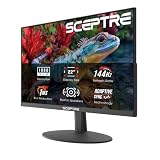
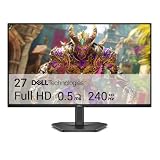
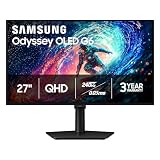
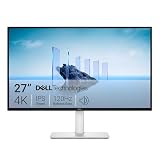
- Top Pick: Samsung 27" Odyssey G5 (G51F) Series QHD (1440P) Gaming Monitor
- Best Value: Acer Nitro 27in QHD 2560×1440 IPS 180Hz Gaming Monitor KG271U N3bmiipx
- Premium Choice: ASUS TUF Gaming 27” 1440P HDR Monitor (VG27AQ3A) – QHD (2560 x 1440), 180Hz, 1ms, Fast IPS, 130% sRGB, Extreme Low Motion Blur Sync, Speakers, Freesync Premium, G-SYNC Compatible, HDMI, DisplayPort
The gaming monitor market has never been more crowded, and that’s exactly the problem. Search for a 27-inch 1440p display and you’ll find dozens of panels with nearly identical spec sheets — 180Hz, 1ms, “HDR support,” IPS or VA — all clustered within a hundred dollars of each other. The marketing language blurs together, refresh rates are quoted in ways that don’t reflect real-world performance, and HDR badges are handed out to monitors that can’t meaningfully display it. Buyers end up either overspending on features they won’t use or, worse, saving fifty dollars and living with visible smearing, mediocre contrast, or a stand that wobbles every time they type.
This guide cuts through that noise. We’ve focused on 27-inch QHD (2560×1440) gaming monitors that stay comfortably under $500 — the sweet spot where pixel density, refresh rate, and GPU demands align for most mid-range and high-end gaming rigs. Below you’ll find our top picks across different priorities: outright value, color accuracy, motion clarity, console compatibility, and one genuine OLED option that occasionally dips into this budget. Each recommendation is judged on what it actually delivers for the money, not what’s printed on the box.
As an Amazon Associate we earn from qualifying purchases at no extra cost to you. Product prices and availability are accurate as of the date shown and are subject to change.






⚡ Save on Your Next PC — Amazon Prime
Prime members get fast free shipping on the systems above, plus early access to Prime Day & Black Friday PC deals. New members get a 30-day free trial.
Watch: Best Gaming Monitor Under $500 — Video Review
How to Choose Gaming Monitor Under $500
- Resolution and size: At 27 inches, 1440p is the clear winner — it delivers roughly 109 PPI for sharp text and detailed textures without the GPU cost of 4K. Avoid 1080p at this size unless your budget is far tighter; the pixel structure becomes visible at normal desk distances.
- Refresh rate vs. panel quality: Anything above 144Hz feels smooth, and the jump from 144Hz to 180Hz is subtle compared to the difference between a good and bad panel. Prioritize response time consistency and color accuracy over chasing the highest number on the spec sheet.
- Panel type: Fast IPS is the safest choice under $500, offering strong colors and wide viewing angles with minimal smearing. VA panels give deeper blacks and better contrast but can show dark-scene ghosting; QD-OLED is superior in every visual respect but rarely fits this budget.
- Adaptive sync and inputs: Look for FreeSync Premium or G-SYNC Compatible certification to eliminate tearing. Check that DisplayPort 1.4 is present for full refresh rate on PC, and confirm HDMI 2.1 if you plan to connect a PS5 or Xbox Series X at 120Hz.
- Skip the HDR marketing: DisplayHDR 400 on an edge-lit LCD is essentially a brightness boost, not real HDR. Unless you’re buying OLED or a monitor with local dimming zones, treat HDR as a bonus rather than a buying criterion.
The Best Picks Reviewed
Samsung Odyssey G5 (G51F) 27″
The G51F remains the value benchmark in this category, pairing a 1440p VA panel with high refresh rates and Samsung’s characteristically strong contrast ratio for noticeably deeper blacks in dark games. It’s the pick for atmospheric single-player titles, though competitive players sensitive to dark-transition smearing should consider an IPS alternative.
ASUS TUF Gaming VG27AQ3A
This is the most complete all-rounder under $500 — a Fast IPS panel at 180Hz with 130% sRGB coverage, Extreme Low Motion Blur Sync, built-in speakers, and both FreeSync Premium and G-SYNC Compatible certification. Motion clarity is genuinely excellent for the price, and the ergonomic stand with full height, tilt, swivel, and pivot adjustment is a rarity at this tier.
Acer Nitro KG271U N3bmiipx
Acer’s Nitro delivers the core 1440p 180Hz IPS experience at one of the lowest prices in this roundup, making it the smart buy for anyone building a budget-conscious setup or a second monitor. The trade-off is a basic tilt-only stand and unremarkable build quality, but the panel itself punches well above its price.
ASUS ROG XG27ACS
The XG27ACS adds USB-C connectivity with power delivery to a 180Hz 1440p G-SYNC Compatible panel, which makes it the standout choice if you dock a laptop alongside your desktop. ROG’s factory calibration is tighter than most competitors here, and the overdrive tuning is well-implemented across the refresh range.
KTC H27S5C Curved 27″
KTC’s curved 1440p 144Hz panel undercuts the established brands significantly while covering the fundamentals, and the 1500R curve is comfortable for single-monitor immersion. It’s the budget wildcard — support and quality control are less proven than the major brands, so it suits confident buyers chasing maximum specs per dollar.
Frequently Asked Questions
Is 1440p worth it over 1080p for gaming in 2026?
Yes, provided your GPU can handle it. Current mid-range cards comfortably drive 1440p at high frame rates in most titles, and the clarity improvement at 27 inches is immediately obvious in both games and desktop use. 1080p at 27 inches now looks noticeably soft.
Do I need 180Hz, or is 144Hz enough?
144Hz is enough for the vast majority of players. The perceptual difference between 144Hz and 180Hz is small, and you’ll get more benefit from spending that money on better response times or a superior panel. Competitive shooter players may still prefer the extra headroom.
Can these monitors run a PS5 or Xbox Series X at 120Hz?
Only if the monitor includes HDMI 2.1. Several models here use HDMI 2.0, which caps 1440p at 120Hz on some consoles or drops to 60Hz depending on the handshake. Always verify the HDMI version before buying for console use.
Is OLED realistic under $500?
Occasionally. The Samsung Odyssey OLED G6 typically sits above this budget but drops into range during major sales events. If you can catch it discounted, the contrast and per-pixel response time are a genuine generational leap over anything LCD in this guide.
Final Thoughts
For most gamers, the ASUS TUF Gaming VG27AQ3A is the easiest recommendation here — it combines strong motion clarity, accurate color, and a properly adjustable stand without demanding a premium. Budget-focused buyers should look at the Acer Nitro KG271U, which delivers nearly the same panel experience for meaningfully less, while anyone who can stretch during a sale should watch the Samsung Odyssey OLED G6 for a display that outclasses every LCD on this list.