
A gaming monitor’s response time affects how clearly moving objects appear, particularly in fast-paced games where every visual detail matters. When asking what is the best ms for a gaming monitor, the practical target is around 1ms GtG or lower for competitive gaming, while modern OLED monitors advertise figures as low as 0.02ms. However, the smallest number on a product box does not automatically mean the best gaming experience. Panel technology, refresh rate, overshoot, and input lag also determine how responsive a display feels.
- What is the best ms for a gaming monitor?
- Quick comparison: six gaming monitors with fast response times
- How we selected the best response-time gaming monitors
- Best gaming monitors by response time
- What is the best ms for a gaming monitor for competitive play?
- GtG vs. MPRT vs. input lag: understand the differences
- How to choose the right monitor response time
- Frequently asked questions
- Final verdict: choose 1ms GtG or better for gaming
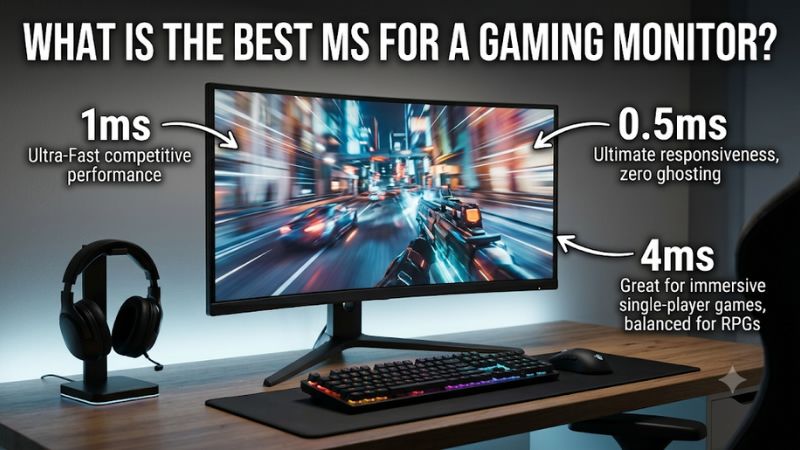
What is the best ms for a gaming monitor?
For most gaming setups, a monitor with a genuine 1ms GtG response-time specification is a good target. Competitive players should look for consistently fast pixel transitions, ideally close to or below 1ms in independent measurements. Casual gamers can comfortably use many displays with slower transitions, provided they do not exhibit distracting ghosting.
OLED monitors take response speed further. Models using OLED and QD-OLED technology advertise pixel response times around 0.02–0.03ms. Their individually illuminated pixels can switch states much faster than the liquid crystals in conventional LCD monitors.
Here is a practical comparison of the response-time categories:
| Advertised response time | Technology commonly associated with it | Gaming suitability |
|---|---|---|
| 5ms GtG | Conventional LCD | Casual and slower-paced gaming |
| 3–4ms GtG | Improved LCD panels | General gaming |
| 1–2ms GtG | Fast IPS and VA | Very good for most gaming |
| 0.5–1ms GtG | High-performance LCD | Competitive gaming |
| 0.02–0.03ms GtG | OLED and QD-OLED | Excellent motion clarity |
These figures are useful buying targets, not guarantees of measured performance. Manufacturers can quote their fastest transition under particular conditions, while independent reviewers measure multiple transitions under controlled settings. HP’s monitor guidance also identifies 1–5ms GtG as suitable for gaming, with 1ms or less being a sensible target for competitive play.
The important distinction is that response time measures pixel transitions, not the complete delay between pressing a keyboard key and seeing the resulting action.
Quick comparison: six gaming monitors with fast response times
The following monitors cover several price and performance categories. They are selected based on documented specifications and independent testing rather than advertised response times alone.
| Monitor | Advertised response time | Refresh rate | Panel | Best for |
|---|---|---|---|---|
| AOC Q27G3XMN/BK | 1ms GtG | 180Hz | VA Mini LED | Budget gaming |
| Acer Nitro XV273U F5 | 0.5ms minimum GtG | 540Hz | IPS | Fast LCD gaming |
| Dell Alienware AW2726DM | 0.03ms GtG | 240Hz | QD-OLED | Accessible OLED |
| ASUS ROG Swift PG27AQDP | 0.03ms GtG | 480Hz | WOLED | Premium competitive gaming |
| LG UltraGear 27GX790B-B | 0.02ms GtG | 540Hz | Tandem OLED | Extremely fast OLED gaming |
| ASUS ROG Swift PG32UCDM Gen3 | 0.03ms GtG | 240Hz | Tandem QD-OLED | Premium 4K gaming |
Advertised response times are manufacturer specifications, not directly comparable independent averages. The products also operate at different resolutions and refresh rates, so their suitability depends on your PC hardware and gaming priorities.
How we selected the best response-time gaming monitors
The selection process focused on three important areas: pixel-transition speed, real-world motion clarity, and gaming responsiveness.
Manufacturer specifications helped establish each monitor’s advertised GtG response time, panel technology, native resolution, and maximum refresh rate.
Independent reviews from RTINGS and Tom’s Hardware provided additional evidence about motion handling, input lag, ghosting, and other performance characteristics. These reviews are particularly important because manufacturers may advertise the fastest possible response-time mode without explaining how consistently the panel performs across different color transitions.
We also considered the practical disadvantages of each display. For example, an OLED monitor may have excellent pixel response but cost considerably more than an IPS alternative. A VA monitor can offer strong contrast while still showing some dark-transition smearing.
No monitors were personally tested together for this article. All measured-performance references are attributed to their respective independent reviewers.
Best gaming monitors by response time
The AOC Q27G3XMN/BK demonstrates that you do not need an expensive OLED display to get a responsive gaming experience. It combines a 27-inch QHD VA panel with a 180Hz refresh rate and a manufacturer-rated 1ms GtG response time.
Its strongest advantage is the combination of motion performance and picture quality at a more accessible product category than premium OLED displays.
The monitor uses Mini LED backlighting with 336 local dimming zones. This helps improve HDR contrast by controlling different areas of the backlight independently. AOC also specifies VESA DisplayHDR 1000 certification, making it more interesting for players who enjoy visually rich single-player games.
The VA panel provides a native contrast ratio of 4,000:1, according to AOC. This is considerably higher than the typical contrast specification of many conventional IPS monitors.
For connectivity, the exact Q27G3XMN model includes HDMI 2.0 and DisplayPort 1.4. The manufacturer specifies 180Hz operation over DisplayPort, while HDMI has a lower maximum refresh rate at the monitor’s native QHD resolution.
Independent testing by RTINGS found that the display maintains fast response behavior across its variable-refresh-rate range. However, its reviewers also identified some black smearing, particularly with fast-moving dark objects, and noticeable VRR flicker when frame rates fluctuate.
These limitations are important because a 1ms specification does not mean every pixel transition takes exactly one millisecond.
Buy if: You want an affordable QHD gaming monitor with strong contrast, Mini LED backlighting, and good motion handling.
Skip if: You play highly competitive shooters and are particularly sensitive to dark smearing or want OLED-level pixel transitions.
Acer Nitro XV273U F5: best fast IPS monitor
The Acer Nitro XV273U F5 is an impressive option for gamers who want extremely fast performance without choosing OLED technology.
Its 27-inch IPS panel operates at 2560 x 1440 resolution and supports a native refresh rate of 540Hz. Acer specifies 1ms GtG with a minimum response-time figure of 0.5ms, alongside a 1ms VRB Pro mode.
This distinction matters. The 0.5ms figure is the manufacturer’s minimum GtG specification, not a promise that every pixel transition will finish in half a millisecond.
Acer also includes an unusual dual-frequency-resolution feature. The monitor can operate at 1280 x 720 with a maximum refresh rate of 1,000Hz. That is an impressive specification for players who prioritize extreme frame rates, but the lower resolution sacrifices image detail.
At its native QHD resolution, 540Hz is already an exceptionally high refresh rate. A gaming PC needs to generate enough frames to benefit from it, which makes this display more appropriate for powerful systems and esports-focused players.
The connectivity selection includes two HDMI 2.1 inputs and two DisplayPort 1.4 connections. Acer also specifies FreeSync Premium, G-SYNC compatibility, and HDR600 mode support.
Tom’s Hardware independently reviewed this exact monitor in September 2026. Its reviewer described the gaming responsiveness as comparable to OLED and praised the overdrive and blur-reduction implementation. The review also noted that its 1,000Hz mode operates at 720p rather than native QHD.
There are disadvantages. It is an expensive enthusiast display, and the 540Hz refresh rate will be difficult for many gaming systems to use fully. It also lacks USB ports, limiting its desktop connectivity compared with some premium alternatives.
Buy if: You play competitive shooters, have a powerful gaming PC, and want one of the fastest available LCD displays.
Skip if: You primarily play single-player games or would rather spend your budget on better overall image quality.
Dell Alienware AW2726DM: best accessible QD-OLED gaming monitor
The Dell Alienware AW2726DM is a strong choice for gamers who want OLED response characteristics without moving into the most expensive enthusiast category.
Its 26.5-inch QD-OLED panel offers a native 2560 x 1440 resolution and a 240Hz refresh rate. Dell advertises a 0.03ms GtG response time, placing it among the fastest pixel-response technologies available in consumer gaming displays.
Because OLED pixels generate their own light, they can transition extremely quickly without relying on the liquid-crystal movement found in LCD panels. This creates exceptionally sharp motion and deep black levels.
RTINGS independently reviewed this exact model in May 2026 and updated its testing methodology in October 2026. The reviewers found near-instantaneous pixel response, low input lag, and excellent overall PC gaming performance.
The monitor supports AMD FreeSync Premium and VESA AdaptiveSync. Its stand provides height adjustment, swivel, tilt, and pivot.
Connectivity is a practical limitation. The display includes DisplayPort 1.4 and two HDMI 2.0-bandwidth inputs. DisplayPort supports QHD at up to 240Hz, while the HDMI inputs support up to 120Hz at the native resolution. PC gamers targeting maximum refresh should use DisplayPort.
Picture quality also has some compromises. RTINGS found limited brightness, while the QD-OLED panel can show raised or purple-looking blacks in bright environments. Its subpixel layout can also introduce some text fringing.
Another consideration is burn-in risk. Dell advertises a three-year warranty covering burn-in, subject to the applicable warranty conditions.
Buy if: You want a 240Hz QD-OLED monitor with excellent pixel response and high-quality contrast.
Skip if: You spend most of your day working with static desktop content or need strong brightness in a sunlit room.
ASUS ROG Swift OLED PG27AQDP: best overall high-refresh OLED monitor
The ASUS ROG Swift OLED PG27AQDP combines an exceptionally high refresh rate with OLED pixel technology, making it one of the most compelling options for competitive gaming.
Its 26.5-inch WOLED panel uses QHD resolution and supports a native 480Hz refresh rate. ASUS specifies a 0.03ms GtG response time, along with FreeSync Premium and G-SYNC compatibility.
The important advantage is that fast pixel transitions and a high refresh rate work together. The OLED panel handles color transitions rapidly, while the 480Hz refresh rate reduces the time between displayed frames.
A 480Hz display refreshes every approximately 2.08 milliseconds. This is particularly relevant for players who compete at very high frame rates and want to minimize motion persistence.
ASUS also includes ELMB, OLED Care+, a custom heatsink, DisplayPort 1.4 with DSC, and two HDMI 2.1 inputs. The monitor supports a three-year warranty that includes panel burn-in according to its US specification page.
Independent testing adds useful context. RTINGS found exceptionally sharp motion and low input lag at most refresh rates, although input lag increases considerably with 60Hz signals. Its review also identifies VRR flicker as a limitation when frame rates fluctuate.
Tom’s Hardware also tested the display and reported a 15ms total input-lag measurement under its test conditions. That figure is not the same as the advertised pixel response time, demonstrating why buyers should never treat the two measurements as interchangeable.
The main disadvantage is the premium purchase price. You also need powerful graphics hardware to take advantage of the highest refresh rates.
Buy if: You play competitive PC games and want a fast OLED panel with excellent motion clarity.
Skip if: You have a modest graphics card or primarily play games that rarely exceed 120 FPS.
LG UltraGear 27GX790B-B: best for extremely low advertised response time
The LG UltraGear 27GX790B-B is one of the most interesting options when the lowest advertised millisecond figure is your priority.
It uses a 26.5-inch Tandem OLED panel with a native QHD resolution and a 540Hz refresh rate. LG advertises a 0.02ms GtG response time, making it one of the fastest response-time claims in this roundup.
Its dual-mode functionality provides an additional option for esports players. At the lower 1280 x 720 resolution, the display can increase its refresh rate to 720Hz.
This provides flexibility between high-resolution everyday gaming and extremely high-refresh competitive play. However, the 720Hz mode sacrifices image detail, making the native QHD 540Hz mode more suitable for most games.
LG also includes DisplayPort 2.1, HDMI 2.1, G-SYNC compatibility, and AMD FreeSync Premium Pro. Its Tandem OLED technology is designed to improve brightness and color performance compared with older OLED generations.
RTINGS independently researched the 27GX790B-B and found near-instantaneous pixel response, low input lag in gaming picture modes, and sharp motion. The review also identifies VRR flicker with rapidly changing frame rates and some HDR accuracy limitations.
The main drawback is its price. This is an enthusiast display intended for players who can justify paying for extremely high refresh rates and OLED technology.
It also carries the usual OLED considerations, including potential burn-in and the need to use its panel-care features appropriately.
Buy if: You want exceptionally fast OLED pixel transitions and a 540Hz native gaming display.
Skip if: You mainly play at 60–144 FPS or prefer an affordable IPS gaming monitor.
ASUS ROG Swift OLED PG32UCDM Gen3: best premium 4K gaming monitor
The ASUS ROG Swift OLED PG32UCDM Gen3 proves that choosing a fast gaming monitor does not mean sacrificing screen size or resolution.
Its 31.5-inch viewable Tandem QD-OLED panel combines 4K resolution with a 240Hz refresh rate. ASUS specifies a 0.03ms response time, providing the same impressive advertised pixel-response category as several smaller OLED gaming displays.
The higher resolution makes this monitor especially appealing for visually demanding games. It offers a more detailed image than a QHD screen while providing a large viewing area for immersive gameplay.
The panel technology also delivers deep blacks and vivid colors. RTINGS independently reviewed the exact Gen3 model and found exceptionally sharp motion at all supported refresh rates. It also reported strong HDR picture quality and low input lag in most tested conditions.
Connectivity includes DisplayPort 2.1a with UHBR20 bandwidth, two HDMI 2.1 inputs, and USB-C with up to 90W Power Delivery. Additional features include a KVM switch, Dolby Vision, and OLED Care Pro.
However, this monitor is not suitable for every budget. ASUS lists a US store price of $1,299, placing it in the premium enthusiast category.
There are also some disadvantages. RTINGS identified increased input lag at 120Hz compared with 60Hz, while its office testing identified text-fringing characteristics and the possibility of OLED burn-in with prolonged static content. Blacks can also look gray under bright ambient lighting.
The other important limitation is GPU workload. Native 4K at 240Hz requires exceptionally powerful graphics hardware, especially in demanding modern games.
Buy if: You want premium 4K OLED image quality, excellent pixel response, and 240Hz gaming.
Skip if: You prioritize competitive 1080p gaming or want a display that offers the best performance per dollar.
What is the best ms for a gaming monitor for competitive play?
Competitive gaming benefits from both fast pixel transitions and high refresh rates. However, the correct combination depends on the game, your hardware, and the frame rates you can consistently achieve.
For example, a 240Hz display refreshes every approximately 4.17ms, while a 360Hz display refreshes every 2.78ms. A 540Hz display reduces that interval to approximately 1.85ms.
These numbers describe the refresh interval, not the monitor’s measured pixel response time.
| Refresh rate | Time between refreshes | Typical gaming use |
|---|---|---|
| 60Hz | 16.67ms | Basic gaming |
| 120Hz | 8.33ms | Console gaming |
| 144Hz | 6.94ms | Mainstream PC gaming |
| 165Hz | 6.06ms | General competitive gaming |
| 240Hz | 4.17ms | Serious competitive gaming |
| 360Hz | 2.78ms | Enthusiast esports |
| 480Hz | 2.08ms | High-end esports |
| 540Hz | 1.85ms | Extreme competitive gaming |
The mathematical relationship is straightforward: divide 1,000 milliseconds by the refresh rate to determine the time between frames.
However, refresh intervals are not strict pass-or-fail pixel-response limits. A monitor’s real motion clarity depends on the distribution of its pixel transitions, overshoot, refresh rate, and display behavior.
Best response time for FPS games
First-person shooters benefit from displays that can transition pixels quickly without excessive ghosting.
A Fast IPS monitor with a consistently fast response and 144Hz or higher refresh rate is a sensible starting point. Competitive enthusiasts may benefit from 240Hz, 360Hz, or faster displays.
OLED is particularly attractive because its pixel transitions are extremely fast. However, an OLED display with 240Hz can still be a better purchase for some players than a much more expensive 540Hz screen, particularly when their GPU cannot consistently generate extremely high frame rates.
Best response time for casual gaming
Casual players generally do not need to chase the smallest available response-time number.
A good IPS monitor with a 1–4ms advertised GtG rating and a 144Hz refresh rate can deliver a smooth experience in many games.
For slower-paced adventure games, strategy titles, and story-driven experiences, investing in stronger image quality, resolution, and contrast may provide greater enjoyment than upgrading from 144Hz to 360Hz.
GtG vs. MPRT vs. input lag: understand the differences
One of the biggest mistakes when shopping for gaming monitors is comparing different millisecond measurements as though they mean the same thing.
What is GtG response time?
Gray-to-gray response time measures how long a pixel takes to transition between two shades of gray.
For example, when a moving object changes from a dark gray area to a lighter background, its pixels must change their displayed values.
If that transition takes too long, the previous image can remain partially visible, creating ghosting or trailing.
GtG is generally the most useful response-time specification when comparing gaming displays, although manufacturers do not always report it using identical testing methods.
What is MPRT response time?
Moving Picture Response Time describes how long an image remains visible during motion.
Some displays advertise a 1ms MPRT mode through backlight strobing or black-frame insertion. These technologies reduce perceived motion blur by shortening the time an image remains visible.
However, MPRT and GtG measure different characteristics. A 1ms MPRT monitor is not necessarily faster at pixel transitions than a monitor advertising 2ms GtG.
Backlight strobing can also reduce brightness, introduce flicker, or disable variable refresh rate depending on the display.
HP’s technical guidance and TFTCentral’s explanation of MPRT both emphasize that these measurements should not be compared directly.
What is input lag?
Input lag measures the delay between a monitor receiving a signal and beginning to display the corresponding image.
It is separate from pixel response time. A monitor can have extremely fast pixel transitions but still introduce unnecessary processing delay.
RTINGS explains that its input-lag testing uses a dedicated measurement device to record when an image begins appearing on the screen. Its methodology specifically distinguishes this from the time required for pixels to complete their transitions.
For competitive gaming, you should therefore check both response-time performance and input lag rather than relying on the advertised millisecond number alone.
How to choose the right monitor response time
Before buying a display, consider these practical factors.
First, check your graphics card’s capabilities. There is little reason to purchase a 540Hz monitor if your PC consistently produces only 100–150 FPS in your favorite games.
Second, prioritize independently measured performance over a manufacturer’s minimum response-time claim. Look for reviews that examine multiple pixel transitions, ghosting, overshoot, and motion clarity.
Third, check the panel’s overdrive behavior. Overdrive attempts to speed up transitions by pushing pixels more aggressively. However, excessive overdrive can introduce inverse ghosting, appearing as bright or dark trails behind moving objects.
TFTCentral explains that overshoot is an important measurement because aggressive overdrive can make a monitor appear faster on a specification sheet while producing distracting visual artifacts.
TFTCentral+1
Finally, consider how you use your computer outside gaming. An OLED monitor may be excellent for games but require more care when displaying static applications for many hours.
A balanced buying checklist looks like this:
-
Look for approximately 1ms GtG or less when shopping for competitive LCD gaming.
-
Consider OLED if you want extremely fast transitions and superior contrast.
-
Check independent motion tests rather than relying on the lowest advertised figure.
-
Confirm that overdrive does not create excessive inverse ghosting.
-
Match refresh rate to your GPU’s actual performance.
-
Check input lag separately from pixel response time.
-
Compare GtG with GtG and MPRT with MPRT.
Frequently asked questions
Is 1ms response time good for gaming?
Yes. A 1ms GtG gaming monitor is a good target for fast-paced games. It can provide responsive pixel transitions when the display implements overdrive effectively. However, check independent reviews because the advertised number may represent only the fastest transition rather than the average across all pixel changes.
Is 0.5ms better than 1ms for gaming?
Potentially, but not automatically. A genuine 0.5ms GtG response can be faster than 1ms, but you should consider overshoot and real-world motion clarity. A well-tuned 1ms monitor may produce a cleaner image than a poorly tuned 0.5ms display.
Is 0.03ms response time worth it?
It can be worthwhile when buying an OLED monitor because extremely fast pixel transitions help maintain sharp motion. However, most gamers do not need 0.03ms specifically. A good 1ms LCD can already provide an excellent experience at a lower price.
Does response time affect FPS?
No. Response time does not determine how many frames your GPU renders. Frame rate depends on your graphics card, processor, game, resolution, and settings. Response time determines how quickly the monitor’s pixels transition when displaying those frames.
Is 1ms MPRT the same as 1ms GtG?
No. GtG measures pixel-transition speed, while MPRT describes image persistence during motion. Some displays achieve low MPRT figures through backlight strobing or black-frame insertion. Always compare the same measurement type.
Which is better for gaming, IPS or OLED?
OLED generally provides faster pixel transitions, deeper blacks, and superior contrast. IPS remains a strong choice for affordability, consistent viewing angles, and bright everyday environments. The better option depends on your budget, gaming preferences, and tolerance for OLED burn-in considerations.
Final verdict: choose 1ms GtG or better for gaming
For most gamers, a genuine 1ms GtG monitor is an excellent target. It provides a practical balance between affordability and responsive pixel transitions without requiring an expensive OLED display.
Competitive gamers who want the sharpest possible motion should consider fast IPS or OLED monitors with high refresh rates. The Acer Nitro XV273U F5 is a particularly interesting LCD option, while the ASUS ROG Swift PG27AQDP and LG UltraGear 27GX790B-B demonstrate what modern OLED technology can achieve.
For more general gaming, the AOC Q27G3XMN/BK and Dell Alienware AW2726DM offer compelling alternatives with different panel technologies.
Ultimately, do not buy a monitor just because its packaging advertises 0.03ms instead of 1ms. A balanced display with fast real-world transitions, low input lag, controlled overdrive, and an appropriate refresh rate will provide a better gaming experience than a monitor selected solely for its smallest advertised number.









