
A good 1440p gaming monitor should deliver sharp visuals, responsive motion, and useful features without pushing into ultra-premium pricing. The best mid range 1440p gaming monitor depends on whether you value OLED contrast, Mini-LED HDR, a very high refresh rate, or conventional IPS practicality. This roundup focuses on six distinct 27-inch-class options, using an approximate US mid-range price window of $300–$550 before sales tax and shipping.
- Quick verdict: the best mid range 1440p gaming monitor for most players
- Quick comparison of mid-range 1440p gaming monitors
- How we selected the best mid range 1440p gaming monitor options
- Best overall: LG UltraGear 27GX700A-B
- Best Mini-LED alternative: MSI MAG 274QPF X30MV
- Best lower-midrange QD-OLED: HyperX OMEN OLED 27q
- Best affordable QD-OLED alternative: Dell Alienware AW2726DM
- Best conventional IPS: LG UltraGear 27GR83Q-B
- Best for a gaming and work desk: Gigabyte MO27Q28G
- What makes a mid-range 1440p display worth buying?
- How to choose the right monitor for your setup
- Frequently asked questions
- Final verdict
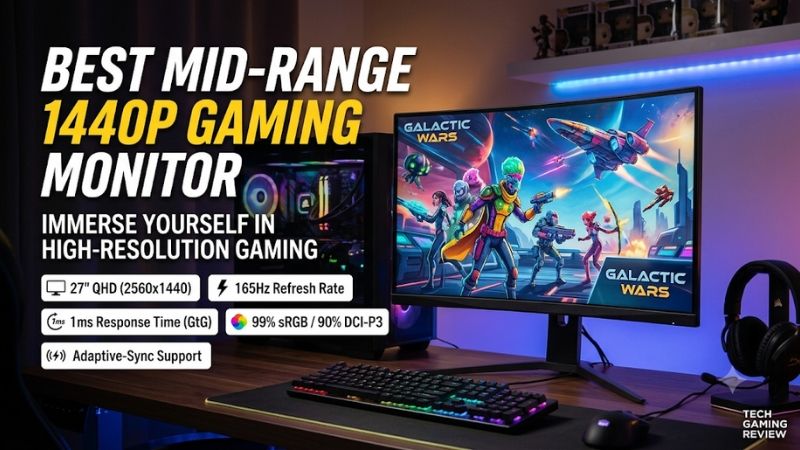
Quick verdict: the best mid range 1440p gaming monitor for most players
The LG UltraGear 27GX700A-B is the strongest overall choice if you want a premium 1440p OLED experience. Its fourth-generation RGB Tandem OLED panel combines a 280Hz refresh rate, deep blacks, and fast pixel response. It is particularly attractive for players who alternate between competitive games and visually demanding single-player titles. Its current listed price sits at the upper edge of this roundup’s assumed mid-range bracket.
The MSI MAG 274QPF X30MV is the standout alternative for gamers who want very high refresh rates and brighter HDR highlights without choosing OLED. It combines a 300Hz Rapid VA panel with 1,152 Mini-LED dimming zones, although dark-scene smearing is a meaningful compromise.
For QD-OLED at a lower price, consider the HyperX OMEN OLED 27q or Dell Alienware AW2726DM. The LG UltraGear 27GR83Q-B remains a useful conventional IPS option for buyers who prefer to avoid OLED care considerations. Finally, the Gigabyte MO27Q28G combines a 280Hz Tandem OLED panel with USB-C connectivity and a built-in USB hub.
These recommendations target different priorities. A 300Hz VA Mini-LED screen, a 280Hz Tandem OLED, and a 240Hz QD-OLED should not be treated as interchangeable just because they have the same resolution.
Quick comparison of mid-range 1440p gaming monitors
| Monitor | Best for | Panel and refresh rate | US price snapshot | Main drawback |
|---|---|---|---|---|
| LG UltraGear 27GX700A-B | Best overall | 27-inch QHD Tandem WOLED, 280Hz | $549.99 | Premium price; VRR flicker can occur |
| MSI MAG 274QPF X30MV | Mini-LED HDR and speed | 27-inch QHD Rapid VA Mini-LED, 300Hz | $319.99 promotional price | Dark-scene smearing and blooming |
| HyperX OMEN OLED 27q | Lower-priced QD-OLED | 27.63-inch QHD QD-OLED, 240Hz | $399.99 | Less suitable for very bright rooms |
| Dell Alienware AW2726DM | Affordable QD-OLED alternative | 26.5-inch QHD QD-OLED, 240Hz | $319.99 | HDMI 2.0 and limited connectivity |
| LG UltraGear 27GR83Q-B | Conventional IPS gaming | 27-inch QHD IPS, 240Hz | $349.99 | Weak native contrast and basic HDR |
| Gigabyte MO27Q28G | OLED gaming and desk connectivity | 27-inch QHD Tandem WOLED, 280Hz | $539.99 | USB-C charging is limited to 18W |
Prices are US listing snapshots checked on November 9, 2026. They are before sales tax and exclude shipping. The MSI figure is a limited-time promotional price, while retailer and manufacturer prices can change. Confirm the exact model and seller before ordering.
How we selected the best mid range 1440p gaming monitor options
This list uses an approximate $300–$550 purchase-price range to define mid-range 1440p gaming monitors. That is an editorial boundary rather than a universal industry classification. The range includes conventional IPS, QD-OLED, Tandem WOLED, and Mini-LED models because buyers at this level can reasonably choose between very different display technologies.
The main selection criteria were native resolution, refresh rate, pixel response behavior, contrast, HDR implementation, variable refresh rate support, connectivity, ergonomics, and current US pricing. We also considered whether a monitor offers a genuinely useful advantage over the other models rather than simply adding another screen with nearly identical specifications.
RTINGS’ October 14, 2026 1440p monitor guide identifies the LG 27GX700A-B as its mid-range recommendation and the HyperX OMEN OLED 27q as a lower-mid-range choice. Its testing provides a useful reference for OLED motion performance, dark-room contrast, and the limitations of each panel type. We also considered independent reviews of the MSI Mini-LED, Alienware OLED, and LG IPS models.
No detailed research is claimed. Specifications are based on manufacturer documentation, while measured performance and image-quality observations are attributed to independent reviewers. Price snapshots are not guaranteed future prices, and inclusion does not imply confirmed Amazon availability.
Best overall: LG UltraGear 27GX700A-B
The LG UltraGear 27GX700A-B is the strongest all-around recommendation for buyers who want a fast 1440p OLED without moving to a much larger screen. Its 27-inch-class panel has a native 2560 × 1440 resolution and a maximum refresh rate of 280Hz. The fourth-generation RGB Tandem OLED technology combines the contrast and pixel response associated with OLED with a design intended to improve brightness.
That combination makes the monitor suitable for a wide mix of games. Competitive shooters benefit from the high refresh rate and near-instantaneous pixel response, while dark environments in horror games, RPGs, and cinematic adventures benefit from OLED’s ability to control each pixel individually. Unlike an LCD with a shared backlight, the panel can turn individual pixels off to produce deep blacks.
LG lists HDMI 2.1, DisplayPort connectivity, G-SYNC compatibility, and AMD FreeSync Premium Pro. RTINGS’ testing describes the monitor as having very fast response and low input lag, with strong brightness for an OLED. It also notes that the matte coating can be useful in brighter rooms, where reflections would otherwise become distracting. The monitor is not equipped with DisplayPort 2.1, however, so buyers should not assume that it offers every high-bandwidth feature found on newer premium displays.
There are OLED-specific limitations. RTINGS reports distracting VRR flicker in certain situations and visible vertical banding in dark scenes on its tested unit. OLED can also suffer long-term image retention when static elements remain on screen for extended periods. Built-in panel-care functions reduce risk but do not make it sensible to leave a bright static desktop active all day.
LG’s US listing showed $549.99 during the November 9 price check. That puts the screen close to the top of the assumed mid-range bracket rather than making it an inexpensive OLED purchase. Consider it when its combination of panel quality, speed, and gaming performance justifies the extra spending.
Buy it if you want a versatile 280Hz OLED for competitive and cinematic gaming. Skip it if you prefer an LCD backlight, need to minimize OLED maintenance, or want more connectivity features for a multi-device desk.
Best Mini-LED alternative: MSI MAG 274QPF X30MV
The MSI MAG 274QPF X30MV is the most interesting LCD alternative in this roundup. It uses a 27-inch Rapid VA panel with a 2560 × 1440 resolution and a native refresh rate of up to 300Hz. Its Mini-LED backlight has 1,152 local dimming zones, giving it more control over bright and dark areas than a conventional edge-lit gaming monitor.
That backlight design is the main reason to consider it. Mini-LED can produce brighter highlights and stronger HDR impact than many OLED monitors in sustained bright scenes. The large number of dimming zones also helps create darker areas without turning down the entire backlight. MSI lists DisplayHDR 1000, a 4,500:1 typical contrast ratio, and a peak HDR brightness specification of 1,000 nits. Those are manufacturer specifications, not guaranteed results in every HDR scene.
RTINGS’ independent review found that the monitor offers a bright image, effective local dimming, and fast overall gaming responsiveness. However, the VA panel can show black smearing in dark transitions, and local dimming can create halos around bright objects against dark backgrounds. VRR flicker can also appear in darker scenes. Those limitations matter in games with fast-moving objects against nighttime environments.
Connectivity is comparatively strong. MSI lists two HDMI 2.1 ports and DisplayPort 1.4a, as well as an adjustable stand with height, swivel, pivot, and tilt functions. The monitor is therefore easier to position than budget displays with basic tilt-only stands. It does not provide the per-pixel lighting control of OLED, but its local-dimming backlight gives it a distinct advantage for buyers who care about bright HDR highlights.
The MSI US store showed a limited-time price of $319.99, reduced from a displayed $399.99 offer, with stock indicated on November 9, 2026. Because the lower figure is promotional, do not assume that it will remain available.
Buy it if you want 300Hz QHD gaming, brighter HDR capability, and an alternative to OLED. Skip it if dark-scene motion clarity is a major priority or you are particularly sensitive to blooming around bright objects.
Best lower-midrange QD-OLED: HyperX OMEN OLED 27q
The HyperX OMEN OLED 27q is a compelling choice for buyers who want QD-OLED contrast and high refresh without paying for a 280Hz Tandem OLED model. Its 27.63-inch-class panel has a 2560 × 1440 resolution and a 240Hz refresh rate. It also advertises a 0.03ms gray-to-gray response time.
QD-OLED combines OLED pixel-level lighting with quantum-dot color conversion. The result is deep black levels and vivid color, making the panel attractive for games with colorful visual effects, detailed environments, and dark scenes. The 240Hz refresh rate is still fast enough for competitive play, particularly for systems that cannot consistently reach the frame rates needed to benefit from 280Hz or 300Hz.
RTINGS describes the display as having very sharp motion and strong dark-room contrast. Its review also identifies an important limitation: the monitor is less bright than the brighter Tandem OLED alternative and its black levels can appear raised or purple-tinted under stronger ambient lighting. That makes room lighting an important part of the buying decision.
Tom’s Guide also reviewed the exact HyperX model, highlighting its vivid colors and fast response while noting more modest HDR brightness and limitations in stand adjustment. The monitor includes two HDMI 2.1 inputs and one DisplayPort 1.4 connection, but does not provide a USB hub or laptop-charging USB-C port.
HyperX’s US store listed the exact OMEN OLED 27q at $399.99 during the research check, reduced from a displayed $499.99 price. The manufacturer identifies the SKU as CH0R2AA#ABA and lists a three-year limited warranty. Verify the current warranty terms and seller before buying, especially when purchasing from a third-party retailer.
Buy it if you want a 240Hz QD-OLED for a dim or moderately lit gaming room. Skip it if your desk is directly beside a bright window, or if you need USB-C docking and a more adjustable stand.
Best affordable QD-OLED alternative: Dell Alienware AW2726DM
The Dell Alienware AW2726DM is another 1440p 240Hz QD-OLED monitor, but it targets buyers who want OLED contrast at a lower purchase price. Its 26.5-inch-class panel offers a familiar desktop size, and its high refresh rate makes it suitable for both competitive multiplayer and general PC gaming.
The key strength is its panel technology. Individual OLED pixels produce deep blacks, while QD-OLED delivers rich color and fast transitions. RTINGS found very low input lag and near-instantaneous response in its review, making the display responsive for gaming. Its image characteristics also make it a strong option for dark-room use.
The compromises are mostly related to brightness and connectivity. PCWorld’s review notes that SDR and HDR brightness are less impressive than on brighter alternatives and that some users may notice text fringing. Dell uses HDMI 2.0 rather than HDMI 2.1 on this model, and the monitor does not include a USB hub. That makes it less versatile for a desk shared between a gaming PC, laptop, and console.
Dell’s US listing showed the AW2726DM at $319.99 during the research period. The manufacturer also advertises a three-year warranty with burn-in coverage, but buyers should review the current regional warranty documentation and purchase terms rather than assuming that every seller offers identical coverage.
The AW2726DM is especially attractive if you want QHD OLED for less than the cost of a higher-end Tandem OLED model. However, compare it directly with the HyperX OMEN OLED 27q before ordering. The two share a similar broad use case, and price, room lighting, warranty, and port requirements should decide between them.
Buy it if you want a 240Hz QD-OLED at a comparatively accessible price. Skip it if HDMI 2.1, USB connectivity, or high brightness is important to your setup.
Best conventional IPS: LG UltraGear 27GR83Q-B
The LG UltraGear 27GR83Q-B is the conventional LCD recommendation for buyers who would rather avoid OLED maintenance. Its 27-inch IPS panel runs at 2560 × 1440 and up to 240Hz. It is a straightforward option for someone who wants a high refresh rate without the additional considerations associated with organic-pixel displays.
IPS technology is useful when you want broad viewing angles and consistent colors across the screen. It is also a practical fit for gaming and general desktop use, especially when the monitor spends a lot of time displaying static browser windows, productivity software, or application interfaces.
Connectivity is another strength. LG specifies two HDMI 2.1 inputs and DisplayPort 1.4, along with a USB hub. The stand supports height, tilt, and pivot adjustments, making it more flexible than the simpler stands found on many lower-cost gaming monitors. Its 240Hz refresh rate gives it a speed advantage over more conventional 144Hz or 165Hz QHD displays.
The biggest compromise is contrast. RTINGS’ review identifies low native contrast and the absence of local dimming, which limits the impact of dark scenes and HDR content. The DisplayHDR 400 specification does not mean that this IPS screen can match a good Mini-LED or OLED monitor in difficult HDR scenes. Bright highlights and dark backgrounds cannot be controlled independently with the same precision.
A $349.99 US retail listing was recorded for the exact 27GR83Q-B during the research period. Retailer availability and price should be checked before publishing or purchasing, particularly because this model has been on the market longer than the newest OLED choices.
Buy it if you want a fast IPS display with useful connectivity and adjustable ergonomics. Skip it if you prioritize deep blacks, strong HDR, or the fastest OLED-style pixel transitions.
Best for a gaming and work desk: Gigabyte MO27Q28G
The Gigabyte MO27Q28G is the alternative for buyers who want a high-refresh OLED while also connecting more than one device. Its 27-inch QHD WOLED panel supports up to 280Hz, and it uses fourth-generation RGB Tandem OLED technology. That makes it a close competitor to the LG 27GX700A-B in terms of broad panel category and gaming purpose.
The main reason to consider Gigabyte is its feature set. Its manufacturer specifications list two HDMI 2.1 connections, DisplayPort 1.4, USB-C with DisplayPort Alt Mode, USB-A connectivity, and built-in speakers. USB-C power delivery is rated at up to 18W. That can be useful for connecting a compatible laptop and reducing cable clutter, but it is not enough to replace the power adapter of most performance laptops.
The monitor also includes a three-year warranty that covers OLED burn-in according to Gigabyte’s published warranty information. Check the exact warranty terms for your region and retailer before purchase. The additional USB features and KVM functionality make it more attractive for people who switch between work and gaming systems, although the limited charging output means it should be considered a display and peripheral hub rather than a full laptop docking station.
RTINGS’ review identifies the MO27Q28G as a fast Tandem OLED monitor with HDMI 2.1 and a small USB hub. Its testing places it in the same broad high-refresh QHD OLED category as the LG alternative. The important buying question is therefore not just image quality; it is whether the additional connectivity is worth choosing Gigabyte over a similarly equipped panel with a different feature mix.
A Best Buy listing showed $539.99 during the November 9 price check, with Newegg Official identified as the seller and shipper. That is close to the top of the defined mid-range price window, so compare the seller, delivery terms, and warranty before choosing it.
Buy it if you want 280Hz Tandem OLED and useful USB connectivity for a shared desk. Skip it if you need high-wattage laptop charging or can get the LG model for less.
What makes a mid-range 1440p display worth buying?
A good monitor in this category should balance image quality, motion performance, and practical usability. The most expensive specification is not automatically the most valuable one. A high refresh rate is useful only when your graphics card can generate enough frames, while a strong HDR specification matters only when the panel has the brightness and backlight control to display HDR convincingly.
OLED, Mini-LED, and conventional IPS each solve different problems. OLED provides pixel-level lighting and fast transitions. Mini-LED adds many local backlight zones to an LCD, improving control over bright and dark regions. IPS provides broad viewing angles and is generally a straightforward option for mixed desktop use, but conventional IPS backlights cannot match OLED black levels.
For most buyers, 1440p at 27 inches is a practical resolution and size combination. It delivers more detail than 1080p without the GPU demands of 4K. It also offers enough screen space for gaming, browsing, and work without requiring the wider desk needed for a large ultrawide monitor.
How to choose the right monitor for your setup
Match refresh rate to your graphics card
A 240Hz or 280Hz display does not increase the FPS your PC can render. The CPU and GPU must produce the frames, and the monitor must receive a compatible signal. If your system averages 100 FPS in demanding games, the difference between a 240Hz and 280Hz panel is unlikely to be as important as resolution, contrast, or motion quality.
For competitive games, prioritize refresh rate and pixel response. For cinematic titles, panel contrast and HDR performance may contribute more to the experience. A 165Hz or 180Hz model can still be a sensible purchase if it offers better image quality or costs significantly less than a faster alternative.
Check the connection required for maximum refresh
Monitor specifications often list different maximum refresh rates for HDMI and DisplayPort. The graphics card, cable, monitor input, and selected resolution must all support the intended mode.
Check the manufacturer’s resolution and refresh-rate table rather than assuming that every input offers the same performance. HDMI 2.1 and DisplayPort 1.4 can both support high-bandwidth gaming signals, but implementation and supported modes vary by model. This is particularly important when connecting a PC and console to the same monitor.
Consider your room lighting and panel technology
A bright room can change which panel is most suitable. Some QD-OLED displays show raised or purple-tinted blacks under strong ambient light, while matte coatings can reduce visible reflections. Mini-LED is worth considering if you want brighter highlights, but its local-dimming zones can produce halos around bright objects.
If you primarily play in a dark room, OLED’s deep blacks can be an excellent fit. If the screen also displays static applications for many hours, an IPS or Mini-LED model may be easier to live with. OLED panel-care features help manage image retention, but they do not eliminate the need for sensible usage habits.
Measure the screen and check the stand
A 27-inch monitor is a common choice for desktop gaming because it fits many desks without overwhelming the viewing area. Check the depth of the stand, not only the screen’s width. A large stand can push the display too close to your face, particularly on a shallow desk.
Ergonomics also matter. Height adjustment, swivel, pivot, and tilt can make it easier to align the screen. If the included stand is limited, check whether the monitor supports a VESA mount and whether your desk can safely accommodate an arm.
Frequently asked questions
Is 1440p better than 1080p for gaming?
For many PC gamers, yes. At 27 inches, 1440p provides sharper text and more detailed images than 1080p. However, it requires more graphics processing power. A 1080p display can still make sense for competitive players with entry-level GPUs or systems focused on maximum frame rates.
Is 240Hz worth paying more for than 180Hz?
It depends on your games and hardware. Players who regularly achieve very high frame rates in competitive titles can benefit from 240Hz. For slower games, 180Hz is already smooth, and spending the difference on a better panel or stronger HDR implementation may be more worthwhile.
Is OLED better than Mini-LED for a 1440p gaming monitor?
Neither is universally better. OLED offers individual pixel lighting, deep blacks, and extremely fast transitions. Mini-LED can produce bright highlights and strong HDR while avoiding the same organic-pixel wear concerns. The MSI MAG 274QPF X30MV is a suitable example of why Mini-LED remains competitive in this price bracket.
Do I need HDMI 2.1 for a 1440p gaming monitor?
Not necessarily. DisplayPort is commonly used for high-refresh PC gaming, and HDMI 2.0 can support many 1440p gaming configurations. HDMI 2.1 becomes more useful when you need specific high-bandwidth console features or want greater flexibility across devices. Always check the monitor’s exact input limitations.
Can a 1440p monitor replace a 4K display?
For gaming, it can be a better balance if you prefer higher frame rates and lower GPU demands. However, 4K still provides more detail for text-heavy work and supported games. Choose based on your graphics card, viewing distance, and whether gaming performance or pixel density matters more.
Final verdict
The LG UltraGear 27GX700A-B is the strongest overall choice for buyers who want a fast, versatile 1440p OLED. The MSI MAG 274QPF X30MV is the more distinctive LCD alternative, combining 300Hz gaming with Mini-LED local dimming. For less expensive QD-OLED options, compare the HyperX OMEN OLED 27q and Dell Alienware AW2726DM.
The LG UltraGear 27GR83Q-B remains a practical IPS choice for mixed gaming and desktop work, while the Gigabyte MO27Q28G is attractive for users who want Tandem OLED with USB-C and additional connectivity.
Before ordering, compare the current price, exact model suffix, available input modes, and warranty. The best monitor is not simply the one with the highest refresh rate; it is the one whose panel, connectivity, and performance match the PC and games you actually use.









