
The best monitor for Baldur’s Gate 3 should make dialogue readable, dark environments convincing, and long sessions comfortable. Start with a 34-inch ultrawide OLED for immersion, a 32-inch 4K OLED for a standard screen shape, or a 27-inch IPS or Mini LED display when practicality matters more than maximum size.
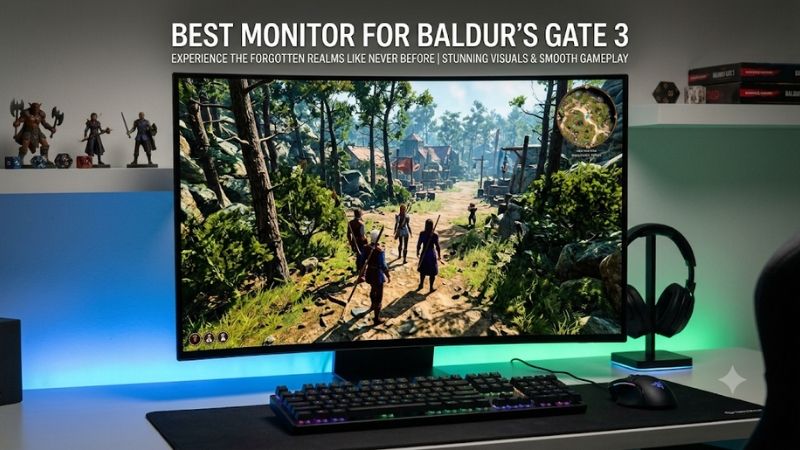
Quick verdict on the best monitor for Baldur’s Gate 3
The Alienware AW3425DW is the first model to compare for a PC-focused, ultrawide OLED setup. Its screen format and pixel-level lighting suit a game built around exploration and conversation. Choose the Alienware AW3225QF if you prefer standard 16:9 presentation, a larger 4K desktop, or a screen shared with other devices.
The AOC Q27G3XMN is the Mini LED alternative for players interested in local-dimming HDR without choosing OLED. The MSI MAG 274QPF E20 suits a straightforward 1440p desk, while the ASUS ROG Strix XG27UCS prioritizes compact 4K detail. The LG 45GX950A-B is for a deliberately large, high-resolution ultrawide setup.
These choices prioritize the experience of playing an RPG rather than the highest refresh specification available. A 240Hz panel can serve other games too, but Baldur’s Gate 3 does not require that ceiling to make a monitor worthwhile. No fixed budget was supplied, so the recommendations distinguish use cases without assuming every reader should buy OLED.
Quick comparison of the six monitors
Start with the resolution your system can handle and the screen shape you want on your desk. Then compare lighting technology, menu readability, and connection requirements. The table identifies each model’s role and the limitation that matters most for a long campaign, rather than assigning an unsupported universal performance ranking.
| Monitor | Screen and maximum refresh | Main reason to consider it | Important limitation |
|---|---|---|---|
| Alienware AW3425DW | 34.2-inch 3440 × 1440 curved QD-OLED, 240Hz | Ultrawide exploration with OLED contrast | OLED care; wider UI layout |
| Alienware AW3225QF | 31.6-inch 3840 × 2160 curved QD-OLED, 240Hz | Standard-format 4K detail and a larger image | Greater GPU workload than 1440p; OLED care |
| AOC Q27G3XMN | 27-inch 2560 × 1440 VA Mini LED, up to 180Hz overclocked | Local-dimming HDR in a conventional size | Dimming zones cannot control individual pixels |
| MSI MAG 274QPF E20 | 27-inch 2560 × 1440 Rapid IPS, 200Hz | Comfortable mixed gaming and desktop use | Modest contrast specification; HDMI limited to 144Hz at QHD |
| ASUS ROG Strix XG27UCS | 27-inch 3840 × 2160 Fast IPS, 160Hz | Dense 4K detail on a compact flat screen | Small physical UI needs a readability check |
| LG UltraGear 45GX950A-B | 44.5-inch 5120 × 2160 OLED, 165Hz; WFHD at 330Hz | Large ultrawide detail and a tall image | Steep curve, desk requirements, and high pixel count |
Larian explicitly confirms PC support for 4K and ultrawide monitors. That supports considering both formats, but it does not replace testing your preferred resolution, interface layout, and multiplayer arrangement. Choose around the way you actually play rather than assuming every wider screen gives the same practical benefit.
How these monitors were selected
Selection focused on documented screen specifications and the needs of a dialogue-heavy, turn-based RPG: readable interface elements, convincing lighting, sensible resolution, and a comfortable desk setup. This is research-based buying advice. It does not claim detailed research, measured Baldur’s Gate 3 frame rates, or laboratory comparisons across all six panels.
The recommendations separate hardware capabilities from game performance. A monitor can support HDR or variable refresh without guaranteeing perfect results from every software configuration. Likewise, a higher refresh ceiling cannot correct a CPU limitation, a graphics setting that overwhelms the GPU, or text that is physically too small from your seat.
Six monitors for different kinds of campaigns
Pick the section that matches your normal setup: ultrawide PC play, standard-format 4K, local-dimming LCD, or a practical mixed-use desk. Each model offers a different balance of detail, size, and panel behavior. The goal is a comfortable campaign screen rather than the most elaborate specification sheet.
Alienware AW3425DW: Best monitor for Baldur’s Gate 3 on an ultrawide PC desk
The AW3425DW combines a 34.2-inch 3440 × 1440 QD-OLED panel with a 240Hz ceiling and an 1800R curve. It suits players who want a wider presentation while keeping the vertical resolution and screen height closer to a familiar desktop monitor than a very large ultrawide would provide.
OLED controls illumination at the pixel level. That is relevant to scenes containing bright spells, lamps, and dark surroundings, although the final result depends on the game’s output and display settings. The recommendation is based on the technology and format, not a claim that this monitor was tested in a particular dungeon.
Dell documents FreeSync Premium Pro, G-SYNC Compatible support, and an adjustable stand. Its USB-C connector is a downstream connection with charging, not a laptop video input. Plan the source connection before assuming the monitor replaces a USB-C dock or provides single-cable laptop operation.
Buy if wider PC presentation and OLED contrast are your priorities. Skip if you mainly use a console, prefer a flat surface, or want to avoid OLED care. Compare the AW3225QF for standard-format 4K and the AOC for a compact LCD with local dimming.
Alienware AW3225QF for standard-format 4K gaming
The AW3225QF uses a 31.6-inch 3840 × 2160 QD-OLED panel with a 240Hz ceiling and a curved 16:9 surface. It is the larger standard-format choice for players who want detailed character models and scenery without adopting an ultrawide layout for every game and connected device.
At 4K, the GPU processes substantially more pixels than at 1440p. That does not make the monitor inappropriate when the game runs below 240 FPS. Its resolution and lighting characteristics can remain useful at lower frame rates, provided you are satisfied with the actual performance of your system.
Dell documents DisplayPort 1.4 with Display Stream Compression for its high-refresh 4K mode and HDMI 2.1 connectivity. The US product page also lists three-year service coverage including OLED burn-in, subject to its terms. Keep the monitor’s panel-care features active rather than treating coverage as a reason to ignore them.
Buy if you want a substantial 4K desktop and a conventional aspect ratio. Skip if curvature bothers you or the PC already struggles at your preferred resolution. The ASUS below gives compact flat-screen 4K, while the 34-inch Alienware trades some pixel count for a wider image.
AOC Q27G3XMN for local-dimming HDR without OLED
The Q27G3XMN provides a 27-inch 2560 × 1440 VA panel with a Mini LED backlight and 336 local dimming zones. Its maximum 180Hz mode is advertised as overclocked by the AOC store. It suits players who want a compact LCD with meaningful backlight control for HDR-capable content.
A dimming zone covers many pixels, so a bright tooltip or cursor against a dark area can influence the surrounding backlight. That mechanism can produce halos; it is not a measured assessment of their severity on your particular unit. Judge menu-heavy scenes as well as dramatic game environments when assessing the screen.
AOC documents adaptive sync and height, swivel, tilt, and pivot adjustment. The modest QHD pixel count also makes it a practical comparison point before committing to 4K. Its defining feature is the backlight architecture, not the claim that all VA transitions or all HDR scenes look identical.
Buy if you want local-dimming LCD and 1440p fits your system. Skip if you are especially sensitive to backlight changes around interface elements or need wider viewing positions. Compare the MSI for a simpler IPS desktop and the Alienware OLED models when per-pixel lighting is worth the care requirements.
MSI MAG 274QPF E20 for a practical 1440p desk
The MAG 274QPF E20 combines a 27-inch 2560 × 1440 Rapid IPS panel, a 200Hz ceiling, and height, swivel, pivot, and tilt adjustment. It fits a desk used for work throughout the day and Baldur’s Gate 3 afterward, with a manageable screen size and a flexible stock stand.
For this game, positioning and readable menus can matter more than the gap between 180Hz and 200Hz. A screen that sits comfortably at your normal distance can be a better purchase than a larger one that forces you to lean forward for tooltips or move your head around the interface.
MSI specifies 200Hz at QHD through DisplayPort and compatible USB-C video, compared with 144Hz through HDMI. USB-C supplies 15W, so most power-hungry laptops still need their charger. Its listed 1000:1 typical contrast should not be confused with OLED-style lighting or the AOC’s local-dimming backlight.
Buy if you want an adaptable QHD screen for mixed use and a satisfactory SDR experience is sufficient. Skip if stronger dark-scene lighting is the primary reason for upgrading. Compare the AOC for local dimming or the ASUS if sharper compact 4K detail matters more than keeping the GPU workload moderate.
ASUS ROG Strix XG27UCS for compact 4K detail
The XG27UCS pairs a 27-inch 3840 × 2160 Fast IPS panel with a 160Hz ceiling and height adjustment. It is the flat, compact 4K option for someone who values fine detail and also spends considerable time reading or working on the same screen between gaming sessions.
The higher pixel density can make fine edges look more defined, but it does not automatically make the game’s interface larger. Check dialogue, item descriptions, and menus at your intended viewing distance. Desktop scaling settings are not a guarantee that every game interface element will change in the same way.
ASUS documents G-SYNC Compatible support, DisplayPort, and USB-C video with 15W power delivery. The screen is an IPS LCD with DisplayHDR 400 certification; do not buy it expecting OLED-style blacks or assume that certification establishes Mini LED local dimming. Choose it primarily for its detail, size, and desktop fit.
Buy if a compact flat 4K screen suits your eyesight, seating position, and PC. Skip if you want a physically larger interface or the strongest dark-room contrast. Compare the 32-inch Alienware for a larger 4K image and the MSI for a more modest native-resolution workload.
LG UltraGear 45GX950A-B for a large ultrawide campaign setup
The 45GX950A-B offers a 44.5-inch OLED panel with 5120 × 2160 resolution, a 165Hz high-detail mode, and an 800R curve. It suits players who deliberately want a large ultrawide image and have enough desk depth, graphics capability, and flexibility to build their seating position around it.
Unlike a lower-resolution large ultrawide, it provides 2160 vertical pixels. That increases detail and workload together. It contains more pixels than standard 4K, so its size should not distract from the performance question. Evaluate the resolution you will actually render rather than buying around a diagonal measurement alone.
LG documents an alternate WFHD 330Hz mode, but that reduces resolution and is not the main reason to choose this display for Baldur’s Gate 3. Connectivity includes DisplayPort 2.1, HDMI 2.1, and USB-C with 90W power delivery. Verify the source’s supported mode before assuming every connection delivers the maximum specification.
Buy if the large, curved ultrawide experience is the upgrade you want. Skip if your desk is shallow or your gaming budget would also need to fund a major GPU upgrade. The AW3425DW is a more moderate ultrawide format, while a 27-inch screen is easier to position.
What matters most for Baldur’s Gate 3
A good campaign display should help you read, explore, and enjoy the lighting without creating new practical problems. Begin with the screen area and native resolution, then decide whether OLED or local-dimming HDR matters enough to justify the trade-offs. Refresh headroom is useful, but it should support those priorities.
Keep dialogue and tooltips comfortable to read
Test the information you spend time reading rather than judging a screen only from a colorful landscape. Dialogue choices, item descriptions, character information, and inventory labels can reveal a mismatch between screen size and seating distance. The best-looking screenshot does not establish comfort across a long evening.
A larger screen at the same resolution makes pixels and interface elements physically larger when viewed from the same distance. Higher resolution on a fixed-size screen adds detail but may require a closer look or appropriate interface options. These are different benefits, and neither automatically solves every readability problem.
Inspect real gameplay during the return period. Use your ordinary chair and lighting, and check several menus rather than only the opening scene. If reading requires repeated leaning, consider a different position or screen size before assuming the answer is greater sharpness or a more expensive panel.
Match resolution to sustained game performance
Choose a display around performance in representative gameplay, including the demanding situations you actually encounter. A frame rate from an empty scene or a different PC is a weak basis for buying 4K. The monitor sets the available presentation; it does not make the CPU or GPU process the game faster.
QHD contains about 3.69 million pixels per frame, 3440 × 1440 contains 4.95 million, standard 4K contains 8.29 million, and 5120 × 2160 contains 11.06 million. These are arithmetic comparisons, not FPS predictions. CPU limits, settings, upscaling, and the particular scene can change the performance relationship.
A stable experience at a lower frame rate can be preferable to chasing a refresh ceiling with frequent drops. Variable refresh can help presentation within its supported range, but it does not remove every stutter or software bottleneck. Keep some budget for the system if performance is the limitation you notice most.
Choose HDR hardware and configure the whole path
HDR involves the game, operating system or console, graphics output, and display mode working together. Buying a screen with an HDR logo is only one part of that chain. Use the game’s available calibration controls and the manufacturer’s guidance before deciding whether the result improves on a sensible SDR configuration.
OLED controls light per pixel, while Mini LED controls groups of pixels through backlight zones. Conventional IPS models can accept HDR signals without providing either architecture. That distinction explains why an HDR-capable display and a display selected primarily for HDR can be different purchases.
Avoid copying another owner’s brightness values without considering the screen and room. If the image appears washed out or loses shadow detail, check the active modes and calibration rather than immediately buying different hardware. No single set of game slider values is prescribed here because the complete configurations differ.
Consider ultrawide support and OLED care together
Ultrawide is relevant because Larian confirms that format is supported, including its cinematic production approach. Nevertheless, your preferred resolution, interface arrangement, and multiplayer mode still deserve inspection. A wider monitor can change where portraits and controls sit, and that may matter as much as the additional environmental view.
For OLED, recurring interface elements deserve sensible care rather than a fabricated lifespan estimate. Keep the manufacturer’s protection features enabled, allow prescribed maintenance to run, and use display sleep when stepping away. Review the exact US warranty and purchase terms; a general warranty duration does not prove unlimited burn-in coverage.
If the same screen displays static work applications all day, compare that use alongside gaming. An LCD may be the more comfortable ownership choice even when OLED is attractive for evening play. The right recommendation accounts for the whole day rather than assuming the game is the monitor’s only workload.
Frequently asked questions
The remaining decisions are usually about spending priorities, format, and what the monitor can change. Start with the limitation in your current setup rather than the most impressive specification. These answers help distinguish an upgrade that improves the campaign from one that mostly adds features intended for other games.
Do you need a 240Hz monitor for this game?
A 240Hz screen is optional rather than a requirement for enjoyable Baldur’s Gate 3 play. High refresh can make camera movement and desktop use feel smoother when the system delivers enough frames. It does not make turn-based decisions more effective or replace good readability, contrast, and consistent performance.
If you also play competitive games, the extra ceiling can justify part of the purchase. If this RPG dominates your library, prioritize picture quality and comfort first. Keeping a satisfactory existing high-refresh monitor is reasonable when the proposed replacement does not fix a visible limitation.
Is 4K better than ultrawide for a campaign?
Standard 4K and ultrawide emphasize different benefits. A 16:9 4K screen offers a conventional layout and substantial detail, while a 3440 × 1440 ultrawide offers extra horizontal space with fewer total pixels. A 5120 × 2160 ultrawide combines width and detail but increases the rendering demand.
Choose according to seating distance, PC capability, and the presentation you prefer. Console users should begin with a standard aspect ratio and verify supported modes rather than expecting a console to use an ultrawide panel as a PC would. Wider is an option, not an automatic quality upgrade.
Can a better monitor fix low FPS or unreadable menus?
A monitor can change image size, sharpness, contrast, and supported refresh behavior, but it cannot independently fix the computer’s rendering speed. Readability also depends on distance, interface settings, and physical size. Identify which limitation you have before spending money on a screen that addresses a different problem.
Try sensible game settings and positioning changes with your existing display first. If a new monitor is justified, verify the intended connection, resolution, and menu readability soon after delivery. Use the return period to assess normal play rather than relying entirely on specification comparisons.
Conclusion
Choose the AW3425DW for ultrawide OLED immersion or the AW3225QF for standard-format 4K. The AOC Q27G3XMN adds local-dimming LCD, the MSI offers a practical QHD desk, and the ASUS prioritizes compact 4K detail. Reserve the LG 45GX950A-B for a planned large ultrawide setup. For Baldur’s Gate 3, comfortable reading, convincing lighting, and a resolution your PC handles consistently are more useful priorities than buying the highest refresh number alone.









