
You do not need to spend several hundred dollars to get a smooth gaming display. Today’s budget category includes Full HD monitors with IPS panels, refresh rates reaching 200Hz, and HDMI connectivity for gaming PCs and consoles. The best cheap monitors for gaming with hdmi balance refresh rate, image quality, input compatibility, and practical features without charging extra for specifications that make little difference to everyday gaming. For this roundup, the working budget is under $150 before tax and shipping, with an emphasis on 23.8- to 24.5-inch displays. The most important buying detail is the refresh rate actually supported through HDMI, not simply the largest number printed in a product title.
- Cheap monitors for gaming with HDMI: quick verdicts
- How we selected cheap monitors for gaming with HDMI
- MSI MAG 255F E20: best overall gaming performance
- MSI G242L E14: best budget gaming-focused option
- Dell SE2426HS: best for gaming and everyday computing
- MSI PRO MP243L E14: best low-cost hybrid monitor
- ASUS TUF Gaming VG249Q3A: best 180Hz HDMI gaming option
- Understanding HDMI refresh rates before buying
- What resolution and refresh rate should you choose?
- Choosing between IPS, adaptive sync, and other gaming features
- Common mistakes when purchasing inexpensive HDMI gaming monitors
- Frequently asked questions
- Conclusion
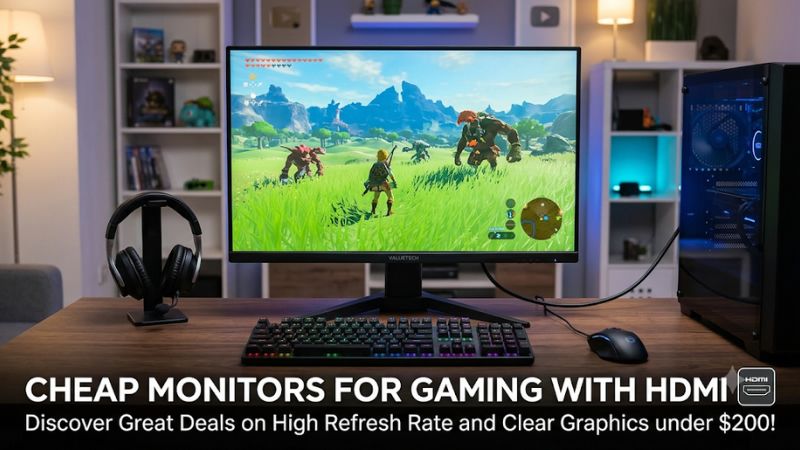
Cheap monitors for gaming with HDMI: quick verdicts
For most budget PC gamers, the MSI MAG 255F E20 is the strongest performance-oriented choice when its promotional price is available. It combines a 24.5-inch Rapid IPS panel, Full HD resolution, and a manufacturer-rated 200Hz refresh rate supported through HDMI.
However, not everyone needs 200Hz. The MSI G242L E14 provides a more straightforward 144Hz gaming experience, while the Dell SE2426HS is attractive for buyers who also use their monitor for work and everyday computing. The ASUS TUF Gaming VG249Q3A offers a higher 180Hz ceiling, and the MSI PRO MP243L E14 is a practical low-cost alternative for mixed gaming and productivity.
The following prices are observed U.S. retail listings checked on November 11, 2026. They are pre-tax figures, and shipping costs may vary by seller and location.
| Monitor | Observed U.S. price | Resolution and panel | Maximum refresh through HDMI | Best suited for |
|---|---|---|---|---|
| MSI MAG 255F E20 | $99.99 promotional listing | 1080p Rapid IPS | 200Hz | Overall gaming performance |
| MSI G242L E14 | $99.99 | 1080p IPS | 144Hz | Budget competitive gaming |
| Dell SE2426HS | $89.99 promotional listing | 1080p IPS | 144Hz | Gaming and everyday work |
| MSI PRO MP243L E14 | $79.99 | 1080p IPS | 144Hz | Lowest-cost hybrid use |
| ASUS TUF VG249Q3A | $139.99 | 1080p IPS | 180Hz | Faster gaming and multiple HDMI devices |
The prices are snapshots rather than permanent offers. The MSI MAG 255F E20, in particular, appeared in different MSI storefront listings at different promotional prices and availability states. Check the exact listing before ordering. Specifications are based on manufacturer documentation, while prices are based on the cited U.S. retail listings.
How we selected cheap monitors for gaming with HDMI
A low purchase price is not enough to qualify a monitor for a gaming roundup. An inexpensive office screen might have HDMI connectivity, but that does not automatically make it a good choice for modern games.
The selection process prioritizes five characteristics.
Verified HDMI refresh rates
The first requirement is an HDMI connection that supports a useful gaming refresh rate. A monitor advertised as 180Hz or 200Hz may only reach that number through DisplayPort, depending on its interface specifications.
Each featured model therefore needs manufacturer documentation supporting its stated HDMI refresh rate. Where the manufacturer specifies a maximum of 144Hz over HDMI, that is the figure used rather than a higher DisplayPort capability.
A sensible Full HD resolution
Full HD, or 1920 × 1080, remains a practical resolution for inexpensive gaming monitors. It requires less rendering power than 1440p and 4K, making it easier for entry-level and midrange graphics cards to deliver high frame rates.
A 23.8-inch or 24.5-inch screen also provides reasonable pixel density at this resolution. Players sitting at a typical desktop distance can enjoy readable text and detailed game environments without needing an expensive graphics card.
Gaming-oriented panel features
IPS panels are preferred in this selection because they generally provide consistent viewing angles and good color reproduction. Adaptive-Sync or FreeSync support is another useful feature because it helps synchronize monitor refresh behavior with compatible graphics output.
VA panels can offer stronger native contrast, but their motion behavior varies between models. A panel’s technology should be considered alongside the complete product rather than treated as a guarantee of gaming performance.
Practical connectivity and ergonomics
A monitor with two HDMI ports can be more convenient for someone connecting a gaming PC and console simultaneously. VESA mounting support is also useful for buyers who plan to replace a basic stand with a monitor arm.
Height adjustment, tilt, headphone outputs, and integrated speakers are secondary considerations. They do not directly increase gaming performance, but they can make a low-cost display more comfortable and versatile.
Verified products rather than artificial rankings
Prices were checked against U.S. retail listings, and key specifications were cross-referenced with manufacturer pages and product documentation. No first-hand gaming tests, response-time measurements, or comparative laboratory benchmarks were supplied for this article.
Consequently, the recommendations are based on documented features, intended use, and available purchasing information. Advertised response times are not treated as independently measured results.
MSI MAG 255F E20: best overall gaming performance
The MSI MAG 255F E20 is the most performance-focused option in this selection. It combines a 24.5-inch Full HD Rapid IPS panel with a 200Hz maximum refresh rate and HDMI 2.0b support for 1920 × 1080 gaming at up to 200Hz.
MSI lists a minimum 0.5ms GtG response-time specification, AMD FreeSync Premium, and a typical SDR brightness rating of 300 nits. These specifications make it an interesting option for players who prioritize high refresh rates but do not want to move beyond a modest monitor budget.
Why it stands out
A 200Hz refresh rate provides more potential display updates per second than a conventional 60Hz or 144Hz monitor. This can be useful in competitive games where the graphics system consistently produces high frame rates.
The 24.5-inch screen is also a sensible size for Full HD gaming. It keeps the pixel density reasonable while giving players enough physical display area for first-person shooters, racing games, sports titles, and general desktop use.
Rapid IPS technology is another advantage. It offers broad viewing angles and can provide more consistent colors than many inexpensive alternatives. FreeSync Premium adds variable refresh-rate functionality for compatible systems, helping reduce screen tearing and stuttering when frame rates fluctuate.
The monitor supports VESA 100 × 100mm mounting and offers tilt adjustment from -5 to 20 degrees. It also includes a headphone output, although it does not have integrated speakers.
Limitations to consider
The 200Hz specification should not be interpreted as a guarantee that every game will run at 200 frames per second. The graphics card, processor, game engine, and graphics settings determine actual frame rates.
The stand also lacks height, swivel, and pivot adjustment. Buyers who spend long hours at their desks may need a separate monitor arm.
There is also a specification detail worth checking before purchasing: MSI’s global specification page lists two HDMI 2.0b ports, while its U.S. storefront specification has displayed a different port count. Verify the exact regional unit and rear connections rather than assuming every regional listing is identical.
Buy it if you want a high-refresh Full HD monitor and can take advantage of the 200Hz capability. Skip it if you primarily play slower-paced games, prefer a height-adjustable stand, or cannot find the model at a competitive price.
MSI G242L E14: best budget gaming-focused option
The MSI G242L E14 is a straightforward gaming monitor for people who want a reasonably fast IPS display without paying for a premium gaming feature set.
Its 23.8-inch panel has a native resolution of 1920 × 1080 and a maximum refresh rate of 144Hz. MSI explicitly specifies HDMI 1.4b support for Full HD at up to 144Hz, alongside a DisplayPort 1.2a connection. The panel also supports AMD FreeSync, with a documented operating range of 48–144Hz.
Gaming performance and practical features
For a budget gaming PC, 144Hz is a useful step up from a conventional 60Hz display. It allows supported games to show more frequent visual updates, making camera movement and fast transitions appear smoother.
The IPS panel is suited to general-purpose desktop use. Its 300-nit SDR brightness rating is reasonable for a typical indoor gaming space, and the anti-glare surface helps reduce distracting reflections.
MSI also includes a 1ms MPRT response-time specification, Adaptive-Sync, and Night Vision features designed to improve visibility in dark game environments. The 100 × 100mm VESA mounting pattern gives users the option of replacing the supplied stand with a compatible monitor arm.
Console players have an additional reason to consider this model. MSI documents console modes supporting 1080p at 60Hz and 120Hz, alongside VRR compatibility for PS5 and Xbox. That makes it a useful display for someone sharing a monitor between a PC and a current-generation console.
However, console output should not be confused with the monitor’s 144Hz maximum PC specification. A supported 120Hz console signal is still a strong result for many console games, but it does not mean the console will output 144 frames per second.
Where it falls short
The supplied stand provides tilt adjustment rather than full ergonomic movement. Buyers who want to raise the screen to eye level may need an external stand or VESA arm.
The monitor also has one HDMI connection, so a PC and console cannot both remain connected through separate HDMI inputs without an additional switch or repeated cable changes.
Buy it if you want a gaming-oriented 144Hz IPS screen with documented HDMI support and a practical console mode. Skip it if you need two HDMI inputs, extensive stand adjustment, or a refresh rate above 144Hz.
Dell SE2426HS: best for gaming and everyday computing
The Dell SE2426HS is a sensible choice for people who want one screen for gaming, work, browsing, and video playback. It does not emphasize extreme refresh rates, but its 144Hz IPS panel and two HDMI inputs make it a versatile option.
The monitor has a 24-inch Full HD display, AMD FreeSync support, and a maximum refresh rate of 144Hz. Dell’s SE2426HS user guide specifies two HDMI 1.4 connections supporting 1920 × 1080 at up to 144Hz. This is an important detail because the maximum refresh capability is explicitly documented for the HDMI connections rather than inferred from a headline specification.
Why everyday users may prefer it
The two HDMI ports are particularly convenient for multi-device setups. A gaming PC and console can remain connected at the same time, allowing users to change inputs rather than repeatedly reconnecting cables.
The IPS panel also makes sense for mixed use. Broad viewing angles help maintain consistent images when the display is viewed from slightly different positions, which can be useful when sharing the screen or watching videos.
One advantage is the height-adjustable stand. This offers more flexibility than the basic tilt-only stands found on several similarly priced gaming displays.
Dell advertises a 1ms MPRT mode and a 4ms GtG response time in its product documentation. These are different measurement types, however, and should not be treated as equivalent. The MPRT mode can also have a practical trade-off: Dell documents that FreeSync and MPRT cannot be active together. Buyers should choose the mode that better suits their gaming preferences.
Who should buy it?
This model makes sense for someone who wants a versatile desktop display rather than a monitor dedicated exclusively to competitive gaming. Its 144Hz ceiling is sufficient for many popular titles, and the dual HDMI inputs simplify connections.
The main limitation is that it does not offer the higher 180Hz or 200Hz ceiling available from some similarly priced alternatives. It is also not designed to deliver premium HDR gaming.
Buy it if you want a more adjustable stand and two HDMI connections. Skip it if your priority is the highest possible refresh rate for competitive PC gaming.
MSI PRO MP243L E14: best low-cost hybrid monitor
The MSI PRO MP243L E14 is marketed primarily as a business and productivity monitor, but its technical specifications make it suitable for casual and mainstream gaming too.
It features a 23.8-inch Full HD IPS panel with a 144Hz refresh rate, 4ms GtG response time, and 1ms MPRT specification. More importantly for this roundup, MSI confirms that its single HDMI 2.0 input supports 1920 × 1080 at up to 144Hz. The monitor also has a VGA input and AMD FreeSync support.
Why it offers good everyday value
The main attraction is the combination of a high refresh rate and relatively basic hardware. Buyers who work, study, browse, and play games on the same computer may not need dedicated gaming software or elaborate design features.
Its IPS panel has a specified 1500:1 contrast ratio and 250-nit brightness rating. The anti-glare finish and wide viewing angles suit everyday indoor use.
It also supports 100 × 100mm VESA mounting, allowing users to position it on a compatible arm. The supplied stand is more limited, providing tilt adjustment between -5 and 20 degrees.
The 144Hz HDMI capability is particularly useful because the monitor does not include a DisplayPort connection. An HDMI-only PC or laptop can still access its advertised maximum refresh rate, provided the graphics output and cable support the required mode.
B&H listed the 23.8-inch version at $79.99 during this research, making it the lowest observed price among the selected models.
What buyers should understand
The PRO MP243L E14 is not a premium competitive gaming display. Its modest GtG response-time specification and basic ergonomic design reflect its broader productivity positioning.
It also has only one HDMI input. Users who regularly connect multiple gaming devices may find the Dell SE2426HS or ASUS VG249Q3A more convenient.
HDR Ready branding should not be mistaken for a high-end HDR viewing experience. The 250-nit brightness specification and lack of advanced local dimming make this monitor better suited to conventional SDR gaming.
Buy it if you want a low-cost IPS display that can handle both desktop productivity and 144Hz gaming. Skip it if your gaming setup requires multiple HDMI connections, a specialized competitive feature set, or more extensive ergonomics.
ASUS TUF Gaming VG249Q3A: best 180Hz HDMI gaming option
The ASUS TUF Gaming VG249Q3A is a stronger choice for buyers who want a higher refresh rate without moving to a significantly more expensive display category.
ASUS specifies a 23.8-inch Full HD IPS panel with a maximum refresh rate of 180Hz and 1ms GtG response-time rating. It has two HDMI 2.0 ports and one DisplayPort 1.2 connection. Its official signal-frequency specification lists HDMI operation from 48Hz to 180Hz vertically, confirming that the advertised 180Hz capability is not restricted to DisplayPort.
Features that justify the higher price
The most obvious advantage is its 180Hz refresh rate. Compared with 144Hz, this provides additional refresh headroom for systems capable of producing consistently higher frame rates.
The IPS panel has a 250-nit typical brightness rating, a 1000:1 contrast ratio, and 99% sRGB color-space coverage. These specifications are reasonable for a mainstream gaming display, although they should not be interpreted as professional color-calibration results.
ASUS includes Adaptive-Sync support, Shadow Boost, GamePlus, and several GameVisual display modes. These software and monitor-side features give players more control over the image without needing a more expensive specialized gaming screen.
The integrated speakers are another practical advantage. Their 2W-per-channel rating is adequate for basic system sounds and casual video playback, although a separate headset or desktop speaker setup will provide a better gaming audio experience.
The monitor supports VESA 100 × 100mm mounting and HDMI connectivity for multiple devices. Best Buy listed the VG249Q3A at $139.99 during this research.
Its compromises
The stand only offers tilt adjustment. There is no native height adjustment, swivel, or pivot support, so users who need a more ergonomic screen position may want an external monitor arm.
The 180Hz refresh rate also requires a capable gaming system to deliver a meaningful advantage. A PC producing 90 FPS in a demanding game will not suddenly deliver 180 FPS simply because the monitor supports it.
Buy it if you want 180Hz over HDMI, two HDMI ports, Adaptive-Sync, and integrated speakers. Skip it if a 144Hz monitor already meets your needs and the higher purchase price would reduce your graphics-card budget.
Understanding HDMI refresh rates before buying
One of the most common mistakes when shopping for an inexpensive gaming monitor is confusing its maximum refresh rate with the maximum refresh rate supported by HDMI.
A monitor may advertise 180Hz, but its HDMI interface could be limited to 144Hz. That difference matters when the monitor will connect to a laptop, PC, PlayStation, or Xbox through HDMI.
The best way to avoid the problem is to consult the manufacturer’s supported-resolution table or user manual. Look for an explicit entry such as 1920 × 1080 at 144Hz through HDMI.
The featured monitors illustrate why this matters:
| Model | Maximum advertised refresh | HDMI-supported maximum |
|---|---|---|
| MSI MAG 255F E20 | 200Hz | 200Hz |
| MSI G242L E14 | 144Hz | 144Hz |
| Dell SE2426HS | 144Hz | 144Hz |
| MSI PRO MP243L E14 | 144Hz | 144Hz |
| ASUS TUF VG249Q3A | 180Hz | 180Hz |
The HDMI version alone is not sufficient to establish the usable refresh rate. Resolution, display timing, manufacturer implementation, and supported modes all matter.
For example, HDMI 1.4 can support 1080p at 144Hz in appropriately configured displays. MSI and Dell both document this capability on their respective models. Conversely, a monitor with a newer HDMI interface does not automatically support every resolution and refresh-rate combination imaginable.
The cable is another consideration. Use the HDMI cable supplied with the display whenever possible, particularly when you want to run a high-refresh mode. A cable that works at 60Hz may not reliably carry every higher-bandwidth signal.
Finally, check whether the graphics card, laptop, or console supports the desired output. The complete connection must support the same resolution and refresh rate at both ends.
What resolution and refresh rate should you choose?
For an inexpensive gaming monitor, Full HD at 144Hz is a sensible starting point.
A 1080p display places a relatively modest rendering workload on the GPU. This makes it suitable for entry-level gaming systems and PCs built around mainstream graphics cards.
The difference between 60Hz and 144Hz is usually more noticeable than the jump between 144Hz and 180Hz. The first upgrade gives the player substantially more display refresh opportunities, while the second offers a smaller improvement.
That does not make 180Hz or 200Hz useless. Players who mainly enjoy competitive shooters, fast-paced action games, and esports titles may appreciate the additional refresh headroom. However, they should also make sure their PC can produce enough frames to use it.
When 24-inch Full HD makes sense
A 23.8-inch or 24.5-inch Full HD monitor is a strong budget combination. It provides a manageable physical size and reasonable image sharpness for desktop gaming.
It is particularly suitable for players sitting relatively close to the screen. Games, text, and interface elements remain comfortably readable without requiring a larger desk.
When a larger or sharper screen is worthwhile
A 27-inch 1080p display can be attractive for people who want a larger image. However, the lower pixel density makes individual pixels easier to distinguish at close viewing distances.
A 27-inch 1440p monitor is a better long-term choice for buyers who want sharper text, more detailed game environments, and additional workspace.
The trade-off is cost. A 1440p display generally requires a more capable graphics card to maintain high frame rates, particularly in demanding modern games.
Do not purchase a 1440p monitor simply because it has a higher resolution on paper. Consider how much you play, the performance of your current PC, and whether you would benefit more from a higher refresh rate at 1080p.
Choosing between IPS, adaptive sync, and other gaming features
Panel technology affects how a monitor looks and behaves, but the cheapest option is not necessarily the best choice for every player.
IPS is the most common choice among the featured monitors because it offers broad viewing angles and generally consistent color reproduction. It is a practical combination for gaming, work, and general entertainment.
VA panels can deliver deeper native contrast, which is useful in darker games and movies. However, certain VA models can exhibit dark-level smearing during fast transitions. Buyers should investigate independent measurements of a particular display instead of judging performance from the panel category alone.
Adaptive-Sync and FreeSync are also useful features. They help synchronize the monitor’s refresh behavior with compatible graphics output, reducing visible tearing when frame rates fluctuate.
This is especially valuable for inexpensive systems that cannot maintain a perfectly stable frame rate.
However, compatibility depends on the monitor, graphics hardware, driver support, connection, and operating mode. A FreeSync label alone does not guarantee identical behavior across every PC and console.
Response-time specifications deserve similar caution. A manufacturer’s 1ms MPRT rating is not necessarily comparable to a 1ms GtG rating. MPRT often uses a motion-blur-reduction technique, which can affect brightness or disable adaptive sync on certain monitors.
Buyers should therefore prioritize the overall display experience rather than selecting a monitor solely because its product page advertises an extremely small response-time number.
Common mistakes when purchasing inexpensive HDMI gaming monitors
A low price can be attractive, but several purchasing mistakes can turn an apparently good deal into an inconvenient setup.
Assuming the maximum refresh rate works through every connection
Always check the HDMI specification separately from DisplayPort. This is particularly important when the monitor will be connected to a laptop or console rather than a desktop PC.
Paying for more refresh rate than the PC can deliver
A 200Hz display does not increase the number of frames your graphics card renders. An entry-level GPU may struggle to maintain high frame rates in demanding games.
A 144Hz display might therefore be a more sensible purchase if the computer cannot take advantage of a 180Hz or 200Hz model.
Ignoring the stand
A budget monitor can have an excellent panel and still offer an uncomfortable viewing position.
Tilt adjustment is useful, but it does not replace height adjustment. Check whether the display supports VESA mounting if you expect to use a monitor arm later.
Mistaking HDR Ready for premium HDR
HDR-related labels do not guarantee a convincing high-dynamic-range experience.
Entry-level monitors commonly lack the brightness, contrast control, and local-dimming capabilities needed for impressive HDR gaming. Treat such labels as secondary features unless the manufacturer provides detailed evidence of meaningful HDR performance.
Forgetting the total purchase cost
A $99 monitor does not necessarily mean a $99 checkout total. Sales tax, delivery, accessories, and replacement mounting hardware can increase the final cost.
Compare the complete cost before ordering, especially when the purchase is part of a tightly controlled PC-building budget.
Frequently asked questions
Can I use an HDMI monitor for PC gaming?
Yes. HDMI is a standard video connection for gaming PCs, laptops, PlayStation systems, and Xbox consoles. The maximum resolution and refresh rate depend on the monitor’s supported HDMI modes and the capabilities of the connected device.
Is 144Hz enough for modern gaming?
Yes. A 144Hz monitor provides a smooth experience for many competitive and mainstream games. It is a practical target for budget gaming PCs because it offers a substantial improvement over 60Hz without requiring a more expensive 180Hz or 200Hz display.
Do cheap HDMI gaming monitors work with PS5?
Yes, provided the monitor supports the console’s required video output. A Full HD monitor with a documented 120Hz mode is suitable for compatible PS5 games. However, individual games have their own performance limits, so 120Hz output is not guaranteed in every title.
Should I choose HDMI 2.0 or HDMI 1.4?
Neither version automatically makes a monitor better for gaming. HDMI 1.4 can support Full HD at 144Hz on compatible displays, while HDMI 2.0 offers additional bandwidth that can benefit higher-resolution and refresh-rate combinations. Always check the actual modes supported by the monitor.
Is a 200Hz monitor worth buying over 144Hz?
It depends on the games you play and the frame rates your PC can produce. Competitive players with sufficiently powerful systems may appreciate the additional smoothness. For casual gaming, a good 144Hz monitor can provide better overall value, especially when the savings can go toward a stronger GPU or other PC components.
Conclusion
The best inexpensive HDMI gaming monitor depends on how you use your PC and how much performance you actually need. The MSI MAG 255F E20 is the most ambitious choice thanks to its 200Hz Rapid IPS panel and documented HDMI capability. The MSI G242L E14 is a straightforward 144Hz gaming alternative, while the Dell SE2426HS offers better everyday ergonomics and two HDMI connections.
For buyers prioritizing price, the MSI PRO MP243L E14 provides an attractive combination of Full HD resolution, IPS technology, and 144Hz HDMI support. Meanwhile, the ASUS TUF Gaming VG249Q3A is worth considering when 180Hz and two HDMI inputs justify the extra cost.
Before choosing, confirm the exact model, HDMI refresh-rate limit, graphics-card compatibility, and current U.S. retail price. Spending less on a monitor that meets your actual gaming requirements can leave more room in the budget for the components that have a greater effect on overall PC performance.









