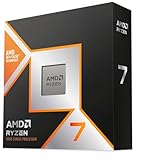
The Ryzen 7 9800X3D and Ryzen 7 9700X are, on paper, remarkably similar chips: both are 8-core, 16-thread Zen 5 processors built for AMD’s AM5 socket, both support DDR5 and PCIe 5.0, and both slot into the same motherboards with a current BIOS. The difference between them comes down to a single slab of silicon — the second-generation 3D V-Cache stacked underneath the 9800X3D’s compute die. That one addition triples the effective L3 cache and, in the right workloads, rewrites the performance chart entirely.
In 2026 that choice matters more than it used to. GPUs have outpaced CPUs at 1440p, high-refresh monitors are cheap, and frame-generation techniques have made 1% lows — the metric most sensitive to cache — the number enthusiasts actually notice. At the same time, the 9700X has settled into a far friendlier price bracket than it launched at, and AM5’s long support runway means a budget CPU today is an easy drop-in upgrade tomorrow. Below is a clear-eyed comparison of where each chip earns its keep.
As an Amazon Associate we earn from qualifying purchases at no extra cost to you. Product prices and availability are accurate as of the date shown and are subject to change.



⚡ Save on Your Next PC — Amazon Prime
Prime members get fast free shipping on the systems above, plus early access to Prime Day & Black Friday PC deals. New members get a 30-day free trial.
Watch: Ryzen 7 9800X3D vs 9700X: 2026 Gaming CPU — Video Review
Quick Verdict
Buy the Ryzen 7 9800X3D if gaming is your primary workload and you’re pairing it with a mid-range or better GPU at 1080p or 1440p — it is still the most consistent gaming CPU you can buy in this core count, and its advantage in simulation, strategy, and open-world titles is genuinely large. Buy the Ryzen 7 9700X if you’re building to a budget, gaming at 4K, running a cooler or smaller case, or doing a mix of productivity and gaming where the cache advantage largely evaporates. Neither is a bad chip; they simply optimize for different things.
Key Differences
- Cache: The 9800X3D carries 96MB of L3 via 3D V-Cache versus 32MB on the 9700X — the single biggest driver of the performance gap.
- Gaming performance: Expect roughly a 15–25% average uplift for the 9800X3D at 1080p, stretching past 40% in cache-hungry titles like sims, MMOs, and large-map strategy games.
- Clocks and power: The 9700X boosts higher (5.5GHz vs 5.2GHz) on a 65W default TDP; the 9800X3D runs a 120W TDP and, unlike earlier X3D parts, is fully unlocked for overclocking.
- Productivity: Close, with the 9700X occasionally edging ahead in lightly-threaded tasks and the 9800X3D pulling ahead in sustained multi-threaded work thanks to its higher power ceiling.
- Thermals and cooling: The 9700X is happy on a modest air cooler; the 9800X3D wants a good 240mm AIO or a large tower cooler to hold peak clocks.
- Value: The 9700X costs substantially less, leaving room in the budget for a better GPU — usually the smarter trade at higher resolutions.
AMD Ryzen 7 9800X3D: The Gaming Benchmark
The 9800X3D fixed the main complaint about the previous generation by moving the cache die beneath the cores rather than above them. Heat now escapes directly into the IHS, which is why this chip clocks higher than the 7800X3D, tolerates real overclocking, and no longer trails non-X3D parts in productivity. It’s the rare “gaming CPU” that doesn’t ask you to sacrifice anything elsewhere.
Because it’s been the default enthusiast pick for over a year, it’s also the easiest chip to buy as a bundle. Options like the Micro Center 9800X3D with MSI B850 Gaming Plus WF, the 9800X3D with TUF Gaming X870-PLUS WiFi, or the Micro Center 9800X3D with MSI MAG X870E Tomahawk typically undercut buying the parts separately and arrive BIOS-ready. If you want a little more headroom, the newer Ryzen 7 9850X3D offers modestly higher clocks on the same architecture — worth a look, though the real-world delta is small.
AMD Ryzen 7 9700X: The Efficient Value Play
The 9700X is the sensible half of this comparison. Eight Zen 5 cores at 65W is a genuinely efficient package — it idles low, runs cool, and rarely needs more than a decent air cooler. Enabling the 105W cTDP mode in BIOS recovers most of the multi-threaded gap to hotter chips for anyone doing rendering, compiling, or heavy content work.
Its weakness is precisely where the 9800X3D is strongest: cache-sensitive gaming. At 4K with a GPU-bound workload that gap narrows to a handful of frames, which is why the 9700X remains a strong choice for 4K builds. Drop to 1080p competitive shooters or heavily simulated worlds, though, and the difference becomes obvious in the 1% lows.
Which Should You Buy?
- For 1080p/1440p high-refresh gaming: Pick the 9800X3D — this is exactly the scenario it was designed for.
- For 4K gaming: Pick the 9700X and spend the savings on your GPU.
- For sims, strategy, and MMOs: Pick the 9800X3D; no other 8-core comes close.
- For mixed work and play on a budget: Pick the 9700X with the 105W profile enabled.
- For a complete, hassle-free build: Pick one of the 9800X3D CPU-plus-motherboard bundles.
Frequently Asked Questions
Is the 9800X3D overkill at 4K?
Largely, yes — at 4K you’ll be GPU-limited in most titles. It still helps 1% lows and gives you headroom for future GPU upgrades, but it’s not the efficient use of budget that it is at lower resolutions.
Do both CPUs use the same motherboards?
Yes. Both are AM5 and work on B650, X670, B850, and X870/X870E boards with an updated BIOS. Newer boards ship ready to go; older ones may need a flash first.
What about the Ryzen 7 7800X3D?
The 7800X3D remains excellent and often cheaper, sitting a few percent behind the 9800X3D in gaming. If you find it discounted and don’t need Zen 5’s productivity gains, it’s still a smart buy.
Will the 9700X bottleneck a high-end GPU?
At 1440p or 1080p