The Snapdragon versus Intel debate has reshaped the laptop landscape. Qualcomm’s ARM-based Snapdragon X chips brought phone-class efficiency and always-on connectivity to Windows, forcing Intel to answer with its Core and Core Ultra processors. For buyers, the choice now genuinely affects battery life, app compatibility, and raw performance in ways that didn’t exist a few years ago.
- Watch: Snapdragon Processor Vs Intel: Full Comparison — Video Review
- Quick Verdict
- Snapdragon Processors
- Intel Processors
- Head-to-Head: Which Should You Buy?
- Snapdragon X Elite vs Intel Core i7
- Checking Compatibility Before You Choose an Arm Laptop
- Platform Facts Behind the Intel Desktop Picks
- How Does a Snapdragon X Processor Compare to an Intel Core i3?
- Choosing by Workload
- Which One Should You Buy?
- Is Qualcomm Snapdragon a Good Processor for Video Editing?
- Snapdragon X Elite vs Intel Core Ultra 7: Spec Comparison
- Newer Chips in 2026: Snapdragon X2 Elite and Intel Panther Lake
- Snapdragon vs Intel for Students, Office Work and Travel
- Common Mistakes When Comparing Snapdragon and Intel
- Reading the Spec Sheet: Which Numbers Matter
- Intel Desktop Picks: Socket and Memory Cheat Sheet
- Worked Example: Estimating Laptop Battery Life
- Troubleshooting Windows on Arm Problems
- Related Guides
- When to Avoid a Snapdragon Processor
- Frequently Asked Questions
- Final Verdict
- Related Articles
- Related Guides
This comparison breaks down how Snapdragon and Intel actually differ in real use, covering efficiency, compatibility, and power, so you can decide which architecture belongs in your next machine, whether that’s a featherweight travel laptop or a desktop workhorse.

Best Seller
Updated November 2026 – Snapdragon processor vs Intel: Snapdragon X laptops generally lead on battery life and multi-core efficiency, while Intel leads on software compatibility, gaming and socketed desktop builds. The right pick depends on the programs you need to run.
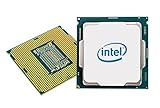
Intel Core i7-10700K Desktop Processor 8 Cores up to 5.1 GHz Unlocked LGA1200 (Intel 400 Series Chipset) 125W (BX8070110700K)


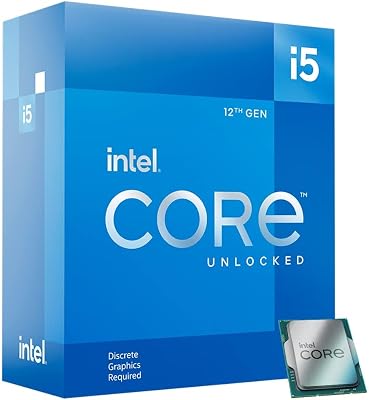

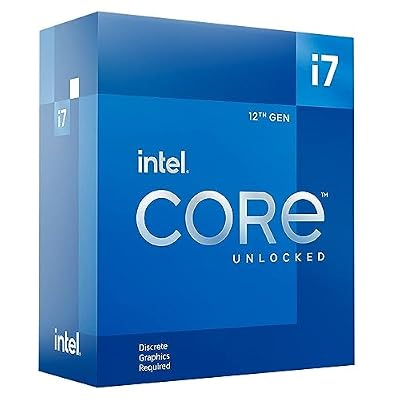
Intel® Core™ i7-12700KF Desktop Processor 12 (8P+4E) Cores up to 5.0 GHz Unlocked LGA1700 600 Series Chipset 125W
Included for 'Snapdragon Processor Vs Intel: Full Comparison' as a representative home product in this roundup; selection reflects the product set returned for this topic.
View on Amazon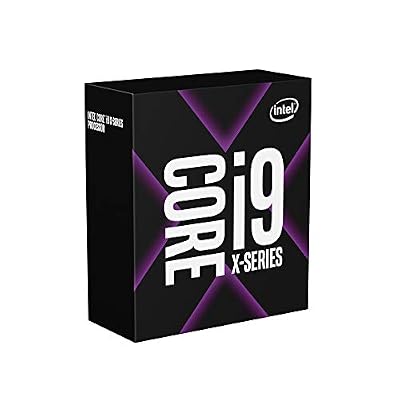
Intel Core i9-10900X Desktop Processor 10 Cores up to 4.7GHz Unlocked LGA2066 X299 Series 165W (BX8069510900X)
Included for 'Snapdragon Processor Vs Intel: Full Comparison' as a representative home product in this roundup; selection reflects the product set returned for this topic.
View on Amazon
Intel Core i9-12900KF Gaming Desktop Processor 16 (8P+8E) Cores up to 5.2 GHz Unlocked LGA1700 600 Series Chipset 125W
Included for 'Snapdragon Processor Vs Intel: Full Comparison' as a representative home product in this roundup; selection reflects the product set returned for this topic.
View on Amazon
Intel Core i7-12700K Gaming Desktop Processor with Integrated Graphics and 12 (8P+4E) Cores up to 5.0 GHz Unlocked LGA1700 600 Series Chipset 125W
Included for 'Snapdragon Processor Vs Intel: Full Comparison' as a representative home product in this roundup; selection reflects the product set returned for this topic.
View on Amazon
Intel® Core™ i7-11700K Desktop Processor 8 Cores up to 5.0 GHz Unlocked LGA1200 (Intel 500 Series & Select 400 Series Chipset) 125W
Included for 'Snapdragon Processor Vs Intel: Full Comparison' as a representative home product in this roundup; selection reflects the product set returned for this topic.
View on Amazon
Intel® Core™ i7-11700F Desktop Processor 8 Cores up to 4.9 GHz LGA1200 (Intel® 500 Series & Select 400 Series chipset) 65W
Included for 'Snapdragon Processor Vs Intel: Full Comparison' as a representative home product in this roundup; selection reflects the product set returned for this topic.
View on Amazon
Intel® Core™ i3-10320 Desktop Processor 4 Cores up to 4.6 GHz LGA1200 (Intel® 400 Series chipset) 65W, Model Number: BX8070110320
Included for 'Snapdragon Processor Vs Intel: Full Comparison' as a representative home product in this roundup; selection reflects the product set returned for this topic.
View on AmazonFast, Free Shipping With Prime
Prime members get fast, free shipping on eligible items, and new members can start with a 30-day free trial.
Watch: Snapdragon Processor Vs Intel: Full Comparison — Video Review
Quick Verdict
Snapdragon wins on battery life, thermals, and instant-on connectivity, making it ideal for ultraportable laptops used mainly for web, office, and media. Intel wins on raw performance, broad software and peripheral compatibility, and desktop scalability, exactly why the desktop chips featured here, like the Core i7-12700K and i9-12900KF, remain the choice for gaming, heavy multitasking, and demanding professional software.
Snapdragon Processors
Snapdragon X chips are built on ARM architecture, the same efficient foundation as smartphone processors. In thin laptops this translates to exceptional battery life, often all day and beyond, and cool, quiet operation with strong integrated NPUs for on-device AI. Connectivity is a genuine strength, with built-in 5G options and instant wake.
The trade-off is compatibility. Because Windows on ARM runs many older x86 apps through emulation, some legacy programs, niche utilities, and certain games either run slower or don’t run at all. For mainstream productivity, browsing, and Microsoft’s own apps, the experience is excellent; for specialized or legacy software, it can be hit-or-miss.
Intel Processors
Intel’s x86 chips remain the compatibility gold standard, running virtually every Windows application and peripheral natively with no emulation. That universality is why Intel dominates in demanding scenarios. On the desktop, chips like the Core i7-12700KF and i7-12700K (12 cores, up to 5.0GHz) and the 16-core i9-12900KF (up to 5.2GHz) deliver serious multithreaded muscle for gaming, content creation, and heavy multitasking, with unlocked overclocking on the K-series.
Intel also scales in ways ARM currently can’t, from the budget i5-12400F to the workstation-class i9-10900X on the X299 platform. The cost is efficiency: these high-performance chips draw more power and run hotter than Snapdragon, which matters far more in a thin laptop than in a desktop with proper cooling.
Head-to-Head: Which Should You Buy?
- For maximum battery life and portability: Snapdragon, in a thin-and-light laptop for web, office, and travel.
- For broad app and game compatibility: Intel, which runs everything natively without emulation surprises.
- For desktop gaming and creation: Intel, with chips like the i7-12700K or i9-12900KF providing the cores and clocks that matter.
- For on-device AI in a laptop: Both have strong NPUs, but Snapdragon’s efficiency lets it sustain AI tasks longer on battery.
- For budget desktop builds: Intel’s range, including the affordable i5-12400F, gives scalable value ARM doesn’t yet match.
Snapdragon X Elite vs Intel Core i7
A Snapdragon X Elite laptop and an Intel Core i7 system trade strengths: reviewers report the Snapdragon chip ahead on battery life and often on multi-core work, while Intel keeps the edge in compatibility and gaming. The comparison depends on which Core i7 you mean, since the name covers many generations and both laptop and desktop parts.
- Versus Core Ultra 7 laptop chips: published benchmark comparisons show the X Elite ahead in multi-core scores against the Core Ultra 7 165H, while the newer Lunar Lake Core Ultra 7 chips are closer, with single-core results varying by model.
- Versus desktop Core i7 chips such as the 12700K: these run at far higher power limits and sit in a different category, so they are not direct rivals to a thin laptop.
- Software: Intel runs every Windows app natively, while Snapdragon relies on emulation for x64 programs without an Arm64 build.
Check benchmark results for the exact laptop model rather than the chip name alone, since cooling and power settings change the outcome.
Checking Compatibility Before You Choose an Arm Laptop
Snapdragon X systems run the Arm64 version of Windows 11, and the main risk is software rather than speed. Windows uses an emulation layer called Prism to run x64 applications, and most everyday programs, browsers and office tools work. Trouble is more likely with anything that installs kernel-mode drivers, such as certain anti-cheat engines, VPN clients and hardware utilities, because those need Arm64-native versions.
- List the programs you depend on. Include work software, creative tools and any hardware control panels.
- Check each vendor’s support page for an Arm64 build or a statement about emulation.
- Look at your games. Titles that rely on anti-cheat are the most common point of failure.
- Review your peripherals. Printers, audio interfaces and docks often need drivers that must be Arm64-ready.
- Decide how much risk you accept. If one essential tool does not run, an x86 Intel machine is the safer path.
Platform Facts Behind the Intel Desktop Picks
The Intel processors listed in this comparison are socketed desktop chips, so each one ties you to a specific motherboard generation. This is a different decision from choosing a Snapdragon laptop.
| Processor | Cores / threads | Socket | Memory type |
|---|---|---|---|
| Intel Core i9-9900K | 8 / 16 | LGA1151 (300 series boards) | DDR4 |
| Intel Core i7-10700K | 8 / 16 | LGA1200 | DDR4 |
| Intel Core i5-12400 | 6 / 12 | LGA1700 | DDR4 or DDR5, set by the board |
| Intel Core i5-12600KF | 10 (6P+4E) / 16 | LGA1700 | DDR4 or DDR5, set by the board |
| Intel Core Ultra 7 265K | 20 (8P+12E) / 20 | LGA1851 | DDR5 |
The 12600KF has no integrated graphics, as the F suffix indicates, so it needs a discrete graphics card. The 265K does not use Hyper-Threading, which is why its thread count matches its core count. Older chips such as the 9900K and 10700K also lack the hybrid performance and efficiency core design that Intel introduced with the 12th generation.
How Does a Snapdragon X Processor Compare to an Intel Core i3?
A Snapdragon X processor is aimed at mid-range to premium laptops, while the Intel Core i3 sits in the entry tier, so the two rarely compete on the same shelf. Expect Snapdragon X chips to offer stronger battery life and an NPU rated for Copilot+ features, as the Microsoft requirement is 40 TOPS or more.
The Core i3 advantage is simplicity: it runs all x86 software natively and suits basic office, browsing and school use. If both laptops are in your budget, compare the specific benchmark scores and the software you depend on before choosing.
Choosing by Workload
| Workload | Snapdragon X laptop | Intel x86 system |
|---|---|---|
| Web browsing, office and video calls | Well suited; native Arm apps are common | Well suited |
| Older or niche software with custom drivers | Higher risk of incompatibility | Safer choice |
| Competitive games with anti-cheat | Some titles do not launch | Broad support |
| Long battery life while traveling | Designed for efficiency, though results vary by model | Newer mobile chips have narrowed the gap, with variation between laptops |
| On-device AI features | Includes an NPU rated at 40 TOPS or more, the Copilot+ PC threshold Microsoft set | Depends on the chip; check the NPU rating |
| Upgradable desktop building | Not available as a retail socketed part | Standard sockets and parts |
Which One Should You Buy?
| If you… | Choose… |
|---|---|
| Want the newest Intel desktop platform of the group | Intel Core Ultra 7 265K |
| Want a lower-power, six-core desktop chip for general use and light gaming | Intel Core i5-12400 |
| Want an unlocked mid-range chip with a discrete card | Intel Core i5-12600KF |
| Already own an LGA1200 board and need more cores | Intel Core i7-10700K |
| Already own an LGA1151 300-series board | Intel Core i9-9900K |
Read the table as a starting point rather than a verdict. Arm and x86 laptops both vary enormously by model, cooling and power settings, so a thin laptop with either chip can behave very differently from a thicker one. The deciding question is nearly always which specific programs you cannot live without, because a single missing application matters more than any difference in efficiency.
Is Qualcomm Snapdragon a Good Processor for Video Editing?
Snapdragon X can handle light to moderate video editing, mainly because the main editors now ship Arm64 builds. DaVinci Resolve added native support for Snapdragon X with version 19, and Adobe lists native Windows on Arm support for Premiere Pro starting with version 26.0, while the 25.x releases run through emulation.
- Plug-ins: many third-party effects are built for x64 only, and Arm64 hosts may not load them, so check each plug-in support page.
- Formats: Adobe notes that some features, including certain raw video formats, are missing on Arm.
- Heavy projects: long multi-layer timelines and 4K effects benefit from a desktop chip and discrete graphics, so a thin laptop of either brand may struggle.
Confirm your editor’s current Arm status on the vendor support page before buying.
Snapdragon X Elite vs Intel Core Ultra 7: Spec Comparison
Published comparisons of the Snapdragon X Elite against Intel’s Core Ultra 7 chips depend heavily on which Intel generation you pick. Meteor Lake parts such as the Core Ultra 7 155H trail the X Elite in multi-core results, while Lunar Lake parts such as the Core Ultra 7 258V are much closer in single-core work.
| Spec | Snapdragon X Elite | Intel Core Ultra 7 258V (Lunar Lake) |
|---|---|---|
| Architecture | Arm (Oryon cores) | x86 hybrid cores |
| NPU rating | 45 TOPS | 48 TOPS |
| Graphics | Adreno X1 | Intel Arc 140V |
| Copilot+ PC badge | Yes | Yes |
| Native Windows apps | Arm64 builds, others via emulation | All x86 and x64 apps |
| Best fit | Battery life, multi-core efficiency | Compatibility, light gaming |
The table shows that both platforms clear the Copilot+ NPU threshold, so the AI badge is not a reason to prefer either one. The Arc graphics in the Intel chip generally give it the edge for casual gaming, while the X Elite graphics suit everyday display work.
Newer Chips in 2026: Snapdragon X2 Elite and Intel Panther Lake
Many Snapdragon processor vs Intel comparisons online still use first-generation results. Qualcomm has announced the Snapdragon X2 Elite as the successor to the X Elite, and Intel’s Core Ultra series 3 chips (Panther Lake) are the newer laptop generation on the Intel side. Because these chips arrive in different laptops at different times, treat older benchmark numbers as a guide to the platform rather than the current best chip.
- Check which chip generation the exact laptop uses before comparing prices.
- Look for results measured in the apps you use, not just synthetic scores.
- Compare battery tests at the same screen brightness and workload.
- Confirm Arm64 support for your main software on the vendor support page.
Snapdragon vs Intel for Students, Office Work and Travel
For students and office users who live in a browser, Microsoft 365 and video calls, a Snapdragon X laptop is usually the longer-lasting choice. For anyone who relies on older accounting software, specialist CAD plug-ins, anti-cheat games or hardware with custom drivers, an Intel laptop avoids compatibility surprises. For travel, the always-connected 5G models available on some Snapdragon systems are a practical extra, while Intel systems rely on Wi-Fi or a mobile hotspot.
Common Mistakes When Comparing Snapdragon and Intel
- Comparing a laptop chip with a desktop chip. Snapdragon X processors arrive inside complete laptops and mini systems, while desktop Intel parts run at much higher power limits.
- Trusting one benchmark. Synthetic scores say little about emulated apps, so compare results in the software you actually use.
- Ignoring the motherboard. Matching a processor to the wrong socket or memory type is a common reason a build cannot proceed.
- Assuming battery claims apply everywhere. Battery life depends on screen brightness, workload and power settings as much as the processor.
- Buying an old chip without checking Windows 11 support. Intel 8th generation and newer are officially supported, which covers the 9900K and 10700K, but older generations are not.
Reading the Spec Sheet: Which Numbers Matter
NPU Ratings and the Copilot+ Threshold
Microsoft’s Copilot+ PC branding requires an NPU capable of at least 40 TOPS, along with 16 GB of memory and 256 GB of storage. Snapdragon X laptops qualify under that rule. Intel’s Core Ultra 7 265K desktop chip carries an NPU rated at 13 TOPS on Intel’s spec page, so it falls short of the badge even though it is a current Intel part. Adding CPU and GPU throughput together does not change the rule, because the requirement applies to the NPU alone. If on-device AI features such as local image tools matter to you, look for the Copilot+ badge rather than a headline TOPS total.
Cores, Threads and Mixed Core Designs
The two older Intel desktop chips here, the Core i7-10700K and Core i9-9900K, are eight-core parts with a single core type. The Core i5-12600KF uses six performance cores and four efficiency cores, and the Core Ultra 7 265K uses eight performance and twelve efficiency cores. Mixed designs help with background work and multitasking, but they depend on the operating system scheduler, so Windows 11 is the sensible choice for the 12th-generation and Core Ultra chips.
Power Limits and Cooling
Listed power matters on desktops as much as on laptops. The Core i7-10700K and Core i5-12600KF are listed at 125 W base power, the Core i9-9900K at 95 W. Unlocked chips can draw well beyond base power when boosting, so pair them with a cooler and motherboard power delivery sized for the load rather than the label. The locked Core i5-12400 is the easiest of the group to cool.
Intel Desktop Picks: Socket and Memory Cheat Sheet
| Processor | Socket | Memory | Integrated graphics |
|---|---|---|---|
| Core i9-9900K | LGA1151 (300 series boards) | DDR4 | Yes |
| Core i7-10700K | LGA1200 (400 series boards) | DDR4 | Yes |
| Core i5-12400 | LGA1700 | DDR4 or DDR5, set by the board | Yes |
| Core i5-12600KF | LGA1700 | DDR4 or DDR5, set by the board | No (F suffix) |
| Core Ultra 7 265K | LGA1851 | DDR5 only | Yes |
Sockets are not interchangeable, so a processor from one row will not fit a board from another. The F suffix means the graphics unit is absent, which makes a separate graphics card mandatory.
Worked Example: Estimating Laptop Battery Life
Spec-sheet claims for laptops are easier to judge with simple arithmetic. Hours of runtime equal battery capacity in watt-hours divided by average system draw in watts. Assume a 60 Wh battery and a light workload of browsing and documents.
- If the whole system averages 6 W, runtime is 60 divided by 6, or about 10 hours.
- If a less efficient design averages 10 W on the same workload, runtime drops to 6 hours.
- If a heavier task pushes the draw to 25 W, even the efficient design falls to roughly 2.4 hours.
The same battery gives wildly different results because the display, the chip and the workload all move the average. This is why efficiency claims for Arm laptops apply mostly to light, steady tasks and shrink under sustained load.
Troubleshooting Windows on Arm Problems
- An older app will not install. Check whether the developer lists an Arm-native build. Windows 11 can emulate many x64 programs, but emulation adds overhead.
- A peripheral does not work. Printers, audio interfaces and other hardware relying on custom drivers need Arm versions, and owners commonly report gaps here.
- A game refuses to launch. Some titles with kernel-level anti-cheat do not run on Arm, so check the game’s support page first.
- A professional tool runs slowly. Look for a native Arm release, since emulated plug-ins and extensions can be the slowest link.
- A virtual machine will not start. Arm laptops run Arm guest operating systems, which differs from x86 virtualization on Intel machines.
Related Guides
- Best Graphics Processor For Gaming (2026)
- Best Am4 Processor For Gaming (2026)
- Best AMD Processor For Gaming (2026)
- Best CPU Cooler For Gaming (2026)
- Snapdragon Processor Vs Intel: Full Comparison (2026)
When to Avoid a Snapdragon Processor
Avoid a Snapdragon laptop if one program you rely on has no Arm64 build and no working emulation path. The most common problem cases are:
- Games with kernel-level anti-cheat, which some titles do not allow on Arm.
- VPN clients, hardware utilities and peripherals that install kernel-mode drivers.
- Older or niche professional software and x64-only plug-ins.
- Virtual machines that need x86 guest systems.
- Any plan to build or upgrade a desktop, since there is no retail socketed Snapdragon part.
If your workload is mostly browsing, office apps and video calls, these limits matter far less.
Frequently Asked Questions
Will all my Windows apps run on Snapdragon?
Most mainstream apps do, natively or via emulation. Some legacy, niche, or certain gaming titles may run slowly or not at all, so check your critical software first.
Is Intel or Snapdragon better for battery life?
Snapdragon X laptops generally lead on battery efficiency, though Intel’s newer Lunar Lake and Core Ultra chips have narrowed the gap, so check results for the exact laptop model.
Which is better for gaming?
Intel, especially on the desktop. Chips like the i9-12900KF and i7-12700K pair with GPUs for top gaming, while ARM gaming support is still limited.
Does Snapdragon come in desktops?
Not meaningfully yet, Snapdragon focuses on laptops and thin devices. For desktops, Intel (and AMD) x86 chips are the practical choice.
Is the Snapdragon X Elite better than the Intel Core Ultra 7?
It depends on the Intel generation. The X Elite is ahead of older Meteor Lake chips in multi-core work and battery life, while Lunar Lake closes much of the gap. Intel keeps the advantage in software compatibility and casual gaming.
Is Snapdragon worth it over Intel in 2026?
Yes if your software has Arm64 builds or runs well in emulation and you value battery life. Choose Intel if you need guaranteed compatibility or plan to build a desktop.
Can Snapdragon laptops run every Windows program?
No. Most mainstream apps run natively or through emulation, but programs that need kernel-mode drivers, some anti-cheat games and some plug-ins may not work.
Final Verdict
Choose Snapdragon if you want a cool, quiet, long-lasting laptop for everyday productivity and travel, and your software is mainstream. Choose Intel if you need guaranteed compatibility, desktop power, or gaming and creation muscle, where chips like the Core i7-12700K and i9-12900KF still set the pace. The right answer depends entirely on whether efficiency or raw, universal performance matters more to you.