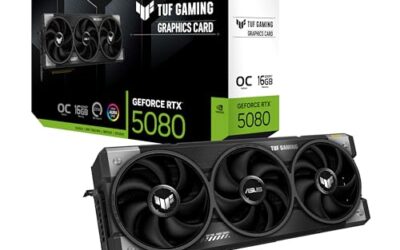
Dust is the silent killer of gaming performance. A clogged fan blade and a caked radiator can raise your CPU and GPU temperatures by 10-15°C, triggering thermal throttling that quietly steals frames. If your PC has gotten louder or hotter over the past year, it is almost certainly overdue for a clean rather than a hardware upgrade.
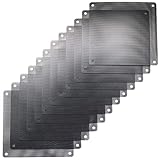
Cleaning your fans and filters takes about 30 minutes and only needs compressed air, a soft brush, and a set of magnetic dust filters to keep the grime out afterward. Products like the ThreeBulls 120mm PVC dust filters or a MoKo magnetic mesh filter turn a one-time clean into a lasting fix by trapping dust before it ever reaches your fan blades.
As an Amazon Associate we earn from qualifying purchases at no extra cost to you.


![MoKo 400x300mm DIY PC Case Dust Mesh Filter, [4 Pack] PVC Dustproof Magnetic Dust Filter Cover, PC Mesh Grill with Magnetic Frame Strip Computer Cooler Fan Dust Filter for Computer PC Case, Black](https://m.media-amazon.com/images/I/51YgJYNN2-L._SL160_.jpg)


⚡ Save on Your Next PC — Amazon Prime
Prime members get fast free shipping on the systems above, plus early access to Prime Day & Black Friday PC deals. New members get a 30-day free trial.
Watch: How to Clean Your PC Fans and Filters — Video Review
Shut Down and Prep Safely
Power off the PC, unplug it, and hold the power button for five seconds to discharge residual current. Move the case to a well-ventilated area or outside; you do not want to blow a cloud of dust back into your room. Grab a can of compressed air (or an electric duster), a soft anti-static brush, and lint-free cloths.
Clean the Intake and Exhaust Fans
- Hold each fan blade still with a finger before blasting it with air, so it does not spin and generate voltage that can damage the motor.
- Blow from the clean side toward the dusty side to push debris out of the case, not deeper into it.
- Use the soft brush to loosen stubborn grime baked onto the blade edges.
Clear the CPU Cooler and GPU Heatsink
The dense fins on your CPU tower or radiator and your graphics card’s heatsink trap the most dust and cause the biggest temperature gains when cleaned. Short, controlled bursts of air through the fins work best; avoid tipping the can so no liquid propellant sprays out. For a radiator, blow air backward through it (against the normal airflow) to eject packed dust.
Install Dust Filters to Stay Clean
The real fix is prevention. Magnetic mesh filters like the MoKo 400x300mm DIY sheet or pre-cut ThreeBulls 120mm and 140mm filters snap over your intake fans and catch dust before it enters. The IMSurQltyPrise fan filter grills add a rigid frame for larger intakes. Filters on intakes plus positive air pressure (more intake than exhaust) keeps the interior remarkably clean for months.
Reassemble and Verify Temps
Reseat any panels, power on, and run HWiNFO or your favorite monitor during a game or stress test. You should see idle and load temperatures drop noticeably compared to before. If a fan rattles or fails to spin, it may have been disturbed; reseat its connector or replace it.
Tips
- Clean intake filters monthly with a quick rinse or vacuum; they trap the bulk of the dust.
- Never use a household vacuum directly on components; static discharge can fry them.
- Run more intake fans than exhaust to create positive pressure and reduce dust ingress.
- Cut a MoKo mesh sheet to size for any non-standard vent your case has.
Frequently Asked Questions
How often should I clean my PC fans?
Every three to six months for most homes, monthly if you have pets or carpet. Check intake filters more often since they clog fastest.
Can I use a vacuum instead of compressed air?
Not directly on components; the static charge can damage electronics. A vacuum is fine for cleaning removable filters away from the board.
Do dust filters hurt airflow?
Fine mesh filters cost a tiny amount of airflow, but the temperature penalty from a dust-clogged heatsink is far worse. Filters are a net win for sustained thermals.
Why is my PC still loud after cleaning?
Louder fans after cleaning usually mean a worn bearing or a fan curve set too aggressively. If a fan clicks or rattles, replace it; otherwise tune your curve in BIOS.
Conclusion
Regular dust removal is the cheapest performance maintenance you can do, often reclaiming 10°C or more of thermal headroom. Blow out your fans and heatsinks, then install magnetic intake filters so the job stays done. Your temperatures, fan noise, and frame-time stability will all thank you.