- Top Pick: SANSUI 27 Inch Curved 240Hz Gaming Monitor FHD 1080P, 1500R Curve Computer Monitor, 130% sRGB, 4000:1 Contrast, HDR, FreeSync, MPRT 1Ms, Low Blue Light, HDMI DP Ports, Metal Stand, Cable Incl.
- Best Value: Sceptre New 22-Inch Gaming Monitor, FHD 1080p, Up to 144Hz, HDMI, DisplayPort, Built-in Speakers, Machine Black (E225W-FW144 Series, 2026)
- Premium Choice: SANSUI 24.5 Inch 300hz 240hz, FHD 1080P Gaming Monitor for FPS PC Gaming
In competitive first-person shooters, the monitor is as much a part of your aim as the mouse in your hand. High refresh rates deliver more frames to your eyes each second, low response times eliminate the smearing that hides enemies in motion, and the right panel keeps fast flick shots crisp. For 2026, the sweet spot for FPS players has shifted firmly toward 180Hz and beyond, with 240Hz and even 300Hz options now affordable enough for serious mid-range builds.
This roundup breaks down what actually matters for FPS gaming, refresh rate, response time, resolution, and panel type, then reviews the best gaming monitors across budgets. Whether you are chasing the highest refresh for ranked play or want a sharp QHD panel that still runs fast, there is a display here to sharpen your edge.
As an Amazon Associate we earn from qualifying purchases at no extra cost to you.






⚡ Save on Your Next PC — Amazon Prime
Prime members get fast free shipping on the systems above, plus early access to Prime Day & Black Friday PC deals. New members get a 30-day free trial.
Watch: Best Gaming Monitor for FPS — Video Review
How to Choose
- Refresh rate: aim for 144Hz minimum and 240Hz or higher for competitive FPS, since more frames per second mean smoother tracking and lower input lag.
- Response time: look for 1ms (GtG) to avoid motion blur that smears fast-moving targets.
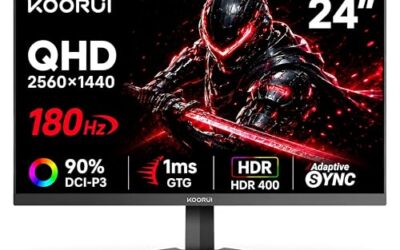
- Resolution vs. frames: 1080p makes hitting high frame rates easy on mid-range GPUs, while 1440p adds clarity if your card can drive it.
- Panel type: fast IPS panels balance color and speed; TN is cheapest and fastest; VA curved panels add immersion.
- Adaptive sync: FreeSync or G-Sync compatibility eliminates screen tearing for a cleaner competitive image.
The Best Picks Reviewed
SANSUI 24.5 Inch 300Hz 240Hz FHD Gaming Monitor
For pure competitive speed, this SANSUI 24.5-inch pushes up to 300Hz at 1080p, putting it in esports territory. The blistering refresh rate and FHD resolution make it easy for a capable GPU to feed maximum frames, ideal for ranked FPS players who want every millisecond of advantage on a flat, distraction-free panel.
Dell 27 240Hz Gaming Monitor SE2726HG
The Dell SE2726HG brings 240Hz to a 27-inch FHD IPS panel, pairing a trusted brand with the wide viewing angles and color consistency of IPS. At 240Hz and 27 inches it is a versatile pick for players who want competitive speed without the tiny screen, backed by Dell’s reliability and warranty.
Samsung 27″ Odyssey G5 (G51F) QHD Gaming Monitor
Stepping up to QHD, the Odyssey G5 delivers sharp 1440p visuals on a 27-inch panel for players whose GPUs can drive the higher resolution. It is the choice when you want FPS clarity and detail together, offering more on-screen sharpness to spot distant enemies while keeping a fast, gaming-tuned panel.
SANSUI 27 Inch Curved 240Hz Gaming Monitor
This curved 27-inch SANSUI runs 240Hz at 1080p with a 1500R curve and a wide 130% sRGB gamut. The curvature wraps the action around your field of view for immersion, while the 240Hz refresh keeps competitive shooters fluid, a strong blend of speed and atmosphere for players who want both.
LG 32GS60QC-B UltraGear 32″ Curved QHD 180Hz
The LG UltraGear 32-inch curved delivers QHD at 180Hz with a 1ms response and a 1000R curve, plus AMD FreeSync. For players who prioritize an immersive big-screen experience without sacrificing responsiveness, this large curved QHD panel hits a satisfying balance of size, sharpness, and speed.
Frequently Asked Questions
What refresh rate do I need for FPS gaming?
144Hz is a solid entry point, but competitive FPS players benefit from 240Hz or higher. The higher the refresh rate, the smoother motion appears and the lower your input latency, both of which help in fast aim duels.
Is 1080p or 1440p better for competitive play?
1080p makes it easier to hit very high frame rates on mid-range GPUs, which is why many pros still use it. 1440p offers sharper visuals and is a great choice if your graphics card can maintain high frames at that resolution.
Does response time really matter?
Yes. A 1ms (GtG) response time minimizes motion blur and ghosting, keeping fast-moving enemies sharp. Slower response times leave trailing smears that can make tracking targets harder in fast shooters.
Should I get a curved monitor for FPS?
Curved monitors add immersion and can reduce eye movement on larger screens, but they are a preference rather than a competitive necessity. Many pros favor flat panels; choose based on whether you value immersion or a simple, uniform view.
Final Thoughts
The best FPS monitor is the one matched to your GPU and play style: a 240Hz or 300Hz 1080p panel for maximum competitive speed, or a fast QHD display if your card can drive 1440p and you want extra clarity. Prioritize refresh rate and a 1ms response first, add adaptive sync to kill tearing, and pick flat or curved to taste. Get those right and your monitor stops being a limitation and starts being an advantage.
Top picks from this guide
 SamsungSamsung 27" Odyssey G5 (G51F) Series QHD (1440P) Gaming Monitor…$150 \xc2\xb7 99/100
 SANSUISANSUI 27 Inch Curved 240Hz Gaming Monitor FHD 1080P, 1500R…$136 \xc2\xb7 99/100
 SceptreSceptre New 22-Inch Gaming Monitor, FHD 1080p, Up to 144Hz,…$65 \xc2\xb7 98/100
 SANSUISANSUI 24 Inch Gaming Monitor 180Hz, DP 1.4 & HDMI…$80 \xc2\xb7 96/100