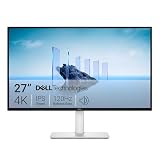
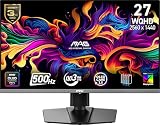
- Top Pick: Dell 27 240Hz Gaming Monitor – SE2726HG – 27-inch FHD (1920×1080) 240Hz Display, in-Plane Switching (IPS) Technology, AMD FreeSync Premium, TÜV 3-Star, 2X HDMI, DisplayPort 1.4, Tilt
- Best Value: Dell 24 240Hz Gaming Monitor – SE2426HG – 23.8-inch FHD (1920×1080) 240Hz Display, in-Plane Switching (IPS) Technology, AMD FreeSync™ Premium, TÜV 3-Star, 2X HDMI, DisplayPort 1.4, Tilt
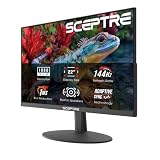
- Premium Choice: Sceptre Curved 24.5-inch Prime Gaming Monitor up to 240Hz 1080p R1500 1ms DisplayPort x2 HDMI x2 Blue Light Shift Build-in Speakers, Machine Black 2025 (C255B-FWT240 Series)
Refresh rate has become the single most argued-about number in PC gaming, and for good reason: it is the one spec you feel every second you play. In 2026, 144Hz is no longer the enthusiast tier it was five years ago — it is the sensible baseline, available on capable IPS panels for less than the price of a single AAA game bundle. Meanwhile, 240Hz has quietly collapsed in price. Panels that once demanded a premium now sit in the budget aisle, which makes the old “144Hz is the value pick” advice worth re-examining.
The real question is not which number is bigger. It is whether your GPU, your games, and your eyes can actually convert those extra frames into an advantage. A 240Hz monitor fed 90fps is just an expensive 90Hz monitor. Below we break down where each refresh rate genuinely earns its keep, which panels are worth your money right now, and how to choose without overspending on headroom you will never use.
As an Amazon Associate we earn from qualifying purchases at no extra cost to you. Product prices and availability are accurate as of the date shown and are subject to change.








⚡ Save on Your Next PC — Amazon Prime
Prime members get fast free shipping on the systems above, plus early access to Prime Day & Black Friday PC deals. New members get a 30-day free trial.
Watch: 144Hz vs 240Hz Monitor: Worth It in 2026? — Video Review
Quick Verdict
Choose 144Hz if you play a mix of single-player and multiplayer titles, run a mid-range GPU, and would rather put your budget toward resolution, panel quality, or a larger screen. Choose 240Hz if competitive shooters like Valorant, CS2, Apex, or Overwatch make up most of your playtime, your GPU can consistently push 200fps or more at 1080p, and you want the lowest possible motion blur and input latency. In 2026, the price gap between the two is small enough that 240Hz is the smarter default for esports-focused 1080p builds.
Key Differences
- Frame pacing: 144Hz refreshes every 6.94ms; 240Hz every 4.17ms. That 2.7ms difference is small in isolation but compounds with input lag and network latency in fast-paced shooters.
- Motion clarity: Higher refresh rates reduce sample-and-hold blur. Fast-moving text and enemy models stay noticeably sharper at 240Hz, especially with backlight strobing like ASUS Extreme Low Motion Blur Sync.
- GPU demand: 144Hz is comfortably achievable at 1440p on mid-range cards. Saturating 240Hz generally means staying at 1080p and running competitive titles at reduced settings.
- Resolution trade-off: At a given budget, 144Hz buys you more pixels — 1440p or even 4K. Most affordable 240Hz panels, including the Dell SE2726HG and SANSUI 27-inch curved, remain 1080p.
- Diminishing returns: The jump from 60Hz to 144Hz is dramatic and obvious to everyone. The jump from 144Hz to 240Hz is real but subtle, and mostly noticeable to trained competitive players.
- Price in 2026: Historically 240Hz carried a steep premium. Today the difference on 1080p panels is often marginal, which weakens the traditional value argument for 144Hz.
144Hz Monitors: The Balanced Choice
144Hz remains the most sensible refresh rate for the majority of gamers because it pairs high-frame-rate smoothness with realistic hardware requirements. A mid-range GPU can hold 144fps in most competitive titles at 1440p and in many single-player games at 1080p, meaning you actually use the panel’s capability rather than paying for idle headroom. The visual leap from 60Hz is immediately obvious in mouse movement, camera panning, and general desktop feel.
The strategic advantage of 144Hz is where the saved money goes. Instead of chasing frames, you can step up to 1440p, a larger diagonal, better color coverage, or genuine HDR. For anyone who plays story-driven games, sims, RPGs, or a mixed library, a sharp 27-inch 1440p 144Hz panel will deliver a more satisfying overall experience than a 1080p 240Hz screen — because image quality is on screen constantly, while the extra 96Hz only matters during fast motion.
240Hz Monitors: The Competitive Edge
240Hz is built for one job: minimizing the delay between what happens in the game and what reaches your eyes. The ASUS TUF Gaming VG279QM5A is the standout here, pairing a 0.3ms Fast IPS panel with G-SYNC compatibility and ELMB Sync for exceptionally clean motion. For a more affordable route, the Dell SE2726HG (27-inch) and Dell SE2426HG (23.8-inch) bring IPS panels, FreeSync Premium, and DisplayPort 1.4 to a genuinely budget price point.
If you prefer curved immersion, the Sceptre C255B-FWT240 offers a 24.5-inch 1500R panel with 1ms response and built-in speakers, while SANSUI’s 27-inch curved 240Hz adds 130% sRGB coverage, 4000:1 contrast, and a metal stand. Players who want scale can look at the SANSUI 32-inch curved 240Hz, though at 1080p that size stretches pixel density thin. Crucially, none of these matter without frames — verify your GPU can sustain 200fps+ before committing.
Which Should You Buy?
- For competitive FPS players: Pick 240Hz — the ASUS TUF VG279QM5A for the best motion handling, or the Dell SE2426HG for value.
- For mixed or single-player libraries: Pick 144Hz at 1440p; sharpness serves you better than raw speed.
- For tight budgets under $150: Pick 240Hz — the Dell SE2726HG and Sceptre C255B now undercut many older 144Hz panels.
- For console gamers: Pick 144Hz; current consoles cap at 120Hz, so 240Hz delivers nothing extra.
- For immersion and desk presence: Pick a curved 240Hz panel like the SANSUI 27-inch, which balances size and pixel density well.
Frequently Asked Questions
Can you actually see the difference between 144Hz and 240Hz?
Yes, but it is subtle. Most players notice cleaner motion and slightly crisper tracking rather than a dramatic transformation. The 60Hz-to-144Hz jump is far more obvious than 144Hz-to-240Hz.
What GPU do I need for 240Hz?
At 1080p in esports titles with medium settings, a modern mid-range card is sufficient. For AAA games at 240fps, you will need a high-end GPU and aggressive setting reductions — most players simply won’t hit it.
Is 1080p at 240Hz better than 1440p at 144Hz?
For competitive play, yes. For everything else, 1440p at 144Hz looks noticeably better, particularly on 27-inch and larger screens where 1080p starts to appear soft.
Does IPS matter more than refresh rate?
Panel type affects color and viewing angles, which you see constantly. Fortunately, modern options like the Dell SE2726HG and ASUS VG279QM5A deliver IPS quality at 240Hz, so you no longer have to choose.
Final Verdict
In 2026, 240Hz has earned its place as the default for 1080p competitive gaming — the price premium has largely evaporated, and panels like the ASUS TUF VG279QM5A and Dell SE2426HG deliver genuine motion-clarity gains without compromising on IPS color. But 144Hz remains the smarter buy if you play broadly, run a mid-range GPU, or want 1440p sharpness; spending that difference on resolution will improve every hour you play, not just the frantic ones.