
The best monitor for single player gaming should make exploration, atmosphere, and visual detail more enjoyable while matching your PC’s capabilities. For a powerful gaming desktop and a conventional widescreen setup, the ASUS ROG Swift OLED PG32UCDM is our main recommendation: its flat 4K QD-OLED panel combines detailed images, pixel-level light control, and variable refresh rate support. Choose the Alienware AW3425DW if ultrawide presentation matters more, or the MSI MAG 271QPX QD-OLED E2 if 1440p better suits your graphics card.
You do not need to reach 240 frames per second to benefit from these monitors. For story-driven games, a stable frame rate, effective HDR, and the right screen format can matter more than filling every available refresh cycle.
The six selections below address different setups. Recommendations are based on verified manufacturer documentation, not detailed research, and current prices are omitted rather than used to support unverified value rankings.
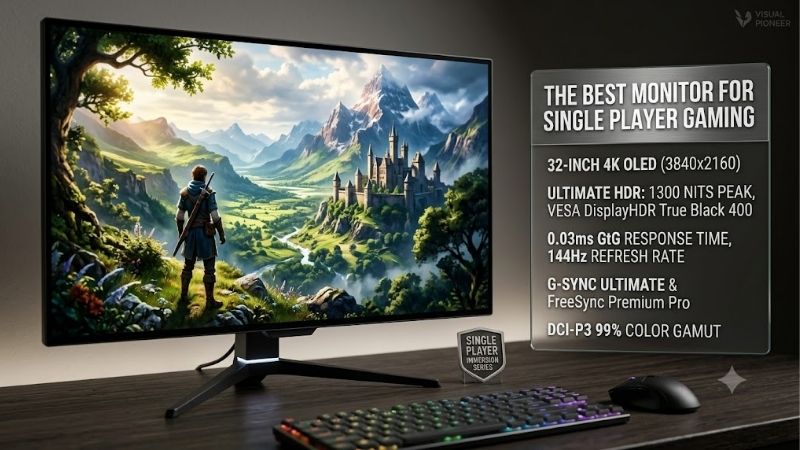
Quick answer: For most people in 2026, the best monitor for single player gaming is the ASUS ROG Swift OLED PG32UCDM — our #1 rated choice. See the full ranked comparison, alternatives and buying advice below.
Best Monitor for Single Player Gaming: Quick Comparison
| Monitor | Best-fit setup | Panel and resolution | Maximum refresh rate | Main trade-off |
|---|---|---|---|---|
| ASUS ROG Swift OLED PG32UCDM | Powerful PC; flat 4K display | 31.5-inch QD-OLED, 3840 × 2160 | 240Hz | Demanding resolution; OLED care required |
| Alienware AW3225QF | Curved 4K gaming | 32-inch-class QD-OLED, 3840 × 2160 | 240Hz | Curve is a preference; USB-C is not a video input |
| Alienware AW3425DW | Ultrawide PC adventures | 34.2-inch curved QD-OLED, 3440 × 1440 | 240Hz | Game and cutscene support varies |
| MSI MAG 271QPX QD-OLED E2 | Compact 1440p OLED setup | 26.5-inch QD-OLED, 2560 × 1440 | 240Hz | Less image detail than 4K |
| LG UltraGear 32GS95UE-B | 4K gaming with integrated audio | 32-inch-class OLED, 3840 × 2160 | 240Hz at 4K; 480Hz at 1080p | Dual-mode feature may be unnecessary |
| AOC Q27G3XMN | 1440p gaming without an OLED panel | 27-inch VA LCD with Mini LED, 2560 × 1440 | 180Hz | Zone-based dimming cannot match per-pixel control |
Maximum refresh rates describe supported display modes, not guaranteed game performance. Your GPU, cable, connection, and selected settings must support the intended mode.
How We Selected These Monitors
Manufacturer specifications were checked on October 10, 2026. Selection prioritized resolution, contrast technology, screen format, adaptive synchronization, connectivity, and practical limitations.
The PG32UCDM leads for readers seeking a flat 4K gaming monitor because it combines a conventional aspect ratio with QD-OLED technology and useful PC connectivity. The alternatives resolve specific drawbacks: a curved screen, a wider presentation, a lighter rendering workload, integrated audio, or an LCD panel.
No measured HDR brightness, input-lag results, or game benchmarks are claimed here. Advertised response times were not treated as proof of measured latency. OLED warranty terms were checked where available, and unresolved coverage is identified in the editorial source log.
Six Monitors Worth Considering
ASUS ROG Swift OLED PG32UCDM: Main Pick for Flat 4K Gaming
The PG32UCDM combines a 31.5-inch, 3840 × 2160 QD-OLED panel with a maximum 240Hz refresh rate. Its flat, conventional widescreen format is a straightforward choice for players who want detailed scenery without depending on ultrawide support.
Connectivity is another reason to choose it. ASUS specifies HDMI 2.1, DisplayPort 1.4 with Display Stream Compression, and USB-C video with up to 90W charging. The latter requires enabling 90W delivery in the monitor menu; the default is 65W.
Its main limitation is the workload associated with 4K. A demanding game may require upscaling or reduced settings, especially with ray tracing enabled. OLED also requires attention to persistent interface elements.
Buy if: You want a flat 4K OLED for a capable gaming PC, with useful laptop connectivity.
Skip if: Your system is better suited to 1440p or you specifically want an ultrawide screen.
Alienware AW3225QF: For Players Who Prefer Curved 4K
The AW3225QF offers a curved 4K QD-OLED screen with a maximum 240Hz refresh rate. It suits readers who want conventional widescreen compatibility but prefer a curved presentation.
Dell specifies DisplayPort 1.4 with compression and HDMI 2.1 connections supporting up to 4K at 240Hz with a compatible source. One HDMI connection includes eARC, providing an option for compatible external audio equipment. Dell also explicitly lists three-year service coverage including OLED burn-in.
The curve should be a deliberate choice, particularly if you also use the display for work. Another detail worth checking is USB-C: its downstream port provides USB connectivity and charging, rather than laptop video input.
Buy if: You prefer a curved 4K display and value clearly stated burn-in coverage.
Skip if: You want a flat panel or a single USB-C connection for laptop video.
Alienware AW3425DW: For Ultrawide PC Immersion
The AW3425DW uses a 34.2-inch QD-OLED panel with 3440 × 1440 resolution, a maximum 240Hz refresh rate, and an 1800R curve.
Its wider format is the attraction. In games with appropriate ultrawide support, it can provide a broader presentation than a conventional 16:9 display. It also renders fewer pixels than 4K, although more than standard 2560 × 1440.
The limitation is software compatibility. Gameplay, menus, and cinematics may handle the wider aspect ratio differently. Check the games you actually play before choosing screen width over resolution.
Dell specifies adaptive synchronization and HDMI and DisplayPort video connections. Its USB-C port is a downstream connection with 15W charging, so it should not be mistaken for a USB-C display input.
Buy if: You primarily play PC games with good ultrawide support.
Skip if: You want predictable widescreen presentation across games and external devices.
MSI MAG 271QPX QD-OLED E2: For 1440p OLED Gaming
The MAG 271QPX QD-OLED E2 provides a flat 26.5-inch QD-OLED panel with 2560 × 1440 resolution and a maximum 240Hz refresh rate.
It is a sensible starting point when you want OLED contrast without moving to 4K. Lower resolution reduces the number of pixels your GPU must render, although actual performance still depends on the game and settings.
MSI specifies FreeSync Premium Pro, DisplayPort, HDMI 2.1, and USB-C video. USB-C charging is limited to 15W, making it unsuitable as the sole power source for most gaming laptops. Its US specification page lists three-year coverage including panel burn-in.
Check the complete model name when ordering. The E2 suffix identifies this 240Hz variant; specifications from another MAG 271QPX model should not be substituted.
Buy if: You want a smaller OLED monitor and prefer the rendering demands of 1440p.
Skip if: You prioritize 4K detail or substantial laptop charging.
LG UltraGear 32GS95UE-B: For 4K Gaming With Built-In Audio
The 32GS95UE-B offers two distinct modes: 3840 × 2160 at up to 240Hz or 1920 × 1080 at up to 480Hz. For single-player games, the 4K mode is the relevant starting point.
LG also includes Pixel Sound audio and specifies both G-SYNC compatibility and FreeSync Premium Pro. Integrated sound is useful when you want a complete desktop setup without adding speakers immediately, although no audio-quality measurements were assessed for this guide.
The 480Hz mode matters mainly if you also play fast-paced games and can produce very high frame rates. It should not be the deciding feature for someone focused on detailed worlds and slower exploration.
LG lists a two-year limited warranty including the OLED panel, but explicit US burn-in coverage was not established here.
Buy if: You want 4K OLED, integrated audio, and occasional use of a high-refresh 1080p mode.
Skip if: You would never use dual mode and another model better fits your connections or warranty priorities.
AOC Q27G3XMN: For Mini LED Gaming Without OLED
The Q27G3XMN combines a 27-inch, 2560 × 1440 VA LCD panel with a Mini LED backlight featuring 336 local-dimming zones. AOC specifies a maximum 180Hz refresh rate, Adaptive Sync, and DisplayHDR 1000 certification.
It offers a different compromise from the OLED selections. The backlight can adjust brightness by region, but each region covers multiple pixels. Bright objects against dark backgrounds can therefore produce halos rather than the precise light control available from OLED.
Choose it because you want an LCD-based display with local dimming, not because its HDR certification number automatically makes it superior. AOC lists DisplayPort 1.4 and HDMI 2.0; verify the supported mode for your intended connection before purchasing.
Buy if: You prefer LCD for a setup that also displays persistent desktop interfaces.
Skip if: Pixel-level black control and dark-scene presentation are your highest priorities.
How to Choose the Best Monitor for Single Player Gaming
Match Resolution to Your GPU and Settings
Start with the games you play and the frame rates you find comfortable. A 4K monitor displays roughly 2.25 times as many pixels as a 2560 × 1440 screen. That comparison describes pixel count, not an exact performance penalty.
A GPU that handles one game comfortably at 4K may struggle with another using more demanding lighting or ray tracing. Review relevant benchmarks for your exact graphics card before buying around a resolution target.
Upscaling can make 4K more practical, but its visual result varies by game, quality setting, and implementation. Frame generation should also be distinguished from native rendering when assessing performance.
Prioritize Useful HDR Over the Label Alone
HDR support confirms that a display can handle an HDR signal; it does not fully describe the resulting image.
OLED provides light control at the pixel level. Mini LED LCD adjusts a backlight divided into zones. These approaches have different strengths and limitations, especially in scenes combining bright objects with dark surroundings.
DisplayHDR and DisplayHDR True Black are separate certification families. Do not rank these monitors by comparing the certification numbers alone. Also avoid treating a manufacturer’s peak-brightness figure as sustained brightness across the entire screen.
Choose Ultrawide Around Your Game Library
An ultrawide can suit exploration, driving, and other games that make effective use of the wider frame. However, support must be checked at the game level.
Look for information about gameplay framing, interface placement, and cutscenes. If several favorite games use fixed widescreen presentation, a conventional 4K monitor may be the more consistent purchase.
Screen width also affects desk fit. Measure the available space and leave room for speakers, cables, and your preferred viewing distance.
Use Refresh Rate as Headroom
A high-refresh monitor remains useful when your game runs below its maximum refresh rate. Adaptive synchronization can match refresh behavior to supported frame rates, helping reduce tearing.
However, 240Hz does not improve the detail of a frame, and a low advertised pixel-response time does not establish total input lag. For slower games, it can be reasonable to prioritize higher resolution or stronger contrast over maximum refresh rate.
If you already own a suitable high-refresh display, an upgrade should solve a specific problem rather than simply increase the headline number.
Check OLED Care and Warranty Terms
Persistent game interfaces, taskbars, and application panels make OLED care relevant even when the main purpose is gaming. Keep the manufacturer’s protection features enabled and follow its maintenance instructions.
Warranty coverage differs by exact model and region. A statement that a warranty covers the panel should not automatically be interpreted as burn-in coverage.
For a computer used extensively for static desktop work, the LCD option deserves consideration alongside the OLED models. The right choice depends on the complete workload.
FAQ
Is 1440p enough for single-player gaming?
Yes. A well-matched 1440p setup can provide a satisfying balance of detail, smoothness, and graphics settings. Moving to 4K is most useful when your GPU, screen size, and viewing preferences support that choice.
Do I need 240Hz for story-driven games?
No. A stable frame rate on a suitable display can be more valuable than a higher maximum refresh rate. A 240Hz monitor provides headroom, but you do not need to reach that frame rate in every game.
Should I choose OLED or Mini LED?
Choose OLED when precise dark-scene light control is a priority and you accept its care requirements. Consider Mini LED LCD when you prefer an LCD panel and are comfortable with zone-based dimming and possible halos.
Is curved better than flat?
Neither is universally better. A curved panel is worth choosing when you prefer its presentation from your normal seating position. A flat panel is a straightforward option for mixed work and gaming.
Can these monitors guarantee better game performance?
No. The monitor determines display capabilities, while your PC and game settings determine rendered performance. A higher resolution can increase GPU workload; a higher refresh-rate specification does not increase the frame rate by itself.
Final Verdict
The ASUS ROG Swift OLED PG32UCDM is the main recommendation for players with a capable PC who want a flat 4K OLED. Choose the Alienware AW3225QF for curved 4K or the AW3425DW for supported ultrawide PC games.
The MSI MAG 271QPX QD-OLED E2 is the more appropriate starting point when 1440p suits your system. LG’s 32GS95UE-B adds integrated audio and dual-mode flexibility, while the AOC Q27G3XMN provides a Mini LED LCD alternative.
The best purchase is the screen whose resolution, format, connections, and care requirements fit the games and computer you already use.
Editorial Source Log
Access date for all entries: October 10, 2026. Recommendations are editorial judgments based on manufacturer documentation. No direct testing or measured performance rankings are claimed.
| Product or claim | Supporting source URL | Verification and limitations |
|---|---|---|
| ASUS PG32UCDM | ASUS US product page · US specifications | Original PG32UCDM checked, not PG32UCDM3. Verified QD-OLED, 4K, 240Hz, connections, charging configuration, and three-year warranty including burn-in. ROG USA |
| PG32UCDM Amazon US listing | Amazon exact-model listing | Matching listing retrieved. Current seller, condition, stock, and price were not established as publication-ready facts. amazon.com |
| Alienware AW3225QF | Dell US product page | Verified curved 4K QD-OLED, 240Hz, input-specific modes, downstream USB-C, eARC, and stated three-year burn-in coverage. Matching Amazon US offer not confirmed. Dell USA |
| Alienware AW3425DW | Dell US product page | Verified 34.2-inch QD-OLED, 3440 × 1440, 240Hz, 1800R curve, adaptive synchronization, and downstream USB-C function. Page associates burn-in protection with a three-year warranty; applicable service terms still require checking. Amazon US offer not confirmed. Dell USA |
| MSI MAG 271QPX QD-OLED E2 | MSI US specifications | Exact E2 variant verified: 26.5-inch QD-OLED, 1440p, 240Hz, FreeSync Premium Pro, USB-C video with 15W charging, and three-year burn-in coverage. Amazon US offer not confirmed. us.msi.com |
| LG 32GS95UE-B | LG US product page · US support page | Verified OLED, dual display modes, synchronization support, Pixel Sound, and two-year limited panel warranty. No panel-family performance comparison made. Explicit US burn-in coverage and Amazon offer not confirmed. LG USA |
| AOC Q27G3XMN | AOC US product page | Verified VA LCD, Mini LED, 336 zones, 1440p, 180Hz maximum, Adaptive Sync, DisplayHDR 1000, and listed ports. Amazon page retrieval failed; current offer not verified. No measured halo or response-time results claimed. aoc.com |
| HDR certification interpretation | VESA DisplayHDR | Supports distinction between DisplayHDR and DisplayHDR True Black certification families. Certification labels were not used as direct cross-panel performance rankings. displayhdr.org |
| OLED static-image care | Dell OLED image-retention guidance | Supports general care discussion. Regional guidance was not used to establish US warranty coverage. Dell Nicaragua |
Ready to decide? Our #1 pick for 2026 is the ASUS ROG Swift OLED PG32UCDM.
Live price & availability on Amazon.









