
Choosing the best gaming monitors for next gen gaming means looking beyond high refresh rates and flashy HDR labels. Modern consoles such as the PlayStation 5, PS5 Pro, and Xbox Series X need displays that handle 4K resolution, 120Hz output, HDMI 2.1 bandwidth, and variable refresh rate (VRR) properly. PC gamers also benefit from higher refresh rates, better panel technology, and broader connectivity. This roundup covers seven monitors across OLED, IPS, and Mini LED categories, with recommendations based on manufacturer specifications and independent testing.
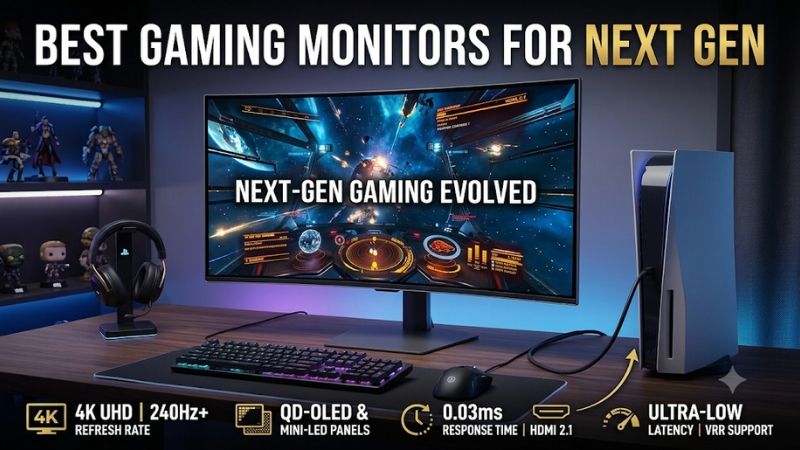
Best gaming monitors for next gen: quick verdict
The best choice depends on whether you prioritize image quality, competitive responsiveness, HDR brightness, or affordability. A premium 4K OLED is an excellent long-term investment for someone who plays on both a console and a powerful gaming PC. However, a well-equipped IPS or Mini LED monitor can offer more practical advantages for bright rooms, extended desktop use, and buyers who want to avoid OLED burn-in concerns.
For this roundup, next-gen readiness means supporting the current 4K/120Hz console feature set while providing useful headroom for PC gaming. It does not guarantee compatibility with future, unreleased console hardware.
Quick comparison
| Monitor | Best use case | Resolution / maximum refresh rate | Main advantage | Main drawback |
|---|---|---|---|---|
| ASUS ROG Swift OLED PG27UCDM | Best overall | 4K / 240Hz | Tandem QD-OLED picture quality | Premium positioning |
| Sony INZONE M9 II | Best PlayStation-focused IPS | 4K / 160Hz DP | Auto HDR Tone Mapping and local dimming | Blooming in dark scenes |
| Acer Nitro XV275K P5biipruzx | Best Mini LED versatility | 4K 160Hz / 1080p 320Hz | 1,152-zone local dimming | HDR black crush |
| MSI MAG 274QPF X30MV | Best 1440p console and PC crossover | 1440p / 300Hz | Mini LED and HDMI 2.1 | Dark-scene smearing |
| Dell S2725QS | Best straightforward 4K/120Hz option | 4K / 120Hz | Console compatibility and speakers | Slow pixel response |
| LG UltraGear 32GS95UE-B | Best large dual-mode OLED | 4K 240Hz / 1080p 480Hz | Immersive screen and excellent motion | OLED maintenance |
| Alienware AW3225QF | Best curved 4K OLED | 4K / 240Hz | Excellent contrast and 32-inch screen | Raised black levels in bright rooms |
These recommendations draw on independent RTINGS testing, manufacturer specifications, and model-specific compatibility information. The ranking is based on different purchasing priorities rather than assuming that the most expensive monitor is automatically the best.
How we selected the best gaming monitors for next gen
The first requirement was console compatibility. A monitor that advertises 240Hz over DisplayPort but cannot accept a suitable HDMI signal is not necessarily a good choice for a PS5 or Xbox.
The PlayStation 5, PS5 Pro, and Xbox Series X|S support gaming output up to 4K at 120Hz. HDMI 2.1 bandwidth is important for receiving these signals, while VRR helps reduce screen tearing when game frame rates fluctuate. RTINGS independently checks the supported resolution, refresh rate, HDR, and VRR combinations when evaluating console compatibility.
The other selection criteria include:
-
Panel technology: OLED offers deep blacks and extremely fast pixel transitions, while IPS and Mini LED displays can be more practical for bright rooms and static desktop use.
-
Motion handling: Actual response behavior and input lag matter more than an isolated manufacturer-advertised 1ms or 0.03ms figure.
-
HDR performance: Peak brightness, contrast, local dimming, and highlight control determine whether HDR produces a meaningful improvement.
-
Connectivity: HDMI 2.1, DisplayPort, USB-C, and audio connections can make a monitor more useful across different gaming devices.
-
Long-term ownership: Warranty coverage, burn-in protection, ergonomics, and firmware support all influence whether an expensive monitor is a sensible purchase.
We also considered whether the monitor can serve both console and PC gamers. A console cannot take advantage of 240Hz or 300Hz output simply because the monitor supports those figures. However, the additional refresh-rate headroom can become useful when the same monitor is connected to a high-performance desktop.
Individual monitor recommendations
ASUS ROG Swift OLED PG27UCDM: Best overall for premium gaming
The ASUS ROG Swift OLED PG27UCDM is a strong choice for gamers who want one display to handle both premium console gaming and demanding PC titles. Its 26.5-inch Tandem QD-OLED panel combines a 3840 x 2160 native resolution with a 240Hz maximum refresh rate and a manufacturer-rated 0.03ms gray-to-gray response time.
The panel technology is its biggest attraction. OLED pixels produce their own light, allowing the monitor to display deep blacks without conventional LCD backlighting. QD-OLED also provides vivid colors, making cinematic games with colorful environments and high-contrast lighting particularly appealing.
Connectivity is another advantage. ASUS includes two HDMI 2.1 ports, DisplayPort 2.1a with UHBR20 bandwidth, and USB-C with 90W power delivery. This makes the monitor useful for a gaming desktop, laptop, and console without relying on a separate docking station. ASUS also specifies a three-year warranty that includes panel burn-in coverage.
Independent RTINGS testing confirms that the monitor supports 4K at 120Hz and VRR with PS5, PS5 Pro, and Xbox Series X|S. Its motion performance is excellent, and its high pixel density produces particularly sharp images.
There are two important compromises. First, ambient light can raise perceived black levels and reduce color saturation. Second, OLED panels can experience VRR flicker when frame rates fluctuate, especially in dark scenes.
Buy if you want a premium 27-inch 4K display for console and PC gaming, with advanced connectivity and excellent picture quality.
Skip if you mainly play in a bright room or do not need premium OLED features.
Sony INZONE M9 II: Best PlayStation-focused IPS monitor
The Sony INZONE M9 II takes a different approach. Instead of using OLED technology, it combines a 27-inch IPS panel with full-array local dimming and a 4K resolution.
Its native PC refresh rate reaches 160Hz through DisplayPort, while the HDMI input supports up to 144Hz according to Sony’s specifications. The important console capability is its HDMI 2.1 support for 4K at 120Hz.
The M9 II also includes a feature that makes it particularly attractive to PlayStation owners: Auto HDR Tone Mapping. This works with the PS5 and PS5 Pro to coordinate HDR settings between the console and display. It reduces the need to manually adjust certain picture settings when configuring a PlayStation setup.
Another advantage is its IPS and full-array local-dimming combination.
The monitor can produce bright highlights and is suitable for gaming in rooms with substantial ambient light. It also avoids the conventional OLED burn-in concern, making it more comfortable for someone who alternates between gaming and productivity applications.
However, its local dimming system is not perfect. RTINGS found blooming around bright objects and cloudy-looking areas in some darker scenes. Its native contrast is also limited compared with OLED.
That makes the Sony more appropriate for a bright gaming room than a dedicated dark-room cinematic setup.
Buy if you primarily use a PS5 or PS5 Pro and want 4K/120Hz compatibility without choosing OLED.
Skip if you prioritize deep, perfectly uniform blacks or want stronger dark-room HDR performance.
Acer Nitro XV275K P5biipruzx: Best Mini LED versatility
The Acer Nitro XV275K P5biipruzx is a particularly interesting option because it combines 4K resolution, Mini LED backlighting, and a dual-mode refresh-rate feature.
Its 27-inch IPS display operates natively at 3840 x 2160 and 160Hz. When using its alternative mode, the monitor switches to Full HD at 320Hz. This gives PC players the flexibility to prioritize visual detail in immersive games or motion performance in competitive titles.
The Mini LED backlight is another important selling point.
Acer uses 1,152 local-dimming zones to control screen brightness more precisely than a conventional edge-lit IPS monitor. This helps create brighter HDR highlights and improve contrast in scenes that combine dark environments with illuminated objects.
The monitor also includes two HDMI 2.1 ports, DisplayPort 1.4, and USB-C connectivity. Its combination of 4K resolution and console-friendly HDMI support makes it a reasonable choice for someone switching between a gaming PC and a current-generation console.
Independent RTINGS testing confirms that it accepts 4K/120Hz console signals. The review also identifies some compromises: blooming around bright objects, loss of shadow detail from black crush, and gray-looking blacks when local dimming is unavailable in SDR.
The 320Hz mode should not be confused with console performance. Current consoles cannot output 320Hz, so that feature is primarily useful when the monitor is connected to a PC.
Buy if you want a versatile 4K Mini LED monitor without OLED burn-in concerns.
Skip if perfect black levels and the absence of blooming are more important than brightness.
MSI MAG 274QPF X30MV: Best 1440p console and PC crossover
Not everyone needs native 4K resolution. The MSI MAG 274QPF X30MV is an interesting alternative for gamers who prefer a high-refresh 1440p screen that can also accept modern console signals.
It features a 27-inch Rapid VA Mini LED panel with a native 2560 x 1440 resolution and a maximum refresh rate of 300Hz. Its backlight contains 1,152 local-dimming zones, while MSI specifies a 4,500:1 typical contrast ratio and VESA DisplayHDR 1000 certification.
The HDMI configuration deserves closer attention.
MSI provides two HDMI 2.1 ports, and RTINGS independently confirms that the monitor supports common console signals, including downscaled 4K at 120Hz from Xbox systems. The image is ultimately displayed at the monitor’s native 1440p resolution, rather than becoming native 4K.
This makes it a useful compromise for players who want a responsive console display while also connecting a PC that can use the full 300Hz refresh rate.
HDR performance is another strength. Mini LED local dimming helps produce deep blacks and bright highlights, while the wide color gamut creates vivid images.
However, RTINGS identifies black smearing behind fast-moving objects in dark scenes, haloing around bright elements, and distracting VRR flicker in some dark content. The monitor also lacks Dolby Vision support with Xbox.
Buy if you want a high-refresh 1440p monitor with Mini LED, strong HDR brightness, and modern console connectivity.
Skip if you insist on native 4K resolution or are particularly sensitive to dark-scene smearing.
Dell S2725QS: Best straightforward 4K/120Hz option
The Dell S2725QS is primarily designed as a productivity monitor, but its gaming connectivity makes it relevant to console buyers who want a straightforward 4K display.
It has a 27-inch IPS panel with a native 3840 x 2160 resolution and a 120Hz maximum refresh rate. Dell provides HDMI 2.1 and DisplayPort 1.4 connections, along with AMD FreeSync Premium support and integrated speakers.
Its most useful characteristic is that buyers do not need to pay for a 240Hz OLED panel to get 4K/120Hz console compatibility.
RTINGS tested the exact S2725QS and confirmed that it supports 4K at 120Hz with PS5, PS5 Pro, and Xbox Series X|S. It also has low input lag, which helps maintain responsive controls.
The compromises are more noticeable in motion and HDR performance.
The monitor has relatively slow pixel transitions, so fast-moving objects can leave distracting blur. Its limited native contrast also means blacks appear gray in dark environments. HDR highlights do not produce the dramatic brightness associated with good OLED or Mini LED displays.
This is an important distinction: 4K/120Hz compatibility is not the same as delivering an excellent HDR gaming experience.
The S2725QS is best viewed as an everyday monitor that can also handle console gaming. Its integrated speakers are convenient for people who do not want a separate audio setup, although dedicated gaming speakers or a headset will provide a more flexible experience.
Buy if you want a simple 4K/120Hz display for mixed office and console use.
Skip if competitive motion clarity, premium HDR, or deep blacks are essential.
LG UltraGear 32GS95UE-B: Best large dual-mode OLED
The LG UltraGear 32GS95UE-B is built for gamers who want a larger display and do not want to compromise between cinematic gaming and competitive PC performance.
Its 31.5-inch OLED panel operates at 3840 x 2160 and 240Hz. The standout feature is Dual Mode, which lets the display switch to 1920 x 1080 at up to 480Hz. LG also specifies a 0.03ms GTG response time, G-SYNC compatibility, and AMD FreeSync Premium Pro support.
For console users, the native 4K mode is the important part. HDMI 2.1 connectivity allows the monitor to handle 4K/120Hz gaming with the PS5 and Xbox Series X|S.
The 480Hz mode is intended primarily for PC gaming. It does not mean a console can suddenly produce 480 FPS, but it provides an additional option for players who also own a high-performance desktop.
The OLED panel is especially attractive in games that rely on dark environments, atmospheric lighting, and detailed shadows.
RTINGS independently rated this monitor highly for console and PC gaming. Its testing highlights excellent motion handling, low input lag, deep blacks, and strong overall responsiveness.
There are practical drawbacks.
OLED technology requires sensible panel-care habits, particularly for users who leave static desktop interfaces visible for extended periods. RTINGS also identifies VRR flicker when frame rates fluctuate in dark scenes.
The monitor does not include USB-C connectivity with laptop charging, and it lacks Dolby Vision support. Those omissions matter more to multi-device users than to someone who simply connects a console and a gaming PC.
Buy if you want a large 4K OLED screen and enjoy both cinematic games and competitive PC gaming.
Skip if you primarily need an office-oriented monitor or prefer a display without OLED maintenance considerations.
Alienware AW3225QF: Best curved 4K OLED for immersive gaming
The Alienware AW3225QF is a premium option for gamers who want a large curved display with strong contrast and excellent motion handling.
It uses a 31.6-inch QD-OLED panel with a 3840 x 2160 native resolution, 240Hz refresh rate, and 1700R curvature. Dell specifies a 0.03ms GTG response time, HDMI 2.1 connectivity, and Dolby Vision support.
The 32-inch format makes a difference in visually rich games.
Racing titles, role-playing games, and open-world adventures benefit from the larger viewing area, while the curve creates a more enveloping experience for someone sitting directly in front of the monitor.
The QD-OLED panel also produces deep blacks and vivid colors. Its fast pixel transitions help keep motion sharp during quick camera movements.
RTINGS independently researched the exact AW3225QF model and found it excellent for console gaming. It accepts 4K/120Hz signals from PS5, PS5 Pro, and Xbox Series X|S, with near-instantaneous pixel response and low input lag at 120Hz. It also provides an eARC connection for sending audio to compatible equipment.
However, there are some limitations.
QD-OLED black levels can rise under bright ambient lighting, making the display less suitable for rooms with strong sunlight. OLED burn-in remains a long-term consideration, especially when using desktop applications with static elements.
RTINGS also notes that its input lag at 60Hz is somewhat higher than that of competing displays. It remains responsive at 120Hz, but this difference is worth considering for players who frequently use 60Hz gaming modes.
Buy if you want a curved 32-inch 4K OLED display with excellent console compatibility.
Skip if you prefer a flat screen or regularly game in a very bright room.
Buying guide: how to future-proof a gaming monitor without overspending
Buying a monitor for the latest consoles involves more than choosing the highest resolution on the product box. You need to understand which features actually improve console performance and which specifications mainly benefit PC gaming.
Choose HDMI 2.1 and verify actual 4K/120Hz support
HDMI 2.1 is one of the most important specifications for a modern console gaming monitor.
The PS5, PS5 Pro, and Xbox Series X can output 4K at up to 120Hz when supported by the game, console settings, display, and connection. HDMI 2.1 bandwidth makes this combination possible on compatible monitors.
However, buyers should not rely on the HDMI version printed on a retailer’s listing alone.
Check the manufacturer’s supported resolution and refresh-rate table. Some monitors have HDMI 2.1 connections but support different maximum resolutions or refresh rates depending on the input mode.
The MSI MAG 274QPF X30MV illustrates this distinction. It is a native 1440p monitor that can accept certain downscaled 4K console signals. That does not make it a native 4K display.
For a straightforward 4K/120Hz setup, the ASUS PG27UCDM, Sony INZONE M9 II, Acer XV275K P5biipruzx, and Alienware AW3225QF are more appropriate choices.
Decide whether 1440p or 4K makes more sense
Both resolutions can deliver an excellent gaming experience, but they serve different priorities.
A 1440p monitor generally offers a more manageable resolution for midrange gaming PCs. This can make it easier to maintain higher frame rates in competitive games.
A 4K display provides sharper images and more detailed textures, especially on 27- and 32-inch panels.
For console gaming, 4K/120Hz is particularly appealing when playing supported games on a PS5 Pro or Xbox Series X. However, the console’s maximum output capability does not mean every game renders internally at native 4K or maintains 120 FPS.
Some games use dynamic resolution, upscaling, or lower graphical settings to achieve their performance targets.
A sensible buying decision should therefore consider the actual games you play rather than assuming every title will operate at the monitor’s maximum specifications.
Understand why 120Hz is enough for consoles
A 240Hz or 300Hz monitor might look more future-proof on paper, but current mainstream gaming consoles are limited to 120Hz output.
This means the extra refresh-rate capacity does not directly improve console frame delivery.
For example, the ASUS PG27UCDM supports 240Hz, while the MSI MAG 274QPF X30MV supports 300Hz. Neither makes a PS5 run at 240 or 300 FPS.
The additional refresh rate becomes useful when connecting a compatible gaming PC.
This is particularly important for buyers planning a shared setup. A monitor can serve as a 4K/120Hz console display during the evening and a high-refresh PC monitor for competitive gaming.
RTINGS’ 120Hz monitor research also emphasizes the importance of response time, input lag, and VRR rather than simply buying a panel with the highest advertised refresh rate.
Choose OLED or Mini LED based on your room
OLED and Mini LED are two of the most attractive panel technologies for premium gaming.
OLED produces individually controlled pixels, resulting in excellent black levels, contrast, and motion clarity. It is particularly attractive for horror games, cinematic adventures, and dark environments.
Its main disadvantage is the possibility of burn-in from prolonged static content. Modern protection features help manage the risk, but they do not eliminate it.
Mini LED uses an LCD panel with many smaller backlight zones. This allows it to deliver strong HDR brightness without the same OLED burn-in concerns.
The Acer Nitro XV275K P5biipruzx and MSI MAG 274QPF X30MV are good examples.
However, local dimming can produce blooming around bright objects, particularly when bright and dark areas appear close together.
The right choice depends on your environment:
-
Choose OLED for cinematic contrast, deep blacks, and excellent motion handling.
-
Choose Mini LED when strong brightness and reduced burn-in concerns are more important.
-
Choose conventional IPS when affordability, everyday usability, and consistent desktop use take priority.
Check screen size, ergonomics, and connectivity
A 27-inch 16:9 monitor is a practical choice for most desk-based console gaming setups. It provides a sharp image without requiring an unusually large desk.
A 32-inch display can be more immersive, particularly when sitting slightly farther away.
Avoid buying an ultrawide monitor solely because it advertises impressive horizontal resolution. Neither the PS5 nor Xbox Series X|S natively supports ultrawide gaming output, so compatible games generally display with black bars at the sides.
Also consider the available connections:
-
HDMI 2.1 is important for 4K/120Hz console gaming.
-
DisplayPort is useful for connecting a gaming PC and accessing higher refresh rates.
-
USB-C with Power Delivery can simplify connections to compatible laptops.
-
A headphone output or eARC connection can help integrate external audio equipment.
The ASUS PG27UCDM is particularly flexible for multi-device setups because of its USB-C charging and DisplayPort 2.1a connectivity.
Frequently asked questions about gaming monitors for next gen
Do I need HDMI 2.1 for next-gen gaming?
You need a suitable high-bandwidth HDMI connection to take full advantage of 4K/120Hz gaming on current-generation consoles.
HDMI 2.1 is the most straightforward feature to look for, but verify the exact supported input modes rather than relying on the port label alone.
A lower-resolution monitor can still provide a good experience at 1080p or 1440p and 120Hz.
Is a 4K 240Hz monitor worth buying for PS5 Pro?
It can be worthwhile if you also own a powerful gaming PC.
The PS5 Pro does not output games at 240Hz. Its maximum supported gaming output is 120Hz, so a 240Hz panel will not double console frame rates.
The extra refresh capacity is primarily useful for PC gaming, while the 4K resolution, OLED contrast, and HDR capabilities can benefit both platforms.
Can I use a gaming monitor for both Xbox and PlayStation?
Yes. Most modern HDMI-equipped gaming monitors can connect to both platforms.
However, you should verify each console’s compatibility separately, especially when considering VRR, 4K/120Hz, and HDR.
Xbox also supports Dolby Vision gaming, while PS5 compatibility and HDR behavior differ. For example, the MSI MAG 274QPF X30MV supports common Xbox console signals but does not support Dolby Vision with Xbox.
Will these monitors work with future consoles such as PS6?
No monitor can guarantee full compatibility with hardware that has not been released and whose final video-output specifications are unknown.
A current 4K/120Hz monitor with HDMI 2.1, VRR, and a high-quality panel provides a sensible foundation for future upgrades.
However, future consoles could introduce different bandwidth requirements, refresh rates, or display features. Buyers should avoid paying a premium based solely on promises of compatibility with unreleased systems.
Is OLED better than IPS for next-gen gaming?
OLED generally offers superior contrast, deeper blacks, and faster pixel transitions.
IPS is often more practical for people who use their monitor for office work, spend long periods viewing static interfaces, or prefer to avoid OLED burn-in considerations.
Neither technology is universally better. The choice depends on your room lighting, gaming habits, budget, and expectations for HDR.
Final verdict
The ASUS ROG Swift OLED PG27UCDM is the strongest overall choice for gamers who want premium 4K picture quality, modern connectivity, and excellent compatibility with current consoles.
The Sony INZONE M9 II makes more sense for PlayStation owners who prefer IPS, while the Acer Nitro XV275K P5biipruzx offers an appealing Mini LED alternative. Competitive PC players who also use consoles should consider the MSI MAG 274QPF X30MV, and buyers seeking a larger OLED experience have the LG 32GS95UE-B and Alienware AW3225QF.
Ultimately, buying a monitor for next-generation gaming should mean choosing the right resolution, HDMI capabilities, VRR support, and panel technology rather than chasing the biggest refresh-rate number.
A properly selected 4K/120Hz monitor can provide an excellent experience with today’s consoles while remaining useful for a future PC upgrade. Spending more makes sense only when the additional features match the way you actually play.









