
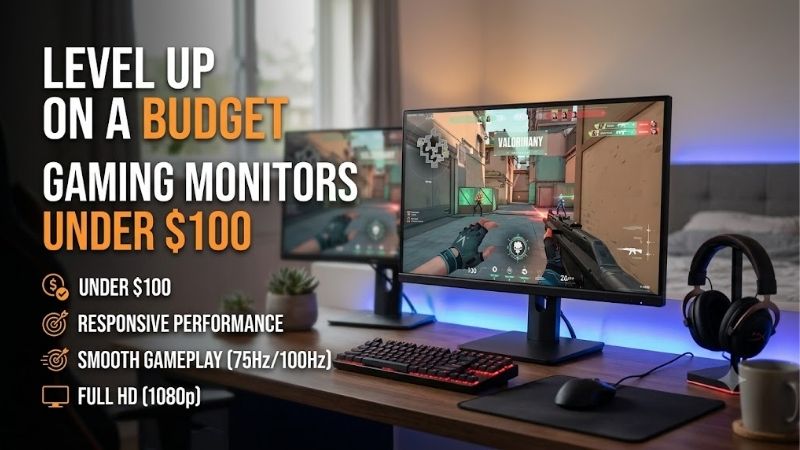
Finding gaming monitors under $100 no longer means automatically settling for a basic 60Hz office display. Several budget-friendly options now offer Full HD resolution, refresh rates of 144Hz or higher, and adaptive sync for smoother gameplay. The Acer Nitro VG240Y P6BIP is the most affordable pick in this roundup, while the Acer Nitro KG241Y M3BIIP offers a faster 180Hz panel for competitive games. Dell’s SE2426H is a sensible all-rounder, and the AOC 27G50F provides a larger 27-inch screen. These recommendations are based on manufacturer specifications and US listings checked on October 14, 2026, with prices before tax and shipping.
- Quick verdict: gaming monitors under $100
- How we selected these budget gaming monitors
- Acer Nitro VG240Y P6BIP: best entry-level gaming monitor
- Acer Nitro KG241Y M3BIIP: best for competitive gaming
- Dell SE2426H: best everyday monitor for gaming and work
- AOC 27G50F: best larger screen under $100
- MSI G275L E14: best straightforward 27-inch IPS option
- How to choose gaming monitors under $100
- Common mistakes to avoid
- Frequently asked questions
- Final verdict on gaming monitors under $100
Quick answer: Our top pick in 2026 is the Monitor — our #1 rated choice. See the full ranked comparison, alternatives and buying advice below.
Quick verdict: gaming monitors under $100
For most budget PC builders, a 23.8-inch 1080p IPS monitor with at least a 144Hz refresh rate is the best starting point. It balances pixel density, motion smoothness, desk space, and graphics-card requirements. The Acer Nitro KG241Y M3BIIP is the strongest choice if you can spend close to the full $100, while the Acer Nitro VG240Y P6BIP leaves more money for a graphics card, SSD, or other components.
| Monitor | Best for | Resolution and refresh rate | Observed US price | Main drawback |
|---|---|---|---|---|
| Acer Nitro VG240Y P6BIP | Lowest-cost gaming setup | 23.8-inch, 1080p, 144Hz | $79.99 | Basic stand and brightness |
| Acer Nitro KG241Y M3BIIP | Best high-refresh budget pick | 23.8-inch, 1080p, 180Hz | $99.99 | Limited ergonomic adjustment |
| Dell SE2426H | Everyday use and casual gaming | 23.8-inch, 1080p IPS, 144Hz | $99.99 | No DisplayPort |
| AOC 27G50F | Best larger-screen option | 27-inch, 1080p IPS, 144Hz; overclocked 180Hz | $99.99 | Lower pixel density at 27 inches |
| MSI G275L E14 | Large IPS gaming display | 27-inch, 1080p IPS, 144Hz | $99.99 | Less sharp than a 27-inch QHD monitor |
The displayed prices are observed listings rather than guaranteed long-term deals. In particular, the AOC price reflects a retailer offer, and the MSI price depends on the current listing. Check the checkout total before buying.
How we selected these budget gaming monitors
The shortlist prioritizes monitors with a clearly identified model, manufacturer documentation, Full HD resolution, and gaming-relevant features such as higher refresh rates or adaptive sync. The budget ceiling is $100 before tax and shipping, and the recommendations favor new products with current manufacturer or retailer price evidence.
The intended buyer is someone upgrading from a 60Hz office display, building an entry-level gaming PC, or adding a second screen without consuming money needed for the rest of the system. A monitor’s maximum refresh rate does not determine the FPS your PC can produce, so we considered how resolution and refresh rate fit a realistic budget build.
No detailed research or controlled response-time measurements were performed for this roundup. Manufacturer specifications establish the listed features, but they do not prove that the fastest advertised response-time mode delivers the cleanest motion. We therefore distinguish native refresh rates from overclocked modes and avoid claiming that any model is a measured performance winner.
Acer Nitro VG240Y P6BIP: best entry-level gaming monitor
The Acer Nitro VG240Y P6BIP is the practical choice if $100 is a firm ceiling and you want to preserve as much of your budget as possible. Acer’s US store listed it at $79.99, reduced from a displayed regular price of $129.99, and marked it in stock when checked. Its 23.8-inch screen has a native resolution of 1920 × 1080 and a refresh rate of 144Hz. It also supports AMD FreeSync and provides HDMI and DisplayPort inputs.
Full HD is a sensible resolution for an entry-level gaming system because it requires considerably fewer pixels to render than 1440p or 4K. That gives a modest graphics card more room to deliver higher frame rates without requiring you to reduce resolution immediately. At 23.8 inches, 1080p also offers a reasonable balance between image sharpness and screen size.
The monitor’s limitations are typical of inexpensive displays. Acer specifies 250-nit brightness, and the supplied stand offers tilt adjustment rather than height and swivel controls. The official listing identifies HDMI and DisplayPort, but the single HDMI 1.4 input may constrain connection flexibility compared with models that provide multiple HDMI ports. Confirm the output and refresh settings your PC needs before connecting multiple devices.
Buy it if you want a 144Hz gaming display for the lowest verified price in this shortlist. Skip it if you care more about maximizing refresh rate, require extensive stand adjustment, or expect strong HDR performance. The Nitro KG241Y M3BIIP is the next step if you can spend the remaining portion of your budget on a higher refresh-rate panel.
Acer Nitro KG241Y M3BIIP: best for competitive gaming
The Acer Nitro KG241Y M3BIIP is the strongest all-around gaming choice here for buyers who can spend almost the full $100. Acer’s US store listed the 23.8-inch Full HD monitor at $99.99, reduced from a displayed regular price of $149.99, and showed it in stock during research. Its IPS panel supports up to 180Hz, AMD FreeSync Premium, and HDR10 compatibility. Acer specifies 250-nit brightness and a 1ms gray-to-gray response-time rating.
The 180Hz maximum refresh rate gives the display more headroom than a 144Hz model. That can be helpful in competitive shooters, racing games, and other titles where clear motion matters. It is not a guarantee of lower system latency or better real-world response in every setting, however. The PC must render enough frames to benefit, and the monitor’s selected overdrive mode can affect visible trailing.
The monitor connects through DisplayPort or HDMI, with the manufacturer listing DisplayPort 1.2 and two HDMI 2.0 inputs for this model. It also supports 100 × 100 mm VESA mounting, so you can replace the basic tilt stand with a compatible monitor arm later. Check the exact part number, UM.QX1AA.303, when shopping because Acer sells other similarly named KG241Y variants with different panel specifications.
Buy it if competitive gaming is a priority and your PC can deliver high frame rates at 1080p. Skip it if your games rarely exceed 100 FPS or if a better stand is more important than extra refresh-rate headroom. The lower-priced VG240Y P6BIP is the more sensible alternative for casual gaming.
Dell SE2426H: best everyday monitor for gaming and work
The Dell SE2426H is a good option if your monitor needs to handle games, schoolwork, browsing, and video streaming without looking like a specialized esports display. Dell’s official US store listed it at $99.99 during research. The 23.8-inch Full HD IPS panel supports 144Hz, AMD FreeSync, and a stated brightness of 300 nits. Dell also lists two HDMI 1.4 inputs, a tilt stand, and 100 × 100 mm VESA compatibility.
The two HDMI inputs are useful if you switch between a desktop PC and a console or another video source. FreeSync can help reduce tearing when the frame rate varies within the supported range. Dell also specifies a contrast ratio of 1000:1, which is typical of an entry-level IPS panel.
Its main drawback is the lack of DisplayPort. A PC gamer who expects to connect several devices or relies on DisplayPort-specific features should compare the other options. The stand also adjusts only for tilt, so an arm or riser may be useful if you need a more ergonomic position.
Dell specifies 1ms MPRT in its marketing material, alongside 4ms gray-to-gray in its fast response mode and 8ms in another mode. These are different measurements, not interchangeable guarantees that every pixel transition occurs in 1ms. Do not treat the MPRT number as proof that the SE2426H is faster than every monitor with a larger printed response-time figure.
Buy it if you want an ordinary-looking, versatile display that also offers a 144Hz refresh rate. Skip it if your desktop requires DisplayPort or you primarily want the highest refresh rate for competitive gaming. The Acer Nitro KG241Y M3BIIP is a more gaming-focused alternative with 180Hz and DisplayPort.
AOC 27G50F: best larger screen under $100
The AOC 27G50F is worth considering if you prefer a 27-inch display but cannot stretch your budget beyond $100. AOC’s US product page listed a starting price of $99.99 and showed one retail outlet. Best Buy also listed the model at $99.99 during the research period.
The monitor uses a 27-inch IPS panel with a native resolution of 1920 × 1080. Its default maximum refresh rate is 144Hz, with an optional overclock to 180Hz. AOC specifies 300-nit brightness, 98% sRGB coverage, 4ms gray-to-gray response time, Adaptive-Sync, and motion-blur reduction functionality. Its larger screen gives games and desktop content more physical space without increasing the budget.
The central trade-off is pixel density. A 27-inch Full HD display has larger pixels than a 23.8-inch Full HD display, so fine text and detailed game scenes will generally look less sharp from the same viewing distance. If you sit very close to your monitor or frequently read small text, the smaller Acer or Dell models are safer choices. The overclocked 180Hz mode also requires enabling the supported setting rather than assuming it is the default refresh rate.
Buy it if you prioritize a larger gaming screen and want IPS viewing angles without exceeding $100. Skip it if image sharpness is more important than physical screen size. A 24-inch 1080p monitor will look more refined at a typical desktop distance, while a 27-inch 1440p model would offer more workspace but generally costs more than this budget allows.
MSI G275L E14: best straightforward 27-inch IPS option
The MSI G275L E14 is another larger-screen option for buyers who want 27 inches and a 144Hz refresh rate. Best Buy’s US listing showed $99.99 during the research period. MSI’s specification page identifies a 27-inch IPS panel with a native resolution of 1920 × 1080, 144Hz refresh, AMD FreeSync, and a stated brightness of 300 nits.
The monitor includes HDMI 2.0 and DisplayPort 1.2a, so it supports a conventional PC gaming setup without relying solely on HDMI. The stand offers tilt adjustment, and the monitor supports 100 × 100 mm VESA mounting. MSI also lists HDR Ready functionality, but that designation should not be confused with a monitor that delivers strong HDR contrast or brightness. Treat this as a standard SDR gaming display with an HDR input capability, not a premium HDR product.
At 27 inches, its Full HD resolution creates the same pixel-density compromise as the AOC 27G50F. You gain a larger physical image, but a smaller 1080p panel will appear sharper when viewed from the same distance. MSI’s advertised 1ms MPRT figure also uses a different measurement from gray-to-gray response, so it should not be interpreted as a universal measure of pixel speed.
Buy it if you want a 27-inch IPS gaming monitor with DisplayPort and a 144Hz native refresh rate. Skip it if you primarily play close to the screen and prefer sharper text, or if the current retail price exceeds $100. The AOC 27G50F is the direct alternative when its overclocked 180Hz capability is worth considering, while the Acer 23.8-inch models offer better pixel density for competitive play.
How to choose gaming monitors under $100
Start with 1080p and a sensible screen size
For most entry-level gaming PCs, Full HD at 1920 × 1080 is the sensible starting point. It is less demanding than 2560 × 1440 or 3840 × 2160, giving the graphics card more room to produce high frame rates in competitive games. The lower pixel count is especially helpful if your budget also has to cover the GPU, CPU, memory, and storage.
A 23.8- or 24-inch screen is generally the most balanced size for 1080p. It provides enough room for most games while keeping text and interface elements reasonably sharp at typical desk distances. Choose 27 inches when you prefer a physically larger image or sit farther away, not because the larger screen automatically provides more detail.
Prioritize refresh rate and adaptive sync
A 144Hz monitor can display up to 144 refreshes per second, while a 180Hz model can display more frequent updates. The difference matters most when your PC generates enough frames to use the extra refresh headroom. If your game runs at 70 FPS, a 180Hz display does not magically turn it into a 180 FPS experience.
Adaptive-Sync or FreeSync can reduce visible tearing by matching the screen’s refresh behavior to the graphics card’s frame output within the supported range. Check the monitor’s supported input, refresh-rate range, and PC configuration. This feature is useful when FPS fluctuates, but it cannot eliminate every form of stutter caused by CPU limitations, shader compilation, asset loading, or other system bottlenecks.
Understand response-time specifications
Manufacturers may advertise 1ms response times, but the measurement method matters. Gray-to-gray measures transitions between shades, while MPRT relates to the visibility duration of moving images. These numbers do not directly compare the same behavior, and the fastest overdrive setting can sometimes create distracting inverse ghosting.
Independent testing is preferable when you need to compare motion clarity precisely. For this budget category, focus first on native refresh rate, adaptive sync, resolution, and the availability of sensible overdrive settings. It is better to own a well-balanced 144Hz IPS display than to pay for a headline response-time number that does not reflect the image quality you actually see.
Check ports, stand, and total cost
A monitor that costs $99.99 before tax will exceed a strict $100 all-in budget after sales tax. If your limit includes tax and shipping, target a lower pre-tax purchase price. Also consider whether the monitor includes the cable you need and whether an extra stand or VESA arm will be necessary.
Check the maximum refresh supported by each input. A monitor may support its advertised maximum through DisplayPort but have different limits on HDMI. Confirm that your GPU has a compatible output, use an appropriate cable, and select the desired refresh rate in Windows after connecting it. For console gaming, also verify the console’s supported resolution and refresh combinations rather than assuming a 180Hz monitor will display 180Hz from every source.
Common mistakes to avoid
Do not choose a monitor based solely on its highest advertised refresh rate. A 180Hz model is useful when the computer produces enough frames, but resolution, motion behavior, and stand quality remain important. Do not overvalue HDR on an inexpensive display; support for HDR input does not guarantee strong contrast or convincing highlights.
Avoid paying for a 27-inch screen if your main priority is crisp text at close viewing distances. A 23.8-inch Full HD panel is often a better fit. Finally, verify the exact model suffix, current seller, return policy, and checkout total before purchasing. Budget monitors often have similar names, but their refresh rates, panel types, and connectivity can differ.
Frequently asked questions
Is a 144Hz monitor good enough for gaming?
Yes. A 144Hz display is a strong improvement over 60Hz for many games, provided your PC produces enough frames. It is sufficient for casual and competitive play without requiring you to pay extra for a 180Hz or 240Hz screen.
Can I get a 180Hz gaming monitor for under $100?
Yes. Acer’s Nitro KG241Y M3BIIP was listed at $99.99 on Acer’s US store during this research. Its price and stock can change, so verify the offer before buying.
Is IPS better than VA for budget gaming?
Neither panel type is universally better. IPS generally provides broad viewing angles and consistent colors. VA often offers stronger native contrast, but some VA monitors exhibit more dark smearing. A well-performing model matters more than the panel label alone.
Will a higher-refresh monitor increase my FPS?
No. FPS depends on the PC and the game workload. A high-refresh monitor can display more of the frames your system produces, but it does not make the GPU or CPU render faster.
Should I buy a 27-inch 1080p monitor for gaming?
Choose one if you prefer a larger physical image or sit farther from the display. For close desktop viewing, a 23.8-inch Full HD monitor usually looks sharper. If you want both a large screen and more detailed text, save for a 27-inch 1440p model when your budget allows.
Final verdict on gaming monitors under $100
The Acer Nitro VG240Y P6BIP is the most economical choice at its observed $79.99 price, leaving more budget for other PC components. If you can spend the full $100, the Acer Nitro KG241Y M3BIIP offers a stronger gaming specification with its 180Hz panel and FreeSync Premium support. Dell’s SE2426H is a solid everyday alternative, while the AOC 27G50F and MSI G275L E14 are better suited to buyers who want a larger 27-inch screen.
For most budget gaming setups, a 23.8-inch 1080p display at 144Hz or higher offers the best balance. Choose the larger models when screen size matters more than pixel density, and do not pay extra for a headline specification unless it delivers a benefit you will actually use.
Ready to decide? Our #1 pick for 2026 is the Monitor.
Live price & availability on Amazon.









