
The right Minecraft display depends on what you value most: sharper blocks and distant terrain, smooth camera movement in PvP, or richer colors and shadows with shaders. For most players, a 27-inch 1440p monitor with a refresh rate around 165–180Hz is the best balance. A smaller 1080p screen can keep costs down, while 4K and OLED make sense for a high-end PC and a player who wants premium image quality. This guide to the best Minecraft monitor options focuses on useful differences rather than the highest numbers on a spec sheet.
- Best Minecraft monitor picks at a glance
- How we selected these Minecraft monitors
- MSI MAG 274QRF QD E2: Best all-round QHD pick
- Dell SE2426HGS: Best low-cost compact option
- AOC Q27G3XMN: Best for contrast and shader scenes
- Gigabyte M27Q X: Best for high-refresh PvP at 1440p
- Gigabyte M32U: Best 4K IPS monitor for detailed worlds
- ASUS ROG Swift OLED PG32UCDM Gen3: Best premium 4K OLED
- How to choose the best Minecraft monitor for your setup
- Frequently asked questions
- Final verdict
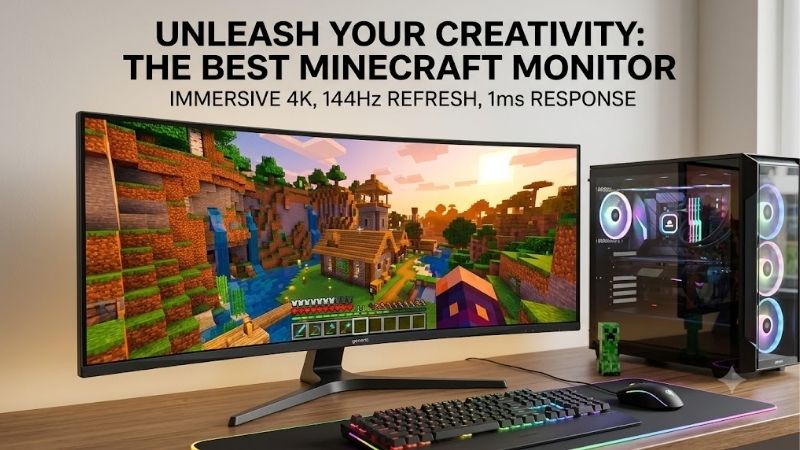
Quick answer: For most people in 2026, the best minecraft monitor is the Monitor — our #1 rated choice. See the full ranked comparison, alternatives and buying advice below.
Best Minecraft monitor picks at a glance
For most PC players, start with a 27-inch 1440p IPS monitor. It is sharper than 1080p without the GPU load of 4K, and 165Hz to 180Hz is already smooth. Choose 240Hz for PvP, Mini LED for stronger contrast, or 4K for extra terrain detail if your PC can handle it.
| Monitor | Best fit | Key specifications | Main trade-off |
|---|---|---|---|
| MSI MAG 274QRF QD E2 | Best all-round QHD choice | 27-inch, 1440p, Rapid IPS, 180Hz | IPS contrast is modest; HDMI tops out at 144Hz |
| Dell SE2426HGS | Best low-cost, compact option | 23.8-inch, 1080p IPS, 240Hz | Lower detail and limited HDR picture quality |
| AOC Q27G3XMN | Best for contrast and shader scenes | 27-inch, 1440p VA Mini LED, 180Hz, 336 dimming zones | Some dark smearing and VRR flicker |
| Gigabyte M27Q X | Best for high-refresh PvP | 27-inch, 1440p IPS, 240Hz | Average contrast; HDMI 2.0 rather than HDMI 2.1 |
| Gigabyte M32U | Best 4K IPS for big worlds | 31.5-inch, 4K IPS, 144Hz | Needs a capable GPU; HDR is basic |
| ASUS ROG Swift OLED PG32UCDM Gen3 | Best premium all-round picture | 31.5-inch, 4K QD-OLED, 240Hz | Very expensive; OLED has long-term static-image considerations |
Prices and stock can change quickly, so the recommendations below emphasize model-specific strengths instead of promising a sale price. Dell listed the SE2426HGS at $139.99 on its US store when checked on October 14, 2026. ASUS listed the PG32UCDM Gen3 at $1,299. Neither figure includes a guarantee that the same offer will still be available when you shop.
How we selected these Minecraft monitors
Minecraft does not need an ultra-premium monitor. Block edges, small interface text, broad outdoor scenes, and frequent camera movement make resolution, refresh rate, and contrast the key factors. Resolution affects terrain and menus, refresh rate affects motion, and contrast matters more for dark rooms and shader effects.
The shortlist combines manufacturer specifications with independent reviews from RTINGS, Notebookcheck, and Tom’s Hardware. These measure motion handling, input lag, contrast, brightness, and VRR—not Minecraft-specific FPS. No detailed research is claimed. Category labels reflect intended use: a PvP display is not automatically best for building or shaders.
Model suffixes matter. The M27Q X has revisions; RTINGS tested Revision 1.0, while Revision 2.0 also exists. The AOC Q27G3XMN is different from the Q27G40XMN, and the ASUS PG32UCDM Gen3 (PG32UCDM3) is not the original PG32UCDM. Check the exact listing name before buying.
MSI MAG 274QRF QD E2: Best all-round QHD pick
The MSI MAG 274QRF QD E2 suits players who want more detail than 1080p without moving to 4K. Its 27-inch Rapid IPS panel runs at 2560 × 1440 and up to 180Hz, improving clarity for terrain, inventory text, and distant structures while keeping motion smooth.
MSI lists FreeSync, DisplayHDR 400, a broad color gamut, and USB-C video with up to 65W power delivery. The stand adjusts for height, swivel, tilt, and portrait rotation, useful for mixed gaming and work setups.
The 1ms response figure is a manufacturer claim, not a guarantee for every pixel transition. Notebookcheck’s testing did not confirm MSI’s 1ms GtG claim, and the fastest overdrive setting introduced visible overshoot. Its stated 1000:1 contrast is typical for IPS and cannot match OLED blacks. HDMI is limited to 1440p at 144Hz; use DisplayPort or USB-C for 180Hz.
Buy it for a balanced Minecraft and work display. Skip it if deep blacks matter most or your PC struggles at 1440p; the monitor cannot make a weak GPU run shaders faster. At typical desktop distance, 27 inches provides a generous play area without overwhelming a small desk. If you want a single display for school or office work too, the stand and USB-C input add daily convenience beyond the refresh-rate headline.
Dell SE2426HGS: Best low-cost compact option
The Dell SE2426HGS is for buyers prioritizing price over resolution. It has a 23.8-inch IPS panel, 1920 × 1080 resolution, and a 240Hz maximum refresh rate. Full HD suits compact desks and entry-level PCs, while the refresh rate is useful for PvP.
Dell listed it at $139.99 on its US store on October 14, 2026, before tax and shipping. Features include height, swivel, and tilt adjustment, FreeSync Premium, 99% sRGB, two HDMI ports, and DisplayPort 1.4. RTINGS found it responsive, but noted gray-looking blacks, weak HDR, and less detail than QHD or 4K.
The resolution trade-off is visible in Minecraft: icons remain readable, but distant terrain and small interface details are less crisp than on QHD. That may not matter at a close viewing distance or modest render distance, but it is less suitable for screenshots, huge vistas, and high-resolution texture packs.
Buy it for an affordable gaming setup or PvP. Skip it for detailed scenery, cinematic shaders, or dark-room contrast; 240Hz is a bonus, not a reason to compromise if you mostly play survival. The height adjustment is especially useful at this price tier because not every inexpensive gaming screen includes an ergonomic stand. If the display is shared with a console, verify your preferred output and refresh setting rather than assuming every HDMI mode uses the full PC refresh rate.
AOC Q27G3XMN: Best for contrast and shader scenes
Shader packs add fog, sunlight, torchlight, and deep shadows. The AOC Q27G3XMN pairs a 27-inch 1440p VA panel with Mini LED backlighting, 336 local-dimming zones, a 180Hz refresh rate, and DisplayHDR 1000 certification. Local dimming lets dark parts of the image stay dark while nearby highlights remain bright.
RTINGS found strong contrast, effective local dimming, high HDR brightness, and low input lag. Native VA contrast helps caves and nighttime builds look better than on a standard IPS screen, although it is not OLED’s per-pixel lighting.
RTINGS also reports black smearing, distracting VRR flicker when frame rates change, and narrower viewing angles than IPS. Fluctuating Minecraft frame rates may make flicker noticeable. The newer AOC Q27G40XMN is a different monitor with a different dimming-zone count and stand, so its reviews do not apply to this model.
Buy it for shader visuals and dark-room contrast. Skip it for competitive PvP if smearing or VRR flicker bothers you, or if wide viewing angles matter. Check availability before buying because this model is not new. For the best result, compare the monitor’s SDR and HDR picture modes using your own room lighting; the most vivid preset is not necessarily the most accurate. If frame-rate changes trigger visible flicker, test a steadier FPS cap or disable VRR to see which compromise looks better for your PC.
Gigabyte M27Q X: Best for high-refresh PvP at 1440p
For Minecraft PvP and server duels, the Gigabyte M27Q X combines 1440p detail with 240Hz. At 27 inches, menus and blocks remain sharp while motion can look smooth when the PC outputs high frame rates.
Its 27-inch SS IPS panel supports Adaptive-Sync, a broad color gamut, and a built-in KVM switch. USB-C carries video and lets you share a keyboard and mouse between two computers. Tom’s Hardware found strong responsiveness and vivid color; RTINGS reported low input lag and fast response at high refresh rates.
A 240Hz ceiling only helps if your PC can supply the frames. Minecraft Java Edition’s official recommended target is 1080p at 60 FPS with the “Fancy” preset, not 240 FPS. Tuned competitive systems may do much better, but it is not guaranteed. The monitor also has ordinary IPS contrast and lacks HDMI 2.1 bandwidth, making it less attractive for console use.
RTINGS tested Revision 1.0 and notes that Revision 2.0 exists. Main specifications are similar, but this is not a full re-test of every revision, so confirm which one is being sold if possible.
Buy it if you play high-frame-rate PvP and want sharp QHD. Skip it if you mostly play survival at 60–100 FPS and would value contrast or 4K detail more. Its refresh headroom only helps when the PC can sustain it. A 240Hz signal also requires the right input, cable, and operating-system setting; after setup, confirm the active refresh rate rather than relying on the monitor’s box. The wide gamut can make colors punchier, but oversaturated colors are a matter of preference, especially if you also edit screenshots or other images.
Gigabyte M32U: Best 4K IPS monitor for detailed worlds
The Gigabyte M32U suits players who want more detail across large landscapes. Its 31.5-inch 3840 × 2160 IPS panel makes terrain, block textures, and interface elements crisp. The 144Hz refresh rate is fast for 4K, although 4K demands much more GPU power than 1440p.
The M32U has HDMI 2.1, DisplayPort 1.4 with Display Stream Compression, VRR, a USB hub, KVM, and built-in speakers. The height-adjustable stand helps with the large screen, and KVM can share peripherals between a gaming PC and work laptop.
HDR is the weakness. DisplayHDR 400 and 1000:1 typical contrast do not provide the local dimming or per-pixel lighting needed for dramatic highlights and deep blacks. RTINGS found motion handling less convincing below maximum refresh rate. USB-C charging is only 15W, too low for many laptops.
A 4K display does not increase render distance or change the game simulation; it adds pixels. Shaders, high-resolution textures, and long view distances can load the GPU heavily. Check expected performance before spending extra on resolution; lowering settings or using upscaling may help.
Buy it if you have a capable GPU and want a large, crisp display for Minecraft and work. Skip it with an entry-level PC or if powerful HDR is the priority. For many players, 1440p balances detail and frame rate better. The 31.5-inch panel is also a better fit for a deeper desk than a shallow table: sitting too close makes a large screen harder to take in at a glance. Its USB hub and KVM can reduce desk clutter, but they should be treated as convenience features rather than reasons to choose it over a sharper or higher-contrast panel.
ASUS ROG Swift OLED PG32UCDM Gen3: Best premium 4K OLED
The ASUS ROG Swift OLED PG32UCDM Gen3 (PG32UCDM3) pairs a 31.5-inch 3840 × 2160 QD-OLED panel with 240Hz, VRR, DisplayPort 2.1, two HDMI 2.1 ports, and USB-C with up to 90W power delivery. ASUS lists three-year warranty coverage that includes panel burn-in. Its US store listed it at $1,299 on October 14, 2026, before tax and shipping.
RTINGS’ July 2026 review, updated in October, found sharp motion, deep blacks, bright HDR highlights, and wide color coverage. The panel suits high-resolution textures and luminous shaders, as well as other demanding games. OLED pixels switch off individually, avoiding conventional backlight blooming.
It is more monitor than Minecraft alone requires, and 4K at high frame rates is demanding. RTINGS notes that the QD-OLED triangular subpixel layout can create colored fringing around small text. Minecraft’s static HUD also makes OLED care relevant: use built-in protection, allow pixel maintenance, and avoid leaving static content at maximum brightness. Burn-in coverage does not remove every risk or the hassle of a warranty claim.
Buy it if you have a high-end PC and want premium 4K for many games. Skip it if Minecraft is the only reason for upgrading or you mostly display static content; a good 1440p IPS monitor costs much less and still looks excellent. The 240Hz maximum is an option, not an obligation: players can use lower frame-rate targets when exploring with demanding shaders, while still benefiting from OLED contrast. Because the display is premium hardware, it makes most sense as part of a wider gaming and multimedia setup rather than as a Minecraft-only purchase.
How to choose the best Minecraft monitor for your setup
Resolution and screen size
For many desks, 27 inches at 2560 × 1440 is the sweet spot: sharper than 1080p without the GPU burden of 4K. A 23.8- or 24-inch Full HD screen is practical for small desks and budget builds, while 31.5-inch 4K suits detailed scenery if your desk and PC can support it.
Resolution and render distance are separate: more pixels sharpen each frame, while render distance controls how far the game draws terrain. A monitor cannot show chunks the game has not rendered, and higher resolution can reduce FPS when the GPU is under load.
Refresh rate, response time, and VRR
A 144Hz–180Hz monitor is smooth for most players. A 240Hz model makes more sense for competitive play and high frame rates; beyond that, returns shrink for casual survival. Refresh rate is not response time, and aggressive overdrive can create halos or inverse ghosting.
FreeSync or Adaptive-Sync matches refresh to changing frame rates and can reduce tearing. It helps when Minecraft performance fluctuates, but some VA and Mini LED displays show VRR flicker; check independent tests if you are sensitive to it.
Panel type and visual priorities
IPS is a good all-round choice for viewing angles, color, and responsiveness. VA usually offers better native contrast but may smear in dark motion. Mini LED improves HDR through local dimming, with model-dependent blooming and flicker. OLED provides per-pixel contrast and fast response but costs more and needs care around static content. You do not need OLED to enjoy Minecraft.
Set a realistic monitor budget
Decide whether the upgrade is for everyday comfort, competitive response, or a visual leap. Paying more for refresh rate alone makes little sense if your PC cannot render those frames. Likewise, 4K costs more both at purchase and in GPU demand, while a strong 1440p panel can last through several PC upgrades. Compare the exact model and return policy, not just a seller’s headline response-time number, and treat temporary prices as snapshots rather than permanent value claims.
Do not buy based on an “HDR” label alone. DisplayHDR 400 does not guarantee impressive contrast; for shaders, actual local dimming, native contrast, or OLED lighting matter more.
Match the screen to your PC and desk
Before paying for 4K or 240Hz, check whether your CPU, GPU, Minecraft edition, mods, shaders, and render distance can sustain your target frame rate. Official Java Edition requirements are only a baseline for demanding shaders and mod packs; Bedrock and Java can behave differently. A monitor cannot fix chunk-generation stutter, server tick rate, or a CPU bottleneck.
Use a port that supports your target resolution and refresh rate; HDMI and DisplayPort limits can differ. Connect a suitable cable, select the maximum refresh rate in OS and GPU settings, and enable VRR if supported. If the screen stays at 60Hz, check the cable, port, settings, and driver.
Check the stand and desk space too. Height adjustment helps position the screen comfortably, while VESA mounting can improve flexibility. Leave enough distance for a 32-inch display, and confirm that USB-C supports both video and suitable charging wattage before expecting a one-cable laptop setup.
Frequently asked questions
Is 144Hz enough for Minecraft?
Yes. A 144Hz monitor feels smoother than 60Hz when the PC supplies enough frames. A 240Hz model is mainly worthwhile for PvP and other fast games.
Is 1440p better than 4K for Minecraft?
Often. 1440p is sharper than 1080p but less demanding than 4K. Choose 4K if maximum detail matters more than frame rate and your PC can handle shaders or high-resolution textures.
Do I need an OLED monitor for shaders?
No. OLED has excellent blacks, but Mini LED such as the AOC Q27G3XMN can also outperform standard IPS contrast. IPS remains suitable for shaders, especially in bright rooms.
Will a high-refresh monitor increase Minecraft FPS?
No. The monitor displays frames that the PC renders; it does not generate extra frames. A 240Hz screen can show up to 240 refreshes per second when the signal, settings, and PC support it, but a game running at 90 FPS will not become a 240 FPS game because of the monitor. Adjust game settings or upgrade the relevant PC component if performance is the actual problem.
Final verdict
For building, exploration, and everyday gaming, the MSI MAG 274QRF QD E2 is the most balanced pick: 27-inch 1440p, 180Hz, flexible stand, and USB-C. Choose the Dell SE2426HGS to spend less, the AOC Q27G3XMN for shader contrast, or the Gigabyte M27Q X for 240Hz PvP. The Gigabyte M32U brings 4K detail, while ASUS’s PG32UCDM Gen3 is a premium OLED upgrade. Match the choice to your PC and play style, not the largest number on the box.
Ready to decide? Our #1 pick for 2026 is the Monitor.
Live price & availability on Amazon.









