
Finding a 4K gaming monitor under 300 no longer means settling exclusively for basic 60Hz office displays. A small but promising selection of 27-inch gaming monitors now combines 3840 × 2160 resolution with refresh rates of 144Hz or 160Hz, and some can switch to a faster 1080p mode for competitive games. The MSI MAG 275UPD E14 is the strongest starting point for most budget-conscious PC gamers because it combines 4K at 144Hz, a 288Hz alternative mode, adaptive sync, and an adjustable stand. The Acer Nitro VG270K V4, KTC H27P22S, and KOORUI G2741L offer different combinations of speed, connectivity, and value. The important distinction is that advertised refresh rates and HDR labels do not guarantee better motion clarity, stronger contrast, or high frame rates in demanding games.
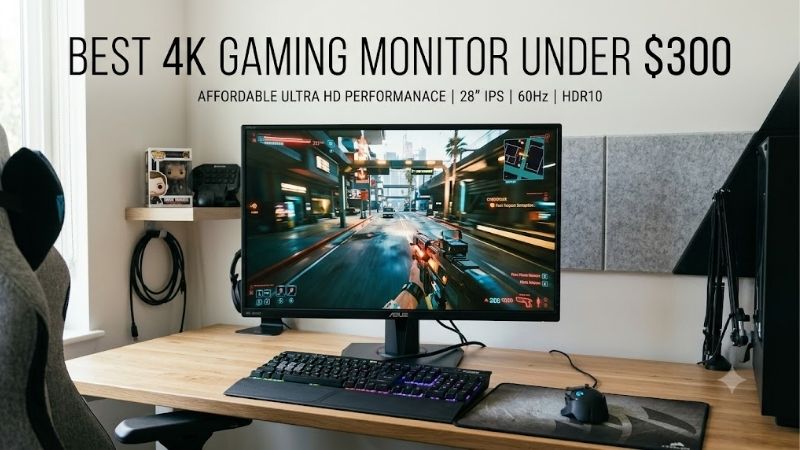
Quick answer: Our top pick in 2026 is the Monitor — our #1 rated choice. See the full ranked comparison, alternatives and buying advice below.
Quick verdict: The best 4K gaming monitor under 300
The right purchase depends on whether you value flexibility, native 4K refresh rate, or the lowest entry cost. These four models represent the most relevant options identified in the U.S. market research, rather than a padded list of unrelated office monitors.
| Monitor | Best fit | Maximum advertised display modes | Main drawback |
|---|---|---|---|
| MSI MAG 275UPD E14 | Best overall balance | 4K 144Hz / 1080p 288Hz | Modest 250-nit SDR brightness |
| Acer Nitro VG270K V4 | Budget dual-mode gaming | 4K 160Hz / 1080p 320Hz | Basic stand and 250-nit brightness |
| KTC H27P22S | Native 4K high-refresh gaming | 4K 160Hz | No dedicated 1080p 320Hz mode |
| KOORUI G2741L | High-refresh dual-mode gaming | 4K 160Hz / 1080p 320Hz | Worthwhile only when discounted below $300 |
Price basis: U.S. retailer and manufacturer listings reviewed on October 13, 2026. The KOORUI recommendation depends on a marketplace offer below $300, while the Acer’s last independently tracked deal price is older. Prices exclude sales tax and may change.
For a new monitor purchase today, the MSI is the easiest recommendation to justify on the strength of its current Newegg listing and published specifications. The Acer becomes attractive when its lower price matters more than stand adjustments. The KTC is worth considering for someone who wants 160Hz at native 4K without needing a 320Hz competitive mode. The KOORUI is a conditional alternative if its reported Amazon discount is still available.
How we selected these monitors
The selection prioritizes native 3840 × 2160 resolution, refresh rates suitable for PC gaming, adaptive synchronization, usable connectivity, and a verified path to a U.S. price below $300. Exact manufacturer model names and relevant specifications were checked against official product pages. Retailer listings and independent editorial coverage were used for pricing context.
This is a specification-led buying guide, not a claim of detailed research. No original input-lag measurements, response-time measurements, color-calibration results, or game benchmarks were produced for this article. Manufacturer response-time claims are identified as advertised specifications rather than treated as measured performance.
Price eligibility also requires care. A monitor that briefly falls below $300 during a promotion is not necessarily a dependable sub-$300 purchase at its normal price. The KOORUI G2741L is included only conditionally because its official U.S. store lists it at $300, while recent deal coverage reported a lower Amazon price. Confirm the live checkout price before considering it eligible.
The shortlist concentrates on high-refresh PC gaming instead of recommending every inexpensive 4K display. That distinction matters because a sharp 60Hz productivity monitor can be perfectly usable for casual play, but it is not the strongest choice for someone specifically seeking high-refresh gaming.
The best 4K gaming monitors under $300
MSI MAG 275UPD E14: Best overall balance
The MSI MAG 275UPD E14 is the most balanced option for someone who wants one monitor for visually rich single-player games and faster competitive titles. Its 27-inch IPS panel supports 3840 × 2160 resolution at up to 144Hz and switches to 1920 × 1080 at up to 288Hz. MSI lists AMD FreeSync Premium, two HDMI 2.1 inputs, one DisplayPort 1.4a connection, and an adjustable stand.
Its biggest advantage is flexibility. You can keep the monitor at native 4K for games where image detail matters, then select the Full HD dual mode when a competitive game benefits more from a higher refresh ceiling. This is a genuine change of resolution and refresh mode, not a promise that the monitor will make every game run faster.
The stand also offers more useful adjustments than the basic tilting design found on some budget displays. MSI lists height adjustment, swivel, tilt, and pivot, allowing a more comfortable position without immediately buying a monitor arm.
The compromises are significant but manageable. The listed 250-nit SDR brightness is modest for a bright room, and the “HDR Ready” description should not be confused with convincing high-dynamic-range performance. The panel’s listed 1500:1 contrast ratio is useful context, but IPS technology still cannot reproduce OLED-like black levels. MSI’s advertised 1ms MPRT response figure is not equivalent to a verified 1ms gray-to-gray measurement.
The price makes the decision easier. Newegg listed the MAG 275UPD E14 at $249.99 when checked on October 13, 2026, sold and shipped by Newegg. That leaves roughly $50 before tax for a DisplayPort cable upgrade, a desk accessory, or other parts of a budget setup.
Buy if you want a flexible 4K gaming display with an adjustable stand, a fast competitive mode, and a straightforward purchase from a major U.S. retailer.
Skip if strong HDR, OLED-level contrast, or extremely bright highlights are more important than refresh-rate flexibility.
Acer Nitro VG270K V4: Best budget dual-mode alternative
The Acer Nitro VG270K V4bmiipx offers a particularly attractive feature set for a budget gaming display. The model supports native 3840 × 2160 at up to 160Hz and a Full HD mode reaching 320Hz, according to its published U.S. product and retailer specifications. The exact V4 suffix matters: do not confuse it with the older VG270K L1, which has substantially lower refresh capability at native 4K.
Its appeal is straightforward. You get a higher advertised native 4K refresh rate than the MSI, along with an even faster 1080p mode, without necessarily spending the entire budget. A U.S. price tracker last reported the V4 at $229.99 on Amazon on September 8, 2026, against a listed regular price of $269.99. That price observation is older than the other current retailer checks, so the live Amazon offer should be reconfirmed before publication or purchase.
Acer specifies a 27-inch display, 250-nit brightness, a 0.5ms response-time claim, two HDMI 2.1 ports, and one DisplayPort 1.4 connection. It also includes built-in speakers. However, the stand does not offer height adjustment, which is the clearest practical compromise for a monitor likely to spend long hours on a desk.
The lack of stand adjustment is not a performance problem, but it can change the total cost of ownership. A monitor arm adds cost, and a fixed-height screen may sit too low or high depending on your desk and chair. Buyers should check the physical position before assuming that an inexpensive display will be comfortable out of the box.
Acer’s published response-time number should not be read as a measured guarantee of motion clarity. Fast-refresh displays can still show blur, overshoot, or other artifacts depending on pixel transitions and overdrive settings. The 250-nit brightness also makes the HDR10 label less compelling than it might appear.
Buy if the V4 is available below $300, native 160Hz appeals to you, and you can live with a basic stand.
Skip if ergonomics matter more than saving another $20 to $50, or if reliable current pricing cannot be confirmed.
KTC H27P22S: Best for native 4K at 160Hz
The KTC H27P22S is the most direct option here for buyers who care about high refresh at native 4K rather than switching between resolutions. KTC’s U.S. product page listed the model at $289.99 when researched. Its published specification sheet describes a 27-inch Fast IPS panel with 3840 × 2160 resolution, a maximum 160Hz refresh rate, and claimed HDR400 support.
The connectivity is a useful advantage at this price. KTC lists two HDMI 2.1 ports, two DisplayPort 1.4 inputs, USB 2.0, and a headphone output. That gives a PC builder more flexibility when connecting a desktop, console, and additional source devices. The manufacturer also lists a height-adjustable stand, tilt and pivot adjustments, and three-year warranty coverage on its U.S. store page.
The panel’s stated 400-nit brightness and 92% DCI-P3 coverage are relevant to mixed gaming and everyday use. They should nevertheless be understood as manufacturer specifications, not independently measured results from a controlled review. Its 1000:1 static contrast ratio is conventional for an IPS monitor and does not suggest the deep blacks of an OLED screen.
One distinction separates this monitor from the Acer, MSI, and KOORUI alternatives: the H27P22S is presented as a native 4K 160Hz model, not a dedicated 4K-to-1080p dual-mode monitor with a 320Hz alternative. That is an advantage if you want to keep one resolution for everyday gaming and desktop use, but less useful if competitive games are a major part of your routine.
The official page’s large claimed discount should not drive the decision. Reference prices can be misleading when products spend much of their time on sale. The meaningful fact is that the listed purchase price is $289.99, leaving little room before tax and other costs.
Buy if you want a native 4K 160Hz IPS panel, flexible video inputs, and a fully adjustable stand at a published price below $300.
Skip if you specifically want an ultra-high-refresh 1080p mode, or if you would need the price to fall substantially to remain within your budget after tax.
KOORUI G2741L: Best conditional dual-mode deal
The KOORUI G2741L combines native 4K at up to 160Hz with a Full HD mode reaching 320Hz. Its official specifications describe a 27-inch IPS panel, 350-nit SDR brightness, a 400-nit HDR rating, 100% sRGB coverage, 95% DCI-P3 coverage, and an adjustable stand with height and pivot adjustment.
That specification mix is attractive for someone who alternates between detailed adventure games and competitive shooters. The native 4K mode keeps the full resolution available for visually demanding titles, while the Full HD mode raises the refresh ceiling for games where rapid movement and high frame rates are the priority.
However, its price must be treated conditionally. KOORUI’s official U.S. product page listed the G2741L at $300, which does not strictly meet a below-$300 limit. PC Gamer’s recent deal coverage reported an Amazon price of $279.99, so the model qualifies only when that or another legitimate new-unit offer is actually available under the cap.
Its HDR400 branding should not overshadow its 1000:1 stated static contrast ratio. A conventional IPS panel without effective local dimming will not deliver the same dark-scene depth as an OLED or a capable Mini-LED display. The advertised response time also does not establish measured motion performance.
There is another practical limitation with dual-mode operation. Dropping from 4K to 1080p reduces image detail, even when the higher refresh rate benefits competitive play. Text and desktop elements also look less crisp at Full HD on a 27-inch screen, so the faster mode is best treated as a gaming setting rather than a universal desktop configuration.
Buy if you find a new KOORUI G2741L below $300 and genuinely want both native 4K and 320Hz Full HD gaming.
Skip if the current price is $300 or higher, or if you expect dramatic HDR performance simply because the specification mentions HDR400.
How to choose a 4K gaming monitor under $300
Match refresh rate to your graphics card
A 160Hz monitor does not make a graphics card render 160 frames per second. The display can refresh up to that rate, but the game, GPU, graphics settings, and selected resolution determine actual frame output.
Native 4K contains approximately 8.29 million pixels per frame, compared with approximately 3.69 million pixels at 1440p. That means 4K renders about 2.25 times as many pixels as 1440p at the same settings. Demanding games can therefore run at considerably lower frame rates at 4K than at lower resolutions.
For a powerful gaming PC, a 144Hz or 160Hz 4K monitor can make good sense. For a midrange GPU, 4K with upscaling or more moderate quality settings may be the practical route. An inexpensive 4K display is not automatically a better gaming purchase than a faster 1440p monitor if the GPU struggles to drive the extra pixels.
Understand dual-mode operation
Dual-mode displays give you two resolution and refresh combinations. For example, the MSI MAG 275UPD E14 supports 4K at 144Hz and 1080p at 288Hz, while the Acer and KOORUI alternatives advertise 4K at 160Hz and Full HD at 320Hz.
Choose dual mode when you regularly switch between game types. For an immersive role-playing game, the native 4K mode prioritizes image detail. For competitive play, the Full HD mode provides a higher refresh ceiling and asks the GPU to render fewer pixels.
Do not choose a dual-mode panel simply because its largest refresh-rate number is higher. If you rarely play competitive shooters, a native 4K 160Hz panel such as the KTC H27P22S may be a better match. Conversely, if your GPU cannot approach the highest refresh rates at 4K, having a faster alternate mode gives you more flexibility.
Check video ports and variable refresh rate
Look at the precise input specifications, not just the number of ports. The MSI and Acer models list HDMI 2.1 and DisplayPort 1.4 connections, while KTC lists two HDMI 2.1 and two DisplayPort 1.4 inputs. The cable, GPU output, monitor input, selected resolution, and desired refresh rate must all support the intended mode.
Adaptive sync is also worth prioritizing. AMD FreeSync and compatible variable refresh rate implementations help synchronize display refresh with the GPU’s frame delivery, reducing tearing when frame rates fluctuate. Check the exact manufacturer’s compatibility claims for the model you buy instead of assuming every feature behaves identically across HDMI and DisplayPort.
Console buyers should remember that the most useful high-refresh target for current mainstream consoles is generally 4K at up to 120Hz, not 144Hz or 160Hz. A PC may make use of higher refresh rates that a console cannot fully exploit.
Treat budget HDR claims cautiously
An HDR label alone tells you little about picture quality. Brightness, contrast, color volume, and local-dimming capability influence the actual result. The models in this price bracket mostly rely on conventional IPS technology, with manufacturer specifications around 250 to 400 nits.
An HDR400 label is not equivalent to the impact of a well-implemented OLED or Mini-LED display. Without effective local dimming, dark scenes can look gray and bright highlights may lack the intensity that makes HDR worthwhile.
For budget gaming, reliable SDR image quality, a useful refresh rate, and good synchronization support are often more valuable than a basic HDR badge. Consider HDR a bonus unless independent measurements demonstrate a meaningful improvement.
Budget for ergonomics and accessories
A monitor’s listed price is not necessarily its complete setup cost. The Acer Nitro VG270K V4 has a basic stand without height adjustment, while the MSI, KTC, and KOORUI alternatives provide more flexible positioning. If the display cannot sit comfortably at eye level, a compatible stand or monitor arm adds to the total.
Also check whether the supplied cables can support your desired connection and refresh rate. Avoid buying a replacement cable merely because its marketing uses a newer version number; the important requirements are supported resolution, refresh rate, bandwidth, and compatibility with the actual devices involved.
Finally, verify the seller, return policy, and warranty applicable to the exact model. A marketplace price below $300 is less appealing if it involves a poorly documented refurbishing status, uncertain seller support, or a variant that does not match the manufacturer’s product page.
Frequently asked questions
Is 4K gaming possible with a $300 monitor?
Yes. The models in this guide offer native 3840 × 2160 resolution, and selected options advertise 144Hz or 160Hz at that resolution. The monitor’s capability does not guarantee that your PC can sustain high frame rates in every game. Your graphics card and settings remain decisive.
Is 144Hz enough for 4K gaming?
For most players, 144Hz is a useful high-refresh ceiling. It offers more headroom than 60Hz while preserving native 4K. Moving to 160Hz is a relatively small numerical increase; other factors, including pixel response, input lag, contrast, and adaptive sync, can matter more than the additional 16Hz.
Should I buy a 4K 160Hz monitor or a 1440p 240Hz monitor?
Choose 4K 160Hz if image detail and a sharp desktop are central to your use case and your GPU can handle the resolution. Choose 1440p 240Hz if competitive play and consistently high frame rates are more important. The right answer depends on your games and hardware rather than refresh rate alone.
Is an HDR400 gaming monitor worth buying?
It can be useful for compatible content, but HDR400 by itself is not proof of excellent HDR. Conventional IPS displays at this price may lack the contrast and local dimming needed for convincing highlights and dark scenes. Read independent testing before paying extra for an HDR label.
Can I use these monitors with a PS5 or Xbox Series X?
The HDMI connectivity on the MSI, Acer, and KTC models makes them relevant candidates for console setups, subject to the exact mode supported by each input. Consoles generally target up to 4K at 120Hz rather than the highest PC refresh rates advertised for these monitors. Verify console compatibility and VRR support for the exact model before purchasing.
Final verdict
The MSI MAG 275UPD E14 is the most balanced recommendation for a sub-$300 gaming setup because it combines native 4K at 144Hz, a 288Hz Full HD mode, adjustable ergonomics, and a current $249.99 Newegg listing. The Acer Nitro VG270K V4 deserves attention when its sub-$300 price is confirmed and a faster dual-mode ceiling matters more than stand flexibility. The KTC H27P22S is the straightforward native-4K 160Hz choice, while the KOORUI G2741L is worth considering only if its marketplace offer remains below the budget limit.
Before choosing, match the monitor to your GPU, check the precise input and refresh-rate requirements, and do not overpay for marketing terms such as “1ms” or “HDR400.” A balanced monitor that fits your real gaming habits is a better investment than a display whose headline specifications look impressive but go largely unused.
Publishing recommendation: Keep this article focused on the narrower PC-gaming decision involving high-refresh native 4K and dual-mode operation. Before publishing it as a separate URL, compare the existing pages’ current target keywords and internal-link structure. If the intended target is the same broad sub-$300 4K gaming-monitor query, updating or merging the existing budget-monitor content is preferable to launching a near-duplicate roundup.
Unresolved issue: Current Amazon pricing for the KOORUI and Acer listings still requires a final live checkout check. This source log should be refreshed immediately before publication so a temporary deal is not mistaken for a permanent sub-$300 price.
Ready to decide? Our #1 pick for 2026 is the Monitor.
Live price & availability on Amazon.









