
A sharp 4K display no longer has to consume an entire monitor budget, but the cheapest screens do not all make the same compromises. The best 4k monitor for under 300 depends on whether you need clear text for work, a faster panel for games, or one screen that can handle both. Based on current US listings and manufacturer specifications, the Dell S2725QS is the strongest all-around choice, while the LG 27US500-W keeps things simple for everyday productivity. Gamers should also compare the dual-mode MSI MAG 275UPD E14 and Acer Nitro VG270K V4, both of which trade some brightness and HDR impact for high refresh rates.
- Best 4k monitor for under 300: quick verdict
- How we selected these monitors
- Dell S2725QS: best overall for a mixed-use desk
- LG 27US500-W: best for straightforward productivity
- MSI MAG 275UPD E14: best flexible gaming option
- Acer Nitro VG270K V4: best for maximum listed refresh rate
- How to choose the best 4k monitor for under 300
- Frequently asked questions
- Final verdict: the best 4k monitor for under 300
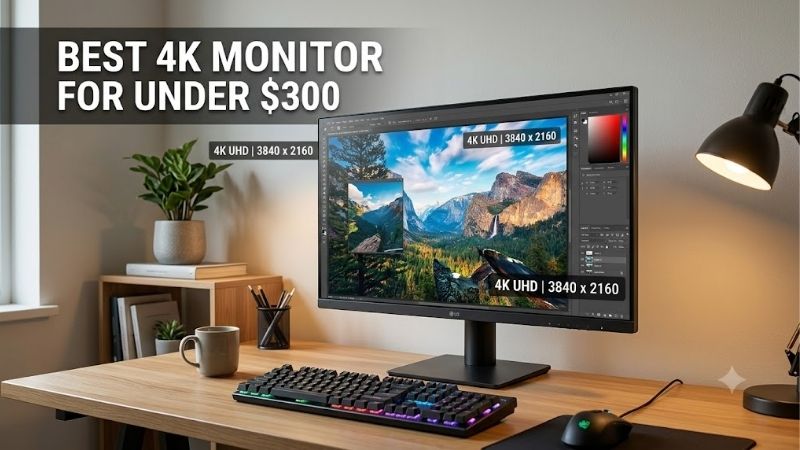
Best 4k monitor for under 300: quick verdict
For most desk setups, start with the Dell S2725QS. Its 27-inch 3840 × 2160 IPS panel runs at up to 120Hz, and its adjustable stand and integrated speakers make it a more complete everyday display than many entry-level 4K models. Dell’s US store listed it at $279.99 on October 13, 2026, before applicable tax and shipping.
The LG 27US500-W is the sensible lower-cost option if your priority is crisp text, web browsing, office apps, and media rather than fast gaming. Its listed price on LG’s US store was $249.99 on the same date, but its 60Hz panel and tilt-only stand are meaningful compromises. For gaming, the MSI MAG 275UPD E14 reaches 4K at 144Hz and switches to 1080p at 288Hz, while the Acer Nitro VG270K V4 offers 4K at 160Hz or 1080p at 320Hz. The Acer’s stand has no height adjustment, and its current retailer listing is through a marketplace seller, so check stock and delivery before buying.
| Model | Best fit | Key differentiator | Main drawback |
|---|---|---|---|
| Dell S2725QS | Best overall | 4K, 120Hz, ergonomic stand, speakers | No USB hub; motion handling is not class-leading |
| LG 27US500-W | Everyday work | 4K IPS at a modest price | 60Hz and basic stand |
| MSI MAG 275UPD E14 | Dual-mode gaming | 4K/144Hz or 1080p/288Hz; HDMI 2.1 | 250-nit brightness; HDR is limited |
| Acer Nitro VG270K V4bmiipx | Highest listed 4K refresh in this group | 4K/160Hz or 1080p/320Hz | Stand adjustability and stock need scrutiny |
Prices are snapshots, not promises. Tax, shipping, seller, inventory, and promotions can change the final cost; verify the precise model number and total at checkout.
How we selected these monitors
The shortlist favors models with a genuine 3840 × 2160 native panel, a published manufacturer specification page, and a US listing at or below $300 observed during research. The price snapshot was checked on October 13, 2026. The three principal shopping priorities are represented: everyday clarity, mixed work and play, and gaming with a refresh rate above 60Hz. A short list is more useful than adding extra screens whose current price or exact variant cannot be confidently matched to the budget.
Manufacturer specifications establish resolution, panel type, refresh limits, ports, brightness, stand movement, and advertised adaptive-sync support. For independent performance context, RTINGS’ review of the Dell S2725QS was consulted; it notes that the monitor’s high refresh rate and low input lag do not eliminate motion blur with fast-moving objects, and it describes HDR picture quality as poor. The other picks are evaluated from published specifications and retail details, not from detailed research by this article’s author. Marketing response-time figures are not treated as substitutes for standardized motion testing, and HDR badges are not interpreted as proof of impactful HDR.
Dell S2725QS: best overall for a mixed-use desk
The Dell S2725QS is the most balanced choice here because it improves on the common 4K budget formula without asking you to accept a 60Hz ceiling. Its 27-inch IPS panel has a native resolution of 3840 × 2160, a 120Hz maximum refresh rate, a listed 350-nit brightness, and 99% sRGB coverage. That combination suits writing, spreadsheets, browsing, streaming, and casual games on the same computer. The stand is a practical advantage for anyone spending hours at the desk. It supports height adjustment, tilt, swivel, and pivot, so you can align the screen without immediately paying for a separate monitor arm. Dell also includes two 5W speakers. They are convenient for casual viewing but do not replace a headset or desktop speakers.
There are limits. RTINGS found that fast objects can look blurry in motion, so competitive players who prioritize response clarity should prefer the gaming-oriented MSI or Acer models. RTINGS also rates its HDR image quality poorly: the IPS panel has no local dimming, black areas look gray beside bright highlights, and the gamut is limited for HDR content. In other words, treat the S2725QS as a strong SDR monitor that accepts HDR signals, not as a true HDR showcase.
Buy if: You want one clear, adjustable screen for work, media, and some gaming without paying extra for USB-C docking.
Skip if: You need a USB hub, laptop charging through USB-C, serious HDR, or the cleanest motion in competitive shooters. The S2725QS does not have an integrated USB hub, so budget for a separate hub or dock if your setup requires one.
LG 27US500-W: best for straightforward productivity
The LG 27US500-W is a straightforward 27-inch 4K IPS monitor for buyers who value desktop space and fine text more than a high refresh rate. LG’s US page listed it at $249.99 on October 13, 2026. The published core specifications include 3840 × 2160 resolution, a 60Hz refresh rate, 300-nit typical brightness, a 1,000:1 contrast ratio, and up to 90% DCI-P3 color-gamut expression. Two HDMI inputs and one DisplayPort input cover a common PC-and-laptop or PC-and-console arrangement, while Reader Mode and Flicker Safe are useful comfort features for office-heavy use.
The practical benefit is pixel density. At 27 inches, 4K makes small interface elements and high-resolution images look detailed, and it gives you room for two documents or a browser beside a spreadsheet.
The savings show up in the stand and refresh rate. The 27US500-W stand offers tilt adjustment, not height, swivel, or pivot. If the monitor sits too low for your seating position, a riser or a compatible VESA arm may be worth adding to the budget. At 60Hz, fast camera pans and competitive play will not feel as fluid as on the 120Hz-plus picks, and the screen has no USB-C connection for single-cable laptop video and charging. Its HDR10 support and wide-gamut claims may help with compatible signals and color, but a 300-nit IPS screen without local dimming is not built to deliver the bright highlights and deep blacks of premium HDR displays.
Buy if: Your main tasks are office work, study, coding, browsing, photo organization, or watching videos, and you want to spend less than the Dell.
Skip if: You want high-refresh PC gaming, a fully ergonomic stand out of the box, USB-C docking, or convincing HDR. Treat the 27US500-W as a productivity-first display, and verify that the retailer is selling this exact suffix rather than a related LG 4K model.
MSI MAG 275UPD E14: best flexible gaming option
The MSI MAG 275UPD E14 is the more flexible fit for players who switch between cinematic single-player games and competitive titles. Its 27-inch IPS panel runs at 3840 × 2160 up to 144Hz. MSI also lists a dual mode that changes the display to 1920 × 1080 and raises the maximum refresh rate to 288Hz. That makes the monitor unusual for this budget: you can use the crisp native 4K mode for everyday computing and slower-paced games, then select the lower-resolution mode for titles where a high frame rate matters more than fine detail.
The two HDMI 2.1 ports and DisplayPort 1.4a offer useful flexibility for a PC and a current console. MSI lists Adaptive-Sync/FreeSync Premium support, console VRR support, picture-in-picture and picture-by-picture, and built-in 2W speakers. The stand adds height adjustment up to 130mm, tilt, swivel, and pivot, a meaningful usability difference from the Acer’s basic stand. A Newegg deal price of $249.99 was reported in PC Gamer’s October 2026 monitor-deals coverage; treat that as a retailer price snapshot, not a permanent MSRP guarantee.
The main trade-off is brightness. MSI rates the panel at 250 nits, so it is best suited to a typical indoor room rather than a sunlit desk. HDR Ready is a signal-compatibility label, not a promise of high-impact HDR: the specification does not list local dimming, and a modest peak brightness limits the visible gap between highlights and shadows. Switching to 1080p trades away 4K detail, and the GPU still has to produce the frames. Modern games at 4K are far more demanding than esports titles at 1080p.
Buy if: You play a mix of 4K story games and high-frame-rate shooters, want HDMI 2.1 console connectivity, or need an adjustable stand without buying an arm.
Skip if: You need USB-C laptop charging, very bright HDR, or you mostly play games that your PC cannot run at high frame rates. Confirm the exact model suffix because MSI has similarly named monitors with materially different resolution and refresh specifications.
Acer Nitro VG270K V4: best for maximum listed refresh rate
The Acer Nitro VG270K V4bmiipx is the speed-focused alternative. Best Buy listed it at $269.99 during the research check, below its displayed comparison value of $349.99. The listing describes a 27-inch IPS panel with native 3840 × 2160 resolution and a dual-frame-rate mode that runs 4K at up to 160Hz or Full HD at up to 320Hz. If those are the modes you want, Acer offers more refresh headroom at native 4K than the MSI, while retaining a 1080p high-refresh option for esports. It also lists AMD FreeSync Premium, two HDMI 2.1 ports, one DisplayPort 1.4 connection, and integrated speakers.
That speed comes with ergonomics and brightness compromises. Acer’s specifications list 250 nits of brightness and a stand without height adjustment; the monitor can be mounted to a compatible VESA arm, but that is an extra purchase. The retailer listing is associated with a marketplace seller, and the displayed delivery estimate appeared stale during research. The listed price therefore establishes a qualifying offer, but stock, seller terms, and delivery should be rechecked before publication or purchase. Do not assume that every future listing below $300 is sold and shipped directly by Best Buy.
Dual-mode operation changes the image to 1080p when the top 320Hz setting is selected; it does not deliver both 4K detail and 320Hz simultaneously. With 250-nit rated brightness and no evidence of local dimming, HDR10 support should be seen as basic signal handling rather than a reason to buy it for HDR movies.
Buy if: Your priority is a high refresh rate at native 4K and you play games that can take advantage of it, or you want a 320Hz Full HD mode for a supported competitive title.
Skip if: You need comfortable height adjustment out of the box, work in a bright room, or want a monitor with well-established independent test results. Check the seller and availability carefully, and compare the final delivered cost with the MSI before deciding.
How to choose the best 4k monitor for under 300
Start with refresh rate and your graphics card
A 60Hz panel is fine for office tasks, video, and slower-paced games. At 120Hz or above, motion can look smoother and input response can feel more immediate, but the benefit depends on game frame rate and panel behavior. The Dell is a practical middle ground; the MSI and Acer give you selectable high-refresh modes. Do not upgrade from 60Hz to 144Hz expecting every game to run at 144 frames per second. Check your GPU, the games you play, and your connection options first. For demanding new games at 4K, lowering graphical settings or using an upscaling feature may be necessary to maintain a high frame rate.
Understand what HDR and color numbers really mean
HDR10 support only tells you that the display accepts an HDR signal. It does not guarantee deep blacks, strong specular highlights, or convincing contrast. None of these four budget IPS monitors should be bought primarily for high-end HDR; their modest brightness and lack of listed local dimming are real limits. For photos and web graphics, gamut coverage matters, but a claim such as 90% DCI-P3 is not the same as calibrated accuracy. Critical creative work still benefits from calibration, a controlled lighting environment, and checking whether the software workflow uses the intended color space.
Check stand movement, ports, and desk fit
An ergonomic stand matters more than its marketing name. The Dell supports height, pivot, swivel, and tilt; the MSI also offers a broad range of adjustments; the LG is tilt-only; and the Acer listing specifies no height adjustment. Include the cost of a monitor arm or riser in the real budget if needed. Check whether you want two HDMI devices connected at once, whether your computer has DisplayPort, and whether USB-C charging is essential. None of these four models is a replacement for a USB-C dock with power delivery. Verify the exact model suffix because manufacturers often sell very similar names with different ports, refresh rates, and stands.
Budget for the entire display setup
The $300 cap should be compared against the delivered price, not just the page headline. State sales tax, delivery charges, restocking terms, seller identity, return policy, and any required cable can affect the final choice. A cheap monitor plus a $60 arm can cost more than a better-equipped model. At a fixed budget, a good 1440p gaming monitor can be a better fit for a midrange GPU than forcing 4K and reducing game settings substantially.
Frequently asked questions
Is 4K worth it on a 27-inch monitor?
Yes, especially for text, detailed interfaces, high-resolution photos, and close desk viewing. A 27-inch 4K screen has high pixel density, so edges and small details look crisp. You may need Windows or macOS scaling to keep text readable, which means you will not fit four times as much information on screen as a 1080p display. The payoff is sharper rendering rather than a guaranteed fourfold increase in usable workspace.
Can a monitor under $300 deliver real HDR?
These models can accept HDR signals, but none is a strong choice if HDR movie or game impact is the main requirement. High-impact HDR depends on brightness, contrast, local dimming or self-emissive pixels, and a suitable color volume. A basic HDR10 badge alone does not mean a display has the hardware to show bright highlights and deep blacks at the same time.
Which of these monitors is best for a PS5 or Xbox Series X?
The MSI MAG 275UPD E14 is a particularly flexible console option because MSI lists HDMI 2.1 ports and console VRR support, with 4K at up to 120Hz supported for console input. The Acer also has HDMI 2.1 ports, but verify the console’s supported modes on the exact input before buying. Console games do not all run at 120 frames per second, so the title and console settings matter as much as the monitor’s maximum refresh rate.
Will any of these monitors make my PC faster?
No. A monitor displays the frames your computer produces; it does not increase the GPU’s rendering speed. Moving to 4K can increase the rendering workload because 3840 × 2160 contains four times as many pixels as 1920 × 1080. If your GPU is already struggling, choose lower graphics settings, use a supported upscaler, or consider a 1440p screen rather than expecting the monitor itself to improve performance.
Should I wait for a sale or buy at the listed price?
Buy based on the total price and whether the model fits your use, not the crossed-out comparison price alone. The Dell and LG had direct manufacturer-store listings within budget during this check. MSI’s $249.99 figure came from recent deal coverage and may change; the Acer’s $269.99 listing involved a marketplace seller whose shipping details need confirmation. A price tracker and a final checkout check are sensible before purchase, especially during short promotional windows.
Final verdict: the best 4k monitor for under 300
Choose the Dell S2725QS if you want the best blend of sharp 4K detail, 120Hz motion, an adjustable stand, and built-in speakers for everyday computing. Pick the LG 27US500-W when productivity is the priority and a 60Hz ceiling is acceptable. The MSI MAG 275UPD E14 is the more rounded gaming pick because its 4K/144Hz and 1080p/288Hz modes come with an adjustable stand and HDMI 2.1. The Acer Nitro VG270K V4 is worth considering for its higher listed 4K refresh rate, but only after confirming seller, stock, delivery, and the exact mode support. For most mixed-use buyers, the Dell is the safest starting point; for gaming-first shoppers, compare the two dual-mode monitors based on stand ergonomics and the games you actually play.









