
The best gaming monitor for Dota 2 should make team fights easier to follow, keep scrolling and camera movement smooth, and respond quickly when you issue commands. For most players, a 27-inch 1440p IPS monitor with a 165Hz to 240Hz refresh rate is the smartest starting point. Competitive players who consistently achieve very high frame rates may benefit from a faster 320Hz display, while OLED models offer exceptional motion clarity and contrast at a higher cost. The right choice depends on your PC’s performance, desk space, budget, and whether you prioritize competitive responsiveness or a more detailed, immersive view of the battlefield.
- Best gaming monitor for Dota 2: quick verdict
- How we selected these Dota 2 monitors
- Acer Nitro KGB271U X1: best budget choice
- MSI G274QPF-QD: best affordable all-rounder
- AOC Q27G3XMN: best for contrast and visual immersion
- Gigabyte M27Q X Rev. 2.0: best 240Hz IPS option
- Alienware AW2525HM: best for high-refresh competitive play
- ASUS ROG Strix OLED XG27AQDMG: best premium motion clarity
- Samsung Odyssey OLED G6 G60SD: best high-end 360Hz display
- How to choose the best gaming monitor for Dota 2
- Frequently asked questions
- Final verdict
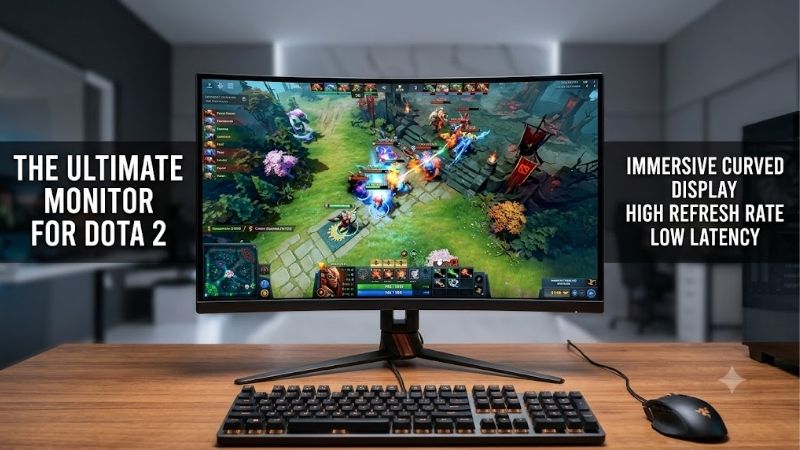
Quick answer: Our top pick in 2026 is the Monitor — our #1 rated choice. See the full ranked comparison, alternatives and buying advice below.
Best gaming monitor for Dota 2: quick verdict
The best choice for most Dota 2 players is a 1440p monitor with a refresh rate between 165Hz and 240Hz. This combination provides a sharp view of heroes, ability effects, and team fights without requiring you to pay for an extreme-refresh OLED panel.
Here are the seven monitors worth considering, each for a different reason.
| Monitor | Resolution | Maximum refresh rate | Best for | Main drawback |
|---|---|---|---|---|
| Acer Nitro KGB271U X1 | 1440p | 200Hz | Budget-conscious players | Basic stand |
| MSI G274QPF-QD | 1440p | 170Hz | Affordable all-round gaming | Limited contrast |
| AOC Q27G3XMN | 1440p | 180Hz | Strong contrast and HDR | Some dark-scene smearing |
| Gigabyte M27Q X Rev. 2.0 | 1440p | 240Hz | Competitive all-round performance | Average native contrast |
| Alienware AW2525HM | 1080p | 320Hz | High-refresh competitive play | Lower resolution |
| ASUS ROG Strix OLED XG27AQDMG | 1440p | 240Hz | Premium motion clarity | OLED cost and burn-in considerations |
| Samsung Odyssey OLED G6 G60SD | 1440p | 360Hz | High-end competitive gaming | Expensive for Dota alone |
Prices and availability vary by retailer. The Acer’s recently reported $139.99 offer is not confirmed as an active price today. Dell listed the Alienware AW2525HM at $229.99, ASUS listed the XG27AQDMG at $599, and B&H listed the Samsung Odyssey OLED G6 at $649.99 when the relevant US pages were checked on October 13, 2026. Current prices for the remaining models were not independently confirmed.
How we selected these Dota 2 monitors
The recommendations focus on the qualities that matter during actual matches rather than headline specifications alone.
Refresh rate determines how frequently the display can update its image. A 165Hz monitor can refresh approximately every 6.06 milliseconds, while a 240Hz model refreshes every 4.17 milliseconds. At 320Hz, that interval falls to 3.13 milliseconds. These figures describe refresh intervals, not total input latency or guaranteed reaction-time improvements.
Response time also matters because pixels need to transition between colors quickly enough to keep moving objects clear. Manufacturer response-time figures are measured under particular conditions and do not necessarily reflect performance across every refresh rate or overdrive setting.
Resolution influences how clearly you can distinguish small units, health bars, map elements, and visual effects. At 27 inches, 2560 × 1440 generally offers a useful balance between detail and performance. A 24.5-inch 1080p display remains a reasonable option for players who prefer a smaller screen and prioritize very high frame rates.
Finally, we considered variable refresh rate support, ergonomics, connectivity, panel technology, and independently measured limitations where credible testing was available. No detailed research was conducted for this article, and no monitor is claimed to improve a player’s matchmaking rank.
Acer Nitro KGB271U X1: best budget choice
The Acer Nitro KGB271U X1 is an appealing starting point for players who want a fast 1440p screen without spending several hundred dollars on an OLED monitor. Acer’s US product page identifies the KGB271U X1bmiipx variant, while PC Gamer reported a $139.99 offer for this 200Hz-class display in its October 2026 budget-monitor coverage.
The attraction is straightforward: A 27-inch 2560 × 1440 display gives Dota 2 players more room for game detail and interface elements than a basic 1080p screen. Its advertised 200Hz refresh rate also provides smoother movement than a conventional 60Hz office monitor, assuming your PC can produce sufficiently high frame rates.
The compromises are mostly practical. Acer lists a 250-nit brightness specification and a stand without height adjustment. That makes monitor placement more dependent on your desk, chair, or a separate monitor arm. The advertised 0.5ms response-time figure should not be interpreted as a complete measure of input lag or real-world pixel transitions.
The model is most attractive when its price remains close to the reported budget offer. An inexpensive 200Hz monitor is less compelling if its price approaches better-equipped alternatives with height-adjustable stands or independently researched motion performance.
Buy it if you need an inexpensive 1440p gaming monitor and find a credible US retail offer near its recently reported price.
Skip it if the current listing is substantially more expensive or you need a fully adjustable stand out of the box.
MSI G274QPF-QD: best affordable all-rounder
The MSI G274QPF-QD is a 27-inch Rapid IPS monitor with a 2560 × 1440 resolution and a maximum 170Hz refresh rate. MSI also specifies AMD FreeSync Premium support, G-SYNC compatibility, and a DisplayPort connection capable of reaching 170Hz with the appropriate setting enabled.
For Dota 2, 170Hz is already a substantial improvement over 60Hz. Scrolling around the battlefield looks smoother, and quickly moving the camera produces more frequent visual updates. Its IPS panel is also suitable for players who want consistent-looking colors and viewing angles when the monitor is used for work, streaming, or general entertainment.
RTINGS’ independent evaluation found low input lag and consistent motion handling across the monitor’s variable-refresh range, although some blur remains during fast movement. Its contrast is limited, so dark scenes do not look as deep as they would on an OLED panel.
The monitor includes USB-C with DisplayPort Alt Mode and up to 15 watts of power delivery. This is useful for connecting compatible devices, although it is insufficient to replace the power adapter for many gaming laptops.
The QD suffix refers to its quantum-dot color technology, but that feature should not be confused with an OLED panel. The monitor still uses an IPS LCD with a conventional backlight.
Buy it if you want a versatile 1440p monitor with a good refresh rate and broad everyday usefulness.
Skip it if the price is close to a newer 240Hz alternative or if deep blacks and premium HDR are high priorities.
AOC Q27G3XMN: best for contrast and visual immersion
The AOC Q27G3XMN takes a different approach from the other budget-oriented displays. It combines a 27-inch 1440p VA panel with a 180Hz refresh rate and Mini LED backlighting featuring 336 local dimming zones.
Its principal advantage is contrast. The VA panel can produce deeper native blacks than the IPS displays in this roundup, while local dimming allows sections of the backlight to become brighter or darker depending on the image. This can make games look more dynamic, particularly when bright effects appear against darker backgrounds.
For Dota 2, that benefit is primarily visual rather than competitive. It can make spell effects, shaded terrain, and other game elements look more striking without requiring the expense of an OLED panel.
RTINGS’ testing found low input lag and strong motion performance at high refresh rates. However, some dark-object smearing remains, and variable-refresh operation can exhibit flicker when frame rates fluctuate. Those issues are worth considering if you are especially sensitive to motion artifacts.
Connectivity is relatively basic, with DisplayPort and HDMI 2.0 inputs. The monitor also has an ergonomic stand, making it easier to position for long sessions than displays with only tilt adjustment.
The main limitation is that Mini LED is not a substitute for perfect pixel-level lighting. Local dimming can introduce halos around bright objects, and its usefulness depends on the scene and settings.
Buy it if you enjoy visually rich games alongside Dota 2 and want strong contrast without jumping straight to OLED.
Skip it if your primary goal is the cleanest possible motion during competitive play or you frequently notice flicker in variable-refresh displays.
Gigabyte M27Q X Rev. 2.0: best 240Hz IPS option
The Gigabyte M27Q X Rev. 2.0 is an attractive middle ground for players who want a higher refresh rate without OLED pricing. Its official specifications list a 27-inch SuperSpeed IPS panel, 2560 × 1440 resolution, 240Hz refresh rate, and 1ms MPRT response-time specification.
That combination suits Dota 2 particularly well. You retain the extra image detail of 1440p while gaining a 240Hz refresh ceiling. It also leaves room to enjoy other competitive games that benefit from responsive motion, rather than forcing you into a specialized 1080p esports display.
Tom’s Hardware tested the M27Q X and praised its high refresh rate, motion handling, and broad gaming feature set. Its testing found that the 240Hz panel delivered smooth motion and low input lag, although contrast was average and HDR did not create a major visual improvement. RTINGS’ testing of the original revision similarly found low input lag and good high-refresh performance.
One important buying detail is the revision. Gigabyte has released both Rev. 1.0 and Rev. 2.0. The second revision advertises slightly wider DCI-P3 coverage, and retailers may not clearly identify which revision they are selling. Verify the exact version when purchasing.
The monitor also includes a KVM switch and USB-C connectivity, which can help users share a desk between a gaming PC and another computer. It is more versatile than a display built exclusively around competitive gaming.
Buy it if you want a balanced 1440p, 240Hz IPS monitor for Dota 2 and other fast-paced titles.
Skip it if its current price approaches an OLED alternative or you mainly need a low-cost screen for one game.
Alienware AW2525HM: best for high-refresh competitive play
The Alienware AW2525HM is designed for players who prefer responsiveness over additional resolution. Dell’s US product page lists a 24.5-inch Fast IPS panel with a 1920 × 1080 resolution, a 320Hz maximum refresh rate over DisplayPort, and a price of $229.99.
The smaller screen is a sensible fit for players who sit relatively close to their displays. Since 1080p contains fewer pixels than 1440p, it also places a lower rendering workload on the graphics card in many games. That can help a system sustain higher frame rates, although actual Dota 2 performance still depends on the CPU, GPU, settings, and what is happening during a match.
The monitor supports AMD FreeSync Premium and is advertised as NVIDIA G-SYNC compatible. Variable refresh rate technology helps synchronize the display with supported frame output to reduce tearing when frame rates fluctuate.
For Dota 2, 320Hz is more than most players need. The distinction becomes more relevant when someone has a high-performance PC, consistently reaches very high frame rates, and is sensitive to motion clarity. It does not automatically translate into better decision-making or more successful ability use.
The main compromise is resolution. On a 24.5-inch panel, Full HD is reasonable, but a 27-inch 1440p screen offers more workspace and a sharper desktop image. The AW2525HM is also less suitable if you want extensive multitasking or detailed creative work.
Buy it if you favor a compact screen, high refresh rates, and competitive gaming across several titles.
Skip it if your PC rarely exceeds 165–200 FPS, or if you prefer the additional detail offered by a 1440p screen.
ASUS ROG Strix OLED XG27AQDMG: best premium motion clarity
The ASUS ROG Strix OLED XG27AQDMG is a premium 27-inch OLED monitor with a 2560 × 1440 resolution and a 240Hz refresh rate. ASUS listed it at $599 on its US product page when checked.
OLED pixels emit their own light rather than relying on a conventional backlight. This produces deep blacks and near-instantaneous pixel transitions, which help moving objects remain clear without the same type of LCD pixel smearing seen on slower panels.
For Dota 2, the result is a sharp, high-contrast presentation that also benefits single-player games, movies, and general desktop use. A 240Hz refresh rate is already more than sufficient for most players who want an enthusiast-level competitive display without moving to 360Hz or above.
The XG27AQDMG supports variable refresh rate through FreeSync Premium and G-SYNC compatibility. It also provides DisplayPort 1.4 with Display Stream Compression and two HDMI 2.0 ports.
There are meaningful trade-offs. OLED panels can suffer permanent burn-in under certain long-term usage patterns, especially when static elements remain visible for extended periods. Dota 2’s HUD contains persistent interface elements, so OLED care features and sensible usage habits are relevant. ASUS includes OLED protection features, but those do not eliminate every possible risk.
The glossy screen finish can also produce distracting reflections in a bright room. Check the lighting around your desk before choosing it over a matte IPS monitor.
Buy it if you play a wide variety of games and want excellent contrast with fast motion.
Skip it if your budget is limited or if you want the lowest-maintenance option for many hours of static desktop use.
Samsung Odyssey OLED G6 G60SD: best high-end 360Hz display
The Samsung Odyssey OLED G6 G60SD is the fastest refresh-rate option in this shortlist. Its 27-inch QHD QD-OLED panel offers 2560 × 1440 resolution, a 360Hz refresh rate, and a stated 0.03ms gray-to-gray response time. B&H listed the model at $649.99 and marked it in stock on Samsung’s US where-to-buy page.
The combination of QHD, OLED response, and 360Hz makes the G60SD suitable for players seeking a premium display for both Dota 2 and fast competitive shooters. The higher refresh ceiling can make fast camera movement look smoother when your system consistently produces sufficiently high frame rates.
The QD-OLED panel also delivers deep blacks and vibrant colors, while Samsung’s matte display coating helps reduce reflections compared with many glossy OLED panels. That can be an advantage in rooms with overhead lights or windows.
However, the difference between 240Hz and 360Hz is less dramatic than the improvement from 60Hz to 144Hz. At 360Hz, each refresh interval is approximately 2.78 milliseconds. At 240Hz, it is approximately 4.17 milliseconds. Those are real differences, but they do not mean every action in the game becomes that much faster.
The price is difficult to justify for Dota 2 alone. A good 170Hz or 240Hz IPS monitor can provide an excellent experience at considerably lower cost. Before buying an OLED panel, also consider static HUD elements, warranty terms for the exact product, and whether its protection features suit your usage.
Buy it if you want premium OLED image quality, very high refresh rates, and one monitor for several competitive games.
Skip it if the extra $100–$400 over a more modest display would force you to compromise on your PC, peripherals, or other components.
How to choose the best gaming monitor for Dota 2
Choose the refresh rate around your real frame rate
The monitor’s maximum refresh rate is only useful when the PC can supply enough frames to make good use of it.
A 165Hz display is a sensible target if your system typically produces around 140–165 FPS. A 240Hz display makes more sense when the game often runs above 200 FPS. A 320Hz or 360Hz monitor is best reserved for users who consistently achieve very high frame rates and value the finer differences in motion.
Dota 2 can place substantial demands on the processor during large fights. Performance may fall when numerous units, abilities, and effects are active, even if the graphics card is powerful. Therefore, do not select a monitor based solely on a frame rate achieved in an empty lobby.
Use an actual match to check frame-time consistency. Stable delivery can feel better than a higher average frame rate accompanied by frequent stutters.
Decide between 1080p and 1440p
A 24–25-inch 1080p display is a good choice for players who prefer a compact setup and competitive focus. At 27 inches, 1440p generally offers a sharper image and more detail across the battlefield.
The higher pixel count does increase rendering demands. If your PC already struggles to sustain smooth performance at 1440p, a faster 1080p display may be the more practical upgrade.
Remember that changing display resolution does not fix CPU limitations, poor frame pacing, or network latency. Diagnose your system before assuming a new monitor will solve every performance problem.
Prioritize adaptive sync and useful ergonomics
FreeSync and G-SYNC-compatible operation can reduce tearing when frame rates vary. A broad variable-refresh range is especially useful if the game alternates between high frame rates during quieter periods and lower rates during major team fights.
Ergonomics matter during lengthy matches. Height adjustment helps position the screen so that you are not continually tilting your head, while swivel and tilt adjustments make it easier to arrange the display around your seating position.
A good stand, clear on-screen controls, and a reliable DisplayPort connection can be more valuable than HDR certification or decorative RGB lighting.
Do not overspend on response-time marketing
A manufacturer advertising 0.5ms or 1ms response time is not necessarily describing complete system latency. Gray-to-gray response time, moving-picture response time, refresh interval, and input lag are different measurements.
Aggressive overdrive settings can also create inverse ghosting, appearing as bright or dark trails around moving objects. The best setting may differ at 60Hz, 144Hz, and the display’s maximum refresh rate.
Independent monitor reviews are useful because they test behavior beyond the manufacturer’s headline number. Look for response-time consistency and overshoot at your intended refresh rate rather than choosing solely by the smallest printed millisecond figure.
Frequently asked questions
Is 144Hz enough for Dota 2?
Yes. A good 144Hz monitor is a major improvement over 60Hz for most players. Moving to 165Hz or 180Hz offers a modest additional improvement, while 240Hz and higher are most useful to players who sustain high frame rates and are sensitive to motion differences.
Is 240Hz worth it for Dota 2?
It can be, particularly if your PC consistently delivers more than 200 FPS and you also play fast competitive games. For someone averaging around 100–140 FPS, a quality 165Hz monitor may be the more sensible purchase.
Should I buy an OLED monitor for Dota 2?
OLED offers excellent contrast and fast pixel response, but it is not necessary for good Dota 2 performance. A quality IPS display can provide responsive gameplay at a substantially lower price. OLED is more compelling when its image quality benefits your other games and media as well.
Does a higher refresh rate reduce ping?
No. Refresh rate affects how frequently the monitor updates its image, while ping measures network round-trip latency. A faster monitor may improve the visual responsiveness of local input and frame delivery, but it cannot fix a slow connection or a distant game server.
Final verdict
The best value for most Dota 2 players is a 27-inch 1440p IPS monitor operating at 170Hz to 240Hz. The Acer Nitro KGB271U X1 is worth investigating when it is available near its recently reported budget price, while the MSI G274QPF-QD offers a balanced entry point into high-refresh 1440p gaming.
The Gigabyte M27Q X Rev. 2.0 is a strong option for players who specifically want 240Hz IPS performance. The Alienware AW2525HM suits those who prioritize high frame rates on a smaller 1080p screen, whereas the ASUS XG27AQDMG and Samsung G60SD appeal to buyers who want premium OLED image quality.
Spend according to your actual performance and preferences. A well-calibrated, responsive 170Hz display can be a better purchase than an expensive 360Hz OLED if the saved money goes toward improving your PC or creating a more comfortable gaming setup.
Price limitations: Exact current pricing for the MSI G274QPF-QD, AOC Q27G3XMN, and Gigabyte M27Q X Rev. 2.0 was not independently confirmed. Verify these prices, stock status, and exact model revisions before publication. No Dota 2 frame-rate benchmark was conducted for any monitor in this roundup.
Ready to decide? Our #1 pick for 2026 is the Monitor.
Live price & availability on Amazon.









