
W-OLED monitor shoppers are balancing deep OLED contrast against screen size, refresh rate, desk space, and price. WOLED panels deliver superb blacks and rapid pixel response, but the best match depends on whether you play competitive shooters, cinematic games, or work across several windows each day for mixed-use flexibility.
How to Choose a W-OLED Monitor
A w oled monitor search gets easier when you decide what matters most before comparing model names. Panel technology is only the starting point: resolution controls detail, refresh rate affects motion, aspect ratio changes your usable workspace, and ports determine whether the screen fits your computer setup without extra adapters.
Match Screen Size to Resolution
Prioritize resolution and viewing distance over diagonal size. A 27-inch QHD display balances desktop legibility with GPU efficiency; a 32-inch 4K panel improves fine-detail rendering for games and text. For a w oled monitor, pixel density matters most when the screen doubles as your everyday workspace at typical desktop distance.
Prioritize workload-specific requirements. The LG 27GS95QE-B balances QHD legibility and GPU efficiency, while the LG 32GS95UE-B provides native 4K detail on a 31.5-inch panel. Higher-resolution, high-refresh gaming needs more graphics power. For QHD efficiency, choose the LG 27GS95QE-B; for native 4K, choose the LG 32GS95UE-B.
Set a Realistic Refresh-Rate Target
A high refresh rate is most useful when your PC can render enough frames to feed it. At 240Hz, motion looks exceptionally clear and input feels immediate, but demanding games may not sustain that rate at 4K. For a w oled monitor, match your refresh-rate target to graphics-card capability across GPU-intensive workloads and choose accordingly.
The LG 32GS95UE-B switches between 4K 240Hz and Full HD 480Hz, serving cinematic and esports play. The LG 27GS95QE-B stays with QHD at 240Hz. Dual mode adds flexibility but costs more across mixed game libraries. Check graphics-performance targets before buying. Choose LG 32GS95UE-B for dual mode or LG 27GS95QE-B for QHD.
Choose the Right Shape and Curve
A 16:9 screen is the safest choice for consoles, standard video, and games without ultrawide support. A 21:9 monitor widens the field of view in compatible PC titles and gives side-by-side windows more horizontal room. A w oled monitor should fit your desk dimensions before you commit to a large curved panel, especially in tight rooms.
ASUS ROG Swift OLED PG34WCDM pairs 34-inch 3440 × 1440 ultrawide resolution with an 800R curve; LG 45GS95QE-B extends 21:9 to 45 inches. The 45-inch panel increases immersion but gives less pixel density than 27-inch QHD and requires more desk clearance. For desk balance pick ASUS PG34WCDM; for maximum immersion, pick LG 45GS95QE-B.
Check Ports, Room Lighting, and Care Features
Compare connections before buying: DisplayPort and HDMI suit gaming PCs and consoles, while USB-C video with power delivery simplifies laptop docking. Anti-glare coating helps reflections, but OLED cannot match bright LCDs in every sunlit room. Review burn-in warranty coverage and OLED-care functions, particularly for mixed office use.
For a w oled monitor shared across devices, evaluate connectivity alongside panel quality. The ASUS PG34WCDM stands out for USB-C with 90W power delivery and integrated Smart KVM, enabling keyboard/mouse sharing across laptop-desktop workflows with less accessory clutter. For docking and device switching, choose the ASUS PG34WCDM.
Top Picks
These four w oled monitor picks cover distinct setups rather than pretending one screen suits everyone. The 32-inch LG is the most versatile gaming choice, the 27-inch LG lowers resolution demands, ASUS adds laptop connectivity, and the 45-inch LG prioritizes immersion. Check current pricing and warranty coverage before buying.
| Product | Best For | Key Spec | Watch Out For |
|---|---|---|---|
| LG UltraGear 32GS95UE-B | Best Overall | 31.5-inch 4K 240Hz / FHD 480Hz | Expensive; FHD mode is less sharp |
| LG UltraGear 27GS95QE-B | Best Value | 27-inch QHD 240Hz | Not 4K; OLED brightness varies by scene |
| ASUS ROG Swift OLED PG34WCDM | Best for productivity ultrawide | 34-inch 3440 × 1440, 240Hz, USB-C 90W | Aggressive 800R curve; burn-in risk |
| LG UltraGear 45GS95QE-B | Best for immersive gaming | 45-inch 3440 × 1440, 240Hz, 800R | Low pixel density for desktop text |
LG UltraGear 32GS95UE-B — Best Overall
The LG UltraGear 32GS95UE-B is a strong all-rounder for gamers balancing image detail with competitive speed. Its 31.5-inch OLED panel runs at 3840 × 2160 and up to 240Hz, or switches to 1920 × 1080 at up to 480Hz. Response time is rated 0.03ms GtG, with VRR frame-smoothing for mixed-use gaming across graphics-intensive, high-refresh titles.
Dual mode is the key advantage: play story-driven titles in 4K, then switch to Full HD when esports frame rates matter during competitive sessions. HDR True Black 400, G-SYNC compatibility, and FreeSync Premium Pro are included. The compromise is cost, and the lower-resolution mode looks softer than native 4K for desktop work.
LG UltraGear 27GS95QE-B — Best Value
The LG UltraGear 27GS95QE-B makes WOLED more approachable with a 27-inch, 2560 × 1440 format. It supports 240Hz, rated 0.03ms GtG response, HDR True Black 400, G-SYNC compatibility, and FreeSync Premium Pro. Fast PC gaming feels responsive without requiring a costly 4K graphics-card upgrade for high-refresh competitive play.
Its strength is balance rather than an unusually low sale price: QHD remains sharp at this size, and 240Hz is ample for competitive players. The drawback is less detail than 4K and modest full-screen OLED brightness. It is a practical gaming-first choice, though less compelling as a 4K workstation or creator display overall.
ASUS ROG Swift OLED PG34WCDM — Best for Productivity Ultrawide
The ASUS ROG Swift OLED PG34WCDM suits multitasking gamers balancing immersion and open applications simultaneously. Its 33.94-inch WOLED panel delivers 3440 × 1440 resolution, a 21:9 aspect ratio, an 800R curve, 240Hz refresh, and 0.03ms GtG response. ASUS rates its color coverage at 99% of DCI-P3, aiding vivid HDR highlights.
USB-C supports DisplayPort Alt Mode and up to 90W power delivery, while the built-in KVM and USB hub help control two connected systems. This benefits laptop-plus-desktop workflows more than basic gaming setups in everyday use. The steep curve may feel extreme, and text clarity is not as crisp as a comparable high-density 4K display.
LG UltraGear 45GS95QE-B — Best for Immersive Gaming
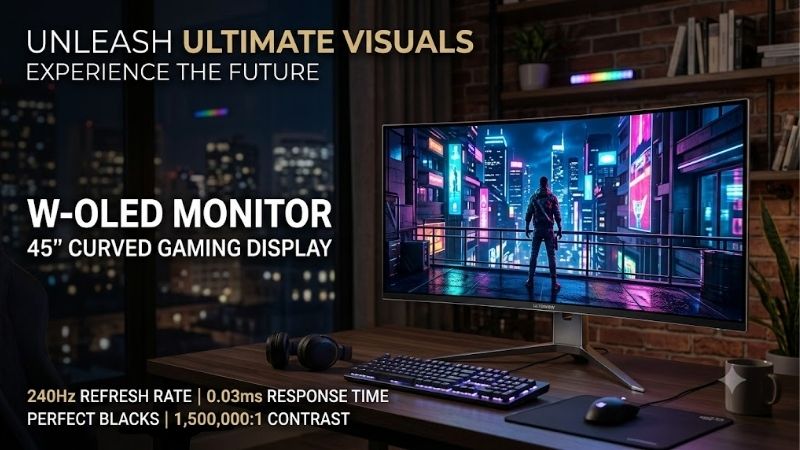
The LG UltraGear 45GS95QE-B is built for players who want a screen that fills peripheral vision. Its 45-inch curved WOLED panel uses a 21:9 aspect ratio, 3440 × 1440 resolution, an 800R curve, and a 240Hz refresh rate. LG also specifies 0.03ms GtG response, HDR True Black 400, G-SYNC compatibility, and FreeSync Premium Pro.
The huge curved image suits racing and cinematic games, but spreading 3440 × 1440 across 45 inches makes text and interface elements less dense than on smaller displays. It takes substantial desk space, too. Choose it for immersion over compactness or crisp office text, and confirm your GPU can drive demanding games smoothly.
Frequently Asked Questions
Before buying a w oled monitor, separate panel technology from features affecting daily use. WOLED describes the display approach, not a guaranteed brightness level, port selection, or refresh rate. Two WOLED monitors can suit different desks, PCs, lighting conditions, and game libraries, so check the full specification sheet.
Is WOLED better than QD-OLED?
Neither is better in every room. WOLED monitors such as the LG 32GS95UE-B and ASUS PG34WCDM deliver deep blacks and excellent motion, while QD-OLED models can offer more saturated colors in some highlights. Compare glare handling, content, pricing, and the specific panel generation before choosing in changing room illumination.
In a bright room, WOLED can retain darker-looking blacks better than some QD-OLED screens, while QD-OLED may deliver stronger color volume in HDR. Differences vary by model and coating, so avoid choosing by panel label alone. Compare independent measurements, port needs, warranty coverage, and text clarity if the display will also handle work.
Can a WOLED monitor suffer burn-in?
Yes, permanent burn-in is possible because OLED pixels can wear unevenly when the same bright content stays onscreen for long periods. Modern monitors include screen-care routines and panel protection, but those features reduce risk rather than eliminate it. Anyone using static dashboards should consider habits and warranty terms.
Use the manufacturer’s pixel-cleaning and screen-care features as directed, keep firmware updated, and avoid leaving a static desktop at maximum brightness for hours when unattended. Varying content and allowing the monitor to enter standby can help. Do not disable built-in care features simply to avoid their occasional maintenance cycle.
Do I need a powerful GPU for a WOLED monitor?
A 4K 240Hz display benefits from a powerful graphics card, especially in demanding games with ray tracing enabled. QHD 240Hz is easier to drive, although competitive titles still need high frame rates. The LG 32GS95UE-B adds a 1080p 480Hz mode, but the PC must render those frames to use it fully at low latency and esports rates.
Use game-specific benchmarks instead of choosing a GPU from monitor specs alone. Upscaling can help at 4K, and variable-refresh-rate technology smooths fluctuations, but neither guarantees a locked 240 frames per second. Console players must also verify resolution, refresh-rate, and aspect-ratio support for their intended display modes.
Is a WOLED monitor good for work as well as gaming?
It can be, particularly if you value contrast, fast motion, and wide viewing angles, but text-heavy work deserves scrutiny. Subpixel layouts can create colored fringing around small fonts, and very large ultrawides may feel less sharp at ordinary desktop distances. OLED is not automatically best for office work or long reading sessions.
For spreadsheets and coding, compare text clarity and pixel density in person when possible; a 27-inch QHD or 32-inch 4K layout may be easier than 45-inch 1440p for small-font interfaces. USB-C and KVM on ASUS help multi-device work, while the LG 32-inch model provides native 4K detail for mixed use during extended text-heavy sessions.
Final Thoughts
The best w oled monitor is the one that fits your games, GPU, desk, and everyday workload rather than the model with the largest headline number. Choose the LG 32GS95UE-B for dual-mode flexibility, the LG 27GS95QE-B for balanced QHD gaming, the ASUS PG34WCDM for laptop-friendly ultrawide use, or the LG 45GS95QE-B for maximum immersion.









