
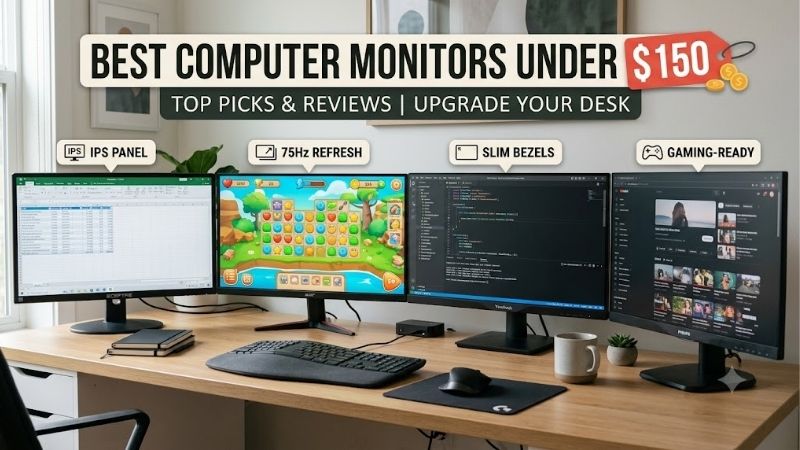
Best computer monitors under 150 should balance useful everyday features rather than chase specification-sheet numbers alone. A 24-inch 1080p IPS screen suits most desks, while elevated refresh rates favor gaming. These four choices cover office work, value, competitive play, and larger-screen productivity, with important trade-offs explained.
Quick answer: For most people in 2026, the best computer monitors under 150 is the ASUS VA24EHF — our #1 rated choice. See the full ranked comparison, alternatives and buying advice below.
How to Choose a Budget Monitor
A monitor handling email, spreadsheets, streaming, and occasional gaming forces trade-offs between screen space, motion clarity, and comfort. The best computer monitors under 150 are not interchangeable, so assess your desk and primary tasks first, then compare connectivity and stand limitations before considering refresh-rate claims.
Screen Size and Resolution
A 23.8- or 24-inch 1920 × 1080 panel keeps text readable at normal desk distance without asking an entry-level graphics card to render extra pixels. A 27-inch Full HD screen enlarges windows physically, but fine text looks less crisp as pixel density drops. That matters especially for small fonts and dense spreadsheet cells.
ASUS VA24EHF and MSI PRO MP243L E14 are practical compact-screen options for productivity, while the LG 27MS500-B accommodates more simultaneous documents across its larger desktop area. If photo editing or small-type reading dominates your schedule, waiting for a discounted 27-inch QHD display may be worthwhile within this price bracket.
Refresh Rate and Motion Clarity
Refresh rate measures how often a panel updates each second. Moving from 60Hz to 100Hz makes cursor movement and scrolling smoother; 144Hz and 180Hz provide more headroom for fast games, but your computer must render enough frames to use it. The advantage appears most clearly during rapid camera turns, not static reading or document editing.
The Acer Nitro KG241Y M3BIIP reaches 180Hz, while MSI PRO MP243L E14 supports 144Hz. ASUS VA24EHF and LG 27MS500-B are 100Hz alternatives for office tasks and casual gaming, suited to buyers who value balanced everyday responsiveness rather than competitive-level speed that their PC cannot reliably maintain during gameplay.
Panel Quality and Brightness
All four picks use IPS technology, which generally maintains more consistent color and contrast off-axis than many basic TN panels. Their 250-nit brightness class suits ordinary indoor rooms rather than direct sunlight, and none should be mistaken for a premium HDR display. Consider room lighting and window placement before deciding.
An anti-glare finish reduces distracting reflections but cannot compensate for limited brightness beside a sunny window. For color-critical editing, check tested color accuracy and uniformity instead of trusting an HDR Ready label. These budget gaming models prioritize refresh rate over creator-grade calibration, which is a fair trade for play.
Connectivity and Ergonomics
Port selection determines practical compatibility without adapters. ASUS VA24EHF provides one HDMI input and no speakers; MSI PRO MP243L E14 adds VGA but lacks DisplayPort in this variant, while Acer Nitro includes two HDMI ports and DisplayPort, particularly useful when alternating between several devices on one desk.
LG 27MS500-B provides two HDMI inputs, but its stand offers tilt rather than height adjustment. Check desk height and VESA compatibility first, since none of these bundled stands offers full ergonomic positioning. All four can use VESA-compatible mounting, and some setups will still require external speakers for calls, music, or videos.
Top Picks
These four best computer monitors under 150 serve different priorities rather than one universal specification. ASUS is the everyday pick, MSI offers 144Hz value, Acer raises the ceiling to 180Hz, and LG provides a larger 27-inch canvas. The table summarizes their compromises so you can match a model to your desk and routine.
| Product | Best For | Key Spec | Watch Out For |
|---|---|---|---|
| ASUS VA24EHF | Best Overall | 23.8-inch FHD IPS, 100Hz | One HDMI input; no speakers |
| MSI PRO MP243L E14 | Best Value | 23.8-inch FHD IPS, 144Hz | HDMI and VGA; no built-in audio |
| Acer Nitro KG241Y M3BIIP | Best for Competitive Gaming | 23.8-inch FHD IPS, 180Hz | Tilt-only stand; modest brightness |
| LG 27MS500-B | Best for Large-Screen Work | 27-inch FHD IPS, 100Hz | Tilt-only stand; lower pixel density |
ASUS VA24EHF — Best Overall
For shoppers comparing the best computer monitors under 150, ASUS VA24EHF is a balanced choice for office work, study, streaming, and casual gaming. Its 23.8-inch IPS panel runs at 1920 × 1080 and 100Hz, with 250-nit brightness and Adaptive-Sync to help reduce tearing during supported games as rendered frame rates fluctuate.
The matte anti-glare panel, 178-degree viewing angles, and flicker-free and low-blue-light modes cover useful daily basics. Its compromises are one HDMI 1.4 input, no speakers, and a tilt-only stand. Choose it when consistent IPS viewing and casual gaming matter more than integrated audio, multiple sources, or extensive ergonomic adjustment.
MSI PRO MP243L E14 — Best Value
The MSI PRO MP243L E14 is a budget-conscious and value-focused option among the best computer monitors under 150 for buyers who want smoother gameplay without increasing their budget. It pairs a 23.8-inch Full HD IPS panel with a 144Hz refresh rate, 1ms MPRT, a 4ms GtG rating, and Adaptive-Sync for compatible graphics hardware.
Its 250-nit brightness and stated 1500:1 contrast ratio suit ordinary indoor use, while the 100 × 100mm VESA pattern offers mounting flexibility. Connectivity is the compromise: one HDMI 2.0 input and VGA, with no speakers or headphone jack. Budget separately for headphones or desktop speakers if audio matters in your setup.
Acer Nitro KG241Y M3BIIP — Best for Competitive Gaming
Acer Nitro KG241Y M3BIIP earns a place among the best computer monitors under 150 for gamers who prioritize motion over ergonomic extras. Its 23.8-inch IPS display reaches 1920 × 1080 at up to 180Hz, with a stated 1ms GtG response, 250-nit brightness, and AMD FreeSync Premium through DisplayPort for compatible variable-refresh gameplay.
Two HDMI 2.0 ports and DisplayPort make switching sources easier than with ASUS or MSI. However, the bundled stand adjusts only for tilt, and 250-nit output is modest in a bright room. This monitor makes most sense for an FPS-focused desktop that can generate high frame rates, not a workstation requiring frequent height adjustment.
LG 27MS500-B — Best for Large-Screen Work
The LG 27MS500-B is the large-screen option among the best computer monitors under 150 for spreadsheets, browser tabs, and remote-work documents. Its 27-inch Full HD IPS panel supports 100Hz refresh and 5ms GtG response, plus Reader Mode and Flicker Safe features for routine desk work during prolonged daily home-office use.
LG lists around $130, but retailer pricing and availability can fluctuate. Two HDMI inputs simplify connecting a work computer and another source; however, the stand tilts only, and Full HD looks less sharp across 27 inches than on a 24-inch panel. Skip it for fine-detail editing, close-range small text, and dense spreadsheets.
Frequently Asked Questions
The best computer monitors under 150 handle everyday work and entertainment, but choosing well means balancing refresh rate, resolution, and ergonomics. These answers address common pre-purchase questions: whether high refresh matters, if 1080p is enough, and which accessories may be needed for a functional home setup.
Are Budget Monitors Good for Gaming?
Yes, budget monitors can be good for PC gaming, especially at 1080p, where entry-level graphics cards can deliver playable performance. Acer’s 180Hz ceiling and MSI’s 144Hz panel target fast games, while ASUS and LG offer 100Hz refresh for casual titles and mixed-use desktops, with less emphasis on competitive speed and esports performance.
A high refresh rate or 1ms marketing figure does not guarantee flawless motion clarity; pixel response and frame delivery also matter. Use the supported HDMI or DisplayPort connection, select the advertised refresh rate in your operating system, and enable Adaptive-Sync when compatible if tearing or uneven pacing appears during fast gameplay.
Is 100Hz Enough?
Yes, 100Hz is sufficient for office work, browsing, streaming, and casual gaming, and usually feels smoother than 60Hz during scrolling. ASUS VA24EHF and LG 27MS500-B both reach 100Hz, making them sensible for general use when pricing, screen size, or desk comfort matters more than competitive speed in everyday applications.
For shooters and racing games, 144Hz or 180Hz updates motion more frequently, but the benefit shrinks if your PC produces far fewer frames. Confirm refresh support for your chosen port and cable, then favor stable frame delivery through game settings instead of chasing peak specifications alone, especially those your graphics card cannot sustain.
Is 1080p Okay at 27 Inches?
Yes, 1080p works at 27 inches, but individual pixels are more noticeable nearby than on a 23.8- or 24-inch display. LG 27MS500-B expands the physical workspace for spreadsheets, yet does not fit more information at identical scaling simply because its panel is larger—a frequently overlooked distinction for common productivity tasks.
If small-type reading, detailed image editing, or close viewing dominates your day, a 27-inch QHD screen can look cleaner, although many options cost more. For larger interface elements and comfortable video viewing, Full HD remains a reasonable budget compromise when pixel density is not the priority and the main goal is workspace.
Do Budget Monitors Include Speakers and Adjustable Stands?
Usually not both, so check each model’s connectivity and stand adjustment before ordering. ASUS VA24EHF has no speakers and one HDMI input; MSI and Acer also use basic tilt-only stands, while LG 27MS500-B does not adjust for height. These cost-saving choices are typical in entry-level displays for standard desks without additional accessories.
A height-adjustable riser can elevate a low-positioned screen; a compatible VESA arm provides more precise ergonomic positioning if monitor and desk support it. For audio, use headphones, desktop speakers, or a USB sound adapter. Include accessories when comparing overall value, particularly for frequent video meetings or shared-room use.
Final Thoughts
The best computer monitors under 150 are ASUS VA24EHF for everyday balance, MSI PRO MP243L E14 for affordable 144Hz, Acer Nitro KG241Y M3BIIP for 180Hz gaming, and LG 27MS500-B for more workspace. Match screen size and refresh rate to your routine, then verify current pricing, ports, and stand limits before ordering from a US retailer.
Ready to decide? Our #1 pick for 2026 is the ASUS VA24EHF.
Live price & availability on Amazon.









