
Good gaming monitor under 150 does not mean settling for a blurry, slow screen. Strong budget choices pair 1080p resolution with 180Hz refresh, Adaptive-Sync, and IPS viewing angles, but stands, brightness, and response behavior still vary. These four picks show where each model saves money and who should buy it without paying for features you may never use.
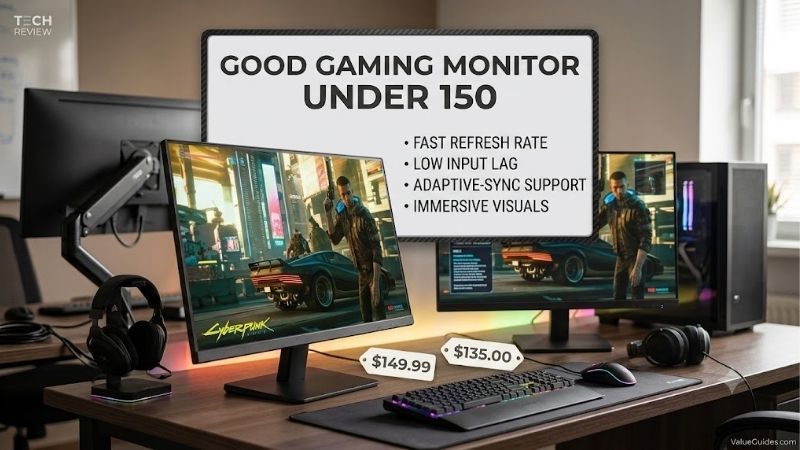
Quick answer: Our top pick in 2026 is the AOC 24G4 — our #1 rated choice. See the full ranked comparison, alternatives and buying advice below.
How to Choose a Gaming Monitor
Shoppers seeking a good gaming monitor under 150 often face a confusing mix of refresh-rate claims, HDR badges, and discounts. For most PC setups, a 23.8-inch 1080p IPS panel at 180Hz is the practical target. Stand quality, sync support, and real-world motion matter more than impressive numbers printed on the box.
Resolution and Screen Size
Start with a 23.8- to 24-inch 1920 × 1080 panel. At normal desk distance, this size keeps text and game edges reasonably crisp without demanding expensive graphics hardware, allowing more games to reach high frame rates. A 27-inch Full HD display spreads the same pixels across more space and looks less sharp.
This trade-off matters most if your graphics card is entry-level or several years old, because 1080p is easier to drive at high refresh rates than 1440p. The Acer Nitro KG241Y M3BIIP and MSI G244F E2 both deliver compact Full HD displays designed for smooth gameplay without forcing an immediate graphics card upgrade.
Refresh Rate and Motion
Refresh rate measures how many times the screen updates each second. A 180Hz monitor can display more frequent updates than a 60Hz model, making mouse movement and fast action feel smoother when your PC produces enough frames. However, a high refresh rate alone cannot eliminate ghosting or guarantee consistently clear motion.
Adaptive-Sync helps the monitor coordinate its refresh timing with compatible graphics hardware, reducing distracting tearing. Look beyond the advertised 1ms response figure, which usually represents a particular test mode rather than every pixel transition. The MSI G244F E2 and Acer Nitro KG241Y M3BIIP offer 180Hz refresh with adaptive synchronization for competitive play.
Brightness, Color, and HDR
Brightness affects visibility in sunlit rooms, while color coverage helps games look natural rather than washed out. A rating around 250–300 nits is common in this class and works well for many indoor setups, although strong daylight may expose its limits. IPS panels generally offer useful viewing angles and consistent colors across the screen.
HDR10 support sounds impressive, but budget monitors usually lack the brightness and local dimming needed for convincing HDR highlights. Treat it as a bonus rather than a buying priority. The AOC 24G4 combines an IPS panel with 300-nit brightness, while the LG UltraGear 24GS60F-B offers 99% sRGB coverage for colorful everyday gaming.
Stand, Ports, and Adaptive Sync
A monitor that only tilts can still work well, but it may force you to raise your chair or add a stand to find a comfortable viewing height. Check HDMI and DisplayPort availability against your PC and console, and confirm which input supports your intended refresh rate. VESA mounting can also provide a practical upgrade later.
The AOC 24G4 stands out with height adjustment, swivel, and pivot, making it easier to position than basic tilt-only alternatives. The MSI G244F E2 offers two HDMI inputs and DisplayPort, while the LG UltraGear 24GS60F-B supports AMD FreeSync and NVIDIA G-SYNC compatibility. These features matter more than decorative lighting.
Top Picks
A good gaming monitor under 150 should deliver smooth motion without making you pay for premium features you cannot use. The AOC prioritizes ergonomics, Acer focuses on affordable high-refresh gaming, MSI targets fast action, and LG adds broad variable-refresh-rate support. Prices fluctuate, so compare the exact model and final checkout cost before choosing.
| Product | Best For | Key Spec | Watch Out For |
|---|---|---|---|
| AOC 24G4 | Best Overall | 23.8-inch IPS, 1080p, 180Hz | Limited dark-room contrast |
| Acer Nitro KG241Y M3BIIP | Best Value | IPS, 1080p, 180Hz | Tilt-only stand |
| MSI G244F E2 | Best for Competitive Gaming | Rapid IPS, 180Hz, 1ms GtG | Limited stand adjustment |
| LG UltraGear 24GS60F-B | Best for Mixed Use | IPS, 180Hz, 99% sRGB | Basic stand ergonomics |
AOC 24G4 — Best Overall
The AOC 24G4 is my all-round choice for a good gaming monitor under 150 because its 23.8-inch IPS screen combines 1920 × 1080 resolution, a 180Hz refresh rate, and a rated 1ms GtG response time. Its standout advantage is a height-adjustable stand with swivel and pivot, not simply another high refresh-rate number.
The monitor also includes two HDMI 2.0 inputs and DisplayPort 1.4, giving a typical PC setup useful connection flexibility. Its main weakness is IPS contrast: dark scenes can look gray in a dim room, and HDR10 should not be mistaken for full HDR performance. Choose it when ergonomics and versatile everyday gaming matter most.
Acer Nitro KG241Y M3BIIP — Best Value
The Acer Nitro KG241Y M3BIIP makes a strong value case for a good gaming monitor under 150, particularly when its official-store price drops to around $100. It uses a 23.8-inch Full HD IPS panel with 180Hz refresh, a rated 1ms GtG response time, 250-nit brightness, and AMD FreeSync Premium support.
Its two HDMI inputs, DisplayPort connection, and 100 × 100mm VESA mounting support cover the basics without costly extras. The compromise is a stand that only tilts, so height adjustments require another solution. For first-time builders who would rather reserve money for a better GPU or keyboard, this is a sensible purchase.
MSI G244F E2 — Best for Competitive Gaming
For players who prioritize quick, responsive action, the MSI G244F E2 is another good gaming monitor under 150. Its 23.8-inch Rapid IPS panel delivers 1920 × 1080 resolution, a 180Hz refresh rate, and a rated 1ms GtG response time. Adaptive-Sync support helps coordinate refresh timing with compatible hardware.
Two HDMI 2.0b inputs and DisplayPort 1.2a make it convenient for a desktop and another connected device. However, the stand only offers tilt adjustment, and the 1000:1 contrast ratio is typical of IPS rather than a strength for dark-room viewing. Buy it for fast multiplayer gaming, provided its current price stays below your limit.
LG UltraGear 24GS60F-B — Best for Mixed Use
The LG UltraGear 24GS60F-B is a useful choice for a good gaming monitor under 150 when color coverage and variable refresh support are priorities. Its 23.8-inch IPS display runs at 1920 × 1080 and 180Hz, with a rated 1ms GtG response time, HDR10 support, and up to 99% sRGB coverage.
AMD FreeSync and NVIDIA G-SYNC compatibility help make it versatile across supported gaming PCs. LG lists the monitor at around $150, leaving little room in a strict budget for tax or accessories. Its tilt-only stand and modest HDR capability are meaningful compromises, so choose it when its color and sync features justify the near-maximum spend.
Frequently Asked Questions
Choosing a good gaming monitor under 150 involves more than comparing refresh rates. Resolution, response behavior, input compatibility, and your graphics card all affect the result. These answers address common buying questions and explain when paying for an extra feature makes sense, rather than assuming every budget gamer needs the same setup.
Is 1080p Good Enough for Gaming?
Yes, 1080p is still a sensible gaming resolution on a 24-inch screen. It offers a clear image at typical desk distances while asking less of your graphics card than 1440p. That makes it easier to reach high frame rates in shooters, racing games, and competitive multiplayer titles.
The exception is a setup built around a powerful GPU and a preference for sharper detail or a larger screen. In that case, 1440p may justify a higher budget. For entry-level systems and high-refresh gaming, though, 1080p remains a balanced choice that avoids spending more on pixels your hardware may struggle to render smoothly.
Is 144Hz Still Worth Buying?
Yes, a 144Hz monitor can be a worthwhile upgrade from 60Hz, especially in games with frequent camera movement. The higher refresh rate allows more frequent screen updates, making motion feel smoother when your computer delivers enough frames. A well-priced 144Hz model can be better value than a poorly tuned display with a larger headline number.
At similar prices, however, 180Hz gives you extra headroom without requiring a resolution upgrade. You do not need to reach 180 frames per second in every game to benefit from the monitor, but performance still depends on your GPU. Compare the screen’s actual motion behavior, synchronization, and warranty rather than buying purely on hertz.
Does HDR Matter on a Monitor Under $150?
Usually, HDR should not decide your purchase in this price range. Many affordable monitors accept an HDR10 signal but lack the brightness, contrast control, and local dimming needed to produce the dramatic highlights associated with high-quality HDR. In some cases, switching HDR on can make the picture look flatter instead of more impressive.
Prioritize refresh rate, motion handling, and SDR color quality first. The LG UltraGear 24GS60F-B and AOC 24G4 advertise HDR-related features, but neither should be treated as a replacement for a premium HDR display. Consider HDR a useful compatibility feature, not proof of superior image quality.
Will a Budget Monitor Work With PS5 or Xbox?
Yes, these monitors can connect to modern consoles through HDMI, but a 180Hz specification does not mean a console will output 180 frames per second. Console gaming is commonly limited to supported modes such as 60Hz or 120Hz, depending on the system, game, and display connection. Confirm the exact mode before buying.
For PC and console owners, available HDMI inputs can make switching devices easier, while Adaptive-Sync support is useful when compatible with your setup. The AOC 24G4 and MSI G244F E2 have multiple HDMI inputs. Remember that monitor speakers are not guaranteed, so check audio options if you do not already own a headset or speakers.
Final Thoughts
The best good gaming monitor under 150 for most buyers is the AOC 24G4, thanks to its 180Hz IPS display and more adjustable stand. Choose the Acer for maximum savings, MSI for competitive play, or LG for color coverage and sync compatibility. Compare current prices and prioritize the compromises that affect your desk and games most.
Ready to decide? Our #1 pick for 2026 is the AOC 24G4.
Live price & availability on Amazon.









