
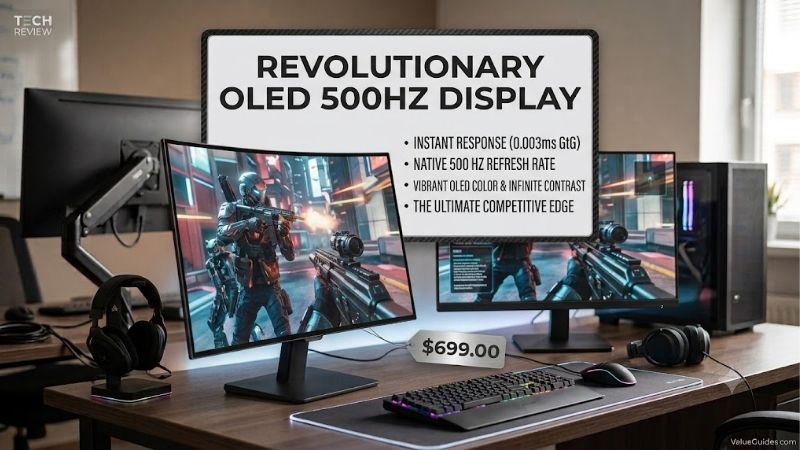
OLED 500Hz technology represents the ultimate breakthrough in competitive display engineering, delivering unmatched panel responsiveness for elite players. Gamers who demand sub-millisecond motion clarity and flawless target tracking can now gain a true competitive edge. This guide evaluates top flagship monitors available on the market today.
How to Choose Gaming Monitors
Selecting a high-end oled 500hz gaming monitor requires evaluating critical hardware specifications beyond simple frame rate counts. Buyers must analyze panel architecture, display connectivity bandwidth, surface treatments, and thermal protection mechanisms to make an informed choice. Understanding these technical elements ensures you choose right.
Subpixel Layout and Panel Architecture
Panel structure significantly influences desktop text legibility and color saturation during high-frame-rate gaming. Modern WOLED panels employ a dedicated white subpixel to boost peak brightness across dynamic scenes without washing out image depth. Alternative QD-OLED configurations leverage quantum dots to maintain rich overall color targets.
When picking an oled 500hz panel, subpixel alignment determines how crisp fast-moving targets appear during intense gameplay. Players prioritizing rich color saturation will adore the vibrant output of the MSI MPG 271QR QD-OLED X50, while competitive gamers who seek maximum motion clarity often select WOLED models like the ASUS ROG Strix OLED XG27AQDPG.
DisplayPort 2.1 Bandwidth and Signal Transmission
Delivering uncompressed Quad HD video signal at massive frame rates requires substantial display interface throughput. Next-generation DisplayPort 2.1 ports support high bit rates that eliminate the requirement for signal compression on compatible GPUs. This high-bandwidth interface maintains image integrity without introducing visual artifacts.
Investing in displays with future-proof input options guarantees uncompressed video signal stability in competitive online matches. System builders constructing modern gaming PCs will find outstanding video throughput and low latency in high-bandwidth monitors like the LG UltraGear 27GX790A and the tournament-focused Sony INZONE M10S for gaming.
Surface Finish and Ambient Light Handling
Screen coatings alter perceived picture contrast and black levels depending on ambient light conditions inside your gaming setup. Anti-glare matte treatments diffuse reflections from overhead lighting, ensuring comfortable viewing in bright spaces. Conversely, glossy panel surfaces provide deeper dark tones in light-controlled environments.
Your room lighting conditions dictate which monitor surface finish produces optimal visual quality during extended play sessions. Tournament competitors in brightly illuminated arenas will appreciate the anti-glare finish of the Sony INZONE M10S, whereas dark-room players will prefer the glass-like picture depth on the MSI MPG 271QR QD-OLED X50.
Thermal Management and Burn-In Protection
Driving self-lit pixels at extreme refresh rates generates internal heat that must be managed efficiently to avoid retention issues. Integrated passive heatsinks and thermal pads draw heat away from delicate internal circuits without needing noisy cooling fans. Automated image cleaning features further protect the panel during regular use.
Advanced cooling designs ensure long-term panel stability when pushing maximum refresh rates during lengthy gaming marathons. Built-in thermal management suites found in the LG UltraGear 27GX790A and ASUS ROG Strix OLED XG27AQDPG dissipate heat rapidly. These active safety protocols preserve panel brightness while extending monitor longevity.
Top Picks
The latest lineup of oled 500hz monitors provides incredible motion clarity and instantaneous response times for competitive players. Below is a detailed summary table outlining core hardware features, ideal target users, and notable trade-offs for each model. Review these top picks to find the right monitor upgrade for your setup.
| Product | Best For | Key Spec | Watch Out For |
| ASUS ROG Strix OLED XG27AQDPG | Overall Performance | 1440p WOLED Heatsink | Premium Price Tag |
| Sony INZONE M10S | Tournament Esports | 1440p 24.5in Crop Mode | Matte Coating Grain |
| LG UltraGear 27GX790A | High-Bandwidth Value | 1440p DP 2.1 UHBR13 | External Power Brick |
| MSI MPG 271QR QD-OLED X50 | Color Vibrancy | 1440p QD-OLED Glossy | Ambient Light Reflection |
ASUS ROG Strix OLED XG27AQDPG
The ASUS ROG Strix OLED XG27AQDPG represents the absolute benchmark for competitive desktop gaming hardware. Featuring a 27-inch 1440p WOLED display, it pairs sub-millisecond response times with a custom passive heatsink. This cooling framework allows the panel to sustain high brightness levels during extended gaming sessions without throttling.
This top-tier oled 500hz display features anti-flicker technology and customized gaming software features to assist competitive players. Input delay is essentially imperceptible, rendering fast motion with flawless clarity. Although priced at a premium, its exceptional cooling architecture and build quality fully justify the high investment.
Sony INZONE M10S
Designed alongside professional esports organization Fnatic, the Sony INZONE M10S caters directly to competitive tournament players. The 27-inch Quad HD screen features a dedicated 24.5-inch video display mode with customized picture settings. This function lets players train on exact tournament screen sizes while utilizing high refresh rates.
Full DisplayPort 2.1 support ensures high-bandwidth connectivity alongside official G-SYNC compatibility for smooth gameplay action. The matte anti-glare screen treatment manages reflections effectively, though text legibility feels slightly softer than glossy panels. For competitive FPS players needing tournament versatility, this monitor excels.
LG UltraGear 27GX790A
The LG UltraGear 27GX790A offers elite motion performance while delivering excellent value for high-end setups. Utilizing a cutting-edge WOLED display, this oled 500hz monitor delivers ultra-fast pixel transitions alongside true black levels. High-bandwidth DisplayPort 2.1 ports enable uncompressed video signals without additional processing latency.
Ergonomic stand adjustments operate smoothly, providing complete height, tilt, and swivel customization for clean desktop setups. Image contrast remains outstanding across wide viewing angles, making it a versatile center for gaming rigs. While the external power adapter requires extra cable management, overall performance makes it a top pick.
MSI MPG 271QR QD-OLED X50
The MSI MPG 271QR QD-OLED X50 combines quantum dot color technology with self-emitting pixels for remarkable visual vibrancy. Its 27-inch 1440p panel achieves extensive DCI-P3 color gamut coverage, producing brilliant highlights alongside pitch-black shadows. A graphene thermal film conducts internal heat away silently without cooling fans.
Pairing an oled 500hz refresh rate with quantum dot color creates breathtaking picture clarity during fast multiplayer matches. The smooth glossy panel finish accentuates visual contrast depth in dim environments, though room reflections require careful positioning. Gamers seeking vibrant colors and maximum speed will adore this display.
Frequently Asked Questions
Upgrading to an oled 500hz monitor requires careful consideration of system hardware requirements and proper display configuration settings. Below, we address key technical questions to help you optimize graphics settings and maintain long-term panel health. Understanding these factors ensures seamless operation with your modern gaming PC.
What Graphics Card Do You Need to Support This Refresh Rate?
Pushing Quad HD resolution at maximum frame rates requires a modern high-performance graphics card with advanced display connectivity. Flagship GPUs like the NVIDIA RTX 4080 Super or AMD Radeon RX 7900 XTX offer necessary rendering power and bandwidth. These graphics cards ensure smooth frame output without severe frame rate drops during gameplay.
Popular esports titles like Valorant and Overwatch 2 reach extremely high frame counts when pairing powerful GPUs with fast desktop CPUs. However, demanding AAA titles will require image upscaling features to approach high frame thresholds. Upgrading your processor alongside the graphics card prevents severe system frame rendering bottlenecks.
Does DisplayPort 2.1 Matter for Ultra High Refresh Rates?
DisplayPort 2.1 offers expanded video bandwidth capable of supporting uncompressed 1440p signals at extreme refresh rates. Older DisplayPort 1.4a standards rely on Display Stream Compression to transmit heavy video data streams across limited cable bandwidth. While compression remains virtually invisible, native uncompressed signals reduce latency.
Graphics cards featuring DisplayPort 2.1 connectors establish direct uncompressed link bandwidth with compatible gaming monitors. If your current graphics card utilizes older video ports, the screen automatically enables compression without sacrificing refresh rate. Future GPU upgrades will instantly unlock full uncompressed bandwidth potential today.
How Do You Prevent OLED Burn-In During Long Gaming Sessions?
Modern self-emitting pixel monitors feature integrated software maintenance routines that prevent permanent image retention automatically. Activating automatic display sleep settings, running regular pixel refresh cycles, and hiding static desktop taskbars protect the screen. Lowering static brightness during desktop tasks further extends panel lifespan.
Manufacturers build multi-layered protection systems including subtle pixel shifting and localized dimming algorithms into firmware. Permitting the display to execute automated maintenance scans during system sleep modes keeps brightness uniform across the panel surface. Adopting these basic operational habits preserves image quality for years.
Is 1440p Resolution Better Than 1080p for Competitive Play?
1440p resolution delivers superior visual clarity and higher pixel density than traditional 1080p esports display panels. The higher resolution allows players to spot distant target models and fine crosshair alignments clearly across large map environments. This added visual detail improves spatial awareness during fast-paced multiplayer combat.
Although 1080p displays require less processing power from graphics cards, modern hardware handles Quad HD resolutions easily. The combination of crisp 1440p visuals and sub-millisecond response times provides the ideal balance between clarity and speed. Most professional competitors now prefer Quad HD screens for overall visual gaming accuracy.
Final Thoughts
Investing in an oled 500hz display elevates your gaming setup with unmatched motion clarity and instant pixel response times. Whether you prioritize total cooling design, specialized tournament features, or vibrant quantum dot color, modern monitors deliver incredible performance. Select the option that aligns best with your setup goals today.









