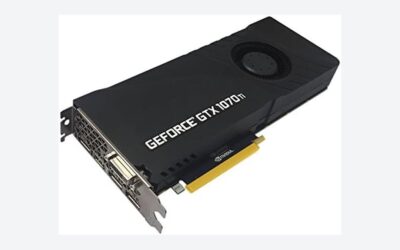
The question surfaces in forums and comment sections with increasing frequency: a gamer sitting on an RTX 3060 Ti that has served them faithfully since 2021 wonders whether the RTX 5060 Ti represents a meaningful leap or merely a sideways shuffle. The timing matters because NVIDIA’s Blackwell architecture now ships with 16GB of GDDR7 on this particular SKU, doubling the VRAM headroom that once felt like a comfortable margin and now often reads as a suffocating constraint in demanding AAA titles at 1440p and above. The ASUS Dual GeForce RTX 5060 Ti 16GB GDDR7 OC Edition at around $760 enters this conversation as the affordable entry into Blackwell, and the upgrade calculus depends entirely on what you actually play, at what resolution, and with what processor.
Quick Verdict
Upgrading from an RTX 3060 Ti to the RTX 5060 Ti delivers a 35-50% rasterization improvement in most scenarios, with the gap widening significantly at 1440p and 4K where the extra VRAM prevents stutter and texture pop-in that the 3060 Ti increasingly suffers. If you game at 1080p with a modern CPU, the gain is noticeable but not transformative. If you play at 1440p or higher, the VRAM advantage alone justifies the switch for many titles shipping today. The upgrade is most compelling for anyone whose 3060 Ti now drops below 60fps in new releases at their target settings.
As an Amazon Associate we earn from qualifying purchases at no extra cost to you.

Specs: Old vs New
| Specification | RTX 3060 Ti | RTX 5060 Ti (ASUS Dual OC) |
|---|---|---|
| Architecture | Ampere (GA104) | Blackwell (GB206) |
| CUDA Cores | 4,864 | 4,608 |
| VRAM | 8 GB GDDR6 | 16 GB GDDR7 |
| Memory Bus | 256-bit | 128-bit |
| Memory Bandwidth | 448 GB/s | 448 GB/s |
| TDP | 200W | 180W |
| DLSS Support | DLSS 2 (up to Frame Gen) | DLSS 4 (Multi Frame Gen) |
| RT Cores | 2nd Gen (38) | 4th Gen (36) |
| Tensor Cores | 3rd Gen (152) | 5th Gen (144) |
| Launch Price | $399 MSRP | around $760 (ASUS Dual OC) |
The core count actually decreased, but Blackwell IPC gains and architectural improvements more than offset the difference. The halved memory bus width is compensated by GDDR7 speed, yielding identical bandwidth while more than doubling capacity.
Performance Gain
Ranges below reflect aggregated data from launch reviews published by Tom’s Hardware, TechPowerUp, Hardware Unboxed, and TechSpot. Treat these as directional guidance rather than guarantees, as individual game results vary widely.
1080p
At 1080p, the RTX 5060 Ti delivers approximately 30-45% higher average frame rates over the RTX 3060 Ti across a broad mix of titles according to Hardware Unboxed and TechPowerUp coverage. In CPU-bound scenarios, gains compress toward the lower end of that range. Ray tracing workloads show the largest separation here, with the 5060 Ti’s fourth-generation RT cores producing roughly 45-60% improvement in titles with heavy ray tracing at medium-to-high settings. DLSS 4 with Multi Frame Generation can push effective frame rates dramatically higher in supported titles, though this is a software-level advantage rather than raw rasterization.
1440p
The 1440p picture strengthens noticeably. Tom’s Hardware and TechSpot both report gains in the 40-55% range for rasterization-heavy titles, with the VRAM advantage beginning to assert itself in newer releases that exceed 8GB at high or ultra texture settings. Games like The Last of Us Part II Remastered and Alan Wake 2 at ultra settings demonstrate that the 3060 Ti now encounters performance cliffs where the 5060 Ti simply doesn’t. Ray tracing at 1440p widens the gap further, with some titles showing 50-70% improvement according to TechPowerUp benchmarks.
4K
At 4K, the upgrade benefits are most dramatic for a card in this price tier. The 3060 Ti was never a true 4K GPU, but the VRAM shortfall becomes the primary limiting factor rather than raw compute. Hardware Unboxed and Tom’s Hardware data suggests 50-65% gains in titles where the 3060 Ti was VRAM-starved, though in purely bandwidth-limited scenarios the gap narrows because both cards share the same 448 GB/s ceiling. With DLSS 4 upscaling active, the effective experience gap becomes even wider, particularly in supported titles where Multi Frame Generation produces frame times the 3060 Ti simply cannot replicate at any setting.
Hidden Costs
Power Supply: Fortunately, the RTX 5060 Ti draws 180W versus the 3060 Ti’s 200W, so most existing PSUs remain adequate. A 450W unit is the practical minimum; anyone running a 550W or larger supply from their 3060 Ti build is safe. No PSU upgrade required unless your current unit is aging or undersized.
CPU Bottleneck: At 1080p, processors from the RTX 3060 Ti era (Ryzen 5 5600X, Core i5-11400F, or older equivalents) will throttle the 5060 Ti’s potential. Tom’s Hardware and Gamers Nexus both noted meaningful CPU limitations at 1080p in their test benches. If you plan to game at 1080p and still run a 6-core Zen 2 or 10th-gen Core i5, budget for a CPU upgrade or accept that you will capture only a fraction of the GPU’s headroom. At 1440p and above, the bottleneck concern recedes significantly.
Case Clearance: The ASUS Dual model is a compact dual-slot design with a length under 230mm. Virtually any case that housed the 3060 Ti will accommodate this card without modification. This is one of the few cases where size constraints are a non-issue.
Resale Value: Used RTX 3060 Ti cards in 2026 command roughly $130-$180 on secondary markets, depending on condition and cooling configuration. This offsets a meaningful portion of the around $760 asking price, bringing net cost closer to $580-$630.
Worth It For
Gamers targeting 1440p high refresh rates who currently struggle with ultra settings in new releases. Anyone running a modern CPU (Ryzen 7000 or Core 13th-gen and newer) that won’t bottleneck the card. Users who want headroom for the next two to three console-generation titles that will demand more than 8GB of VRAM. Enthusiasts who want to adopt DLSS 4 and Multi Frame Generation without jumping to a $1,000-plus GPU. Content creators who use GPU-accelerated rendering or AI workloads and benefit from Blackwell’s fifth-generation tensor cores.
Not Worth It For
Anyone whose primary workload is esports titles at 1080p where the 3060 Ti already exceeds 240fps. Owners of older 6-core CPUs who game at 1080p and see minimal gain due to CPU limitations. Users satisfied with their current experience who play primarily at 1080p with a high-refresh monitor and encounter no VRAM pressure. People who expect the DLSS 4 frame generation to be magic—without it, the raw performance delta is real but not the doubling that marketing sometimes implies.
Alternatives
The Radeon RX 7800 XT at roughly $500 offers strong rasterization performance close to the 5060 Ti without the DLSS 4 ecosystem, though it trails in ray tracing. The RTX 4070 Super, still available at certain retailers, sits between these tiers with 12GB of VRAM and DLSS 3 frame generation. For buyers who want to stay closer to a $500 budget and accept 12GB, the 4070 Super remains a relevant option. AMD’s RX 8800 XT (if available at this tier in your market) would provide a comparable VRAM configuration with different driver strengths.
FAQ
Will my current motherboard and CPU support the RTX 5060 Ti?
Any PCIe 3.0 x16 slot will function with this card without meaningful bandwidth penalty. PCIe 4.0 and 5.0 slots provide theoretical advantages that benchmarks from TechPowerUp confirm are negligible in real gaming. CPU compatibility is a question of bottleneck, not technical support—the card will physically work in any system.
Is 16GB actually necessary at 1440p today?
Not universally necessary, but increasingly common. Hardware Unboxed documented several 2026 releases exceeding 8GB at high-to-ultra settings at 1440p, with some titles dipping into VRAM overflow behavior. The 16GB buffer provides margin that prevents stutter rather than boosting peak frames, which is its primary value proposition over the 3060 Ti’s 8GB.
Does the ASUS Dual OC model run hot or loud?
The Dual is a two-fan design with modest cooling capacity. Launch reviewers at Tom’s Hardware reported GPU temperatures in the 65-72°C range under sustained load, with fan noise described as moderate and non-distracting in typical gaming sessions. It is not a quiet card under heavy synthetic loads, but real-world gaming produces acceptable acoustics for most users.
Can I skip this generation and wait for a future refresh?
If your 3060 Ti still meets your target settings at your resolution, waiting always makes sense. But the VRAM cliff is not theoretical—titles are actively exceeding 8GB now, and that trend accelerates. The practical question is whether your patience costs you two more years of compromised settings or whether $600 net of resale feels worth the immediate improvement.
Sources and Methodology
All performance ranges in this article reflect aggregated data from launch reviews published by TechPowerUp, Tom’s Hardware, Gamers Nexus, Hardware Unboxed, and TechSpot. Figures represent observed ranges across their respective test suites and test configurations; individual results vary based on game selection, settings presets, driver versions, and system pairing. No benchmarks were conducted independently for this guide. Pricing data reflects current market availability for the specified ASUS Dual model. Resale figures represent approximate secondary-market values observed at time of writing.