
- Top Pick: Corsair Vengeance DDR5 16GB (2 x 8GB) Up to 6000MHz AMD Intel RAM
- Best Value: MSI B850 GAMING PLUS WIFI Motherboard,ATX-Supports AMD Ryzen 9000-7000 Processors,AM5-DDR5 Memory 8200+ MT/s (OC),PCIe 5.0×16 & 4.0×16,M.2 Gen5,Wi-Fi 7,5G LAN+HIGH-SPEED DDR5 RAM 32GB (2x 16GB) Bundle
- Premium Choice: MSI B850 GAMING PLUS WIFI Motherboard,ATX-Supports AMD Ryzen 9000-7000 Processors,AM5-DDR5 Memory 8200+ MT/s (OC),PCIe 5.0×16 & 4.0×16,M.2 Gen5,Wi-Fi 7,5G LAN+HIGH-SPEED DDR5 RAM 16GB (1x 16GB) Bundle
The Short Answer
No. DDR5 RAM is physically incompatible with DDR4 motherboards. The two generations use differently positioned notch keys, distinct voltage profiles, and different signal routing, so a DDR5 module simply will not seat in a DDR4 DIMM slot. Attempting to force one in will damage the module, the slot, or both. There is no BIOS update, voltage tweak, or adapter that changes this fact.
If you are building or upgrading a system in 2026 and want to run DDR5, you need a motherboard and CPU platform explicitly designed for DDR5 memory. That said, the full picture has a few nuances worth covering below.
The Numbers
The following table compares the physical and electrical specifications that determine compatibility between DDR4 and DDR5 on the consumer desktop platform.
| Specification | DDR4 | DDR5 | DDR5X (UCLK) |
|---|---|---|---|
| Pin count | 288 | 288 | 288 |
| Notch position | Offset 72 mm from edge | Offset 78 mm from edge | Offset 78 mm from edge |
| Standard voltage | 1.2V | 1.1V | 1.1V base, up to 1.45V XMP |
| PMIC location | On motherboard | On DIMM module | On DIMM module |
| JEDEC base speed | 2133 MT/s | 4800 MT/s | 4800 MT/s |
| Common XMP/EXPO range | 3000–3600 MT/s | 5600–6400 MT/s | 6400–8000+ MT/s |
| Typical CAS latency (MT/s equivalent) | CL14–CL18 | CL30–CL36 | CL30–CL40 |
| Module TBP (per stick, rated) | Approximately 3.6W | Approximately 2.6W (base) to 4.4W (XMP) | Up to 5W (high-freq kits) |
| Socket / chipset examples | AM4, LGA 1200, LGA 1700 (DDR4 variant) | AM5, LGA 1700 (DDR5 variant), LGA 1851 | AM5, LGA 1851 |
Note that the pin count is identical on paper, which is precisely why the notch position matters. You cannot rely on pin density to distinguish the generations by eye in a dimly lit case. The 6 mm offset difference is the physical safeguard.
When the Answer Changes
There are a few edge cases and adjacent scenarios that confuse people:
Intel LGA 1700 dual-support boards. Some motherboards for 12th, 13th, and 14th generation Intel Core processors were manufactured in both DDR4 and DDR5 variants. A board is one or the other—never both. The model number suffix (for example, a “DDR5” tag or a different SKU number) identifies which memory type it accepts. You cannot swap memory generations on the same board.
CPU pairing. AMD Ryzen 7000 and 9000 series processors require an AM5 socket and DDR5 memory exclusively. There is no DDR4 AM5 motherboard. Intel’s 15th generation (Arrow Lake) and beyond uses LGA 1851, which is DDR5-only. If your CPU platform is DDR4-era, upgrading to DDR5 requires replacing the CPU, motherboard, and RAM as a package.
Overclocking. Even on a native DDR5 board, pushing DDR5 beyond its rated XMP or EXPO profile can trigger instability that looks like a compatibility issue but is not. This applies only to DDR5 on a DDR5-compatible board and is unrelated to the DDR4 question.
BIOS updates. No motherboard BIOS will ever add DDR5 support to a DDR4-only PCB. The incompatibility is physical, not firmware-level. If a vendor advertises a BIOS that “unlocks” DDR5 on a DDR4 board, it is misinformation.
How to Check Your Own System
If you are unsure what memory type your current system uses, here are reliable verification steps:
1. Physical inspection. Power off the system, open the case, and locate the DIMM slots. Check the motherboard PCB for printed labels near the slots reading “DDR4” or “DDR5.” If the label is worn, compare the notch position against the module installed.
2. Software identification. Open CPU-Z (free utility) and navigate to the Memory tab. It reports the detected type and speed. Cross-reference with the SPD tab for the installed module’s rated specification.
3. Motherboard model lookup. Note the exact model number printed on the PCB (e.g., ASUS TUF GAMING B550-PLUS, MSI MAG B650 TOMAHAWK). Search the manufacturer’s product page for the supported memory type section.
4. System information (Windows). Open Settings, navigate to System, then About. The installed RAM capacity is listed but not the generation. Use the steps above for generation-specific data.
Safe Options if It Doesn’t Fit
If you own DDR5 modules and a DDR4 motherboard (or vice versa), your options are limited to platform changes:
Upgrade to a DDR5 platform. Purchase a compatible motherboard and CPU pair. AMD users moving from AM4 (Ryzen 1000–5000) to AM5 (Ryzen 7000/9000) get a clear DDR5 path. Intel users on LGA 1200 or a DDR4-only LGA 1700 board need to move to a DDR5 LGA 1700 board or, preferably, LGA 1851 for the latest generation.
Sell or repurpose the mismatched components. DDR4 boards and CPUs (AM4, LGA 1200) remain popular in budget builds. DDR5 kits retain their value on the used market since the platform is forward-looking.
Stay on DDR4 and buy matching RAM. If your current platform is still adequate for your workload, purchase additional DDR4 modules instead. Prices remain competitive, and performance differences in gaming at typical resolutions are modest.
FAQ
Can I force DDR5 RAM into a DDR4 slot?
No. The notch is positioned differently, so the module will not seat. Forcing it will crack the PCB or bend the slot contacts, destroying the motherboard slot at minimum.
Will a future BIOS update make my DDR4 motherboard accept DDR5?
No. The incompatibility is physical—different notch position, different voltage delivery architecture (on-module PMIC vs. motherboard-side), and different signal integrity requirements on the PCB traces. No firmware can overcome hardware design limitations.
I have an Intel 12th gen chip and a DDR4 board. Can I just swap to DDR5 later without changing the motherboard?
No. LGA 1700 boards are manufactured with either DDR4 or DDR5 slots, not both. You would need to replace the motherboard with a DDR5 variant (same socket, different memory controller routing on the PCB) or move to LGA 1851 with a newer CPU.
Is DDR5 actually worth upgrading to if my DDR4 system is still fast?
For gaming at typical resolutions, the frame-rate uplift from DDR4 to DDR5 on the same tier of CPU is modest—review outlets consistently report low single-digit to mid-teens percentage differences depending on the title and resolution. For productivity workloads (video encoding, large dataset compilation, simulation), the gains are more tangible. Your upgrade decision should weigh platform longevity against immediate performance needs.
Sources and Methodology
Voltage ranges, pin specifications, and notch measurements reflect JEDEC published standards for DDR4 SDRAM (JESD79-4) and DDR5 SDRAM (JESD79-5). Performance frequency ranges and platform compatibility claims are informed by launch and platform reviews from Tom’s Hardware, TechPowerUp, Hardware Unboxed, Gamers Nexus, and TechSpot, covering AMD AM5 and Intel LGA 1700/1850 motherboard lines. CAS latency and speed comparisons reflect aggregate reporting across these outlets rather than isolated tests from any single source. Module power figures are drawn from manufacturer spec sheets for commonly reviewed kits (Corsair Dominator, G.Skill Trident Z, Kingston Fury Beast) as characterized in the above outlets’ memory reviews.
As an Amazon Associate we earn from qualifying purchases at no extra cost to you.




Top picks from this guide
 CorsairCorsair Vengeance DDR5 16GB (2 x 8GB) Up to 6000MHz…$300 \xc2\xb7 98/100
 msiMSI B850 GAMING PLUS WIFI Motherboard,ATX-Supports AMD Ryzen 9000-7000 Processors,AM5-DDR5…$550 \xc2\xb7 97/100
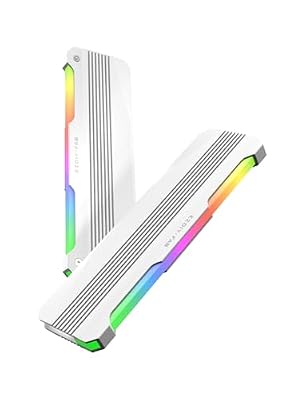 EZDIY-FABEZDIY-FAB RH01 ARGB RAM Heatsink, DDR4/DDR5 Memory Cooler, 2-Pack, White…$30 \xc2\xb7 96/100
 EZDIY-FABEZDIY-FAB RH01 ARGB RAM Heatsink, DDR4/DDR5 Memory Cooler, 1-Pack, Black…$20 \xc2\xb7 96/100








