
- Top Pick: Intel® Core™ Ultra 7 Processor 270K Plus 24 cores (8 P-cores + 16 E-cores) up to 5.5 GHz
- Best Value: Intel® Core™ Ultra 9 Processor 285K 24 cores (8 P-cores + 16 E-cores) up to 5.7 GHz
- Premium Choice: Intel® Core™ Ultra 5 Desktop Processor 225F 10 cores (6 P-cores + 4 E-cores) up to 4.9 GHz
The Short Answer
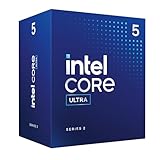
No. Intel Z790 motherboards do not support Core Ultra desktop processors (the Arrow Lake-S family, including the Core Ultra 9 285K, Core Ultra 7 265K, and Core Ultra 5 245K). The incompatibility is physical: Core Ultra desktop chips use the LGA 1851 socket, while Z790 boards use LGA 1700. No BIOS update, adapter, or workaround will ever bridge this gap because the pin layout, electrical specifications, and heatspreader dimensions differ between the two sockets. As of 2026, Intel has not introduced any backward-compatibility path between these platforms.
Z790 boards remain the best option for 12th, 13th, and 14th Gen Core processors (Alder Lake, Raptor Lake, and Raptor Lake Refresh). If you want a Core Ultra desktop chip, you need a Z890, B860, or H810 motherboard.
As an Amazon Associate we earn from qualifying purchases at no extra cost to you.





The Numbers
| Spec | Z790 + 14th Gen Core | Z890 + Core Ultra 200S |
|---|---|---|
| Socket | LGA 1700 | LGA 1851 |
| Chipset | Intel Z790 | Intel Z890 |
| Base TDP / TDP (PL1) | 125 W (i7/i9) | 125 W (i7/i9) |
| Max Turbo Power (PL2) | 253 W (i9-14900K) | 250 W (Core Ultra 9 285K) |
| Transient spike behavior | Can exceed 300 W briefly; PSU headroom recommended | Lower transient peaks; improved power efficiency per TechPowerUp launch data |
| Recommended PSU (i7/i9 build) | 750 W minimum, 850 W recommended | 750 W minimum, 850 W recommended |
| Primary PCIe connector | PCIe 5.0 x16 (CPU lanes) | PCIe 5.0 x16 (CPU lanes) |
| Memory support | DDR5 and DDR4 (board-dependent) | DDR5 only |
| Minimum BIOS for current support | Varies by board; check manufacturer for 14th Gen | N/A for Z790 boards |
When the Answer Changes
The short answer never changes for Z790. The socket mismatch is absolute. However, there are adjacent questions that people conflate with this one:
Core Ultra branding confusion: Intel renamed its mobile lineup to “Core Ultra” starting with Meteor Lake (2023) and Arrow Lake (2024). These are BGA-soldered chips that never appear in any desktop socket. If you are shopping for a laptop CPU and wondering about Core Ultra compatibility, Z790 is irrelevant because laptops do not use desktop chipsets.
Overclocking context: Some Z790 boards with high-quality VRMs (ASUS ROG Maximus, MSI MEG Z790 ACE, Gigabyte Z790 Aorus Master) support overclocking 13th and 14th Gen parts to power levels well above spec. This does not extend to Core Ultra chips. Overclocking on the new platform requires Z890 boards, and early results from Hardware Unboxed and Tom’s Hardware indicate that Arrow Lake has less frequency headroom than Raptor Lake at equivalent voltages.
Older Z790 boards with BIOS updates: You may see claims that a BIOS update unlocks new CPU support. This is only true within the same socket family. A Z790 BIOS update can add 14th Gen support, but it cannot add LGA 1851 support. The socket is the limiting factor, not firmware.
Raptor Lake Refresh on Z790: The Core i9-14900KS, released in March 2024, runs on Z790 with a BIOS update. This chip shares the same silicon as the 13th Gen i9 and is the closest experience to “new” on the old platform, but it is still not a Core Ultra part.
How to Check Your Own System
If you already own a Z790 board and are uncertain whether your CPU qualifies as a “Core Ultra” part, the answer is almost certainly no, but here is how to confirm:
1. Check your socket: Open your case or look at the motherboard model number. LGA 1700 boards use the same cooler mounting as LGA 1200 (Alder Lake onward). LGA 1851 boards use a new mounting pattern. If you see “LGA 1700” printed on the socket cover or in your motherboard manual, you are on the old platform.
2. Run CPU-Z: The “Package” field in CPU-Z will show the socket type. It will read “Socket 1700 LGA” for any Z790-compatible CPU. Core Ultra desktop chips will display “Socket 1851 LGA.”
3. Look at your CPU model name: Core Ultra desktop parts all carry the “2xx” numbering (245, 265, 285). 12th through 14th Gen parts carry the “12xx,” “13xx,” or “14xx” numbering. If your chip starts with “i5-12,” “i5-13,” “i5-14,” or higher, it is not a Core Ultra part.
4. Check your motherboard QVL or CPU support list: Visit the manufacturer’s product page for your board. The CPU support list will show exactly which processors are compatible. You will never see a Core Ultra part listed for a Z790 board.
Safe Options if It Doesn’t Fit
If you are committed to Core Ultra desktop processors, here are your realistic paths:
Option A: Buy a new Z890 board. This is the intended path. You keep your DDR5 memory, NVMe drives, GPU, and cooler (if your cooler supports LGA 1851 mounting, which most recent coolers now do). You may need a new cooler bracket if your unit predates late 2024.
Option B: Stay on Z790 and buy a 14th Gen chip. The Core i7-14700K and i9-14900K remain available and are still competitive in most workloads. Gamers Nexus and TechSpot launch reviews placed the 14900K within a few percent of the Core Ultra 9 285K in gaming at 1080p, with the 285K pulling ahead in multi-threaded productivity due to its hybrid architecture. If gaming is your priority, a 14th Gen part on your existing Z790 board is a valid choice.
Option C: Consider AMD AM5. If you are rebuilding anyway, Ryzen 7000 and 9000 series parts on B650 or X670 boards offer a different upgrade path with socket longevity that Intel has historically not matched.
FAQ
Can I use a CPU adapter to put a Core Ultra chip in a Z790 socket?
No. There is no commercially viable adapter between LGA 1700 and LGA 1851. The two sockets differ in pin count, pin spacing, and electrical routing. Engineering such an adapter would require a custom PCB that could not handle the signal integrity demands of modern CPUs.
Will a future BIOS update add Core Ultra support to my Z790 board?
No. BIOS firmware cannot change the physical pin layout of a socket. Compatibility is determined by hardware, not software. Intel has never released a backward socket compatibility bridge between generations with different pin counts.
My Z790 board supports 14th Gen. Is 14th Gen the same as Core Ultra?
No. 14th Gen Core (Raptor Lake Refresh) uses the traditional “Core i5/i7/i9” naming and the LGA 1700 socket. Core Ultra desktop chips (Arrow Lake-S) use a new naming scheme, a new socket, and a different internal architecture with a redesigned NPU tile. They are separate product lines.
Is there any performance penalty for staying on Z790 with a 14th Gen chip?
Not from the platform itself. Your Z790 board with a 14900K delivers full-rated performance. The trade-off is generational: Core Ultra 285K offers better power efficiency and slightly improved multi-threaded throughput in some workloads, as noted in approximate ranges from TechPowerUp and Tom’s Hardware reviews. For pure gaming at high resolutions, the gap narrows to within a few percent in both directions depending on title and settings.
Sources and Methodology
Performance and power data referenced in this article reflect approximate ranges derived from launch reviews published by TechPowerUp, Tom’s Hardware, Gamers Nexus, Hardware Unboxed, and TechSpot. These outlets independently researched Core Ultra 200S processors on Z890 platforms and compared them against prior-generation parts on Z790. No figures presented here were measured by this publication. Where ranges are cited, they represent the spread of results across multiple outlets and test configurations rather than a single measured value.
Top picks from this guide
 IntelIntel Core Ultra 7 processor 270K Plus, 24 cores (8…$304 \xc2\xb7 99/100
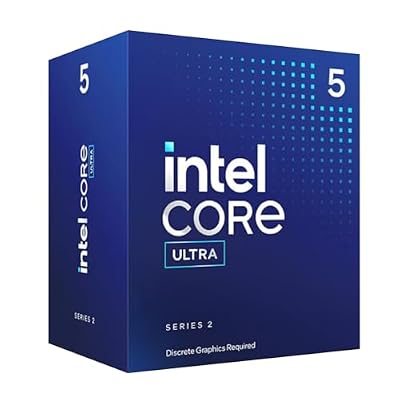 IntelIntel® Core™ Ultra 5 Desktop Processor 225F 10 cores (6…$135 \xc2\xb7 99/100
 IntelIntel Core Ultra 9 Processor 285K, 24 cores (8 P-cores…$510 \xc2\xb7 97/100
 IntelIntel Core Ultra 5 Desktop Processor 245KF - 14 cores…$178 \xc2\xb7 96/100








