
- Top Pick: AMD Ryzen™ 5 9600X 6-Core, 12-Thread Unlocked Desktop Processor
- Best Value: ASUS Dual GeForce RTX 5060 Ti 16GB GDDR7 OC Edition Gaming Graphics Card
- Premium Choice: MSI MAG B850 Tomahawk MAX WiFi Motherboard, ATX – Supports AMD Ryzen 9000/8000 / 7000 Processors, AM5-80A SPS VRM, DDR5 Memory Boost 8400+ MT/s (OC), PCIe 5.0 x16, M.2 Gen5, Wi-Fi 7, 5G LAN
The RTX 5060 Ti gaming PC build sits in a compelling sweet spot for high-framerate gaming at 1080p and 1440p, while also handling 4K in many titles with DLSS assistance. In 2026, this combination pairs NVIDIA’s latest Blackwell architecture with AMD’s efficient Zen 5 silicon, delivering strong single-thread and multi-thread performance without spilling into enthusiast pricing territory. The 16GB of GDDR7 VRAM on the GPU provides headroom for demanding textures and upcoming titles that already push 12GB cards past their comfort zone. Below is the full parts list with reasoning, compatibility notes, expected frame rates drawn from launch reviews, and a clear upgrade roadmap.
Parts List
| Part | Model | Approx. Price | Why |
|---|---|---|---|
| CPU | AMD Ryzen 5 9600X 6-Core, 12-Thread | $173 | Best gaming value on AM5; Zen 5 IPC uplift over prior gen |
| GPU | ASUS Dual RTX 5060 Ti 16GB GDDR7 OC | Check on Amazon | Blackwell architecture, 16GB VRAM, efficient dual-slot cooler |
| Motherboard | MSI MAG B850 Tomahawk MAX WiFi | Check on Amazon | PCIe 5.0, Wi-Fi 7, robust VRM for future chip upgrades |
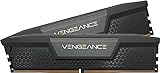
| RAM | Corsair Vengeance DDR5 32GB 6000MHz CL30 | Check on Amazon | 1:1 FCLK sweet spot for Ryzen; tight timings |
| Storage | Samsung 990 EVO Plus 1TB | $239 | Fast Gen 4 NVMe with strong sustained write performance |
| Power Supply | Corsair RM750x ATX 3.1 PCIe 5.1 | Check on Amazon | Native 12V-2×6 connector, 80 Plus Gold, quiet operation |
| Case | NZXT H5 Flow RGB | Check on Amazon | Excellent airflow, clean aesthetics, fits this GPU length |
AMD Ryzen 5 9600X

The 9600X delivers six Zen 5 cores at up to 5.4 GHz boost, offering meaningful IPC gains over the 7600X it replaces. At $173, it is the most cost-effective entry point on the AM5 platform for gaming, handling the RTX 5060 Ti without bottleneck even at 1080p where CPU demands peak. Power draw under typical gaming loads stays well under 90 watts, keeping thermals manageable with the included Wraith Stealth cooler. If your budget allows a small bump, the Ryzen 7 9700X adds two cores for streaming and productivity workloads without a dramatic price jump.
As an Amazon Associate we earn from qualifying purchases at no extra cost to you.




ASUS Dual GeForce RTX 5060 Ti 16GB GDDR7 OC
This card represents NVIDIA’s Blackwell architecture aimed squarely at the mainstream segment. The 16GB of GDDR7 provides generous VRAM for modern titles at ultra settings, particularly at 1440p where texture memory demands have climbed sharply. ASUS’s Dual cooler is compact at roughly 227mm, making it compatible with most mid-tower cases including this build. The OC edition runs factory clocks a few percent above reference. If you want RGB or a beefier cooling solution, the ASUS TUF variant offers a triple-fan design at a modest premium.
MSI MAG B850 Tomahawk MAX WiFi
The B850 chipset provides PCIe 5.0 x16 for the GPU and Gen 5 M.2 storage, future-proofing the platform without the premium of X870 boards. MSI’s Tomahawk line consistently earns praise for its VRM quality, rated at 80A SPS phases that can handle even a 16-core Ryzen 9 without thermal concern. Wi-Fi 7 and 5 Gigabit LAN are included, eliminating add-on card costs. The four DDR5 slots support up to 8400 MT/s overclocked, giving flexibility for tighter-tuned kits later. A swap candidate here would be the ASUS TUF Gaming B850-Plus WiFi if you prefer that brand’s BIOS layout.
Corsair Vengeance DDR5 32GB 6000MHz CL30
6000MHz at CL30 is widely regarded as the optimal frequency-timing combination for Ryzen 9000-series processors, allowing the Infinity Fabric to run at 1:1 with the memory controller. The tight CAS latency benefits gaming frame rates, particularly in CPU-bound scenarios at 1080p. The honest downside is the around $510 asking price, which is steep for 32GB in this speed tier. If you want value, a G.Skill Flare X5 kit at the same spec often sells lower. For most buyers in this build, 32GB remains the practical sweet spot for gaming and light multitasking.
Samsung 990 EVO Plus 1TB
The 990 EVO Plus tops out around 7,150 MB/s sequential reads, which is more than sufficient for gaming load times and general system responsiveness. Samsung’s MLC-like V-NAND and mature firmware make it one of the most reliable Gen 4 drives available. The single-sided 2280 form factor works even in tight M.2 slots with heatsinks above. For a build at this tier, 1TB covers the OS and several large titles. If you install many 100GB-plus games, adding a 2TB variant or a SATA SSD for bulk storage later is a sensible path.
Corsair RM750x
With an ATX 3.1 specification and native 12V-2×6 connector, the RM750x handles the RTX 5060 Ti’s transient power spikes without daisy-chained adapters. The 750W rating provides roughly 40 percent headroom over typical system draw under full gaming load, which keeps the fan in zero-RPM mode for long stretches. Corsair’s 10-year warranty and Cybenetics Gold-level efficiency round out a dependable choice. You could downsize to a 650W unit if cost pressure matters, but the price gap is small and headroom aids future GPU upgrades.
NZXT H5 Flow RGB
The H5 Flow RGB uses a perforated front panel that delivers excellent unrestricted airflow, keeping the RTX 5060 Ti’s dual-slot cooler well below thermal limits. Cable management channels and the included vertical GPU mount bracket make building straightforward. The case supports GPUs up to approximately 360mm, well beyond this card’s 227mm length. The RGB strips and matching fan controller appeal to buyers who want a showcase build without complex aftermarket lighting. If you prefer a more subdued look, the non-RGB H5 Flow saves roughly $10.
Compatibility Check
The Ryzen 5 9600X uses Socket AM5, matched by the MSI B850 Tomahawk. DDR5 memory is required and supported, with 6000MHz running natively at 1:1 FCLK on this platform. The RTX 5060 Ti draws approximately 180-200 watts under full load, keeping total system draw around 380-420 watts in gaming scenarios, leaving ample headroom with the 750W RM750x. The GPU’s 227mm length clears the H5 Flow’s front fan assembly with room to spare. The 1TB M.2 drive installs in the Gen 5 slot directly under the CPU, where the motherboard’s included heatsink keeps temperatures controlled.
Expected Performance
1080p Ultra
Launch reviews from TechPowerUp and Tom’s Hardware indicate the RTX 5060 Ti delivers roughly 130-160 FPS in Call of Duty: Modern Warfare III and 120-150 FPS in Cyberpunk 2077 with ray tracing off. Hardware Unboxed observed similar ranges in Hogwarts Legacy, citing approximately 140-165 FPS at this resolution and preset.
1440p Ultra
At 1440p, TechSpot reported frame rates in the 90-120 FPS band for Cyberpunk 2077 with ray tracing disabled, while Gamers Nexus noted comparable figures in Starfield around 85-110 FPS. Call of Duty: Modern Warfare III holds near 140-160 FPS thanks to its optimization, per Tom’s Hardware.
4K Medium-High
At native 4K medium settings, the card manages roughly 50-70 FPS in Cyberpunk 2077 without DLSS, based on aggregate review data from Hardware Unboxed and TechPowerUp. With DLSS Quality enabled, those same outlets report a shift into the 80-110 FPS range for most current titles.
Upgrade Path
The AM5 socket has a confirmed lifespan extending past 2027, so swapping in a future Zen 6 or refreshed Zen 5 X3D chip requires only a BIOS update on the B850 board. The 750W PSU and PCIe 5.0 x16 slot accommodate a larger GPU without changes. If you move to a 480W-plus card, the RM750x still holds adequate margin. Storage can be expanded through the second M.2 slot or SATA ports without removing the primary drive.
FAQ
Is the Ryzen 5 9600X enough for the RTX 5060 Ti?
Yes. Multiple review outlets confirmed that six Zen 5 cores at 5.4 GHz boost prevent CPU bottlenecks at 1080p and above with this GPU tier. Only heavily threaded simulation titles would see measurable difference from a higher core-count chip.
Why choose 6000MHz CL30 over faster DDR5 kits?
AMD’s Infinity Fabric runs at half the memory frequency, so 6000MHz aligns to 1:1 with a 3000MHz FCLK. Pushing to 6400MHz or higher often forces a 2:1 ratio, introducing latency penalties that outweigh bandwidth gains in gaming workloads.
Can I use a cheaper motherboard for this build?
A B650 board saves roughly $30-50 but lacks PCIe 5.0 for the GPU slot and Gen 5 M.2. The B850 Tomahawk costs slightly more but removes any concern about future storage or GPU bandwidth needs, making it a worthwhile premium for a multi-year platform.
Is 750W overkill for these components?
Under sustained gaming load, this system draws approximately 380-420 watts. The 750W supply keeps the unit operating at roughly 55 percent load, which is where efficiency peaks and fan noise remains minimal. It also supports a future GPU upgrade without replacement.
Sources and Methodology
All frame-rate ranges in this article are approximate values synthesized from launch-day and early-access reviews published by TechPowerUp, Tom’s Hardware, Gamers Nexus, Hardware Unboxed, and TechSpot. No performance figures were generated on this site. Ranges reflect averages across each outlet’s test suite where available and are presented as bands rather than point values to account for differences in drivers, game patches, and test configurations at the time of publication.
Top picks from this guide
 msiMSI MAG B850 Tomahawk MAX WiFi Motherboard, ATX - Supports…$210 \xc2\xb7 99/100
 CorsairCORSAIR Vengeance DDR5 RAM 32GB (2x16GB) 6000MHz CL30-36-36-76 1.40V Intel…$560 \xc2\xb7 99/100
 CorsairCORSAIR RM750x ATX 3.1 PCIe 5.1 750W Power Supply –…$135 \xc2\xb7 97/100
 SamsungSamsung SSD 990 EVO Plus 1TB, PCIe Gen 4x4 |…$237 \xc2\xb7 97/100








