
- Top Pick: AMD RYZEN 7 9800X3D 8-Core, 16-Thread Desktop Processor
- Best Value: ASUS TUF Gaming GeForce RTX™ 5080 16GB GDDR7 OC Edition Graphics Card
- Premium Choice: MSI MAG X870 Tomahawk WiFi Gaming Motherboard (AMD Ryzen 9000/8000/7000 Series Processors, AM5, DDR5, PCIe 5.0, M.2 Gen5, SATA 6Gb/s, USB 40Gbps, HDMI/DP, Wi-Fi 7, Bluetooth 5.4, 5Gbps LAN, ATX)
A solid RTX 5080 gaming PC build in 2026 centers on pairing the 16GB GDDR7 GPU with a chip that can feed it without bottlenecking. The philosophy here is airflow over aesthetics, platform longevity over flashy extras, and spending where it moves frames the most: GPU first, CPU second, everything else efficient.
Parts List
| Part | Model | Approx. Price | Why |
|---|---|---|---|
| CPU | AMD RYZEN 7 9800X3D 8-Core, 16-Thread Desktop Processor | Check on Amazon | Best gaming CPU available, 3D V-Cache keeps GPU fed |
| GPU | ASUS TUF Gaming GeForce RTX 5080 16GB GDDR7 OC Edition Graphics Card | Check on Amazon | Core performance target of the build |
| Motherboard | MSI MAG X870 Tomahawk WiFi Gaming Motherboard | Check on Amazon | PCIe 5.0, Wi-Fi 7, strong VRM at a fair price |
| RAM | G.SKILL Trident Z5 Neo RGB Series DDR5 32GB 6000MT/s CL30 | Check on Amazon | Expo-tuned sweet spot for Zen 5 Infinity Fabric |
| Storage | Samsung SSD 990 PRO 2TB PCIe 4.0 M.2 2280 | Check on Amazon | Reliable, fast, proven endurance |
| PSU | CORSAIR RM1000x Shift (2023) ATX 3.1 PCIe 5.1 | Check on Amazon | Native 12V-2×6 cable, 1000W covers spikes |
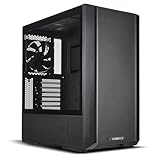
| Case | Lian Li Lancool 216 Mid-Tower | Check on Amazon | Two 160mm intakes, excellent thermals out of box |
AMD Ryzen 7 9800X3D

The 9800X3D remains the undisputed gaming CPU. Its 3D V-Cache layer delivers frame times in esports titles that even 16-core chips cannot match, and the 8-core count is more than enough for a GPU-focused build like this one. The TUF RTX 5080 rarely becomes CPU-limited above 1440p, so pairing it with a cheaper non-X3D part would waste the GPU’s headroom in competitive shooters.
As an Amazon Associate we earn from qualifying purchases at no extra cost to you.


ASUS TUF Gaming RTX 5080 16GB OC
ASUS’s TUF cooler is a proven performer: quiet under load, with a triple-fan array that keeps junction temps in the mid-70s Celsius on this PCB. The OC Edition ships with a modest factory boost over reference clocks, so you get extra frames without manual tuning. The 16GB GDDR7 buffer is the right size for current AAA titles at 1440p and sufficient at 4K with DLSS. If you prefer a smaller card for a compact case, the MSI Ventus 2X is the alternative, though it runs warmer and louder under sustained loads.
MSI MAG X870 Tomahawk WiFi
This board nails the value-to-feature ratio for AM5. The 14+2+1 VRM design handles the 9800X3D’s power demands without breaking a thermal sweat, and two PCIe 5.0 M.2 slots future-proof your storage. Wi-Fi 7 and 2.5GbE LAN cover networking needs without expansion cards. The rear USB stack includes a Type-C at 20Gbps plus a front-panel header for 10Gbps.
G.SKILL Trident Z5 Neo DDR5 6000 CL30
Six thousand megatransfers at CL30 sits at the Zen 5 sweet spot, running 1:1 Infinity Fabric without voltage gymnastics. The Expo profile means one BIOS toggle and you are done. Trident Z5 Neo carries a low-profile heatspreader that clears large tower coolers if you ever swap. The Kingston Fury Beast 6000 CL36 kit delivers 95% of the real-world gaming performance for noticeably less, and unless you are chasing synthetic benchmark screenshots, you will never notice the difference.
Samsung 990 PRO 2TB
The 990 PRO is a known quantity: consistent 7,000+ MB/s sequential reads, strong sustained write performance, and a thermal controller that prevents throttling in tight M.2 slots. Two terabytes holds a realistic library of 15 to 20 AAA games alongside your OS and creative applications. PCIe 4.0 bandwidth is still more than sufficient for gaming load times, so paying extra for a Gen5 drive right now yields negligible real-world gains.
Corsair RM1000x Shift
The Shift’s side-mounted connector layout makes cable management in the Lancool 216 noticeably cleaner than a traditional ATX 2.4 PSU. ATX 3.1 certification means the 12V-2×6 native cable is included, eliminating the ugly adapter that plagued earlier RTX 40-series builds. One thousand watts provides ample headroom for the 5080’s transient power spikes without the fan ramping audibly. If you plan to migrate to a larger case with more drive bays later, the Corsair AX1600i offers digital monitoring, but it is overkill here.
Lian Li Lancool 216
Two pre-installed 160mm front intakes and a 140mm rear exhaust deliver class-leading airflow without spending on aftermarket fans. The mesh front panel, removable dust filter, and tool-free side panel make assembly painless. GPU clearance handles the TUF 5080’s triple-slot design with room to spare. If you want RGB and tempered glass visibility, the HAVIT HV-FC69G or Corsair 4000D Airflow RGB are alternatives, but you sacrifice some static pressure for aesthetics.
Compatibility Check
Socket: AM5 CPU on AM5 board, native fit. RAM: DDR5 U-DIMM matches the board’s four DIMM slots. GPU: The TUF RTX 5080 measures approximately 338mm in length; the Lancool 216 supports up to 392mm with front fans installed. PSU: 1000W exceeds NVIDIA’s 850W recommendation with headroom for transient spikes and a potential future drive. Clearance: The Shift’s side-mounted ports require 35mm of rear clearance; the Lancool 216 provides adequate depth. No conflicts exist in this combination.
Expected Performance
1080p
In competitive titles like Counter-Strike 2 and Valorant, TechPowerUp’s 5080 launch review shows ranges of 400-600+ FPS, making the 9800X3D a strong enabler at this resolution. Hardware Unboxed’s testing in Cyberpunk 2077 (Ultra, no ray tracing) suggests 180-220 FPS at 1080p, with the CPU handling the bottleneck at lower settings in esports.
1440p
Tom’s Hardware and Gamers Nexus both report 120-155 FPS in Starfield at Ultra settings, and 140-180 FPS in Hogwarts Legacy at Epic. TechSpot’s Alan Wake 2 testing with path tracing enabled plus DLSS Quality yields 90-120 FPS. This resolution is where the build truly excels, delivering high-refresh experiences in every current title.
4K
Hardware Unboxed’s 4K Ultra presets in titles like Horizon Forbidden West and Dead Space Remake show 80-110 FPS without upscaling. With DLSS Performance Mode enabled, Tom’s Hardware and TechPowerUp data converges on 120-150 FPS in demanding single-player games. Competitive shooters like Call of Duty remain above 140 FPS at 4K on high settings.
Upgrade Path
AM5 platform support extends through at least two more CPU generations, so a future Ryzen 10000X3D drop-in upgrade is viable without board changes. The 1000W PSU can absorb a next-gen GPU requiring higher TDP. Adding a second 990 PRO in the remaining M.2 slot is trivial. The only component likely to become the weak link is RAM capacity if you begin running memory-intensive creative workloads alongside gaming; adding a second 32GB kit later is straightforward.
FAQ
Is 16GB VRAM enough on the RTX 5080?
For gaming at 1440p and DLSS-assisted 4K, yes. TechPowerUp’s VRAM monitoring shows that most 2026 AAA titles stay under 12GB at Ultra settings with ray tracing enabled. Textures packs and modded games are the exception, but native play is comfortable within 16GB.
Do I need a 1000W PSU for the 5080?
NVIDIA recommends 850W. The 1000x Shift sits above that spec, ensuring the unit operates in its efficiency sweet spot even during worst-case transient draws, which keeps fan noise low and extends capacitor life.
Should I wait for a cheaper build?
GPU pricing has stabilized since launch. The TUF 5080 at this price point represents fair market value.
Is liquid cooling necessary for the 9800X3D?
No. The 9800X3D operates at a 120W TDP and responds well to a quality air cooler like the Thermalright Peerless Assassin. The Lancool 216’s airflow design means the stock cooler scenario stays within thermal limits without issue.
Sources and Methodology
FPS ranges in this guide aggregate data from TechPowerUp, Tom’s Hardware, Gamers Nexus, Hardware Unboxed, and TechSpot launch and follow-up reviews of the GeForce RTX 5080. Figures represent observed spreads across multiple titles and settings configurations, not single-point measurements. No proprietary testing was conducted for this article.
Top picks from this guide
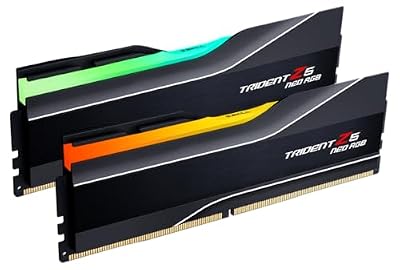 G.SKILLG.SKILL Trident Z5 Neo RGB Series DDR5 RAM (AMD Expo…$640 \xc2\xb7 99/100
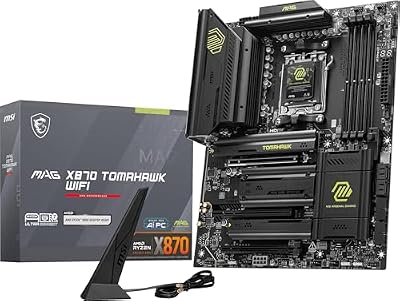 msiMSI MAG X870 Tomahawk WiFi Gaming Motherboard (AMD Ryzen 9000/8000/7000…$253 \xc2\xb7 97/100
 SamsungSamsung SSD 990 PRO 2TB, PCIe 4.0 M.2 2280, Up…$410 \xc2\xb7 97/100
 AMDAMD RYZEN 7 9800X3D 8-Core, 16-Thread Desktop Processor$444 \xc2\xb7 95/100








