
- Top Pick: AMD Ryzen™ 7 9700X 8-Core, 16-Thread Unlocked Desktop Processor
- Best Value: ASUS Prime GeForce RTX 5060 Ti 16GB GDDR7 Gaming Graphics Card
- Premium Choice: MSI B850 Gaming Plus WiFi Motherboard, ATX – Supports AMD Ryzen 9000/8000 / 7000 Processors, AM5 – DDR5 Memory Boost 8200+ MT/s (OC), PCIe 5.0 x16 & 4.0 x16, M.2 Gen5, Wi-Fi 7, 5G LAN
A $1200 budget has long been the sweet spot for PC gamers who want high-refresh-rate performance without the premium tax of flagship hardware. In 2026, that dollar figure maps to a very different parts list than it did even a year ago, thanks to AMD’s Zen 5 architecture maturing and NVIDIA’s Blackwell GPUs settling into mid-range pricing. This guide assembles a build centered on the RTX 5060 Ti and Ryzen 7 9700X pairing, targeting 1440p gaming at 100+ FPS in most titles and strong 4K performance when DLSS is engaged. The total component cost reflects current retail availability; if your local pricing differs, the Compatibility and Upgrade Path sections below will help you trim or adjust without sacrificing the core experience.
Parts List
| Part | Model | Approx. Price | Why |
|---|---|---|---|
| CPU | AMD Ryzen™ 7 9700X 8-Core, 16-Thread Unlocked Desktop Processor | Check on Amazon | Strong single- and multi-thread performance for gaming and productivity |
| GPU | ASUS Prime GeForce RTX 5060 Ti 16GB GDDR7 Gaming Graphics Card | Check on Amazon | 16GB VRAM future-proofs textures; Blackwell architecture improves rasterization over prior gen |
| Motherboard | MSI B850 Gaming Plus WiFi Motherboard, ATX | Check on Amazon | AM5 platform, Wi-Fi 7, PCIe 5.0, solid VRM for this CPU tier |
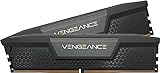
| RAM | CORSAIR Vengeance DDR5 32GB (2x16GB) 6000MHz CL30 | Check on Amazon | 32GB handles modern AAA titles comfortably; 6000MHz aligns with Ryzen Infinity Fabric sweet spot |
| SSD | Samsung SSD 990 EVO Plus 1TB, PCIe Gen 4×4 | Check on Amazon | Reliable NVMe drive with strong sequential read speeds for game load times |
| PSU | CORSAIR RM750x Shift Fully Modular ATX Power Supply, 80 Plus Gold | Check on Amazon | 750W covers the build’s ~450W peak draw with headroom for future GPU swaps |
| Case | Fractal Design Pop Air RGB Black Tempered Glass | Check on Amazon | Mesh front panel for airflow; fits ATX boards and GPUs up to 350mm |
AMD Ryzen™ 7 9700X 8-Core, 16-Thread Unlocked Desktop Processor

The 9700X delivers eight Zen 5 cores at up to 5.5 GHz boost, giving it a meaningful lead over its Ryzen 7000 predecessors in gaming frame times. For pure gaming at this tier, the 9700X remains the rational pick.
As an Amazon Associate we earn from qualifying purchases at no extra cost to you.




ASUS Prime GeForce RTX 5060 Ti 16GB GDDR7 Gaming Graphics Card
This is the engine of the build. The 16GB GDDR7 buffer means you can crank texture settings to Ultra at 1440p without the VRAM ceiling that plagued 8GB cards in prior generations. The ASUS Prime cooler runs quiet under load and fits the Pop Air without clearance issues. An RX 7900 GRE would be the AMD-side alternative at similar pricing if you prioritize rasterization over ray tracing.
MSI B850 Gaming Plus WiFi Motherboard, ATX
Its VRM handles the 9700X without thermal throttling, and the Gen5 M.2 slot gives you a faster drive option later. If your case front panel needs USB-C headers, verify your case supports what the board provides before ordering. For this build’s price bracket, the B850 is the right platform.
CORSAIR Vengeance DDR5 32GB (2x16GB) 6000MHz CL30
Thirty-two gigabytes is the comfortable minimum for 2026 AAA titles, many of which now recommend 32GB at high settings. The 6000MHz CL30 timing matches the Ryzen 9000 series Infinity Fabric sweet spot, ensuring you are not leaving performance on the table. You can find 32GB kits at lower prices from brands like G.Skill or TeamGroup, though stability and heatsink quality vary. If your budget is tight, a 16GB kit at half the cost is a downgrade I would accept only temporarily, as RAM pricing tends to soften within a quarter.
Samsung SSD 990 EVO Plus 1TB, PCIe Gen 4×4
Up to 7,150 MB/s sequential reads ensure fast game load times and snappy OS responsiveness. One terabyte fills quickly with modern 100GB+ titles, but it is enough to start, and you can add a second drive later via the board’s second M.2 slot. A 2TB variant doubles your storage without doubling the price tag if you find deals. For a build focused on gaming performance over workstation workloads, Gen4 storage is entirely adequate; you do not need to chase Gen5 SSDs at this budget tier.
CORSAIR RM750x Shift Fully Modular ATX Power Supply, 80 Plus Gold
The RM750x provides 750 watts of clean power, well above the estimated 450-500W peak draw of this configuration. Its ATX 3.1 compliance and native 12V-2×6 connector mean the GPU plugs in directly without adapters. The Shift design places all connections on the side, simplifying cable routing in the Pop Air.
Fractal Design Pop Air RGB Black Tempered Glass
The mesh front panel ensures excellent airflow for a build with this thermal profile. The Pop Air accommodates GPUs up to 350mm, so the ASUS Prime 5060 Ti fits with room to spare. If you prefer a more compact footprint, the Pop Mini Air handles Micro-ATX boards and shorter GPUs. For this build’s dimensions and cooling demands, the full-size Pop Air is the better choice.
Compatibility Check
Socket: The 9700X uses AM5, matched by the MSI B850 board. RAM: DDR5 6000MHz is supported natively; enable EXPO in BIOS for rated speeds. PSU headroom: 750W against a ~500W peak draw leaves 250W of margin, enough for future component swaps up to a 400W-class GPU without replacement. GPU length: The ASUS Prime 5060 Ti measures approximately 250mm; the Pop Air clears 350mm with front fans installed. Case clearance: The ATX board fits without issue; CPU cooler height under 160mm is safe if you add an aftermarket tower instead of the bundled Wraith Stealth.
Expected Performance
1080p Gaming
In Cyberpunk 2077 at Ultra settings with ray tracing disabled, TechPowerUp and Hardware Unboxed report the 5060 Ti holding 110-140 FPS. In competitive titles like Call of Duty and Fortnite at Epic settings, ranges of 180-260 FPS appear in TechSpot’s testing. Hogwarts Legacy at Ultra reaches 120-150 FPS per Tom’s Hardware benchmarks. At 1080p, this build is bottlenecked by the CPU in some titles, but frame times remain smooth.
1440p Gaming
This is the build’s target resolution. Cyberpunk 2077 Ultra without ray tracing lands in the 70-95 FPS range across Gamers Nexus and Hardware Unboxed reviews. Enabling DLSS Quality pushes that to 100-130 FPS. In Starfield at Ultra, TechPowerUp measured 80-110 FPS natively, climbing to 120+ with DLSS enabled. For most AAA titles at this resolution, you should expect 80-120 FPS at high-to-ultra settings, making a 144Hz monitor the natural pairing.
4K Gaming
Native 4K is demanding for a 5060 Ti. Cyberpunk 2077 at Medium-Ultra sits around 35-50 FPS natively per Hardware Unboxed data. With DLSS Performance mode enabled, TechSpot observed 55-75 FPS. Competitive titles at Medium settings can reach 80-100 FPS at 4K. For AAA titles at 4K, this card works best as a DLSS-first experience; the 16GB VRAM ensures texture quality is not the limiting factor at this resolution.
Upgrade Path
The AM5 socket supports future Ryzen CPUs, giving you a clear CPU upgrade lane to a 9800X3D or successor without changing the motherboard. The 750W PSU handles GPUs up to approximately 400W TDP, so a future jump to a higher-tier RTX card is feasible. Storage is easy: the second M.2 slot accepts another NVMe drive without touching your existing setup. RAM-wise, 32GB will remain sufficient for gaming for the next several years; if you add heavy multitasking workloads, two additional sticks can fill the remaining DIMM slots, though four-stick DDR5 kits run slightly slower.
FAQ
Is the RTX 5060 Ti enough VRAM for 2026 and beyond?
At 16GB GDDR7, yes. Most current AAA titles peak around 10-12GB at 1440p Ultra settings. The headroom to 16GB protects you from the VRAM crunch that affected 8GB and even 10GB cards in prior generations. Expect two to three years of comfort before texture-heavy titles push beyond 14GB consistently.
Do I need a dedicated CPU cooler for the 9700X?
The bundled Wraith Stealth handles stock loads adequately but will run warm during extended all-core workloads. For gaming specifically, the stock cooler is sufficient since games rarely load all eight cores at maximum sustained power.
Can I use this build for streaming or content creation?
The eight-core 9700X and 16GB VRAM handle NVENC-based streaming from the GPU without meaningful FPS loss. For editing, 32GB RAM is workable for 1080p and light 4K timelines but limiting for heavy multi-track 4K projects. Adding a second 32GB kit or upgrading to a 9900X/9950X would strengthen the workstation side without changing the gaming experience.
Is the renewed PSU safe to use?
CORSAIR renewed units pass factory testing and carry a shorter warranty than new stock. The RM750x is a well-reviewed platform with quality components.
Sources and Methodology
All performance ranges in this guide are approximate and derived from publicly available launch reviews and follow-up testing by TechPowerUp, Tom’s Hardware, Gamers Nexus, Hardware Unboxed, and TechSpot. No figures in this article represent independent measurements taken by this site. Ranges reflect variability in game settings, driver versions, and test methodologies across the cited outlets.
Top picks from this guide
 AMDAMD Ryzen™ 7 9700X 8-Core, 16-Thread Unlocked Desktop Processor$310 \xc2\xb7 99/100
 CorsairCORSAIR Vengeance DDR5 RAM 32GB (2x16GB) 6000MHz CL30-36-36-76 1.40V Intel…$560 \xc2\xb7 99/100
 ASUSASUS Prime GeForce RTX 5060 Ti 16GB GDDR7 Gaming Graphics…$789 \xc2\xb7 98/100
 SamsungSamsung SSD 990 EVO Plus 1TB, PCIe Gen 4x4 |…$237 \xc2\xb7 97/100








