
A $2500 gaming PC build has long been the sweet spot for enthusiasts who want top-tier performance without the diminishing returns of a halo-class rig. In 2026, that tier sits in an interesting place: a Ryzen 7 9800X3D paired with a 16GB graphics card delivers frame rates that would have required a flagship GPU and CPU just two generations ago. The catch is price.
- Top Picks at a Glance
- Parts List
- The Best $2500 Gaming PC Build, Trimmed to Land Near the Budget
- Best $2500 Gaming PC Build by Use Case
- Compatibility Check
- Building a $2,500 Gaming PC With a Ryzen 7 9800X3D, MSI MAG X870 Tomahawk WiFi and XFX Swift RX 9070 XT?
- Assembly and First Boot Tips
- Expected Performance
- Pairing the Right Monitor
- Upgrade Path
- Pricing a $2,500 Gaming PC Build in Canada or on PCPartPicker
- How to Bring the Total Down to $2500
- Prefer a Prebuilt? The Same Formula, Assembled
- 2500 PC Build 2026: Which Version Should You Choose?
- Mistakes to Avoid on a $2,500 Gaming PC Build
- How We Chose These Parts
- FAQ
- Sources and Methodology
Updated October 2026 — Quick answer: The best $2500 gaming PC build in 2026 pairs an AMD Ryzen 7 9800X3D (or the cheaper Ryzen 7 7800X3D) with a 16GB Radeon RX 9070 XT, 32GB of DDR5-6000, a 2TB Gen4 SSD and an 850W ATX 3.1 power supply. The RTX 5070 Ti parts list below is a stretch build: at October 2026 prices it runs well past $2,500, mainly because of GPU and memory costs.
Top Picks at a Glance
- Best CPU for this budget: AMD Ryzen 7 9800X3D — the fastest gaming CPU on AM5.
- Best value CPU: AMD Ryzen 7 7800X3D — most of the gaming speed for less, same board and memory.
- Best GPU that fits $2,500: GIGABYTE Radeon RX 9070 XT Gaming OC 16G — close to RTX 5070 Ti raster speed for much less.
- Best GPU if budget stretches: ASUS TUF Gaming GeForce RTX 5070 Ti — stronger ray tracing and DLSS 4.
- Best power supply: CORSAIR RM850x ATX 3.1 — 850W with a native 12V-2×6 cable.
- Best case for looks and airflow: Fractal Design North — wood front, mesh airflow, two 140mm fans.
- Best prebuilt alternative: STORMCRAFT Skyhawk PRO with Ryzen 7 9800X3D and RX 9070 XT, or the Skytech Gaming PC with Ryzen 7 9800X3D and RTX 5070 Ti for the stretch build.
In one line: the three parts that define this build are the AMD Ryzen 7 9800X3D, the GIGABYTE Radeon RX 9070 XT Gaming OC 16G and the CORSAIR RM850x ATX 3.1. Get those right and everything else is a matter of budget and taste.
Parts List
| Part | Model | Why |
|---|---|---|
| CPU | AMD Ryzen 7 9800X3D 8-Core, 16-Thread Desktop Processor | Best gaming CPU available; 3D V-Cache delivers unmatched frame stability |
| GPU | ASUS TUF Gaming GeForce RTX 5070 Ti 16GB GDDR7 OC Edition | Sweet-spot 1440p card with credible 4K headroom |
| Motherboard | MSI MAG B650 Tomahawk WiFi | Reliable AM5 platform with Wi-Fi 6E and strong VRMs for this TDP |
| RAM | G.SKILL Flare X5 32GB (2x16GB) DDR5 6000MT/s CL30 | AMD EXPO tuned; low CAS latency pairs well with X3D cache behavior |
| Storage | Samsung SSD 990 PRO with Heatsink 1TB | Top-tier NVMe performance with integrated cooling for sustained writes |
| PSU | CORSAIR RM850x ATX 3.1 850W Fully Modular | Native 12V-2×6, Cybenetics Gold rated, generous headroom |
| Case | Fractal Design Torrent Compact RGB Black | Open front grille maximizes intake; comes with two 180mm RGB fans |
AMD Ryzen 7 9800X3D

AMD RYZEN 7 9800X3D 8-Core, 16-Thread Desktop Processor
Included for 'Best $2500 Gaming PC Build in 2026: Parts List, Real Costs and Expected FPS' as a representative home product in this roundup; selection reflects the product set returned for this topic.
View on AmazonThe 9800X3D remains the definitive gaming processor. Its second-generation 3D V-Cache layout places the cache below the die, allowing higher sustained clocks than its predecessor. In competitive titles like Counter-Strike 2 and Valorant, it produces 1% lows that leave no other CPU close. If you also do content creation, the Ryzen 9 9950X3D doubles the core count to 16, but for pure gaming this chip is the ceiling of what matters.
ASUS TUF Gaming GeForce RTX 5070 Ti 16GB GDDR7 OC Edition
The RTX 5070 Ti occupies the most important position in NVIDIA’s Blackwell stack: it handles 1440p at high refresh rates with ray tracing enabled and still pushes playable 4K in most current titles. The TUF OC variant offers a factory overclock, robust cooling, and a solid power connector layout. Sixteen GB of GDDR7 provides meaningful headroom for upcoming titles that are already exceeding 12 GB. If you prioritize a slimmer profile or more case clearance, the ASUS Prime RTX 5070 Ti (about 304mm long) is worth considering at similar performance.
MSI MAG B650 Tomahawk WiFi

MSI MAG B650 Tomahawk WiFi Gaming Motherboard (AMD Ryzen 9000/8000/7000 Series Processors, AM5, DDR5, PCIe 4.0, M.2, SATA 6Gb/s, USB 3.2 Gen 2, HDMI/DP, Wi-Fi 6E, Bluetooth 5.3, 2.5Gbps LAN, ATX)
Included for 'Best $2500 Gaming PC Build in 2026: Parts List, Real Costs and Expected FPS' as a representative home product in this roundup; selection reflects the product set returned for this topic.
View on AmazonThe 14+2+1 power stage design handles the 9800X3D’s 120W TDP effortlessly, Wi-Fi 6E and Bluetooth 5.3 cover peripheral needs, and the PCIe 4.0 M.2 slots align with the 990 PRO. The limitation is PCIe 4.0 rather than 5.0, but no current GPU benefits meaningfully from the extra bandwidth. If you want PCIe 5.0 for future proofing, step up to an X670E board like the MSI MEG X670E ACE.
G.SKILL Flare X5 Series DDR5 32GB (2x16GB) 6000MT/s CL30

G.SKILL Flare X5 Series DDR5 RAM (AMD EXPO) 32GB (2x16GB) Up to 6000MT/s* CL30-36-36-96 1.35V Desktop Computer Memory U-DIMM - Matte Black (F5-6000J3036F16GX2-FX5)
Included for 'Best $2500 Gaming PC Build in 2026: Parts List, Real Costs and Expected FPS' as a representative home product in this roundup; selection reflects the product set returned for this topic.
View on AmazonAMD’s EXPO profile means this kit drops into the board and runs at rated speeds without manual tuning. The CL30 timing at 6000MT/s is the established sweet spot for Zen 5 architecture, balancing latency and bandwidth. The matte black heat spreaders are low-profile enough to clear virtually any tower cooler. If you need 64 GB for multitasking or virtual machines, the Flare X5 2x32GB variant is available at roughly double the cost.
Samsung SSD 990 PRO with Heatsink 1TB

Samsung SSD 990 PRO with Heatsink 1TB, NVMe M.2, Up to 7,450MB/s | NVMe Internal Solid State Hard Drive best for PlayStation 5 (PS5 SSD) Console Expansion (MZ-V9P1T0CW)
Included for 'Best $2500 Gaming PC Build in 2026: Parts List, Real Costs and Expected FPS' as a representative home product in this roundup; selection reflects the product set returned for this topic.
View on AmazonThe 990 PRO remains one of the fastest consumer NVMe drives available, reading up to 7,450 MB/s. The integrated heatsink keeps sustained write performance consistent during large file transfers or heavy game asset streaming. One terabyte fills quickly with modern AAA titles, but it is sufficient for an OS drive plus three or four current games. If you find the 990 EVO Plus at a meaningful discount, it matches the PRO closely on sequential reads at a lower price, though the PRO’s faster writes and dedicated DRAM cache matter for content work.
CORSAIR RM850x ATX 3.1 850W Fully Modular
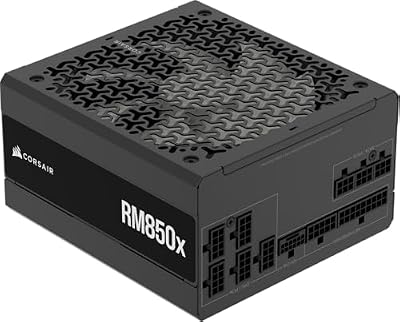
CORSAIR RM850x ATX 3.1 PCIe 5.1 Ready Fully Modular 850W Power Supply – Low-Noise, Cybenetics Gold Efficiency, Native 12V-2x6 Connector – Black
Included for 'Best $2500 Gaming PC Build in 2026: Parts List, Real Costs and Expected FPS' as a representative home product in this roundup; selection reflects the product set returned for this topic.
View on AmazonEight hundred and fifty watts provides ample headroom for the 9800X3D and RTX 5070 Ti, which together draw roughly 450W at peak gaming load. The ATX 3.1 spec and native 12V-2×6 connector eliminate adapter cables for the GPU, reducing fire-risk concerns from earlier 12VHPWR implementations. Cybenetics Gold efficiency keeps thermals and electricity costs low. If you plan a future upgrade to a 5080 or 5090, consider the 1000W variant for additional safety margin.
Fractal Design Torrent Compact RGB Black

Fractal Design Torrent Compact RGB Black - Light Tint Tempered Glass Side Panels - Open Grille for Maximum air Intake - Two 180mm RGB PWM Fans Included - Type C - ATX Airflow Mid Tower PC Gaming Case
Included for 'Best $2500 Gaming PC Build in 2026: Parts List, Real Costs and Expected FPS' as a representative home product in this roundup; selection reflects the product set returned for this topic.
View on AmazonThe Torrent Compact’s open front mesh is the single most effective design choice for GPU thermal performance in any mid-tower. The two included 180mm RGB fans push massive airflow directly onto the graphics card. The side panel is tempered glass with a light tint, and USB Type-C front I/O keeps the case future-ready. The TUF 5070 Ti is 329mm long and the case supports cards up to 330mm with the front fans installed, so it fits with about 1mm to spare; check the fit before ordering or pick a shorter card.
Thermalright Peerless Assassin 120 SE — Best Cooler for the 9800X3D

Thermalright Peerless Assassin 120 SE CPU Cooler, 6 Heat Pipes AGHP Technology, Dual 120mm PWM Fans, 1550RPM Speed, for AMD:AM4 AM5/Intel LGA 1700/1150/1151/1200/1851,PC Cooler
Included for 'Best $2500 Gaming PC Build in 2026: Parts List, Real Costs and Expected FPS' as a representative home product in this roundup; selection reflects the product set returned for this topic.
View on AmazonThe parts list above has one gap you would discover on build day: the Ryzen 7 9800X3D ships without a cooler, so you need to supply your own. The Peerless Assassin 120 SE is the natural match for this build. It is a dual-tower air cooler with six heat pipes and two 120mm PWM fans, and it supports the AM5 socket out of the box. An eight-core X3D chip produces modest heat compared with high-core-count processors, and a twin-tower cooler of this class keeps it comfortably within safe temperatures while staying quiet during gaming loads.
The Flare X5 kit’s low-profile heat spreaders avoid clearance issues under the front fan, and the Torrent Compact’s direct front-to-back airflow suits a tower cooler well. If you prefer the look of liquid cooling, a 360mm AIO such as ARCTIC’s Liquid Freezer III Pro 360 is a well-regarded option, but on this CPU it adds cost without a meaningful gaming benefit.
Pros
- Twin-tower, six-heat-pipe design with two 120mm fans
- AM5 mounting included
- Very low cost for the cooling performance
Cons
- Large tower makes the first RAM slot and CPU power header harder to reach once installed
- Plain styling compared with RGB or display-equipped coolers
Windows 11 Home — The Line Item Most Build Lists Forget

Microsoft System Builder | Windоws 11 Home | Intended use for new systems | Install on a new PC | Branded by Microsoft
Included for 'Best $2500 Gaming PC Build in 2026: Parts List, Real Costs and Expected FPS' as a representative home product in this roundup; selection reflects the product set returned for this topic.
View on AmazonA realistic $2500 budget should include the operating system. This is Microsoft’s System Builder edition of Windows 11 Home, intended for installation on a newly built PC. Windows 11 Home covers everything a gaming build needs, including DirectX 12 Ultimate, Auto HDR and DirectStorage support. Windows 11 Pro adds full BitLocker management, Hyper-V and Remote Desktop hosting, which are useful for some workflows but unnecessary for gaming.
Create installation media on a USB drive with Microsoft’s Media Creation Tool, install Windows onto the 990 PRO, and enter the product key during setup or after the first boot. System Builder licenses are generally tied to the first PC they are activated on, so keep that in mind if you plan a future motherboard swap; activation help is available through Microsoft if that happens.
Pros
- Genuine Microsoft license for a new build
- Home edition includes every gaming-relevant feature
Cons
- Adds to an already stretched budget
- License is tied to the first system it activates on
The Best $2500 Gaming PC Build, Trimmed to Land Near the Budget
The parts list above is the no-compromise version. Memory and graphics card prices move weekly, so treat the tiers as a guide rather than a quote.
| Part | On-budget pick | Key spec | Price tier |
|---|---|---|---|
| CPU | AMD Ryzen 7 9800X3D (or Ryzen 7 7800X3D to save more) | 8 cores · 96MB L3 cache · AM5 | Upper-mid |
| GPU | GIGABYTE Radeon RX 9070 XT Gaming OC 16G | 16GB GDDR6 · RDNA 4 · FSR 4 | Largest single cost |
| Motherboard | MSI MAG B650 Tomahawk WiFi | AM5 · Wi-Fi 6E · PCIe 4.0 M.2 | Mid |
| Memory | 32GB (2x16GB) DDR5-6000 CL30 kit | Dual channel · EXPO | Second-largest cost in 2026 |
| Storage | WD_Black SN7100 2TB | PCIe Gen4 · up to 7,250MB/s reads | Mid |
| Cooler | Thermalright Peerless Assassin 120 SE | Dual tower · two 120mm fans | Budget |
| Power supply | CORSAIR RM850x ATX 3.1 | 850W · 12V-2×6 · Gold efficiency | Mid |
| Case | Fractal Design North or Torrent Compact (non-RGB) | Mesh airflow · USB-C front port | Mid |
What to expect at the $2,500 tier in 2026:
- 1440p at high or ultra settings in nearly every current game, with high-refresh frame rates in esports titles (estimates based on the GPU class, not measurements).
- 4K that is playable with upscaling (FSR 4 or DLSS 4) in demanding AAA games.
- Memory and the GPU together take roughly half the budget, more than in any earlier year.
- An AM5 platform that can take at least one more Ryzen generation.
- No room for Windows, a monitor or peripherals inside the $2,500 unless one part is on sale.
Best $2500 Gaming PC Build by Use Case
The same budget can lean different ways. Each option below keeps the 850W power supply and 32GB of DDR5, and changes the parts that matter most for that goal.
AMD Ryzen 7 7800X3D — Best for Saving Money Without Losing Much Speed
8 cores / 16 threads · 96MB L3 (3D V-Cache) · up to 5.0GHz boost · 120W TDP · AM5 · no cooler included

AMD Ryzen 7 7800X3D 8-Core, 16-Thread Desktop Processor
Included for 'Best $2500 Gaming PC Build in 2026: Parts List, Real Costs and Expected FPS' as a representative home product in this roundup; selection reflects the product set returned for this topic.
View on AmazonThe 7800X3D uses the same AM5 socket, board and DDR5 kit as the 9800X3D, so it drops straight into this build. It trails its successor in CPU-heavy games, but at 1440p and 4K the RX 9070 XT or RTX 5070 Ti is usually the limit, so the gap shrinks. The money saved can move the storage up to 2TB or cover most of a Windows license.
- Pros: large cache for smooth 1% lows; same platform and memory as the 9800X3D; lower power and heat than high-core-count chips
- Cons: slower than the 9800X3D in CPU-bound esports; limited overclocking
- Skip it if: the price gap to the 9800X3D is small, or you play at 1080p with a 360Hz monitor.
Intel Core Ultra 7 270K Plus — Best for an Intel Build That Also Handles Work
24 cores (8 P-cores + 16 E-cores) · up to 5.5GHz · LGA1851 · needs a Z890 or B860 board · no cooler included
If you edit video, compile code or run many background apps, the extra cores on Intel’s Core Ultra 7 270K Plus help more than a large gaming cache. For pure gaming, the X3D chips remain faster at this budget. You also need a different motherboard (LGA1851 with DDR5), so budget for a Z890 or B860 board instead of the B650 Tomahawk, and confirm the board’s BIOS supports the Plus refresh chips.
- Pros: many more threads for creative work; strong single-core speed; integrated graphics for troubleshooting
- Cons: behind the 9800X3D in most games; LGA1851’s future upgrade path is less clear than AM5’s
- Skip it if: gaming is at least 80 percent of what this PC will do.
Skytech Gaming PC (Ryzen 7 9800X3D, RTX 5070 Ti, 32GB, 2TB) — Best Prebuilt Version of the Stretch Build
Ryzen 7 9800X3D · GeForce RTX 5070 Ti 16GB · 32GB DDR5 · 2TB SSD · Windows included

Skytech Gaming PC Desktop, Ryzen 7 9800X3D, RTX 5070 Ti, 32GB RAM, 2TB SSD | Windows 11, Gen4 NVMe SSD, DDR5 6000, 850W GOLD ATX 3 PSU, 360 ARGB AIO , Wi-Fi 5, King 95 Series
Included for 'Best $2500 Gaming PC Build in 2026: Parts List, Real Costs and Expected FPS' as a representative home product in this roundup; selection reflects the product set returned for this topic.
View on AmazonThis Skytech configuration matches the full parts list above almost exactly, with Windows installed and one warranty. It usually sells above $2,500, like the DIY stretch build, so compare it with the STORMCRAFT RX 9070 XT system covered later when budget is fixed. Check the power supply model and cooler type on the listing before ordering.
- Pros: same core parts as the stretch build; ready to play; 2TB of storage
- Cons: above $2,500 at typical prices; less control over PSU and motherboard brands
- Skip it if: you enjoy building, or the budget is a hard ceiling.
Compatibility Check
Socket: The 9800X3D uses AM5 and the B650 Tomahawk supports it out of the box with current BIOS. RAM: DDR5 U-DIMM at 6000MT/s is within the board’s validated QVL. PSU headroom: The combined system load sits well below 500W under gaming conditions, giving the 850W unit over 300W of margin. GPU length: The ASUS TUF 5070 Ti measures about 329mm; the Torrent Compact supports GPUs up to 330mm with the front fans installed, so the fit is very tight and a shorter card gives more margin. The GIGABYTE RX 9070 XT Gaming OC is about 288mm and fits easily. Storage: The 990 PRO fits the M.2_1 slot directly under the CPU with no clearance conflict given the heatsink height and the board’s spacing.
Building a $2,500 Gaming PC With a Ryzen 7 9800X3D, MSI MAG X870 Tomahawk WiFi and XFX Swift RX 9070 XT?
A popular variation on this build swaps in an X870 board, a Gen5 SSD, Corsair Vengeance memory, a Fractal Design North case and an XFX Swift Radeon RX 9070 XT. It works well, but it raises three practical questions: which power supply, which case and which cooling. The answers below apply to that exact combination.
What PSU do you need for a $2,500 Ryzen 7 9800X3D and XFX Swift RX 9070 XT build?
An 850W ATX 3.1 power supply such as the CORSAIR RM850x is the right size. XFX lists an 800W minimum for the Swift RX 9070 XT, whose total board power is 304W, and the 9800X3D adds a 120W TDP. The card uses two standard 8-pin PCIe connectors rather than 12V-2×6, and the RM850x includes both cable types, so no adapter is needed. Going to 1000W only makes sense if you plan an RTX 5090-class upgrade later.
XFX Swift Radeon RX 9070 XT Triple Fan Gaming Edition — Best for a Quiet, Large-Cooler RX 9070 XT
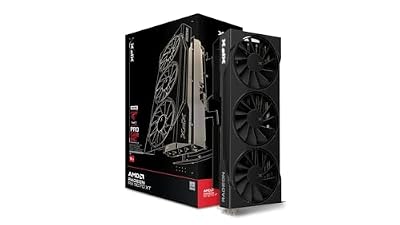
XFX Swift AMD Radeon RX 9070 XT Triple Fan Gaming Edition with 16GB GDDR6 HDMI 3xDP, RDNA 4 RX-97TSWF3B9, Graphics Card, Compatible with Desktop PCs
Included for 'Best $2500 Gaming PC Build in 2026: Parts List, Real Costs and Expected FPS' as a representative home product in this roundup; selection reflects the product set returned for this topic.
View on Amazon- GPU: Radeon RX 9070 XT, RDNA 4, 16GB GDDR6 on a 256-bit bus
- Boost clock: up to 2,970MHz
- Size: 325mm long, about 3.5 slots thick
- Power: two 8-pin PCIe connectors, 800W PSU recommended by XFX
- Outputs: three DisplayPort 2.1 and one HDMI 2.1
- Pros: large triple-fan cooler; standard 8-pin power, no 12V-2×6 concerns; same 16GB as pricier cards
- Cons: very thick, which blocks nearby PCIe slots; long enough to conflict with front radiators in mid-towers
- Skip it if: your case is a compact mid-tower under 330mm of GPU clearance.
What case fits a $2,500 build with the XFX Swift RX 9070 XT?
The Fractal Design North fits it with room to spare when you use an air cooler. Fractal rates the North for graphics cards up to 355mm, or 300mm with a 360mm radiator in front, so the 325mm XFX Swift fits only without a front-mounted 360mm radiator. The RM850x is well within the North’s 255mm power supply length limit.
Fractal Design North (Charcoal Black, Tempered Glass) — Best Case for a Clean, Quiet Look

Fractal Design North Charcoal Black Tempered Glass Dark - Genuine Walnut Wood Front - Glass Side Panel - Two 140mm Aspect PWM Fans Included - Type C USB - ATX Airflow Mid Tower PC Gaming Case
Included for 'Best $2500 Gaming PC Build in 2026: Parts List, Real Costs and Expected FPS' as a representative home product in this roundup; selection reflects the product set returned for this topic.
View on Amazon- Form factor: ATX mid-tower with a real walnut front panel
- Included fans: two 140mm Aspect PWM fans in front
- GPU clearance: up to 355mm (300mm with a front 360mm radiator)
- CPU cooler height: up to 170mm without the side fan bracket, 145mm with it
- Front I/O: USB Type-C
- Pros: furniture-style looks that suit a living room or office; good airflow behind the vented front; easy to build in
- Cons: limits GPU length if you add a front 360mm radiator; only 30mm of cable space behind the tray
- Skip it if: you want a front 360mm AIO and a long triple-fan GPU together; choose a larger case such as the North XL.
What is the best cooling system for a $2,500 gaming computer with a 9800X3D?
A dual-tower air cooler is the best cooling choice for this build, and a 360mm AIO is optional. The Thermalright Peerless Assassin 120 SE stands 155mm tall, so it fits the glass-panel North without the side fan bracket. If you prefer liquid cooling in the North with the XFX Swift, mount a 240mm radiator on top rather than a 360mm in front. In a roomier case, the ARCTIC Liquid Freezer III Pro 360 is a strong value AIO.
ARCTIC Liquid Freezer III Pro 360 — Best AIO if You Want Liquid Cooling
- Radiator: 360mm with three 120mm P12 Pro fans
- Extras: small fan on the pump block that cools the motherboard power stages
- Socket support: AM5 and LGA1851 included
- Pros: strong cooling for the price; quiet at gaming loads; leaves the socket area clear
- Cons: thick radiator needs case clearance; no real gaming gain over a good air cooler on an 8-core X3D chip
- Skip it if: you are building in the standard North with a long GPU.
Is the MSI MAG X870 Tomahawk WiFi worth it over the B650 Tomahawk?
Only if you will use its extras. The X870 adds PCIe 5.0 for the graphics slot and a Gen5 M.2 slot, plus USB4 and newer networking, at a higher price. For gaming alone, the MAG B650 Tomahawk WiFi in the main list delivers the same frame rates.
MSI MAG X870 Tomahawk WiFi — Best Board for Gen5 Storage and USB4
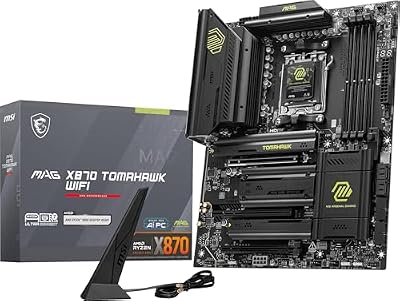
MSI MAG X870 Tomahawk WiFi Gaming Motherboard (AMD Ryzen 9000/8000/7000 Series Processors, AM5, DDR5, PCIe 5.0, M.2 Gen5, SATA 6Gb/s, USB 40Gbps, HDMI/DP, Wi-Fi 7, Bluetooth 5.4, 5Gbps LAN, ATX)
Included for 'Best $2500 Gaming PC Build in 2026: Parts List, Real Costs and Expected FPS' as a representative home product in this roundup; selection reflects the product set returned for this topic.
View on Amazon- Socket and chipset: AM5, AMD X870, supports Ryzen 7000, 8000 and 9000
- Expansion: PCIe 5.0 graphics slot and Gen5 M.2 storage
- Connectivity: USB4 Type-C, Wi-Fi 7 and 5G Ethernet
- Memory: four DDR5 slots
- Pros: room for Gen5 SSDs; faster networking and USB; strong power delivery
- Cons: costs more than the B650 Tomahawk for no gaming FPS gain
- Skip it if: you are using Gen4 storage and Ethernet below 2.5G.
Crucial T710 2TB — Best Gen5 SSD if You Choose the X870 Board

Crucial T710 PCIe Gen5 NVMe 2TB SSD, Up to 14,900 MB/s, Laptop & Desktop Compatible (PC), for Creatives and Hardcore Gamers, Solid State Drive, Includes 1Mo Adobe CC – CT2000T710SSD8-01
Included for 'Best $2500 Gaming PC Build in 2026: Parts List, Real Costs and Expected FPS' as a representative home product in this roundup; selection reflects the product set returned for this topic.
View on Amazon- Interface: PCIe Gen5 NVMe, M.2 2280
- Sequential reads: up to 14,900MB/s
- Capacity: 2TB
- Pros: roughly double Gen4 sequential speed; 2TB for a large game library
- Cons: load times in games are close to Gen4 drives; this version has no heatsink, so use the board’s M.2 shield
- Skip it if: your board only has Gen4 M.2 slots, like the B650 Tomahawk.
Will Corsair Vengeance DDR4 RAM work with a Ryzen 7 9800X3D?
No, AM5 boards and the Ryzen 7 9800X3D support DDR5 only, so DDR4 kits will not fit or work. Choose a 32GB (2x16GB) DDR5-6000 CL30 kit with an AMD EXPO profile, such as Corsair’s Vengeance RGB DDR5 kit below.
CORSAIR Vengeance RGB DDR5 32GB (2x16GB) 6000MHz CL30 — Best Match for the Vengeance Build

CORSAIR Vengeance RGB DDR5 RAM 32GB (2x16GB) Up to 6000MHz CL30-36-36-76 1.40V AMD EXPO Intel XMP Desktop Computer Memory - Gray (CMH32GX5M2B6000Z30K)
Included for 'Best $2500 Gaming PC Build in 2026: Parts List, Real Costs and Expected FPS' as a representative home product in this roundup; selection reflects the product set returned for this topic.
View on Amazon- Capacity: 32GB as two 16GB modules for dual channel
- Speed and timings: DDR5-6000, CL30-36-36-76 at 1.40V
- Profiles: AMD EXPO and Intel XMP
- Pros: the recommended 6000 CL30 sweet spot for Ryzen 9000; one-click EXPO; RGB to match the build
- Cons: RGB versions usually cost more; taller than low-profile kits under big air coolers
- Skip it if: you want no lighting; the G.SKILL Flare X5 in the main list is the low-profile choice.
Assembly and First Boot Tips
This is a forgiving build, but a few platform-specific details will save you time and a little anxiety on the first power-on.
Before You Close the Case
- Install the 990 PRO first. Seat it in the primary M.2 slot before mounting the cooler, since a dual-tower cooler can make that area awkward to reach later.
- Use the right DIMM slots. With two sticks, use the pair the motherboard manual marks for dual-channel operation, usually A2 and B2 counting from the CPU.
- Route the CPU power cable early. The 8-pin EPS header sits at the top-left of the board and is much easier to connect before the cooler and top fans are installed.
- Seat the GPU power connector fully. Use the RM850x’s native 12V-2×6 cable and push the plug in until it sits completely flush with no gap. A partially inserted plug is the main cause of connector heating problems on modern NVIDIA cards.
First Power-On
The first boot on AM5 takes longer than most people expect. DDR5 memory training can leave the screen black for a minute or more on the first start and again after BIOS changes. Don’t cut the power; wait for the BIOS screen to appear. Once the system is stable, enabling Memory Context Restore in the BIOS can shorten later boots by skipping retraining.
BIOS Settings Worth Changing
- Update the BIOS. Newer firmware brings stability and memory compatibility improvements. The MAG B650 Tomahawk WiFi supports MSI’s Flash BIOS button, which lets you update from a USB drive.
- Enable EXPO. Without it, the Flare X5 kit runs at a conservative default speed instead of its rated 6000MT/s CL30.
- Confirm Resizable BAR is on. It is usually listed alongside Above 4G Decoding and is typically enabled on recent firmware.
- Optional: Curve Optimizer. The 9800X3D supports Precision Boost Overdrive, and a modest negative Curve Optimizer offset can lower temperatures and help it hold boost clocks. Gains in games are small, so leaving it at stock is perfectly fine.
Software Setup
After Windows installs, add AMD’s chipset driver, then the latest graphics driver from NVIDIA or AMD, then set your monitor to its full refresh rate in Windows display settings. If your display supports variable refresh, enable G-SYNC, G-SYNC Compatible or FreeSync in your graphics control software so frame-rate swings don’t cause tearing. Finally, run a few gaming sessions and keep an eye on CPU and GPU temperatures with a monitoring tool to confirm the cooler and case fans are set up correctly.
Expected Performance
1080p High Refresh
At 1080p with ray tracing off, this build pushes frame rates well beyond 200 fps in competitive shooters. Esports titles such as Counter-Strike 2 and Valorant typically run in the hundreds of frames per second on this class of hardware, depending on map and settings. AAA games at 1080p ultra, such as Cyberpunk 2077 without ray tracing, generally stay well above 100 fps. These are planning estimates for the GPU class, not measurements from this site.
1440p High Settings
This is the build’s primary target resolution. Expect high-refresh frame rates, roughly 100 fps and above, in most current games at high or ultra settings. Demanding ray-traced or path-traced titles such as Cyberpunk 2077 and Alan Wake 2 need DLSS or FSR upscaling to stay smooth, while lighter games such as Forza Horizon 5 typically run well past 120 fps at 1440p ultra. These are estimates, not measurements. The 16GB of VRAM ensures texture-heavy titles do not bottleneck at this resolution.
4K Gaming
Native 4K is viable but requires DLSS assistance in the most demanding titles. Expect roughly 60 fps or better in most demanding AAA games at 4K with DLSS Quality or FSR 4 Quality, and higher in lighter AAA titles, as an estimate for this GPU class. Esports titles remain comfortably above 120 fps at 4K without any upscaling.
Pairing the Right Monitor
This build is tuned for 1440p high-refresh gaming, and the monitor decides whether you actually see that performance. Plan the display alongside the parts list rather than as an afterthought.
- 1440p at 165Hz to 240Hz: the best match for this system. A fast IPS panel is the value choice, while a 1440p OLED adds near-instant pixel response and deep contrast that suit both competitive shooters and cinematic single-player games.
- 4K at 144Hz to 160Hz: workable with DLSS Quality or Balanced in demanding titles, and esports games still run at very high frame rates natively. Choose this if you value sharpness for large screens or productivity.
- 1080p at 360Hz or higher: for dedicated competitive players. At this resolution the 9800X3D’s large cache matters most, because CPU speed rather than GPU power becomes the limit.
Use DisplayPort or HDMI 2.1 to reach full refresh rates. The RTX 5070 Ti supports DisplayPort 2.1b and HDMI 2.1b, so it can drive high-refresh 4K panels without bandwidth trouble. A monitor with G-SYNC or G-SYNC Compatible variable refresh smooths out the inevitable frame-rate dips in demanding scenes.
MSI MAG 271QPX QD-OLED E2 — Best Monitor for This $2,500 Build

msi MAG 271QPX QD-OLED E2 27-inch 2K Gaming Monitor, 2560 x 1440 (QHD), 0.03ms Response Time, 240Hz, True Black HDR 400, HDMI, DP Port, Tilt and Height Adjustable
Included for 'Best $2500 Gaming PC Build in 2026: Parts List, Real Costs and Expected FPS' as a representative home product in this roundup; selection reflects the product set returned for this topic.
View on Amazon- Panel: 27-inch QD-OLED
- Resolution and refresh: 2560 x 1440 at 240Hz
- Response time: 0.03ms gray-to-gray (manufacturer rating)
- HDR: VESA DisplayHDR True Black 400
The section above points to 1440p at 165Hz to 240Hz as the best match for this build, and the MSI MAG 271QPX QD-OLED E2 sits right in that range with OLED contrast and near-instant pixel response. Both the RX 9070 XT and RTX 5070 Ti can drive high frame rates at 1440p in most games, so a 240Hz panel gets used rather than wasted.
- Pros: OLED contrast and motion clarity; 240Hz suits both builds; 27-inch 1440p keeps text sharp
- Cons: OLED burn-in risk with static desktop elements over years; less bright than mini-LED for sunny rooms
- Skip it if: the PC doubles as an all-day office machine with fixed toolbars, or you want 4K for a larger screen.
Upgrade Path
AMD has said it will support AM5 through 2027 and beyond, so a future Ryzen part should drop in without changing the motherboard. The B650 board’s PCIe 4.0 interface will handle any current GPU, and if you later swap to a 5080 or 5090, the 850W PSU remains sufficient for the 5080 but you would want the 1000W variant for a 5090. Adding a second 1TB SSD to the available M.2 slot is the cheapest quality-of-life upgrade. RAM at 32GB is adequate for gaming through this generation; if you begin heavy streaming or video editing, a 64GB kit is the logical step.
Pricing a $2,500 Gaming PC Build in Canada or on PCPartPicker
Can you build this $2,500 gaming PC in Ontario, Canada?
Yes, every part in this guide is sold in Canada, but a CA$2,500 budget buys less than US$2,500. Convert the US list at the current exchange rate, then add 13% HST for Ontario at checkout. In practice, a CA$2,500 all-in budget usually means stepping down one tier: a Ryzen 7 7800X3D or Ryzen 7 9700X with a Radeon RX 9070 (non-XT) or RX 9060 XT 16GB, while keeping the 32GB DDR5 kit and 850W power supply. Canada Computers, Memory Express, Newegg Canada and Best Buy Canada all run frequent component sales, and price-matching between them can close a big part of the gap.
Is there a PCPartPicker list for the best $2500 gaming PC build?
You can rebuild this list on PCPartPicker in a few minutes, and it is worth doing because prices there update daily. Add each part from the table above, then check two things the site calculates for you: the compatibility notes (socket, memory type, GPU length against the case) and the estimated wattage, which should sit well under the 850W rating. Set your country first so the prices and retailers match where you live.
Is $2,500 a high-end build in 2026?
Yes, a $2,500 build is high-end for gaming in 2026, one tier below flagship RTX 5080 and RTX 5090 systems. It targets 1440p at high refresh rates and playable 4K with upscaling. Higher memory and graphics card prices mean the same budget stretches less far than it did in 2024, so the GPU tier is what you protect first.
How to Bring the Total Down to $2500
The table below shows where the money goes and what a trimmed version looks like. Prices move often, so treat the comparison as a guide rather than a quote.
| Component | Full build | Trimmed build |
|---|---|---|
| CPU | Ryzen 7 9800X3D | Same |
| GPU | RTX 5070 Ti | Radeon RX 9070 XT |
| Motherboard | MAG B650 Tomahawk WiFi | Same, or a solid B650 board without Wi-Fi |
| Memory | Flare X5 32GB DDR5-6000 CL30 | Same, or any 32GB DDR5-6000 kit on sale |
| Storage | 990 PRO 1TB | WD_Black SN7100 2TB |
| CPU cooler | Peerless Assassin 120 SE | Same |
| Power supply | RM850x | Same |
| Case | Torrent Compact RGB | Non-RGB version |
| Windows 11 Home | Extra cost (System Builder license) | Reuse an existing retail license if you have one |
| Overall cost | Well above the $2,500 target at current prices | Much closer to the $2,500 target |
The GPU swap does most of the work. Memory is the stubborn line: at current DDR5 prices the 32GB kit alone takes a large share of the budget, so a sale on RAM or the graphics card is usually what finally lands the build at $2500. These swaps get you closest with the smallest performance cost:
| Swap | Price impact | What you give up |
|---|---|---|
| RTX 5070 Ti to Radeon RX 9070 XT | Lower cost, usually the biggest single saving | Some ray-tracing performance and DLSS; rasterized performance is close |
| Samsung 990 PRO 1TB to a value Gen4 2TB drive | Similar cost for twice the space | Some sustained write performance and the integrated heatsink |
| Torrent Compact RGB to the non-RGB version | Slightly lower cost | Lighting only; thermals are identical |
| Ryzen 7 9800X3D to Ryzen 7 7800X3D | Lower cost when in stock | A modest gaming performance gap; same board and memory |
| B650 Tomahawk WiFi to a solid B650 board without Wi-Fi | Slightly lower cost | Built-in wireless; irrelevant if you use Ethernet |
RTX 5070 Ti vs RX 9070 XT for This Build
| Factor | RTX 5070 Ti | RX 9070 XT |
|---|---|---|
| Video memory | 16GB GDDR7 | 16GB GDDR6 |
| Upscaling and frame generation | DLSS 4 with Multi Frame Generation | FSR 4 in supported games |
| Ray and path tracing | Clearly stronger | Much improved over earlier Radeon cards, still behind |
| Rated board power | Around 300W | Around 304W |
| Streaming encoder | NVENC, widely supported in OBS | AMD media engine with AV1, HEVC and H.264 |
| Typical price | Higher | Usually several hundred dollars less |
GIGABYTE Radeon RX 9070 XT Gaming OC 16G — Best Way to Hit the Budget

GIGABYTE Radeon RX 9070 XT Gaming OC 16G Graphics Card, PCIe 5.0, 16GB GDDR6, GV-R9070XTGAMING OC-16GD Video Card
Included for 'Best $2500 Gaming PC Build in 2026: Parts List, Real Costs and Expected FPS' as a representative home product in this roundup; selection reflects the product set returned for this topic.
View on AmazonIf the 5070 Ti’s price is the one thing keeping this build above $2500, the RX 9070 XT is the swap to make. Built on AMD’s RDNA 4 architecture with 16GB of GDDR6 and a PCIe 5.0 interface, it trades blows with the RTX 5070 Ti in traditional rasterized games while usually costing several hundred dollars less. GIGABYTE’s Gaming OC version adds a factory overclock and a triple-fan cooler, and it fits comfortably within the Torrent Compact’s GPU clearance noted in the compatibility check.
Power draw is in the same class as the 5070 Ti, so the RM850x and the case airflow need no changes. This card uses three 8-pin PCIe power connectors and GIGABYTE recommends an 850W supply, so use the RM850x’s standard PCIe cables rather than its 12V-2×6 lead and confirm you have three separate 8-pin plugs available. The trade-offs are weaker path-traced performance and FSR 4 support in fewer games than DLSS, which matter most if you play visually demanding single-player titles with ray tracing maxed out.
Pros
- Close to RTX 5070 Ti rasterized performance for much less
- 16GB of VRAM for 1440p and 4K textures
- Drops into this build with no PSU or case changes
Cons
- Behind NVIDIA in heavy ray tracing
- FSR 4 is supported in fewer games than DLSS
WD_Black SN7100 2TB — Best Storage Upgrade
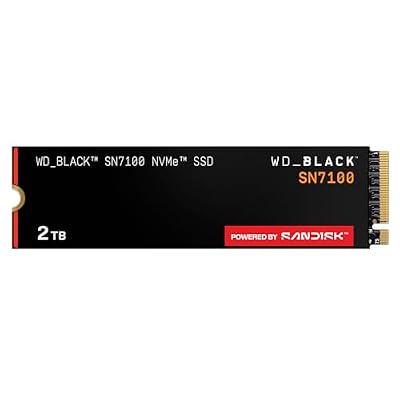
WD_Black SN7100 2TB NVMe SSD - Gen4 PCIe, M.2 2280, Up to 7,250 MB/s Read Speed, Up to 6,900 MB/s Write Speed, Next Gen TLC 3D NAND, for Laptops, Handheld Gaming Devices - WDS200T4X0E
Included for 'Best $2500 Gaming PC Build in 2026: Parts List, Real Costs and Expected FPS' as a representative home product in this roundup; selection reflects the product set returned for this topic.
View on AmazonOne terabyte disappears quickly with modern AAA games, and a 2TB drive is the most noticeable quality-of-life upgrade for this build. The WD_Black SN7100 is a PCIe Gen4 NVMe drive rated for up to 7,250MB/s reads and up to 6,900MB/s writes, which keeps it in the same class as the 990 PRO for game loading. You can use it in two ways: as the primary drive in place of the 990 PRO 1TB for roughly similar money, or as a second drive in one of the B650 Tomahawk’s free M.2 slots for a 3TB total.
The drive has no heatsink of its own, so mount it under one of the motherboard’s M.2 heatsink covers. For a gaming library, the difference between Gen4 and Gen5 storage is negligible today, so there is no need to pay for a Gen5 drive on this platform.
Pros
- 2TB of fast Gen4 storage
- Read and write speeds in the same class as the 990 PRO
- Works as a primary drive or a second drive
Cons
- No integrated heatsink
- Less sustained-write headroom than the 990 PRO for heavy content work
Prefer a Prebuilt? The Same Formula, Assembled
With DDR5 and SSD prices still elevated in 2026, a prebuilt sometimes lands close to the cost of buying every part separately, and it comes with one warranty for the whole system. If you like this build’s recipe but don’t want to assemble it, look for the same core pairing: a Ryzen 7 9800X3D, a 16GB graphics card, 32GB of DDR5 and at least 1TB of NVMe storage.
STORMCRAFT Skyhawk PRO (Ryzen 7 9800X3D, RX 9070 XT) — Best Prebuilt Alternative

STORMCRAFT Gaming Skyhawk PRO Desktop PC 9800X3D 9070 XT 32GB DDR5 2TB SSD | AMD Ryzen 7 5.2GHz,Radeon RX 9070XT 16GB, RGB 6000MHz,360mm AIO,B850 Chipset,850W Gold PSU,Win11 Home AI-Enhanced for Gamers
Included for 'Best $2500 Gaming PC Build in 2026: Parts List, Real Costs and Expected FPS' as a representative home product in this roundup; selection reflects the product set returned for this topic.
View on AmazonThis configuration lines up closely with the budget version of the build above: the same Ryzen 7 9800X3D, a Radeon RX 9070 XT, 32GB of DDR5 and a 2TB SSD, typically priced around the $2500 mark. That makes it a straightforward option for anyone who wants the 9800X3D’s gaming performance and 1440p high-refresh capability without the assembly, BIOS setup and driver installation steps.
The parts a listing tends to gloss over are exactly the ones that separate a good prebuilt from a cheap one, so check the power supply’s brand, wattage and efficiency rating, the motherboard chipset, the CPU cooler type and the warranty length before ordering. Compared with building it yourself, you give up some control over component quality and future upgrade choices in exchange for convenience and single-vendor support.
Pros
- 9800X3D and RX 9070 XT pairing near the $2500 target
- 2TB SSD included
- No assembly or setup required
Cons
- Less control over PSU, motherboard and cooler quality
- Warranty and support depend on a smaller builder
2500 PC Build 2026: Which Version Should You Choose?
The same budget supports four sensible routes plus a prebuilt. The table compares how each version sits against the budget. Prices move weekly, so treat it as a guide rather than a quote.
| Version | CPU | GPU | Cost vs. Budget | Best For |
|---|---|---|---|---|
| Stretch build (parts list above) | Ryzen 7 9800X3D | RTX 5070 Ti | Above budget | Ray tracing, DLSS 4 and NVENC streaming |
| Closest-to-budget build | Ryzen 7 9800X3D | RX 9070 XT | Near budget | Best frame rate per dollar at 1440p |
| Value build | Ryzen 7 7800X3D | RX 9070 XT | Slightly below the 9800X3D version | Staying nearest $2,500 with little speed lost |
| Intel build | Core Ultra 7 270K Plus | RX 9070 XT | Similar after the LGA1851 board change | Gaming plus video editing or compiling |
| Prebuilt (STORMCRAFT Skyhawk PRO) | Ryzen 7 9800X3D | RX 9070 XT | Around budget | No assembly and one warranty |
A simple way to choose: take the closest-to-budget build unless you rely on ray tracing, path tracing, DLSS 4 or NVIDIA’s encoder, in which case the RTX 5070 Ti is worth the extra cost. Drop to the Ryzen 7 7800X3D if you play mostly at 1440p or 4K, because the graphics card sets your frame rate there and the savings can fund a 2TB drive. Whichever route you take, buy memory and the graphics card when they are on sale, since those two lines move the total more than any other part.
Mistakes to Avoid on a $2,500 Gaming PC Build
- Buying a single memory stick. One 32GB module runs in single channel and costs frame rate; buy a matched 2x16GB kit.
- Mixing DDR4 into an AM5 build. AM5 is DDR5 only.
- Overspending on the motherboard. An X870E board adds nothing to gaming frame rates over a solid B650 or B850 board.
- Undersizing the power supply. Stay at 850W with ATX 3.1 for RX 9070 XT or RTX 5070 Ti cards, and avoid unbranded units.
- Ignoring GPU length. Triple-fan cards of 320mm or more can clash with front radiators in mid-towers.
- Forgetting the cooler and Windows. The Ryzen 7 9800X3D and 7800X3D ship without coolers, and a Windows license is a separate cost.
How We Chose These Parts
This build is research-based; we did not run our own benchmarks. We started from the parts most often recommended for this budget in current build guides, then checked every pick against manufacturer spec sheets for socket, memory support, power requirements, GPU length and cooler height. We weighted gaming performance per dollar most heavily, then platform longevity, noise and ease of building. Performance figures elsewhere in this guide are planning estimates informed by published reviews of these parts, not our own measurements. Price tiers reflect typical October 2026 street pricing and will change.
FAQ
Is 32GB of RAM enough for a $2500 gaming build?
Yes. Most current games stay under 16GB of system RAM during normal play, with typical peaks around 10 to 14GB. Thirty-two gigabytes provides comfortable headroom for a browser, Discord, and a recording application running simultaneously. If your workflow includes VMs or 4K video editing, 64GB becomes relevant, but for gaming alone 32GB is the correct allocation.
Do I need a liquid cooler for the 9800X3D?
No. The 9800X3D runs a 120W TDP and its thermal design is forgiving. A quality dual-tower air cooler like the Thermalright Peerless Assassin or a 240mm AIO will keep it well within safe temperatures under full load. The Torrent Compact’s airflow design makes an air cooler particularly effective in this case.
Is PCIe 4.0 on the motherboard a bottleneck for the RTX 5070 Ti?
Not in any measurable way. The 5070 Ti does not saturate PCIe 4.0 x16 bandwidth even in the worst-case scenario of a GPU-bound title with heavy texture streaming. Published PCIe scaling tests of comparable cards have generally shown only small differences between PCIe 4.0 and 5.0.
Can I use this build for streaming while gaming?
Absolutely. The 9800X3D has 16 threads, and NVENC on the RTX 5070 Ti handles OBS encoding with minimal impact on frame rates. You can stream at 1080p60 or 1440p30 with negligible performance cost. The 850W PSU and Torrent Compact’s airflow ensure sustained stability during long streams.
Does the Ryzen 7 9800X3D come with a cooler?
No. AMD sells the 9800X3D without a cooler, so add one to the budget.
Is the Ryzen 7 7800X3D still a good choice for this build?
Yes, if you find it at a meaningful discount. It uses the same AM5 board and DDR5 memory and remains an excellent gaming CPU. The 9800X3D is faster, especially in CPU-bound games, and supports full overclocking, so it is worth the extra money when the price gap is small.
Do I need Windows 11 Pro for a gaming PC?
No. Windows 11 Home includes DirectX 12 Ultimate, Auto HDR and every other gaming-relevant feature. Pro adds business tools such as full BitLocker management, Hyper-V and Remote Desktop hosting, which most gamers never use.
Why does my new AM5 build take so long to boot the first time?
DDR5 memory training. On the first start, and after BIOS updates or memory setting changes, the system tests memory timings before showing anything on screen, which can take a minute or longer. Let it finish without powering off; later boots are much quicker.
Can you still build a gaming PC for $2,500 in 2026?
Yes, but only just.
Can a $2,500 gaming PC run 4K?
Yes, with upscaling. An RTX 5070 Ti or RX 9070 XT build handles 4K at high settings in most games when DLSS 4 or FSR 4 is on, and esports titles run at high frame rates natively. For native 4K at ultra settings in every new release, plan on an RTX 5080-class card, which pushes the budget higher.
Sources and Methodology
FPS ranges in this article are rounded planning estimates for the GPU and CPU class, informed by launch and follow-up reviews of the RTX 5070 Ti, RX 9070 XT and Ryzen 7 9800X3D from outlets such as TechPowerUp, Tom’s Hardware, Gamers Nexus, Hardware Unboxed and TechSpot. They are not copied from any single review, and individual numbers vary by title, settings preset, driver version and ambient temperature. This site did not run its own benchmarks; spec and clearance figures come from manufacturer documentation.









