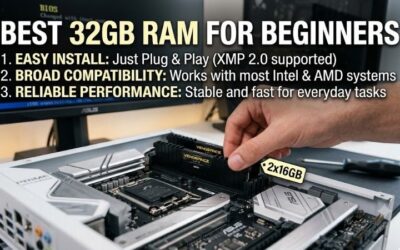
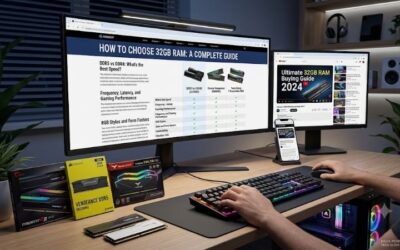
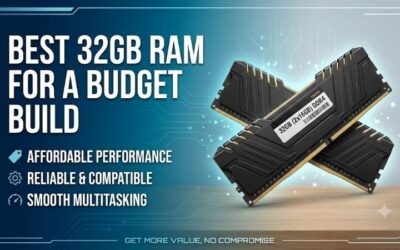
For most gamers and everyday builders, 16GB of DDR5 remains the practical baseline in 2026, delivering enough headroom for modern titles, browser-heavy multitasking, and light creative work without overspending. DDR5 has matured to the point where higher clock speeds and tighter timings are affordable, so a well-chosen 16GB kit now punches well above its price.
- Watch: Best 16gb DDR5 RAM 2026 — Video Review
- How to Choose the Right 16GB DDR5 Kit
- The Best 16GB DDR5 RAM Reviewed
- Best 16GB DDR5 RAM by Tier: Value, Sweet Spot and Low Latency
- Also Consider: More 16GB DDR5 Memory Options
- How We Chose These 16GB DDR5 RAM Kits
- 16GB DDR5 RAM Buying Guide: Thresholds That Matter
- 16GB vs 32GB DDR5 for Gaming: Which Should You Choose?
- Which 16GB DDR5 RAM Should You Buy? By Use Case
- DDR5 Basics: Speed, Timings, Voltage and Profiles Explained
- How to Install and Enable Your 16GB DDR5 Kit
- Common 16GB DDR5 RAM Mistakes to Avoid
- Best 16GB DDR5 RAM for AMD, Intel and Laptops
- Does RAM Speed Matter for Gaming? What to Expect
- 16GB DDR5 Compatibility Checklist
- RGB, Heat Spreaders and Warranty: Extra Checks for 16GB DDR5
- Bottom Line: The Best 16GB DDR5 RAM to Buy in 2026
- After Installation: Verify and Stabilize Your Kit
- Troubleshooting Decision Table: Symptom, Likely Cause, Fix
- Who Should Skip 16GB Entirely
- More Picks Worth Considering
- More Questions About 16GB DDR5 RAM
- Frequently Asked Questions
- Final Thoughts
- Related Articles
- Related Guides
The trick is knowing which 16GB kit suits your platform and goals. A dual-channel desktop kit unlocks the best gaming performance, RGB options add flair, and SODIMM modules keep laptops and small-form-factor builds fed. This roundup rounds up standout 16GB DDR5 options so you can dial in the right speed, latency, and form factor for your rig.
Updated October 2026 — kit specs below come from maker listings and spec sheets.
Quick answer: the best 16GB DDR5 RAM for most gaming PCs is a 2x8GB DDR5-6000 kit with EXPO or XMP support, such as the Patriot Viper Venom at CL36 or the Corsair Vengeance RGB RS. For the lowest latency in a single stick, the Lexar ARES Gen2 RGB at CL30 is the stronger spec.
Three kits to shortlist by exact name: the Corsair Vengeance RGB RS DDR5 16GB (2x8GB) for clean RGB at 6000MHz, the Patriot Viper Venom DDR5 16GB (2x8GB) 6000MT/s CL36 for value, and the Lexar ARES Gen2 RGB DDR5 16GB 6000MHz CL30 for the tightest timings on the list. Aim for 6000MT/s because it is the speed most AM5 and recent Intel boards run comfortably.
| Kit | Configuration | Speed and timing | First-word latency | Profile |
|---|---|---|---|---|
| Patriot Viper Venom 16GB | 2x8GB | 6000MT/s CL36 | 12.0 ns | XMP and EXPO |
| Lexar ARES Gen2 RGB 16GB | 16GB module | 6000MT/s CL30 | 10.0 ns | XMP 3.0 and EXPO |
| Patriot Viper Elite 5 16GB | 1x16GB | 6000MT/s CL30 | 10.0 ns | XMP and EXPO |
| G.Skill Trident Z5 RGB 16GB | 1x16GB | 6000MT/s CL36 | 12.0 ns | XMP 3.0 and EXPO |
| G.Skill Ripjaws S5 16GB | 1x16GB | 6000MT/s CL36 | 12.0 ns | XMP 3.0 and EXPO |
| Crucial Pro Overclocking Edition 16GB | 1x16GB | 6000MT/s CL36 | 12.0 ns | Overclocking profile |
| ADATA XPG Lancer Blade 16GB | 1x16GB | 6000MT/s CL30 | 10.0 ns | See maker sheet |
| Kingston Fury Beast 16GB | 2x8GB | 5600MT/s CL40 | 14.3 ns | Intel XMP 3.0 |
| Corsair Vengeance SODIMM 16GB (laptop) | 1x16GB | 5600MT/s CL48 | 17.1 ns | Intel XMP 3.0 |
First-word latency in nanoseconds is the CAS latency multiplied by 2000 and divided by the data rate. A lower number is better, and it explains why a CL30 kit at 6000MT/s can feel faster than a CL40 kit at 5600MT/s.
⚡ Save on Your Next PC — Amazon Prime
Prime members get fast free shipping on the systems above, plus early access to Prime Day & Black Friday PC deals. New members get a 30-day free trial.
Watch: Best 16gb DDR5 RAM 2026 — Video Review
How to Choose the Right 16GB DDR5 Kit
- Speed rating: Higher MHz helps gaming and productivity, but only up to your CPU and board’s sweet spot, so match the kit to what your platform can actually run.
- Single vs dual channel: A 2x8GB kit almost always outperforms a single 16GB stick in games thanks to dual-channel bandwidth.
- Latency (CL): Lower CAS latency at a given speed improves responsiveness, so weigh timings alongside raw frequency.
- Desktop vs laptop: UDIMM modules fit standard desktops while SODIMM modules are required for laptops and many mini PCs, so confirm the form factor first.
- XMP and EXPO support: Look for profiles that let you hit rated speeds with one click in BIOS rather than manual tuning.
The Best 16GB DDR5 RAM Reviewed
Corsair Vengeance RGB RS
The CORSAIR Vengeance RGB RS DDR5 16GB (2x8GB) kit reaches up to 6,000MHz and pairs strong performance with clean addressable RGB lighting. It is a great fit for AMD and Intel gaming builds that want both speed and a bit of show.
Patriot Viper Venom
The Patriot Viper Venom DDR5 16GB (2x8GB) runs at 6000MT/s with a tight CL36 latency, making it one of the sharper value picks for gamers. Its low-profile heatspreader also clears bulky air coolers without drama.
Corsair Vengeance 6000MHz
For a no-nonsense option, the CORSAIR Vengeance DDR5 16GB (2x8GB) at up to 6,000MHz skips the RGB and focuses on stable, high-speed performance. It is a dependable choice for builders who prefer a clean, understated look.
Corsair Vengeance 5200MHz
The CORSAIR Vengeance DDR5 16GB (2x8GB) at up to 5,200MHz is the budget-friendly entry point for first DDR5 builds. It offers solid everyday performance and broad compatibility for systems that do not need bleeding-edge frequencies.
Corsair Vengeance SODIMM
For laptops and compact systems, the CORSAIR Vengeance SODIMM DDR5 16GB (1x16GB) runs up to 5,600MHz with CL48 timings and Intel XMP 3.0 support. It is an easy upgrade for mini PCs and notebooks that accept user-replaceable memory.
Best 16GB DDR5 RAM by Tier: Value, Sweet Spot and Low Latency
The five kits already covered include a laptop module, a 5200MHz entry kit and a few 6000MHz options. These seven additions fill the gaps: single-stick upgrade paths, low-latency CL30 kits and a mainstream Kingston option. Performance notes are estimates based on speed and timing, not measurements.
Value tier: what to expect
- Expect DDR5-5600 or 6000 with CL36 to CL40 timings.
- Expect 2x8GB kits or single 16GB sticks with a basic heat spreader.
- Expect an XMP 3.0 and EXPO profile that runs at rated speed with one BIOS setting.
- Expect small gains from tighter timings, rarely more than a few percent in games.
Kingston Fury Beast 16GB (2x8GB) 5600 — Best mainstream Intel value kit
Specs: 16GB (2x8GB) · DDR5-5600 · CL40 · Intel XMP 3.0 · kit of 2 · model KF556C40BBK2-16
The Kingston Fury Beast 5600 kit is a plain, dependable choice for Intel builds that do not need the highest speed. Its dual-channel 2x8GB layout gives better bandwidth than a single stick, and CL40 at 5600 is close to the memory speed Intel’s recent platforms run natively.
- Pros: dual-channel kit with an XMP 3.0 profile
- Pros: well-known brand
- Cons: slower than 6000MT/s kits
- Cons: XMP profile only, so AMD users should check EXPO support first
Skip it if… you run a Ryzen 7000 or 9000 CPU; a 6000MT/s EXPO kit is a better fit.
Crucial Pro Overclocking Edition 16GB DDR5-6000 — Best for builders who want a mainstream brand
Specs: 16GB module · DDR5-6000 (PC5-48000) · CL36 · 1.35V · unbuffered 288-pin DIMM · overclocking edition
The Crucial Pro Overclocking Edition is a straightforward 6000MT/s stick from a well-known memory brand. It is a good fit if you want to start with 16GB and add a matching second stick later. CL36 at 6000 gives a 12 ns first-word latency, the same as many gaming kits.
- Pros: 6000MT/s CL36 at 1.35V
- Pros: easy path to 32GB with a matching stick
- Cons: a single stick runs in single channel until you add another
- Cons: basic styling with no RGB
Skip it if… you want dual-channel from day one; buy a 2x8GB kit.
G.Skill Ripjaws S5 16GB DDR5-6000 — Best low-key value stick
Specs: 16GB (1x16GB) · DDR5-6000 · CL36-36-36-96 · 1.35V · Intel XMP 3.0 and AMD EXPO
The G.Skill Ripjaws S5 is a no-frills 6000MT/s stick with profiles for both Intel and AMD platforms. The clean heat spreader fits under most air coolers. It is a good starting point for a single-stick build that you plan to expand.
- Pros: both XMP 3.0 and EXPO profiles
- Pros: no RGB, so it is easy to match with any case
- Cons: single stick means single channel
- Cons: CL36 is not the tightest timing
Skip it if… you want RGB lighting.
Sweet-spot tier: what to expect
- Expect DDR5-6000 at CL30 to CL36, the speed most Ryzen and recent Intel boards handle well.
- Expect profile support for both XMP 3.0 and EXPO on most kits.
- Expect a first-word latency near 10 to 12 ns.
- Expect to add a second matching stick later if you start with one.
G.Skill Trident Z5 RGB 16GB DDR5-6000 — Best for RGB and tuning headroom
Specs: 16GB (1x16GB) · DDR5-6000 · CL36-36-36-96 · 1.35V · Intel XMP 3.0 and AMD EXPO · RGB heat spreader
The G.Skill Trident Z5 RGB is a premium-looking stick with a tall RGB heat spreader. Its speed and timings match the plainer Ripjaws S5, so the extra cost is for the design. The tall spreader may clash with large air coolers, so check clearance.
- Pros: both XMP 3.0 and EXPO profiles
- Pros: RGB lighting and a premium finish
- Cons: taller than low-profile kits
- Cons: more cost for the same rated speed as Ripjaws
Skip it if… you use a large CPU air cooler with tight memory clearance.
Patriot Viper Elite 5 16GB DDR5-6000 CL30 — Best single stick for latency
Specs: 16GB (1x16GB) · DDR5-6000 · CL30 · 1.35V · Intel XMP and AMD EXPO support
The Patriot Viper Elite 5 combines 6000MT/s with CL30, a first-word latency of 10 ns. That is a notable timing for a single 16GB stick. If you plan to grow to 32GB later, buy the same model for the second stick to keep the memory profile matched.
- Pros: CL30 timing at 6000MT/s
- Pros: supports both XMP and EXPO
- Pros: an easy single-stick upgrade path
- Cons: single channel until you add a second stick
- Cons: costs more than CL36 kits
Skip it if… you are on a tight budget; a CL36 kit is close in practice.
Lexar ARES Gen2 RGB 16GB DDR5-6000 CL30 — Best RGB kit with low latency
Specs: 16GB · DDR5-6000 · CL30 · Intel XMP 3.0 and AMD EXPO · RGB lighting · desktop UDIMM
The Lexar ARES Gen2 RGB offers CL30 timings with RGB lighting in a desktop UDIMM. That combination used to be reserved for premium brands. It is a good fit for a showcase build where both appearance and timing matter.
- Pros: CL30 at 6000MT/s
- Pros: RGB lighting and dual-profile support
- Cons: Lexar is a newer name in desktop memory than Corsair or Kingston
- Cons: check compatibility with your board’s QVL list
Skip it if… you want a brand with the longest motherboard compatibility history.
ADATA XPG Lancer Blade 16GB DDR5-6000 CL30 — Best for matching ADATA builds
Specs: 16GB · DDR5-6000 · CL30 (AX5U6000C3016G-SLABBK) · black heat spreader · desktop UDIMM
The ADATA XPG Lancer Blade is a clean-looking CL30 stick at 6000MT/s. It suits builders who already use XPG cases, coolers or SSDs and want to keep the look consistent. The model number tells you the timing and speed, so you can verify it on the maker’s product page before buying.
- Pros: CL30 timing at 6000MT/s
- Pros: clean heat spreader that fits most coolers
- Cons: profile support (XMP or EXPO) varies by version, so verify on the maker sheet
- Cons: single stick means single channel
Skip it if… you need a guaranteed EXPO profile for a Ryzen board without checking the model.
Also Consider: More 16GB DDR5 Memory Options
Kingston Fury Renegade RGB 16GB DDR5-6400 CL32 — Best for Intel overclockers
16GB single module · DDR5-6400 · CL32 · Intel XMP 3.0 · infrared sync RGB. A 10 ns first-word latency at a higher speed than most kits. Trade-off: the faster speed needs a board that can hold it stable, and it is an Intel XMP profile only.
Crucial Pro 16GB DDR5-5600 — Best for stock-speed upgrades
16GB module · DDR5-5600 · desktop unbuffered DIMM (PC5-44800). A simple way to add memory to a stock system. Trade-off: slower than 6000MT/s kits, and no gaming-focused heat spreader.
Lexar 16GB DDR5-5600 SODIMM — Best laptop and mini PC upgrade
16GB SODIMM · DDR5-5600 · 262-pin laptop and all-in-one form factor. Check your device before buying, because many thin laptops have soldered memory. Trade-off: SODIMMs cannot be used in standard desktop slots.
How We Chose These 16GB DDR5 RAM Kits
This guide is research-based, not a benchmark lab. We read maker listings and spec sheets, then compared speed, CAS latency, voltage, profile support and configuration. Selection rules:
- DDR5 only, with the speed and CL shown on the listing.
- Profile support for Intel XMP 3.0, AMD EXPO or both.
- A clear form factor: desktop UDIMM or laptop SODIMM.
- Mainstream brands with a record of motherboard compatibility.
- Coverage from budget 5600MT/s kits to low-latency 6000MT/s CL30 kits.
Where a spec was not on the listing, we left it out rather than guess.
16GB DDR5 RAM Buying Guide: Thresholds That Matter
Pick a speed your CPU supports well
For Ryzen 7000 and 9000 systems on AM5, DDR5-6000 is the common sweet spot. For recent Intel Core Ultra and 14th-generation systems, DDR5-5600 to 6400 works well on most boards. Going above that needs board support and often manual tuning, and the gaming gain is small.
Use dual-channel whenever you can
Two sticks in the right slots double the memory channels in use, which raises bandwidth and often lifts game performance. A 2x8GB kit is a good 16GB option. If you buy one 16GB stick, you can add a second matching stick later and end up with 32GB in dual-channel.
Read the timings, not only the speed
CAS latency matters. Use first-word latency: CL times 2000, divided by the data rate. DDR5-6000 CL30 gives 10 ns, DDR5-6000 CL36 gives 12 ns and DDR5-5600 CL40 gives 14.3 ns. Lower is better, and the gap between CL30 and CL36 is a few percent in most games.
Match the profile to your platform
- AMD AM5: look for EXPO. Kits with XMP often work, but EXPO is the safer match.
- Intel: look for XMP 3.0.
- Dual-profile kits support both and are the easiest to resell or move between platforms.
Check physical clearance
RGB heat spreaders can be tall. If you use a large air cooler, measure the gap between the cooler and the first memory slot, or choose a low-profile kit.
Plan for 32GB if you stream or edit
16GB handles most gaming. If you stream, run many browser tabs or edit video, 32GB gives more headroom. Memory pricing has risen sharply in 2026, so compare options carefully before you buy, and pick a kit you can expand with a matching stick.
16GB vs 32GB DDR5 for Gaming: Which Should You Choose?
16GB is enough for the large majority of games in 2026. It is the right choice if your budget is tight, you only play games and you can upgrade later. Choose 32GB if you stream, edit video, keep many apps open, or want your PC to feel current in four to five years.
- Choose 16GB if: you play mainstream games, keep few apps open and want to spend more on the GPU.
- Choose 32GB if: you stream, mod games heavily, edit content or run virtual machines.
- Start with one 16GB stick if: you plan to add a second matching stick later.
Which 16GB DDR5 RAM Should You Buy? By Use Case
- Best overall for gaming: Patriot Viper Venom 2x8GB 6000 CL36 or Corsair Vengeance RGB RS.
- Best lowest latency: Patriot Viper Elite 5 or Lexar ARES Gen2 RGB, both CL30 at 6000MT/s.
- Best budget Intel build: Kingston Fury Beast 2x8GB 5600.
- Best upgrade path: a single 16GB G.Skill Ripjaws S5 or Crucial Pro stick, plus a matching second stick later.
- Best for RGB: G.Skill Trident Z5 RGB.
- Best for laptops: Lexar or Corsair SODIMM, after checking your laptop.
DDR5 Basics: Speed, Timings, Voltage and Profiles Explained
DDR5 memory specs look dense, but five numbers decide most of what you need to know about a 16GB kit.
- Data rate (MT/s): how many transfers per second the memory handles. DDR5-6000 means 6000 million transfers per second. Retail listings often write it as 6000MHz, which is the marketing shorthand.
- CAS latency (CL): how many clock cycles pass before the first data arrives. Lower is better when comparing kits at the same speed.
- First-word latency: a fair way to compare kits at different speeds. CL30 at 6000MT/s is 10 ns, while CL40 at 5600MT/s is about 14.3 ns.
- Voltage: most 6000MT/s kits run at 1.35V with a profile enabled. Base DDR5 runs at 1.1V.
- Profile: Intel XMP 3.0 and AMD EXPO store the rated speed and timings on the module. You must switch them on in the BIOS, or the memory runs at a slower default.
Without a profile, DDR5 usually falls back to a base speed such as 4800MT/s. That is the most common reason a new 6000MT/s kit appears to underperform.
How to Install and Enable Your 16GB DDR5 Kit
- Power down, unplug the PC and ground yourself on the case.
- Open the clips on the memory slots and align the notch on the module with the key in the slot.
- Press down firmly until both clips click.
- For a two-stick kit, use the slots your motherboard manual marks for dual-channel, usually the second and fourth slots from the CPU.
- Boot to the BIOS and enable EXPO or XMP.
- Check the speed in Windows (Task Manager, Performance, Memory) after saving.
If the PC fails to start after enabling a profile, clear the CMOS or update the BIOS. Newer firmware often fixes memory training problems on fast kits.
Common 16GB DDR5 RAM Mistakes to Avoid
Buying a laptop module for a desktop
SODIMM modules are shorter than desktop DIMMs and use a different slot. A SODIMM will not fit in a desktop motherboard. Check the form factor first.
Mixing different kits
Two sticks from different kits may not run at the same speed, even if they look similar. Buy a matching pair, or buy a second stick of the exact same model number.
Forgetting to enable the profile
If your memory shows 4800MT/s in Windows, you probably have not enabled XMP or EXPO. A BIOS setting fixes this in one minute.
Chasing speed beyond what the CPU handles
DDR5-7200 and above sound impressive, but many boards cannot run them stable, and games rarely gain more than a few percent. Spend the difference on a better GPU.
Ignoring clearance
Tall RGB heat spreaders can hit large air coolers. Measure first, or choose a low-profile kit.
Best 16GB DDR5 RAM for AMD, Intel and Laptops
Best 16GB DDR5 RAM for AMD Ryzen on AM5
Choose a DDR5-6000 kit with an EXPO profile. The Patriot Viper Venom, G.Skill Trident Z5 RGB, G.Skill Ripjaws S5, Patriot Viper Elite 5 and Lexar ARES Gen2 RGB all list EXPO support. Aim for CL30 to CL36. A 2x8GB kit gives dual-channel from the start, while a single 16GB stick leaves room to add a second one.
- Target: DDR5-6000 with EXPO.
- Avoid: kits above 6400MT/s unless your board supports them well.
- Check: the board’s BIOS version, since early AM5 BIOS releases had memory training issues.
Best 16GB DDR5 RAM for Intel Core Ultra and 14th-generation CPUs
Intel builds have more freedom. DDR5-5600 is a safe base, and DDR5-6000 to 6400 works on many Z-series and B-series boards. XMP 3.0 is the profile to look for. The Kingston Fury Beast 5600 suits a straightforward build, and the Kingston Fury Renegade RGB 6400 CL32 suits a tuned Z-series board.
- Target: DDR5-5600 to 6400 with XMP 3.0.
- Avoid: mixing kits from different brands.
- Check: the motherboard’s supported memory speeds.
Best 16GB DDR5 RAM for laptops and mini PCs
Laptops and many mini PCs use SODIMM modules. The Corsair Vengeance SODIMM (5600MT/s, CL48) and the Lexar 16GB SODIMM (5600MT/s) are the forms to look for. Check whether your device has user-replaceable memory slots, because many thin laptops have soldered RAM that cannot be upgraded.
- Target: the speed your laptop supports, usually 4800 or 5600MT/s.
- Avoid: desktop DIMMs, which will not fit.
- Check: the laptop maker’s memory support page before buying.
Does RAM Speed Matter for Gaming? What to Expect
Memory speed matters most in games that are limited by the CPU, such as competitive shooters, large strategy games and simulation titles. In GPU-limited games at high resolution, the difference between DDR5-5600 and DDR5-6000 is usually small. These are estimates based on how the hardware works, not measurements.
- 1080p at high frame rates: memory speed and timings can add a few percent, especially in CPU-heavy games.
- 1440p: the gap usually narrows to a small difference.
- 4K: the GPU is the limit, so memory speed rarely changes the result.
- Dual-channel vs single-channel: this is often the biggest memory-related gain, more than speed or timings.
A well-chosen 6000MT/s dual-channel kit gets you most of the benefit. Paying extra for 7200MT/s or higher rarely pays off.
16GB DDR5 Compatibility Checklist
- Confirm your motherboard uses DDR5, not DDR4.
- Check the maximum supported speed in the board’s manual.
- Check the profile type: EXPO for AMD, XMP 3.0 for Intel.
- Confirm the form factor: UDIMM for desktops, SODIMM for laptops.
- Measure cooler clearance if you buy RGB sticks with tall heat spreaders.
- Check the maximum memory your board supports, in case you plan to upgrade to 32GB or 64GB.
RGB, Heat Spreaders and Warranty: Extra Checks for 16GB DDR5
These details do not change speed, but they change how happy you are with the kit after a year.
- RGB software: RGB memory is controlled by the maker’s app or by motherboard software. Two apps fighting for control can cause flicker or crashes, so keep to one.
- Heat spreader height: low-profile sticks with plain heat spreaders fit under tall air coolers. RGB sticks with tall light bars may not.
- Heat: DDR5 modules have onboard power management that runs warm at 1.35V. A case with some airflow over the memory slots helps long-term stability.
- Warranty: many memory brands offer long or lifetime limited warranties. Confirm the terms on the maker’s page and keep your order record.
- Return window: test a new kit soon after buying with a memory test, so you can return it if errors appear.
If you see crashes or blue screens after enabling a profile, update the BIOS first, then lower the speed one step if the problem continues. Most stability problems on new DDR5 kits come from old firmware.
Bottom Line: The Best 16GB DDR5 RAM to Buy in 2026
For a new gaming PC, buy a dual-channel 2x8GB DDR5-6000 kit with a profile for your platform. The Patriot Viper Venom and Corsair Vengeance RGB RS are the safest picks from this guide. If you want the tightest timings, the Patriot Viper Elite 5, Lexar ARES Gen2 RGB and ADATA XPG Lancer Blade offer CL30 at 6000MT/s. If you plan to grow into 32GB, start with a single G.Skill Ripjaws S5, G.Skill Trident Z5 RGB or Crucial Pro stick and add a matching one later.
Whatever you choose, turn on EXPO or XMP in the BIOS, confirm the kit is desktop UDIMM and check the maker’s listing for the exact timing before you order. Those three steps matter more than any brand name.
- Best all-round: Patriot Viper Venom 16GB (2x8GB) 6000MT/s CL36.
- Best low-latency single stick: Patriot Viper Elite 5 16GB 6000MT/s CL30.
- Best budget Intel kit: Kingston Fury Beast 16GB (2x8GB) 5600MT/s CL40.
- Best for laptops: a 16GB SODIMM that matches your laptop’s supported speed.
After Installation: Verify and Stabilize Your Kit
Installing the modules and enabling a profile is only half the job. The other half is proving the kit actually runs at its rated speed, and keeps running there. Start by confirming the applied settings: open the BIOS summary screen or a hardware monitoring utility and check that the frequency and primary timings match the profile you selected. Many boards silently fall back to the slow JEDEC baseline after a failed training attempt, so a kit can appear installed while running far below its rating.
Next, run a dedicated memory stability test. Several full passes will catch a bad module or a badly seated stick; for a machine you depend on daily, let the test run overnight before trusting it with important work. During the first week of normal use, pay attention to unexplained application crashes and hardware error events in the system log, because marginal memory often fails only under mixed real-world loads. If errors appear, re-seat both modules, swap their slots, and test one module at a time to isolate the problem. Keep the motherboard BIOS current as well, since memory training and compatibility improve noticeably with later releases. For everyday care, handle modules by their edges, and keep case airflow moving across the heat spreaders.
Troubleshooting Decision Table: Symptom, Likely Cause, Fix
When a new kit misbehaves, work through the symptom rather than swapping parts at random.
| Symptom | Likely cause | First fix to try |
|---|---|---|
| PC will not boot after enabling XMP or EXPO | The profile is too aggressive for the board or the CPU memory controller | Clear CMOS, update the BIOS, then re-enable the profile or step down one speed bin |
| Games crash while the desktop stays stable | Memory is marginally stable at the rated timings | Run a memory stability test, then loosen the primary timings by one step |
| Kit runs at 4800 MT/s no matter what you set | The profile was never enabled, or training failed silently | Enable XMP or EXPO in the BIOS and confirm the applied speed on the summary screen |
| Only one module is detected | Poor seating or a faulty slot | Re-seat both modules, swap slots, then test each module on its own |
| Blue screens began after adding a second kit | Two separately bought kits often use different chips and train poorly together | Run one matched kit, or buy a single kit of the capacity you actually need |
Most new-kit problems end at one of these five rows, and none of them requires returning the memory before the simple checks are done.
Who Should Skip 16GB Entirely
Some buyers should not be shopping in this category at all. Streamers who game and encode on the same machine, video editors working with long timelines, anyone running virtual machines, and players of heavily modded open-world games will all feel a 16GB ceiling quickly. The same applies to people who keep dozens of browser tabs open beside a game, and to anyone planning to keep a PC for many years, since software appetites only grow. For these users, capacity headroom is worth more than a small latency advantage, and a 32GB kit at a moderate speed is the safer purchase. Builders using a compact board with only two memory slots should think twice as well: filling both slots with 8GB modules today closes off the easy upgrade path tomorrow.
More Picks Worth Considering
Kingston FURY Beast RGB 16GB (1x16GB) DDR5-6000 CL30

This single 16GB module runs at 6000 MT/s with CL30 timings and carries both Intel XMP 3.0 and AMD EXPO profiles, so it suits either platform. Kingston’s Infrared Sync technology keeps its RGB lighting in step with other FURY RGB components, and the low-profile heat spreader clears most tower coolers. It fits builders using a two-slot board who want one strong module now and a matched second module later, and anyone building a compact system where a single stick simplifies cable and airflow planning. It does not fit buyers who want full dual-channel bandwidth on day one: a lone module runs a single channel until its partner arrives, so shoppers with a fixed final budget should choose a matched pair instead.
Kingston FURY Beast RGB 16GB (2x8GB) DDR5-5200 CL40

This matched pair of 8GB modules runs at 5200 MT/s with CL40 timings under an Intel XMP 3.0 profile, with synchronized RGB lighting across both sticks. The gentler profile is the point: it trains easily on a wide range of boards, including systems still on early BIOS releases, and asks little of the memory controller. It fits stability-first Intel builds, family and office machines that also handle gaming, and upgraders who value a kit that simply works at its rating the first time. It does not fit performance-focused AMD builds, where the faster 6000 MT/s class is the established sweet spot, or competitive players chasing the lowest possible latency in CPU-limited titles.
More Questions About 16GB DDR5 RAM
What is the best 16GB DDR5 RAM for gaming?
The best 16GB DDR5 RAM for gaming is a dual-channel 2x8GB DDR5-6000 kit with CL36 or lower timings. The Patriot Viper Venom and Corsair Vengeance RGB RS are strong examples.
Is DDR5-6000 CL30 worth it over CL36?
Usually only a little. CL30 cuts first-word latency from 12 ns to 10 ns, which can add a few percent in some games. Buy it if the price gap is small; otherwise CL36 is fine.
Is one 16GB stick or two 8GB sticks better?
Two 8GB sticks are better for gaming because they run in dual channel. A single 16GB stick is a better upgrade path because you can add a second matching stick later and reach 32GB.
Do I need EXPO or XMP for my RAM?
Yes, if you want the rated speed. Without a profile, DDR5 often defaults to a lower speed. Use EXPO on AMD boards and XMP on Intel boards where possible.
Will 16GB DDR5 RAM work with my motherboard?
It will if the board has DDR5 slots. DDR5 is not compatible with DDR4 boards. Check the memory support list on the maker’s site if you want to be certain about a specific kit.
Can I add a second 16GB stick later?
Yes. Add a matching stick of the same model for the best results. Mixing different speeds may force both sticks to run at the lower speed.
Is DDR5-5600 good enough in 2026?
For most games, yes. DDR5-5600 works well on recent Intel platforms and with Ryzen 9000 CPUs. DDR5-6000 is a better target for AM5 builds.
Frequently Asked Questions
Is 16GB of DDR5 still enough for gaming in 2026?
Yes, 16GB comfortably handles the vast majority of games at high settings. Only heavy multitasking, streaming while playing, or serious content creation start to benefit meaningfully from 32GB.
Should I buy one 16GB stick or a 2x8GB kit?
A 2x8GB kit like the Viper Venom is better for desktops because dual-channel mode roughly doubles memory bandwidth and improves gaming performance over a single module.
Does DDR5 speed really matter for gaming?
Aim for the well-supported sweet spot rather than the highest number.
Will these desktop kits work in my laptop?
No, laptops need SODIMM modules like the Corsair Vengeance SODIMM. Standard UDIMM kits are physically incompatible with notebook memory slots.
Final Thoughts
A quality 16GB DDR5 kit is one of the best value upgrades you can make in 2026. Gamers should target a 6,000MHz dual-channel kit like the Corsair Vengeance RGB RS or Patriot Viper Venom, while budget builds do fine on a 5,200MHz set. Laptop and mini-PC owners should not overlook the Corsair Vengeance SODIMM, which brings the same DDR5 benefits to compact machines.