Best 32gb ram for a budget build is not simply the cheapest two sticks. A modern DDR5 system benefits from a matched 2×16GB kit, but speed, latency, platform profiles, and cooler clearance determine whether that capacity actually fits the build. The picks below balance those trade-offs without relying on inflated claims.
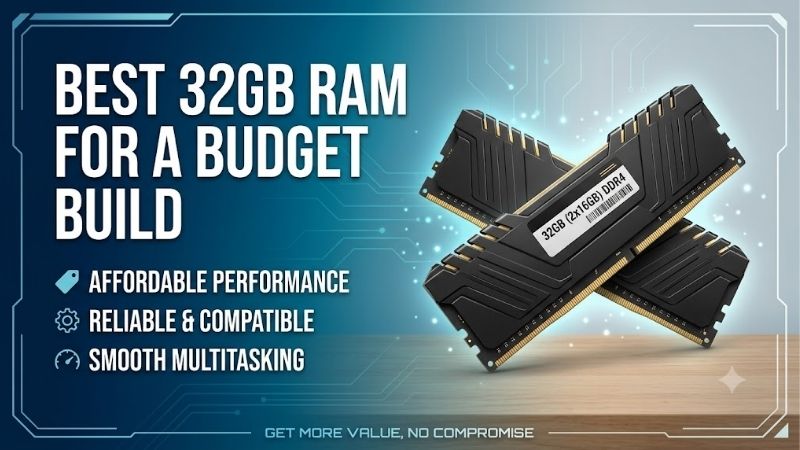
Quick answer: For most people in 2026, the best 32gb ram for a budget build is the TEAMGROUP T-CREATE EXPERT 32GB (CTCED532G6000HC30DC01) — our #1 rated choice. See the full ranked comparison, alternatives and buying advice below.
How to Choose 32GB RAM
A budget PC can lose its savings when memory is mismatched to the motherboard, uses a lower-performance fallback profile, or collides with a large tower-cooler. This guide narrows the field to four real 32GB DDR5 kits, then explains which differences matter before you spend or configure the BIOS. That is the real budget.
Latency And Timings
Latency is the most useful way to separate similar DDR5 kits. CAS latency describes how many memory cycles pass before a response initiates, so lower CL at the same data rate is generally preferable for latency-sensitive work. At 6000 MT/s, CL30, CL32, and CL36 create highly meaningful distinctions across these four configurations.
Use latency as a tiebreaker when kits cost comparably or gaming/CPU-heavy workload matters most. Aggressive timings can raise the memory profile’s voltage, so the lowest CL is not automatically the whole answer. For a latency-focused build, TeamGroup T-CREATE EXPERT and Kingston FURY Beast are the best-aligned options.
Profile Support
Profile support determines whether the advertised speed is easy to select on your platform. XMP is Intel’s memory profile technology, while EXPO targets AMD Ryzen systems; a kit can include one or both. The distinction matters more than brand when building around a specific motherboard-certified CPU/motherboard from the start.
Choose dual-profile memory when you want AMD/Intel flexibility or expect a future cross-platform change. An Intel-only kit is still useful when the platform is fixed and the physical design is better suited to the chassis. TeamGroup, Corsair, and Kingston cover both profiles, while G.Skill Ripjaws S5 targets Intel XMP.
Module Height
Module height is a real fit specification, with large tower-style coolers. The heatspreader sits beside the CPU socket, so extra millimeters can affect a front fan’s position or make a compact case harder to assemble. The goal is not the shortest module at any cost, but enough clearance for the cooler and memory slots.
This criterion matters most in mATX or ITX cases or oversized-air-cooler builds. Shorter kits generally make installation easier, while standard-height modules can be perfectly fine in roomy cases. G.Skill Ripjaws S5 is 33mm and TeamGroup is 32mm, giving those picks a clear clearance advantage in tight builds.
Rated Voltage
Rated voltage shows how much power the tested performance profile expects, not the basic JEDEC voltage used by default. Lower profile voltage can be appealing for a restrained build, while tighter timings may require more voltage. The difference is modest in most PCs, but it helps compare close alternatives for the same capacity.
Apply this filter when thermals, tuning, or power limits shape the build. A 1.35V profile is the lower-voltage target among these choices, while Kingston’s CL30 kit is specified at 1.4V for its rated setting. TeamGroup, Corsair, and G.Skill are the lower-voltage alternatives, while Kingston prioritizes aggressive timing.
Top Picks
These four kits all deliver 32GB through two matched 16GB sticks, but they serve different needs. The comparison centers on rated speed, latency, platform profiles, and physical clearance rather than flashy extras. That keeps the focus on the parts most likely to affect a budget PC after setup and during daily use.
| Product | Best For | Key Spec | Watch Out For |
|---|---|---|---|
| TEAMGROUP T-CREATE EXPERT 32GB (CTCED532G6000HC30DC01) | Best Overall | DDR5-6000, CL30, 1.35V, XMP 3.0/EXPO | Rated speed depends on platform and BIOS settings |
| Corsair Vengeance 32GB DDR5-6000 CL36 | Best Value | 2×16GB, 6000 MT/s, CL36, 1.35V, XMP/EXPO | Looser timing than the CL30 picks |
| G.Skill Ripjaws S5 32GB DDR5-6000 CL32 | Best For Compact Intel Builds | 2×16GB, 6000 MT/s, CL32, 1.35V, XMP 3.0, 33mm | Exact listed kit is Intel XMP focused |
| Kingston FURY Beast 32GB (KF560C30BBEK2-32) | Best For AM5 Gaming | DDR5-6000, CL30, 30-36-36, 1.4V, EXPO/XMP | 34.9mm height and 1.4V profile |
TEAMGROUP T-CREATE EXPERT 32GB — Best Overall
TEAMGROUP’s T-CREATE EXPERT 32GB kit uses DDR5-6000 at CL30 and 1.35V, with Intel XMP 3.0 and AMD EXPO support. Its 32mm height also keeps it compact under large air coolers. For buyers comparing the best 32gb ram for a budget build, that mix is unusually well balanced. Its black heatspreader stays understated.
The trade-off is that its 6000 MT/s setting depends on supported BIOS, CPU, and motherboard behavior, as TEAMGROUP notes. The kit has a lifetime warranty and no RGB hardware, but the practical drawback is configuration rather than decoration: you still need a compatible platform and profile to reach the rated setting. Check that support first.
Corsair Vengeance 32GB — Best Value
Corsair Vengeance 32GB uses two 16GB DDR5 sticks rated 6000 MT/s at CL36 and 1.35V. It supports both AMD EXPO and Intel XMP, and Corsair describes the module as compact for broad cooler fit. For the best 32gb ram for a budget build, it is the sensible value-oriented option. Its aluminum heatspreader keeps the design simple.
CL36 is the compromise here. Its 6000 MT/s timing is looser than the CL30 TeamGroup and Kingston kits, so a buyer chasing lower memory latency gives up some responsiveness theoretically. The benefit is a straightforward dual-profile design that works across common DDR5 desktop platforms. That is the core trade-off.
G.Skill Ripjaws S5 32GB — Best For Compact Intel Builds
G.Skill Ripjaws S5 is a 32GB 2×16GB DDR5 kit rated 6000 MT/s at CL32 and 1.35V. Its standout feature is the 33mm height, paired with a 33mm low-profile heatspreader. For the best 32gb ram for a budget build in a tight Intel chassis, that clearance can be more useful than decoration. The result is a clean, well-aligned fit.
The specific Ripjaws S5 configuration listed by G.Skill uses Intel XMP 3.0, so it is not the dual-profile choice in this group. That makes platform planning important: Intel builders get a clear fit, while an AMD buyer should verify the exact kit rather than assuming every Ripjaws S5 SKU supports EXPO. The part number matters.
Kingston FURY Beast 32GB — Best For AM5 Gaming
Kingston FURY Beast KF560C30BBEK2-32 is a 32GB 2×16GB kit rated at DDR5-6000 CL30, with 30-36-36 timings at 1.4V. It supports AMD EXPO and Intel XMP, making it strong for builders who want tight timing without a single-platform lock. That makes it another best 32gb ram for a budget build candidate. Its profile is flexible.
The downside is physical/electrical clearance. Kingston lists the heatspreader height at 34.9mm and the rated profile at 1.4V, both more demanding than the lower-voltage, shorter alternatives here. In a roomy ATX case, that may be irrelevant; under a large tower cooler, measure before ordering. Clearance should come first.
Frequently Asked Questions
The questions below focus on the practical platform decisions after capacity is settled: how much memory a gaming build needs, whether 6000 MT/s is sensible, when XMP or EXPO matters, and whether taller memory modules can complicate cooler installation. That context makes the best 32gb ram for a budget build easier to match.
Is 32GB enough for a budget gaming PC?
Yes, 32GB is a practical baseline for most budget gaming PCs as a 2×16GB dual-channel kit. It gives current mainstream games and everyday multitasking more room than 16GB, while leaving two DIMM slots open on many four-slot boards. The important check is platform support, not just capacity or branding. That is the baseline.
Exceptions include very heavy content creation, large virtual machines, or workflows routinely exceeding 32GB; those buyers may benefit from 48GB or 64GB instead. For a typical gaming build, spending the difference on a stronger CPU or GPU can also be more visible than moving beyond 32GB, depending on the workload.
Should I buy DDR5-6000 for a budget build?
DDR5-6000 is a sensible target for a budget-oriented DDR5 platform because it offers more raw bandwidth than the JEDEC DDR5-4800 baseline used by these kits before an OC profile is enabled. The best 32gb ram for a budget build therefore often sits at 6000 MT/s, provided your platform supports it.
Do not treat 6000 MT/s as a universal guarantee. Memory speed depends on the processor-controller/motherboard/BIOS and selected profile, and a configuration may fall back to a lower supported rate. That is why checking the motherboard’s memory support and QVLs is more valuable than buying by the printed package number.
Do I need XMP or EXPO for 6000 MT/s?
XMP and EXPO are BIOS configuration profiles that load validated speed, timings, and voltage on compatible platforms. Without the profile, a DDR5 kit can stay at JEDEC default instead of its advertised performance setting. The best 32gb ram for a budget build is therefore only as effective as profile supportability.
Enabling the profile is normally a BIOS setting rather than a hardware modification, but stability still depends on the motherboard and CPU. TEAMGROUP explicitly notes that 6000 MT/s may not be reached on every system. If a system becomes unstable, use the motherboard default instead of forcing a frequency it cannot sustain.
Does RAM height matter with a large CPU cooler?
Certainly, height can matter when an oversized tower air cooler sits above the DIMM slots. A taller module may restrict fan placement or make the fit unnecessarily restrictive, while a 32–33mm kit provides more clearance. Check the cooler’s specified DIMM clearance and compare it with the memory height before installation.
This is mainly a physical-clearance issue, not a sign that taller RAM is inherently faster or slower. Kingston’s listed 34.9mm height is reasonable in standard cases, while TeamGroup’s 32mm and G.Skill’s 33mm modules offer more clearance. In compact builds, those millimeters can simplify installation.
Final Thoughts
For a budget DDR5 PC, 32GB in a matched 2×16GB kit is a sensible purchase, but verified profile and compatibility still matter. TEAMGROUP, Corsair, G.Skill, and Kingston cover distinct needs, so choose by latency, platform compatibility, height, and voltage, not capacity alone when comparing the best 32gb ram for a budget build.
Ready to decide? Our #1 pick for 2026 is the TEAMGROUP T-CREATE EXPERT 32GB (CTCED532G6000HC30DC01).
Live price & availability on Amazon.