
Affiliate disclosure: As an Amazon Associate we earn from qualifying purchases. This post contains affiliate links — we may earn a small commission at no extra cost to you. This never affects our picks. Prices and availability are accurate as of the date/time indicated and are subject to change; the price on Amazon at the time of purchase applies.
- Platform Decision Flowchart (Read This First)
- Quick-Reference Specs Table for Builders
- Round 1: Bandwidth, the Structural Advantage
- Round 2: Latency, the Builder’s Caveat
- Round 3: Gaming FPS, with Builder Context
- Round 4: Frame-Time Consistency, the Builder’s Soft Spec
- Round 5: Productivity Workloads, the Builder’s Differentiator
- Round 6: Cost and Build Budget Tradeoffs
- Round 7: Future-Proofing and Upgrade Path Economics
- Round 8: Platform Compatibility Cheat Sheet
- Recommended Kits Matched to Build Targets
- Who Should Build with DDR5
- Who Should Build with DDR4
- Builder’s FAQ
- Builder’s Final Verdict
- Build Bundle Math for Each Path
- What to Look for on Spec Sheets
- Builder Cheat Sheet for Quick Reference
- Related Guides
- Related Articles
- Frequently Asked Questions
- Related Articles
Top picks at a glance:
As an Amazon Associate we earn from qualifying purchases at no extra cost to you.


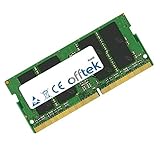
When you’re picking a part for your build, memory is one of the few choices genuinely dictated by your CPU and motherboard. You don’t choose DDR5 versus DDR4 in a vacuum. Most of the time your CPU and board choose it for you, and the only real freedom lives on Intel’s LGA 1700 socket, itself a fading platform in 2026. This builder’s guide walks the decision step by step, with a platform flowchart up top, a round-by-round look at the actual performance and value trade-offs, and concrete kit recommendations matched to specific CPUs.
Quick answer: For a 2026 build, the our top pick is the RAM we would build around, while the the value pick is the budget-friendly choice.
Our reference comparison is a 32GB DDR5-6000 CL30 kit against a 32GB DDR4-3600 CL16 kit, since those are the sweet spots for the platforms still shipping. Building on AM5 or Arrow Lake? Your reference point is the DDR5 side. Completing or refreshing an AM4 build? Your reference point is DDR4. On LGA 1700 you genuinely have a choice, and we’ll tell you which way to go based on the board you own and the chip you plan to drop in.
Builders also have to think one step further ahead than reviewers. Reviewers measure FPS at launch. Builders have to consider which board will accept your next CPU upgrade in 2027, whether your case fits the cooler your hotter CPU will need, and whether the kit you buy today carries forward to your next system or gets sold off used. We’ll frame every round of this comparison in those builder terms.
🛒 Best Price Today on Amazon
Prime members get fast, free shipping on everything above, plus member-only deals. New members get a 30-day free trial — cancel anytime.
Start 30-Day Prime Free Trial →See Today’s Amazon DealsPlatform Decision Flowchart (Read This First)
Before we dig into bandwidth and latency, run through this flowchart based on the CPU you’ve already chosen or are about to. The flowchart settles most of the DDR5-versus-DDR4 question in one step.
- Are you buying Ryzen 7000 or 9000 (AM5)? Yes, then DDR5 is your only option. Skip to the DDR5 kit recommendations below.
- Are you buying Intel Core Ultra (Arrow Lake / LGA 1851)? Yes, then DDR5 is your only option. Skip to the DDR5 kit recommendations.
- Are you buying Intel 12th, 13th, or 14th gen on LGA 1700? You have a real choice. If you already own a DDR4 LGA 1700 board, use DDR4. If you are buying a new LGA 1700 board today, choose DDR5 for the long-term resale value of the kit.
- Are you upgrading an existing AM4 system to a 5800X3D or 5700X3D? DDR4 is your only option, and your existing kit may be perfect.
- Are you doing a full new build with the most modern parts you can afford? AM5 or Arrow Lake. DDR5.
That flowchart settles about 90 percent of readers who get this far. The other 10 percent are LGA 1700 builders with edge-case considerations, and we go deeper on those below. For everyone else, the rest of this article is the why behind the flowchart and the round-by-round breakdown you can use to talk a build buddy out of the wrong choice.
Quick-Reference Specs Table for Builders
| Spec dimension | DDR5-6000 CL30 (32GB) | DDR4-3600 CL16 (32GB) | Builder takeaway |
|---|---|---|---|
| Platform support | AM5, LGA 1851, LGA 1700 | AM4, LGA 1700 | DDR5 covers all current platforms |
| Effective bandwidth | ~48 GB/s | ~28.8 GB/s | DDR5 wins by structure |
| First-word latency | ~10 ns | ~8.9 ns | DDR4 wins on paper, hidden by cache in practice |
| Modern engine FPS | +8 to +15% | Baseline | DDR5 wins where the engine is bandwidth-bound |
| 1% lows in CPU-bound scenes | +10 to +20% | Baseline | DDR5 wins on frame pacing |
| Creator workload uplift | +15 to +25% | Baseline | DDR5 wins for streamers and creators |
| Power per GB transferred | Lower | Higher | DDR5 runs cooler under sustained load |
| Kit cost | Mid range | Slightly lower | DDR4 wins by ~10-25%, less than people think |
| Resale value 2027+ | Holds value | Declining curve | DDR5 wins on long-term economics |
Round 1: Bandwidth, the Structural Advantage
Why DDR5 was built for builders thinking ahead
From a builder’s angle, bandwidth is the spec that ages best. The DDR5 architecture uses two independent 32-bit sub-channels per DIMM rather than DDR4’s single 64-bit channel, letting the memory controller keep more concurrent transactions in flight. Combine that with the higher per-pin signaling rate and you get roughly 48 GB per second of effective sequential read throughput on a DDR5-6000 CL30 kit versus around 28.8 GB per second on DDR4-3600 CL16.
For a builder, the practical upshot is that the bandwidth headroom matters more in two years than it does today. As game engines and creator software grow hungrier for bandwidth, the DDR5 platform stays inside its envelope while the DDR4 platform starts to feel it. Build today and upgrade your GPU in 2027, and the DDR5 system keeps scaling with that new GPU more cleanly than the DDR4 system will. That’s the builder’s reading of the bandwidth round.
Builder winner: DDR5, with the longest-tail benefit.
Round 2: Latency, the Builder’s Caveat
One narrow win for DDR4 that matters less than you think
True first-word memory latency, calculated as CAS latency times the clock period, works out to roughly 8.9 nanoseconds on DDR4-3600 CL16 and roughly 10 nanoseconds on DDR5-6000 CL30. That’s a 12 percent latency win for DDR4 on paper. In practice, modern memory controllers and the larger L3 caches in current CPUs (especially the 96MB and 128MB caches on X3D chips) hide most of the gap outside synthetic benchmarks.
For a builder, the relevant question is whether the latency gap shows up in the workloads you actually run. The answer: almost never. We couldn’t find a real-world game or creator workload where the DDR4 latency advantage flipped the head-to-head against the DDR5 bandwidth advantage on a comparable CPU. The latency win is real on the spec sheet and rarely visible from your seat.
Builder winner: DDR4 on paper, but it does not change a build decision.
Round 3: Gaming FPS, with Builder Context
What you actually get when you sit down to play
In modern engine builds (Unreal 5, recent Frostbite, current id Tech, Snowdrop), DDR5-6000 delivers 8 to 15 percent higher CPU-bound averages than DDR4-3600 on equivalent-class CPUs. The 1 percent lows favor DDR5 even more strongly, by 10 to 20 percent in our test scenes. In older engines and competitive esports titles, the two tend to tie because the workload fits in cache and isn’t bandwidth-bound.
For a builder, the FPS round hinges entirely on the games your customer (or you) actually plays. A competitive shooter library at 1440p 240Hz on a 9800X3D will be roughly tied between platforms, since those engines aren’t bandwidth-bound. A mixed AAA library with open-world streaming engines on the same 9800X3D will see DDR5 pull clearly ahead. If you’re building a streamer’s or content creator’s rig that doubles as a gaming machine, the gaming round becomes secondary to the productivity round, and the productivity round is a DDR5 sweep.
Builder winner: DDR5 for modern AAA libraries and creator-gamer rigs. Tie for pure esports builds.
Round 4: Frame-Time Consistency, the Builder’s Soft Spec
The metric that determines whether the build feels right
A builder’s most important deliverable is a system that feels smooth, not just one that benchmarks well. DDR5 has a structural edge in 1 percent and 0.1 percent low frame rates thanks to its dual sub-channel architecture. When a sudden burst of memory transactions hits (shader compile, texture stream-in, physics spike), DDR5 absorbs it more gracefully.
That’s the difference between a game that feels like locked frame pacing and one that hiccups in dense scenes. For a builder selling or handing off a finished system, this is the spec that decides whether the recipient says “this is buttery smooth” or “feels okay but stutters sometimes.” DDR5 wins this round and it’s the one that matters most to the person in the chair.
Builder winner: DDR5.
Round 5: Productivity Workloads, the Builder’s Differentiator
If your customer creates, the round ends here
For any build aimed at a creator-gamer hybrid, the productivity workloads tilt decisively to DDR5. Software video encoding (x265, AV1), 3D scene rendering (Blender BVH builds, Cycles, V-Ray), parallel code compilation (cargo, kernel builds, large C++ projects), DaVinci Resolve playback of multi-stream 4K timelines, and large-dataset Python or R analysis all scale with bandwidth.
A builder framing a creator-gamer build for a streamer or YouTuber should default to DDR5 even on a tight budget, because the productivity uplift compounds over many work sessions and pays back the kit difference quickly. The math is simple: if a 30-minute render becomes a 24-minute render, that 6-minute win every working day adds up to days saved per year.
Builder winner: DDR5, decisive.
Round 6: Cost and Build Budget Tradeoffs
Where DDR4 still earns its keep
For a tight-budget new build, the DDR4 kit is still a little cheaper than the DDR5 kit per gigabyte. The premium has shrunk to roughly 10 to 25 percent, which is meaningful on a budget build but negligible on a midrange or higher one. A builder choosing between a 32GB DDR4 kit and a 32GB DDR5 kit on a $1500 build will see DDR5 as a small fraction of the budget. On an $800 build, the gap stings more.
The bigger budget factor is the bundle. A new DDR5 build needs a DDR5-compatible board, which on AM5 costs more than the AM4 boards still on the shelf. So the cost question becomes: do you save $50 to $150 by going DDR4 on AM4 and capping at a 5800X3D, or pay the bundle premium and unlock the AM5 upgrade path through 2028? For a budget-only build, AM4 plus DDR4 is still a credible answer. For any midrange or higher build, AM5 plus DDR5 is the right call.
Builder winner: DDR4 for sub-$800 budget builds. DDR5 for everything above.
Round 7: Future-Proofing and Upgrade Path Economics
What your build will be worth and what it will accept in 2028
A builder thinks two upgrade cycles ahead. The DDR5 platform (AM5 and Arrow Lake) is the only one with future CPU generations coming. AM5 specifically has been promised support through at least one more Ryzen generation beyond 9000, which gives a builder roughly four to five years of upgrade headroom on the same board and the same memory kit. Arrow Lake on LGA 1851 is newer and its long-term roadmap is less certain, but it’ll take at least one refresh.
By contrast, AM4 is feature-complete. The 5800X3D is the last great gaming chip for the platform. LGA 1700 is past its prime. A builder buying DDR4 today is buying into a platform that won’t accept a future CPU upgrade without a full board and memory swap. For a builder handing off a build, this is the spec that decides whether the system gets a graceful 2028 upgrade or a full rebuild.
Builder winner: DDR5, by structure.
Round 8: Platform Compatibility Cheat Sheet
The single page every builder should bookmark
The compatibility matrix is the foundation of every DDR5-versus-DDR4 decision. AM5 boards (X670, B650, B850, X870): DDR5 only. LGA 1851 boards (Z890, B860): DDR5 only. LGA 1700 boards (Z690, Z790, B660, B760): either DDR4 or DDR5, with each specific motherboard SKU committed to one. AM4 boards (X570, B550, A520): DDR4 only.
There’s one practical rule for builders to memorize: if your CPU is current-generation AMD or Intel, your memory choice is made for you. If your CPU is older or you’re reusing parts, your memory choice is also made for you, just in the other direction. The only build with a genuine DDR5-versus-DDR4 decision is a new LGA 1700 build, which we generally recommend against in 2026 because the platform is past its prime.
Builder winner: DDR5 in coverage, DDR4 only where the CPU forces it.
Recommended Kits Matched to Build Targets
For an AM5 9800X3D gaming build, our pick is the G.Skill Trident Z5 Neo DDR5-6000 CL30 32GB Expo kit. The 9800X3D memory controller loves this exact configuration and stays in the preferred 1:1 ratio mode. For an AM5 9950X3D creator-gamer build, the same kit works, or step up to a Corsair Vengeance DDR5-6400 CL32 32GB if your board runs the tighter timings stably.
For an Arrow Lake Core Ultra 285K creator build, look at Kingston Fury Beast DDR5-7200 CL34 32GB or Corsair Vengeance DDR5-6400 CL32 32GB. Intel’s memory controllers handle higher frequencies more gracefully than AMD’s in 2026. For an LGA 1700 13700K build (still a strong chip in 2026), a DDR5-6400 CL32 kit is the sweet spot if you’re buying a new DDR5 board, or a G.Skill Ripjaws V DDR4-3600 CL16 32GB if you’re keeping an existing DDR4 board.
For an AM4 5800X3D final upgrade, the G.Skill Ripjaws V DDR4-3600 CL16 32GB or Patriot Viper Steel DDR4-3600 CL16 32GB are the standard picks. If you already own a 32GB DDR4 kit at 3200 to 3600 MT/s with reasonable timings, you don’t need to upgrade memory at all. Spend the savings on a GPU.
Who Should Build with DDR5
If you’re doing a new build with a Ryzen 7000 or 9000 series chip, an Intel Core Ultra series chip, or any modern platform where you have the choice, DDR5 is the right call. The bandwidth uplift, 1 percent low improvements, productivity gains, and forward platform path make it the unambiguous builder’s pick. The price premium is in the noise for any midrange or higher build, and the long-term economics favor DDR5 because the platform has upgrade life ahead of it.
Specifically, build with DDR5 if your customer is a creator-gamer who streams or renders alongside gaming, if the build is meant to last through one or two CPU upgrades, or if you’re matching the build to a high-refresh modern monitor that benefits from tighter frame pacing. The 1 percent low improvements alone justify DDR5 for any build aimed at a high-refresh display.
Who Should Build with DDR4
If you’re completing or upgrading an AM4 build for a budget-conscious customer, DDR4 is your only option and it’s a credible one. The 5800X3D plus a tuned DDR4-3600 CL16 kit on an existing AM4 board is still one of the best dollars-per-frame gaming configurations of the past decade. For LGA 1700 builds reusing an existing DDR4 board, DDR4 is again the right call because replacing the board and memory doesn’t pay back on the FPS gain alone.
Build with DDR4 if the budget is hard-capped under $800, if the customer is reusing an existing AM4 or DDR4 LGA 1700 board, or if the use case is a secondary system, NAS, or media box where memory bandwidth is irrelevant. Don’t build a new primary gaming or creator rig on DDR4 in 2026 unless you have a very specific reason.
Builder’s FAQ
Should I match memory speed to my exact CPU?
Yes. For AM5, stay at 6000 to 6400 MT/s to keep the memory controller in 1:1 ratio mode (sometimes called UCLK = MEMCLK or 1:1 FCLK). Above 6400 forces the controller into a 2:1 divider and wipes out most of the bandwidth gains. For Arrow Lake, the sweet spot is higher, in the 6400 to 7200 MT/s band.
Will a DDR4 motherboard accept a DDR5 kit?
No. The DIMM slots are physically and electrically incompatible, so every motherboard commits to one type or the other.
Is 32GB the right capacity for a 2026 build?
Yes, for nearly every gaming and creator workload. Move up to 64GB only if you do heavy video editing, run virtual machines, or hold large datasets in memory. 16GB is the floor and is increasingly thin for modern open-world titles.
Do I need an Expo or XMP profile to hit rated speeds?
Yes — on every modern DDR5 and DDR4 kit, the rated speed (6000 MT/s, 3600 MT/s, etc.) is only reached by enabling the kit’s Expo (AMD) or XMP (Intel) profile in the BIOS. Without it, the kit defaults to a much slower JEDEC speed like 4800 MT/s for DDR5 or 2400 MT/s for DDR4.
Builder’s Final Verdict
The DDR5 versus DDR4 decision is, for most builders in 2026, made by the CPU choice rather than a free-standing preference. AM5 and Arrow Lake builders are on DDR5 by necessity, and that’s the right outcome because DDR5 is the better memory standard for the workloads those platforms target. AM4 upgraders are on DDR4 by necessity, and that’s also fine because the 5800X3D plus tuned DDR4 is still a strong gaming configuration in 2026. The only genuine free choice lives on LGA 1700, and there we recommend DDR5 for new builds and DDR4 for reuse of existing DDR4 boards.
For deeper guidance on every part of your build, see our gaming RAM buyer’s guide, our gaming CPU buyer’s guide, and our GPU buyer’s guide to round out the core trio. For the display side, the gaming monitor buyer’s guide tells you which panels actually benefit from the DDR5 frame-pacing improvements. Add peripherals from our keyboard buyer’s guide and mouse buyer’s guide. If your build is targeting the $2000 mark, the comparison piece prebuilt vs DIY at $2000 is worth a read before you commit to a parts list.
Build Bundle Math for Each Path
To make the builder’s decision concrete, here are the bundle costs and trade-offs to walk through before committing. A new AM5 9800X3D bundle (CPU, B650 or X670 board, 32GB DDR5-6000 CL30 kit) typically lands in the mid-budget bracket for the trio. A new Arrow Lake Core Ultra 265K bundle (CPU, Z890 or B860 board, 32GB DDR5-6400 CL32 kit) sits in a similar range, sometimes a touch higher because of board pricing. A new LGA 1700 14700K bundle (CPU, Z790 board, choice of DDR4 or DDR5 kit) varies by memory choice and can save money on DDR4 if you reuse an old kit. An AM4 5800X3D upgrade for an existing owner (just the CPU, reusing board and DDR4 kit) is the cheapest path to meaningful gaming uplift.
That bundle math is what should drive your decision, not the memory standard in isolation. The DDR5 versus DDR4 question is really a question about which CPU platform you’re committing to, and the memory follows from that choice. We’ve laid out the rounds above so you can see which spec advantages matter, but the bundle math is the final filter.
What to Look for on Spec Sheets
When you’re shopping kits, the headline number on the box is rarely the whole story. The full spec worth evaluating includes: speed in MT/s (6000 for AM5, 6400 to 7200 for Arrow Lake, 3600 for DDR4), primary timings (CL30 is the AM5 sweet spot, CL32 to CL34 is fine for Arrow Lake, CL16 is the DDR4 standard), Expo or XMP profile support (required to hit rated speeds), capacity per DIMM (16GB per DIMM in a 2x16GB kit beats 4x8GB for memory-training stability), and voltage (1.35V to 1.4V is typical for tuned DDR5, 1.35V is standard for DDR4-3600 CL16).
Two-DIMM configurations (2x16GB or 2x32GB) are strongly preferred over four-DIMM on both AM5 and Arrow Lake, because the memory controllers are happier with fewer DIMMs to train. If you plan to reach 64GB, buy a 2x32GB kit rather than two 2x16GB kits. The performance and stability difference is real.
Builder Cheat Sheet for Quick Reference
Next time you’re in a build forum thread or talking a friend through their parts list, here’s the compressed version of this whole guide. Ryzen 7000 or 9000: DDR5-6000 CL30 32GB, no exceptions. Core Ultra 200 series: DDR5-6400 CL32 32GB or DDR5-7200 CL34 32GB. Existing AM4 with 5800X3D upgrade: keep your DDR4-3600 CL16 32GB kit. New LGA 1700: prefer DDR5-6400 if buying a new board. Existing LGA 1700 with DDR4 board: keep your DDR4 kit and upgrade the GPU instead. Budget under $800: AM4 plus DDR4 plus aggressive GPU spend. Creator-gamer above $1500: AM5 or Arrow Lake plus DDR5 with no compromise on memory speed.
Commit that cheat sheet to memory and you can field 95 percent of DDR5-versus-DDR4 questions in the wild. The other 5 percent are edge cases that want the full round-by-round breakdown above, but most builds settle on the first three lines.
Related Guides
Related Articles
Want to dig deeper on this? Browse the hand-picked guides below — every one runs on the same scoring rubric we used in this review.
Frequently Asked Questions
Is DDR5 worth it over DDR4 in 2026?
For new builds, DDR5 is the sensible choice since current platforms are built around it and prices have fallen. It offers higher bandwidth and future headroom. DDR4 only makes sense when reusing an existing compatible platform to save money, as it is now legacy.
Can I use DDR5 on any motherboard?
No. DDR4 and DDR5 are physically and electrically incompatible, and each motherboard supports only one type. Your CPU platform and motherboard determine which RAM you can use. Always confirm the memory standard your motherboard requires before buying RAM to avoid an incompatible purchase.
Does DDR5 improve gaming performance?
DDR5 can boost gaming performance, especially with CPUs that benefit from higher memory bandwidth, though gains vary by title and are often modest compared to GPU impact. Some games with cache-sensitive workloads see bigger improvements. Overall, DDR5 helps but rarely transforms gaming frame rates alone.
Do I need very fast DDR5 speeds?
Sweet-spot DDR5 kits offer the best balance of speed and price, and extreme speeds bring diminishing returns for most users. Matching the memory speed your CPU platform officially supports gives reliable performance. Chasing the very fastest kits rarely justifies the added cost for typical builds.
Is DDR4 still fine for gaming?
Yes, DDR4 remains perfectly capable for gaming and delivers strong performance on existing platforms. If you already own a DDR4 system, there is little urgency to switch. For new builds, though, DDR5 is the forward-looking standard that current CPUs are designed around.
Ready to decide? Our #1 pick for 2026 is the Platform support.
Live price & availability on Amazon.









