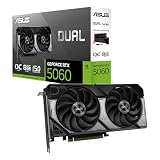
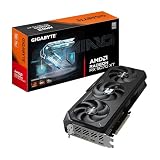
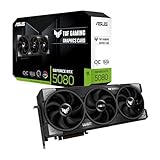
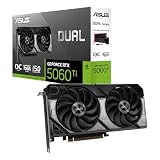
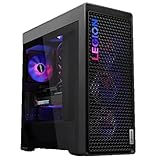
- Top Pick: Lenovo Legion Tower 7i Gen 10 Gaming Desktop PC (2026 Model) – Intel Ultra 9 285K 24-Core, NVIDIA RTX 5090 32GB, 64GB RAM, 2TB NVMe SSD, 1200W PSU, Liquid Cooling, Windows 11 Pro
- Best Value: ZOTAC MEK Gaming PC Desktop, GeForce RTX 5090 Extreme, Intel Ultra 9 285K
- Premium Choice: ZOTAC MEK Gaming PC Desktop, NVIDIA GeForce RTX 5090 32GB GDDR7, AMD Ryzen 7 9800X3D Up to 5.2GHz, 32GB DDR5, 2TB NVMe M.2 SSD, 1200W 80+ Gold PSU, WiFi 6E, Windows 11 Pro, White
The arrival of a desktop built around the Nvidia GeForce RTX 5090 marks the point where 4K gaming stops being a compromise and starts being a certainty. With 32GB of GDDR7 memory and Blackwell-era architecture, these machines chew through path-traced titles at high frame rates and double as serious AI and content-creation workstations. The question is no longer whether an RTX 5090 rig is fast enough, but which prebuilt configuration gives you that horsepower without thermal throttling or a shortsighted parts list.
We’ve spent time with the leading RTX 5090 desktops of 2026 to sort the genuinely balanced builds from the ones that pair a flagship GPU with a bottlenecked platform. Below you’ll find the standout systems, followed by a plain-English breakdown of what actually matters when you spend this kind of money.
As an Amazon Associate we earn from qualifying purchases at no extra cost to you. Product prices and availability are accurate as of the date shown and are subject to change.



🛒 Best Price Today on Amazon
Prime members get fast, free shipping on everything above, plus member-only deals. New members get a 30-day free trial — cancel anytime.
Design & Build
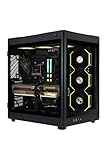
Chassis quality separates these systems more than spec sheets suggest. The Lenovo Legion Tower 7i Gen 10 and HP OMEN 45L both lean on large, airflow-focused cases with tempered-glass side panels and cable management that leaves the interior looking tidy. The OMEN 45L’s Cryo Chamber design isolates the CPU cooler’s radiator in a separate top compartment, pulling in fresh air rather than pre-heated exhaust. ZOTAC’s MEK desktops, including the white Ryzen 7 9800X3D variant, take a cleaner, more understated approach that suits a living-room or minimalist desk setup. All of these ship with liquid cooling on the CPU, which is non-negotiable given the heat a 285K or 9950X-class chip produces alongside a 575W-class GPU.
Performance
Raw gaming performance across these builds is blistering. Paired with an Intel Ultra 9 285K, as in the Legion Tower 7i and OMEN 45L, the RTX 5090 has enough CPU headroom to avoid bottlenecks even at 1440p high-refresh. For pure gaming, the ZOTAC MEK with the Ryzen 7 9800X3D is arguably the sweet spot, since that chip’s 3D V-Cache delivers the best frame rates in CPU-bound titles while running cooler and drawing less power. If you buy the ASUS ROG Astral RTX 5090 card on its own to drop into an existing build, expect the quietest, coolest operation of the bunch thanks to its four-fan, 3.8-slot cooler and vapor chamber. Just confirm your PSU can supply the wattage and your case can fit a card that large.
Pros & Cons
- Uncompromising 4K and path-tracing performance with DLSS 4 multi-frame generation headroom to spare.
- 32GB of VRAM future-proofs you for high-resolution textures, local AI models, and heavy content workloads.
- Liquid cooling standard on prebuilts keeps sustained clocks high and noise reasonable.
- Strong platform pairing on the Legion and OMEN avoids the CPU bottlenecks that plague cheaper flagship builds.
- Power draw is substantial — plan for a robust circuit and expect a warm room during long sessions.
- Physical size of both the desktops and the ROG Astral card demands real desk and case clearance.
- Premium pricing means the CPU pairing matters enormously; an underpowered chip wastes the GPU.
Alternatives to Consider
If your budget can’t quite reach a full RTX 5090 system, an RTX 5080-based build delivers roughly 4K/high-refresh gaming for meaningfully less, and the gap narrows further with DLSS enabled. Creators who need maximum VRAM but not the last few percent of gaming performance might also weigh a workstation-class card. But if you want the outright fastest consumer gaming experience available and the memory to match, nothing in this class touches the 5090.
Related Guides
- RTX 5080 13900kf PC Deal (2026)
- Nvidia RTX 50 Super Price Leak (2026)
- Geforce RTX 5070 Laptop (2026)
- GPU 4060 Laptop (2026)
Frequently Asked Questions
What power supply does an RTX 5090 desktop need?
Reputable prebuilts here ship with 1200W 80+ Gold units, which is the right target. If you’re installing an ASUS ROG Astral card yourself, treat 1000W as the practical floor and 1200W as comfortable, especially alongside a high-core-count CPU.
Is the Intel Ultra 9 285K or Ryzen 7 9800X3D better for gaming?
For pure gaming frame rates, the 9800X3D usually edges ahead thanks to its 3D V-Cache. The 285K’s advantage is in heavily multithreaded productivity work, so choose based on whether you game exclusively or also render and stream.
Do I need a special monitor to benefit from an RTX 5090?
To feel the difference, pair it with a 4K high-refresh (120Hz+) display or an ultra-fast 1440p panel. On a standard 1080p/60Hz screen you’d leave most of the card’s capability untapped.
Will an RTX 5090 be overkill for 1080p gaming?
Yes, for most single-monitor 1080p players it’s more than necessary. It makes sense at that resolution only for competitive players chasing extreme frame rates or those planning to upgrade their display soon.
Verdict
An RTX 5090 desktop is the clearest statement of intent in PC gaming right now, and the good news is that the leading prebuilts pair the GPU with the platform it deserves. The Lenovo Legion Tower 7i and HP OMEN 45L are the safe, balanced picks for do-everything power, while the ZOTAC MEK with the Ryzen 7 9800X3D is the connoisseur’s choice for pure gaming efficiency. Whichever you pick, prioritize cooling and a genuine 1200W PSU, and you’ll have a machine that stays relevant for years.