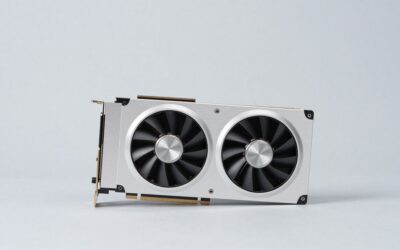
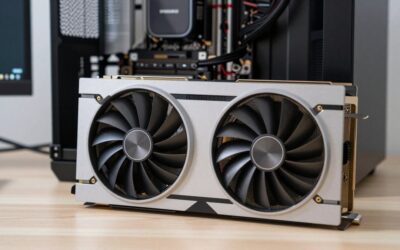
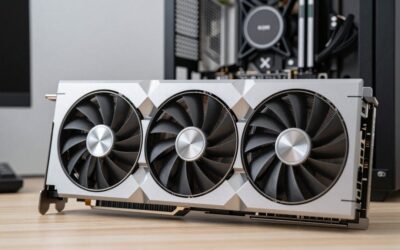
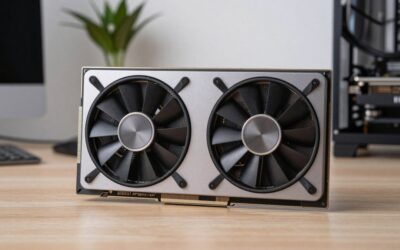
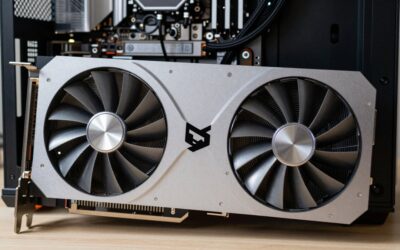
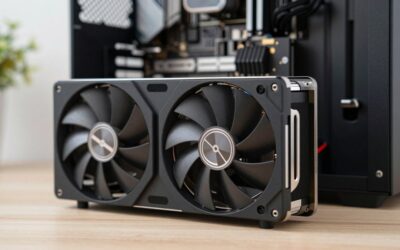
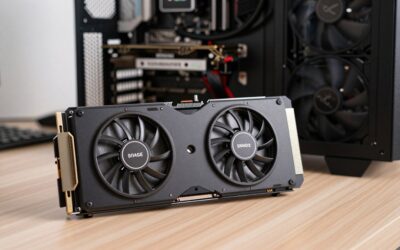
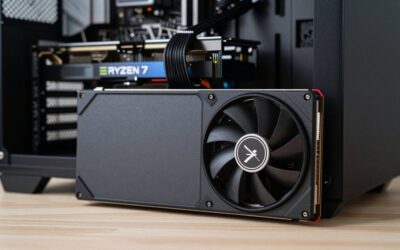
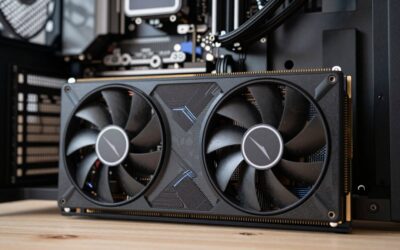
The RTX 3060 remains one of the most popular gaming GPUs in the world, and for good reason. Its 12GB of VRAM and capable performance make it a 1080p champion and a solid 1440p performer, but pairing it with the wrong monitor either wastes its potential or asks too much of it.
- Top Picks at a Glance
- Watch: Best Gaming Monitor For RTX 3060 — Video Review
- How to Choose a Monitor for the RTX 3060
- The Best RTX 3060 Pairings Reviewed
- More 1440p Monitors That Suit the RTX 3060
- Resolution and Frame-Rate Math for an RTX 3060
- Panel Types in Plain Terms
- Step-by-Step Setup After Unboxing
- Best Monitors for an RTX 3060 12GB by Budget and Goal
- Which One Should You Buy?
- Common Mistakes When Pairing a Monitor With an RTX 3060
- Related Guides
- More RTX 3060 Monitor Questions
- Frequently Asked Questions
- Final Thoughts
- Related Articles
The goal is to find a display that lets the RTX 3060 shine at high, playable frame rates without bottlenecking your experience. Below we highlight monitors and systems that complement this card beautifully, along with a few complete builds built around it, and explain how to match a screen to its strengths.

Prime
Best Seller
Updated October 2026 – monitor picks rechecked against current maker listings.
Quick answer: the best gaming monitors for RTX 3060 owners are 27-inch 1440p IPS panels at 144Hz to 180Hz, such as the LG 27GS75Q-B, ASUS TUF Gaming VG27AQ3A and Acer Nitro KG271U. For a fast 1080p setup, the BenQ MOBIUZ EX271 or AOC 27G51F2 is easier on the card. Almost any gaming monitor is compatible with an RTX 3060 GPU, because the card has modern DisplayPort and HDMI outputs, so the real choice is resolution and refresh rate, not connectors.
Top Picks at a Glance
| Monitor | Size | Resolution | Refresh rate | Panel | Best for |
|---|---|---|---|---|---|
| LG 27GS75Q-B | 27 in | 2560 x 1440 | 180Hz (200Hz overclock) | IPS | All-round 1440p |
| ASUS TUF Gaming VG27AQ3A | 27 in | 2560 x 1440 | 180Hz | Fast IPS | 1440p with built-in speakers |
| Acer Nitro KG271U | 27 in | 2560 x 1440 | 180Hz | IPS | Lower-cost 1440p |
| GIGABYTE M27Q2 | 27 in | 2560 x 1440 | 200Hz (210Hz overclock) | IPS | USB-C and KVM features |
| msi MAG 271QPX QD-OLED E2 | 27 in | 2560 x 1440 | 240Hz | QD-OLED | Image quality with DLSS |
| BenQ MOBIUZ EX271 | 27 in | 1920 x 1080 | 180Hz | IPS | Easy 1080p frame rates |
| AOC 27G51F2 | 27 in | 1920 x 1080 | 180Hz | Fast IPS | Budget 1080p |
| BenQ Zowie XL2540X+ | 24.1 in | 1920 x 1080 | 280Hz | Fast TN | Competitive shooters |
| Sceptre Prime 30-inch curved | 30 in | 2560 x 1080 | 200Hz | Curved | Widescreen on a budget |
Kado Dual 2-Pack 34" 100Hz WQHD Ultrawide 3440×1440 Computer Monitor | 103% sRGB 21:9 DisplayPort HDMI, Dual Gaming Monitor Setup,Stacked Gaming AMD FreeSync Premium, VESA Mount Built-in Speakers


msi Gaming GeForce RTX 3060 Ventus 2X 12G OC V1 Graphics Card - 15 Gbps GDRR6 Boost Clock: 1807 MHz 192-Bit HDMI/DP PCIe 4 Torx Twin Fan Ampere
Included for '15 Best Gaming Monitors For RTX 3060' as a representative home product in this roundup; selection reflects the product set returned for this topic.
View on Amazon
MTG Khuno Gaming Tower PC, i5 8th Gen, 32GB RAM, 1TB Nvme, Win 11 | RTX 3060 12GB Graphics, 24 Inch Monitor, RGB KBM, Webcam, USB WiFi BT, Desktop Computer for Editing & Entertainment
Included for '15 Best Gaming Monitors For RTX 3060' because the listing lists an explicit depth/thickness, which is the attribute this article compares.
View on Amazon
MTG Khuno Gaming Tower PC, i5 8th Gen, 32GB RAM, 1TB Nvme, Win 11 | RTX 3060 12GB Graphics, 27 Inch Monitor, RGB KBM, Webcam, USB WiFi BT, Desktop Computer for Editing & Entertainment
Included for '15 Best Gaming Monitors For RTX 3060' because the listing lists an explicit depth/thickness, which is the attribute this article compares.
View on Amazon
Sceptre Prime Curved 30-inch Gaming Monitor 200+Hz FreeSync Build-in Speakers 2560 x 1080p HDMI DP Machine Black 2026 (C305B-200UN Series)
Included for '15 Best Gaming Monitors For RTX 3060' as a representative home product in this roundup; selection reflects the product set returned for this topic.
View on Amazon
STGAubron Gaming PC Bundle with 24Inch FHD LED Monitor- AMD Ryzen 7 5700X up to 4.6G, GeForce RTX 3060 12G, 16GB DDR4, 1TB SSD, RGB Fan x4, Windows 11 Home,White
Included for '15 Best Gaming Monitors For RTX 3060' because the listing lists an explicit depth/thickness, which is the attribute this article compares.
View on Amazon
Gaming Computer Bundle | RTX 3060 12GB | i5 | Windows 11 Pro | 16GB RAM | 1TB SSD | Curved Monitor & Razer Keyboard, Mouse, and Headset | Wi-Fi
Included for '15 Best Gaming Monitors For RTX 3060' as a representative home product in this roundup; selection reflects the product set returned for this topic.
View on Amazon
HP Pavilion Gaming Desktop PC TG01, AMD Ryzen 5 4600G(6-Cores), NVIDIA RTX 3060, 8GB RAM|256GB SSD, WiFi, Bluetooth, Windows 11, RJ-45, Pre-Built PC, Streaming Office/Work/Study Computer, RK Bundle
Included for '15 Best Gaming Monitors For RTX 3060' as a representative home product in this roundup; selection reflects the product set returned for this topic.
View on Amazon🎮 Get More From Your Setup — Free
Prime Gaming gives you free PC games every month, in-game loot, and a free Twitch channel sub — plus fast free shipping on all the gear above. New members get a 30-day free trial.
Watch: Best Gaming Monitor For RTX 3060 — Video Review
How to Choose a Monitor for the RTX 3060
- Target 1080p or 1440p: The RTX 3060 excels at 1080p high refresh and handles 1440p well in most titles, so avoid 4K panels.
- Refresh rate: A 144Hz to 180Hz panel is the ideal match, letting the card stretch its legs in competitive games.
- Adaptive sync: FreeSync compatibility smooths out the frame-rate dips this mid-range card will occasionally hit at 1440p.
- Panel quality: Fast IPS gives great color and speed, while VA offers deeper contrast for immersive single-player games.
- Consider a full build: If you do not already own the card, a prebuilt bundle can be a cost-effective way to get an RTX 3060 system.
The Best RTX 3060 Pairings Reviewed
MSI RTX 3060 Ventus 2X 12G
If you are building around the card itself, the MSI Ventus 2X offers reliable cooling and the full 12GB of GDDR6. It is a dependable version of this popular GPU for a fresh build.
Sceptre Prime 30″ Curved
This 30-inch curved 2560×1080 panel runs at 200Hz and pairs beautifully with the RTX 3060’s frame-rate output. Its ultrawide-style aspect ratio adds immersion without overwhelming the card.
STGAubron RTX 3060 Bundle
The STGAubron gaming PC pairs a Ryzen 7 5700X with an RTX 3060 12G, 16GB of RAM, and a 24-inch FHD monitor. It is a complete, ready-to-play package for newcomers.
RTX 3060 Complete Bundle
This full bundle includes an RTX 3060 12GB system with a curved monitor plus a Razer keyboard, mouse, and headset. It is a turnkey setup for players who want everything in one purchase.
More 1440p Monitors That Suit the RTX 3060
The 27-inch 1440p, 144Hz to 200Hz class is the sweet spot for this card: sharper than 1080p and far easier to drive than 4K. These four add choices at different feature levels.
LG 27GS75Q-B – Best All-Round 1440p Monitor for an RTX 3060

LG 27GS75Q-B 27-inch Ultragear QHD (2560x1440) Gaming Monitor, 180Hz (O/C 200Hz), 1ms, IPS, NVIDIA G-SYNC Compatible, AMD FreeSync, HDR10, Tilt/Height/Pivot Stand, HDMI, DisplayPort, Black
Included for '15 Best Gaming Monitors For RTX 3060' as a representative home product in this roundup; selection reflects the product set returned for this topic.
View on AmazonThis LG UltraGear is the safest 1440p match for the card. A 180Hz IPS panel that can be overclocked to 200Hz gives plenty of headroom, and the G-SYNC Compatible label means variable refresh rate works with an NVIDIA card out of the box.
Specs: 27-inch IPS · 2560 x 1440 · 180Hz (200Hz overclock) · 1ms · G-SYNC Compatible and FreeSync · HDR10 · Tilt, height and pivot stand
- Pros: Sharp 1440p image; adaptive sync that works with NVIDIA; full-adjust stand; room to grow into a faster GPU.
- Cons: HDR10 support is basic, so HDR will not look dramatic; an RTX 3060 will not reach 180 fps in demanding games at 1440p.
Skip it if you play mostly esports titles at 1080p and want the lowest possible latency.
ASUS TUF Gaming VG27AQ3A – Best 1440p Monitor With Built-In Speakers

ASUS TUF Gaming VG27AQ3A 27 Inch 1440p 180Hz G-SYNC Gaming Monitor | Fast IPS, ELMB Sync, 1ms, 130% sRGB, Built-In Speakers, FreeSync Premium, HDR10, for PS5 and Xbox, 3yr warranty
Included for '15 Best Gaming Monitors For RTX 3060' because the listing lists an explicit depth/thickness, which is the attribute this article compares.
View on AmazonThe VG27AQ3A is a Fast IPS 1440p panel at 180Hz with extreme low motion blur sync, listed for PS5 and Xbox as well as PC. That makes it useful if the same screen will serve a console.
Specs: 27-inch Fast IPS · 2560 x 1440 · 180Hz · 1ms · ELMB Sync · 130% sRGB · FreeSync Premium · G-SYNC listed · Built-in speakers · HDR10
- Pros: Fast panel; wide sRGB coverage; speakers for casual use; extended warranty in the listing.
- Cons: Costs more than the Acer Nitro for a similar panel class; built-in speakers are only basic.
Skip it if you plan to use a separate headset and want to spend the least.
Acer Nitro KG271U – Best Lower-Cost 1440p Monitor

Acer Nitro 27in QHD 2560x1440 IPS 180Hz Gaming Monitor KG271U N3bmiipx | 0.5ms, AMD FreeSync, DCI-P3 95%, 2xHDMI, DisplayPort, Speaker, VESA Mountable, Bluelight Filter, Flickerless Technology
Included for '15 Best Gaming Monitors For RTX 3060' as a representative home product in this roundup; selection reflects the product set returned for this topic.
View on AmazonThe Nitro KG271U brings a 1440p IPS panel at 180Hz to the lower end of the price range. It is a sensible way to move from 1080p to 1440p without paying for extras the card cannot use.
Specs: 27-inch IPS · 2560 x 1440 · 180Hz · 0.5ms · FreeSync · DCI-P3 95% · 2 x HDMI and DisplayPort · Speaker · VESA mount
- Pros: Good value for the resolution; wide color coverage; multiple inputs; VESA mountable.
- Cons: The stand is simpler than the LG; adaptive sync is FreeSync-based, so confirm G-SYNC Compatible mode in the NVIDIA settings.
Skip it if you want a height-adjustable stand with pivot.
GIGABYTE M27Q2 – Best for USB-C and KVM Use

GIGABYTE M27Q2 27" SuperSpeed IPS QHD AMD Freesync Premium Gaming Monitor | Black, QHD 2560x1440, 200HZ-OC 210Hz, 1ms GTG, G-Sync Compatible, Type-C, KVM, HDMI, DP, Height and Tilt Adjustable
Included for '15 Best Gaming Monitors For RTX 3060' as a representative home product in this roundup; selection reflects the product set returned for this topic.
View on AmazonThe M27Q2 pairs a 200Hz IPS panel with workstation touches. If the PC also serves as a work machine, the USB-C input and built-in KVM switch can share the monitor with a laptop.
Specs: 27-inch SuperSpeed IPS · 2560 x 1440 · 200Hz (210Hz overclock) · 1ms GTG · G-SYNC Compatible and FreeSync Premium · USB-C · KVM · HDMI and DisplayPort · Height and tilt adjustment
- Pros: High refresh ceiling; USB-C and KVM; adjustable stand; certified for NVIDIA adaptive sync.
- Cons: An RTX 3060 cannot use the full 200Hz in demanding games; the extras add little for a pure gaming desk.
Skip it if you only game and never connect a second computer.
Resolution and Frame-Rate Math for an RTX 3060
The GeForce RTX 3060 carries 12GB of GDDR6 memory, which gives it room for high-resolution textures, but its raw rendering speed is what limits frame rates. A simple way to compare monitors is to count the pixels the card has to draw each frame, because for many games the frame rate falls roughly in proportion as that number rises.
| Resolution | Pixels per frame | Load vs. 1080p | Example of 140 fps at 1080p becoming… |
|---|---|---|---|
| 1920 x 1080 | 2,073,600 | 1.0x | 140 fps |
| 2560 x 1440 | 3,686,400 | 1.78x | about 79 fps |
| 3440 x 1440 (ultrawide) | 4,953,600 | 2.39x | about 59 fps |
| 3840 x 2160 (4K) | 8,294,400 | 4.0x | about 35 fps |
The last column is an illustration of the arithmetic, not a measured result, since real games vary in how much they depend on resolution. It still explains why a 280Hz or 320Hz panel is realistic only in lighter esports titles at lower resolution, and why a 4K panel usually needs upscaling.
Connections and Features Worth Confirming
RTX 3060 cards offer DisplayPort 1.4a and HDMI 2.1, so either cable can drive a 1440p high-refresh panel. Variable refresh rate works best over DisplayPort, where NVIDIA’s G-Sync Compatible mode handles FreeSync-class monitors. DLSS Super Resolution is available on this GPU and can make 4K output more reachable, but DLSS frame generation is limited to newer RTX 40 and 50 series cards.
Panel Types in Plain Terms
- Fast TN: very quick response and high refresh rates, with narrower viewing angles and weaker color than IPS. It suits esports.
- Fast IPS: better color and wider viewing angles, and the fastest models now match TN for response speed.
- VA and curved ultrawide: deeper contrast and an immersive field of view, usually at lower refresh rates.
- QD-OLED: near-instant pixel response and strong contrast, but the 4K versions ask a lot of a mid-range GPU.
Step-by-Step Setup After Unboxing
- Connect with DisplayPort to the graphics card and select that input on the monitor.
- Set the refresh rate to the panel’s maximum in the Windows advanced display settings.
- Enable adaptive sync in the monitor menu, then switch on G-Sync Compatible in the NVIDIA Control Panel.
- Cap the frame rate a few frames below the maximum refresh rate to keep variable refresh active.
- Turn on DLSS in games that offer it if frame rates fall short at your resolution.
Best Monitors for an RTX 3060 12GB by Budget and Goal
Match the panel to the frame rate your card can produce, and the rest follows. The three goals below cover most buyers who search for an RTX 3060 12GB monitor.
Best Under $200: 1440p IPS
Under $200, the Acer Nitro KG271U and LG 27GS75Q-B are the strongest 1440p choices. Both use 27-inch IPS panels at 180Hz, so the card runs near its sweet spot while you keep a sharp image.
Best 1080p Monitor for High Frame Rates
If you care about frame rate more than sharpness, stay at 1080p. The BenQ MOBIUZ EX271 and AOC 27G51F2 give 180Hz at 27 inches, and the BenQ Zowie XL2540X+ gives 280Hz on a smaller 24.1-inch screen for competitive shooters. The RTX 3060 is much more likely to fill a 144Hz to 180Hz window at 1080p than at 1440p.
Best OLED Monitor for an RTX 3060 or 3060 Ti
The best OLED monitor for an RTX 3060 Ti or 3060 is a 27-inch 1440p model, such as the msi MAG 271QPX QD-OLED E2. A 240Hz OLED will not be fed to its limit by this card in new games, but the response time and contrast are strong, and adaptive sync keeps lower frame rates smooth. Use DLSS and medium to high settings in demanding games, and do not buy a 4K OLED for this GPU.
The trade-off is straightforward: IPS gives the most frames per dollar, while OLED gives the best image at a higher price. If you plan to upgrade the graphics card within a couple of years, an OLED or a 200Hz IPS will still be useful then.
Which Refresh Rate Do You Need?
| Goal | Resolution | Refresh rate | Why |
|---|---|---|---|
| Esports at high settings | 1920 x 1080 | 240Hz to 280Hz | Light games can reach these frame rates |
| Mixed AAA and online games | 2560 x 1440 | 144Hz to 180Hz | Adaptive sync covers the dips |
| Cinematic single-player | 2560 x 1440 or ultrawide | 100Hz to 144Hz | Image quality matters more than speed |
| Future-proofing for a new GPU | 2560 x 1440 | 180Hz to 240Hz | Headroom for a later graphics upgrade |
Which One Should You Buy?
| If you… | Choose… |
|---|---|
| Play competitive shooters and want the lowest latency at 1080p | BenQ Zowie XL2540X+ (24.1-inch, 280Hz) |
| Want a 1080p panel with a high refresh rate and a USB hub for general use | BenQ MOBIUZ EX271 (27-inch, 180Hz) |
| Want the sharper 1440p image and a very high refresh rate, accepting frame rates well under the maximum in demanding games | GTek 27-inch 320Hz/300Hz |
| Want an immersive widescreen view for racing and open-world games | Kado Dual 2-Pack 34-inch 100Hz ultrawide, or the Sceptre Prime 30-inch curved |
| Care most about image quality and will lean on DLSS, lower settings and older games | msi MAG 271QPX QD-OLED E2 (27-inch 1440p, 240Hz) |
Common Mistakes When Pairing a Monitor With an RTX 3060
- Buying refresh rate the card cannot feed. A 300Hz-class panel does nothing above the frames the GPU produces, so check what frame rate your favorite games can reach first.
- Jumping to 4K for the resolution alone. At four times the pixels of 1080p, the card will often run below 60 fps in modern titles without upscaling.
- Ignoring the ultrawide load. A 3440 x 1440 panel asks for about 2.4 times the work of 1080p, even though it is not called 4K.
- Leaving the refresh rate on its default. Windows and the NVIDIA settings must be set to the panel’s top refresh rate manually.
- Using the wrong cable. A standard HDMI cable can cap the refresh rate, so use the DisplayPort cable that comes in the box for high-refresh modes.
- Buying two monitors for a single-GPU setup without a plan. Dual-screen kits double the desktop area, but games still run on one display, so the second panel only helps with multitasking.
Related Guides
- Geforce RTX 5070 Laptop (2026)
- RTX 5080 13900kf PC Deal (2026)
- Gaming Laptop RTX 4050 (2026)
- GPU 4060 Laptop (2026)
- Best Video Cards For Gaming (2026)
More RTX 3060 Monitor Questions
What gaming monitor is compatible with an RTX 3060 GPU?
Nearly every gaming monitor is compatible, because most RTX 3060 cards offer HDMI and several DisplayPort outputs. Confirm the exact ports on your card, then choose a monitor with DisplayPort or HDMI 2.0 or newer for 1440p at high refresh.
What monitor is best for an RTX 3060 12GB?
A 27-inch 1440p IPS monitor at 144Hz to 180Hz is the best match for an RTX 3060 12GB. The extra memory helps with textures, but frame rate still depends on the chip, so a 1080p high-refresh panel is the choice if you chase the highest fps.
Which monitor and how many hertz suit an RTX 3060 12GB?
For 1440p, pick 144Hz to 180Hz. For 1080p, 144Hz to 240Hz is realistic in lighter games. Going above these figures gives little benefit, because the card cannot produce those frame rates in most new titles.
Is an OLED monitor a good match for an RTX 3060 Ti?
It can be, if you accept lower frame rates than the panel allows. A 1440p OLED such as the msi MAG 271QPX QD-OLED E2 gives excellent contrast, and DLSS helps in demanding games. Avoid 4K OLED panels, which ask far more of this GPU.
Can an RTX 3060 run a 4K monitor?
It can display 4K, but demanding games will often fall short of 60 fps without DLSS and lower settings. For gaming, 1440p is the better balance, and 4K suits older games, media and desktop work.
Frequently Asked Questions
What resolution is best for the RTX 3060?
The RTX 3060 is a 1080p champion and a capable 1440p card. It shines with high-refresh 1080p panels and handles 1440p well in most games at high settings.
Can the RTX 3060 handle 144Hz?
Absolutely, especially at 1080p in competitive and esports titles. A 144Hz to 180Hz monitor is the ideal companion for this card.
Should I game at 1440p on an RTX 3060?
Yes, in most titles. You may need to lower some settings or use upscaling in the most demanding games, but 1440p is very playable on this card.
Is a prebuilt bundle a good way to get one?
It can be, especially if you want a complete setup without sourcing parts. Bundles that include a monitor and peripherals offer convenient, ready-to-play value.
Final Thoughts
For RTX 3060 owners, a high-refresh panel like the Sceptre Prime 30-inch curved is a superb match, while newcomers will appreciate the complete STGAubron bundle. Either way, aim for 1080p or 1440p at 144Hz to let this popular card truly shine.