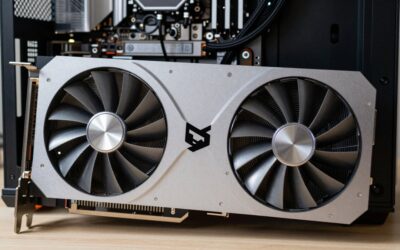
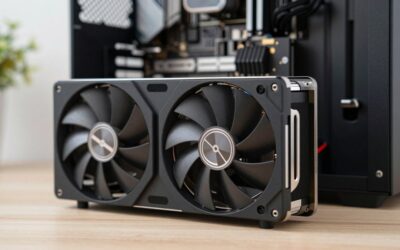
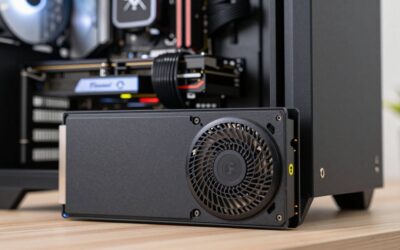
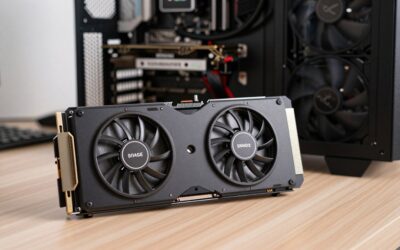
Nvidia’s Blackwell mid-range has settled into a clear two-tier structure, and for most gamers building or upgrading in 2026 the decision comes down to a single question: RTX 5070 or RTX 5070 Ti? On paper they share the same architecture, the same GDDR7 memory technology, the same PCIe 5.0 interface and the same DLSS 4 feature set including Multi Frame Generation. In practice, they are aimed at two genuinely different players — one chasing high frame rates at 1440p for as little money as possible, the other buying headroom for 4K, ray tracing and the next three or four years of increasingly demanding releases.
- Verdict at a glance
- Watch: RTX 5070 vs 5070 Ti: Which to Buy in 2026? — Video Review
- Quick Verdict
- Key Differences
- RTX 5070 vs RTX 5070 Ti: Spec Comparison
- Performance by Resolution: What the Benchmarks Show
- GeForce RTX 5070: The High-Refresh 1440p Value Pick
- GeForce RTX 5070 Ti: The 4K and Ray Tracing Choice
- Upscaling and Frame Generation: DLSS 4.5 vs FSR 4
- Recommended Cards for Each Tier
- Which Should You Buy?
- Buy the RTX 5070 If / Buy the RTX 5070 Ti If
- How We Compared
- Frequently Asked Questions
- Related Articles
That gap matters more now than it did at launch. Texture budgets in 2025–2026 titles have climbed sharply, path-traced lighting has moved from showcase feature to shipping option in mainstream engines, and 4K 120Hz panels have fallen to prices that make them realistic for mid-range builds. The 5070 Ti’s extra 4GB of VRAM and wider memory bus are no longer a spec-sheet curiosity — they are the difference between turning settings down in year two and leaving them alone. Below we break down where the money goes, and which card makes sense for your resolution, your case and your budget.

GIGABYTE GeForce RTX 5070 Ti Gaming OC 16G Graphics Card, 16GB 256-bit GDDR7, PCIe 5.0, WINDFORCE Cooling System, GV-N507TGAMING OC-16GD Video Card
Included for 'RTX 5070 vs 5070 Ti: Which to Buy in 2026?' because the listing adds cooling or gel-infused layers, which is the attribute this article compares.
View on Amazon
ASUS SFF-Ready Prime NVIDIA GeForce RTX 5070 Ti 16GB GDDR7 OC Edition 16GB GDDR7 Graphics Card (PCIe 5.0, HDMI/DP 2.1, 2.5-Slot, Axial-tech Fans, Dual BIOS), 3 Year Warranty
Included for 'RTX 5070 vs 5070 Ti: Which to Buy in 2026?' as a representative home product in this roundup; selection reflects the product set returned for this topic.
View on Amazon
GIGABYTE GeForce RTX 5070 Ti Eagle OC ICE SFF 16G Graphics Card, 16GB 256-bit GDDR7, PCIe 5.0, WINDFORCE Cooling System, GV-N507TEAGLEOC ICE-16GD Video Card
Included for 'RTX 5070 vs 5070 Ti: Which to Buy in 2026?' because the listing adds cooling or gel-infused layers, which is the attribute this article compares.
View on AmazonVerdict at a glance
- Best value for 1440p: GeForce RTX 5070 (12GB). Roughly 75-80fps average at 1440p ultra across large multi-game suites without upscaling, and well beyond that with DLSS. A card such as the ASUS Prime RTX 5070 OC is the easy pick.
- Best for 4K and ray tracing: GeForce RTX 5070 Ti (16GB). Around 25% faster at 1440p and about 30% faster at 4K in published averages, with the VRAM to keep texture settings high. The GIGABYTE RTX 5070 Ti Gaming OC 16G leads our card list.
- Best for small cases: ASUS SFF-Ready Prime RTX 5070 Ti or GIGABYTE RTX 5070 WINDFORCE OC SFF, depending on budget tier.
- Best non-Nvidia alternative: Radeon RX 9070 XT. Trades blows with the 5070 Ti in raster games with 16GB of VRAM, but behind it in heavy ray tracing.
⚡ Save on Your Next PC — Amazon Prime
Prime members get fast free shipping on the systems above, plus early access to Prime Day & Black Friday PC deals. New members get a 30-day free trial.
Watch: RTX 5070 vs 5070 Ti: Which to Buy in 2026? — Video Review
Quick Verdict
Buy the RTX 5070 if you game primarily at 1440p, want the lowest entry price into Blackwell and DLSS 4, and are comfortable using upscaling to keep demanding titles smooth. Buy the RTX 5070 Ti if you play at 4K, run ray tracing or path tracing regularly, use VRAM-hungry creative apps, or simply want a card that will still be handling ultra presets comfortably in 2029. The Ti is the better long-term buy; the 5070 is the better value per dollar today.
Key Differences
- Shader hardware: The 5070 Ti ships with roughly 8,960 CUDA cores against the 5070’s 6,144 — a substantial gap that translates to around 20–25% higher frame rates at 1440p and closer to 30% at 4K.
- Memory capacity: 16GB of GDDR7 on the Ti versus 12GB on the 5070. At 1440p both are fine today; at 4K with high-resolution texture packs, 12GB is the limiting factor.
- Memory bandwidth: A 256-bit bus on the Ti delivers roughly 896GB/s, against 672GB/s on the 5070’s 192-bit bus. Ray tracing and 4K workloads are especially bandwidth-sensitive.
- Power and PSU: The Ti draws around 300W and Nvidia recommends a 750W supply; the 5070 sits near 250W with a 650W recommendation. Both use a 16-pin connector via adapter or native cable.
- Encoding hardware: The 5070 Ti includes a second NVENC encoder, which is meaningful if you stream and record simultaneously or export video professionally.
- Board design: Ti partner cards run larger and heavier on average, though genuine SFF-class models now exist — something worth checking before you commit to a compact build.
RTX 5070 vs RTX 5070 Ti: Spec Comparison
| Spec | GeForce RTX 5070 | GeForce RTX 5070 Ti |
|---|---|---|
| Architecture | Blackwell (GB205) | Blackwell (GB203) |
| CUDA cores | 6,144 | 8,960 |
| Memory | 12GB GDDR7, 192-bit | 16GB GDDR7, 256-bit |
| Memory bandwidth | About 672GB/s | About 896GB/s |
| Total graphics power | 250W | 300W |
| Nvidia recommended PSU | 650W | 750W |
| Power connector | 12V-2×6 (16-pin), adapter or native cable | 12V-2×6 (16-pin), adapter or native cable |
| NVENC encoders | 1 | 2 |
| Upscaling / frame generation | DLSS 4.5 Super Resolution, Multi Frame Generation up to 6X | DLSS 4.5 Super Resolution, Multi Frame Generation up to 6X |
| Interface | PCIe 5.0 x16 | PCIe 5.0 x16 |
| Price tier | Mid-range | Upper mid-range to premium |
Performance by Resolution: What the Benchmarks Show
Independent multi-game averages tell a consistent story. The figures below come from Windows Central’s 22-game suite at ultra settings without upscaling; other outlets using different games and settings report higher absolute numbers but a very similar gap.
| Scenario | RTX 5070 (average fps) | RTX 5070 Ti (average fps) | Ti advantage |
|---|---|---|---|
| 1440p ultra, all games | 77 | 97 | About 25% |
| 1440p ultra, ray tracing on | 70 | 89 | About 27% |
| 4K ultra, all games | 44 | 58 | About 32% |
| 4K ultra, ray tracing on | 36 | 49 | About 34% |
A second data set from MyPCBottleneck, using a Ryzen 9 9900X across 13 games at lighter settings, put the cards at 134fps versus 163fps at 1440p (about 22%) and 77fps versus 97fps at 4K (about 26%). Aggregated per-game data shows the same pattern in heavy titles: Alan Wake 2 at 1440p with ray tracing and DLSS Quality has been reported at roughly 72fps on the 5070 against 97fps on the Ti.
The takeaway: at 1440p both cards are comfortably playable and the Ti is a luxury; at 4K the 5070 needs upscaling to stay above 60fps in demanding games, while the Ti often does not. TechPowerUp’s own conclusion on the 5070 matches this: a great 1440p card, a little weak for 4K without upscaling, with 12GB not enough for ray tracing plus frame generation at 4K in several titles.
GeForce RTX 5070: The High-Refresh 1440p Value Pick
The RTX 5070 is the card most people should look at first. At 1440p it averages roughly 75-80fps at ultra settings without upscaling in large multi-game suites, runs lighter titles and high presets well above that, and with DLSS 4 Quality mode plus Multi Frame Generation it will push well beyond the refresh rate of most 1440p monitors. Esports performance is effectively a non-issue. For anyone pairing it with a 1440p 144Hz or 180Hz panel, it delivers the experience the panel was bought for at the lowest cost of entry.
Its limitations are predictable. Twelve gigabytes of VRAM is adequate rather than generous, and native 4K with ray tracing enabled will require leaning on Performance-mode upscaling in heavier titles. If your monitor is 1440p and likely to stay that way, that is a theoretical problem. If you expect to move to 4K within the life of the card, it becomes a real one — and that is precisely the scenario the Ti exists to cover.
GeForce RTX 5070 Ti: The 4K and Ray Tracing Choice
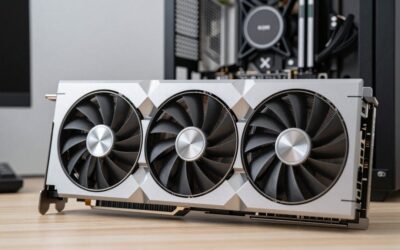
The 5070 Ti is where Blackwell’s mid-range starts to feel genuinely future-proof. Sixteen gigabytes across a 256-bit bus means 4K texture streaming stops being a compromise, and the additional shader and RT hardware keeps path-traced titles playable with DLSS rather than merely benchmarkable. Cards like the GIGABYTE RTX 5070 Ti Gaming OC 16G and the MSI RTX 5070 Ti Ventus 3X PZ OC lean into that with triple-fan coolers and factory overclocks, staying quiet under sustained load. The PNY RTX 5070 Ti OC Triple-Fan offers a similarly straightforward, no-frills route to the same silicon.
Compact builders are unusually well served this generation. The ASUS Prime RTX 5070 Ti OC is explicitly SFF-Ready in a 2.5-slot form factor with dual BIOS, while GIGABYTE’s Eagle OC ICE SFF and WINDFORCE OC SFF variants bring the same 16GB configuration into shorter chassis-friendly board designs — the ICE model in white for builds where that matters. Just budget for a quality 750W supply and confirm clearance before ordering.
Upscaling and Frame Generation: DLSS 4.5 vs FSR 4
Both cards get the same software features, which narrows the practical gap more than the raw specs suggest. Nvidia launched DLSS 4.5 at CES 2026. Its second-generation transformer model for Super Resolution improves temporal stability, reduces ghosting and sharpens edges, and it runs on every RTX card. The RTX 50-exclusive part is Dynamic Multi Frame Generation with a new 6X mode: you set a target frame rate and the driver chooses how many frames to generate, up to five per rendered frame, aimed at 240Hz and 360Hz displays. Through the DLSS Override in the Nvidia app, it works in any game that already supports DLSS Frame Generation.
There are two caveats. Frame generation multiplies smoothness, not responsiveness, so the base frame rate still matters; this is where the 5070 Ti’s extra 25-30% helps, especially at 4K. And generated frames still need VRAM, which is why the 12GB on the 5070 becomes a constraint at 4K with ray tracing and frame generation combined.
AMD’s equivalent is FSR 4, a machine-learning upscaler that runs on Radeon RX 9000 cards such as the RX 9070 XT. Image quality is a large step up from FSR 3 and close to DLSS in many titles, but game support is narrower and AMD’s frame generation does not offer the same multipliers. If upscaling quality and broad game support are priorities, Nvidia keeps the edge.
| Feature | RTX 5070 | RTX 5070 Ti | RX 9070 XT |
|---|---|---|---|
| ML upscaler | DLSS 4.5 (2nd-gen transformer) | DLSS 4.5 (2nd-gen transformer) | FSR 4 |
| Frame generation | Dynamic MFG up to 6X | Dynamic MFG up to 6X | FSR frame generation |
| Best use | 1440p high refresh | 4K, path tracing | 1440p and 4K raster |
Recommended Cards for Each Tier
The 5070 Ti models are covered in the section above. These are the RTX 5070 boards worth shortlisting, plus the strongest alternative from AMD.
ASUS Prime GeForce RTX 5070 12GB OC Edition
The ASUS Prime RTX 5070 OC is the most balanced way to buy the cheaper card. It follows the same design philosophy as the Prime 5070 Ti listed above: a 2.5-slot cooler with three axial-tech fans, a dual BIOS switch so you can choose between a quieter and a more aggressive fan profile, and dimensions that meet Nvidia’s SFF-Ready guidelines. The factory overclock is modest, which is how it should be at this tier; the value is in a quiet, well-built cooler rather than a few extra megahertz.
Who it is for: 1440p gamers with a 144Hz to 180Hz monitor who want the RTX 5070 experience described earlier without paying for oversized flagship cooling. Because it is SFF-Ready, it also fits a large share of compact cases.
Strengths: quiet under load, dual BIOS, compact for a triple-fan card, and a straightforward look that suits most builds. It uses the standard 16-pin connector with the included adapter, and Nvidia’s 650W PSU recommendation applies.
Drawbacks: you are still buying a 12GB card, so the 4K limitations covered above apply; partner premiums over base-model 5070 cards vary, so compare it with the cheapest dual-fan boards before buying.
How it compares: the cleanest one-to-one match for the ASUS Prime 5070 Ti. If you are torn between the two, this pairing makes the decision purely about GPU tier and VRAM rather than cooler quality.
GIGABYTE GeForce RTX 5070 WINDFORCE OC SFF 12G

GIGABYTE GeForce RTX 5070 WINDFORCE OC SFF 12G Graphics Card, 12GB 192-bit GDDR7, PCIe 5.0, WINDFORCE Cooling System, GV-N5070WF3OC-12GD Video Card
Included for 'RTX 5070 vs 5070 Ti: Which to Buy in 2026?' because the listing adds cooling or gel-infused layers, which is the attribute this article compares.
View on AmazonGIGABYTE’s WINDFORCE OC SFF is usually one of the most affordable routes into the RTX 5070 and, as the name suggests, it is sized for small-form-factor builds. It carries the full 12GB of 192-bit GDDR7, a PCIe 5.0 interface and GIGABYTE’s triple-fan WINDFORCE cooler in a shorter board design.
Who it is for: budget-focused builders who want Blackwell and DLSS 4.5 at the lowest tier, and anyone building in a compact case where long triple-slot cards do not fit.
Strengths: strong value, SFF-friendly dimensions, and the same cooler family as the WINDFORCE OC SFF 5070 Ti mentioned above, so you can compare the two GPU tiers in identical packaging.
Drawbacks: a simpler cooler and fewer extras than premium boards, so it runs a little louder under sustained load; no RGB lighting or dual BIOS.
How it compares: the value counterpart to the ASUS Prime. Choose it if every bit of budget is going toward a better monitor or CPU.
PNY GeForce RTX 5070 Epic-X RGB OC Triple-Fan
PNY’s Epic-X RGB OC is the dressier RTX 5070, with a triple-fan cooler, a factory overclock and addressable RGB lighting. It sits a step above PNY’s plain triple-fan models and is a natural match if you like the PNY RTX 5070 Ti OC Triple-Fan featured above but want to save money on the GPU tier.
Who it is for: 1440p builders who want a card that looks the part in a glass-panel case.
Strengths: generous cooling for a 250W card, RGB lighting, and a factory overclock that keeps it at the top of the 5070 range in stock form.
Drawbacks: longer than SFF-class boards, and lighting adds to the cost without adding frames. Check case clearance.
How it compares: pick it for aesthetics; pick the GIGABYTE SFF for value or the ASUS Prime for a quieter compact card.
GIGABYTE Radeon RX 9070 XT Gaming OC 16G

GIGABYTE Radeon RX 9070 XT Gaming OC 16G Graphics Card, PCIe 5.0, 16GB GDDR6, GV-R9070XTGAMING OC-16GD Video Card
Included for 'RTX 5070 vs 5070 Ti: Which to Buy in 2026?' as a representative home product in this roundup; selection reflects the product set returned for this topic.
View on AmazonThe RX 9070 XT is the card that complicates this comparison. Built on AMD’s RDNA 4 architecture with 64 compute units and 16GB of 256-bit GDDR6, it matches the RTX 5070 Ti’s VRAM capacity and, after driver updates through 2025, Hardware Unboxed’s retesting found the two effectively level in average and 1% low frame rates at 4K in rasterised games. It typically sits at a lower tier than the 5070 Ti.
Who it is for: gamers who mostly play without ray tracing and want 16GB of VRAM for 4K textures at less than Ti money.
Strengths: 16GB VRAM, strong raster performance, FSR 4 machine-learning upscaling, and GIGABYTE’s triple-fan WINDFORCE cooler on this model.
Drawbacks: clearly behind the 5070 Ti in heavy ray tracing and path tracing, FSR 4 game support is narrower than DLSS, and power draw is higher than the RTX 5070.
How it compares: if you were leaning toward the 5070 only because of budget, the 9070 XT is worth a look for 4K raster. If ray tracing and DLSS matter, stay with Nvidia.
Which Should You Buy?
- For 1440p high-refresh gaming: Pick the RTX 5070. It hits the frame rates the resolution demands and leaves budget for a better monitor or CPU.
- For 4K gaming: Pick the RTX 5070 Ti. The extra VRAM and bandwidth are not optional at this resolution.
- For ray tracing and path tracing: Pick the Ti. The performance delta widens considerably once RT cores are under load.
- For small-form-factor builds: Either works, but the ASUS Prime SFF-Ready or GIGABYTE WINDFORCE OC SFF make the Ti viable in cases that would otherwise rule it out.
- For streaming and content creation: Pick the Ti for the dual NVENC encoders and larger frame buffer in timeline-heavy editing work.
Buy the RTX 5070 If / Buy the RTX 5070 Ti If
| Your situation | Buy the RTX 5070 if… | Buy the RTX 5070 Ti if… |
|---|---|---|
| Monitor | You use a 1080p or 1440p panel up to 180Hz | You use 4K, ultrawide 1440p or a 240Hz-plus 1440p panel |
| Ray tracing | You use it occasionally with DLSS | You want path tracing in demanding games |
| Ownership plan | You upgrade every two or three years | You want the card to last four years or more |
| Power supply | You have a quality 650W unit | You have or will buy a 750W unit |
| Creative work | Light editing and single-stream recording | 4K timelines, AI tools, simultaneous streaming and recording |
| Budget | Mid-range tier, spare money goes to CPU or monitor | Upper mid-range or premium tier |
How We Compared
We did not bench-test these cards ourselves. This comparison draws on Nvidia’s official specifications, published multi-game benchmark data from independent outlets including TechPowerUp, Windows Central, Hardware Unboxed and Tom’s Hardware, Nvidia’s DLSS 4.5 documentation, and owner reports on noise, coil whine and connector fit for the partner cards listed. We weighted 1440p and 4K performance, VRAM headroom, power requirements and price tier. Data reflects drivers and models available as of October 2026.
Frequently Asked Questions
Is the RTX 5070 Ti worth the extra money over the RTX 5070?
For 4K gaming, ray tracing or keeping a card four years or more, yes: it is about 25% faster at 1440p and around 30% faster at 4K in independent averages, with 16GB of VRAM instead of 12GB. For 1440p high refresh on a tighter budget, the RTX 5070 is the better value.
Is 12GB of VRAM enough in 2026?
At 1440p, yes for nearly every current game, including with ray tracing. At 4K with ray tracing and frame generation enabled, several titles exceed 12GB, which forces lower texture settings. If 4K is the plan, 16GB is the safer choice.
Can the RTX 5070 run 4K games?
Yes, with upscaling. Native 4K ultra averages in the mid-40s in large benchmark suites, so DLSS Quality or Balanced mode is needed for 60fps-plus in demanding games. Lighter and older titles run well at native 4K.
What power supply do I need?
Nvidia recommends 650W for the RTX 5070 and 750W for the RTX 5070 Ti. An ATX 3.1 unit with a native 12V-2×6 cable is the tidiest option; the included adapter works with standard 8-pin PCIe cables if your PSU lacks one. Add headroom for high-power CPUs.
Do both cards support DLSS 4.5 and 6X frame generation?
Yes. Both are RTX 50 cards, so both get the second-generation transformer Super Resolution model and Dynamic Multi Frame Generation up to 6X, which requires a current driver and the Nvidia app.
Should I consider the RX 9070 XT instead?
If you play mainly rasterised games and want 16GB at a lower tier than the 5070 Ti, it is a strong alternative. For ray tracing, path tracing and the widest upscaler support, the 5070 Ti remains the better card.