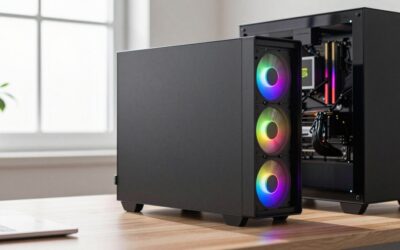
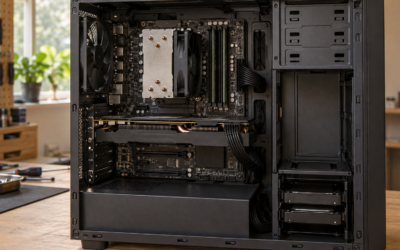
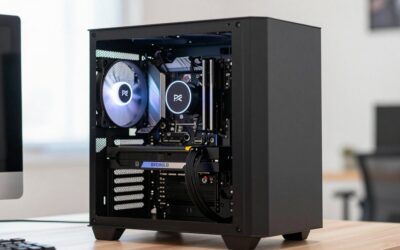
Quick answer: the best gaming desktop for most people right now is the MSI Codex Z2 with a Ryzen 7 8700F and RTX 5070, because it pairs a strong 1440p graphics card with 32GB of DDR5 and 2TB of storage, so nothing needs replacing on day one. The runner-up is the Skytech Shadow 5 Ryzen 7 7700 + RTX 5070, which gives you the same GPU and 32GB of DDR5 on a better long-term platform (AM5 with a full desktop Ryzen chip) for less money, at the cost of a smaller 1TB drive. If you want the strongest gaming CPU in the list without paying flagship money, the STORMCRAFT Skyhawk PRO Ryzen 7 9800X3D + RX 9070 XT is the high-refresh pick.
- Top Picks at a Glance
- Best Gaming Desktop Comparison Table
- 1. MSI Codex Z2 – Best for All-Round 1440p Gaming
- 2. Skytech Shadow 5 Ryzen 7 7700 + RTX 5070 – Best for Value
- 3. STORMCRAFT Skyhawk PRO Ryzen 7 9800X3D + RX 9070 XT – Best for High-Refresh Gaming
- 4. Lenovo Legion Tower 5i – Best Intel Gaming Desktop
- 5. STORMCRAFT Phantom – Best Premium Gaming Desktop
- 6. Alienware Aurora R16 – Best Big-Brand High-End Gaming Desktop
- 7. CyberPowerPC Gamer Xtreme – Best Budget Gaming Desktop
- Also Consider
- How We Chose
- Gaming Desktop Buying Guide
- Best Gaming Desktop by Budget Tier
- Warranty and Support: What to Check Before Buying a Gaming Desktop
- Prebuilt vs Building Your Own in 2026
- Frequently Asked Questions
- Which Gaming Desktop Should You Buy?
- Sources
We read every one of these machines the way a PC builder reads a parts list: which components are generic, where the power supply and cooling leave room to grow, what you would swap first, and whether you would save much by building the same spec yourself. With the 2026 memory shortage pushing RAM and GPU prices up, prebuilts have become far more competitive with DIY than they were two years ago.
Disclosure: we earn a commission if you buy through links on this page, at no extra cost to you. It never decides which systems make the list.
Top Picks at a Glance
- Best Overall: MSI Codex Z2 (Ryzen 7 8700F / RTX 5070), a balanced 1440p machine with 32GB RAM and 2TB SSD.
- Best Value: Skytech Shadow 5 Ryzen 7 7700 / RTX 5070, the same GPU class on an upgrade-friendly AM5 platform.
- Best for High-Refresh Gaming: STORMCRAFT Skyhawk PRO Ryzen 7 9800X3D / RX 9070 XT, a top gaming CPU plus a 16GB card.
- Best Intel Pick: Lenovo Legion Tower 5i (Core Ultra 7 265F / RTX 5070 Ti), 16GB of VRAM and an 850W PSU.
- Best Premium: STORMCRAFT Phantom (Ryzen 7 9800X3D / RTX 5080), a 4K-capable build on standard parts.
- Best Big-Brand High-End: Alienware Aurora R16 (Core Ultra 9 285K / RTX 5080), 4K-capable gaming plus 24-core creator power.
- Best Budget: CyberPowerPC Gamer Xtreme (Core i5-14400F / RTX 5060), a sensible 1080p entry point.
Best Gaming Desktop Comparison Table
| Product | Best For | CPU | GPU | RAM / Storage | Watch For | Price Tier | Link |
|---|---|---|---|---|---|---|---|
| MSI Codex Z2 | All-round 1440p | Ryzen 7 8700F | RTX 5070 12GB | 32GB DDR5 / 2TB | 8700F has a smaller cache than full desktop Ryzen | Mid-range | See details |
| Skytech Shadow 5 R7 7700 + RTX 5070 | Value 1440p | Ryzen 7 7700 | RTX 5070 12GB | 32GB DDR5 / 1TB | Wi-Fi 5, 750W PSU | Mid-range | See details |
| STORMCRAFT Skyhawk PRO 9800X3D + RX 9070 XT | High-refresh esports and 1440p | Ryzen 7 9800X3D | RX 9070 XT 16GB | 32GB DDR5 / 2TB | Unnamed PSU maker and board brand | Upper-mid | See details |
| Lenovo Legion Tower 5i | Intel buyers, big-brand support | Core Ultra 7 265F | RTX 5070 Ti 16GB | 32GB DDR5 / 1TB | DDR5-5600 memory, branded parts | Upper-mid | See details |
| STORMCRAFT Phantom | 4K and high-refresh 1440p | Ryzen 7 9800X3D | RTX 5080 16GB | 32GB DDR5 / 2TB | 850W is the floor for an RTX 5080 | Premium | See details |
| Alienware Aurora R16 | High-end 4K and creators | Core Ultra 9 285K | RTX 5080 16GB | 32GB DDR5 / 1TB SSD + 2TB HDD | Branded board and PSU limit future swaps | Premium | See details |
| CyberPowerPC Gamer Xtreme | Budget 1080p | Core i5-14400F | RTX 5060 8GB | 16GB DDR5 / 1TB | LGA1700 is a dead-end socket; 8GB VRAM | Budget | See details |
1. MSI Codex Z2 – Best for All-Round 1440p Gaming

msi Codex Z2 Gaming Desktop, AMD R7-8700F, RTX 5070, 32GB DDR5, 2TB SSD | NVIDIA GeForce RTX 5070, USB Type-C, VR-Ready, Windows 11 Home. Model A8NVP-436US
Included for '7 Best Gaming Desktops (October 2026): Builder Picks' as a representative home product in this roundup; selection reflects the product set returned for this topic.
View on Amazon- CPU: AMD Ryzen 7 8700F (8 cores, 16 threads, Zen 4)
- GPU: NVIDIA GeForce RTX 5070, 12GB GDDR7
- Memory / storage: 32GB DDR5, 2TB NVMe SSD
- Power supply: 80 Plus Gold; MSI lists 650W or 750W depending on the exact SKU
- Platform: AM5 socket, Wi-Fi, Windows 11
Best for: gamers who want a finished 1440p machine with enough memory and storage that nothing needs topping up. Skip if: you play CPU-heavy simulation or strategy games where a cache-rich chip like the 9800X3D pulls ahead.
The Codex Z2 earns the top spot because it gets the boring parts right. Most prebuilts at this tier cut corners on RAM or SSD capacity to hit a price; MSI ships 32GB of DDR5 and a 2TB drive, which is what we would spec in a self-built RTX 5070 rig in 2026. With memory prices inflated by the shortage, buying those two upgrades separately would add a meaningful chunk to the total, so the bundle is genuinely good value rather than just a long spec sheet.
The RTX 5070 is the sweet-spot card for 1440p. Based on its spec class, expect high settings at well above 60 fps in most current games, with DLSS 4 and frame generation stretching that further in titles that support them. These are estimates from the GPU tier, not measurements. The Ryzen 7 8700F is the one compromise: it is a desktop version of AMD’s laptop-derived Zen 4 design with a 16MB L3 cache, half that of a Ryzen 7 7700 or 9700X. In GPU-bound 1440p play you will rarely notice; in esports titles chasing 240 fps you might. See our CPU bottleneck explainer for how to spot it.
From a builder’s view, the big win is the AM5 socket. The first upgrade we would make is a drop-in CPU swap to a Ryzen 7 9800X3D or similar later on, and a BIOS update is all the board should need. Check which PSU your SKU ships with before planning a GPU upgrade: the 750W versions leave room for an RTX 5070 Ti-class card, the 650W ones are best left with the current GPU tier.
Pros
- 32GB DDR5 and 2TB SSD out of the box, no immediate upgrades needed
- RTX 5070 is the right GPU class for 1440p high settings
- AM5 platform allows a straightforward CPU upgrade later
- Name-brand motherboard and Gold-rated PSU from MSI
Cons
- Ryzen 7 8700F’s smaller cache trails full desktop Ryzen chips in CPU-bound games
- PSU wattage varies by SKU, which matters for GPU upgrades
2. Skytech Shadow 5 Ryzen 7 7700 + RTX 5070 – Best for Value

Skytech Gaming PC Shadow 5, Ryzen 7, RTX 5070, 32GB RAM, 1TB SSD | Windows 11, AMD 7700, NVIDIA 5070, NVMe SSD, DDR5 6000, 750W GOLD PSU, 360 ARGB AIO , Wi-Fi 5, Desktop
Included for '7 Best Gaming Desktops (October 2026): Builder Picks' as a representative home product in this roundup; selection reflects the product set returned for this topic.
View on Amazon- CPU: AMD Ryzen 7 7700 (8 cores, 16 threads)
- GPU: NVIDIA GeForce RTX 5070, 12GB GDDR7
- Memory / storage: 32GB DDR5-6000, 1TB NVMe SSD
- Power supply: 750W 80 Plus Gold
- Cooling: 360mm ARGB liquid cooler; Wi-Fi 5
Best for: buyers who want RTX 5070 performance with 32GB of memory at a lower price tier than the Codex Z2. Skip if: you need more than 1TB of storage on day one or want Wi-Fi 6 or newer built in.
This Skytech Shadow 5 is the system we would point a budget-conscious 1440p gamer toward. It shares the Codex Z2 graphics card, so in GPU-bound games the two should land in roughly the same performance band; that is an estimate from identical GPU class, not a measured comparison. The Ryzen 7 7700 is a full 8-core AM5 desktop chip with a larger cache than the 8700F, and it runs comfortably on a liquid cooler of this size.
The trade-off is storage and networking: a 1TB drive fills quickly with modern game installs, and Wi-Fi 5 is a generation behind. Adding a second M.2 drive is the first upgrade we would make; if you add memory later, see our XMP and EXPO guide so the kit runs at its rated speed.
The builder-friendly part of this pick is the AM5 socket, which lets you move to a Ryzen 9000X3D chip later. The 750W Gold supply is adequate for the RTX 5070 but leaves limited room for a much larger GPU, so plan any future graphics upgrade around the RTX 5070 Ti class. Compared with building the same spec yourself, the saving from DIY is small at current part prices, and you get a warranty on the whole system.
Pros
- Same RTX 5070 as our top pick at a lower price tier
- 32GB of DDR5-6000 included
- 360mm liquid cooler on an 8-core AM5 CPU
- AM5 platform with a clear CPU upgrade path
Cons
- 1TB SSD fills fast with modern game installs
- Wi-Fi 5 only
- 750W PSU limits a large future GPU upgrade
3. STORMCRAFT Skyhawk PRO Ryzen 7 9800X3D + RX 9070 XT – Best for High-Refresh Gaming

STORMCRAFT Gaming Skyhawk PRO Desktop PC 9800X3D 9070 XT 32GB DDR5 2TB SSD | AMD Ryzen 7 5.2GHz,Radeon RX 9070XT 16GB, RGB 6000MHz,360mm AIO,B850 Chipset,850W Gold PSU,Win11 Home AI-Enhanced for Gamers
Included for '7 Best Gaming Desktops (October 2026): Builder Picks' as a representative home product in this roundup; selection reflects the product set returned for this topic.
View on Amazon- CPU: AMD Ryzen 7 9800X3D (8 cores, 16 threads, 96MB L3 with 3D V-Cache)
- GPU: AMD Radeon RX 9070 XT, 16GB
- Memory / storage: 32GB DDR5-6000, 2TB NVMe SSD
- Power / cooling: 850W Gold PSU, 360mm AIO liquid cooler, B850 chipset
- Extras: RGB memory, Windows 11 Home
Best for: competitive players on 240Hz-plus monitors and anyone who wants the best gaming CPU without a flagship budget. Skip if: you rely on NVIDIA-specific features like DLSS or plan heavy CUDA-based creative work.
The Ryzen 7 9800X3D is the reason this machine is here. Its stacked 96MB cache makes it one of the fastest gaming CPUs available, and the advantage shows most in exactly the situations where the 8700F and 7600 fall behind: esports titles at very high frame rates, simulation games and big multiplayer maps. Pairing it with the 16GB RX 9070 XT gives you a card that sits in the upper-mid class, a step above the RTX 5070 in raw raster performance based on its tier, with more VRAM for high-resolution textures. If you are new to Radeon, our RX 9070 beginner’s guide covers drivers and FSR settings.
The supporting parts are better than we expect from a lesser-known brand: 32GB of DDR5-6000, a B850 chipset board, an 850W Gold supply and a 360mm liquid cooler, which is more than a 9800X3D strictly needs and keeps fan noise down.
The builder’s caveat is transparency. The listing does not name the PSU maker or motherboard model, so the first thing we would do on arrival is open the case, note the part numbers and update the BIOS. The 2TB drive is enough to start with, so a second SSD can wait. Long term, the 850W unit has the headroom for an RTX 5080-class card, and the 9800X3D will not be the bottleneck for years.
Pros
- Ryzen 7 9800X3D is among the best gaming CPUs available
- 16GB RX 9070 XT handles 1440p and light 4K
- 850W Gold PSU and 360mm AIO leave generous headroom
- 32GB DDR5 and a 2TB SSD included
Cons
- PSU and motherboard brands are not listed
- Wi-Fi support is not stated in the listing title
- Smaller brand, so long-term support is less proven
4. Lenovo Legion Tower 5i – Best Intel Gaming Desktop

Lenovo Legion Tower 5i – AI-Powered Gaming PC - Intel® Core Ultra 7 265F Processor – NVIDIA® GeForce RTX™ 5070 Ti Graphics – 32 GB Memory – 1 TB Storage – 3 Months of PC GamePass
Included for '7 Best Gaming Desktops (October 2026): Builder Picks' as a representative home product in this roundup; selection reflects the product set returned for this topic.
View on Amazon- CPU: Intel Core Ultra 7 265F (20 cores, up to 5.2GHz P-core boost)
- GPU: NVIDIA GeForce RTX 5070 Ti, 16GB GDDR7
- Memory / storage: 32GB DDR5-5600 (2x16GB), 1TB PCIe Gen4 SSD
- Power supply: 850W
- Connectivity: Wi-Fi 6E, Bluetooth 5.3; supports up to 128GB RAM
Best for: players who want 16GB of VRAM, a big-brand warranty and a CPU that also handles productivity well. Skip if: you want a fully standard case and motherboard that accept any off-the-shelf part.
The RTX 5070 Ti is our favourite GPU for buyers who want to stay at high settings for several years. Its 16GB of GDDR7 removes the VRAM worry that hangs over 12GB cards at 1440p with ray tracing, and its spec class puts it comfortably into high-refresh 1440p and capable 4K with DLSS. That is an estimate from tier, not a benchmark. Our VRAM explainer covers why 16GB matters more each year.
Intel’s Core Ultra 7 265F brings 20 cores, so this tower is also a strong pick if you compile code, render or edit video alongside gaming. In pure gaming it trails the 9800X3D in CPU-bound titles, but at 1440p and above with this GPU the difference narrows. If you are weighing Intel’s current lineup, see our Core Ultra buyer’s guide.
From a builder’s angle, Lenovo deserves credit for the 850W supply, which is more than this GPU needs and leaves room for a bigger card. Two things are less ideal: memory runs at DDR5-5600 rather than the 6000-plus kits enthusiasts prefer, and big-brand towers tend to use branded boards and case layouts that are less flexible than a retail ATX build. Socket LGA1851’s future CPU support is also less certain than AM5’s. The first swap we would make is adding a second SSD; the RAM is fine to keep.
Pros
- RTX 5070 Ti with 16GB VRAM is a long-lived 1440p and 4K card
- 20-core CPU is strong for streaming and productivity too
- 850W PSU leaves headroom for a GPU upgrade
- Big-brand warranty and support network
Cons
- DDR5-5600 memory is slower than enthusiast kits
- Branded internals are less flexible than a standard ATX build
- Less certain CPU upgrade path than AM5
5. STORMCRAFT Phantom – Best Premium Gaming Desktop

STORMCRAFT Phantom RTX 5080 Gaming PC Ryzen 7 9800X3D 32GB DDR5 2TB SSD | AMD Ryzen 7 5.2GHz,6000MHz RAM,B850 Chipset,850W PSU,360mm AIO,RGB Keyboard Mouse,WiFi BT HDMI AI Prebuilt Gaming Desktop
Included for '7 Best Gaming Desktops (October 2026): Builder Picks' as a representative home product in this roundup; selection reflects the product set returned for this topic.
View on Amazon- CPU: AMD Ryzen 7 9800X3D (8 cores, 16 threads, 96MB L3)
- GPU: NVIDIA GeForce RTX 5080, 16GB GDDR7 (256-bit)
- Memory / storage: 32GB DDR5-6000 RGB, 2TB NVMe Gen4 SSD
- Power / cooling: 850W 80 Plus Gold PSU (front-mounted), 360mm AIO, 7 ARGB fans
- Platform: AMD B850 chipset, Wi-Fi and Bluetooth, keyboard and mouse included
Best for: 4K gaming and very high-refresh 1440p on a build that uses standard, replaceable parts. Skip if: you plan to move to a flagship RTX 5090-class card later, which wants a bigger PSU.
This is the configuration we would build ourselves at the premium tier: the best gaming CPU paired with the second-fastest GeForce card. The RTX 5080’s spec class makes it a genuine 4K card with DLSS, and at 1440p it should sit well into high-refresh territory in most games, as an estimate from its tier. The 9800X3D ensures the CPU is rarely the limit, which matters more as frame rates climb.
The supporting components read like a sensible DIY list: a B850 board, 32GB of DDR5-6000, a 2TB Gen4 drive, a 360mm AIO and seven fans in an airflow-focused glass case. That is a big reason we rank it above the cheaper picks for premium buyers. Sourcing these parts yourself at 2026 prices would save little.
The one area to watch is power. NVIDIA recommends 850W for RTX 5080 systems, so this supply meets the requirement without much extra. It is fine for the shipped hardware, but it is not a platform for a 5090-class upgrade without a PSU swap, and the listing does not name the PSU maker. The front-mounted PSU layout is unusual, so check clearance if you replace it. A simple GPU undervolt is a good first tweak to cut heat and noise. Heavy 5080 cards also benefit from a GPU sag bracket if one is not already fitted.
Pros
- 9800X3D plus RTX 5080 is an excellent 4K and high-refresh pairing
- Standard B850 board, DDR5-6000 and 2TB SSD
- 360mm AIO and seven fans for strong cooling
- Peripherals included
Cons
- 850W is the minimum for an RTX 5080, little headroom beyond it
- PSU brand not disclosed
6. Alienware Aurora R16 – Best Big-Brand High-End Gaming Desktop

Alienware Aurora R16 Gaming Desktop Computer PC, NVIDIA RTX 5080 16GB GDDR7, Intel Ultra 9 285K, 32 GB DDR5, 1 TB SSD + 2 TB HDD, Wi-Fi 7, AlienFX Liquid Cooling, Windows 11 Pro
Included for '7 Best Gaming Desktops (October 2026): Builder Picks' because the listing adds cooling or gel-infused layers, which is the attribute this article compares.
View on Amazon- CPU: Intel Core Ultra 9 285K (24 cores)
- GPU: NVIDIA GeForce RTX 5080, 16GB GDDR7
- Memory / storage: 32GB DDR5, 1TB SSD plus 2TB hard drive
- Cooling: AlienFX liquid cooling
- Connectivity: Wi-Fi 7, Windows 11 Pro
Best for: buyers who want a big-brand, high-end desktop with a 24-core CPU for gaming plus rendering or compiling. Skip if: you want to reuse the motherboard or power supply in a future custom build, or you want the RTX 5090.
The Aurora R16 is the most workstation-like system in this guide. The Core Ultra 9 285K adds 24 cores, making it a serious creator machine as well as a gaming rig, and the RTX 5080 is a genuine 4K card with DLSS and capable of high-refresh 1440p. Those are estimates from the GPU tier, not measurements. With 32GB of DDR5, a 1TB SSD and a 2TB hard drive, nothing needs adding on day one.
A builder needs to know one thing: large-brand towers like this commonly use branded motherboards and power supplies, so the upgrade path is GPU, RAM and storage rather than a platform transplant. Check the power supply wattage on the current listing before planning a bigger graphics card. For a system you plan to keep for years, that is acceptable. If you want fully standard parts at the very top end, the Skytech Blaze 5 below, which lists a standard X870 board and ATX power supply, is the alternative, and our 4K gaming PC guide covers cheaper routes to 4K.
Pros
- 24-core Core Ultra 9 285K is strong for creative work and gaming
- RTX 5080 with 16GB of GDDR7 handles 4K with DLSS
- 1TB SSD, 2TB hard drive and 32GB DDR5 included
- Liquid cooling and Wi-Fi 7
Cons
- Branded board and power supply are less swappable than retail ATX parts
- Priced in a much higher tier than the STORMCRAFT Phantom for a similar GPU
- Socket LGA1851 long-term CPU upgrade path is uncertain
7. CyberPowerPC Gamer Xtreme – Best Budget Gaming Desktop

CyberPowerPC Gaming PC, Intel Core i5-14400F, GeForce RTX 5060 8GB | Gamer Xtreme, 16GB DDR5, 1TB PCIe 4.0 SSD, WiFi Ready & Windows 11 Home (GXiVR8060A47)
Included for '7 Best Gaming Desktops (October 2026): Builder Picks' as a representative home product in this roundup; selection reflects the product set returned for this topic.
View on Amazon- CPU: Intel Core i5-14400F (10 cores: 6 performance + 4 efficient)
- GPU: NVIDIA GeForce RTX 5060, 8GB GDDR7
- Memory / storage: 16GB DDR5, 1TB PCIe 4.0 SSD
- Power supply: not stated on the listing; check the spec sheet before a GPU upgrade
- Connectivity: Wi-Fi ready, Windows 11 Home
Best for: first-time PC gamers playing at 1080p, especially esports titles. Skip if: you want to play the newest AAA releases at high texture settings or move to 1440p soon.
This CyberPowerPC is one of the more sensible entry points left after the 2026 memory shortage. The RTX 5060 is a current-generation card with DLSS 4 and frame generation, and its spec class suits 1080p at high settings in most games, with esports titles running at high refresh rates. Those are estimates from the GPU tier. The Core i5-14400F is a capable 10-core chip that will not hold this GPU back.
The honest limitations are the 8GB of VRAM and the platform. Some recent games already ask for more than 8GB at high textures, so expect to drop texture quality in heavier titles; our VRAM troubleshooting guide explains the symptoms. The i5-14400F sits on Intel’s LGA1700 socket, which will not receive new CPUs, so the upgrade path is GPU, RAM and storage only.
The power supply wattage is not stated on this listing. CyberPowerPC’s similar RTX 5060 systems list 600W 80 Plus Gold units, but confirm before buying a bigger graphics card; our PSU wattage guide walks through the maths. If your budget can stretch, the RTX 5060 Ti systems in the Also Consider section are a modest step up.
Pros
- Current-generation RTX 5060 with DLSS 4 support
- i5-14400F is plenty for 1080p gaming
- DDR5 memory and a Gen4 SSD rather than older parts
Cons
- 8GB VRAM will limit texture settings in newer games
- LGA1700 socket has no CPU upgrade path
- PSU wattage not listed
Also Consider
CyberPowerPC Gamer Master (Ryzen 7 8700F / RTX 5060 Ti)

CyberPowerPC Gaming PC, AMD Ryzen 7 8700F, GeForce RTX 5060 Ti 8GB | Gamer Master, 16GB DDR5, 1TB PCIe 4.0 SSD, WiFi Ready & Windows 11 Home (GMA2900A3)
Included for '7 Best Gaming Desktops (October 2026): Builder Picks' as a representative home product in this roundup; selection reflects the product set returned for this topic.
View on AmazonBest for: 1080p gamers who want a little more GPU than the RTX 5060 and an upgradeable AM5 platform. This Gamer Master pairs the Ryzen 7 8700F with an RTX 5060 Ti 8GB, 16GB of DDR5 and a 1TB SSD on a B850 chipset. The AM5 socket means a later move to a Ryzen 9000-series chip is straightforward. Trade-off: the 8GB version of the 5060 Ti carries the same VRAM limit as the plain 5060, so high-texture 1440p is still a stretch.
Skytech Intel i5-14400F / RTX 5060 Ti

Skytech Gaming PC Desktop, Intel i5 14400F, RTX 5060 Ti 8GB, 16GB, 1TB | Windows 11, NVMe SSD, DDR4 3200 RAM, 750W GOLD PSU, Wi-Fi 5, Shadow 5 Series
Included for '7 Best Gaming Desktops (October 2026): Builder Picks' as a representative home product in this roundup; selection reflects the product set returned for this topic.
View on AmazonBest for: Intel fans who want a step above entry-level 1080p. You get a Core i5-14400F, an RTX 5060 Ti 8GB, 16GB of RAM and a 1TB SSD, and Skytech systems typically ship with Gold-rated power supplies that leave GPU upgrade headroom. Trade-off: LGA1700 is a finished platform, so CPU upgrades are off the table, and the 8GB GPU will need texture compromises in demanding new games.
KOTIN Ryzen 7 9700X / RX 9070 XT

KOTIN Gaming PC, Ryzen 7 9700X, RX 9070 XT 16GB, 32GB DDR5, 1TB SSD | Prebuilt Gaming Computer, 11.3In Smart Display, 360mm Liquid Cooler, WiFi 7, 850W Gold PSU, Windows 11, ARGB, 1440p 4K
Included for '7 Best Gaming Desktops (October 2026): Builder Picks' as a representative home product in this roundup; selection reflects the product set returned for this topic.
View on AmazonBest for: buyers who want our high-refresh pick’s 16GB RX 9070 XT for less. This version swaps the 9800X3D for a Ryzen 7 9700X, an efficient 8-core Zen 5 chip, while keeping 32GB of DDR5, a 1TB SSD, Wi-Fi 7 and an 850W Gold supply. Trade-off: without 3D V-Cache, it gives up some performance in CPU-bound and esports games, though at 1440p the gap narrows.
ZOTAC MEK (Ryzen 7 9700X / RTX 5070 Ti)

ZOTAC MEK Gaming PC Desktop, Ryzen 7 9700X, NVIDIA GeForce RTX 5070 Ti 16GB | 32GB DDR5, 1TB NVMe SSD, 750W 80+ Gold PSU, WiFi 6E, Bluetooth 5.3, Windows 11 Pro, GDDR7, up to 5.5GHz
Included for '7 Best Gaming Desktops (October 2026): Builder Picks' as a representative home product in this roundup; selection reflects the product set returned for this topic.
View on AmazonBest for: builders who value a well-documented parts list. ZOTAC pairs a Ryzen 7 9700X with its own RTX 5070 Ti 16GB on a B850 board, with 32GB of DDR5-6000, a 360mm AIO, a 750W Gold PSU, Wi-Fi 6E and 5Gb LAN. A 3-year GPU warranty sits on top of the 1-year system cover. Trade-off: only 1TB of storage, and 750W limits future upgrades to roughly the same GPU class.
STORMCRAFT Valkyrie (Ryzen 7 9800X3D / RTX 5080)

STORMCRAFT Valkyrie RTX 5080 Gaming PC, Ryzen 7 9800X3D, 32GB DDR5, 2TB SSD | Top-Tier Gaming Rig 360mm AIO Cooler,B850 Chipset,850W PSU,USB-C,Wi-Fi,AI VR Ready,Built-In Figure Stand,RGB Keyboard Mouse
Included for '7 Best Gaming Desktops (October 2026): Builder Picks' as a representative home product in this roundup; selection reflects the product set returned for this topic.
View on AmazonBest for: premium buyers who prefer a different case style to the Phantom. The internals mirror our premium pick: Ryzen 7 9800X3D, RTX 5080 16GB, 32GB DDR5-6000, 2TB Gen4 SSD, a 360mm AIO and an 850W PSU, with STORMCRAFT listing an MSI PRO B850-P WIFI board and a built-in figure stand. Trade-off: as with the Phantom, 850W leaves little room beyond an RTX 5080.
Skytech Blaze 5 (Ryzen 7 9800X3D / RTX 5090)

Skytech Gaming PC Desktop, Ryzen 7 9800X3D, RTX 5090, 32GB RAM, 2TB SSD | Windows 11, X870 Board, Gen4 NVMe SSD, DDR5 6000, 1000W GOLD ATX 3 PSU, 360 ARGB AIO , Wi-Fi 7, Blaze 5 Series
Included for '7 Best Gaming Desktops (October 2026): Builder Picks' as a representative home product in this roundup; selection reflects the product set returned for this topic.
View on AmazonBest for: flagship buyers who want standard, swappable parts. Skytech pairs a Ryzen 7 9800X3D with an RTX 5090 32GB, 32GB of DDR5-6000, a 2TB SSD, a 360mm ARGB liquid cooler and a 1000W Gold ATX 3 supply on an X870 board, plus Wi-Fi 7 and Windows 11. Its PSU follows the regular ATX standard. Trade-off: 1000W is the level NVIDIA suggests for this card, so there is little headroom, 32GB of RAM is modest at this tier, and the 8-core CPU is weaker than the 285K for heavy multi-threaded creative work.
How We Chose
These picks are research-based. We did not test these systems ourselves; instead we compared their published specifications and weighed them against what we would choose when building the same machine from parts. Our selection criteria were:
- Current-generation hardware only: RTX 50-series or RX 9000-series graphics, and CPUs from AMD’s Ryzen 7000/8000/9000 lines or Intel’s 14th-gen and Core Ultra 200S families.
- Balanced component pairing: no flagship GPU starved by a weak CPU, and no 8GB card sold as a 4K machine.
- Power and cooling headroom: PSU wattage and rating relative to NVIDIA and AMD guidance, and whether the cooler suits the CPU.
- Upgrade path: socket longevity, standard versus proprietary parts, and RAM and storage expansion.
- Coverage of every budget tier: from entry-level 1080p to flagship 4K.
Our sources included manufacturer spec sheets from MSI, Dell, HP, Lenovo, ZOTAC and STORMCRAFT, the official listings for each system, NVIDIA and AMD product pages for GPU and CPU specifications, and independent published reviews where they exist. Any performance figures in this guide are estimates based on component class, not measurements.
Gaming Desktop Buying Guide
A prebuilt is only as good as its weakest part. These are the decisions that matter most, with the thresholds we use when specifying a build for ourselves.
Which GPU tier do you need for your monitor?
The graphics card decides more about gaming performance than anything else, so match it to your resolution and refresh rate first. For 1080p at 60-144Hz, an RTX 5060 or RTX 5060 Ti class card is enough. For 1440p at high settings, aim for RTX 5070 or RX 9070 XT class or better. For high-refresh 1440p or 4K, an RTX 5070 Ti or RTX 5080 is the sensible floor, and the RTX 5090 is for 4K with maximum ray tracing or creative work.
How much VRAM is enough in 2026?
Video memory determines how high you can set textures before performance falls off a cliff. 8GB is now the minimum and already requires compromises in some new games at high texture settings. 12GB, as on the RTX 5070, is comfortable at 1440p for most titles. 16GB, found on the RTX 5070 Ti, RTX 5080 and RX 9070 XT, is what we recommend if you plan to keep the system four years or more, or game at 4K. Our VRAM guide explains this in more depth.
Which CPU matters for gaming?
For gaming, a modern 6-core chip like the Ryzen 5 7600 or an i5-14400F is enough for most mid-range GPUs. Step up to an 8-core chip for RTX 5070 Ti-class cards and streaming. If you play esports at 240Hz or CPU-heavy strategy and simulation games, AMD’s X3D chips, such as the Ryzen 7 9800X3D, are the strongest gaming option thanks to their large stacked cache. Intel Core Ultra 7 and 9 chips offer many more cores, which helps rendering and compiling more than gaming. Platform matters too: AM5 boards have a clearer upgrade path than LGA1700, which is end-of-line. Our AM5 CPU guide covers the options.
How much RAM and storage should a gaming PC have?
16GB of DDR5 is the minimum for gaming; 32GB is the comfortable target for gaming plus streaming, browser tabs and voice chat, and it is what we would buy at the RTX 5070 tier and above. 64GB only makes sense for creators. For memory speed, DDR5-6000 is the sweet spot on AMD systems. For storage, 1TB fills quickly when single games can exceed 100GB; 2TB is the better target, and a Gen4 NVMe SSD is plenty fast for games. Adding a second M.2 drive is one of the easiest upgrades you can make.
How do you judge the power supply?
Prebuilt makers save money on power supplies, so check this line carefully. Look for 80 Plus Gold or better. For wattage, use the GPU maker’s guidance as the floor: NVIDIA suggests around 650W for RTX 5070 systems, 750W for RTX 5070 Ti, 850W for RTX 5080 and 1000W for RTX 5090. A supply 100-200W above the floor gives you room for a GPU upgrade later. Also watch for non-standard designs, such as ATX12VO, which cannot be swapped for a regular retail unit. Our PSU wattage walkthrough shows how to calculate your own needs.
What about cooling, case and connectivity?
A 65W chip like the Ryzen 5 7600 or Ryzen 7 9700X is fine on a good air cooler; high-core-count Intel chips and X3D parts under sustained loads benefit from a 240mm-360mm liquid cooler. Check that the case has front intake fans and a mesh or vented front panel rather than solid glass with no airflow. For connectivity, Wi-Fi 6E or Wi-Fi 7 and at least 2.5Gb Ethernet are the current standard, and a front USB-C port is a useful convenience. If desk space is tight, our small form factor guide covers the trade-offs of going compact.
Best Gaming Desktop by Budget Tier
Use this quick guide if you already know how much you want to spend. Each tier names the best gaming desktop from this page, with one spec line per pick.
Best Gaming Desktop Under the Mid-Range Tier (1080p)
- CyberPowerPC Gamer Xtreme · Core i5-14400F · RTX 5060 8GB · 16GB DDR5 · 1TB SSD
- CyberPowerPC Gamer Master · Ryzen 7 8700F · RTX 5060 Ti 8GB · 16GB DDR5 · 1TB SSD
Best Gaming Desktop for 1440p (Mid-Range Tier)
- MSI Codex Z2 · Ryzen 7 8700F · RTX 5070 12GB · 32GB DDR5 · 2TB SSD
- Skytech Shadow 5 · Ryzen 7 7700 · RTX 5070 12GB · 32GB DDR5-6000 · 1TB SSD
- STORMCRAFT Skyhawk PRO · Ryzen 7 9800X3D · RX 9070 XT 16GB · 32GB DDR5 · 2TB SSD
Best Gaming Desktop for 4K and Premium Builds
- Lenovo Legion Tower 5i · Core Ultra 7 265F · RTX 5070 Ti 16GB · 32GB DDR5-5600 · 850W PSU
- STORMCRAFT Phantom · Ryzen 7 9800X3D · RTX 5080 16GB · 32GB DDR5-6000 · 2TB SSD
- Skytech Blaze 5 · Ryzen 7 9800X3D · RTX 5090 32GB · 32GB DDR5-6000 · 1000W PSU
If you only remember three names, make them the MSI Codex Z2 for balance, the STORMCRAFT Skyhawk PRO Ryzen 7 9800X3D RX 9070 XT for the fastest gaming CPU, and the STORMCRAFT Phantom for 4K.
Warranty and Support: What to Check Before Buying a Gaming Desktop
A warranty is part of what you pay for in a prebuilt. Big brands such as Lenovo, HP and Dell have large support networks and standard-length system warranties, while smaller builders vary: some list a multi-year GPU warranty on top of one year of system cover. Before ordering, find out who handles the warranty (seller or manufacturer), whether the cover includes labor, and what happens if you open the case to add RAM or storage. Keep the original box and invoice in case of a return window claim.
Prebuilt vs Building Your Own in 2026
For years the standard advice on this site was simple: building your own saves money. In 2026 that is far less true. The memory shortage has pushed retail DDR5 kit and graphics card prices up, while large system builders buy parts in bulk under longer contracts. At the RTX 5070 and RTX 5080 tiers, the systems in this guide land close to, and sometimes below, what the same parts cost at retail, before you count a Windows licence.
Building still wins on part quality and control. You choose the exact PSU model, motherboard and case, rather than accepting an unnamed supply or a branded board. If those details matter to you, or you already own a case, PSU and storage you can reuse, DIY remains the better route.
Our recommendation is a hybrid approach: buy a prebuilt with a strong GPU and CPU on a standard platform, then upgrade the cheap parts yourself. Adding RAM, a second SSD or better case fans is easy, while the expensive GPU and CPU are where builders’ bulk pricing helps most. Pick systems with Gold-rated PSUs that have headroom and standard ATX parts, and your prebuilt will upgrade like a DIY build for years.
Frequently Asked Questions
Is it cheaper to build or buy a gaming PC in 2026?
Buying a prebuilt is often about the same price or cheaper in 2026 at mid and upper tiers. The memory shortage raised retail RAM and GPU prices, while large builders buy in bulk. Building still makes sense if you can reuse parts like a case, PSU or storage, or want specific component brands.
What is a good gaming desktop for 1440p?
A good 1440p gaming desktop pairs an RTX 5070 or RX 9070 XT class GPU with a modern 6- or 8-core CPU and 32GB of DDR5. The MSI Codex Z2 and Skytech RTX 5070 systems in this guide fit that profile. Choose an RTX 5070 Ti for high-refresh 1440p and more VRAM headroom.
Is 16GB of RAM enough for gaming?
16GB of RAM is enough for most games on its own, but it is the minimum rather than the target. With a browser, Discord and streaming software open, 32GB is noticeably more comfortable. If you buy a 16GB system, adding a matching kit later is one of the cheapest and easiest upgrades.
Is an RTX 5060 good enough for gaming?
Yes, an RTX 5060 is good enough for 1080p gaming at high settings in most titles and for high-refresh esports play. Its main limit is 8GB of VRAM, which already forces lower texture settings in some new games. For 1440p or a longer lifespan, step up to an RTX 5070 or a 16GB card.
Is the Ryzen 7 9800X3D worth it for gaming?
The Ryzen 7 9800X3D is worth it if you play esports at very high refresh rates or CPU-heavy strategy and simulation games, where its 96MB cache gives a clear advantage. At 4K, or with a mid-range GPU, the gap to cheaper 8-core chips shrinks, so put the money toward the graphics card first.
How long does a gaming PC last?
A well-specified gaming PC typically stays capable for four to six years at the settings it was bought for. VRAM and GPU tier usually age first. Choosing 16GB of VRAM, 32GB of RAM, a Gold PSU with headroom and an upgradeable platform like AM5 stretches that lifespan, because you can replace one part instead of the whole system.
What power supply does a gaming PC need?
A gaming PC needs a power supply that meets the GPU maker’s recommendation, ideally with 100-200W of headroom and an 80 Plus Gold rating. As a guide, that means around 650W for RTX 5070 systems, 850W for RTX 5080 systems and 1000W or more for an RTX 5090. Check the PSU line before buying any prebuilt.
Can you upgrade a prebuilt gaming PC?
Yes, most prebuilt gaming PCs can be upgraded, especially RAM, storage and the graphics card. How far you can go depends on the PSU wattage, case size and whether the motherboard and power supply follow standard ATX formats. Systems on AM5 also allow CPU upgrades, while LGA1700 systems are limited to current chips.
What is the best gaming desktop right now?
For most people it is the MSI Codex Z2 with an RTX 5070, 32GB of DDR5 and a 2TB SSD. Players who want maximum frame rates should look at the STORMCRAFT Skyhawk PRO Ryzen 7 9800X3D RX 9070 XT.
What is the best gaming desktop for 4K?
The STORMCRAFT Phantom with a Ryzen 7 9800X3D and RTX 5080 is the pick for 4K on standard parts. An RTX 5070 Ti such as the Lenovo Legion Tower 5i can also reach 4K with DLSS upscaling.
Is a gaming desktop better than a gaming laptop?
For the same money, a desktop gives you faster graphics, better cooling and easier upgrades. A laptop is only better if you need portability.
Which Gaming Desktop Should You Buy?
Here is how we would match each type of buyer to a system:
- Most 1440p gamers: the MSI Codex Z2, because 32GB RAM and 2TB storage mean no immediate upgrades.
- Tighter budget, same GPU: the Skytech Shadow 5 Ryzen 7 7700 + RTX 5070, then add a second SSD later.
- Competitive and esports players: the STORMCRAFT Skyhawk PRO 9800X3D + RX 9070 XT for the best gaming CPU at an upper-mid price.
- Intel fans and multitaskers: the Lenovo Legion Tower 5i with its 20-core CPU and 16GB RTX 5070 Ti.
- 4K gamers on standard parts: the STORMCRAFT Phantom with an RTX 5080.
- Creators and no-limit buyers: the Alienware Aurora R16 with a 24-core CPU and RTX 5080, or the Skytech Blaze 5 if you want an RTX 5090.
- First-time and 1080p players: the CyberPowerPC Gamer Xtreme with an RTX 5060.
Whichever you choose, check the PSU line and plan your first upgrade before you buy. That is the builder’s habit that keeps a prebuilt useful for years. For more on spotting a mismatched system, see our CPU bottleneck mistakes guide and AM5 upgrade guide.
Sources
- NVIDIA GeForce RTX 50 Series graphics cards
- AMD Ryzen 7 9800X3D processor specifications
- AMD Radeon RX 9070 XT specifications
- MSI Codex Z2 specification page
Last updated: October 9, 2026