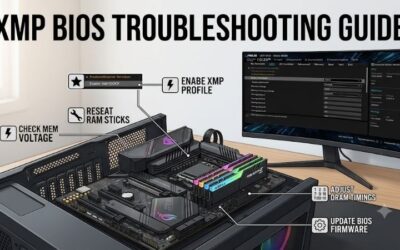
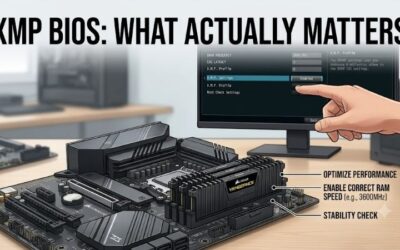
XMP BIOS common mistakes to avoid include buying the wrong memory generation, combining separate kits, and treating a successful boot as proof of stability. XMP applies an overclocking profile, not a universal performance guarantee. This guide compares four matched RAM kits and explains how to choose one your configuration can support.

How to Choose XMP Memory Kits
This guide to xmp bios common mistakes to avoid connects purchase decisions with BIOS behavior. You will compare memory generation, timings, physical fit, and stored profiles before selecting a kit. Use manufacturer guidance, test stability after changes, and return to defaults if errors appear rather than adding voltage blindly.
Platform and Memory Generation
DDR4 and DDR5 desktop memory are not interchangeable, even when both listings describe 32GB kits. Motherboard specifications determine the required generation, while the processor and BIOS influence supported profiles. Check the exact board model, including any DDR4 or DDR5 suffix, before relying on a marketplace compatibility claim.
For an existing DDR4 desktop, replacing the motherboard simply to install DDR5 rarely makes sense as a minor memory upgrade. Confirm XMP support before purchasing, especially on prebuilt computers with restricted BIOS menus. Kingston FURY Beast KF432C16BBK2/32 offers a matched DDR4 option when the motherboard supports that generation.
Frequency, Timings, and Voltage
A transfer rate alone cannot describe the entire profile. Compare timings and voltage within the same memory generation and rate. CL30 and CL36 are meaningful distinctions at DDR5-6000, but CAS latency cannot be compared sensibly across unrelated speeds without context. Your processor’s memory controller also limits achievable settings.
For xmp bios common mistakes to avoid, separate the kit’s rated profile from a promise about your processor. Lower timings may appeal to performance-focused buyers, but motherboard validation still matters. G.SKILL Ripjaws S5 F5-6000J3040F16GX2-RS5K combines DDR5-6000 with CL30 for compatible systems seeking that specification.
Matched Kits and Cooler Clearance
Purchase the capacity you need as one matched kit instead of planning to combine separate packages later. Two kits with identical advertised specifications are not necessarily validated together. Install modules in the slots recommended by the motherboard manual, and measure available cooler clearance before choosing tall decorative heat spreaders.
A compact heat spreader can reduce clearance concerns, although actual fit depends on the cooler and motherboard layout. Avoid assuming every non-RGB module has identical dimensions. For builds requiring lower-height DDR5 memory, G.SKILL Ripjaws S5 F5-6000J3040F16GX2-RS5K provides a documented 33mm module height without lighting.
Profile Flexibility and Upgrade Value
Stored alternatives can help when the configuration cannot sustain the fastest rated profile. A lower profile is still subject to compatibility and testing, but it offers documented settings rather than guessed timing combinations. Dual XMP and EXPO support also helps buyers compare Intel and AMD platforms without assuming identical BIOS menus.
For xmp bios common mistakes to avoid, select profiles according to the actual motherboard rather than treating their labels as interchangeable. Kingston FURY Beast KF560C36BBE2K2-32 supports XMP and EXPO. For a lower headline rate with several XMP options, Kingston FURY Beast KF556C40BBK2-32 offers a practical alternative.
Top Picks
These picks address xmp bios common mistakes to avoid through distinct configurations. Each supplies two matched 16GB modules. DDR4 buyers need DDR4-compatible motherboards; DDR5 buyers can compare tighter timings, dual-platform profiles, or lower advertised transfer rates. Compatibility confirmation should precede checkout, regardless of branding.
| Product | Best For | Key Spec | Watch Out For |
|---|---|---|---|
| G.SKILL Ripjaws S5 F5-6000J3040F16GX2-RS5K | Best Overall for compatible DDR5 builds | 32GB; DDR5-6000; CL30; 1.35V; XMP 3.0 | Rated profile depends on motherboard and CPU support |
| Kingston FURY Beast KF432C16BBK2/32 | Best Value for existing DDR4 PCs | 32GB; DDR4-3200; CL16; 1.35V; XMP 2.0 | Cannot migrate to a DDR5-only motherboard |
| Kingston FURY Beast KF560C36BBE2K2-32 | Best For XMP and EXPO flexibility | 32GB; DDR5-6000; CL36; 1.35V; XMP and EXPO | Looser CAS timing than the CL30 pick |
| Kingston FURY Beast KF556C40BBK2-32 | Best For lower rated DDR5 speeds | 32GB; DDR5-5600; CL40; 1.25V; XMP 3.0 | Lower headline rate and looser CAS timing |
G.SKILL Ripjaws S5 F5-6000J3040F16GX2-RS5K: Best Overall
G.SKILL Ripjaws S5 F5-6000J3040F16GX2-RS5K suits supported Intel DDR5 desktops seeking a well-balanced performance specification. Its XMP 3.0 profile reaches DDR5-6000 with 30-40-40-96 timings at 1.35V. The 33mm heat spreader is a practical advantage for air-cooled builds where taller memory might complicate installation.
The drawback is that its advertised profile requires a compatible motherboard and capable CPU memory controller; it cannot guarantee 6000MT/s on every machine. It also lacks RGB lighting. Among xmp bios common mistakes to avoid, assuming a CL30 kit will automatically improve every game is especially misleading without workload testing.
Kingston FURY Beast KF432C16BBK2/32: Best Value
Kingston FURY Beast KF432C16BBK2/32 is the value-oriented choice for retaining a compatible DDR4 platform. Its primary XMP 2.0 profile specifies 3200MT/s, 16-20-20 timings, and 1.35V. The advantage is a matched 32GB upgrade without changing memory generation; the 34mm module height also helps evaluate cooler clearance.
Its limitation is platform longevity: DDR4 cannot migrate into a DDR5-only motherboard. Value means retaining compatible hardware, without assuming the lowest current price. A secondary 3000MT/s profile provides another documented configuration. Select this kit for an existing DDR4 motherboard after confirming profile support and suitable capacity.
Kingston FURY Beast KF560C36BBE2K2-32: Best for Profile Flexibility
Kingston FURY Beast KF560C36BBE2K2-32 suits buyers wanting documented profiles for either Intel or AMD hardware. It supports XMP 3.0 and EXPO, with a 6000MT/s CL36 profile at 1.35V. Its practical advantage is profile flexibility, including a 5600MT/s CL40 alternative at 1.25V, rather than relying on manually invented settings.
The trade-off is looser primary CAS latency than the Ripjaws S5 at the same 6000MT/s rate. Dual-profile support cannot certify every motherboard, and the 34.9mm height still needs clearance checking. For xmp bios common mistakes to avoid, this kit illustrates why profile support and guaranteed systemwide stability are different claims.
Kingston FURY Beast KF556C40BBK2-32: Best for Lower Rated DDR5 Speeds
Kingston FURY Beast KF556C40BBK2-32 suits compatible DDR5 desktops targeting a lower rated rate than the 6000MT/s picks. Its main XMP 3.0 profile specifies 5600MT/s, 40-40-40 timings, and 1.25V. Additional 5200 and 4800MT/s XMP profiles provide useful documented alternatives when selecting settings for your configuration.
Its disadvantage is reduced bandwidth and looser CAS timing compared with the CL30 DDR5-6000 alternative. A lower profile target can simplify some configurations, without guaranteeing stability. Purchase when motherboard validation supports this specification and the retailer’s current price makes the compromise worthwhile for your workload.
Frequently Asked Questions
Questions about xmp bios common mistakes to avoid involve default settings, mixed kits, failed boots, and performance expectations. Investigate configuration before replacing hardware. Unsupported combinations or misleading frequency displays can resemble defective memory, making troubleshooting more useful than replacing multiple components.
Why Is My RAM Slower Than the Advertised Speed?
Your RAM may operate at default JEDEC settings because XMP remains disabled. Ripjaws S5 specifies default DDR5-4800 operation alongside its DDR5-6000 profile. Locate the motherboard’s documented BIOS memory controls, select the supported profile, inspect the proposed changes, and save before restarting. Menu names depend on motherboard firmware.
Verify active memory settings after restarting; a stored profile description does not confirm its application. Utilities reporting the underlying clock may display about 3000MHz for DDR5-6000, reflecting double-data-rate operation. Firmware that reverted after unsuccessful startup requires troubleshooting, rather than repeated profile activation.
Can I Combine Two Identical RAM Kits?
No, combining two identical retail kits cannot guarantee their combined XMP performance. Manufacturers validate the modules supplied together, not arbitrary combinations of separate boxes. Four modules also change the electrical load on the memory controller. Purchase the desired capacity as one supported kit when profile stability matters.
Identical branding can conceal changes in memory chips or manufacturing revisions, even when advertised timings match. Keeping one matched kit simplifies diagnosis and compatibility checking. For memory upgrades, buying another pair later because two slots remain empty can turn a simple capacity upgrade into a tuning project.
What Should I Do If XMP Causes Crashes or No Boot?
Return to default memory settings if XMP introduces crashes, errors, or repeated boot failures. If BIOS access is unavailable, follow your motherboard’s documented recovery or CMOS-reset procedure. Disconnect power before internal handling according to the manual. Avoid improvising jumper locations or increasing voltage to force startup.
Once the system starts at defaults, verify recommended slots, exact kit compatibility, and relevant BIOS update notes. Make one independent change and use a memory test plus your normal workloads; reaching Windows alone is insufficient evidence. Errors at defaults warrant hardware diagnosis or manufacturer support instead of aggressive profiles.
Does Enabling XMP Guarantee Better Gaming Performance?
No, enabling XMP cannot guarantee a frame-rate increase in every game. Memory-sensitive workloads may benefit, while GPU-limited games can show smaller changes. Compare repeatable results under the same settings rather than importing another reviewer’s percentage. A stable default configuration is preferable to an unstable faster profile.
XMP is memory overclocking, even when the settings are manufacturer-programmed. Operating outside processor specifications can affect warranty coverage, so check applicable terms. That differs from the RAM kit’s own warranty. Keep baseline results before testing, and evaluate stability alongside performance rather than trusting a single benchmark.
Final Thoughts
Use xmp bios common mistakes to avoid when matching memory specifications to motherboard support. Ripjaws S5 targets compatible CL30 DDR5 configurations; DDR4 Beast supports existing DDR4 platforms. The DDR5 Beast alternatives emphasize profile flexibility or lower speed. Confirm compatibility and test changes before trusting advertised numbers.