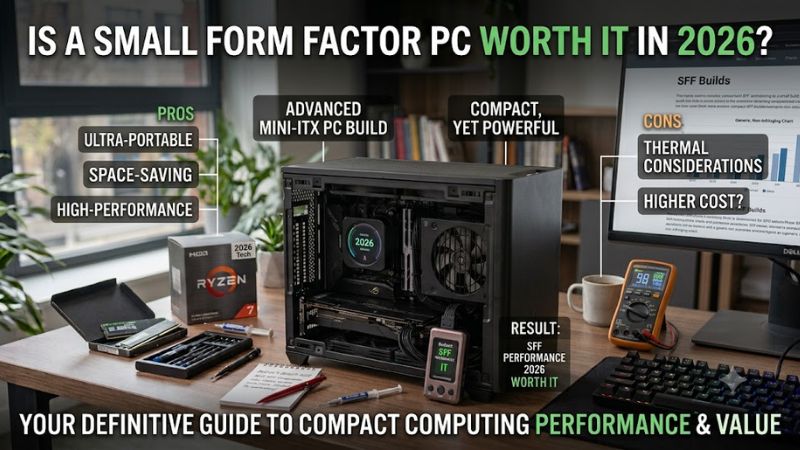
Is a small form factor pc worth it in 2026 if your priorities are less desk space, lower power use, and ready-to-run hardware. Modern mini-PCs pair strong mobile CPUs with DDR5, fast NVMe storage, USB4, and 2.5GbE. The catch is limited GPU-upgradability, so value depends on workload and your long-term upgradability priorities over time, too.
Quick answer: Our top pick in 2026 is the Beelink SER8 Ryzen 7 8845HS — our #1 rated choice. See the full ranked comparison, alternatives and buying advice below.
How to Choose a Small Form Factor PC
A small form factor PC is worth considering in 2026 when you need day-to-day speed without a tower’s footprint and parts burden. Strong models now combine eight-core CPUs, high-speed memory, multiple SSD slots, and modern display connectivity. That frames the question, is a small form factor pc worth it in 2026, around actual needs.
CPU Performance
CPU class matters because compact systems rely on integrated graphics and have limited cooling headroom. Newer Ryzen chips such as the 8845HS and 8745H combine eight cores with strong Radeon graphics, giving better multitasking and light gaming than entry-level chips. ASUS NUC 14 Pro adds Core Ultra options for business-focused workloads.
For basic office-browsing-streaming tasks, you do not need the fastest chip. For coding, photo work, virtualization, or heavy multitasking, extra cores matter more. The SER8 and UM870 Slim therefore make stronger all-purpose choices, while the NUC 14 Pro suits buyers who value Intel business features and compact deployment.
RAM And Storage
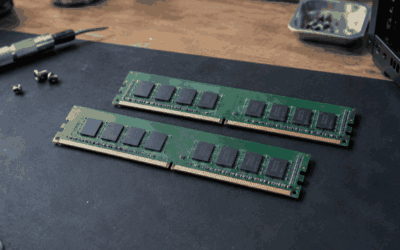
RAM/storage keep a compact PC useful after the first purchase. Look for two SO-DIMM slots and dual-M.2 storage when upgrades matter. The UM870 Slim supports up to 96GB DDR5 and two PCIe 4.0 NVMe drives, while the GMKtec K8 Plus combines dual-SODIMM/dual-M.2 storage for longer-term upgradability and easier capacity growth.
The trade-off is that more expansion usually means a slightly larger chassis or a more expensive configuration. A preconfigured SER8 is simpler because it ships with memory and SSD storage, while a barebone UM870 Slim suits buyers who already own matching parts. That makes SER8 the convenience choice and UM870 Slim the flexibility choice.
Connectivity And Display Support
Ports can determine whether a mini PC feels complete or forces you into extra hubs/adapters. USB4, 2.5GbE, multi-display outputs, and fast Wi-Fi matter for modern desks. The K8 Plus stands out with two USB4 ports, dual 2.5GbE, HDMI 2.1, DisplayPort 2.1, and an OCuLink connection for compatible external-expansion hardware.
Display connectivity also separates these models. The SER8 can drive three displays through HDMI 2.1, DisplayPort 1.4, and full-featured USB4, while the UM870 Slim offers HDMI 2.1, DisplayPort 1.4, and USB4. That makes SER8 and UM870 Slim the stronger multi-monitor choices for office and creative workloads in demanding workflows.
Size And Cooling
Size/cooling should be judged together because smaller enclosures can restrict sustained-load performance. The SER8 uses a vapor-chamber design and is rated around 32dB, while the UM870 Slim measures 130 × 126.5 × 50.4mm. The ASUS NUC 14 Pro can reach 117 × 112 × 37mm in its slim-chassis design, useful behind monitors.
Tiny dimensions are useful behind a monitor or on a shallow desk, but ultra-compact systems can become louder under sustained loads. The SER8 is attractive for quiet productivity, while the NUC 14 Pro wins when mounting flexibility and compactness matter most. The K8 Plus accepts a little more bulk for broader upgradability.
Top Picks
The shortlist focuses on real compact desktops rather than bareboard projects. is a small form factor pc worth it in 2026 becomes easier to answer when each model has a clear role: overall balance, value flexibility, expansion, or professional-desk use. That makes the comparison more useful than choosing the smallest case alone.
| Product | Best For | Key Spec | Watch Out For |
|---|---|---|---|
| Beelink SER8 Ryzen 7 8845HS | Best Overall | 8C/16T; Radeon 780M; 0.814L chassis | Integrated GPU limits high-end gaming |
| MINISFORUM UM870 Slim | Best Value | Ryzen 7 8745H; up to 96GB DDR5; dual M.2 PCIe 4.0 | Barebone and ready-built configurations differ |
| GMKtec NucBox K8 Plus | Best For Expansion | Ryzen 7 8845HS; dual 2.5GbE; OCuLink; up to 96GB | Slightly larger chassis; OCuLink requires shutdown |
| ASUS NUC 14 Pro | Best For Professional Desks | Core Ultra 5/7; up to 48GB DDR5-5600; dual Thunderbolt 4 | Some kits require RAM, storage, and OS |
Beelink SER8 Ryzen 7 8845HS
Beelink SER8 is the Best Overall because its Ryzen 7 8845HS delivers 8-core/16-thread performance, Radeon 780M graphics, and boost speeds up to 5.1GHz. Configurations include 32GB DDR5-5600 and a 1TB PCIe 4.0 SSD, while two M.2 slots allow substantial storage expansion. Its vapor-chamber cooling is a major strength overall.
For is a small form factor pc worth it in 2026, the SER8 makes the strongest case for quiet performance in an ultra-compact enclosure. Beelink rates it around 32dB, and its chassis volume is about 0.814 liter. The main compromise is integrated graphics: strong for a mini PC, but well behind a desktop GPU for demanding gaming.
MINISFORUM UM870 Slim
MINISFORUM UM870 Slim is the Best Value when you want a current eight-core AMD platform and future expansion room. Its Ryzen 7 8745H reaches 4.9GHz, uses Radeon 780M graphics, supports dual-channel DDR5-5600 up to 96GB, and has two M.2 2280 PCIe 4.0 slots. This is unusually flexible and future-ready for a compact system.
For is a small form factor pc worth it in 2026, the UM870 Slim makes sense for a buyer comfortable selecting RAM/storage separately. Its 130 × 126.5 × 50.4mm chassis remains compact, while USB4, 2.5GbE, and Wi-Fi 6E keep connectivity modern. The downside is configuration costs can vary sharply between barebone and prebuilt versions.
GMKtec NucBox K8 Plus
GMKtec NucBox K8 Plus is the Best For Expansion because it combines the Ryzen 7 8845HS with exceptionally rich external connectivity. It supports 32GB DDR5-5600 as a base configuration, up to 96GB, two PCIe 4.0 M.2 drives, dual 2.5GbE, two USB4 ports, and an OCuLink PCIe 4.0 x4 connection for compatible external-hardware expansion.
For is a small form factor pc worth it in 2026, the K8 Plus is the strongest tinkering choice for future storage or external-graphics upgrades. The trade-off is a 132 × 125 × 58mm chassis that is slightly larger than SER8. Its OCuLink port also requires the system to be powered off before device connection/disconnection.
ASUS NUC 14 Pro
ASUS NUC 14 Pro is the Best For Professional Desks because its Core Ultra configurations bring newer Intel-platform features into a compact chassis. Depending on the SKU, it supports Core Ultra 5 125H or Core Ultra 7 155H, DDR5-5600 SO-DIMM up to 48GB, dual Thunderbolt 4, dual HDMI 2.1, Wi-Fi 6E, and multi-storage interfaces.
For is a small form factor pc worth it in 2026, the NUC 14 Pro is compelling when business connectivity/mounting flexibility matter more than raw value. Its slim chassis measures 117 × 112 × 37mm. Its drawback is 48GB max memory, and some kits ship without Windows/RAM/storage, which increases setup work and reduces out-of-box convenience.
Frequently Asked Questions
is a small form factor pc worth it in 2026 for most buyers? Yes, when the main benefits are compact size, lower-power operation, and integrated convenience. The category is less attractive for serious gaming or major upgrades, where a traditional desktop offers better performance-per-dollar and expansion. Choose based on expected workload.
Are Small Form Factor PCs Good For Gaming?
Is a small form factor PC good for gaming? Yes, mainly for esports/older titles/modern games at sensible settings when the system uses a strong iGPU. Radeon 780M systems such as SER8, UM870 Slim, and K8 Plus handle lighter gaming far better than basic office mini PCs without a dedicated graphics card for high-refresh targets.
The exception is AAA gaming at high-settings/high-refresh. Integrated graphics share system memory and cannot match a discrete GPU. If gaming is your main purpose, compare expected frame rates first. If gaming is occasional, a strong mini PC remains practical for work, media, and lighter games without requiring a separate tower.
How Much RAM Should A Mini PC Have?
How much RAM should a small form factor PC have? Start with 16GB for normal Windows workloads, then move to 32GB when you regularly use creative/dev software, large-browser workloads, or virtualization. Replaceable-SO-DIMM slots are preferable because they let the machine grow without replacing the entire computer later.
There is no benefit in buying maximum RAM capacity just because the motherboard supports it. The UM870 Slim and K8 Plus can reach 96GB, useful for specialized workloads, but most home/office users will not need that much. Spend extra on capacity only when current workloads actually use the memory you already have today.
Can A Mini PC Replace A Desktop Tower?
Can a mini PC replace a desktop tower? For office/school/media/development users, yes. A modern eight-core mini PC can handle substantial work while consuming less space and avoiding a separate-case/motherboard/PSU purchase. That makes the format particularly attractive when desk size is limited, especially beside a monitor or TV.
A tower remains better when you expect multiple PCIe cards, large-drive arrays, or major upgrades. Small systems also concentrate heat into a smaller enclosure. The decision should follow your upgrade expectations rather than a compact-hardware preference, especially when future-GPU upgrades are likely.
Will A Small Form Factor PC Last For Years?
Will a small form factor PC last for several years? Yes, when CPU, RAM, and storage match your workload and the system receives normal airflow and maintenance. Buying replaceable RAM and more than one SSD slot can extend usable life because storage and memory can be expanded later without replacing the computer safely.
Longevity does not mean unlimited upgradability. You generally cannot replace the CPU or add a full-size desktop GPU inside these enclosures. That makes SER8 and UM870 Slim safer long-term choices for flexible everyday computing, while NUC 14 Pro suits buyers who value a compact business platform over enthusiast-level upgrades.
Final Thoughts
For 2026 buyers, the answer to “is a small form factor pc worth it in 2026” depends on whether you want a compact, efficient desktop rather than a gaming tower. SER8 is the strongest overall mix, UM870 Slim offers flexible value, K8 Plus leads on expansion, and ASUS NUC 14 Pro fits professional workstations. Match the platform to your workload.
Ready to decide? Our #1 pick for 2026 is the Beelink SER8 Ryzen 7 8845HS.
Live price & availability on Amazon.