If you are still running a GeForce RTX 3060, you have spent roughly five years with one of the most popular mid-range cards NVIDIA ever shipped. It held up remarkably well, but the landscape has shifted. DLSS 4’s Multi Frame Generation is locked behind Blackwell, VRAM-hungry titles are finally catching up with the 3060’s memory pipeline, and a new wave of 1440p-capable monitors has raised expectations for what a mid-range GPU should deliver. The RTX 5060 lands at just over $410, which makes it the most natural drop-in candidate for anyone looking to upgrade RTX 3060 to RTX 5060 in 2026. But a price tag alone does not tell the whole story.
Quick Verdict
Yes, for most RTX 3060 owners, the upgrade to the RTX 5060 makes sense if your priority is 1080p or 1440p gaming and you want access to DLSS 4 Multi Frame Generation. You gain roughly 25 to 40 percent raw rasterization performance, a modern power efficiency profile, and access to the latest frame-generation technology. The main caveat is VRAM: dropping from 12GB to 8GB is a real regression that will bite in the most demanding future titles. If your current build has a bottlenecking CPU or an aging power supply, the total cost of the upgrade may be higher than the sticker price suggests.
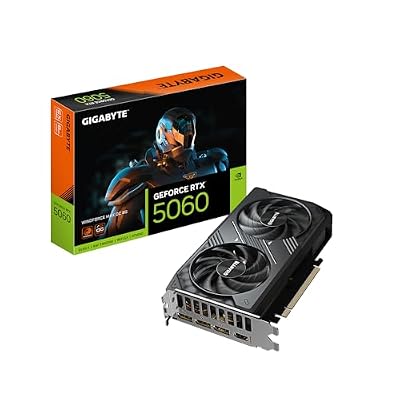
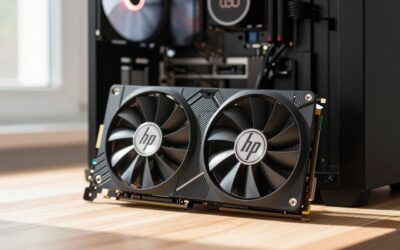
GIGABYTE GeForce RTX 5060 WINDFORCE MAX OC 8G Graphics Card, Cooling System, 8GB 128-bit GDDR7, PCIe 5.0, by NVIDIA, DisplayPort & HDMI - Video Output Interface, GV-N5060WF2MAX OC-8GD Video Card
Included for 'Upgrading from RTX 3060 to RTX 5060: Is It Worth It in 2026?' because the listing specifies Cooling System and 8GB 128-bit GDDR7, details this guide uses to compare options.
View on AmazonSpecs: Old vs New
| Feature | RTX 3060 | RTX 5060 (WINDFORCE OC) |
|---|---|---|
| Architecture | Ampere (GA106) | Blackwell (GB206) |
| CUDA Cores | 3,584 | 3,840 |
| VRAM | 12GB GDDR6 | 8GB GDDR7 |
| Memory Bus | 192-bit | 128-bit |
| Memory Bandwidth | ~360 GB/s | ~448 GB/s |
| Rated Power (TGP) | 170W | 150W |
| PCIe Interface | PCIe 4.0 x16 | PCIe 5.0 x16 |
| DLSS Support | DLSS 2 | DLSS 4 + Multi Frame Gen |
| Launch MSRP | $329 | $299 (board partner pricing varies) |
| Typical Retail Price | ~$250 used | around $410 (WINDFORCE OC) |
Performance Gain
1080p
At 1080p, the RTX 5060 sits comfortably ahead of the RTX 3060 across the board. TechPowerUp’s launch review measured rasterization improvements ranging from roughly 22 percent to 35 percent depending on the title, with the largest gains in newer AAA games that stress shader throughput. Tom’s Hardware reported similar spreads, noting that older eSports titles tend toward the lower end of the range because the 3060 was never the bottleneck at those frame rates. Once you enable DLSS 4 Multi Frame Generation, the perceived smoothness advantage widens considerably, since the 3060 cannot use that feature at all.
1440p
At 1440p, the gap holds steady or widens slightly. Hardware Unboxed observed gains between 25 and 40 percent in their test suite, with the RTX 5060 pulling further ahead in titles that benefit from GDDR7 bandwidth and improved ray tracing cores. Gamers Nexus highlighted that the 128-bit bus is not a significant limiter at 1440p in most current titles, though a handful of memory-heavy open-world games begin to show the 8GB ceiling. For competitive or casual 1440p play, the upgrade is straightforward.
4K
Neither card was designed for native 4K, but the RTX 5060 edges closer with DLSS. TechSpot’s analysis placed gains in the 20 to 30 percent range at 4K when both cards are set to native rendering, with the 8GB limit becoming a genuine problem in titles that exceed VRAM. If you are targeting 4K, this is not the upgrade to solve your problems. At 1080p and 1440p, however, the RTX 5060 represents a meaningful generational step.
Hidden Costs
Before you pull the trigger, consider what else might need attention.
Power supply: The RTX 5060 is actually lower power than the 3060, so if your current PSU handled the 3060, it will handle the 5060 without issue. That said, if your system is aging and your PSU is approaching 600 watts or less with multiple drives, a modest bump to a 650W or 750W unit costs around $60 to $90.
CPU bottleneck: If you paired your 3060 with something like a Ryzen 5 3600 or an Intel 10th-gen Core i5, you may not see the full 25 to 35 percent GPU uplift at 1080p because the CPU becomes the limiting factor. At 1440p and above, this matters less. Budget an extra $150 to $250 for a CPU and possibly RAM upgrade if your platform is genuinely outdated.
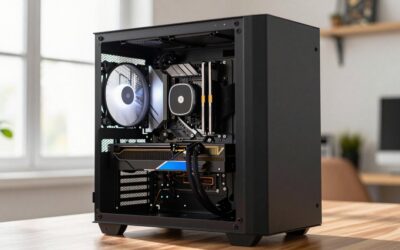
Case clearance: The WINDFORCE OC 8G uses a dual-fan cooler that is compact by modern standards, but always confirm clearance. Most mid-tower cases that accommodated a 3060 will fit the 5060 without difficulty.
Resale value of the RTX 3060: Used RTX 3060 cards are still moving at $200 to $260 on the secondary market. That effectively lowers your net upgrade cost by a significant margin. If you are buying the WINDFORCE OC at around $410 and selling your 3060 for $230, your true outlay is around $180.
Worth It For
- 1080p or 1440p gamers who want a meaningful frame-rate boost without jumping to a $600-plus card
- Players who want DLSS 4 Multi Frame Generation and the latest ray tracing improvements
- Builders running an 8th-gen Ryzen or 10th-gen Intel CPU who plan a platform upgrade soon
- Anyone whose current PSU is 550W or above, since the 5060 draws less power than the 3060 it replaces
Not Worth It For
- Users who regularly play titles exceeding 8GB VRAM at high textures (flight sims, heavily modded games)
- Builders on a tight budget who can find a used RTX 3060 Ti or RX 6700 XT at a steep discount instead
- Anyone expecting the 5060 to handle 4K gaming without aggressive DLSS settings
- Owners of a Ryzen 7 2700X or equivalent who will remain CPU-bottlenecked at 1080p
Alternatives
If the 8GB VRAM limit is your sticking point, consider the used RTX 3060 Ti market at $280 to $330, which gives you 8GB of faster GDDR6 on a wider bus and roughly parity with the 5060 in rasterization minus DLSS 4. On the AMD side, the RX 9060 XT 16GB sits in a similar price range, offers double the VRAM, and competes closely in raw raster. It lacks DLSS Multi Frame Generation, but FSR 4 is improving. If you already own the RTX 3060 and want to squeeze a little more life out of it, a CPU upgrade paired with lowered texture settings may be more cost-effective than a GPU swap.
FAQ
Do I need a new power supply to upgrade from RTX 3060 to RTX 5060?
In most cases, no. The RTX 5060 has a 150W rated power target, which is lower than the RTX 3060’s 170W. Any PSU that ran a 3060 system will handle a 5060 without changes. The WINDFORCE OC uses a single 8-pin connector, the same as most 3060 models.
Is 8GB VRAM on the RTX 5060 a dealbreaker compared to 12GB on the 3060?
Not at launch, but it is a legitimate concern for the long term. In current titles, the faster GDDR7 and higher bandwidth of the 128-bit 5060 offset the capacity difference in most scenarios. Games that exceed 8GB are still relatively rare at 1080p and 1440p, but that trend is accelerating with newer releases. If you plan to keep this card for four or more years, the 3060’s 12GB may age more gracefully in edge cases.
How much performance will I lose if my CPU is a Ryzen 5 3600 or Core i5-10400?
At 1080p, you may only realize half of the theoretical GPU uplift because the CPU cannot feed frames fast enough. At 1440p, the gap narrows significantly. If you are stuck on a six-core older platform, budget for a CPU upgrade or accept that the 5060 will be partially bottlenecked until you swap it.
Can I use my RTX 3060’s monitor cables and drivers with the RTX 5060?
Yes for cables, provided your monitor supports DisplayPort or HDMI, which both cards output. For drivers, uninstall the old NVIDIA driver cleanly using DDU (Display Driver Uninstaller) before installing the new Blackwell-era driver. A fresh install avoids residual profile conflicts.
Sources and Methodology
Performance ranges cited in this guide are approximations drawn from launch reviews published by TechPowerUp, Tom’s Hardware, Gamers Nexus, Hardware Unboxed, and TechSpot. Figures represent observed spreads across multiple game titles at each resolution and should not be read as single-game measurements. All data was compiled from publicly available reviews and reflects the RTX 5060’s performance relative to the RTX 3060. This article does not include independent benchmarking.