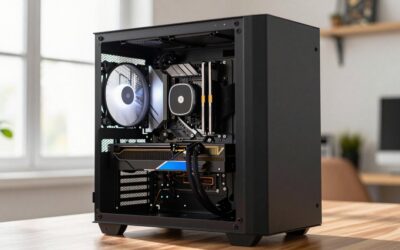
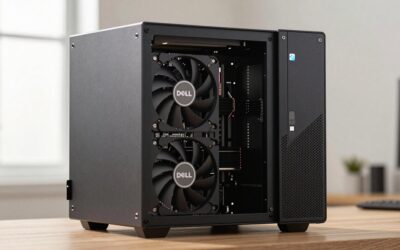
A Dell OptiPlex 3050 graphics card upgrade comes down to which chassis you own: the Mini Tower’s 240W PSU and ~240mm of usable card clearance will take most dual-fan GPUs that run on slot power alone (the RTX 3050 6GB is the practical ceiling), while the 180W SFF model is limited to low-profile cards around 170mm long that pull everything through the PCIe slot. Neither stock power supply ships with a 6-pin or 8-pin PCIe connector, so every recommendation below either runs on the 75W the x16 slot provides, or requires a PSU swap in the tower.
First, identify which OptiPlex 3050 you have
Dell sold the 3050 in three sizes, and they are not interchangeable upgrade platforms. The Micro has no PCIe slots at all — no graphics card fits it. The other two differ in PSU output, bracket height, and physical clearance:

msi Gaming GeForce GT 1030 4GB DDR4 64-bit HDCP Support DirectX 12 DP/HDMI Single Fan OC Graphics Card (GT 1030 4GD4 LP OC)
Included for 'Dell OptiPlex 3050 Graphics Card Upgrade: What Works in SFF and Tower' as a relevant option in this category; details come from the product listing.
View on Amazon
MSI Gaming GeForce GTX 1650 128-Bit HDMI/DP/DVI 4GB GDRR6 HDCP Support DirectX 12 VR Ready OC Graphics Card (GTX 1650 D6 Ventus XS OC) (Renewed)
Included for 'Dell OptiPlex 3050 Graphics Card Upgrade: What Works in SFF and Tower' as a relevant option in this category; details come from the product listing.
View on Amazon
msi Gaming RTX 3050 LP 6G OC Graphics Card (NVIDIA RTX 3050, 96-Bit, Boost Clock: 1492 MHz, 6GB GDDR6 14 Gbps, HDMI/DP, Ampere Architecture)
Included for 'Dell OptiPlex 3050 Graphics Card Upgrade: What Works in SFF and Tower' because the listing specifies 96-Bit and Boost Clock: 1492 MHz, details this guide uses to compare options.
View on Amazon
MSI GeForce GTX 1650 Ventus XS 4G OC Gaming Graphics Card 128-Bit HDMI/DP 4GB GDRR5 HDCP Support DirectX 12 VR Ready OC, NVIDIA GPU Video Card for PC Gaming, Computer Graphics Cards (Renewed)
Included for 'Dell OptiPlex 3050 Graphics Card Upgrade: What Works in SFF and Tower' because the listing specifies NVIDIA GPU Video Card for PC Gaming and Computer Graphics Cards (Renewed), details this guide uses to compare options.
View on Amazon| Chassis | Stock PSU | PCIe aux cables | x16 slot | Usable card length | Card type required |
|---|---|---|---|---|---|
| Mini Tower (MT) | 240W | None | PCIe 3.0 x16, full height | ~240mm (9.4in) before the drive cage | Standard bracket, single or dual slot |
| Small Form Factor (SFF) | 180W | None | PCIe 3.0 x16, low profile | ~170mm (6.7in) | Low-profile bracket; dual-slot LP cards fit if the second slot position is free |
| Micro (MFF) | 90–130W external brick | — | No PCIe slots | — | No internal GPU possible |
If you’re not sure which one is under your desk, the MT is roughly 36cm tall and stands like a normal PC; the SFF is about 9cm wide and usually sits flat under a monitor. Check the service tag on Dell’s support page if in doubt.
The power budget that decides everything
Since the stock PSUs have no PCIe connectors, the slot’s 75W ceiling is your hard limit — but total system draw matters too, especially in the SFF.
SFF, 180W PSU: an i5-7500 or i7-7700 is a 65W part that can spike toward 90W. Add roughly 40W for the motherboard, RAM, SSD, and fans, and you’re at ~105–130W before the GPU. A 75W slot-powered card pushes the theoretical total to ~180W — exactly the PSU’s rating. In practice CPU and GPU rarely peak together, so a 75W card works, but cards rated 70W or below (RTX 3050 6GB, RTX A2000, RX 6400) leave healthier sustained margin on a decade-old PSU.
Mini Tower, 240W PSU: the same math gives 65W CPU + ~45W platform + 75W GPU ≈ 185W, around 77% of rated capacity — comfortable. A 115W card like an RTX 4060 would take the total to ~225W (~94%) and needs an 8-pin connector the PSU doesn’t have anyway, which is why anything above 75W means a PSU swap, covered below.
GPUs that run on slot power alone
These cards draw ≤75W, need no aux connector, and exist in the right physical format for each chassis:
| GPU | TDP | Aux power | Bracket | Fits | Typical 2026 price |
|---|---|---|---|---|---|
| NVIDIA GT 1030 2GB (GDDR5) | 30W | None | Low profile | SFF + MT | Varies |
| AMD RX 6400 4GB LP | 53W | None | Low profile | SFF + MT | Check on Amazon |
| NVIDIA T1000 4GB/8GB | 50W | None | Low profile | SFF + MT | Check on Amazon |
| NVIDIA GTX 1650 4GB | 75W | None on non-OC SKUs | LP and full-height versions | SFF + MT | Varies |
| NVIDIA RTX 3050 6GB | 70W | None | Full height; an LP SKU exists | MT (any), SFF (LP model only) | Check on Amazon |
| NVIDIA RTX A2000 6GB/12GB | 70W | None | Low profile | SFF + MT | Check on Amazon |
| NVIDIA RTX 4000 SFF Ada 20GB | 70W | None | Low profile, dual slot | SFF + MT | Varies |
Four caveats the spec sheets won’t flag:
- Buy the right GTX 1650. Many full-size and even some low-profile SKUs carry a 6-pin connector. Verify the listing says no external power required — the MSI 4GT LP and Gigabyte LP variants are the common safe picks.
- The RX 6400 is a PCIe x4 card. On the 3050’s PCIe 3.0 slot it runs at ~3.9GB/s instead of the x16’s ~15.8GB/s, costing roughly 5–10% in VRAM-heavy scenes. Fine for esports; less ideal for texture-heavy AAA games.
- Skip Intel Arc A310/A380. Low-profile versions exist and the price is tempting, but Arc loses a large chunk of performance without Resizable BAR, which the 3050’s BIOS does not offer.
- Avoid the DDR4 GT 1030. The GDDR5 version has roughly double the memory bandwidth; check the spec line before buying used.
Pick by use case
| Your situation | Best pick | Why |
|---|---|---|
| SFF, cheapest possible 1080p esports | RX 6400 LP | 53W, new enough to have modern drivers and AV1 decode |
| SFF, maximum gaming performance | RTX 3050 6GB LP SKU or RTX A2000 | The only modern 70W cards in low-profile format |
| SFF, video editing / CUDA / light 3D work | RTX A2000 12GB | 12GB VRAM and workstation drivers at 70W |
| MT, best GPU without opening the PSU bay | RTX 3050 6GB | 70W, roughly double GTX 1650 performance, DLSS support |
| MT, willing to swap the PSU | RTX 4060 class (~115W) | Dual-fan models run ~200mm, well inside the 240mm limit |
| Just need more monitor outputs | GT 1030 or T400 | 30W, cheap, multiple display outputs |
On CPU pairing: the 3050 tops out at the i7-7700 (4c/8t), which is well matched to a GTX 1650 or RTX 3050. Anything faster hits a CPU bottleneck in modern titles before the GPU does — another reason the RTX 4060 only makes sense if you’re doing it for a specific workload rather than chasing fps.
Going past 75W in the Mini Tower
The MT board uses Dell’s proprietary 8-pin main power connector instead of a standard 24-pin ATX, so a PSU swap needs two parts: an inexpensive 24-pin-to-8-pin adapter cable, and a standard ATX PSU that physically fits the shallow chassis — most do, but measure the ~140mm depth first. With a 450–550W unit installed, an RTX 4060 or similar single-8-pin card works normally and clears the drive cage at typical ~200mm lengths.
The cheaper hack — a SATA-to-6-pin adapter — is the weakest link in the chain. A SATA power connector is rated for about 54W while a PCIe 6-pin is specified for 75W, so you’d be running a marginal connector at or past its rating every gaming session. It usually works for 75W-class cards, but a PSU swap is the honest fix for anything you’ll load for hours.
Installation notes that save a return
- Update the BIOS first. Pull the latest revision from Dell’s support site before the card arrives — early 3050 BIOS versions can black-screen with post-2020 GPUs.
- Fit the low-profile bracket before installing on SFF builds; most LP cards ship with both brackets in the box.
- Leave Secure Boot on — every card listed above is UEFI-native. In BIOS setup, set Video → Primary Display to Auto or PCIe.
- Clean-install drivers. If the PC ran integrated graphics, install the new card’s driver fresh rather than stacking on old display drivers.
- No cables to connect. If you bought a slot-powered card and find yourself hunting for a power lead, recheck the SKU — you may have received a 6-pin variant.
The OptiPlex 7040 graphics card upgrade follows the same rules
Everything above carries over directly to a Dell OptiPlex 7040 graphics card upgrade: it’s the same chassis generation with the same 240W MT / 180W SFF PSUs, the same missing PCIe aux cables, the same ~240mm and ~170mm clearances, and the same proprietary 8-pin main power connector. The only real differences are a Skylake CPU ceiling (i7-6700 instead of i7-7700) and its own BIOS update track — apply the latest 7040 revision before installing a modern card, then pick from the same table.
FAQ
Can I put an RTX 4060 in a 3050 Mini Tower?
Physically yes — most dual-fan models are around 200mm, inside the ~240mm limit — but only after a PSU swap, since the stock 240W unit has no 8-pin connector and would run at ~94% capacity anyway.
What’s the fastest GPU for the 3050 SFF without touching the PSU?
The RTX 3050 6GB low-profile SKU for gaming, or the RTX A2000 / RTX 4000 SFF Ada if you need VRAM and workstation drivers — all run at 70W through the slot.
Is a 75W card safe in the 180W SFF?
Yes, it’s a widely used combination, but it’s at the edge of the budget: 65W CPU + ~40W platform + 75W GPU can approach the full 180W under simultaneous peak load. A 70W card buys real margin.
Will a modern card even boot in a 2017 office PC?
Yes — all the cards above use UEFI firmware, which the 3050 supports natively. The single most common failure is an outdated BIOS, so update it before the install rather than after a black screen.